
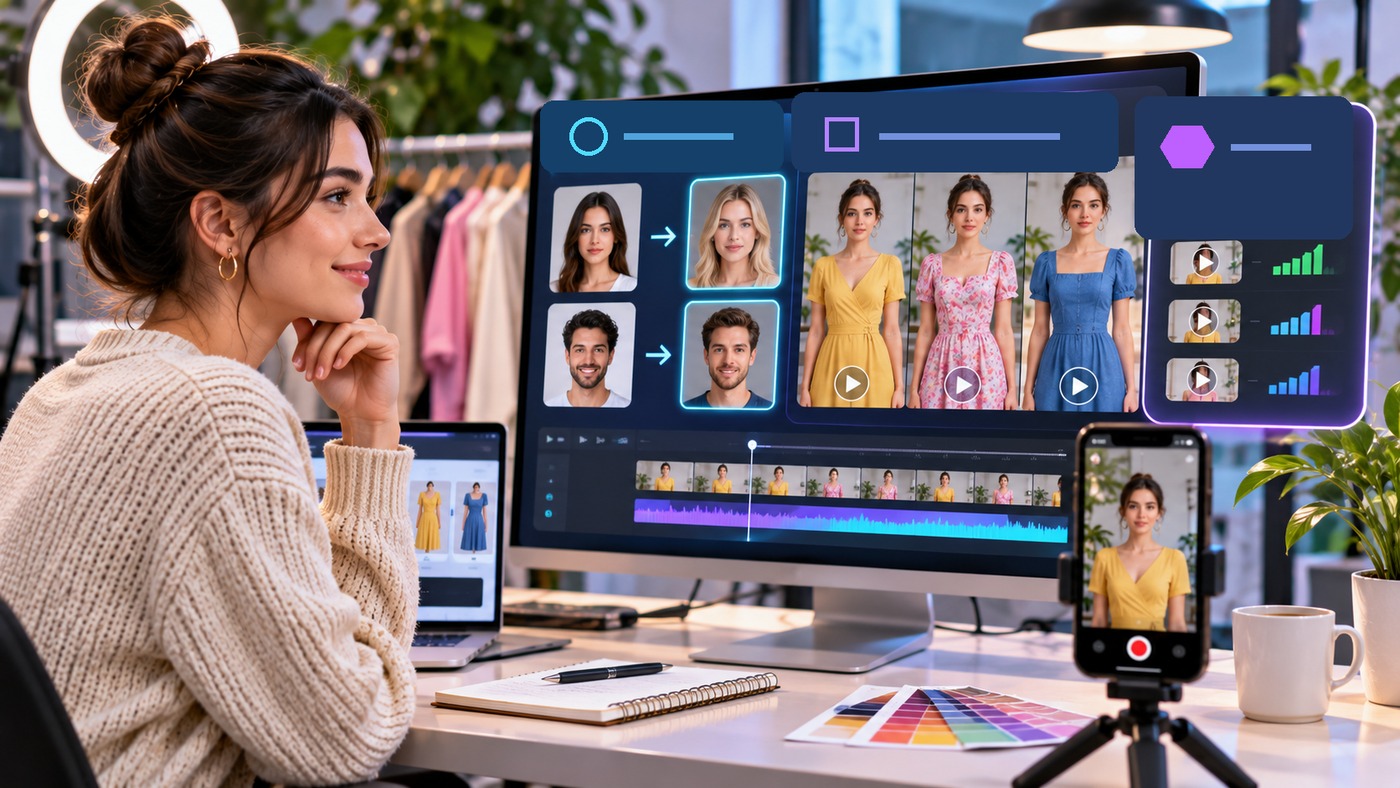
In short-form video marketing, the first three seconds decide whether a viewer watches the pitch or swipes past it, yet booking three different presenters to test the same thirty-second script is slow and expensive. A browser-based live face swap platform called LiveSwapFace lets one marketer sit at a desk and record multiple on-camera variations in a single afternoon, changing the presenter’s face, outfit, or visual style in real time.
When a TikTok, Reels, or YouTube Shorts campaign stalls, the script itself is often fine. The mismatch is usually visual: a B2B software tip delivered in a hoodie when the audience expects a blazer, or a casual consumer hook that feels too stiff.
Instead of reshooting from scratch with new talent and a rack of wardrobe options, you can hold the script and voice delivery constant while testing visual variables straight from your webcam. Here is how to run a structured visual hook test using LiveSwapFace.
Three Visual Variables That Change Three-Second Hold Rates
Before opening the camera, decide what you are testing. Keeping your spoken hook identical across takes lets you isolate three visual factors that shape a viewer’s first impression:
- On-camera persona. Different product categories fit different presenters. A solo founder running three niche channels can give each brand its own recognizable on-camera face rather than appearing personally on all three.
- Wardrobe and formality. The exact same opening line reads differently when delivered in a tailored suit, an athleisure zip-up, or a bold themed costume.
- Realism versus stylized animation. Some feeds stop for a clean talking-head shot, while others respond better to an illustrated or comic-book opening frame that stands out against standard webcam clips.
LiveSwapFace covers all three variables in one browser tab through its Face Swap, Try-On, and Restyle modes.
Step 1: Prepare Your Hook Script and Visual Test Assets
Write a tight twenty-five to thirty-second script with one clear opening hook in the first sentence. Because one person will perform all three versions, your pacing, vocal energy, and cadence stay consistent across the test.
Next, create a folder with the reference images for your three variations:
- For Face Swap: Pick two or three distinct faces from the built-in reference library, or upload clear, front-facing photos taken in even lighting. LiveSwapFace works from a single reference image per character with no model training required.
- For Try-On: Select outfits from the built-in preset gallery, which includes everyday casual looks, business suits, athleisure, and cultural or costume styles such as hanfu, qipao, and kimono, some with accessories like glasses, necklaces, or gloves. You can also upload your own garment photos in JPEG, PNG, or WebP up to 5 MB using a clear front view or flat lay on a plain background.
Label your files clearly, such as *Variation-A-Suit.jpg* and *Variation-B-Casual.jpg*, so you can load them in seconds between takes.
Step 2: Lock In a Repeatable Desk Camera Setup
For a fair A/B test, the lighting, framing, and audio need to stay identical across every version you record:
- Place the primary light in front of your face. Sit facing a window or set a soft LED lamp behind your laptop screen. Avoid sitting with a bright window behind your chair, since strong backlight washes out facial detail.
- Frame from the chest or waist up. If you are testing Try-On outfits alongside Face Swap, step back slightly so your shoulders, collar, and upper torso sit comfortably inside the camera view, with your whole head inside the frame.
- Use an external microphone. Plug in a USB desk mic or clip-on lapel mic so the audio track sounds crisp on every take.
Step 3: Record the Variations Live in Your Browser
Open LiveSwapFace in your computer or phone browser. Because the AI rendering runs in the cloud, it requires no software installation and no local graphics card.
Load the reference face and outfit for Variation A, allow camera access, check your posture in the camera preview, and click Start. Once the stream connects, watch the browser window as you deliver the opening line. The live face swap tracks your eyebrow movement, blinking, eye direction, and lip sync in real time, while Try-On maps the chosen outfit onto your torso as you gesture.
Seeing the transformed character live on screen is a major advantage over upload-and-wait video tools. You can see right away whether a smile, a nod, or a hand gesture sells the hook before you commit to the take.
Use screen-recording software such as OBS Studio or your computer’s built-in recorder to capture the browser window in 9:16 vertical format while recording your microphone. As soon as Variation A is done, stop the stream, load the reference assets for Variation B, and record the exact same script again.
Step 4: Record a Restyle Version as a Pattern Interrupt
For your third test clip, switch LiveSwapFace to Restyle mode. Restyle converts the entire live camera feed into an illustrated, painted, or comic-book look in real time while keeping your natural head movement and expressions underneath.
You have two ways to use this footage in your test:
- Full stylized clip: Publish the entire thirty-second video in the illustrated style for audiences that prefer animated or design-heavy feeds.
- Three-second visual pattern interrupt: Start the video with three seconds of the Restyle version for the opening hook, then cut on the beat to the photorealistic Face Swap and Try-On version for the rest of the explanation.
Step 5: Compare Hold Rate and Lock In the Winner
Export all three clips with identical captions and on-screen text so the visual presenter is the only difference. Post them across your test schedule or ad set and check two metrics after forty-eight hours:
- Three-second thumbstop ratio (the percentage of viewers who stopped scrolling to watch the opening hook).
- Average watch time through the middle of the script.
Once one combination of reference face, outfit, and visual style pulls ahead, save that exact reference photo and garment image in a dedicated brand folder. Your team can reuse that winning presenter setup for the rest of the campaign, knowing the visual hook has already been proven on the feed.
