
Creating realistic character animation once required specialised motion-capture equipment, expensive software, and considerable technical experience. Animators had to manually define poses, adjust movement sequences, and refine individual frames to achieve natural-looking results. Today, artificial intelligence is making parts of that process more accessible.
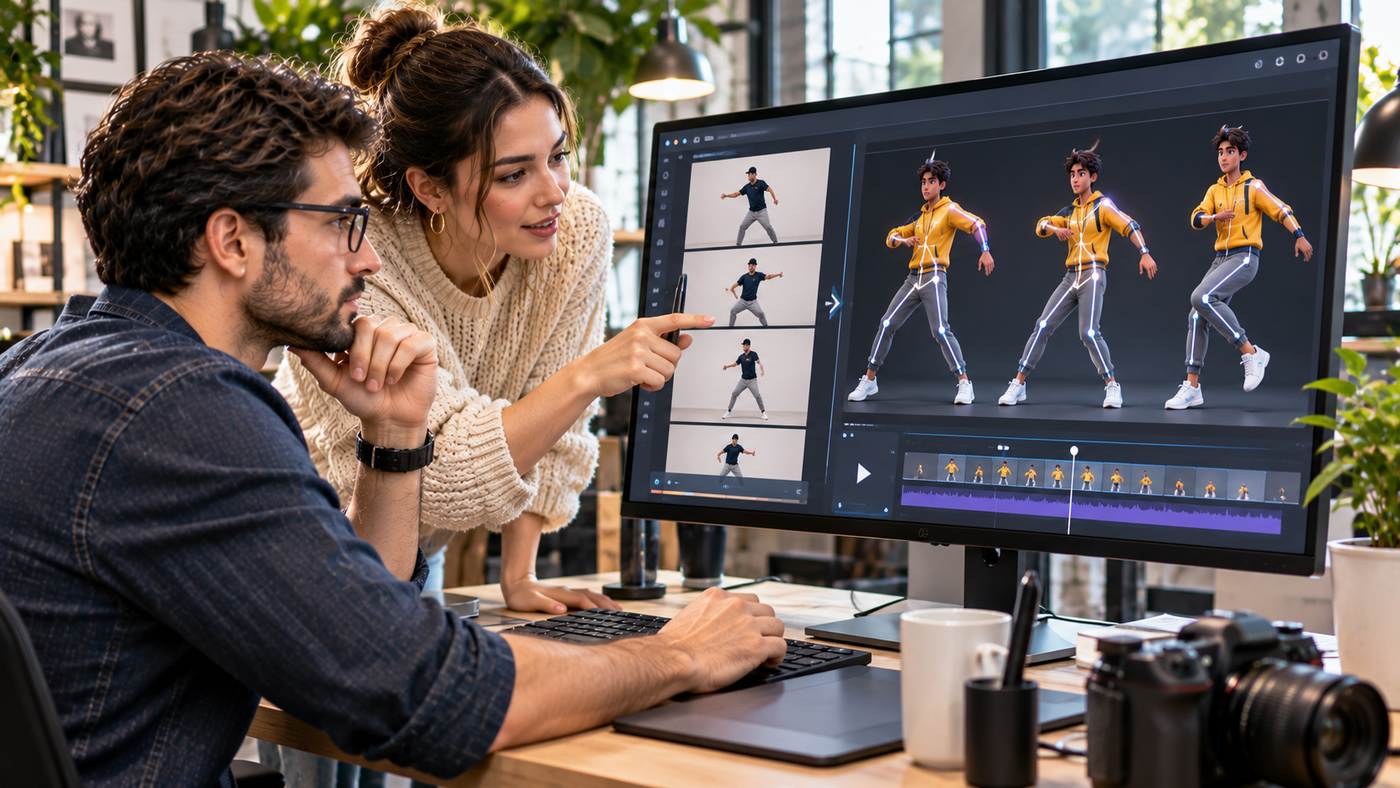
With motion transfer ai free online tools, creators can use an existing video as a movement reference and apply its actions to a different character. A person dancing, walking, waving, or performing simple gestures can provide the motion that guides an AI-generated animation.
This technology opens opportunities for social media creators, digital marketers, educators, game developers, and independent artists. Instead of building every movement manually, users can focus on selecting suitable reference footage and refining the final presentation.
However, successful motion transfer involves more than uploading two files. Image quality, camera angles, movement complexity, character proportions, and platform limitations can all influence the result.
This guide explains how AI motion transfer works, its practical applications, how to get started, and seven techniques for creating better character animations.
What Is AI Motion Transfer?
AI motion transfer is a video-generation technique that uses movement from a reference video to guide the animation of another subject.
The source video provides information about body movement, gestures, posture, and sometimes facial expressions. The target image establishes the character’s appearance.
An AI system attempts to combine these inputs into a new moving sequence.
For example, a creator might upload an illustration of a fictional character and a short video showing a person performing a dance routine.
The system uses the reference performance to generate animation in which the illustrated character follows similar movements.
How It Differs From Traditional Animation
Traditional character animation often requires manually creating or adjusting movement through keyframes.
In 3D animation, artists may work with skeletons, rigs, and motion-capture data.
AI motion transfer offers an alternative approach by estimating movement from visual references.
Users do not necessarily need to create a 3D character rig or understand complex animation timelines.
However, AI-generated motion is not guaranteed to reproduce every movement accurately.
The resulting video remains a generated interpretation of the reference performance.
Motion Transfer Versus Image-to-Video Generation
Standard image-to-video generation commonly starts with a static picture and a text prompt describing desired movement.
Motion transfer adds a reference video that demonstrates the movement directly.
This provides more specific guidance about timing, gestures, and body positioning.
For actions such as dancing or coordinated arm movements, a reference video can communicate details that would be difficult to describe using text alone.
How Online Motion Control Technology Works
Modern AI motion-control systems use generative models to interpret source footage and produce new frames based on the target character.
The precise technical implementation varies between providers.
Some systems use pose estimation, while others process visual relationships through broader generative video models.
Understanding the Reference Video
The reference video provides a sequence of movements.
The AI attempts to identify how different body parts change position over time.
Movements may include stepping, turning, raising arms, bending, or changing facial expressions.
The model then uses that information when generating the target animation.
Using a Character Image
The target image establishes the visual identity of the subject.
It may depict a realistic person, illustrated character, animated avatar, or other supported subject.
A clear image with visible body proportions generally provides better reference information than a heavily cropped or obstructed image.
Generating the Animation
After processing both inputs, the system creates frames that attempt to preserve the character’s appearance while following the movement pattern.
Users can review the result and regenerate the video if movement or appearance is inconsistent.
Different models may produce different levels of motion accuracy and visual stability.
Seven Smart Tips for Better Motion Transfer Results
The following techniques can help creators improve the consistency and usability of their animations.
1. Start With High-Quality Character Images
The quality of the source character image influences the generated result.
Choose a photograph or illustration with a clearly visible subject.
For full-body animation, the image should ideally show the character’s arms, legs, and overall proportions.
Avoid excessive cropping or situations where important body parts are hidden behind objects.
An image with consistent lighting and a relatively uncluttered background may be easier for the system to interpret.
2. Select a Clear Reference Video
A good reference video should show the intended action without unnecessary distractions.
For a dance animation, choose footage in which the performer remains visible throughout the movement.
Avoid extreme motion blur, frequent camera cuts, and situations where other people obscure the performer.
A stable camera angle is often a useful starting point.
When experimenting with motion transfer ai free online, a short and simple reference clip can help reveal how well the selected model handles basic movement.
3. Match Character Proportions When Possible
AI models can struggle when the source performer and target character have substantially different proportions.
For example, transferring complex human movement to a highly stylised character may create unusual limb positions.
This does not mean such transformations are impossible.
However, the animation may require additional attempts or adjustments.
Starting with reasonably compatible character proportions can improve consistency.
4. Avoid Overly Complicated Movements Initially
Fast spins, acrobatics, and movements involving frequent body occlusion can be challenging.
When learning the workflow, begin with straightforward actions.
Walking, waving, gentle dancing, and simple gestures provide useful opportunities to evaluate the model.
Once the results become more predictable, experiment with more complex performances.
5. Keep Background Requirements Simple
Some motion transfer systems offer choices about whether the generated background follows the target image or the reference video.
Background movement can introduce additional complexity.
For initial experiments, use simple settings that keep attention on the main character.
A consistent environment can also make unwanted distortions easier to identify.
6. Review Character Identity Carefully
One important challenge is maintaining a character’s appearance across the generated frames.
Facial features, clothing, hair, and body proportions may change unexpectedly.
Inspect the entire video rather than relying on the first frame.
This is particularly important when working on recurring fictional characters or brand mascots.
7. Refine the Final Video Before Publishing
AI-generated animation often benefits from conventional editing.
A video editor can help trim unwanted frames, adjust timing, and combine successful clips.
Creators may also add captions, original narration, or properly licensed audio.
Review the final export for visual errors and platform compatibility before publishing.
Exploring Motion Control AI for Online Animation
Creators interested in motion transfer ai free online can explore the Motion Control AI platform.
The website presents a browser-based video generation environment designed to transfer movement from reference footage to character images.
Its advertised workflow allows users to combine a character image with a reference motion video and generate a new animated result.
The platform also describes access to motion-control technology associated with Kling models.
Reference-Guided Animation
One of the platform’s central features is the ability to use a motion reference.
Instead of describing an entire dance routine in a written prompt, users can provide footage demonstrating the action.
The system then attempts to reproduce the movement through the target character.
This can simplify experimentation with gestures, dance sequences, and expressive performances.
Character Consistency
Motion Control AI promotes maintaining character identity throughout an animation.
This capability is useful when creators want the subject to retain recognizable clothing, facial details, and proportions.
However, character consistency is a goal rather than a guaranteed outcome.
Complex movements and difficult source images can still produce visual errors.
Available Generation Models
The website describes motion-control options associated with Kling 2.6 and Kling 3.0 technology.
Model availability, credit requirements, supported inputs, and output settings may differ.
Users should review the current interface before choosing a model for a production project.
Free Access and Paid Options
Motion Control AI advertises a free starting option alongside paid plans.
Its pricing information refers to account creation, trial credits, and subscription packages.
Free access should not be interpreted as unlimited generation.
The number of available credits, supported features, and export limitations can change.
Review the current pricing terms before beginning a large project.
How to Create an AI Motion Transfer Video
A structured workflow can make the generation process easier to understand.
Step One: Prepare Your Character
Choose a character image that clearly communicates the desired appearance.
Full-body imagery is often appropriate for walking and dancing.
For facial performance, a closer portrait may be suitable if supported by the selected model.
Use an image you own or have permission to animate.
Step Two: Choose the Motion Reference
Select a video containing the movement you want to reproduce.
Short clips with a visible performer are helpful for initial testing.
Ensure that you have the necessary rights to use the footage.
Step Three: Upload Both Files
Open the appropriate motion-control interface.
Upload the character image and reference video according to the platform’s instructions.
Check supported formats, file-size limitations, and video duration requirements.
Step Four: Select Generation Settings
Choose any available model, resolution, duration, or background options.
Some systems also provide prompt controls.
If a prompt is required, describe the intended character consistency and relevant scene details without contradicting the reference movement.
Step Five: Generate the Video
Start the generation process after reviewing the credit cost.
Processing requirements depend on the selected model and platform conditions.
The resulting animation should be treated as a draft until it has been checked.
Step Six: Inspect the Output
Watch the video from beginning to end.
Pay attention to body movement, facial stability, clothing, and background consistency.
If necessary, adjust the inputs and generate another version.
Step Seven: Export and Edit
Once the result is satisfactory, export it in an available format.
Use an external editor if additional trimming, captions, sound, or transitions are needed.
Check commercial usage rights before publishing promotional work.
Practical Applications for Content Creators
Motion transfer offers several possibilities for producing visual content without a traditional animation pipeline.
Social Media Dance Videos
Creators can animate fictional characters using dance references.
A short performance can become a stylised clip suitable for social media storytelling.
The final result should use appropriately licensed footage and audio.
Digital Avatars
Digital presenters and fictional avatars can benefit from consistent movement.
Instead of generating every gesture from text, creators can use recorded motion references.
This may support recurring character-led content.
Educational Explainers
Teachers and educational creators can use animated characters to demonstrate simple actions.
Movement references can help produce gestures that make explanations more engaging.
However, educational animations should still be checked for accuracy.
Game Development Concepts
Game developers may use motion transfer as a visual prototyping tool.
A reference performance can help communicate how a character might move.
The generated video is not necessarily a usable skeletal animation file.
Developers needing editable motion data should confirm whether the platform supports the required export format.
Marketing and Brand Content
Businesses may experiment with animated mascots, social media clips, and promotional concepts.
Motion transfer can support early creative development.
However, generated content must represent brands and products accurately.
Motion Transfer for Realistic and Animated Characters
Different character styles create different technical challenges.
Realistic Human Characters
Photorealistic characters require careful attention to faces, hands, clothing, and body movement.
Even small inconsistencies can become noticeable.
Creators should use clear reference images and review every frame for unusual changes.
Anime and Illustrated Characters
Stylised characters can provide more creative freedom.
Their proportions and visual details may differ from realistic human anatomy.
Motion transfer systems attempt to adapt the reference movement, but some exaggeration or distortion may occur.
3D Characters
Rendered 3D characters can provide a consistent visual foundation for animation.
However, generating a video of a 3D character is different from producing reusable rigging or skeletal motion data.
The output format should match the project’s requirements.
Brand Mascots
Businesses may use animated mascots in advertising or educational content.
Consistency is especially important when the same character appears across multiple campaigns.
A carefully prepared character reference can help maintain a recognisable presentation.
Common Problems and How to Reduce Them
AI motion transfer technology remains imperfect.
Understanding typical errors can help creators improve their results.
Distorted Hands and Arms
Complex gestures can cause unusual finger or limb positions.
Try using reference footage with clear arm movements and minimal obstruction.
Avoid demanding excessive motion from a low-quality source image.
Character Appearance Changes
Clothing and facial details may shift between frames.
A clear target image and restrained movement can sometimes improve consistency.
Additional editing may still be necessary.
Unnatural Walking or Dancing
The target character may not reproduce the rhythm of the reference precisely.
Differences in body proportions and pose interpretation can affect the movement.
Experiment with simpler clips or different model options.
Background Flickering
Some generations introduce unwanted changes in the environment.
A relatively simple background and consistent framing may help reduce these artifacts.
Unexpected Camera Movement
If the source footage contains substantial camera motion, the generated result may incorporate unintended framing changes.
Use a more stable reference when precise character movement is the priority.
How to Evaluate Free AI Animation Tools
Free access is useful for experimentation, but creators should examine the complete service offering.
Consider the supported input formats, reference video limits, generation duration, and export resolution.
Review whether outputs contain watermarks.
Compare the number of credits required for different models.
Check whether users can retain or remove uploaded assets.
For professional work, investigate privacy policies and commercial licensing terms.
The best platform is not necessarily the one advertising the largest number of free features.
It is the one that reliably supports the required workflow.
Responsible Use of Motion Transfer Technology
Motion transfer introduces important questions about consent, copyright, and representation.
Obtain Permission for Real People
Animating an identifiable person may require consent, especially when the resulting video could imply that the person performed an action they never performed.
Avoid creating misleading impersonations or unauthorised endorsements.
Respect Copyright
Reference videos may contain protected creative material.
Use footage you own, have licensed, or are otherwise authorised to use.
Generating a new video does not automatically remove restrictions associated with the original material.
Be Transparent With Synthetic Media
AI-generated footage can appear realistic.
Where viewers might reasonably mistake it for an authentic recording, appropriate disclosure can help prevent confusion.
Publishing platforms may also impose their own disclosure requirements.
Protect Uploaded Material
Review how the platform handles uploaded images, videos, and generated content.
Avoid uploading confidential client materials without suitable permissions and safeguards.
The Future of AI Motion Control
Motion-guided generation is making character animation more accessible to users without traditional animation expertise.
As systems improve, creators may gain greater control over character consistency, camera movement, and complex performances.
However, visual quality is only one part of professional production.
Reliable results also require clear creative direction, appropriate input materials, careful editing, and responsible publishing.
AI motion transfer is likely to remain especially useful for concept development, social media production, animation experiments, and rapid visual storytelling.
For projects requiring precise physical movement or fully editable animation data, established animation workflows may still be necessary.
Frequently Asked Questions
What is motion transfer AI?
Motion transfer AI uses movement from a reference video to guide the animation of another character or subject.
Can I use motion transfer AI for free?
Some platforms offer trial credits or limited free generation. Usage limits, supported models, and export options vary by provider.
Can AI transfer dance movements to a photo?
Yes. Motion-control systems can attempt to animate a character image using dance footage as a movement reference. Results depend on image quality, movement complexity, and the selected model.
Do I need animation experience?
Many browser-based tools are designed for beginners and do not require traditional keyframe animation experience. Basic video editing knowledge can still be helpful.
Conclusion
AI motion transfer technology provides a new way to create character animation using existing visual references.
Instead of defining every movement manually, creators can combine a character image with a reference video and let a generative model produce an animated interpretation.
Motion transfer ai free online platforms make this approach accessible for experimentation, educational content, digital avatars, and marketing concepts.
However, successful results still depend on clear source images, suitable reference footage, careful quality control, and realistic expectations.
By learning how to prepare inputs, select appropriate settings, and review generated outputs, creators can use motion transfer technology more effectively while maintaining responsible creative standards.
