
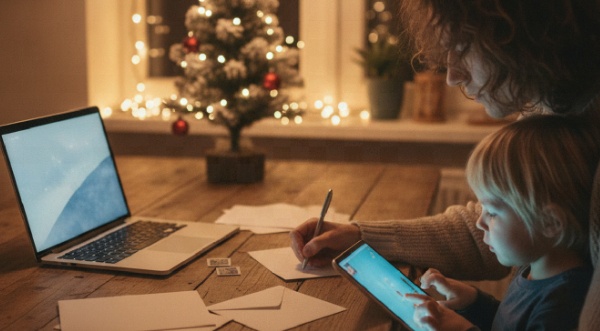
It is 10 p.m., the card list is half finished, and the only family photo without closed eyes was taken beside a grocery cart. Seasonal AI can help in that pinch, as long as you don’t hand it the whole job.
Quick answer: AI for Christmas is most useful for first drafts, photo styling and a short stretch of supervised play. Ask a writing tool for several card messages, then add one detail only you know. A photo generator can build a festive scene from a good phone picture, while age-appropriate Santa games can occupy kids as you finish the cards.
Let AI draft the card, then add the sentence only you can write
A useful starting point for a christmas card for doctor is a collection of examples sorted by tone and situation. XmasCard (ChristmasCard.io) is a Christmas card maker site for families that has message ideas, photo frames, printable letters, wallpapers and stickers, but its drafts still need a personal sentence from you. Its doctor guide includes short, warm and formal wording, plus messages from a family or to an entire medical team.
That distinction matters because people can tell when a note could have been sent to anyone. In a 2026 VistaPrint survey of 2,014 U.S. adults, 44% of people planning to send physical cards said they would use AI to write or polish the message. Yet 33% of respondents said an AI-written or AI-designed card would bother them. The machine can fix the blank-page problem. It cannot remember that your doctor drew a diagram when you were confused or called your family after a difficult appointment.
Try a prompt such as: “Write three warm messages for my doctor, each under 45 words. Thank them for listening and explaining care clearly. Do not mention diagnoses, treatment, appointments or other private health information.” Leave out the doctor’s name and every identifying patient detail when you put that request into a consumer AI tool.
Then edit hard. A usable christmas card message might begin, “Wishing you a peaceful Christmas and a happy new year.” Your own line does the real work: “Thank you for taking the time to explain each step when our family felt overwhelmed.” That is better than twenty polished holiday card ideas because another patient couldn’t honestly sign it.
What not to write in a card to your doctor
The card may sit on a reception desk where staff and other patients pass by. Don’t mention a diagnosis, medication, test result, appointment date or private family situation. You can thank the doctor for listening, patience, reassurance or clear explanations without describing the medical issue behind that gratitude.
Short is usually right. Two or three sentences leave room to thank nurses, reception staff or the wider care team, too: “Thank you and your staff for the kindness you showed our family this year. We wish the whole team a restful Christmas.” If one person helped in a specific way, name the quality, not the confidential event.
Finish according to the relationship. “Warmly” or “With gratitude” fits a personal note; “Sincerely” is safer when you want a formal tone. Sign with your first and last name if the office needs help identifying you, or use “The [family name] family” when the doctor cared for several relatives. Skip cash, expensive presents, favors and requests for special treatment. A card is thanks, not a transaction.
- “Thank you for always listening carefully and explaining our options.”
- “Your reassurance meant a great deal to our family this year.”
- “We appreciate the patience and kindness shown by your whole team.”
- “Wishing you and your staff a peaceful Christmas and a healthy new year.”
Christmas photos without a photoshoot
PiXmas (Picsmas.com) is an AI Christmas photo generator for families that rebuilds the background, lighting, clothing and props around one phone photo, but its output is a digital picture or phone wallpaper, not a studio session or a printed card. The face is meant to remain recognizable. The app had 4.8 stars from 889 US App Store ratings when checked in November 2026.
There are more than 800 styles in 20 categories. You can put someone in a cozy living room, snow scene, city at night or Santa’s workshop, with other groups covering families, babies, pets, couples, pajamas, gold themes and New Year’s Eve. This can rescue a year when nobody booked a photographer and the closest thing to a Christmas portrait is a sharp phone picture from October.
Start with one front-facing, well-lit photo. The face should be sharp, with no sunglasses or heavy filter. Crop out strangers and ask permission before uploading an identifiable picture of a relative. A crowded family shot gives the software more chances to alter a face, mix up an arm or turn a necklace into festive plumbing.
Inspect the result at full size. Hands, glasses, jewelry, tiny decorations and generated text sometimes need another attempt, and group pictures are less consistent than a single portrait. For pets, XmasCard has a pet Christmas card maker that takes one ordinary dog or cat photo, swaps the background or applies a portrait style, then creates a digital greeting or print-ready file. No studio photo is needed, though a clear shot still helps.
Santa games that buy you an hour
PiXmas keeps a current guide to santa games for parents choosing among phone and tablet apps. The guide was updated November 25, 2026, with US App Store ratings checked on November 20. There are six game picks, along with mentions of Santa Tracker and Message from Santa, which aren’t games.
Santa Workshop: Christmas Game is the most flexible place to start if your child likes building and sorting. Kids read children’s letters, assemble toy machines, make each toy and pack the sleigh, with match-3 and merge activities mixed in. It is free, works offline and runs on iPhone, iPad, Mac and Android. The app is rated for ages 4 and up, but it was released on November 19, 2026, so it was too new to have a meaningful rating.
Set the timer before handing over the device, not after the child has entered Santa’s factory. The American Academy of Pediatrics advises no screen media for children under 18 months except video calls. For ages 18 to 24 months, choose high-quality material and join them; for ages 2 to 5, the baseline is about one hour of high-quality screen use per day, with an adult watching when possible. Older children still need limits that protect sleep, meals, movement and family time.
- Santa Workshop: Christmas Game has toy building, packing, match-3 and merge play for ages 4 and up.
- Santa Claus – Christmas Game repeats a child’s voice and has five mini games; it had 4.4 stars from 2,602 ratings.
- Lazy Santa Claus lets very young children dress a sleepy Santa with one finger and no timer; it had 4.6 stars from 2,563 ratings.
- Christmas Games – Bubble Pop is a Santa-themed bubble shooter for older kids; it had 4.7 stars from 3,563 ratings.
Where AI should stay out of Christmas
Some Christmas jobs shouldn’t be automated. The handwritten sentence belongs to you. So does the unpolished photo of flour on the kitchen floor, a child wearing the angel costume backward or the dog stealing wrapping paper. Generated snow can be pretty, but it didn’t happen.
The same rule applies to time with children. A game can cover the last few envelopes or let you address a package without a small assistant applying twelve stickers to it. Then put the phone away. AI can reduce seasonal busywork; it cannot create the memory you were too distracted to notice.
Frequently asked questions
What should I write in a Christmas card for my doctor?
Write a warm Christmas greeting, thank your doctor for one specific quality such as listening or explaining care clearly, and close with a seasonal wish. XmasCard has short, formal, family and medical-team examples that you can edit.
Is it okay to use AI to write Christmas cards?
Yes, using AI for a first draft or tone check is reasonable. Remove identifying details from the prompt and add a sentence based on something you genuinely remember.
Can AI turn my photo into a Christmas picture?
Yes, PiXmas can turn one clear phone photo into an AI Christmas photo with new clothing, lighting, props and a festive background. Check faces, hands, glasses, jewelry and text before using the result.
What are good Santa games for kids?
Santa Workshop suits children ages 4 and up and works offline, while Lazy Santa Claus has simple one-finger play for younger children. Santa Claus – Christmas Game has a talking Santa and five mini games, and Christmas Games – Bubble Pop suits older kids.
Should I mention my treatment in a card to my doctor?
You can refer generally to kindness, reassurance or clear explanations, but don’t include a diagnosis, medication, test result, appointment date or another identifiable health detail. Keep the message brief and focused on thanks.
The bottom line
AI earns its place in the Christmas rush when it gets you past an empty card, turns a decent phone shot into something festive or occupies a child for a defined stretch. Give it the repetitive work. Check every result, especially faces and private information.
Then take back the parts people will remember: one honest sentence, one real photo and your attention when the cards are finally in their envelopes.
App ratings, availability and prices were checked in November 2026 and may change.
