
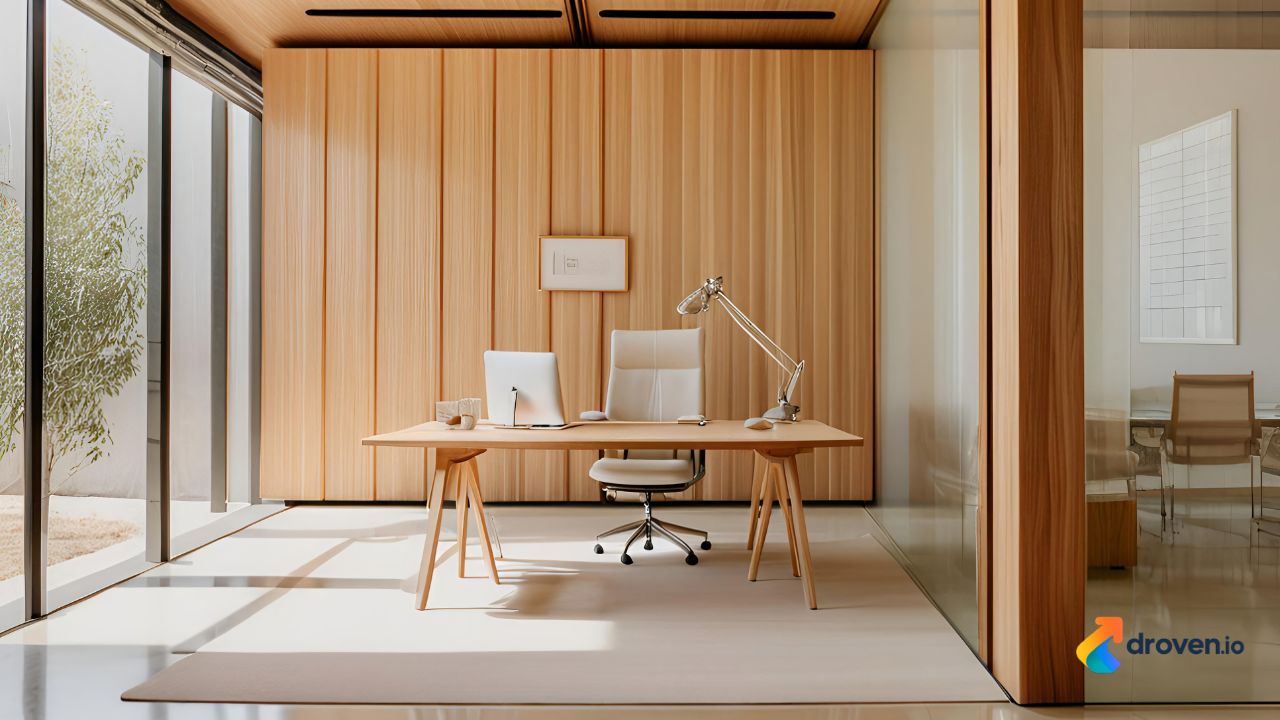
Whether you work remotely full-time, manage a business from home, or simply need a dedicated place for studying and personal projects, a well-designed home office can improve productivity, organization, and overall comfort. As remote and hybrid work continue to become more common, creating a workspace that supports focus and efficiency has become a priority for many homeowners. From choosing the right furniture to optimizing lighting and storage, every detail contributes to a workspace that encourages better performance while reflecting your personal style.
Why a Home Office Matters
A dedicated workspace offers more than just a desk and chair. It creates an environment where you can concentrate, manage daily responsibilities, and separate work from personal life.
Some of the benefits of having a home office include:
- Improved productivity
- Better organization
- Reduced distractions
- Greater work-life balance
- Increased comfort
- Professional video meeting background
- Efficient document management
Even a small, thoughtfully designed office can make a significant difference in your daily routine.
Choosing the Right Location
The first step in designing a home office is selecting the right space.
Spare Bedroom
A spare bedroom often provides the privacy and quiet environment needed for focused work.
Living Room Corner
If a separate room isn’t available, a dedicated corner of the living room can be transformed into a functional workspace.
Basement Office
Finished basements offer spacious environments suitable for larger workstations and storage solutions.
Loft or Attic
Unused attic or loft areas can become comfortable offices with proper lighting and ventilation.
Built-In Workspace
Custom built-in desks and shelving allow homeowners to maximize smaller spaces without sacrificing functionality.
Selecting the Right Office Desk
The desk serves as the centerpiece of any home office.
Standard Desk
A traditional desk provides ample workspace for computers, documents, and office supplies.
Standing Desk
Height-adjustable desks allow users to alternate between sitting and standing throughout the day.
L-Shaped Desk
L-shaped desks offer additional workspace and are ideal for multitasking or managing multiple monitors.
Floating Desk
Wall-mounted floating desks work well in compact spaces while maintaining a clean, modern appearance.
Choosing an Ergonomic Chair
Comfortable seating is essential for maintaining productivity during long work sessions.
Look for features such as:
- Adjustable seat height
- Lumbar support
- Adjustable armrests
- Breathable materials
- Tilt adjustment
- Stable base
An ergonomic chair helps support good posture and may reduce discomfort associated with prolonged sitting.
Lighting Your Home Office
Proper lighting contributes to both comfort and productivity.
Natural Light
Position your workspace near windows whenever possible to maximize daylight.
Natural light can improve visibility and create a more inviting work environment.
Task Lighting
Desk lamps provide focused lighting for reading, writing, and detailed work.
Ambient Lighting
Ceiling fixtures or floor lamps create balanced illumination throughout the room.
Adjustable Lighting
Dimmable lighting allows you to adapt brightness levels based on the time of day and your work activities.
Organizing Your Workspace
A clutter-free office helps improve efficiency and reduces distractions.
Shelving
Wall-mounted shelves keep frequently used items within reach while maximizing floor space.
Filing Cabinets
Secure filing cabinets help organize important documents and paperwork.
Storage Baskets
Decorative baskets provide convenient storage for office supplies and accessories.
Cable Management
Cable organizers reduce clutter and create a cleaner workspace.
Essential Technology for a Home Office
Technology plays a central role in most modern work environments.
Common equipment includes:
- Desktop computer or laptop
- High-resolution monitor
- Wireless keyboard and mouse
- High-speed internet connection
- Webcam
- Noise-canceling headset
- Printer and scanner
- Backup storage solutions
Choose equipment that matches your workflow and professional requirements.
Decorating Your Home Office
An attractive workspace can improve motivation while creating a more enjoyable environment.
Indoor Plants
Plants add natural beauty and help create a calming atmosphere.
Wall Art
Artwork and framed prints personalize the office while complementing your design style.
Color Scheme
Neutral colors promote focus, while accent colors can add energy and creativity to the room.
Rugs
Area rugs provide warmth, texture, and visual definition for the workspace.
Creating a Productive Environment
Small adjustments can significantly improve your work experience.
Minimize Distractions
Choose a quiet location whenever possible and establish clear boundaries during working hours.
Maintain Good Air Quality
Proper ventilation and comfortable room temperatures contribute to a pleasant workspace.
Personalize the Space
Decorate with meaningful items that inspire creativity without creating unnecessary clutter.
Keep Frequently Used Items Accessible
Organize supplies so they remain easy to locate during the workday.
Storage Solutions for Every Office Size
Effective storage helps maintain a clean and organized workspace.
Popular options include:
- Bookcases
- Mobile storage carts
- Wall organizers
- Drawer dividers
- Floating cabinets
- Multi-functional furniture
Choosing storage solutions that fit your available space improves both organization and aesthetics.
Home Office Design Styles
Your office should reflect both your professional needs and personal preferences.
Modern
Modern offices feature clean lines, neutral colors, and minimalist furniture.
Scandinavian
Scandinavian design emphasizes simplicity, natural materials, and bright interiors.
Industrial
Industrial offices combine exposed materials such as metal and wood for a contemporary urban appearance.
Traditional
Traditional home offices often include rich wood furniture, built-in shelving, and timeless décor.
Farmhouse
Farmhouse-inspired workspaces create a warm and inviting atmosphere using natural textures and rustic finishes.
Tips for Remote Work Success
Creating a productive workspace involves more than furniture selection.
Consider these best practices:
- Maintain a consistent work schedule.
- Keep your workspace organized.
- Take regular movement breaks.
- Use ergonomic equipment.
- Limit unnecessary distractions.
- Plan daily tasks before starting work.
- Maintain a reliable internet connection.
These habits can support efficiency and improve the overall remote work experience.
Common Home Office Mistakes to Avoid
When designing your workspace, avoid these common errors.
Choosing Style Over Comfort
A visually appealing office should also support long-term comfort and functionality.
Poor Lighting
Insufficient lighting can contribute to eye strain and reduced productivity.
Inadequate Storage
Limited storage often leads to clutter and disorganization.
Ignoring Ergonomics
Improper desk height or chair selection may reduce comfort during extended work sessions.
Overcrowding the Room
Too much furniture can make the workspace feel cramped and less efficient.
Benefits of Investing in a Home Office
A thoughtfully designed home office offers long-term advantages beyond daily productivity.
Benefits may include:
- Improved focus
- Enhanced organization
- Better professional image during virtual meetings
- Increased property appeal
- More comfortable work environment
- Greater flexibility for remote work
Investing in quality furniture and functional design creates a workspace that supports both personal and professional success.
Future Trends in Home Office Design
As remote work continues to evolve, home office design is adapting to new technologies and changing work habits.
Emerging trends include:
- Smart lighting systems
- Height-adjustable desks
- Acoustic wall panels
- Sustainable furniture
- Multi-purpose office spaces
- Wireless charging stations
- AI-powered productivity tools
- Energy-efficient home workspaces
These innovations continue to improve comfort, efficiency, and flexibility for modern professionals.
Conclusion
A well-planned home office provides the foundation for productive, comfortable, and efficient work from home. By selecting the right location, investing in ergonomic furniture, organizing your workspace effectively, and incorporating thoughtful design elements, you can create an environment that supports focus and long-term success. Whether your office occupies an entire room or a compact corner of your home, careful planning and practical design choices will help you build a workspace that enhances both productivity and everyday comfort.
FAQs
What is the best location for a home office?
A quiet area with good natural lighting and minimal distractions is often ideal. Spare bedrooms, lofts, and dedicated corners can all work well depending on your available space.
What furniture is essential for a home office?
Basic essentials include a comfortable desk, ergonomic chair, adequate lighting, storage solutions, and the technology needed for your work.
How can I make a small home office more functional?
Use vertical storage, floating shelves, compact furniture, cable management solutions, and good lighting to maximize limited space.
Why is ergonomic furniture important?
Ergonomic furniture supports proper posture, improves comfort, and may reduce physical strain during extended periods of work.
How can I improve productivity in my home office?
Maintain an organized workspace, minimize distractions, use comfortable furniture, establish a regular work schedule, and create a well-lit environment that supports focus.
