
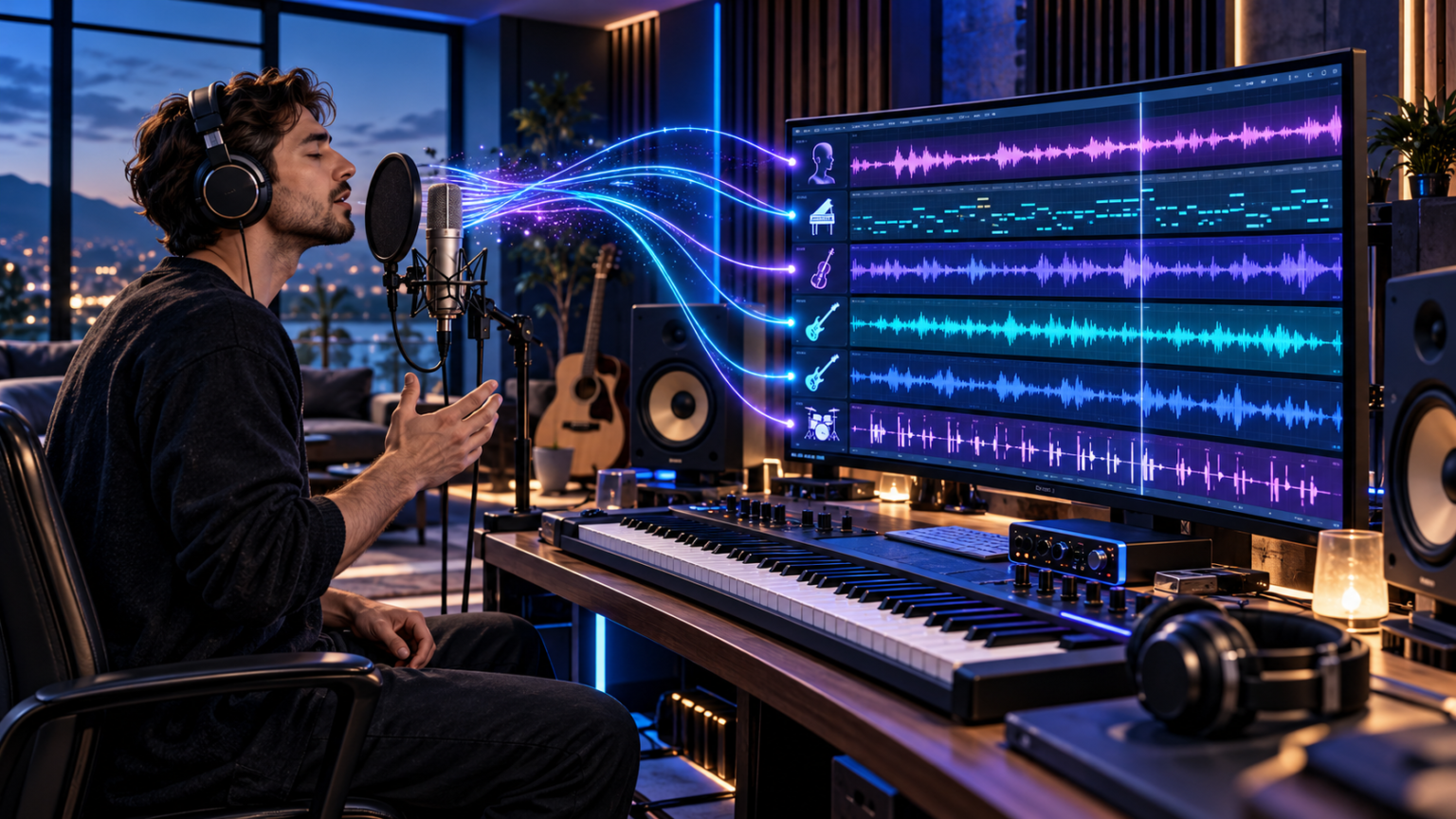
Every memorable song begins somewhere. Sometimes the starting point is a chord progression played on a piano. Other times, it is a melody someone hums while travelling, working, or relaxing at home. The challenge is turning that brief musical idea into an arrangement that other people can hear and appreciate. Modern voice-to-instrument technology makes this process more accessible by transforming recorded singing, humming, or vocalised musical phrases into instrument-style audio that can be developed into a larger composition.
For independent musicians, this represents a different way to approach music production. Instead of beginning with a virtual keyboard or complicated recording setup, creators can use their natural voice to communicate the melody, rhythm, and expression they imagine.
AI technology then interprets that performance and generates audio designed to resemble a selected instrument.
However, creating a convincing instrumental arrangement involves more than choosing an instrument and pressing a conversion button.
The original recording must communicate a clear musical idea. The selected instrument should suit the intended role, and different converted tracks must work together rhythmically and harmonically.
Editing and mixing also influence whether the result sounds like a connected composition or several unrelated recordings.
This guide explains how to use voice-based AI conversion as part of a practical music production workflow, from recording an initial melody to preparing a finished instrumental demo.
What Does Voice to Instrument Actually Do?
Voice-to-instrument conversion is a type of AI audio processing that transforms a vocal performance into audio resembling a musical instrument.
A user records or uploads a melody, selects an instrument, and receives a converted audio track.
The technology is intended to retain important musical characteristics from the source recording, such as pitch movement, rhythm, and phrasing, while changing the sound associated with the performance.
For example, someone might hum a simple melody and convert it into a piano-style recording.
The same melody could also be processed using a violin, guitar, or saxophone model.
These versions allow the creator to explore how different timbres affect the musical idea.
How AI Interprets a Vocal Melody
A vocal performance contains several kinds of information.
Pitch describes how high or low a note sounds.
Rhythm describes when sounds occur and how long they last.
Dynamics concern changes in loudness and intensity.
Phrasing reflects the way notes are connected and grouped into musical ideas.
AI conversion models attempt to interpret some of these characteristics and reconstruct the performance using a different instrumental sound.
The result is not always a perfect note-for-note reproduction.
Background noise, ambiguous pitch, rapid transitions, and complicated vocal effects may influence the conversion.
For this reason, the quality of the source performance remains important.
Voice Conversion Is Not the Same as Music Composition
A conversion tool works from musical information supplied by the user.
A text-to-music generator, by contrast, may create a new piece of music from a written description.
The difference matters because converting a vocal recording allows the creator to retain more direct control over the intended melody.
AI does not need to invent the primary musical idea when the user has already performed it.
This can make voice-based workflows particularly useful for songwriting, arrangement experiments, and early music demonstrations.
1. Record a Clean Vocal Performance Before Converting It
The first stage of a successful voice-to-instrument workflow is creating a recording that clearly expresses the intended musical phrase.
Many conversion problems begin with the input rather than the selected AI model.
A recording that contains excessive background noise, clipping, or unclear note transitions is more difficult to interpret.
Choose a Quiet Recording Environment
A professional recording studio is not essential for creating an initial musical sketch.
However, the environment should be reasonably quiet.
Background television, traffic, ventilation fans, and other sounds can interfere with the source recording.
Soft furnishings can help reduce noticeable room reflections.
A small room with carpets, curtains, and furniture may produce a more controlled recording than an empty room with hard surfaces.
Use a Consistent Microphone Position
Position the microphone at a comfortable distance from the mouth.
If it is too close, loud sounds may cause distortion or excessive breath noise.
If it is too far away, room sound and background noise may become more prominent.
Maintaining a consistent position helps produce a more even recording.
A smartphone microphone may be sufficient for early experiments.
For more serious production, a suitable external microphone can provide additional control.
Avoid Recording Too Loudly
Digital recording equipment has a maximum signal level.
When the input exceeds that limit, clipping can occur.
Clipping creates distortion that may affect the way the AI model interprets the performance.
Aim for a clear signal with enough headroom to accommodate louder notes.
Start With a Short Musical Phrase
A short melody is often easier to evaluate than a complete vocal performance.
Begin with a phrase lasting several seconds.
This allows the creator to identify problems quickly without processing an unnecessarily long recording.
Once the workflow produces satisfactory results, longer sections can be recorded.
Keep the Performance Natural but Clear
Expressive singing can help communicate the intended musical direction.
However, exaggerated pitch slides and unclear transitions may create difficulties.
Try to make each intended note recognisable.
For sustained notes, maintain reasonably steady pitch unless a specific expressive movement is desired.
The objective is not perfect singing technique.
It is providing the model with understandable musical information.
2. Build a Strong Melody Before Choosing an Instrument
A common mistake is focusing on the sound of the generated instrument before evaluating the quality of the musical idea.
An impressive violin or guitar tone cannot automatically turn an unclear phrase into a memorable composition.
The melody itself deserves attention.
Identify the Main Musical Motif
A motif is a short musical idea that can be repeated, adapted, or developed.
Many songs use recognisable motifs that return throughout the arrangement.
A creator might begin with a four-note phrase and then add a slightly different ending.
The variation creates movement while maintaining a connection to the original idea.
Check Musical Timing
An effective melody has an understandable rhythmic structure.
The notes do not need to fall perfectly on a rigid grid, but the phrase should communicate a coherent pulse.
If the intended rhythm is unclear, record another take.
A simple metronome can provide a reference.
However, avoid making the performance unnecessarily mechanical if natural timing is part of the intended style.
Consider the Emotional Direction
Different melodic shapes can communicate different feelings.
A slow phrase with long sustained notes may sound reflective.
Short rhythmic phrases may feel energetic or playful.
The emotional effect also depends on harmony, tempo, instrumentation, and context.
Before conversion, ask what role the melody should play.
Is it intended as the main hook, a background theme, or a supporting musical part?
That decision will influence later choices.
Record Alternative Versions
A melody can be performed in several ways.
Try changing the ending, rhythm, or note lengths.
Listen to the versions before converting them.
This helps separate the composition decision from the instrument-selection process.
Preserve the Original Voice Recording
Keep an unprocessed copy of the source.
It may be useful for later revisions or for testing additional models.
The original recording also provides a reference when evaluating whether the conversion has changed an important musical detail.
3. Choose Instruments According to Their Musical Roles
Selecting an instrument should involve more than choosing a favourite sound.
Different instruments serve different functions within an arrangement.
A melody that works beautifully as a piano lead may not be suitable as a bassline without modification.
Piano for Clear Melodic Foundations
Piano can be an effective choice for demonstrating a melody.
Its relatively clear note attacks make musical phrases easier to identify.
A piano conversion may be useful when developing pop songs, ballads, ambient music, or film-score sketches.
However, a single sung line normally provides one melodic part.
It does not automatically create the chords needed for a complete piano accompaniment.
Guitar for Riffs and Lead Phrases
Guitar sounds can add character to rock, pop, folk, and alternative arrangements.
A vocalised riff can provide the starting point for an electric guitar part.
An acoustic guitar model may suggest a softer musical direction.
However, realistic guitar playing includes techniques such as picking, strumming, bends, slides, and string-specific articulation.
A converted phrase may need further editing or replacement with a played performance to achieve the intended result.
Violin for Expressive Melodies
Violin is useful for exploring sustained melodic lines.
A smooth vocal performance can provide the basis for a string-style phrase.
The emotional quality may change significantly compared with a piano conversion.
However, realistic bowing and articulation are instrument-specific.
Not every vocal gesture will translate naturally.
Saxophone and Brass for Distinctive Leads
Saxophone and trumpet sounds can introduce strong musical character.
They may be appropriate for jazz-inspired melodies, funk arrangements, or cinematic accents.
Breathing, phrasing, and articulation are important to the realism of these instruments.
Bass for Rhythmic and Harmonic Support
A bass part usually supports the relationship between harmony and rhythm.
Instead of copying the lead melody, the creator may record a separate vocal bassline.
This can be converted using an appropriate bass model.
A simple, well-defined pattern may be more effective than a highly complicated performance.
Flute and Woodwinds for Lighter Textures
Flute and other woodwind sounds can support delicate lead lines or background motifs.
Their timbre may be suitable for calm or atmospheric arrangements.
Percussion for Rhythm
Vocal percussion or beatboxing can provide rhythmic source material.
However, drum conversion is a different task from pitch-based melodic conversion.
Creators should use models designed to interpret rhythmic inputs when available.
The best result depends on the model’s ability to recognise the intended percussion pattern.
4. Test Different Voice-to-Instrument Conversion Systems Systematically
Once a suitable vocal recording has been prepared, the next stage is evaluating instrumental conversions.
Instead of generating random variations, use a consistent comparison process.
Upload the Same Recording
Begin with one source file.
Using the same performance for several instrument conversions makes it easier to compare the resulting timbres.
Otherwise, differences in singing or timing may affect the evaluation.
Choose a Primary Instrument
Select the instrument most likely to suit the intended musical role.
For example, use piano if the phrase is meant to introduce the main melody.
After listening to the first result, try another instrument with a contrasting character.
Understand Conversion Strength
Some platforms provide a control for adjusting how strongly the selected instrument characteristics are applied.
Higher settings may create a more pronounced transformation.
However, increasing conversion strength does not necessarily improve every recording.
Different settings can influence the balance between source expression and generated timbre.
Listen to the results rather than relying on a single default.
Evaluate Pitch Accuracy
Compare the converted track with the original recording.
Listen for unexpected changes in pitch.
Pay particular attention to the beginnings and endings of notes.
An incorrect note can alter the impression of an entire phrase.
Evaluate Timing
Check whether the main rhythmic accents remain in the intended positions.
Some conversion processes may introduce timing differences or unusual note transitions.
If several tracks will be combined, these differences can create arrangement problems.
Listen for Audio Artifacts
AI audio conversion can produce unwanted effects.
Examples may include metallic tones, unstable sustain, abrupt transitions, or unusual background textures.
These artifacts may be more noticeable on exposed solo instruments than within a layered arrangement.
Keep the Best Version
Save the most suitable conversion and document which source recording and settings were used.
This makes it easier to reproduce the workflow or return to an earlier version.
5. Turn Individual Instrument Conversions Into a Complete Arrangement
A single converted melody can be useful, but a complete instrumental demo usually requires additional musical elements.
These may include harmony, bass, rhythm, and supporting textures.
Begin With a Lead Melody
Choose the strongest converted melodic track.
This will act as the centre of the arrangement.
For example, the lead might be a piano phrase lasting eight bars.
Keep the arrangement simple at first so the melody remains clearly audible.
Add a Separate Bassline
Record a different vocal phrase intended for bass.
The notes should work with the harmony of the composition.
If the musical key is known, the bassline can be planned around suitable chord tones.
A converted bass part can then be aligned with the lead.
Develop Harmonic Support
Harmony gives the melody context.
A user can sing arpeggiated notes or separate supporting lines and convert them into suitable instrument sounds.
However, generating a polyphonic chord progression from one monophonic vocal line is not the same as ordinary voice conversion.
A DAW, MIDI instrument, or separate composition tool may be more suitable for building complete chords.
Add Rhythmic Elements
A drum pattern can establish the pulse of the arrangement.
This may be produced through vocal percussion conversion, a drum machine, MIDI programming, or recorded percussion.
The rhythm should support the melody rather than compete with it.
Create Supporting Instrument Lines
Additional phrases can provide movement and variation.
For example, a soft string line may enter during the chorus while the piano remains the main melodic instrument.
The supporting part should have a clear purpose.
Adding more tracks does not automatically improve a song.
Structure the Arrangement
A short instrumental piece might include an introduction, main theme, variation, and ending.
These sections create a sense of development.
Even a thirty-second background track benefits from an understandable beginning and conclusion.
Use Repetition Carefully
Repeating a musical motif can help listeners recognise the theme.
However, excessive repetition may make the arrangement feel static.
Small changes in instrumentation, rhythm, or harmony can create variation without losing coherence.
6. Edit and Mix AI Instrument Tracks for a Cohesive Sound
After creating several instrumental parts, the next challenge is making them work together.
Good mixing is not simply making everything loud.
It involves balance, clarity, timing, and musical focus.
Align the Tracks
Start by checking whether the different recordings follow the intended tempo.
If the source performances were recorded separately, their timing may vary.
Use editing tools to position the tracks accurately.
Where appropriate, small adjustments can improve synchronisation.
Avoid excessive quantisation if it removes musical expression.
Balance Instrument Volumes
The main melody should usually remain understandable.
Supporting instruments can be quieter.
If every track competes for attention, the arrangement may become cluttered.
A useful starting point is to lower all track levels and gradually build the mix.
Use Equalisation Thoughtfully
Equalisation, commonly called EQ, adjusts the balance of different frequency ranges.
It can help reduce unwanted low-frequency noise or excessive brightness.
However, EQ cannot fix every conversion problem.
An instrument with severe artifacts may need to be regenerated or replaced.
Create Space With Panning
Panning places sounds between the left and right sides of a stereo mix.
A centred lead melody may work alongside supporting parts placed slightly to either side.
Avoid extreme panning without a clear musical reason.
Apply Reverb Carefully
Reverb can create a sense of acoustic space.
Too much reverb may make the arrangement unclear.
Different instruments may benefit from different amounts.
A consistent overall acoustic character can help converted tracks feel like parts of the same production.
Check Transitions
Listen where new tracks enter or leave the arrangement.
Abrupt changes may need short fades or other editing.
These details can make an instrumental demo feel more deliberate.
Compare on Different Speakers
A mix that sounds balanced on studio headphones may sound different on a phone or laptop.
Check the result using more than one playback system when possible.
This helps identify excessive bass, weak melody levels, or other balance problems.
7. Export, Organise and Prepare the Music for Its Intended Use
The final workflow stage involves preparing the completed audio for its intended destination.
A demo for a songwriting collaborator may need a different format from audio intended for video editing or streaming distribution.
Choose the Appropriate File Format
WAV is commonly used when an uncompressed or lossless production file is needed.
MP3 can be convenient for sharing previews because of its smaller file size.
Other formats may be available depending on the software and service.
Choose the format according to the project’s requirements.
Keep Separate Project Files
Retain the original vocal recordings and converted instrumental tracks.
Also keep the final arrangement or DAW project where possible.
If a problem is discovered later, these files can make revisions easier.
Use Clear File Names
Organised filenames help when working with multiple versions.
For example, a file name might identify the song, instrument, take number, and date.
This is especially useful when collaborating remotely.
Check Final Audio Quality
Listen to the complete exported file from beginning to end.
Check for clipping, unwanted silence, missing instruments, and abrupt cutoffs.
The exported version should be inspected independently of the editing session.
Match the Music to Its Destination
A podcast introduction may need a short, recognisable theme.
A video background track should leave room for dialogue.
A game soundtrack may require looping or separate adaptive sections.
The final arrangement should be designed for how the audio will actually be used.
Confirm Usage Rights
A creator should have the necessary rights to the source vocal performance and underlying composition.
An AI conversion does not automatically remove copyright restrictions from a melody originally written by someone else.
The platform’s terms and any relevant commercial-use permissions should also be checked.
Preserve Creative Documentation
Keep notes about the origin of the musical idea, the source recordings, and the tools used.
This can be helpful for collaborators, clients, and future revisions.
Voice To Instrument Generator: Features for a Practical Music Workflow
Voice To Instrument Generator is an online AI music platform designed to transform sung or hummed recordings into instrument-style audio.
The service provides a dedicated converter as well as related music creation tools.
Its current public interface includes several features relevant to the workflow described above.
Browser-Based Recording and Uploading
Users can record audio through the supported browser interface or upload an existing file.
The dedicated converter currently accepts WAV, MP3, OGG, WebM, and FLAC.
Its published upload limit is 50 MB.
These features make it possible to begin with a recording created on a phone or computer.
Instrument Models
The dedicated converter interface visibly lists options including solo violin, vintage piano, solo saxophone, solo flute, metal lead guitar, and synth choir.
The broader site advertises additional instrument categories and a large instrument library.
However, the homepage advertises more than 100 models while the subscription page describes access to 13 or more models.
This difference means users should confirm the specific instruments available to their accounts.
Adjustable Conversion Strength
The tool offers a conversion-strength setting.
Its interface explains that higher values produce a stronger instrument transformation.
This allows users to compare results rather than relying on one fixed processing approach.
Credit-Based Access
The dedicated converter currently displays a charge of five credits for a conversion.
Users should check their available credit balance and the current plan requirements.
The conversion interface also presents a sign-in requirement.
Multi-Track Studio
The company’s subscription plans include access to a multi-track studio.
This is relevant to creators who want to combine several instrument parts.
Creator and Pro plans additionally advertise multi-track mixdown export.
Related Audio Tools
The wider platform offers separate AI music generation, instrumental generation, stem splitting, vocal removal, and sound-effect tools.
These are distinct functions.
For example, removing vocals from an existing track differs from converting a hummed performance into a selected instrument.
Understanding the difference helps users select the correct workflow.
Voice to Instrument Versus Other AI Music Technologies
AI music software covers several related but distinct functions.
Voice to Instrument Versus Audio to MIDI
A direct instrument converter produces audio.
Audio-to-MIDI software attempts to identify notes and represent them as MIDI events.
MIDI is useful when individual notes need to be edited.
Direct audio conversion may be preferable when the creator primarily wants to hear a melody performed with a different sound.
Voice Conversion Versus Stem Separation
Stem separation attempts to divide an existing recording into components such as vocals, drums, bass, and other instruments.
It does not necessarily transform the voice into a completely different instrument.
Stem splitting can be useful for remixing, practice, and selected production tasks.
Voice Conversion Versus Text-to-Music
Text-to-music tools generate musical content from written instructions.
They may develop melody, instrumentation, structure, and other musical elements.
A voice converter starts with a performed idea and attempts to preserve its musical identity.
Voice Conversion Versus Autotune
Pitch-correction software adjusts the pitch of recorded audio.
It generally retains the source as a vocal performance unless combined with other effects.
Voice-to-instrument conversion attempts to replace the vocal timbre with an instrumental sound.
When to Combine Technologies
A producer might use audio-to-MIDI for note correction, direct voice conversion for a particular instrumental texture, and a DAW for arranging and mixing.
The appropriate tools depend on the production goal.
Practical Example: Creating a Short Cinematic Theme
Consider an independent filmmaker who needs a gentle instrumental theme for an opening scene.
The creator begins by humming an eight-bar melody into a microphone.
The melody has a calm introduction and a slightly more expressive ending.
First, the vocal recording is converted into a piano-like track.
The piano version helps establish the main theme.
Next, a separate supporting melody is sung and converted into a violin-style recording.
The two tracks are placed together in the arrangement.
A simple bass part is then added using a separate performance or an appropriate production tool.
The producer adjusts the timing, balances the levels, and adds restrained reverb.
Finally, the music is exported for use during video editing.
The result may still require additional editing, but the initial musical idea has developed into a structured demo without requiring a full instrumental recording session.
This example illustrates the value of treating AI conversion as one stage within the composition process.
Common Voice to Instrument Problems and How to Approach Them
Understanding typical problems helps creators develop more dependable workflows.
The Output Contains Incorrect Notes
This may result from unclear source pitch, background interference, or model interpretation.
Try a cleaner recording with more defined note transitions.
The Instrument Sounds Unnatural
Some phrasing may be unsuitable for the selected instrument.
Test a different model or adjust the source performance.
The Converted Audio Has Strange Artifacts
Artifacts may occur during complex transitions or noisy sections.
Shorter recordings and alternative settings can help identify the problem.
Several Tracks Do Not Align
Separate vocal recordings may have different timing.
Use a tempo reference and audio editing tools to align the performances.
The Mix Sounds Cluttered
Too many instruments may occupy similar frequency ranges or compete melodically.
Remove unnecessary layers before applying more processing.
The Converted Melody Has No Harmony
A single-note vocal line does not automatically provide a complete chord arrangement.
Add supporting parts separately or use a suitable composition tool.
The Final Audio Is Not Suitable for Release
A generated track may still require editing, mixing, mastering, technical quality checks, and rights clearance.
Professional readiness depends on the finished production, not simply the conversion process.
Is Voice to Instrument AI Worth Using for Music Production?
The value of voice-based conversion depends on the user’s goals.
For someone exploring melodies, it can provide a convenient way to turn vocal sketches into instrument-style recordings.
For an experienced producer, it may offer a rapid method of auditioning timbres during pre-production.
For a teacher, it can help demonstrate how one melody changes character when assigned to different instruments.
However, the technology is not a replacement for every aspect of musicianship.
AI conversion does not automatically supply sophisticated harmony, realistic physical instrument technique, or a complete professional mix.
Its greatest practical value lies in reducing the distance between imagining a musical phrase and hearing it in a different instrumental form.
Frequently Asked Questions
1. How does voice to instrument AI work?
Voice to instrument AI analyses a sung or hummed recording and generates instrument-style audio intended to retain the original melody, rhythm, and musical expression.
2. Can I make a complete song using voice-to-instrument tools?
Yes, you can develop a song by converting separate vocal ideas into instrument tracks and arranging them, although harmony, editing, mixing, and additional production may still be necessary.
3. What is the best way to record audio for voice-to-instrument conversion?
Record a clear melody in a quiet environment, avoid clipping and excessive effects, and make note transitions reasonably distinct.
4. Can I convert humming into piano, guitar, or violin?
Yes. Voice To Instrument Generator offers instrument models for piano, violin, guitar, saxophone, flute, and other sounds, subject to available model access.
5. How much does Voice To Instrument Generator charge per conversion?
Its dedicated converter currently displays a cost of five credits per conversion. Subscription plans provide different monthly credit allowances.
6. Is AI voice-to-instrument audio ready for commercial release?
Not automatically. The converted audio may need further production work, and creators must confirm rights to the source material and applicable platform permissions.
Conclusion
Voice-to-instrument AI provides a practical bridge between musical imagination and instrumental production. By recording clear melodies, selecting appropriate instruments, layering individual parts, and applying thoughtful editing, creators can develop simple vocal sketches into useful musical arrangements. The technology is most effective when combined with human judgement, established production methods, and responsible rights management. Used this way, AI conversion can support faster experimentation while keeping the creator’s original musical ideas at the centre of the process.
