
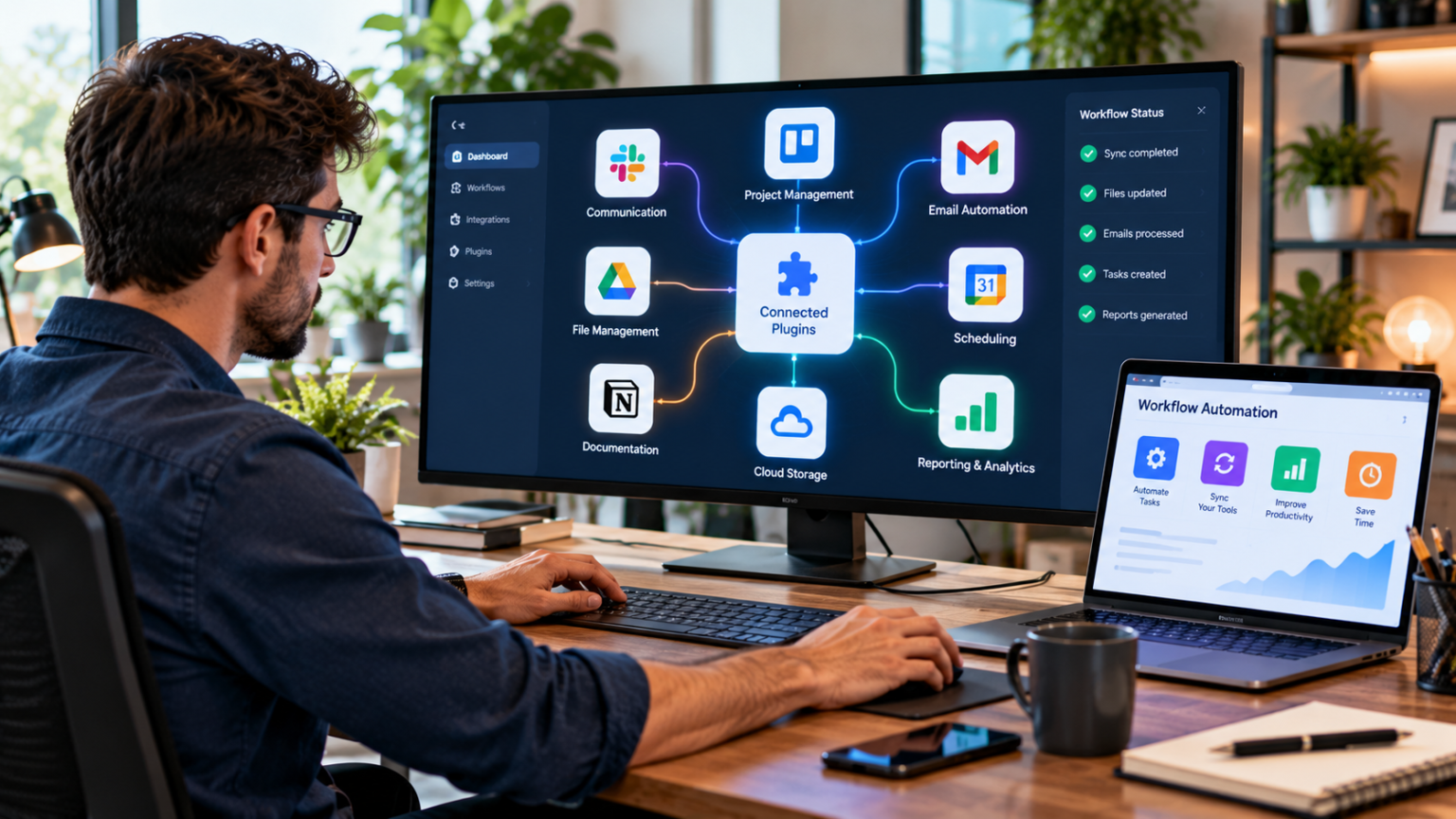
Are you losing time switching between apps and dragging files around? Connected plugins pass data and tasks between tools automatically. This post will show how to link your apps, cut steps, and keep your team in sync.
Read on to simplify your workflow.
The Role of Connected Plugins in Workflow Automation
Connected plugins link your tools and run actions for you. They trigger tasks when events occur and cut out manual steps. This automation keeps files synced, speeds up workflows, and boosts team collaboration.
Plugins help maintain real-time synchronization across apps and reduce errors from manual transfers.
Small scripts inside plugins map data between systems and centralize tasks in one interface. Teams spend less time switching apps and more time on high-value work. The next section covers how connected plugins streamline application integration.
Streamlining Application Integration
Streamlining application integration makes your tools work better together. It helps you use one platform instead of many, saving time and effort.
Bridging gaps between tools
Plugins link apps and move data across systems. This connection fills gaps between tools and stops manual copying. Integrations enforce consistent formats and reduce sync errors. Automation keeps records aligned across platforms.
Teams gain clearer collaboration and faster handoffs with connected plugins. Central interfaces let users handle tasks without switching apps. Workflow efficiency rises as routine steps run on autopilot.
Optimization of processes frees time for higher-value work.
Centralizing tasks within one interface
Centralizing tasks in one interface cuts the need to switch apps. Teams save time and boost productivity through tighter integration. Connected plugins automate data flow between tools, improving workflow efficiency and synchronization.
A single view improves collaboration and keeps everyone aligned. This setup boosts synchronization and reduces manual transfers, supporting automation and optimization across your digital tools.
Enhancing Workflow Efficiency
Connected plugins help improve workflow efficiency. They cut down on time spent switching between different programs and tasks.
Reducing context switching
Context switching slows down productivity. Workers often jump between tasks and tools. This process wastes time and energy. Connected plugins lessen this problem by integrating various applications into one platform.
Users can manage multiple tasks without constant changes in focus.
Fewer transitions enhance concentration and speed up work completion. Collaboration becomes easier as all team members stay on the same page. With less need to switch gears, teams complete projects faster.
Automation within connected plugins reduces repetitive actions, allowing for a smoother workflow across different software tools.
Eliminating manual file transfers
Manual file transfers waste time and create room for errors. Connected plugins automate this process, making it easier to share files instantly across applications. You no longer need to send emails or upload documents manually.
This frees users from repetitive tasks that slow down workflow.
With automation, information updates in real-time across linked tools. Employees can access the latest data without delay. Teams stay on the same page and work more efficiently together.
Eliminating manual transfers cuts frustration and boosts productivity significantly.
Real-Time Synchronization Across Platforms
Connected plugins keep your tools updated in real-time. This means everyone on your team stays in sync and has the most current information available.
Automatic updates across linked applications
Automatic updates keep linked applications in sync. Changes made in one app reflect instantly in others. This means team members see the latest information right away. No more waiting for manual uploads or downloads.
Everyone stays aligned and informed without extra effort.
Real-time synchronization boosts teamwork and reduces errors. Teams can focus on their tasks without worrying about outdated data. Smooth integration of tools enhances workflow efficiency, making collaboration easier and faster.
Using plugins that connect your tools can significantly enhance efficiency by allowing seamless data transfer and task management.
This leads to a significant improvement in productivity within a connected environment. The next step is optimizing productivity with connected plugins.
Keeping all team members aligned
Connected plugins keep team members aligned effortlessly. They ensure everyone has access to the same information at the same time. This real-time synchronization allows for clear communication.
Updates in one application automatically show in others linked through plugins. Team members can see changes as they happen, which helps avoid confusion.
With all tools integrated, teamwork becomes smoother. Everyone knows their tasks and deadlines without asking constantly for updates. This shared knowledge boosts collaboration and trust among team members.
It allows teams to focus on their work instead of worrying about miscommunication or missed information.
Optimizing Productivity with Connected Plugins
Connected plugins make tasks easier and faster. They automate routine work, letting you focus on what matters most.
Simplifying repetitive tasks
Connected plugins can make daily tasks easier. They help automate chores that take up too much time.
- Plugins can handle common tasks like data entry. This saves time and reduces mistakes.
- Automating report generation helps teams stay updated without manual work. Team members receive reports automatically at set times.
- Scheduling tools can send reminders for meetings or tasks. This keeps everyone on track without needing constant check-ins.
- Connecting apps allows information to flow freely between platforms. There is no need to copy and paste between different software.
- Task management tools can update project statuses automatically. This helps teams see progress in real-time without effort.
- Customer interactions can be logged with little manual input. Teams have all the information they need in one place, making responses quicker.
- Plugins that sync with communication tools streamline message tracking and replies. People do not miss important updates or discussions.
These features boost productivity significantly while cutting down on repetitive work items, allowing for more focus on important projects and decisions.
Freeing up time for high-value work
High-value work drives success and growth. Connected plugins automate repetitive tasks, allowing teams to focus on what truly matters. They take care of routine actions like data entry or file transfers.
This change improves efficiency and enhances productivity.
Teams can spend more time on projects that require creativity and strategy. By simplifying workflows, these tools help people use their skills better. Higher quality work leads to more innovation and collaboration among team members.
Real-time synchronization keeps everyone informed as they move forward with their tasks efficiently.
Conclusion
Connected plugins make your digital workflow easier. They bring together different tools in one place. This saves time and reduces confusion. Teams can work better with automatic updates and fewer tasks to manage.
Embrace these tools to boost productivity and streamline your efforts today.
