
AI agents need live web access to answer with what is true right now, not what was true when the model was trained. The problem is that most websites limit or block automated traffic. Proxy infrastructure fixes this by routing an agent’s requests through different IP addresses and locations. The result is fewer blocks, accurate regional data, and an agent that can work at scale.
What Does Live Web Access Mean for an AI Agent?
Live web access means an AI agent can search, open, and read current web pages while it works on a task. Instead of answering only from its training data, the agent pulls fresh information from the source. This lets it check today’s prices, recent news, or a competitor’s latest page before it responds or takes action.
How AI agents browse, search, and collect data
An AI agent is software built on a large language model (LLM) that can plan steps and use tools. To reach the web, it calls a search API, sends direct HTTP requests, or controls a headless browser through tools like Playwright or Puppeteer. It then pulls the useful parts of each page and uses them to answer or act. Businesses already use agents for jobs like autonomous inventory management, and much of that work runs on current data.
Why training data alone isn’t enough
Every model has a knowledge cutoff. Anything that changed after that date, such as prices, stock levels, rankings, or regulations, is invisible to it. An agent that can’t reach the live web will either guess or give outdated answers.
Why AI Agents Get Blocked on the Web
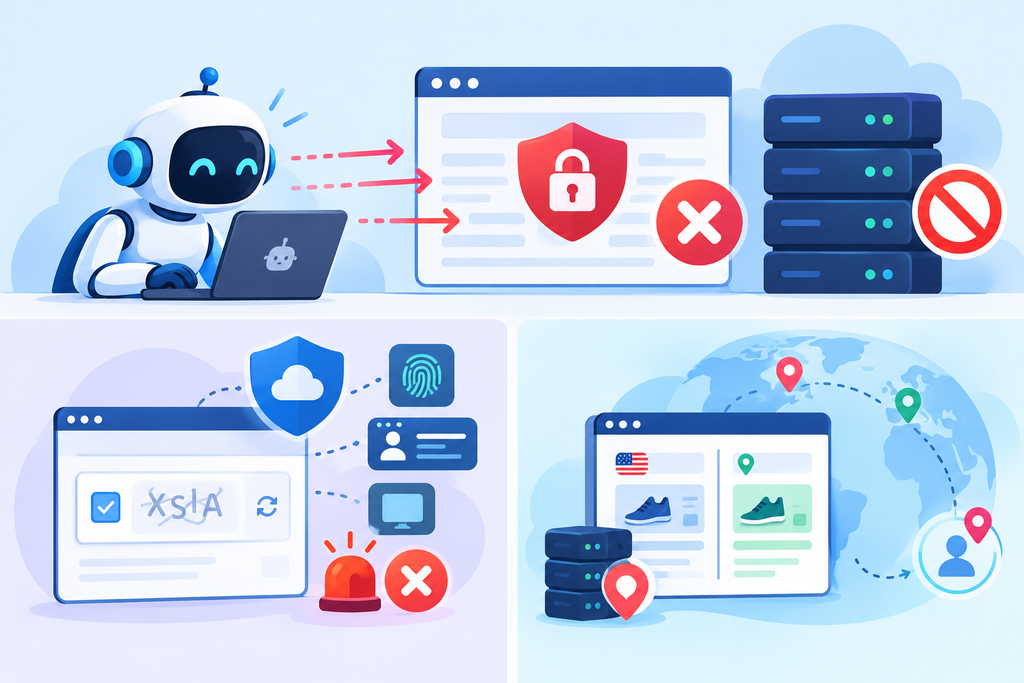
Websites protect themselves from heavy automated traffic. An AI agent often looks exactly like the kind of bot they want to stop.
IP bans and rate limits
When one IP address sends many requests in a short time, servers notice. They may slow responses, return an HTTP 429 (Too Many Requests) error, or ban the IP outright.
CAPTCHAs and bot detection systems
Bot detection services score each visitor using IP reputation, browser fingerprints, and behavior. Traffic from known cloud server ranges often gets a CAPTCHA or a block before the page even loads. This is why many teams route agent traffic through providers like FleetProxy.io, which offer residential and mobile IPs that look like everyday users to these systems.
Geo-restricted and location-based content
Many sites show different prices, products, or search results by country. An agent running on a US server sees the US version of a page, even when the user needs results for Mumbai or Dubai.
What Is Proxy Infrastructure?
Proxy infrastructure is the network of proxy servers, IP pools, and routing tools that sits between an AI agent and the websites it visits. Each request goes out through a proxy IP instead of the agent’s own server. Good infrastructure also handles IP rotation, session control, and location targeting, so the agent can reach sites reliably at scale.
How a proxy server works in simple terms
A proxy is a middleman. The agent sends its request to the proxy, the proxy forwards it to the website, and the response comes back the same way. The website sees the proxy’s IP address and location, not the agent’s.
Where proxies sit in an AI agent’s workflow
The agent decides what to fetch. Its browser or HTTP client sends the request through a proxy gateway. The gateway then picks an IP based on rules you set, such as country, rotation timing, or a sticky session for multi-step tasks like logging in.
Providers such as IPRoyal offer these gateways along with residential, datacenter, and mobile IP pools. If you’re comparing IPRoyal alternatives, check how each one handles rotation and location rules, since that shapes how well your agent performs.
Types of Proxies AI Agents Use
Residential proxies
These use IP addresses that internet service providers assign to real homes. Websites trust them more, which makes them a strong pick for protected sites.
Datacenter proxies
These come from cloud and hosting providers. They’re fast and cheap, but their IP ranges are easy to identify, so strict sites block them more often.
Mobile proxies
These route traffic through 3G, 4G, or 5G carrier networks. Many real users share each mobile IP, so sites are careful about blocking them. They’re also the most expensive option.
ISP (static residential) proxies
These are hosted in data centers but registered under consumer ISPs. You get datacenter speed with residential-level trust, and the IP stays the same, which suits long sessions.
Comparison table: speed, cost, block risk, and best use case
| Proxy type | Speed | Cost | Block risk | Best use case |
| Residential | Medium | High | Low | Protected sites, geo-specific data |
| Datacenter | Fast | Low | High | Public, lightly protected sites |
| Mobile | Medium to slow | Highest | Lowest | Mobile-first apps, strictest sites |
| ISP | Fast | Medium to high | Low | Logged-in sessions, long tasks |
You don’t always need to pick just one. Many AI agent setups use a mix, matching each proxy type to the sites they need to reach.
How Proxy Infrastructure Improves AI Agent Performance
Higher request success rates
Rotating trusted IPs spreads requests out, so fewer of them hit rate limits or CAPTCHAs. The agent spends less time retrying and more time finishing tasks.
Accurate location-specific results
Geo-targeting lets the agent see a page the way a local user would. That matters for local SEO checks, regional pricing, and market research.
Scaling requests without failures
A large IP pool lets many agent instances run in parallel without tripping the same limits. Each instance gets its own IP, so one busy task doesn’t slow down or flag the rest.
Fresher, more reliable data for answers
When pages load fully and consistently, the agent works from complete, current information. That lowers the chance of wrong or made-up answers. It also gives teams cleaner inputs for data analytics, which leads to smarter business decisions.
Common Use Cases for Proxy-Powered AI Agents
Real-time research and search
Research agents compare several current sources, such as news reports or product releases, before writing a summary. Without proxies, they often get blocked halfway through and return only part of the picture.
Price and product monitoring
Ecommerce teams use agents to track competitor prices, stock, and promotions across regions. Proxies in each target country make sure the agent sees the same price a local shopper would.
SEO and SERP tracking
Search results change by location and device. Agents with geo-targeted proxies can check rankings, featured snippets, and AI Overviews as local users see them.
Market and competitor analysis
Agents can watch competitor websites, reviews, and job listings to spot product launches or shifts in strategy. They work well alongside dedicated competitive intelligence tools, feeding them fresh data from the live web. Review and job sites often use strict bot protection, so residential or ISP proxies usually work best here.
How to Choose a Proxy Provider for AI Agents
Decision checklist: pool size, rotation, geo-targeting, uptime, compliance, pricing
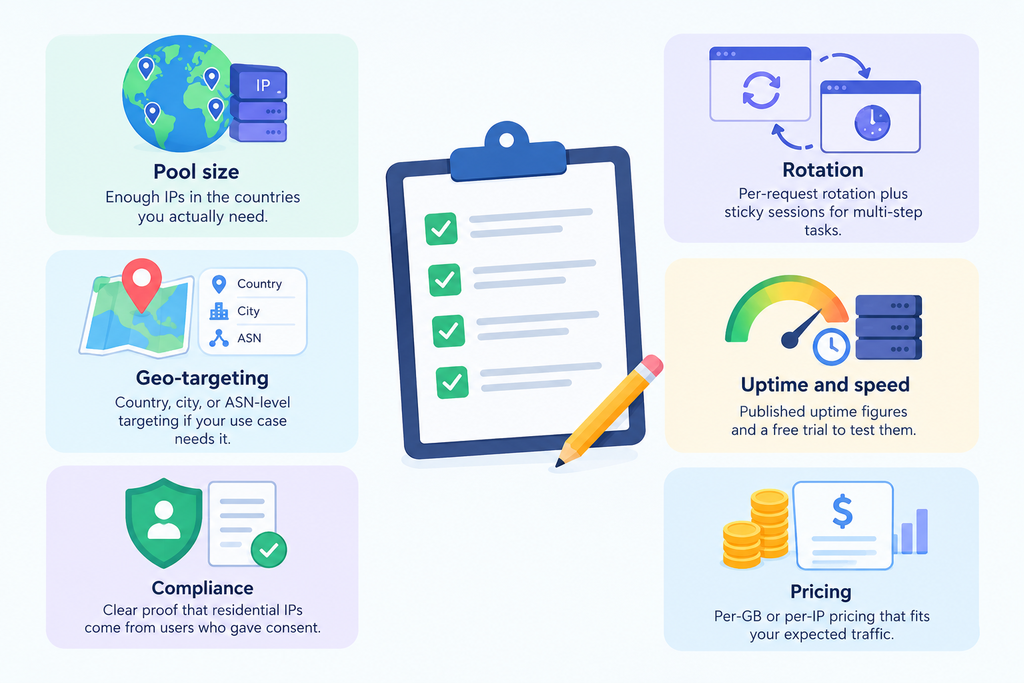
- Pool size: Enough IPs in the countries you actually need.
- Rotation: Per-request rotation plus sticky sessions for multi-step tasks.
- Geo-targeting: Country, city, or ASN-level targeting if your use case needs it.
- Uptime and speed: Published uptime figures and a free trial to test them.
- Compliance: Clear proof that residential IPs come from users who gave consent.
- Pricing: Per-GB or per-IP pricing that fits your expected traffic.
Questions to ask before you buy
How do you source your residential IPs? What success rate do you see on sites like mine? Do you offer an API or SDK that fits my agent framework? What happens if I go over my bandwidth limit?
Common Mistakes to Avoid
Using datacenter IPs for heavily protected sites
It’s tempting to save money here. But blocked requests cost more in retries and missing data. Match the proxy type to the site.
Ignoring rotation and session control
Rotating on every request breaks logins and carts. Never rotating gets one IP flagged fast. Set rotation rules for each task.
Skipping legal and ethical checks (robots.txt, terms of service, data privacy)
Many teams launch first and review later. Check robots.txt, terms of service, and privacy rules before your agent starts collecting anything.
Ethical and Legal Considerations
Responsible data collection
Proxies change where traffic comes from, not what is allowed. Collect only what you need, keep request rates reasonable so you don’t strain servers, and stay out of login-protected pages unless you have permission.
Respecting website rules and user privacy
The robots.txt standard, published by the IETF as RFC 9309, tells crawlers which paths a site owner wants left alone. If your agent collects personal data, laws like the EU’s GDPR and California’s CCPA may apply. Rules differ by country, so get legal advice for large projects.
Conclusion
Live web access is what lets AI agents work with current information instead of outdated training data. Without it, they guess, repeat old facts, or miss changes that matter to your business. Proxy infrastructure keeps that access reliable by reducing blocks, showing accurate regional results, and letting agents scale without failing halfway through a task.
The right setup depends on the sites your agent visits. Use residential or ISP proxies for well-protected pages and datacenter proxies for open ones. Set clear rotation and session rules, test providers before you commit, and collect data responsibly from day one. Get these basics right, and your agent will deliver answers people can trust.
