

Every morning in a typical clinic, someone logs into four payer portals, types in the same patient details they typed yesterday, and copies the answers into the practice management system. Nobody went to school for that. It’s still a big part of the job.
The 2025 CAQH Index, which tracks administrative transactions across U.S. healthcare, found that the industry avoided an estimated $258 billion in administrative costs in 2024 by moving work to electronic transactions, with roughly $21 billion in savings still sitting in manual and half-manual processes. A good share of that leftover is exactly the clicking and retyping your front desk does today. Robotic process automation (RPA) is one practical way to take some of it off their plates, as long as you know which tasks it suits and where it falls apart.
What a Bot Actually Does in a Practice
Forget the robot image. An RPA bot is software that drives other software the way a person would: it opens a browser, logs in, clicks through screens, reads fields, and types values somewhere else. It doesn’t think. It follows a script you define, step by step, and it does that script at 2 a.m. without getting bored.
That makes it a good fit for work with three traits:
· High volume. The task happens dozens or hundreds of times a week.
· Clear rules. A person could write the steps on an index card, including what to do when a field is blank.
· Stable screens. The systems involved don’t redesign themselves every month.
It’s a poor fit for anything that needs judgment, a phone call, or a conversation with a patient. Bots don’t negotiate with a payer rep, and they shouldn’t decide whether a patient qualifies for a sliding-scale fee.
One more distinction worth keeping straight: RPA isn’t the same as AI. Some vendors bundle the two, adding document reading or text classification on top of the bot. That can help with messy inputs like faxed referrals, but the core of most healthcare RPA is still plain, rule-following automation. If someone sells you a bot as “intelligent,” ask which steps it actually decides on its own.
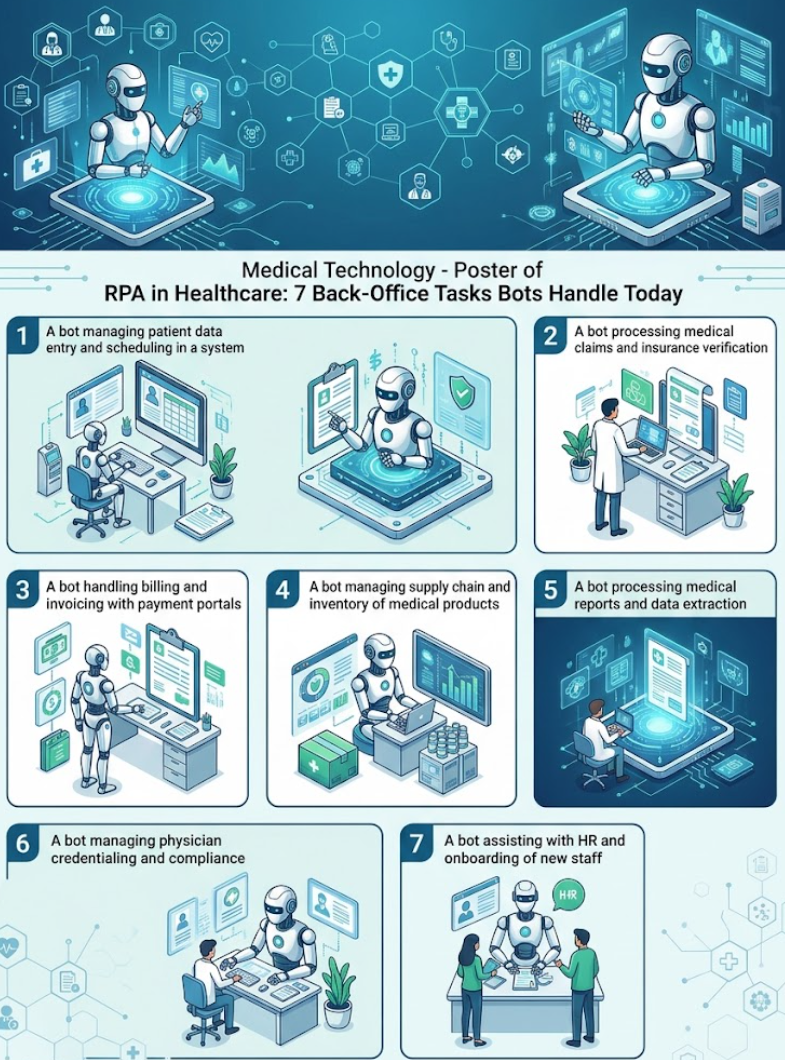
7 Back-Office Tasks Bots Handle Today
Most practices that try RPA start in the revenue cycle, because that’s where the repetitive volume lives and where errors cost real money. If you want a longer view of benefits and implementation stages, a breakdown such as Robotic Process Automation in Healthcare: Benefits, Use Cases by Glorium Technologies walks through the broader landscape. Here are the seven tasks that show up again and again in real deployments.
1. Insurance Eligibility Verification
Before a visit, someone has to confirm the patient’s coverage is active and find out the copay, deductible status, and whether the plan covers the service. Where a payer supports the electronic 270/271 eligibility exchange, your clearinghouse may already handle this. Where it doesn’t, staff log into the payer portal by hand.
A bot can work through tomorrow’s schedule overnight, check each patient in the right portal, and write the results into the patient’s account. Your front desk then starts the day with a list of exceptions (inactive coverage, missing referrals) instead of a full stack of lookups.
2. Prior Authorization Status Checks
Prior authorization is where staff hours disappear. The American Medical Association’s survey of 1,000 physicians in late 2024 found that practices complete 39 prior authorization requests per physician, per week, and physicians and their staff spend about 13 hours a week on them.
Bots won’t argue medical necessity for you. What they can do is the follow-up: logging into portals every few hours to check whether a pending request has been approved, denied, or sent back for more information, then updating your tracking sheet or flagging the case for a person. That’s dull work, and it’s the kind people skip when the phones get busy.
3. Claims Submission and Claim Status
Most claims already go out electronically as 837 files through a clearinghouse. The manual work is in the gaps: payers that require portal entry, claims that bounce back with formatting errors, and status checks. A bot can resubmit corrected claims that follow a known fix, and it can run 276/277 status inquiries or portal lookups on everything older than, say, 30 days.
The payoff is less about speed and more about nothing slipping through. A claim that sits unanswered for 90 days can run into a payer’s timely filing limit, and once that window closes, the money is usually gone. A bot that checks every open claim on a fixed schedule doesn’t forget the ones buried at the bottom of the work queue.
4. Payment Posting From ERAs
When payment arrives, the payer sends an electronic remittance advice (the 835 file) explaining what was paid, adjusted, or denied. Many billing systems auto-post clean ERAs. The leftovers, such as partial payments, unmatched patients, or paper EOBs that someone scanned, often land on a biller’s desk.
Bots can match payments to open claims, post the amounts, and kick out only the true mismatches for review. That shrinks a day of posting to an hour of exceptions.
5. Denial Triage
Denials come with reason codes. A bot can read each one, sort denials into buckets (eligibility, missing modifier, timely filing, medical necessity), and route each bucket to the right person with the claim details already pulled up. It won’t write the appeal letter, but it cuts out the half hour your biller spends figuring out what went wrong before the real work starts.
6. Patient Registration and Intake Data Entry
Online intake forms are great until someone has to retype them into the EHR. A bot can take submitted forms, check for required fields, create or update the patient record, and attach the insurance card images. It can also send appointment reminders by pulling the next day’s schedule and pushing messages through your texting or email tool, though many scheduling systems now do that natively.
7. Credentialing Paperwork, Reports, and System-to-System Transfers
The last bucket is the admin glue. Bots can track provider license and certification expiry dates and pre-fill recurring credentialing forms. They can generate the same weekly reports (AR aging, no-show rates, collections by payer) and email them every Monday. And when your EHR and billing system don’t talk to each other, a bot can move charges and demographics from one to the other on a schedule.
Where Bots Break
Here’s the part vendors gloss over: bots are brittle. They depend on screens looking exactly the way they did when someone built the script. When a payer redesigns its portal, renames a button, or adds a new login step, the bot fails. Sometimes it fails loudly. Sometimes it quietly writes the wrong value into the wrong field.
Plan for that from day one:
· Assign an owner. Someone on your team (or your vendor’s) has to notice failures and fix scripts, often within a day.
· Watch the exception queue. If a bot that usually flags five cases suddenly flags none, that’s a warning sign, not good news.
· Keep the manual process documented. When the bot is down, your staff need to know how to do the job by hand.
Then there’s HIPAA. A bot that reads patient records is handling protected health information, so treat it like an employee with access. Give each bot its own login rather than borrowing a staff member’s, grant it only the systems it needs, and make sure every action it takes is logged so you can show who (or what) touched a record. If an outside vendor builds or hosts the bot and it touches PHI, you need a business associate agreement (BAA) with them before it goes live. Store bot credentials in a password vault, not a spreadsheet on a shared drive. And when a payer forces a password reset or adds multi-factor login, expect the bot to stop until someone updates its access.
When RPA Is the Wrong Tool
Bots are a patch. Sometimes a patch is exactly right; sometimes it hides a problem you should fix.
Skip RPA, or at least pause, when:
1. There’s a proper integration available. If your clearinghouse supports electronic prior authorization, or your EHR has an API connection to your billing system, use that. Integrations don’t break when a screen changes.
2. The workflow itself is broken. Automating a process with five unnecessary approval steps just gets you five unnecessary steps faster. Fix the process first.
3. Volume is low. If a task takes someone 20 minutes a week, the cost of building and maintaining a bot won’t pay back.
4. The task needs judgment most of the time. If more than a small share of cases end up as exceptions, a person is still doing the real work.
The industry is moving in the integration direction anyway. The same 2025 CAQH Index figures, as summarized by the standards body X12, show that 44 million prior authorizations were still fully manual while 126 million, or 46% of volume, were only partially electronic. That middle category, where part of the work is digital and part involves a portal or fax, is where bots earn their keep today. As more payers adopt end-to-end electronic transactions, some of those bots will simply retire.
Where to Start
If you’re thinking about RPA for your practice, start small and measurable.
· Pick one task from the list above where your staff already complain about volume, usually eligibility checks or claim status.
· Time it for two weeks before automating, so you can prove the bot helped.
· Line up the security basics (separate bot login, access logs, a signed BAA) before the first run, not after.
Get one bot working reliably for three months, then decide whether a second one is worth it.
