
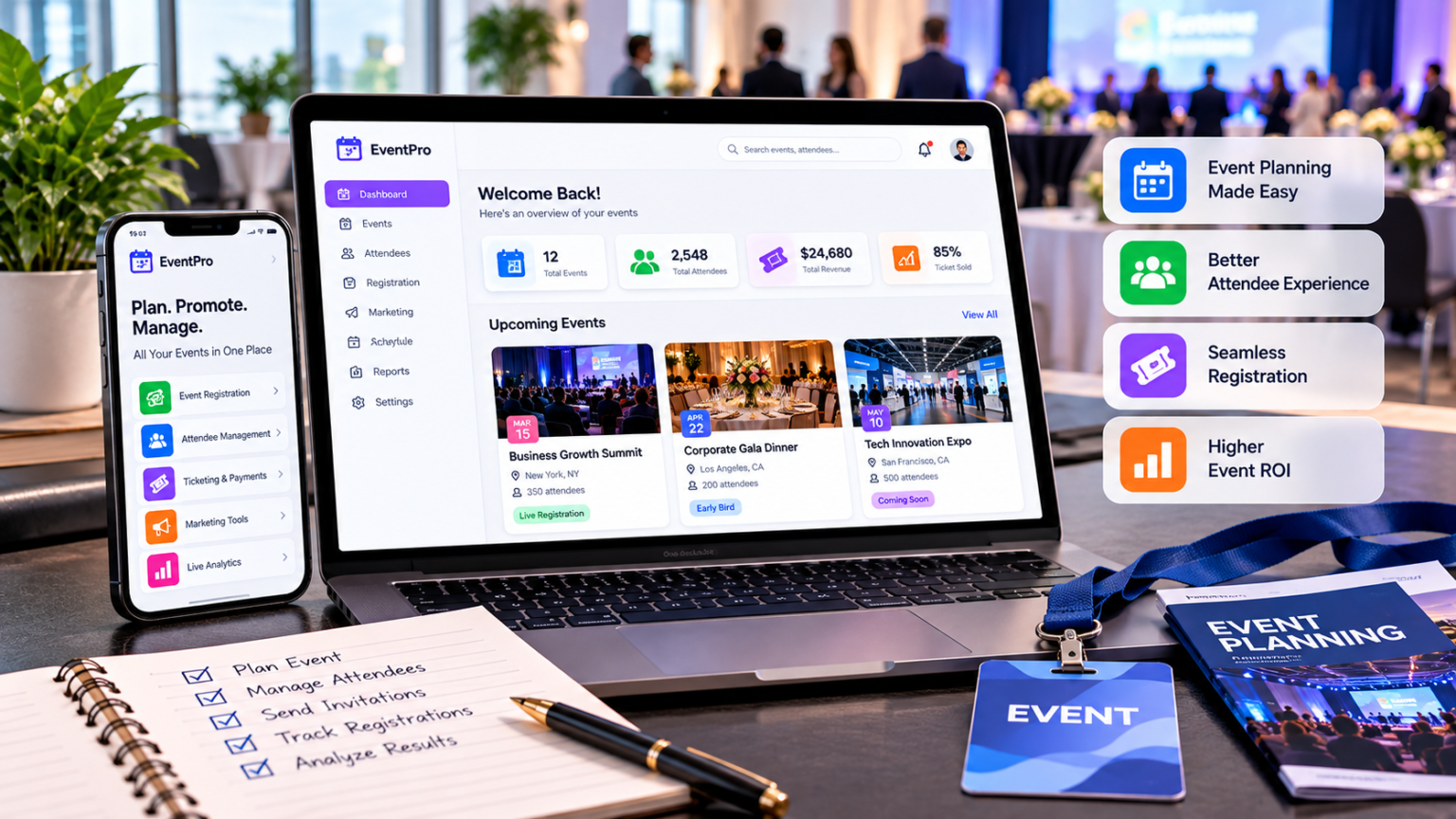
The best event management software for 2027 takes over a lot of the work teams did manually a few years ago. AI tools now build event pages from a short brief, and buyers expect attendee data to flow straight into the CRM.
That makes the wrong choice even more expensive. A platform that can’t keep up sends the team back to fixing registration issues by hand and paying for extra tools to cover what’s missing. Attendee data then gets stuck in one system, and the team may not be able to show what the event did for the business.
This blog looks at 10 popular platforms for 2027 to show which ones keep up, along with their strengths, weaknesses, and pricing.
Quick Comparison of the Top 10 Platforms
The details provided for the vendors come from public information available as of October 2026.
| Software | Best for | Standout feature | Pricing model | Published starting price |
| Eventcombo | Full-lifecycle enterprise events | Attendee Revenue Cloud | Product and number of licensed users | $640 per month |
| Cvent | Complex enterprise conferences | Venue and hotel sourcing | Custom quote | Quote only |
| Bizzabo | B2B event marketing | Klik SmartBadges | Per user, billed annually | $499 per user per month (three-user minimum) |
| Whova | Attendee networking | Community Board | Custom quote | Quote only |
| Eventbrite | Public ticket sales | Discovery marketplace | Per-ticket fees | 3.7% + $1.79 per paid ticket |
| RainFocus | Personalized enterprise conferences | Global attendee profile | Custom quote | Quote only |
| Stova | Large-scale event operations | Flexible check-in stations | Custom quote | Quote only |
| Swoogo | Flexible registration | Conditional registration forms | Annual subscription | $11,800 per year |
| PheedLoop | Hybrid conferences | Virtual event portal | Modular pricing | $950 per year |
| EventMobi | Mobile attendee experiences | Branded event app | Plans per event or per year | $3,000 per event or $8,900 per year |
1. Eventcombo: Best for Full-Lifecycle Enterprise Events
Eventcombo is an enterprise event management platform for in-person, virtual, and hybrid events. Teams track budgets, build event websites, and manage registration in one place. The mobile event app and sponsor and exhibitor tools are part of the same platform, so teams don’t have to buy and connect extra software for each stage of the event.
Attendees can self-check-in with Eventcombo’s EntryPilot app with instant badge printing. Planners can track attendance in real time while the event is live. Eventcombo keeps one record for each attendee from signup to badge scan and syncs that data with Salesforce, HubSpot, and other business tools through more than 250 native integrations. Eventcombo also offers 24/7/365 priority and dedicated human support.
Standout features:
- Attendee Revenue Cloud, a revenue product that connects events to pipeline
- ZaraAI, an AI event agent
- Eventcombo MCP server, which connects with Claude, ChatGPT and Gemini
- AI-driven venue and vendor sourcing with RFP management
What to consider: Attendee Revenue Cloud and Eventcombo MCP come with the Enterprise plan. Teams that run only a few simple ticketed events a year won’t use most of the platform.
Pricing: Eventcombo prices its plans by licensed user. The Professional plan starts at $640 per month, and Enterprise uses custom pricing.
2. Cvent: Best for Complex Enterprise Conferences
Cvent offers a large suite of tools like venue sourcing, registration, event marketing, and onsite management as separate products. Large conference teams license only what their program requires and add more over time. Cvent’s sourcing tools help planners find venues and secure hotel room blocks at group rates.
Cvent’s Attendee Hub gives attendees access to their agendas and session links. Planners use the OnArrival app at the event to check in attendees, print badges, and track session attendance. The app comes in Basic and Premium tiers. Cvent also offers Event-in-a-Box, a self-service kit for teams that manage check-in on their own.
Standout features:
- Cvent Supplier Network with nearly 340,000 venue profiles
- Passkey room block tracking with live pick-up data
- LeadCapture, an app that helps exhibitors and sponsors collect and qualify leads
- Cvent Appointments for one-on-one meetings at the event
What to consider: Unexpected expenses add up quickly when a program needs several Cvent products. A dedicated project manager comes only with OnArrival 360, so self-service teams handle more of the onsite setup.
Pricing: Cvent creates custom quotes. A Cvent quote may include a yearly license plus a per-attendee fee, depending on the products a team selects.
3. Bizzabo: Best for B2B Event Marketing
Bizzabo suits marketers who need to show who engaged at each event and which contacts need a follow-up from sales. Bizzabo’s Event Experience OS gives them one system for event pages, registration, email campaigns, and reports.
Klik SmartBadges add data from the event floor. Each badge works as a small wearable device, allowing attendees to exchange contact information with a single click. Planners receive a real-time map of where attendees gather and which sessions they are attending.
Standout features:
- Bizzy, an AI attendee copilot
- Smart matchmaking for attendee networking
- A lead capture app for exhibitors
- 2,500+ native integrations, including Salesforce and HubSpot
What to consider: Klik is an additional cost, and the price depends on event size. The annual contract requires at least three users.
Pricing: Bizzabo’s Event Experience OS starts at $17,999 per year. Bizzabo charges $499 per user per month, billed annually, with a three-user minimum.
4. Whova: Best for Attendee Networking
Whova helps attendees start networking before they even arrive at the event.
The Whova Community Board is where attendees can start discussion topics and organize meetups. Attendees can also send private messages and convert them into group chats. Whova also manages registration and check-in, keeping attendee information in one system.
Standout features:
- Personal agendas in the attendee app
- Virtual business card exchange
- Exhibitor lead capture with CRM export
- Booth gamification with coupons and giveaways
What to consider: Teams that host multiple events throughout the year should ask how Whova handles repeat guests and data across events.
Pricing: Whova creates custom quotes based on event size and services selected. Attendees can use the attendee app free of charge. Paid registration carries a 3% fee plus $0.99 per ticket on top of Stripe’s processing fees when planners use Stripe for payouts.
5. Eventbrite: Best for Public Ticket Sales
Eventbrite centers its platform on ticket sales. It has a discovery marketplace that helps people find events they may not have known about.
Planners create listings, set up ticket types, and accept payments within Eventbrite. They monitor sales on the dashboard, and staff scan tickets at the door with the Eventbrite Organizer app.
Standout features:
- Email campaigns with open and click tracking
- Instagram ad tools and TikTok ticket sales
- Automated ads for multiple events
- Campaign reports that show results by channel
What to consider: Eventbrite focuses on public ticketing, so teams that need approval steps or CRM connections should confirm Eventbrite supports them before committing.
Pricing: Eventbrite charges a service fee of 3.7% plus $1.79 per paid ticket in the US. Eventbrite also takes a 2.9% payment processing fee on each order. There are no ticketing fees for free events, and the buyer is responsible for the fees unless the planner chooses to cover them.
6. RainFocus: Best for Personalized Enterprise Conferences
RainFocus focuses on personalization, so each attendee sees sessions and messages tied to their interests.
RainFocus runs on one global attendee profile. The profile brings together attendee activity from multiple events. It also helps prevent duplicate records. RainFocus reports show the relationship between all of an organization’s events and sales.
Standout features:
- Session recommendations built from each attendee’s global profile
- A unified events calendar for attendees
- Agentic AI through RainFocus Nexus
- A sales module for event-driven selling
What to consider: RainFocus recommendations depend on the quality of the attendee data. Ask the RainFocus team to demonstrate how the platform matches records across various events and deals with missing information.
Pricing: RainFocus doesn’t publish a starting price.
7. Stova: Best for Large-Scale Event Operations
Stova’s platform covers registration, attendee communication, and meeting management. Stova pairs that software with onsite tools and real staff who help run event day.
Stova check-in stations run on mobile carts, tablets, kiosks, or laptops. Stova provides paper or plastic badges with session information printed on each, as well as biodegradable badges for teams with sustainability goals. Planners monitor attendance in real time as staff scan badges at session doors.
Standout features:
- NFC, QR code, Bluetooth, and UHF badge scanning
- Interest-based matchmaking with exhibitors and sponsors
- Meeting scheduling that avoids conflicts
- Badge layouts assigned by attendee type or session access
What to consider: Stova’s onsite team can help run the event, but it is an additional cost to have managed services and onsite support. Ask about the specific staff and equipment the quote includes.
Pricing: Stova does not publish a standard starting price. Buyers select packages for the event stages they want covered and then request a quote.
8. Swoogo: Best for Flexible Registration
Swoogo fits large events where one form may not be suitable for all attendees. Speakers, employees, customers, and VIP guests may each need different questions or approval steps.
Swoogo handles this with conditional logic. This feature shows or hides form questions according to the previous answers of each person. With unlimited events and registrations on the Professional plan, a busy team doesn’t pay more as its calendar fills up.
Standout features:
- Automated workflows
- 30+ free integrations
- A custom domain for event sites
- Sub-accounts and single sign-on as add-ons
What to consider: The Enterprise plan includes more advanced form rules and personalization. Professional includes a check-in app. Swoogo sells extra onsite tools as paid upgrades.
Pricing: Swoogo’s Professional plan starts at $11,800 per year with one full user and one reporting user. Swoogo quotes the Enterprise plan separately.
9. PheedLoop: Best for Hybrid Conferences
PheedLoop supports hybrid conferences with a virtual event portal where remote attendees can ask questions and connect with other attendees.
Most PheedLoop tools are individual modules. Registration, the mobile app, schedules, and exhibitor tools are each priced separately by attendee count.
Standout features:
- A virtual lobby with chat and a social feed
- Livestreaming with captions and simulive sessions
- Interactive, personalized schedules in the mobile app
- Video calls and chat that connect onsite and virtual attendees
What to consider: Onsite tools can increase the PheedLoop bill rapidly. The check-in software costs $950 per event, and check-in and badge-printing kiosk bundles start at $600. There is also a 1.9% transaction fee for paid registrations, in addition to payment processor fees.
Pricing: PheedLoop’s core platform starts at $950 per year. Prices vary by module and attendee volume, with additional modules starting at $1 per attendee.
10. EventMobi: Best for Mobile Attendee Experiences
EventMobi takes a mobile-first approach with one branded event app for agendas, announcements, and networking.
EventMobi also offers registration, badge printing, and session check-in. Teams can purchase the app on its own or as part of a complete event package.
Standout features:
- Push notifications for room and schedule changes
- Personalized attendee schedules
- In-app session feedback
- Exhibitor lead capture
What to consider: Annual plans share People Credits across all events during the contract year. A repeat attendee uses only one credit. Per-event plans count the same person again at each event.
Pricing: EventMobi’s per-event pricing begins at $3,000. The yearly price starts at $8,900 and includes unlimited events. EventMobi doesn’t charge any ticket fees on free or paid tickets, apart from the payment provider’s processing fees.
What to Check Before Signing a Contract
Every demo looks good when the vendor picks the event. So ask each vendor on the shortlist to run the same event, and then compare what each platform does with it.
1. Try a Last-Minute Registration Change
The first test is a simple change. Ask the vendor to move one registration to a new person during the demo. The old history should stay, and the new name should show up on the check-in list right away.
2. Follow One Attendee Record Into the CRM
Then pick one test attendee and follow that person’s record into Salesforce, HubSpot, or the team’s reporting tool. Ask how often the data syncs and who fixes it when the sync breaks.
3. Price the Same Event With Every Vendor
Prices are much easier to compare when every vendor quotes the same event. Give them all the same guest count, schedule, and features. Then ask for one total that includes payment fees, badges, equipment, and support.
4. Ask Who Answers When Something Goes Wrong
Support matters most on event day. Ask who trains the team and who answers the phone at check-in. It’s also worth asking whether after-hours help costs extra.
5. Check How Easy It Is to Leave
Leaving should be easy too. Ask each vendor for a sample export of attendee records and attendance history. A clean file means the team can move its data later without trouble.
6. Check Security and Accessibility Firsthand
Security documents can take a while, since some vendors share them only after both sides sign a nondisclosure agreement. So ask for them early. The team can also test the signup form with just a keyboard and then with a screen reader.
Choosing the Right Event Management Software
The choice usually gets simple once the demos and quotes are in. It also depends on the kind of events a team runs and where its attendee data needs to go, like a CRM or a reporting tool. Teams that need planning, onsite work, and revenue reports in one system should look at full-lifecycle platforms first. Teams that mostly sell tickets or need flexible signup forms can pick the tool on this list that does that one job best.
