
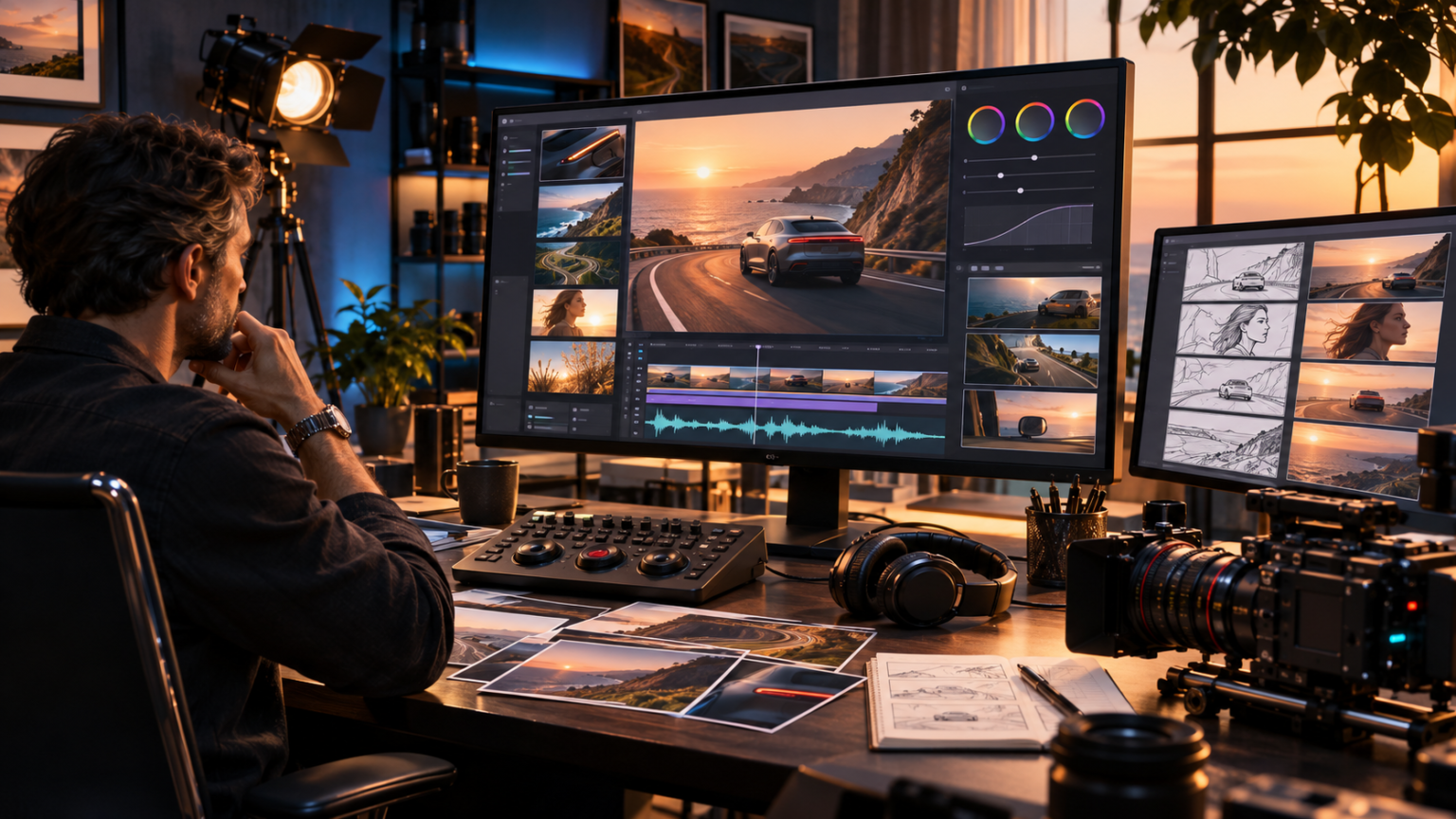
Artificial intelligence is changing how videos are planned, produced, and edited. Creative professionals can now turn written descriptions, reference photographs, and visual concepts into moving scenes without filming every sequence traditionally. Seedance 2.5 is an advanced AI video generation model developed by ByteDance that combines audiovisual generation, multimodal references, longer video creation, and more precise editing capabilities to support modern storytelling.
For filmmakers, marketers, content creators, and businesses, generating an attractive video is only part of the challenge. Maintaining consistent characters, realistic motion, suitable camera angles, and coordinated audio across multiple scenes can be equally important.
Modern AI video tools increasingly address these requirements by giving creators more control over the generation process. Rather than relying on a single text prompt, users can provide visual references, define scene requirements, and make targeted adjustments.
Understanding how these capabilities work helps creators develop more predictable production workflows, reduce unnecessary revisions, and create video content that communicates a clear message.
What Is Seedance 2.5?
Seedance 2.5 is a multimodal artificial intelligence video generation model designed to create and edit moving visual content using text instructions and reference materials.
The model builds on earlier Seedance technology with an emphasis on longer audiovisual storytelling, creative consistency, and controllable editing.
It supports video generation lasting up to 30 seconds in a single operation, along with extension capabilities for developing longer sequences.
Creators can also use multiple reference images, video clips, and audio materials to communicate the intended visual direction.
How Seedance 2.5 AI Video Generation Works
The system interprets user instructions and available references to generate video content.
A typical workflow begins with a prompt describing the subject, setting, movement, camera behavior, and intended atmosphere.
For example, a filmmaker might request a cinematic scene showing a vintage vehicle traveling through a mountain valley during sunset.
The creator can provide reference images to guide the vehicle’s appearance and surrounding environment.
The model then generates a video based on the supplied instructions and creative inputs.
The final output should be reviewed for visual continuity, realistic motion, and agreement with the original brief.
Key Features of Seedance 2.5
The model introduces several capabilities relevant to professional and everyday video production:
- Video clips lasting up to 30 seconds per generation
- Integrated audio and video generation
- Up to 50 multimodal reference assets
- Support for reference images, video, and audio
- Video extension for longer storytelling
- More targeted editing controls
- Improved support for scene transitions
- Camera movement and visual composition guidance
- Reference-based character and scene consistency
These capabilities expand the creative possibilities of AI video production, although the quality of individual results still depends on scene complexity, instructions, and reference material.
12 Essential Tips for Creating Better Videos With Seedance 2.5
Developing a convincing AI-generated video requires more than entering a short description and accepting the first result.
The following techniques can help creators improve visual quality, strengthen storytelling, and maintain greater control throughout production.
1. Begin With a Clear Creative Objective
Every effective video starts with a specific purpose.
Before opening Seedance 2.5, decide what the finished video needs to communicate.
An ecommerce advertisement might introduce a product, demonstrate its use, and establish a recognizable atmosphere.
An educational video may need to explain a process through simple visual steps.
A cinematic short film might focus on emotion, character movement, or environmental storytelling.
These goals influence the type of prompt, reference assets, and scene duration required.
Define the Video Before Generating It
A practical creative brief should identify:
- Primary subject
- Intended audience
- Main message
- Visual style
- Scene location
- Desired action
- Audio requirements
- Approximate duration
Clear objectives reduce the temptation to include unrelated visual elements.
2. Write Detailed but Focused AI Video Prompts
Prompt quality plays an important role in AI video generation.
A vague instruction such as creating a beautiful cinematic video gives the model considerable freedom but provides little guidance.
A more useful prompt describes the subject, environment, camera movement, lighting, and intended action.
For example:
“Create a cinematic scene of a dark blue electric car traveling along a quiet coastal highway at sunset. Use a smooth tracking camera movement, realistic reflections, gentle ocean waves, and warm natural lighting.”
This description provides a clearer visual target.
Organize Prompts Into Logical Elements
When using Seedance 2.5, structure the prompt around five practical components:
- Subject and appearance
- Location and environment
- Movement and action
- Camera and composition
- Lighting and atmosphere
Additional details should serve the creative objective rather than make the instructions unnecessarily complicated.
3. Use Reference Images to Improve Visual Consistency
One of the most useful developments in Seedance 2.5 is its expanded multimodal reference capacity.
The model supports up to 30 reference images within the broader reference asset limit.
Reference photographs can help guide the appearance of people, products, objects, and environments.
For example, a fashion brand may provide photographs of a particular jacket from different angles.
The video prompt can then describe how the garment should appear during a walking sequence.
Reference images provide visual guidance, but they do not guarantee perfect reproduction.
Small details may still change during generation.
Choose References Carefully
Use images that clearly show the important details.
Avoid combining contradictory references unless the creative goal specifically requires a transformation.
For product videos, prioritize accurate images of the actual product.
Consistent lighting and clearly visible materials can also make the intended design easier to communicate.
4. Build Longer Stories With Structured Scene Planning
Earlier AI video workflows often required several short clips to communicate a complete idea.
Seedance 2.5 supports clips lasting up to 30 seconds in a single generation.
This provides more room for visual development, character actions, and transitions.
However, duration alone does not produce effective storytelling.
A longer scene should still have a clear beginning, development, and ending.
For example, a product advertisement might begin with a close-up of the item, move into a realistic usage scene, and finish with a clean product presentation.
Plan the Sequence Before Generation
Divide the intended video into logical visual moments.
For a 30-second concept, the opening might establish the environment, the middle might show the main action, and the ending might deliver the final visual message.
This is a creative planning approach rather than a fixed model requirement.
The model also supports video extension, which can help develop longer sequences.
Extended content still requires continuity checks because characters, objects, and backgrounds may change between generations.
5. Take Advantage of Integrated Audio Generation
Audio is an important part of video storytelling.
Music, dialogue, environmental sounds, and background effects influence how viewers interpret a scene.
Seedance 2.5 supports joint audio and video generation, allowing creators to develop audiovisual content within a connected workflow.
For example, a scene showing a moving train may require appropriate mechanical sounds and environmental ambience.
A dialogue sequence may need coordinated speech and visible character movement.
Generating these elements together can help establish a more unified creative direction.
Review Audio and Visual Synchronization
Even when an AI model supports integrated audio, users should inspect the finished result.
Check whether environmental sounds match visible actions.
For dialogue scenes, examine timing and mouth movements.
Also listen for unwanted background noise, inconsistent sound levels, and abrupt audio transitions.
Manual editing may still be necessary to achieve the desired final mix.
6. Use Reference Videos for Camera and Motion Guidance
Static images explain appearance, but they do not always communicate motion clearly.
Seedance 2.5 supports video references that can guide camera language, movement, and scene interpretation.
For example, a creator developing a fashion advertisement may provide a short reference clip showing a slow tracking shot around a model.
The model can use that reference to better understand the intended movement.
This approach is useful when a written description alone does not clearly explain the desired action.
Avoid Conflicting Motion Instructions
Reference videos should support the prompt rather than contradict it.
If the reference shows a stationary camera while the written instruction requests a rapidly rotating viewpoint, the resulting interpretation may become less predictable.
Keep the intended movement understandable and physically plausible.
7. Maintain Character and Product Identity Across Scenes
Visual consistency is especially important for branded content and longer narratives.
A character whose clothing, hairstyle, or appearance changes unexpectedly can disrupt the viewer’s experience.
Similarly, a product that changes shape or color between shots may misrepresent the item being advertised.
Seedance 2.5 offers reference-based generation capabilities intended to support stronger consistency.
Creators can reinforce identity by using clear reference materials and stable descriptions.
Develop a Character Reference Set
For recurring characters, prepare consistent images showing important features from useful angles.
Describe clothing, appearance, and relevant accessories accurately.
Avoid changing several identity-defining details between scenes unless the story requires them.
For commercial products, compare generated footage with verified product photography before publication.
8. Use Targeted Video Editing Instead of Recreating Everything
An AI-generated scene may contain one distracting element even when the rest of the video looks convincing.
Seedance 2.5 introduces more precise editing capabilities, including controls for modifying selected content and working with particular points in a video.
This can support a more focused revision process.
For example, a creator may want to change the appearance of a background object while preserving the surrounding composition.
Depending on the available editing interface, targeted instructions may reduce the need to recreate the entire concept.
Identify the Problem Before Editing
Before making changes, determine whether the issue concerns:
- Character appearance
- Object placement
- Camera movement
- Lighting consistency
- Audio timing
- Background details
- Motion realism
Focus on correcting the problem rather than changing unrelated elements.
Targeted editing improves creative control, but successful results still require review.
9. Choose Camera Movements That Support the Story
Camera direction affects how an audience experiences a scene.
A slow forward movement can create anticipation, while a wider shot can establish the relationship between a subject and its environment.
AI video tools can interpret instructions describing different cinematic movements.
With Seedance 2.5, creators can experiment with framing, camera perspective, and movement to guide the visual result.
Common techniques include tracking shots, close-ups, wide establishing shots, and gradual camera movements.
Keep Camera Behavior Physically Believable
Overcomplicated camera instructions can make a scene difficult to control.
For example, requesting several rapid movements while a character performs a complex physical action may produce an unstable composition.
Begin with one primary movement.
Add complexity only when it supports the narrative and the initial result performs reliably.
10. Prepare Video Content for Different Digital Platforms
Different publishing platforms require different video compositions.
Horizontal video often works well for websites and long-form viewing, while vertical content is commonly used for short-form social media.
Seedance 2.5 supports multiple output aspect ratios through its model interfaces.
However, available settings and export options can vary by platform.
Before generating a video, determine where it will appear.
A vertical product video should keep the main subject within the narrower composition.
A landscape video may have more room for environmental context and wider camera movement.
Plan for Platform-Specific Cropping
Do not assume that a landscape scene will automatically work when cropped vertically.
Important faces, products, or actions may be lost.
Where practical, generate separate compositions for different publishing environments.
Review the final export before scheduling or uploading content.
11. Test Video Concepts Before Scaling Production
AI video generation can make experimentation easier, but generating many versions without a clear evaluation process can waste resources.
Start with a limited number of creative concepts.
Compare variations based on the specific objective.
For example, an ecommerce brand could test two visual approaches for the same product.
One concept might demonstrate practical product use, while another focuses on lifestyle presentation.
Evaluate whether each video communicates the product accurately and clearly.
Measure Useful Outcomes
Relevant indicators may include:
- Viewer retention
- Video completion rate
- Audience engagement
- Website visits
- Product page activity
- Conversion performance
These results depend on factors beyond the AI video model.
Creative quality, audience relevance, placement, and messaging all influence performance.
12. Review Every Final Video for Accuracy and Quality
AI-generated videos can contain visual inconsistencies, unrealistic movements, and incorrect object details.
Seedance 2.5 offers greater creative control, but it does not remove the need for quality assurance.
Review generated footage at normal playback speed and examine important moments more carefully.
Look for unusual hand movements, disappearing objects, distorted reflections, and changes in character identity.
Commercial videos require additional checks to confirm product accuracy.
Use a Final Quality Checklist
Before publishing, confirm that:
- The main subject remains recognizable.
- Important objects retain their correct appearance.
- Camera movement looks natural.
- Audio matches the visible scene.
- Background details remain reasonably consistent.
- No misleading product features appear.
- The export meets platform requirements.
Human review remains essential even when much of the production process is automated.
How to Create an AI Video With Seedance 2.5
A structured production workflow can help creators turn an idea into a finished video without losing control over the intended message.
Step 1: Select an Available Platform
Seedance 2.5 is available through supported ByteDance products and model access services.
Specific interfaces, subscriptions, available generation settings, and usage limits may differ.
Choose an environment that supports the intended type of generation and editing.
Step 2: Prepare the Creative Brief
Describe what the video should show and why it is being created.
Identify the main subject, desired atmosphere, action, camera style, and sound requirements.
For commercial work, verify the accuracy of product information before using it in prompts.
Step 3: Add Reference Materials
Upload relevant images, videos, or audio files where the selected interface supports them.
The model’s reference capacity allows up to 30 images, 10 videos, and 10 audio clips, within the applicable total and duration limits.
Using the maximum number of references is not necessary for every project.
Select only materials that genuinely clarify the intended output.
Step 4: Choose Duration and Composition
Select an appropriate video duration and aspect ratio.
Seedance 2.5 supports generation of clips up to 30 seconds, although particular tasks and platforms may apply additional conditions.
A shorter duration may be easier to manage for simple concepts.
More complex narratives may benefit from careful scene planning.
Step 5: Generate and Review the First Version
Submit the prompt and review the generated footage.
Check whether the scene follows the intended creative direction.
Pay attention to subject consistency, camera behavior, audio, and the accuracy of important visual details.
Step 6: Refine the Video
Use supported editing tools to improve the result.
If the problem concerns a specific element, try a focused correction before rebuilding the entire scene.
Avoid adding unnecessary complexity during each revision.
Step 7: Export for the Intended Use
Confirm the supported output format, resolution, and aspect ratio.
The model’s documented API generation options include resolutions up to 1080p, while some consumer interfaces may provide additional enhancement or export features.
Check the actual output rather than assuming that every platform provides identical specifications.
Practical Applications of Seedance 2.5 for Creators and Businesses
The model’s combination of generation, references, and editing can support several creative workflows.
Ecommerce Product Videos
Online retailers can use AI video generation to explore product presentations, lifestyle concepts, and advertising ideas.
Reference photographs can help communicate the intended appearance of the actual item.
However, generated imagery should not introduce nonexistent product features or misrepresent materials, dimensions, or functionality.
Social Media Content Creation
Short-form video creators can use Seedance 2.5 to develop storytelling concepts, cinematic transitions, and visually distinctive scenes.
A clear opening, recognizable subject, and focused message are often more useful than excessive visual effects.
Creators should adapt the composition to the platform’s viewing format.
Marketing and Brand Campaigns
Marketing teams can experiment with advertising concepts before committing to larger production efforts.
Reference-based generation may help establish a consistent visual direction across creative drafts.
However, AI-generated video should still follow brand guidelines and applicable advertising requirements.
Educational and Explainer Videos
Educators and businesses can use generated animations to illustrate certain ideas or introduce abstract concepts.
These videos should be checked for factual accuracy.
AI-generated mechanical processes, historical scenes, and scientific demonstrations may contain visual errors even when they appear realistic.
Film Previsualization and Storyboarding
Filmmakers can use Seedance 2.5 to explore visual ideas before physical production.
Camera movement, scene composition, lighting, and character positioning can be tested through generated clips.
Such material can support creative discussions, but it should not automatically replace technically accurate production planning.
Seedance 2.5 vs. Earlier AI Video Generation Workflows
The model introduces changes that are particularly relevant to creators developing longer and more controlled video content.
Longer Single-Pass Generation
Seedance 2.0 commonly supported shorter clips, with its standard documented generation limit reaching 15 seconds.
Seedance 2.5 extends single-generation output to 30 seconds.
This allows more action and narrative development within one generated segment.
Longer footage can still contain continuity errors, so the additional duration should be treated as creative flexibility rather than a guarantee of quality.
Expanded Multimodal Reference Support
The newer model supports up to 50 reference assets, including images, video, and audio.
This allows creators to communicate more complex visual requirements.
However, adding more references does not automatically improve output quality.
Clear, consistent inputs remain important.
More Precise Editing Capabilities
Seedance 2.5 places greater emphasis on modifying generated content rather than relying exclusively on complete regeneration.
Its editing capabilities are intended to support more targeted creative changes.
The practical usefulness of these tools depends on the editing task and the interface through which the model is accessed.
Common Challenges When Using Seedance 2.5
Despite improvements in AI video generation, several limitations remain important.
Motion and Physical Accuracy
Complex actions can challenge generative video systems.
Detailed interactions between hands, objects, and moving equipment may produce inconsistent results.
Review physical interactions carefully, particularly in demonstrations intended to show how a real product works.
Character and Object Consistency
Even with reference materials, subjects may change slightly between scenes.
Clothing details, facial features, accessories, and object proportions can vary.
Consistent references and carefully structured prompts may help reduce these problems.
Audio Quality and Synchronization
Generated audio can contain unwanted changes in tone, unclear speech, or imperfect timing.
Dialogue and music should be reviewed independently from the visual content.
Generation Costs and Processing Requirements
The cost of using Seedance 2.5 depends on the access platform, output settings, generation duration, and applicable pricing structure.
Higher resolutions and repeated attempts may increase overall production costs.
Businesses should evaluate costs using their actual intended workflows rather than relying on isolated demonstration examples.
Copyright, Privacy, and Responsible Use
Reference materials should be used only when the creator has appropriate rights or permission.
Avoid uploading confidential content or identifiable personal material without considering privacy requirements.
Generated videos should not impersonate real people deceptively or create misleading representations of events.
Commercial users should review applicable licensing, platform terms, and content disclosure requirements before publication.
How to Improve Seedance 2.5 Video Quality Over Time
Consistent results generally come from repeated evaluation rather than simply increasing prompt length.
Build a Reference Library
Save approved visual concepts, character references, product photographs, and effective camera descriptions.
Organize these materials so they can be reused appropriately across related projects.
A consistent reference library can support more coherent creative direction.
Document Successful Prompts
Keep records of prompts that produce useful results.
Include information about duration, reference assets, camera behavior, and any editing adjustments.
This makes it easier to understand which choices contributed to a successful video.
Review Output Against the Original Objective
A visually impressive video is not necessarily effective.
Ask whether the result communicates the intended message, preserves important details, and fits the target audience.
This approach keeps creative decisions connected to practical outcomes.
Combine AI Generation With Human Editing
Seedance 2.5 can support substantial parts of video creation, but traditional editing skills remain valuable.
Human editors can refine pacing, adjust audio, add necessary graphics, and evaluate narrative clarity.
Combining automated generation with deliberate editing can produce a more controlled final result.
Frequently Asked Questions
1. What is Seedance 2.5 used for?
Seedance 2.5 is an AI video generation model used to create and edit audiovisual content from text instructions and multimodal references.
2. Can Seedance 2.5 generate 30-second videos?
Yes. The model supports video generation of up to 30 seconds in a single operation, with additional extension capabilities available in supported workflows.
3. Does Seedance 2.5 support image-to-video generation?
Yes. Seedance 2.5 can use reference images to guide the appearance, composition, and visual direction of generated video content.
4. Can Seedance 2.5 generate audio and video together?
Yes. The model supports joint audiovisual generation, allowing creators to produce video content with coordinated sound elements.
5. Is Seedance 2.5 suitable for commercial video creation?
It can support commercial creative workflows, but users should verify the applicable platform’s commercial-use terms, reference rights, and output accuracy.
6. What makes Seedance 2.5 different from Seedance 2.0?
Major improvements include longer 30-second generation, expanded multimodal reference capacity, and more precise editing and creative control.
Conclusion
Seedance 2.5 expands the possibilities of AI-powered video creation by combining longer audiovisual generation, flexible reference inputs, and targeted editing capabilities. These features can help filmmakers, marketers, and content creators explore more ambitious visual concepts while maintaining greater control over their production workflows. However, successful results still depend on clear prompts, accurate reference materials, responsible content practices, and careful human review. By treating artificial intelligence as a creative production tool rather than a substitute for judgment, creators can develop more consistent, engaging, and purposeful video content.
