
Healthcare organizations face a constant challenge: providing timely, personalized care while managing growing administrative demands. Patients may need to check in, verify information, complete forms, make payments, and locate the correct department before their appointments even begin.
Modern self-service technology offers a practical way to simplify these routine tasks. Instead of depending entirely on reception staff, patients can complete selected steps through digital kiosks, smartphones, and other secure interfaces.
For hospitals, outpatient clinics, and medical practices, this approach can improve patient flow, reduce repetitive administrative work, and create a more organized arrival experience.
However, successful implementation involves more than installing a touchscreen in the waiting room. Healthcare organizations must consider privacy, accessibility, software integration, staff training, and the needs of patients who prefer personal assistance.
This guide explores how healthcare self-service systems work, their main benefits, common applications, and seven practical strategies for introducing them effectively.
What Is Self-Service in Healthcare?
Healthcare self-service refers to digital tools that allow patients to complete routine administrative activities independently.
These tools may support appointment check-in, personal information updates, medical questionnaires, payment collection, and navigation through healthcare facilities.
The technology can take several forms, including touchscreen kiosks, mobile applications, browser-based services, and patient portals.
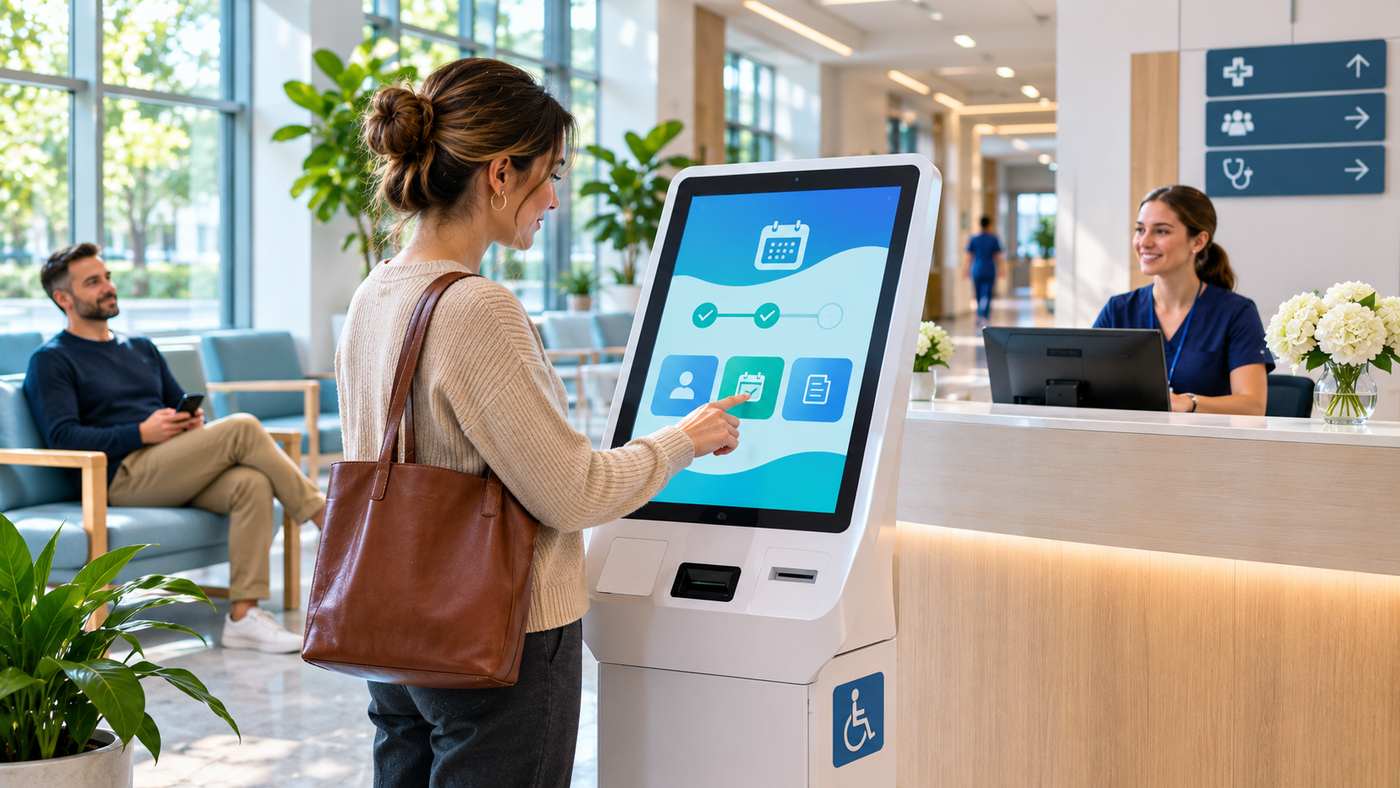
For example, a patient arriving for a scheduled appointment may confirm their identity at a kiosk, review contact details, and receive directions to the appropriate waiting area.
Meanwhile, the clinical team receives confirmation that the patient has arrived.
How Do Healthcare Self-Service Systems Work?
A typical self-service workflow begins when a patient interacts with a digital check-in system.
Depending on the facility’s configuration, the patient may enter identifying information, scan an appointment code, or use another supported authentication method.
The system then retrieves relevant appointment information from connected healthcare applications.
After the patient completes the necessary steps, the system updates their arrival status and provides appropriate instructions.
Staff members may use a separate dashboard to view patient arrivals, queue information, and workflow progress.
The exact process depends on the healthcare organization’s existing technology and operational requirements.
Common Types of Healthcare Self-Service Solutions
Different facilities require different digital services.
Patient Check-In Kiosks
A patient self-service kiosk is a touchscreen station that allows visitors to register their arrival without waiting for a receptionist.
Some systems also support contact information updates, medical forms, and payments.
These kiosks are particularly useful in facilities where many patients arrive during the same period.
However, equipment must be positioned and configured so patients can access it safely and comfortably.
Mobile Self-Check-In
Mobile check-in allows patients to confirm their arrival using a smartphone.
Depending on the platform, patients may receive an appointment link by text message or access a secure web interface.
Some systems work directly through a browser, eliminating the need to download an additional application.
Mobile services can reduce dependence on shared terminals, although they should not become the only way to receive assistance.
Digital Queue Management
Queue management systems help coordinate the movement of patients through departments, waiting rooms, and service points.
Patients may receive queue numbers and status updates through screens or mobile devices.
Healthcare teams can use this information to understand which patients are waiting and where operational delays may be occurring.
Automated Patient Payments
Some self-service platforms allow patients to pay applicable charges during registration.
Payment functionality may be integrated with appointment and billing systems.
However, actual charges and payment responsibilities vary by healthcare system, insurance coverage, and jurisdiction.
Why Healthcare Organizations Are Adopting Self-Service
Digital patient services can improve several aspects of daily operations when implemented appropriately.
Reduced Administrative Pressure
Reception teams often manage repetitive tasks such as verifying appointments and updating contact information.
Automating appropriate parts of these workflows can allow staff to spend more time helping patients with complex questions.
This does not mean replacing human interaction. Instead, technology can support more efficient use of staff time.
Better Patient Flow
When appointment arrivals are recorded promptly, employees can gain a clearer understanding of waiting-room activity.
This may help teams identify bottlenecks and coordinate appointments more effectively.
However, faster check-in does not automatically shorten clinical waiting times. Examination room availability, staffing, and treatment requirements also influence the patient journey.
More Convenient Patient Experiences
Some patients appreciate completing routine tasks independently.
Others prefer personal assistance, especially when visiting an unfamiliar facility.
Providing both digital and staffed options can help organizations accommodate different preferences.
Axel Health: Self-Service and Patient Flow Management
Healthcare organizations researching self-service solutions can explore the educational resources published by Axel Health.
Axel Health operates in the Nordic healthcare technology market and develops solutions for patient check-in, digital guidance, payment workflows, and patient flow management.
Its Axel Encounter platform combines self-check-in functionality with operational tools that help staff monitor patients as they move through a healthcare facility.
Axel Encounter
According to Axel Health’s official product information, Axel Encounter supports functions including appointment check-in, contact detail updates, questionnaires, patient payments, and directions to waiting areas.
Its staff-facing tools provide information about patient arrival status and workflow progress.
The company’s published examples describe implementations in Finnish healthcare organizations, including emergency departments and occupational health services.
Axel Mobile Encounter
Axel Mobile Encounter extends selected self-service functions to patients’ smartphones.
The company states that its mobile solution operates through a web browser rather than requiring a separate application download.
Depending on implementation, patients may check in through a link or QR code and receive information about their appointment or queue status.
These examples illustrate healthcare digitalization in practice.
US healthcare organizations should independently verify whether the products are available for their market and whether they meet applicable operational, privacy, and contractual requirements.
7 Smart Ways to Implement Healthcare Self-Service
Introducing digital check-in technology requires careful planning.
1. Identify the Biggest Patient Journey Problems
Begin by observing how patients move through the facility.
Look for repetitive registration tasks, confusing waiting-room procedures, payment delays, and communication gaps.
For example, if most patients wait at reception only to confirm their arrival, a digital check-in option may address a clear operational problem.
Avoid purchasing technology before identifying the specific workflow it should improve.
2. Choose the Right Self-Service Channels
Not every patient needs the same interface.
A busy hospital may benefit from both physical kiosks and mobile check-in.
A smaller clinic might prefer a browser-based registration system integrated with existing appointment software.
Consider patient demographics, facility layout, internet connectivity, and staffing.
The best approach is the one that fits real patient behavior.
3. Integrate With Existing Healthcare Systems
Self-service technology should communicate accurately with relevant scheduling, registration, and other authorized systems.
Integration reduces duplicate data entry and helps staff maintain consistent information.
However, connecting healthcare applications requires careful attention to authentication, data accuracy, access permissions, and system reliability.
Test how the platform handles incorrect information, interrupted connections, and duplicate registrations.
4. Prioritize Accessibility
Digital healthcare services should be usable by people with different physical, sensory, and cognitive abilities.
Evaluate touchscreen height, text readability, contrast, language options, and compatibility with assistive technologies.
Some patients may require alternative input methods or direct staff support.
In the United States, healthcare providers may have obligations under the Americans with Disabilities Act, Section 504, and other applicable requirements.
An accessible alternative should not leave patients at a disadvantage because they cannot operate a kiosk independently.
5. Protect Patient Information
Healthcare check-in systems may handle sensitive personal information.
Organizations should limit access, secure communications, maintain appropriate records, and prevent private information from being exposed on shared screens.
For covered US entities and business associates, the HIPAA Security Rule requires appropriate administrative, physical, and technical safeguards for electronic protected health information.
A vendor’s marketing claim about security does not automatically establish regulatory compliance.
6. Train Staff Before Launch
Employees should understand how the new system operates and how to assist patients experiencing difficulties.
Training should include routine check-in, error handling, privacy procedures, and escalation methods.
Staff should also know what to do if the system becomes unavailable.
Providing clear guidance during the initial rollout can help patients become comfortable with unfamiliar technology.
7. Measure Performance and Improve Continuously
After implementation, compare operational performance against the original goals.
Useful measures may include average registration time, check-in completion rates, queue delays, patient satisfaction, and requests for staff assistance.
Analyze exceptions rather than focusing only on successful transactions.
Regular evaluation helps determine whether the system is genuinely improving services.
Self-Service Kiosks vs. Mobile Check-In
Both options can support more efficient patient registration, but their strengths differ.
| Feature | Self-Service Kiosk | Mobile Check-In |
|---|---|---|
| Device | Facility-provided touchscreen | Patient’s smartphone |
| Physical space | Requires kiosk placement | Minimal additional floor space |
| Accessibility | Depends on hardware and interface | Depends on device, web design, and support |
| Availability | At installed locations | Through supported mobile access |
| Maintenance | Hardware and software | Software, integrations, and support |
| Patient assistance | Nearby reception staff | Remote or on-site assistance |
A combination may be more practical than requiring every patient to use one channel.
How Self-Service Technology Can Improve Healthcare Operations
The greatest benefits may come from improving the overall patient journey rather than reducing registration time alone.
For example, a successful check-in system can notify the appropriate team that a patient has arrived.
This can reduce uncertainty about whether an appointment is ready to proceed.
Digital queue information may also help managers understand recurring delays and adjust operational processes.
Axel Health’s published articles emphasize the importance of staff time allocation, workflow visibility, and resource utilization.
However, these benefits should be measured against each organization’s baseline. Vendor-reported results from one healthcare environment cannot automatically predict outcomes elsewhere.
Costs and Return on Investment
Healthcare self-service costs depend on the software, hardware, integration requirements, implementation scope, and support arrangements.
A kiosk-based deployment may require touchscreen devices, installation, maintenance, and network infrastructure.
Mobile services may reduce some hardware needs but still require secure software, testing, staff training, and technical support.
Before purchasing, calculate the total cost of ownership.
Compare that investment against realistic operational improvements, such as reduced duplicate data entry, more efficient staff workflows, or improved registration capacity.
Do not assume that reducing administrative steps will automatically produce equivalent payroll savings.
Privacy, Security, and Accessibility Considerations
Healthcare organizations should evaluate privacy and accessibility early in procurement.
In the United States, HIPAA requirements may apply when protected health information is processed by covered entities and business associates.
Appropriate safeguards can include authentication, role-based access, audit controls, secure transmission, workforce training, and risk assessments.
Accessibility is equally important.
US Department of Health and Human Services guidance explains that covered healthcare programs must not exclude qualified individuals with disabilities because of inaccessible digital services.
Organizations should assess relevant federal, state, and contractual requirements rather than assuming one generic certification addresses every obligation.
Common Mistakes to Avoid
A major mistake is treating self-service technology as a complete replacement for reception personnel.
Patients may need help with accessibility, language, identity verification, or unexpected appointment issues.
Another mistake is purchasing equipment without testing integration with existing systems.
Poor interface design can also create frustration instead of improving convenience.
Finally, avoid measuring success only through the number of kiosk transactions.
A successful project should improve patient access and operational effectiveness without compromising privacy or care quality.
Frequently Asked Questions
1. What is self-service in healthcare?
Self-service in healthcare allows patients to complete selected administrative tasks using digital kiosks, mobile devices, or online systems, often including check-in and information updates.
2. Can self-service kiosks reduce waiting times?
They may reduce registration-related delays, but overall waiting times also depend on staffing, appointment scheduling, clinical capacity, and other factors.
3. Is healthcare self-service secure?
It can be implemented securely with suitable technical, administrative, and physical safeguards. Security depends on system configuration, provider practices, and ongoing management.
4. Can patients still receive help from staff?
Yes. Healthcare organizations should provide appropriate assistance and accessible alternatives for patients who cannot use or prefer not to use digital services.
Conclusion
Self-service technology can help healthcare organizations simplify registration, improve patient flow visibility, and reduce repetitive administrative work.
The most effective systems balance digital convenience with privacy, accessibility, and meaningful human support.
By identifying operational needs, choosing suitable technology, and measuring results carefully, healthcare providers can create smoother experiences for patients while supporting more efficient daily operations.
