
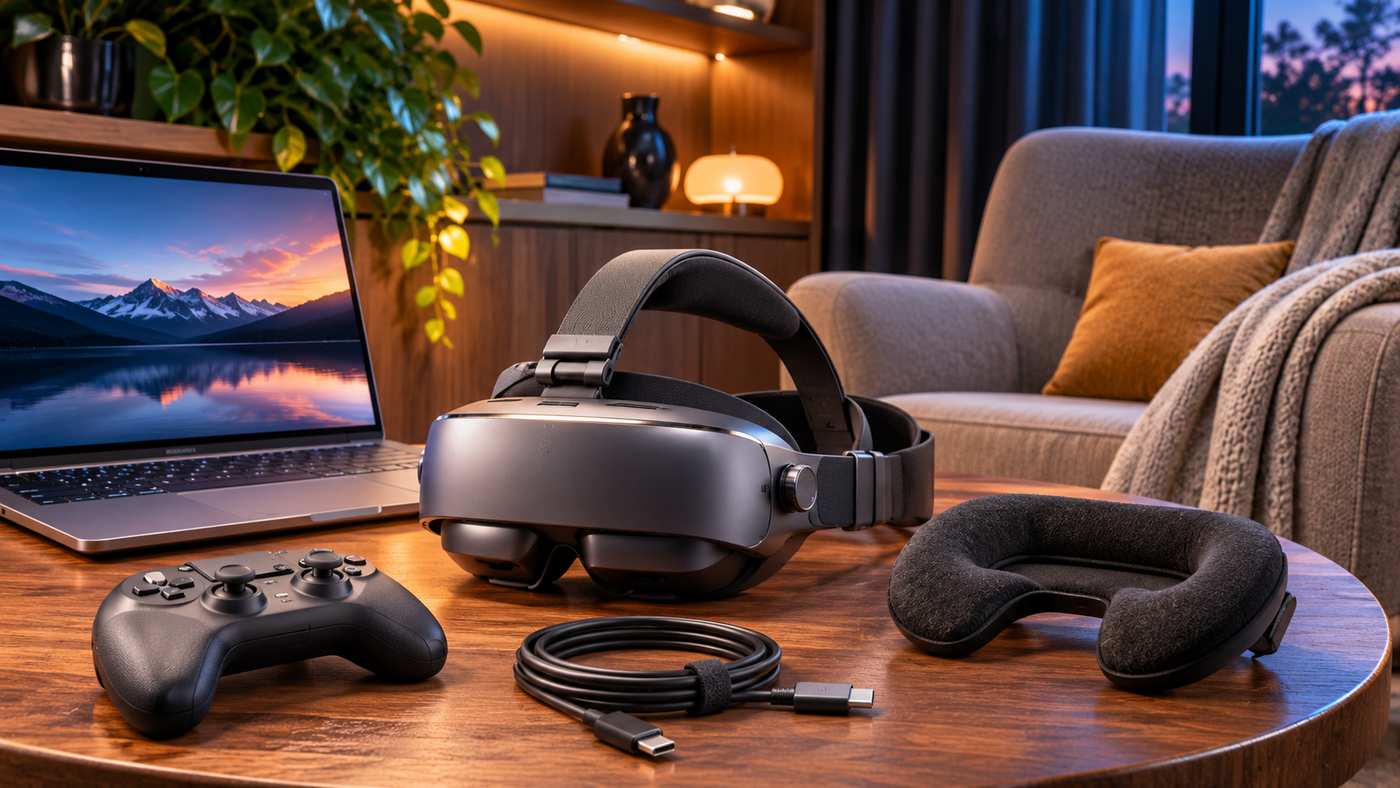
Watching movies on a large screen usually means investing in a television, projector, or dedicated home theater setup. However, not everyone has enough space for traditional entertainment equipment. Travelers, apartment residents, and gaming enthusiasts may prefer a smaller, portable solution that provides an immersive viewing experience.
The GOOVIS G3X is a head-mounted personal cinema display designed to make movies, games, and other video content feel more immersive without requiring a physical television or projector.
Featuring dual Sony Micro-OLED displays, adjustable optics, 3D playback capabilities, and flexible connectivity, the headset provides an alternative way to enjoy digital entertainment.
Unlike a conventional standalone virtual reality headset, the G3X primarily functions as a wearable display connected to compatible external devices.
This distinction is important because its capabilities, setup requirements, and ideal applications differ from those of gaming-focused VR systems.
This guide explores the GOOVIS G3X specifications, advantages, limitations, compatibility, setup instructions, and seven practical ways to improve the viewing experience.
What Is the GOOVIS G3X?
The GOOVIS G3X is a portable head-mounted display designed for personal entertainment.
It uses two small OLED screens and specialized optical lenses to create the appearance of a much larger virtual screen in front of the viewer.
According to the manufacturer’s product information, the device produces the visual impression of an approximately 800-inch screen viewed from a distance of 20 meters.
This measurement describes the perceived screen size and distance rather than an actual physical display.
The headset is intended for activities such as watching movies, streaming compatible video content, playing games, and viewing supported 3D media.
How Does the GOOVIS G3X Work?
The device receives video from a compatible source, such as a smartphone, laptop, handheld gaming console, or media player.
Its internal Micro-OLED panels display the incoming video through optical lenses positioned in front of the user’s eyes.
The lenses create the perception of a virtual screen at a greater distance.
The user can adjust the viewing position and optical settings to improve clarity.
Since the headset depends on external video input, it should not be confused with a standalone entertainment computer that independently runs a complete library of applications.
GOOVIS G3X Technical Specifications
Understanding the specifications helps buyers determine whether the headset matches their entertainment needs.
| Feature | GOOVIS G3X Specification |
|---|---|
| Display technology | Dual Sony Micro-OLED |
| Resolution | 1920 × 1080 per eye |
| Refresh rate | 60 Hz |
| Virtual screen | Approximately 800 inches at 20 meters |
| Field of view | Approximately 52 degrees |
| Color gamut | 113% sRGB, manufacturer-rated |
| Pixel density | Approximately 3147 PPI |
| Angular resolution | Approximately 42 PPD |
| Optical system | Aspherical lenses |
| IPD adjustment | 58–74 mm, current product listing |
| Diopter adjustment | +3.0D to -8.0D, current listing |
| Weight | Approximately 190 g for the headset body |
| 3D support | Side-by-side 3D |
| Connectivity | USB-C video; HDMI with compatible adapter |
Published specifications from different product editions and launch periods contain some differences. Buyers should confirm the exact model and current documentation before ordering.
Key Features of the GOOVIS G3X Personal Cinema Headset
Dual Sony Micro-OLED Displays
One of the most important features is the use of two Micro-OLED panels.
OLED technology allows individual pixels to produce their own light, helping create deep black levels and strong contrast.
This can be particularly useful when watching movies with dark scenes.
The G3X provides 1920 × 1080 resolution per eye, which is important to understand when comparing it with displays marketed using combined-resolution terminology.
Some advertisements describe the headset as a 4K-class cinematic device because of the two displays.
However, each eye receives a Full HD panel image, not an independent native 4K image.
Large Virtual Cinema Experience
The manufacturer advertises an approximately 800-inch virtual screen experience at a viewing distance of 20 meters.
This can make the display feel more immersive than watching the same content on a small smartphone screen.
However, the virtual screen description should not be interpreted as an identical experience to sitting in front of a physical 800-inch display.
The perceived field of view is approximately 52 degrees.
Viewing comfort and the apparent size of the image also vary according to individual visual perception and headset adjustment.
Aspherical Optical Technology
The headset uses specialized aspherical lenses intended to improve visual clarity.
The manufacturer advertises distortion below 1.5% and a relatively sharp image across the viewing area.
These characteristics can help support movie watching and video playback.
However, manufacturer-rated optical performance is not equivalent to a guarantee that every user will experience perfect edge-to-edge clarity.
Correct fit and eye alignment remain important.
Built-In Diopter Adjustment
One useful feature is its individual diopter adjustment.
According to the current product page, the adjustment range extends from +3.0D to -8.0D.
This may allow many users to obtain a clear picture without wearing their regular glasses inside the headset.
However, the adjustment range does not accommodate every prescription or vision condition.
Users with significant astigmatism or other specialized optical requirements should verify compatibility.
Adjustable Interpupillary Distance
Interpupillary distance, commonly called IPD, describes the distance between the centers of the pupils.
The current product page lists a mechanical adjustment range of 58–74 mm.
Correct IPD alignment helps position the eyes relative to the optical centers.
If the setting is incorrect, users may experience blurry edges, an uncomfortable image, or difficulty combining the two views.
Immersive and Open-View Modes
The GOOVIS G3X includes a magnetic face-pad design.
This allows users to switch between a more enclosed viewing arrangement and an open-view configuration.
The enclosed setup can help reduce distractions from surrounding light.
The open-view arrangement allows greater awareness of the nearby environment.
This flexibility may be useful for people who alternate between focused entertainment and activities requiring peripheral awareness.
7 Smart Tips for Getting the Best GOOVIS G3X Experience
1. Start With the Correct Optical Settings
Before watching an entire movie, take time to adjust the headset properly.
Position the display comfortably and align the lenses with your eyes.
Set the interpupillary distance gradually until the image appears clear.
Then adjust the diopter settings individually.
Avoid forcing adjustments beyond their intended range.
If the picture remains uncomfortable or blurry, review the fit and consult the manufacturer’s instructions.
Correct setup can make a noticeable difference in perceived sharpness and viewing comfort.
2. Use a Compatible Video Source
The headset works with compatible external video sources.
Some smartphones, laptops, tablets, and handheld gaming devices can connect directly through USB-C.
However, not every USB-C port supports video output.
A device must provide a compatible video signal, commonly through DisplayPort Alternate Mode or another supported arrangement.
A phone with a USB-C charging port is not automatically compatible.
Before purchasing, check the manufacturer’s connection compatibility list for the exact device.
3. Choose High-Quality Video Content
Display quality depends partly on the source material.
A high-quality video file or streaming source may produce a better result than heavily compressed content.
Dark scenes and colorful cinematic footage can be good ways to appreciate OLED contrast.
However, the headset cannot restore details that are missing from a low-quality source.
For the clearest experience, use legally accessed content at an appropriate resolution and bitrate.
4. Understand How 3D Playback Works
The standard GOOVIS G3X supports side-by-side, or SBS, 3D video.
This format contains separate left-eye and right-eye images arranged together within the video signal.
The headset processes compatible input for stereoscopic viewing.
However, ordinary 2D content is not automatically transformed into genuine 3D.
You need media in a supported format and appropriate playback settings.
For native Blu-ray 3D requirements, compare the standard G3X with the G3X Pro, which GOOVIS specifically identifies as supporting that capability.
5. Improve Audio With Suitable Headphones
Audio contributes significantly to an immersive movie experience.
The G3X includes built-in sound capability, but users may prefer external headphones for more personal listening.
The manufacturer’s documentation describes a 3.5 mm headphone connection and other supported audio arrangements.
Before buying wireless accessories, verify how audio will be transmitted from your particular source device.
For example, Bluetooth headphones may connect directly to a compatible phone or laptop rather than to the headset itself.
Check audio synchronization when watching movies or playing games.
6. Create a Comfortable Viewing Environment
Even lightweight wearable displays require thoughtful positioning.
Choose a stable, comfortable seat or reclining position.
Make sure the headset does not create excessive pressure around your forehead or face.
Take regular viewing breaks and stop if you experience discomfort, dizziness, or visual symptoms.
Do not use the headset while driving or performing activities requiring continuous attention to your surroundings.
A comfortable viewing arrangement can improve the experience without requiring expensive additional equipment.
7. Verify Accessories and Package Contents
GOOVIS offers different purchase configurations, including a Basic Set, Cinema Package, and Luxury Bundle.
Accessories can vary between packages.
Some buyers may need an HDMI conversion adapter, portable media player, carrying case, or other equipment.
Before ordering, check precisely what is included.
This helps avoid discovering after delivery that an additional cable or adapter is required for your preferred gaming console or media player.
GOOVIS G3X Device Compatibility
The headset supports different categories of external devices, subject to the correct connections and video-output capabilities.
Smartphones and Tablets
Compatible smartphones can provide a convenient way to watch movies and online videos.
Certain iPhone 15 and iPhone 16 models, iPads, and Android devices are among the categories discussed in GOOVIS product documentation.
However, compatibility varies by model.
Some phones require additional connection equipment or do not support external video in the necessary format.
Laptops and Computers
A compatible laptop can serve as a video source.
This may be useful for watching films, reviewing multimedia, or displaying selected computer content.
The experience should not be assumed to replace a high-resolution professional monitor for demanding tasks involving fine text or detailed graphics.
Handheld Gaming Consoles
Devices such as the Steam Deck and ASUS ROG Ally are among the examples cited by GOOVIS.
A portable gaming display can provide a different experience from using a handheld’s built-in screen.
However, the G3X is a 60 Hz display, so gamers specifically seeking very high refresh rates should consider that limitation.
PlayStation and HDMI Devices
Some gaming consoles, Blu-ray players, cameras, and desktop computers output video through HDMI.
The G3X can work with HDMI sources using the compatible GOOVIS HC2.0 conversion adapter.
The adapter may need to be purchased separately depending on the selected package.
Check video resolution, power, audio routing, and accessory compatibility before purchasing.
GOOVIS G3X vs. GOOVIS G3X Pro
The standard G3X and G3X Pro have related designs but should not be treated as identical products.
| Feature | GOOVIS G3X | GOOVIS G3X Pro |
|---|---|---|
| Primary purpose | Personal cinema and external video display | Personal cinema with enhanced 3D compatibility |
| Dual-view concept | Yes | Yes |
| Micro-OLED display | Yes | Yes |
| Side-by-side 3D | Yes | Yes |
| Native Blu-ray 3D support | Not advertised for standard edition | Advertised |
| Device connectivity | Compatible video sources | Compatible video sources |
According to GOOVIS’s official comparison page, the Pro model is particularly intended for people who want native Blu-ray 3D playback.
For buyers primarily interested in conventional movies and compatible SBS 3D content, the standard model may offer the features they need.
Is GOOVIS G3X a Real Virtual Reality Headset?
The G3X is sometimes described in retail listings as a VR headset, but that terminology can create confusion.
Traditional standalone VR systems often include motion tracking, spatial interaction, immersive applications, and dedicated controllers.
The GOOVIS G3X is primarily a head-mounted personal cinema display.
It is designed to place an external video image in front of the viewer.
It should not be purchased with the expectation that it will independently run typical six-degrees-of-freedom virtual reality games.
Understanding this distinction is essential when comparing the G3X with products such as the Meta Quest family.
Main Advantages of GOOVIS G3X
The G3X has several characteristics that may appeal to entertainment enthusiasts.
Its Micro-OLED panels offer strong potential for contrast-rich movie viewing.
The personal screen concept can be convenient for people who lack space for a large television.
The device supports multiple external video sources and offers optical adjustment for different users.
Its compact design also makes it easier to transport than conventional home theater hardware.
The ability to switch between immersive and open-view arrangements is another practical feature.
However, these advantages depend on the user’s equipment, optical fit, and entertainment preferences.
Limitations to Consider Before Buying
The G3X is not a standalone streaming device.
A compatible external source is necessary for content playback.
Some users may need an adapter or separate media player.
The 60 Hz refresh rate is appropriate for many video applications but may not satisfy competitive gamers seeking higher refresh rates.
Audio quality and comfort are also subjective.
The headset may not suit every prescription, face shape, or sensitivity to wearable displays.
Finally, it is a personal viewing product rather than a replacement for a television shared by several people.
These considerations should be weighed against the benefits of portability and individual immersion.
How Much Does the GOOVIS G3X Cost?
The manufacturer’s US-dollar product listing displayed a promotional price of $599 for the G3X, compared with a listed regular price of $799, during verification.
However, prices can change, and the amount payable may depend on the selected package.
Taxes, international charges, accessories, and shipping arrangements may also affect the total.
Buyers should check the current checkout total rather than assuming that a previously advertised price remains available.
Before ordering, review the warranty, return conditions, and delivery information.
For higher-value electronics, it is worth confirming whether returns are permitted after opening or testing the product.
Who Should Consider the GOOVIS G3X?
Movie Enthusiasts
People who regularly watch movies alone may appreciate having a virtual cinema display without needing a large television.
OLED contrast and individual optical adjustments are particularly relevant features.
Frequent Travelers
A compact head-mounted display may be convenient for entertainment in hotels or other suitable travel environments.
However, device power, compatible media sources, and safe usage conditions still matter.
Handheld Gaming Users
Gamers with compatible handheld systems may enjoy viewing games on a larger perceived display.
The experience is best evaluated according to refresh rate, latency expectations, and device compatibility.
Small Apartment Residents
People living in compact spaces may prefer a personal display rather than installing a large television.
However, the headset is not intended for simultaneous shared viewing.
Common GOOVIS G3X Buying Mistakes
One common mistake is interpreting combined-screen marketing terminology as native 4K resolution per eye.
Another is assuming that every USB-C device can directly transmit video.
Buyers may also misunderstand the difference between SBS 3D playback and native Blu-ray 3D support.
Avoid choosing a package without checking adapter availability.
It is also important not to assume that the headset independently runs streaming applications.
Finally, prioritize fit and comfort. A technically impressive display may still be unsuitable if it does not match the user’s visual needs.
Frequently Asked Questions
1. Is the GOOVIS G3X worth buying?
It may be worthwhile for people who want a portable personal cinema display with Micro-OLED image quality. Its value depends on compatibility, comfort, budget, and whether a standalone VR system would better suit the user’s needs.
2. Does GOOVIS G3X support 4K resolution?
The standard G3X has two 1920 × 1080 Micro-OLED panels. Marketing descriptions referring to 4K should not be interpreted as native 3840 × 2160 resolution for each eye.
3. Can GOOVIS G3X connect to a PS5?
Yes, through an appropriate HDMI-to-USB-C video conversion arrangement such as the GOOVIS HC2.0 adapter. Buyers should confirm the exact accessories required.
4. Can GOOVIS G3X play 3D movies?
Yes. The standard G3X supports compatible side-by-side 3D content. For native Blu-ray 3D playback, GOOVIS specifically identifies the G3X Pro as an option.
Conclusion
The GOOVIS G3X offers a distinctive approach to personal entertainment by combining dual Micro-OLED displays, adjustable optics, and flexible external-device connectivity.
Its portable design can appeal to movie enthusiasts, travelers, and compatible handheld gaming users who want an immersive viewing experience without installing a large screen.
However, understanding its Full HD per-eye resolution, 3D limitations, accessory requirements, and dependence on external devices is essential.
For buyers seeking a personal cinema rather than a standalone VR gaming system, the G3X is worth evaluating against their specific needs and budget.
