
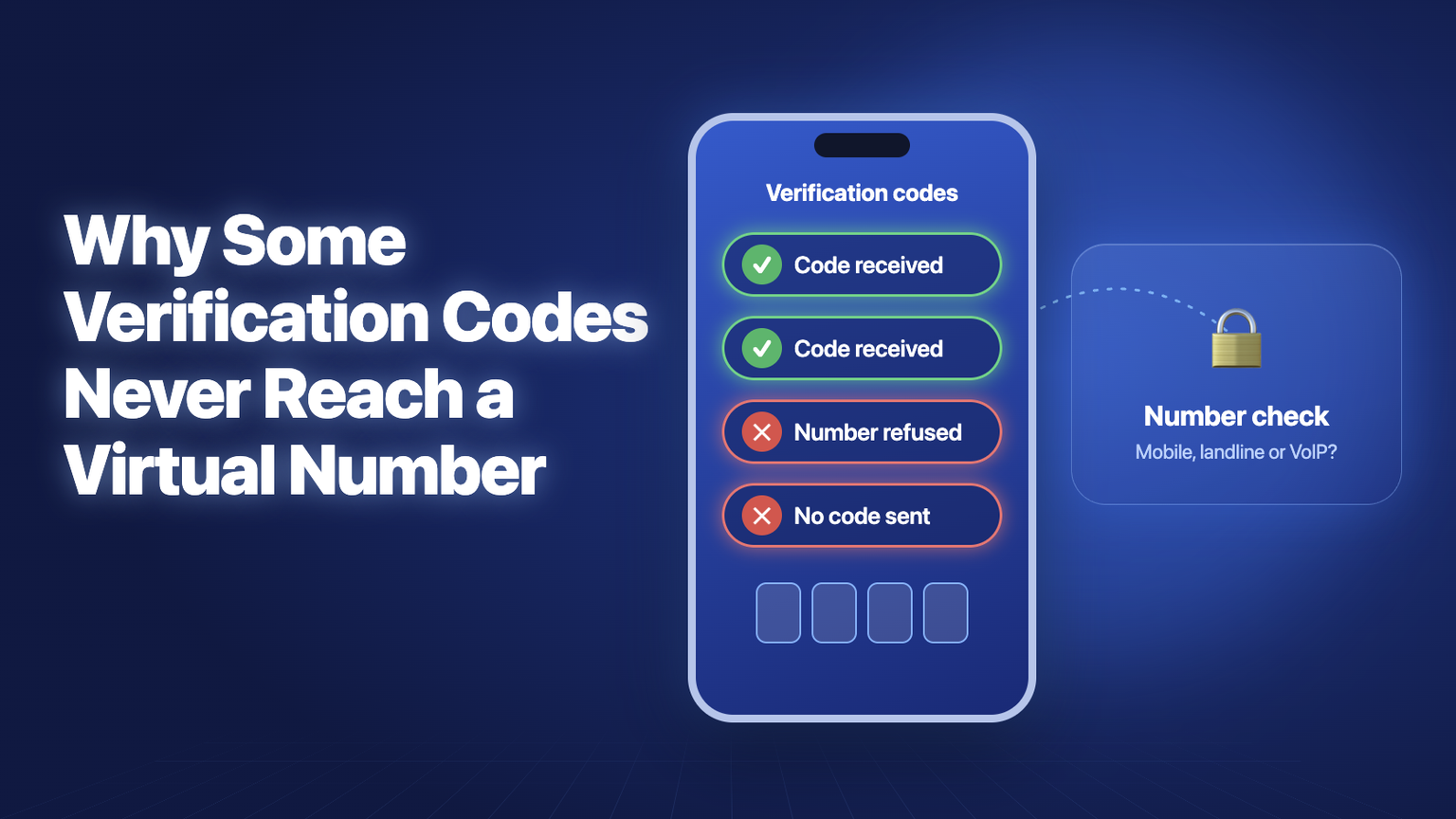
Have you ever typed a phone number into a sign-up form and then waited for a code that never came? The number is real. It takes calls, and normal texts arrive without any trouble. Yet one app sends its code in seconds, while another shows an error or sends nothing at all.
If you have tried to set up a virtual number for WhatsApp or another app, you may have seen this happen. It can feel random, but it usually is not. Before a service sends a code, it often checks what kind of number you entered. The result of that check can decide whether the code is sent.
This guide explains why codes go missing, why the same number can pass one sign-up and fail the next, and how to choose a number that suits the accounts you care about.
What Is a Virtual Number?
A virtual number is a normal phone number that is not tied to a SIM card. A telecom carrier owns the number and sends its calls and messages over the internet to wherever you are signed in. That could be a browser tab, a desktop app, or a phone app.
To the person calling you, nothing looks different. A +1 number rings like any American number, and a +44 7 number looks like any British mobile number.
The difference is in the records behind the number. Every number range is assigned to a carrier and given a type, such as mobile, landline, VoIP, or toll-free. People do not see these labels, but verification systems do.
Why Do Some Verification Codes Never Arrive?
A code can go missing for several reasons. Most of them have nothing to do with your phone or your internet connection.
The most common reasons are:
- The service checked the number type and decided not to send a code.
- The app has blocked that carrier or number range.
- The number has been used by too many people and was flagged.
- The carrier filtered the message before it reached your inbox.
- The code was sent from a short code that does not reach internet-based numbers.
The last point surprises many people. A code can leave the service and still never arrive, because the message has to pass through other companies on the way to you.
Why Can One Number Pass One Sign-Up and Fail the Next?
Each company sets its own rules. The number stays the same, but the policy on the other side changes.
Messaging and social apps usually care about stopping mass fake sign-ups. Many accept some virtual numbers, but they can tighten their rules at any time, and they do not always announce it.
Delivery, shopping, and productivity apps sit in the middle. Many accept virtual numbers, but some block carriers that spammers have used in the past.
Banks, payment apps, and crypto exchanges are the strictest. They need to link accounts to real, identifiable people, so many refuse any number that a lookup labels as VoIP. Some only accept numbers from a domestic mobile network.
This is why a number can work well for one app and be refused by another a minute later. It does not mean the number is broken.
How callmins Handles Verification Codes
CallMins is one example of a service that rents private virtual numbers. You can read your calls and texts in a web browser or in the apps for iPhone, Android, and Mac. It also shows why you should check the facts for each app before you buy.
Here is how its numbers behaved at the time of writing:
- WhatsApp on UK numbers: the codes arrive. A UK +44 number is the one to choose for WhatsApp.
- WhatsApp on US numbers: the codes do not arrive. US numbers are meant for calls and ordinary texts.
- Telegram: the codes do not arrive on any of its numbers. Telegram blocks its codes to these virtual numbers.
- Canadian numbers: app codes are not confirmed yet, so do not rely on them for sign-ups.
- Banks: do not count on any virtual number for bank codes. Check with your bank first.
The Telegram result is a good lesson. Its text now arrives with a notice that verification codes from messaging platforms are not supported on VoIP numbers. The number works as before, but the app changed its rules. Any app can do this, on any provider, without warning.
The setup is simple:
- Create an account with your email and a password, or with Google.
- Add credit to your wallet.
- Choose a country and an available number.
- Open the Messages tab to read your texts.
A UK number costs $3 a month, or $30 for a full year. A US number costs $2 a month. There is no setup fee or ID check on either one.
For outgoing use, you pay as you go from your wallet, with no subscription. The same number can also make and receive normal phone calls, so it is useful even when you do not need a code.
How Does the Number Check Work?
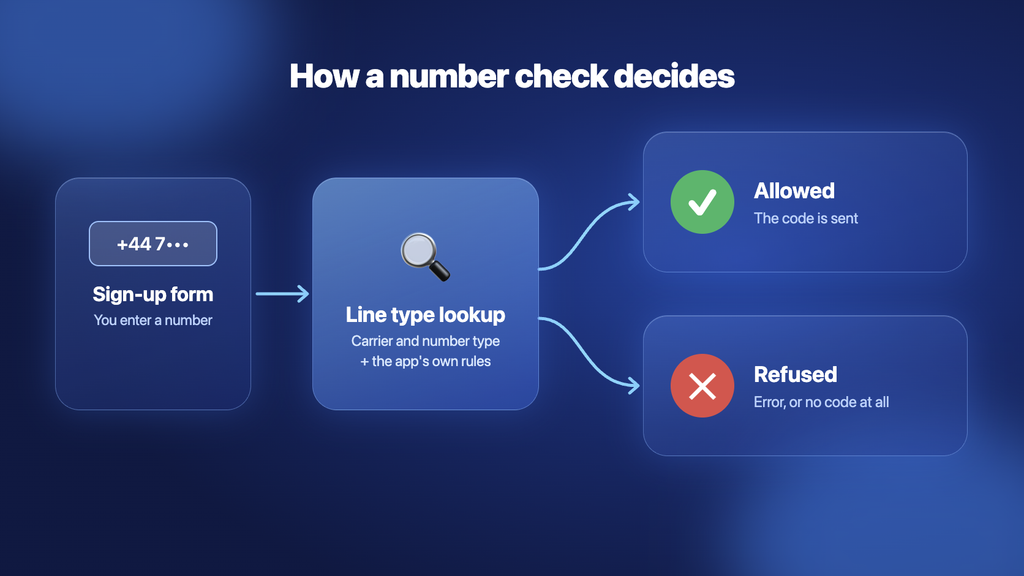
Most large apps and banks do not send their own texts. They use a verification provider, and many of these providers offer a line type or carrier lookup.
The process usually looks like this:
- You type your number into the sign-up form.
- The service looks the number up in a database.
- The lookup returns the carrier and the number type.
- The service applies its own rules to that answer.
- If the number passes, the code is sent through the phone network.
The check often takes less than a second, so you never see it. You only see the result, which is either a code or an error message.
The important part is the service’s own rules. The lookup does not decide anything by itself. It only gives information, and each business decides what to do with it. That is why two apps can treat the same number in different ways.
Why Do Free Numbers Fail the Most?
Free receive-SMS websites publish shared numbers that anyone can use. Thousands of people use the same few numbers to create throwaway accounts, so verification providers flag them quickly.
They are also a privacy risk. Every code sent to a public inbox can be seen by strangers. If you sign up with one of these numbers, someone else could use it later to try to take over your account.
Public numbers are fine for testing a form. They are not safe for an account you want to keep.
A paid number is assigned to one person, and its messages stay in a private inbox. This does not guarantee that every app will accept it, but it removes the risk of strangers reading your codes.
Does the Number Range Matter?
Yes. The range a number comes from can change how a lookup labels it.
In the UK, numbers starting with 07 are mobile ranges. Numbers starting with 01 or 02 are geographic landlines, and 03 numbers are non-geographic. Many UK services expect a mobile number for text messages, and some will not send an SMS to a landline at all.
In the US, most virtual numbers show up in lookups as VoIP. This includes well-known services such as Google Voice. Apps that only need to reach you may accept them, but banks and payment apps often do not.
What About Short Codes?
The way a code is sent matters too. Many US services send codes from short codes, which are the five- or six-digit numbers you see on texts from banks and retailers.
Short-code traffic depends on agreements between carriers, and these do not always cover internet-based numbers. A code that arrives on a normal SIM can fail silently on a virtual line, with no error on either side.
Services that send codes from a normal ten-digit number or a toll-free number tend to deliver more reliably. You cannot control which one a company uses, but it helps explain why a code may never appear.
What Can You Do if a Code Does Not Arrive?
Do not keep pressing the resend button. Too many requests can trigger a temporary block on your number or account.
Try these steps instead:
- Check that you entered the correct country code.
- Remove any leading zero after the country code.
- Wait for the full timer before asking again.
- Choose the voice call option if the app offers one.
- Look for a help page about VoIP or virtual numbers.
- Try again later, because some blocks are temporary.
The voice call option is worth trying first. A call to a virtual number can connect even when the text does not, because it does not depend on SMS delivery.
If a service refuses the number outright, more attempts are unlikely to help. The refusal is usually a policy decision, so you will need a different type of number for that account.
Virtual Number vs. Physical SIM for Verification
A physical SIM is still the safest choice for some accounts. A virtual number offers more flexibility for others.
Here is a simple comparison:
| Feature | Private Virtual Number | Physical SIM | Public Free Number |
|---|---|---|---|
| SIM card needed | No | Yes | No |
| Messages stay private | Yes | Yes | No |
| Accepted by banks | Rarely | Usually | No |
| Accepted by every app | No | More widely | No |
| Works from a browser | Often | No | Yes |
| Works without internet | Usually no | Often yes | No |
| Number is yours while you pay | Yes | Yes | No |
Many people keep a SIM for banking and use a virtual number for work, travel, and everyday sign-ups.
What Should You Check Before You Buy?
Start with the accounts you need, not the price. Write down the three or four services that matter most to you.
Then check these points:
- Does the app accept virtual numbers from that country?
- Does the provider say which apps work on its numbers?
- Is the number private or shared with other users?
- Is the number from a mobile range?
- Can it receive voice calls as well as SMS?
- What happens if your balance runs out?
The last point matters more than most people expect. Many apps ask for a new code when you change phones or reinstall. If your rented number has been released, you may not be able to receive that code. A released number can also be given to someone else later.
Keep the number for as long as you use the account, or move the account to another number before you let it go. You should also turn on two-step verification where the app offers it, so a code alone is not enough to get in.
Final Thoughts
A verification code that never arrives is rarely bad luck. In most cases, a service looked up your number and made a decision, or the message was stopped on its way to you.
Once you know how the check works, you can avoid most of the frustration. Choose a private number from a suitable country and check that the app accepts it before you rely on it. Keep your main SIM for banks and other high-security accounts.
App rules can also change at any time. A number that works today may not work next year, so keep a backup way into every account that matters.
