
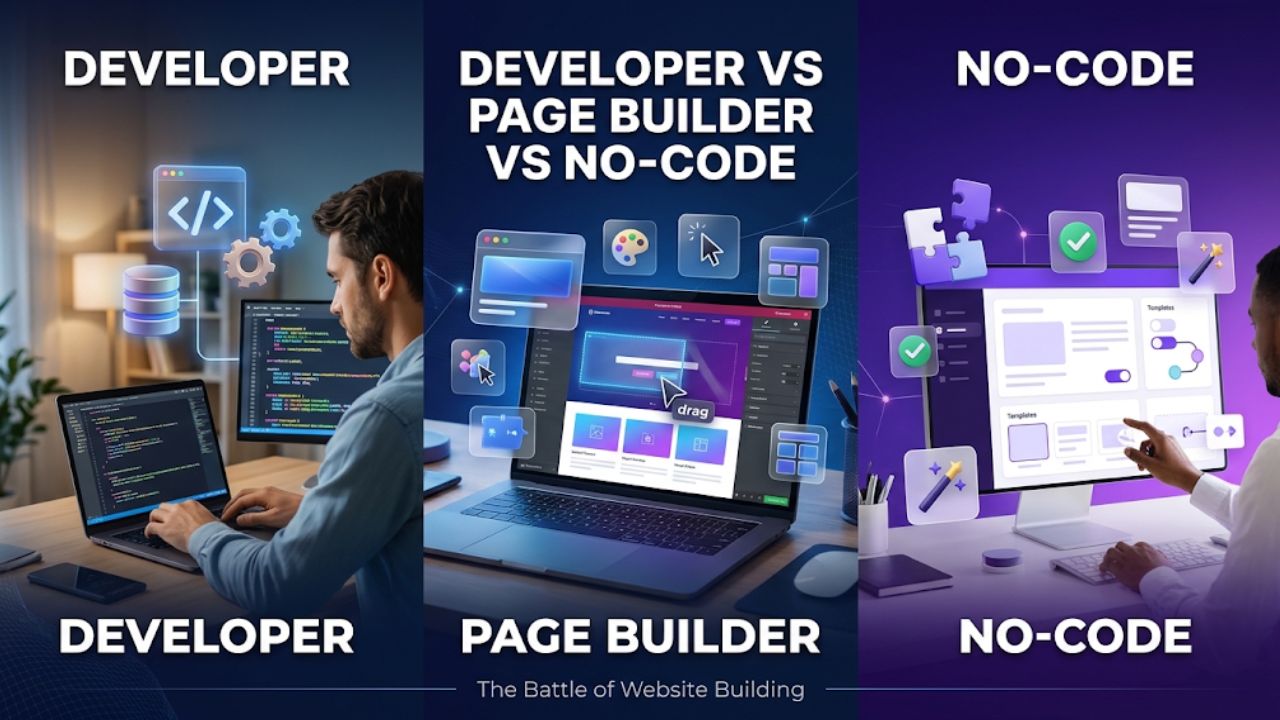
Most small websites don’t need a WordPress developer. A brochure site, a portfolio, or a blog with a contact form can be built and run with a theme, a page builder, or a hosted website builder. A developer starts to earn the fee when the site has to do something plugins can’t do cleanly, when speed or security problems keep coming back, or when a legal or business requirement leaves little room for trial and error.
This guide compares the three realistic paths (hiring a developer, building on WordPress with a page builder, and using a hosted no-code or AI builder) on cost, speed, control and how hard each is to leave later. Prices and statistics are dated so you can check them, and where sources disagree, the disagreement is stated rather than hidden.
The three options at a glance
Hiring a WordPress developer means a freelancer, agency or contractor builds or customizes your site: a modified theme, custom plugins or integrations, performance and security work. You own the files and the database and can host the site anywhere.
Using a page builder means installing WordPress yourself and designing pages visually, with a plugin such as Elementor or Divi, or with WordPress’s own block editor. The work is yours; the costs are hosting, any licences, and your time.
Using a hosted no-code or AI builder means a platform such as Wix, Squarespace or Webflow, or an AI tool that generates a site from a prompt. Hosting is part of the subscription, and you work within what the platform offers.
“Custom” is used loosely in this space. In comparison articles it can mean a lightly modified theme or a fully coded application, which is one reason published cost ranges are so far apart.
| Hire a WordPress developer | WordPress + page builder (DIY) | Hosted no-code or AI builder | |
| Upfront cost | Highest; depends on scope | Low: hosting, any licence, your time | Low: a subscription |
| Ongoing cost | Hosting, plugin licences, developer time for changes | Hosting, builder and plugin licences | Subscription, hosting included |
| Control | Highest; down to the code | High, within the builder’s limits | Limited to the platform’s features |
| Updates and upkeep | You, the developer or a maintenance plan | You | The platform handles hosting and software updates |
| Leaving later | Easiest; you own files and database | Moderate; layouts are often tied to the builder | Varies a lot; see the export section below |
When you probably don’t need a developer
A developer is probably an unnecessary expense if most of these describe your site:
- It is a brochure site, portfolio, blog or simple small-business site, and you edit the pages yourself.
- The features you need already exist as mature plugins or built-in platform features: contact forms, newsletter sign-up, simple booking, a small shop.
- You don’t need data structures, integrations or workflows specific to your business.
- Traffic is modest, so a second or two of load time isn’t costing real revenue.
- Someone on your side will handle updates, or your hosting or maintenance plan does.
When a project requires custom functionality, complex integrations, or ongoing technical work that a page builder cannot handle reliably, it may be time to hire a WordPress developer instead of relying on additional plugins and workarounds.
If you do go the DIY route, the choice between WordPress and a hosted builder mostly comes down to ownership versus upkeep. WordPress runs about 40% of all websites (W3Techs, September 2026), so themes, plugins and developers are easy to find if you need help later. A hosted builder removes the upkeep but ties the site to the platform.
Signs it’s time to hire a WordPress developer
A useful rule of thumb: if the site is slow, broken or unsafe, you need a developer; if it looks dated or confuses visitors, you probably need a designer. A page builder helps with the second problem far more than the first.
The site is slow and the basics haven’t fixed it
Compressing images, switching on caching and moving to better hosting solve many speed problems. If the site still fails Google’s Core Web Vitals (the thresholds are a Largest Contentful Paint under 2.5 seconds, Interaction to Next Paint under 200 milliseconds and Cumulative Layout Shift under 0.1), a developer can trace the cause to the theme, a specific plugin or third-party scripts.
Speed has a measurable link to revenue. A study by 55 and Deloitte for Google, covering 37 brands and more than 30 million mobile sessions, found that a 0.1-second improvement across four speed metrics was associated with an 8.4% rise in retail conversion rates and 10.1% in travel. The study dates from 2020 and required improvements on every page of the journey, so read it as a sign of direction, not a forecast for your store.
Measuring whether speed fixes actually move conversions takes web analytics skills, which is a core part of digital marketing and analytics training.
Page builders matter here. In HTTP Archive’s Core Web Vitals data for the August 2026 crawl, as summarized by JK Dev Studio, about 49% of WordPress sites passed all three vitals on mobile. Sites using the block editor passed about 53% of the time, Divi 42%, WPBakery 39% and Elementor 37%. These are correlations, not controlled tests, since owners of sites built with heavier builders may also run cheaper hosting or more plugins. Custom code is not automatically fast either; how a site is built and hosted matters more than the label.
You’re stacking plugins to imitate custom features
Each plugin is code someone has to keep updated, and plugins are where most WordPress security problems are found. Patchstack’s State of WordPress Security in 2026 counted 11,334 newly disclosed vulnerabilities in 2025, up 42% from 7,966 the year before. Of those, 91% were in plugins and 9% in themes, and only six were in WordPress core, all low priority. Patchstack sells security protection, and the figures count disclosed flaws rather than hacked sites, but the pattern is clear: the more third-party code you add, the more you have to watch.
A developer can often judge which plugins are worth keeping and replace several overlapping ones with a small plugin built for the one job you need.
Your store or membership site has complex requirements
A simple shop works with standard plugins. Trouble starts with custom checkout logic, unusual shipping or tax rules, subscriptions, course access rules, or links to inventory, accounting or CRM systems. These involve several plugins interacting, and a conflict can break the part of the site that earns money. Integrations and checkout customization are the clearest cases where paying a developer costs less than the downtime.
Nobody is responsible for updates and security
Disclosed vulnerabilities are exploited quickly. According to Patchstack data cited by security publications, the median time to first exploitation of heavily exploited flaws was about five hours, and Patchstack’s own report found that 46% of vulnerabilities had no patch available when they were disclosed. Waiting for a monthly clean-up is a weak defence. This doesn’t always mean hiring a developer; a managed host or a maintenance plan can cover routine updates. It does mean someone must be accountable for them.
A legal or accessibility requirement applies
The European Accessibility Act, Directive (EU) 2019/882, has applied since 28 June 2025 and sets accessibility requirements for certain consumer-facing products and services, including e-commerce. Microenterprises that provide services, defined as fewer than 10 persons and an annual turnover or balance sheet total of no more than €2 million, are exempt from the service requirements. Each EU member state sets its own enforcement and penalties. If you sell to EU consumers and are above that threshold, accessibility fixes often touch templates, forms and keyboard behavior, which is developer territory. This is general information, not legal advice.
Hire for a task, not a whole build
Many sites need a fix, not a rebuild. Typical one-off jobs include repairing a form, resolving a plugin conflict, auditing speed, adding a custom post type or building one small plugin. A developer can take these on by the hour or for a fixed price, which lets you keep the page builder you already use and avoids paying for a full redevelopment.
To keep a small job small:
- Describe the outcome you want, not the technique.
- Give the developer a staging copy and take a backup before any change.
- Ask what could break and how they will test it.
- Agree in writing on code ownership and a short handover note.
What each path costs
Licences
The prices below are what was published in autumn 2026. Check the vendor’s page before buying, since prices change.
- Elementor sells annual Pro plans: Essential at $60 a year for one site, Advanced Solo at $84 for one site, Advanced at $108 for three sites and Expert at $204 for 25 sites. The Elementor One bundle, which adds AI credits and site tools, costs $180 in the first year and renews at $228. Older prices of $59, $99, $199 and $399 still appear on many websites and no longer match.
- Divi costs $89 a year or $249 once, both covering unlimited sites at the regular price. Elegant Themes runs periodic sales.
- WordPress’s block editor and the free versions of most builders cost nothing.
Developer rates
Published rate guides disagree because they measure different things. Developer rates can vary considerably depending on experience and location. A WordPress developer rate calculator provides one pricing benchmark, with its Q3 2026 snapshot showing median hourly rates of $25 for mid-level developers and $47 for senior developers across 734 active contracts. These figures reflect the calculator’s own contract data rather than the entire WordPress development market.
Second Talent’s cost guide, which scales a US benchmark across markets, lists $62 to $100 an hour for a mid-level freelancer in the United States and higher bands for agencies. Both come from companies that sell hiring services, so use them to sanity-check quotes, not as benchmarks.
Project prices are harder to pin down. Guides quote anything from a few thousand dollars to tens of thousands for a “custom” site, and the ranges rarely cite data. Ask two or three developers to quote against the same written brief and compare itemized quotes.
A three-year example
Licence fees are rarely the biggest cost. The example below is hypothetical: one small-business site, with an assumed six hours of developer help a year at an assumed $50 an hour (inside the range above). Hosting is left out because it is similar on every WordPress path and varies by provider.
| Path | Licence, 3 years | Developer help, 3 years | Total (excluding hosting) |
| Block editor, no builder licence | $0 | $900 | $900 |
| Elementor Essential | $180 | $900 | $1,080 |
| Divi, yearly plan | $267 | $900 | $1,167 |
| Divi, lifetime licence | $249 | $900 | $1,149 |
The gap between paths is under $300 over three years, while the developer-hours assumption moves the total far more. Hosted builders bundle hosting into a monthly or annual plan, so add your tier’s price for a like-for-like comparison. Nothing here includes premium plugins, which can add up on a store.
Page builders and the cost of leaving
Page builders store your layout in their own format. If you stop using one, pages can show leftover shortcodes, lose their layout or need rebuilding, depending on the builder. Before committing, test the exit: on a staging copy, deactivate the builder and see what the front end looks like.
The WordPress block editor keeps content in WordPress’s own format, so it is the safest choice if portability matters. Visual builders are a good fit when you want faster page design and accept that moving on later will cost something.
Hosted builders and AI tools: what you can take with you
How easily a site leaves a hosted platform differs more than people expect:
- Wix: its Help Center says a Wix site must run on Wix’s servers. The content you build is yours, and you can connect a domain bought elsewhere.
- Squarespace: the export is an XML file designed for WordPress. Not everything exports, because many features rely on Squarespace’s own JavaScript and CSS.
- Webflow: paid Workspace plans can export HTML, CSS, JavaScript and assets to host elsewhere. CMS content, user accounts, ecommerce data and logic flows are not included in the exported code.
- AI app builders such as Lovable: its documentation says you can sync the project to a GitHub repository you own. That gives you a code base, but someone still has to maintain it.
Policies for other AI site builders vary and change often, so read the platform’s export documentation before building something you will depend on. Moving from a hosted builder to WordPress later is possible, though it usually means rebuilding the design and moving content across. Whichever tool generated the code, a site that handles customer data or payments deserves a developer’s review.
If you decide to hire, how to vet a WordPress developer
A short, practical screen works better than a long interview:
- Ask for live sites similar to yours, and ask what they built versus what was already there.
- Ask how they handle staging, backups, updates and rollbacks.
- Ask how they would diagnose a slow page before they touch anything.
- Confirm who owns the code and whether you get documentation.
- Start with a small, paid task before agreeing to a large build.
Be cautious about anyone who guarantees search rankings, wants to skip a staging copy, or can’t explain their choices in plain language.
FAQs
Do I need a developer to launch a WordPress site?
No. A theme and either the block editor or a page builder are enough for many brochure sites, portfolios and blogs. Hire a developer when you hit a specific problem such as persistent slowness, custom functionality, a complex store or a compliance requirement.
Is a page builder slower than custom code?
Not automatically. In HTTP Archive data, sites using heavier builders pass Core Web Vitals less often on average, but individual sites vary, and custom code can be slow too. Test your own pages with Google’s PageSpeed Insights before deciding.
Can I move from Wix or Squarespace to WordPress later?
Yes, but plan to rebuild the design. Wix doesn’t allow its sites to run elsewhere, and Squarespace’s export covers some content rather than the whole site.
Is WordPress itself secure?
WordPress core had only six reported vulnerabilities in 2025, all low priority, according to Patchstack. The risk sits mostly in plugins, themes and sites that aren’t kept up to date.
Conclusion
Don’t pay for a build that a block theme or page builder can handle. Pay a developer for the specific problems that justify it (speed, custom logic, store complexity, security upkeep or compliance), and buy that help by the task where you can. Whichever path you pick, find out how you would leave it before you start.
