
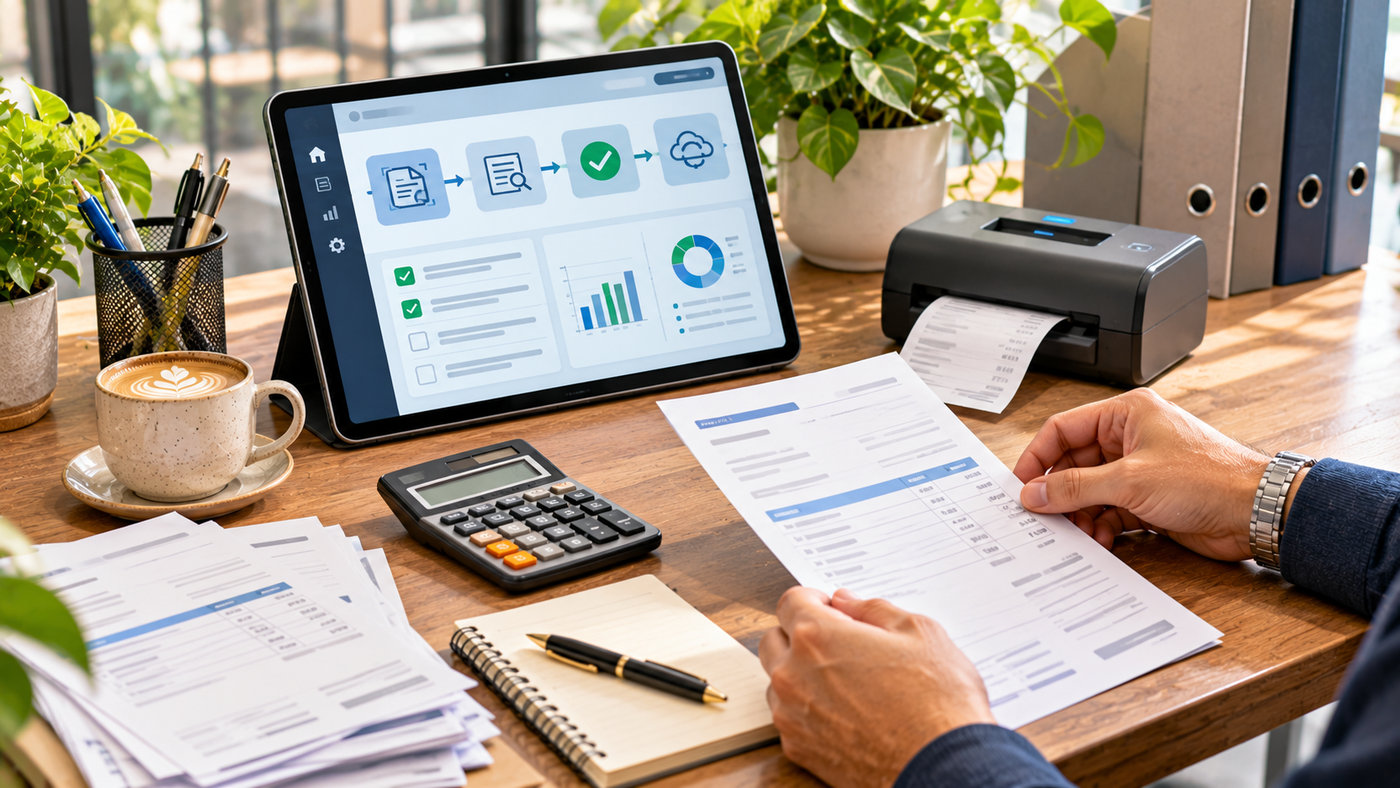
Managing supplier invoices is an important responsibility for businesses of every size. Whether a company receives ten bills each month or thousands of invoices from vendors, its finance team must capture accurate information, verify expenses, obtain approvals, and maintain reliable accounting records.
Automated invoice processing helps organizations manage these responsibilities through optical character recognition (OCR), artificial intelligence, accounting integrations, and structured approval workflows. Instead of manually entering every invoice number, vendor detail, and payment amount, businesses can use software to prepare records and highlight potential problems for review.
However, automating invoices involves more than scanning documents. A complete solution should also address duplicate payments, supplier verification, purchase order matching, financial controls, and secure recordkeeping.
This guide explains seven practical strategies for improving invoice automation, reducing repetitive administrative work, evaluating accounting software, and building a more reliable accounts payable process.
What Is Automated Invoice Processing?
Automated invoice processing refers to using technology to capture, extract, validate, approve, and record invoice information with less manual effort.
It is commonly associated with accounts payable (AP), which involves invoices a business receives from suppliers and must pay.
Accounts receivable (AR) is different. It involves invoices a company issues to its customers and the money it expects to collect.
Both can benefit from automation, but their processes and financial controls are not identical.
How Does Invoice Automation Work?
A typical accounts payable workflow includes the following stages:
- Invoice capture: Collect incoming supplier invoices from email, PDF files, scans, or approved digital systems.
- Data extraction: Identify important information using OCR and AI-assisted document processing.
- Validation: Check vendor details, invoice numbers, dates, amounts, and potential duplicates.
- Invoice matching: Compare invoice information against purchase orders or goods-received records where applicable.
- Approval: Route the invoice to an authorized employee according to company policies.
- Accounting synchronization: Record approved information in an accounting or ERP system.
- Reconciliation and retention: Confirm the payment record and preserve supporting documents.
Not every software product automates all seven stages. Some focus on document extraction, while others provide comprehensive accounts payable workflows.
1. Centralize Supplier Invoices Before Automating Workflows
The first step toward successful invoice automation is organizing how invoices enter the business.
Without a clear process, supplier bills may arrive through personal inboxes, messaging applications, paper documents, or different company departments. This fragmentation can result in missing invoices, repeated data entry, and delayed approvals.
Create a Dedicated Invoice Collection Process
A company can establish a dedicated accounts payable email address or approved supplier portal for receiving invoices.
Employees and suppliers should understand where invoices need to be submitted.
When all documents enter a defined workflow, the finance team can track their status more consistently.
Support Different Invoice Formats
Businesses may receive invoices as PDFs, spreadsheets, scanned images, electronic records, or photographs of paper documents.
A suitable automation system should support the formats the company actually receives.
Structured electronic invoices may already contain machine-readable information, while scanned paper documents generally require extraction and validation.
Organize Supplier Records
Reliable supplier information is essential.
Vendor records may include the legal business name, approved payment details, tax information, purchase arrangements, and internal account references.
These records should be maintained according to the company’s accounting and security requirements.
Prevent Duplicate Invoice Submissions
A supplier might send the same invoice twice, or employees may upload an invoice that another department already submitted.
Automation can help identify potential duplicates using combinations of supplier identity, invoice number, dates, currency, and amount.
However, duplicate detection should be supported by review procedures for ambiguous cases.
2. Use AI and OCR to Extract Invoice Information
Manual invoice entry is repetitive and can introduce errors when employees copy information from documents into accounting software.
OCR and AI-assisted extraction can reduce this workload.
What Is Optical Character Recognition?
OCR technology converts visible text in scanned documents or images into machine-readable information.
For example, a scanned supplier invoice may contain an invoice number, billing date, company name, product descriptions, and total amount.
OCR can identify the text, while additional document-processing systems determine which values belong in specific accounting fields.
How Artificial Intelligence Improves Extraction
AI-assisted document processing can help interpret invoices with different layouts.
Instead of requiring every supplier to use the same template, selected systems identify patterns and extract information from varied document formats.
Common extracted fields include:
- Vendor name and identification
- Invoice number
- Invoice date and payment due date
- Product or service descriptions
- Quantities and unit prices
- Tax amounts and discounts
- Currency and invoice total
- Purchase order references
Check Extraction Accuracy
AI extraction should not be assumed to be perfectly accurate.
Blurred scans, unusual layouts, handwritten notes, and missing information can produce incorrect results.
Businesses should evaluate accuracy using real documents from their own suppliers.
Use Confidence-Based Review
Some systems provide confidence indicators to help identify fields requiring attention.
For example, an uncertain invoice total could be sent to a finance employee for confirmation before the document proceeds.
The company should establish review requirements based on financial risk rather than relying exclusively on a model’s confidence score.
3. Reduce Duplicate Payments and Accounting Errors
Reducing manual work is valuable, but protecting financial accuracy is equally important.
Invoice automation should support controls that identify incorrect information before it affects accounting records or payments.
Validate Supplier Information
An automated workflow can compare extracted supplier details with approved vendor records.
If a supplier name, account identifier, or other important field does not match, the document can be flagged.
Changes to vendor payment details deserve particular attention because fraudulent invoice redirection can create financial losses.
Check Invoice Calculations
Invoice totals should be consistent with line items, discounts, and applicable taxes.
For example, if a supplier invoices ten units at $50 each, the subtotal should ordinarily reflect $500 before applicable adjustments.
Automation can help identify calculation discrepancies.
Use Two-Way and Three-Way Matching
Two-way matching compares an invoice with the corresponding purchase order.
Three-way matching adds evidence that the goods or services were received.
For example, a company may order 100 units, receive only 80, and receive an invoice for all 100.
A three-way matching process can identify the discrepancy before payment is authorized.
Review Exceptions Instead of Ignoring Them
Unmatched invoices should enter a defined exception process.
Appropriate staff can investigate differences involving price, quantity, supplier details, or missing documentation.
Automation should make these problems easier to identify rather than automatically approving questionable invoices.
4. Build a Reliable Invoice Approval Workflow
Approvals are an important part of financial governance.
Even when invoice information is extracted correctly, someone may still need to confirm that the expense is legitimate and authorized.
Assign Approval Responsibilities
Businesses can define approval requirements according to invoice value, department, project, or expense category.
For example, routine low-value expenses may follow one approval path, while significant purchases require additional authorization.
Automate Internal Notifications
Software can notify the relevant approver when an invoice requires review.
Reminders may help prevent documents from remaining unattended.
However, notifications should not overwhelm employees with unnecessary messages.
Keep an Audit Trail
A useful workflow records relevant actions, including when an invoice was received, who reviewed it, which changes were made, and when approval occurred.
This information can support internal audits and financial investigations.
Separate Important Duties
Where practical, businesses should avoid allowing one individual to create vendors, modify payment information, approve invoices, and release payments without independent oversight.
Separation of duties helps reduce the risk of unauthorized transactions.
Maintain Human Approval for High-Risk Actions
Automating repetitive checks does not mean all financial decisions should be made without supervision.
High-value invoices, new suppliers, unusual payment changes, and suspicious transactions may require additional verification.
Human accountability remains essential in automated accounting processes.
5. Explore Automated Invoice Processing With AI Accountant
Businesses evaluating automated invoice processing can explore AI Accountant, a platform offering AI-assisted accounting workflows, invoice extraction, bank statement processing, ledger mapping, and accounting software integration.
According to its official website, AI Accountant is designed to help finance teams reduce manual accounting activities by organizing financial documents and preparing transactions for synchronization with existing software.
AI-Powered Vendor Invoice Extraction
AI Accountant advertises support for bulk uploads of invoices and financial statements.
The platform describes extraction from PDFs, scanned documents, images, and certain handwritten bills.
This can be useful for organizations receiving invoices in different formats.
Automatic Accounting Categorization
AI Accountant uses AI-assisted mapping to associate transactions with appropriate accounting ledgers and vendor records.
Its capabilities are intended to reduce repetitive categorization tasks.
However, suggested accounting classifications should be reviewed for correctness.
Tally Integration
The company’s main website emphasizes integration with Tally accounting software.
Its published workflow allows users to prepare financial information and synchronize approved records with Tally.
Businesses should verify compatibility with their current accounting environment.
Purchase Bills and Accounts Payable
The company’s product information describes vendor bill capture, invoice matching, and accounts payable management.
Its vendor bill matching product specifically discusses extraction of invoice numbers, supplier details, line items, and other relevant information.
Accounting Dashboards
AI Accountant also advertises dashboards for monitoring cash flow, receivables, payables, and other financial information.
These reports can help finance teams review their records without repeatedly preparing manual spreadsheets.
Regional Accounting Features
Some AI Accountant features are specifically designed around Indian accounting requirements, including GST-related workflows and Tally integration.
Companies operating in other countries should confirm that the product supports their accounting software, tax environment, currency requirements, and applicable regulations.
Free Trial and Pricing Considerations
The official website advertises a free-trial process and states that pricing varies according to workspace arrangements.
It does not establish one universal subscription price for every business on the homepage.
Prospective customers should confirm the current subscription terms, available modules, usage limits, support arrangements, and integration requirements before purchasing.
6. Connect Invoice Automation With Accounting and ERP Systems
Invoice extraction becomes more useful when the resulting information can be incorporated into existing financial systems.
For example, a company may use an ERP platform to manage purchasing and inventory while using separate software for invoice processing.
A suitable integration can reduce duplicate data entry between the systems.
Understand ERP Integration
An enterprise resource planning system may coordinate accounting, procurement, inventory, and other business activities.
An invoice automation solution can exchange approved information with the relevant accounting modules through supported integrations or APIs.
Verify Accounting Compatibility
Before selecting software, determine whether it works with the company’s existing tools.
Potential environments include Tally, QuickBooks, Xero, Zoho Books, SAP, Oracle, and other accounting platforms.
Compatibility should be verified for the particular product and version rather than assumed because the vendor uses the term integration.
Prevent Duplicate Posting
An integration should prevent the same approved invoice from being posted twice when a transfer fails or an employee retries a synchronization.
Unique identifiers, status checks, and appropriate transaction controls can help manage this risk.
Maintain Accurate Accounting Records
Invoice data needs to be mapped to suitable general ledger accounts, departments, cost centers, and financial periods.
Incorrect account mapping can distort financial reports even when the invoice total is accurate.
Protect Financial Information
Accounting systems may contain sensitive supplier information, bank details, and financial records.
Businesses should evaluate access controls, encryption, audit logs, data retention, and contractual security requirements.
Vendor security certifications can be useful evidence, but customers should review their actual scope and applicability.
7. Measure Invoice Processing Performance and Return on Investment
Businesses should evaluate automation according to measurable operational results.
The number of invoices scanned is only one indicator.
A useful system should support accuracy, appropriate controls, and efficient processing.
Track Invoice Processing Time
Measure how much employee time is spent handling an invoice before and after implementing automation.
Include document entry, verification, corrections, approval coordination, and any necessary reconciliation work.
Monitor Exception Rates
An exception occurs when an invoice requires additional review.
Common causes include missing purchase orders, mismatched amounts, uncertain extracted fields, and supplier identification problems.
Tracking these cases can reveal weaknesses in purchasing or supplier processes.
Measure Cost Per Invoice
A simplified processing-cost calculation is:
Cost per invoice = Total relevant processing expenses ÷ Number of invoices processed
Relevant expenses may include labor, software, supporting infrastructure, and administrative work.
Example: Estimated Time Savings
Consider a hypothetical company processing 800 invoices each month.
Suppose its employees previously spent an average of seven minutes handling each invoice.
The monthly effort would be approximately 93.3 hours.
If an improved workflow reduces average handling time to three minutes, the monthly effort becomes 40 hours.
The illustrative reduction is approximately 53.3 hours.
These numbers are hypothetical and do not represent a guaranteed result from any specific software product.
Calculate Return on Investment
A simplified formula is:
ROI = (Financial benefits − Total investment cost) ÷ Total investment cost × 100
When measuring benefits, distinguish between reduced expenses, staff time made available for other work, and cash flow improvements.
Time saved does not automatically become cash savings unless the business can realize that financial benefit.
Use a Performance Dashboard
| Metric | Purpose |
|---|---|
| Processing time | Measure workflow efficiency |
| Cost per invoice | Understand operating expenses |
| Extraction accuracy | Evaluate document reading quality |
| Exception rate | Identify invoices needing review |
| Duplicate detection | Monitor payment-control effectiveness |
| Approval cycle time | Identify authorization delays |
| On-time payments | Review supplier payment performance |
| Reconciliation errors | Evaluate accounting record quality |
Reviewing these measures together provides a more meaningful picture than evaluating processing speed alone.
Manual vs. Automated Invoice Processing
Traditional and automated invoice workflows differ in their operating methods.
| Feature | Manual processing | Automated processing |
|---|---|---|
| Invoice entry | Employees enter information | Software extracts information |
| Document formats | Individually reviewed | Supported formats captured digitally |
| Duplicate checks | Manual comparisons | Rule-based detection |
| Approval routing | Email or paper workflows | Structured digital workflows |
| Accounting entry | Manual posting | Supported system synchronization |
| Audit evidence | Often stored separately | Centralized records where supported |
| Exception handling | Individual investigation | Flagged cases routed for review |
Manual review remains necessary for certain transactions, particularly those involving unusual circumstances or important financial decisions.
How to Implement Automated Invoice Processing
A successful implementation should begin with process improvements rather than an immediate commitment to expensive software.
Step 1: Audit the Existing Workflow
Document how invoices arrive, who enters the information, which approvals are required, and how payments are recorded.
Step 2: Identify the Main Problems
Determine whether the greatest challenges involve data entry, missing invoices, duplicate payments, slow approvals, or accounting integration.
Step 3: Prepare Accurate Vendor Records
Review supplier information and establish clear procedures for maintaining approved records.
Step 4: Compare Suitable Software
Evaluate supported document formats, accounting integrations, approval controls, reporting, security, pricing, and customer support.
Step 5: Run a Limited Pilot
Begin with a representative selection of invoices.
Include documents from different suppliers and formats so the company can evaluate extraction accuracy and workflow reliability.
Step 6: Test Accounting Integration
Verify that approved invoices transfer to the correct accounts without creating duplicate transactions.
Step 7: Train the Finance Team
Employees should understand how to review extracted fields, manage exceptions, approve invoices, and investigate system warnings.
Step 8: Monitor and Improve
Review accuracy, exceptions, costs, and processing times regularly.
Expand automation only when the existing workflow is reliable.
Which Businesses Benefit From Invoice Automation?
Invoice automation may be useful across different industries, although the appropriate system depends on invoice volume and financial complexity.
Retail and E-Commerce
Retailers often receive invoices for merchandise, packaging, logistics, and operating expenses.
Automation can help organize vendor information and purchasing records.
Manufacturing
Manufacturers may need to compare invoices with purchase orders and goods-received records.
Three-way matching can be particularly useful where physical deliveries must be verified.
Professional Services
Service companies may process software subscriptions, contractor bills, consulting charges, and recurring supplier invoices.
Automated categorization and approvals may help manage these expenses.
Healthcare Organizations
Healthcare providers may need to manage invoices for supplies, equipment, facilities, and outsourced services.
They should evaluate additional privacy, security, and regulatory requirements relevant to their operations.
Accounting Firms
Accounting firms serving multiple clients may benefit from tools that organize document processing and financial records.
Client data separation, permission controls, and accurate ledger mapping are particularly important.
Common Automated Invoice Processing Mistakes
Automating an Unclear Process
Software cannot reliably resolve responsibilities that the business has never defined.
Document approval policies and exception rules first.
Ignoring Invoice Data Quality
Inaccurate supplier records can cause incorrect categorization and matching.
Maintain clean, verified information.
Trusting OCR Without Verification
Even advanced extraction systems can misunderstand document fields.
Use suitable validation and human review procedures.
Allowing Uncontrolled Payments
Financial automation should preserve approval authority and separation of duties.
High-risk transactions require appropriate oversight.
Overlooking Security
Supplier financial details and accounting information should be protected through suitable access restrictions and secure systems.
Choosing Software Based Only on Price
A lower subscription may not include required integrations or approval features.
Evaluate total cost and functional suitability.
Failing to Measure Results
Automation should be evaluated using documented improvements in accuracy, processing time, and operating efficiency.
Automated Invoice Processing Software Checklist
| Requirement | What to verify |
|---|---|
| Document capture | PDF, images, electronic invoices |
| OCR and AI extraction | Accuracy on actual supplier documents |
| Vendor records | Approved supplier verification |
| Duplicate detection | Reliable matching rules |
| Purchase order matching | Two-way or three-way functionality |
| Approval workflow | Roles and authorization controls |
| Accounting integration | Supported software and versions |
| Security | Permissions, encryption, audit logs |
| Reporting | Processing and financial metrics |
| Pricing | Subscription, volume, and setup costs |
| Support | Implementation and troubleshooting |
| Compliance | Applicable local financial requirements |
The Future of AI-Powered Invoice Automation
Accounting automation continues to develop through improved document recognition, machine learning, system integrations, and workflow management.
AI systems can assist with interpreting invoice formats, identifying anomalies, and recommending accounting classifications.
However, businesses should distinguish software-generated suggestions from verified financial decisions.
As invoice volumes grow, reliable controls, appropriate human oversight, accurate vendor information, and secure data handling will remain essential.
The most effective accounting systems will combine automation with professional judgment rather than remove accountability from the finance process.
Frequently Asked Questions
1. What is automated invoice processing?
Automated invoice processing uses software, OCR, AI, and accounting integrations to capture invoices, extract information, validate records, route approvals, and prepare transactions for accounting systems.
2. How does AI improve invoice processing?
AI can help extract information from different invoice formats, suggest accounting categories, identify possible mismatches, and reduce repetitive manual work. Its outputs still require appropriate validation.
3. Can automated invoice processing prevent duplicate payments?
It can help detect potential duplicate invoices through supplier, invoice number, date, and amount comparisons. However, no system guarantees that every duplicate or fraudulent transaction will be prevented.
4. Is automated invoice processing suitable for small businesses?
Yes. Small businesses may benefit from reducing repetitive data entry and improving record organization. The right solution depends on invoice volume, existing accounting software, available budget, and security requirements.
Conclusion
Automated invoice processing can help businesses improve financial operations by reducing repetitive data entry, supporting invoice validation, and organizing approval workflows.
AI-powered tools such as AI Accountant provide options for document extraction, ledger mapping, and integration with supported accounting systems.
By combining appropriate software with accurate records, financial controls, and regular performance reviews, organizations can build more reliable and efficient invoice management processes.
