
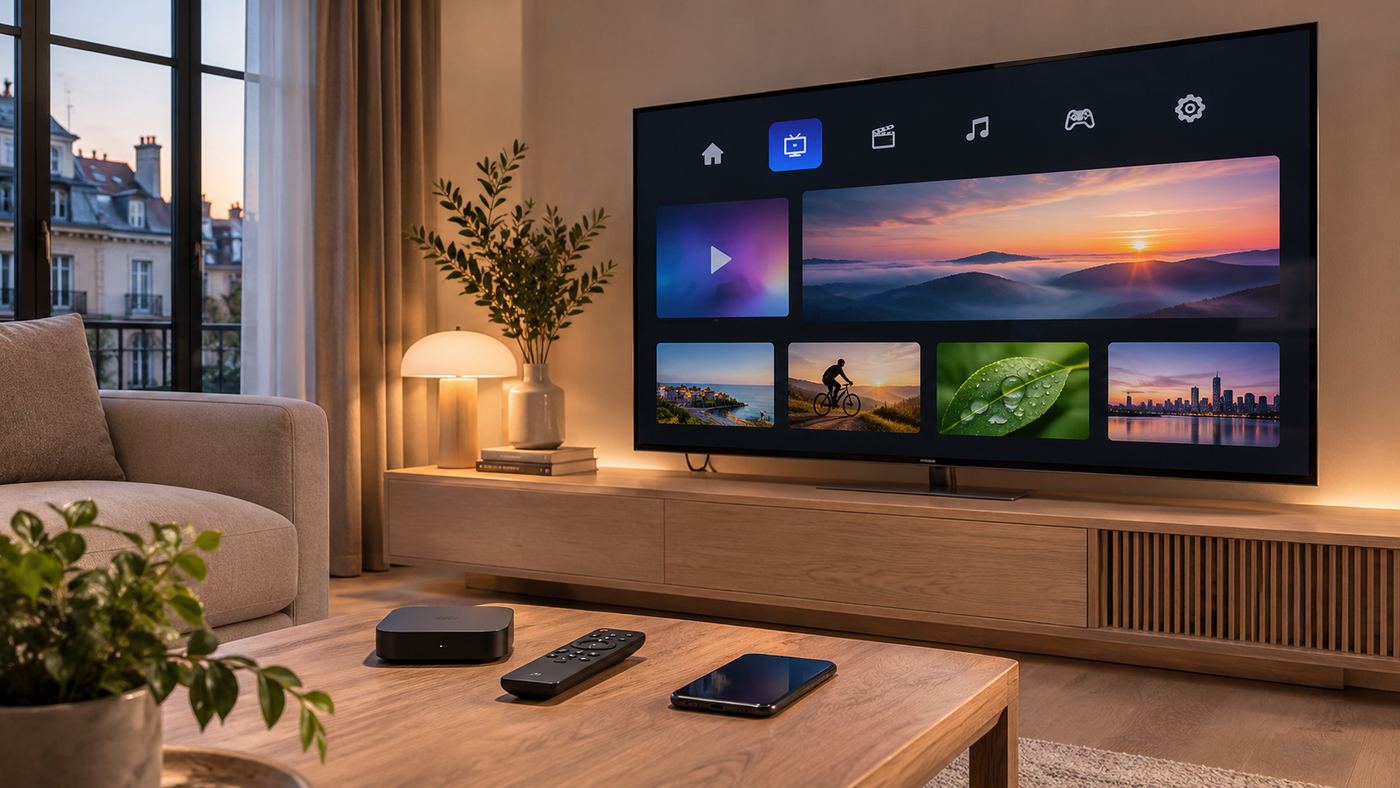
Searching for Abonnement IPTV Smarters Pro often leads to websites promising thousands of channels, instant activation, and inexpensive entertainment packages. Before paying, there is one essential distinction to understand: IPTV Smarters Pro is a media player, not a television broadcaster or a bundled channel subscription. The app can organize and play compatible media sources, but the right to watch particular channels or films must come from a separate, authorized content provider.
That distinction affects everything from pricing and setup to legality, customer support, and account security. A paid upgrade for a player may unlock software features without supplying a single television channel. Conversely, a legitimate streaming subscription may offer content through an entirely different app and might not support third-party playlists.
This guide explains what the French search phrase means, how to evaluate streaming subscriptions responsibly, and what to check before installing an app or entering payment information. It also addresses common technical problems without assuming that every provider or branded website is trustworthy.
What Does Abonnement IPTV Smarters Pro Actually Mean?
In French, abonnement means subscription. People searching for Abonnement IPTV Smarters Pro are usually looking for one of three things: a television service compatible with the Smarters player, a paid upgrade to the player itself, or instructions for connecting an existing subscription. Those are separate products with different sellers, rights, and terms.
IPTV Smarters Pro Is a Player, Not a Channel Provider
When someone searches Abonnement IPTV Smarters Pro, the software they encounter displays compatible media sources that a user adds. It does not automatically include live television channels, movies, sports rights, or premium streaming packages. Official Smarters product information specifically distinguishes its player software from independent content suppliers.
For readers comparing Abonnement IPTV Smarters Pro offers, the first question is therefore simple: Are you paying for an app feature, or for a separate content service? If the advertisement does not explain this, do not assume the seller is affiliated with the app’s developer.
Player Upgrades and Television Subscriptions Are Different
Some Smarters-branded app editions offer optional premium functions. Depending on the exact version and platform, these may include additional playback or organization features. A software payment is not evidence that premium channels are included. Similarly, subscribing to a licensed television service does not necessarily include the right to use every third-party player.
The Simplest Way to Remember the Difference
Think of the player as a television interface and the content provider as the organization supplying the permitted streams. A player can be technically compatible with a source without making an unauthorized stream legal. Confirm both compatibility and distribution rights before paying.
17 Smart Checks Before Buying an IPTV Subscription
1. Identify the Actual Seller
A search result for Abonnement IPTV Smarters Pro may lead to an unrelated retailer using similar words, graphics, or domains. Find the seller’s legal business name, contact information, operating jurisdiction, and contractual terms. A domain containing “Smarters” does not prove an official relationship. Check the app publisher separately from the streaming provider.
2. Confirm What the Payment Includes
Request a clear explanation of what you are purchasing. Is it an app activation, a software subscription, access to licensed content, device support, or a combination? The invoice should identify the product and billing period. An unclear bundle can create disputes when channels do not appear after installation.
3. Verify Content Licensing
IPTV is a delivery technology, not a guarantee of legality. Authorized providers have arrangements to distribute the channels and on-demand content they offer in the relevant country. Ask for understandable information about the service’s rights and commercial identity. Be skeptical of claims offering nearly every premium sports, film, and pay-TV network worldwide at an implausibly low price.
4. Check Regional Availability
Content rights often vary by country. A service legally offered in one region might not have permission to supply the same catalogue elsewhere. For Abonnement IPTV Smarters Pro searches in France or other French-speaking markets, confirm that the specific service is licensed and available where the viewer lives.
5. Compare Monthly and Annual Commitments
An Abonnement IPTV Smarters Pro offer with a lower annual headline price may create more financial risk if the service has limited transparency. Compare the effective monthly price, billing renewal date, cancellation method, and refund rules. If you are unfamiliar with a provider, avoid committing to a long period solely because a sales banner calls it a limited offer.
6. Read Refund and Cancellation Terms
Find out whether payments renew automatically and how to cancel. Check whether the seller provides a cooling-off right where applicable, including any legal exceptions for digital services. A vague promise of a money-back guarantee is not enough. Save the actual conditions shown at checkout.
7. Check Device Compatibility Before Purchasing
An Abonnement IPTV Smarters Pro search can lead to various branded products and editions, and availability can differ between Android, iOS, smart televisions, computers, and web interfaces. Verify the exact app and operating-system version from a reliable publisher listing. A phone-compatible version does not guarantee identical functions on every smart TV.
8. Prefer Verified Download Sources
When researching Abonnement IPTV Smarters Pro, avoid download links delivered through unsolicited messages or imitation support pages. Start from an identifiable developer website or a reputable device app store and review the displayed publisher. Untrusted installation files may contain unwanted software or request excessive permissions.
9. Understand the Login Format
Compatible services may supply a playlist URL or another supported account connection method. The provider should explain what credentials are needed and which player versions it supports. Never invent a portal address or share login information with strangers offering unofficial setup assistance.
10. Review Privacy and Data Handling
Streaming apps and providers can process information such as account identifiers, device details, network information, and viewing preferences. Read the relevant privacy notices and evaluate whether the requested data is necessary. Use a unique password where possible and avoid sending credentials through public forums.
11. Test Customer Support Before Paying
Ask a straightforward question about supported devices, legal availability, or cancellation. Look for specific, consistent answers rather than automated promises. A provider that cannot identify the organization operating its service may be difficult to contact if your account stops working.
12. Examine Streaming Quality Claims Carefully
Advertisements may promise uninterrupted 4K viewing or unlimited performance. Actual playback depends on the source, network conditions, equipment, and service capacity. No responsible provider can guarantee that every stream will be flawless under all conditions. Look for realistic technical requirements and clearly described service limits.
13. Confirm Simultaneous Device Rules
Some subscriptions allow only one active stream, while others permit more. An app that supports installation on several devices does not necessarily grant additional simultaneous content connections. For families comparing Abonnement IPTV Smarters Pro plans, this distinction can affect usability and unexpected account restrictions.
14. Check Parental Controls and Household Needs
A convenient interface is not a substitute for appropriate content controls. Determine whether the player edition and content service support age-based restrictions, user profiles, or PIN protection. Families should also confirm how categories and viewing histories are managed on shared devices.
15. Avoid Urgent Payment and Messaging Scams
Be wary of sellers demanding immediate payment through irreversible methods or requesting passwords through social messaging channels. Fraudulent sites may copy product branding and imply official endorsement. If a listing claims that an app maker directly sells channel packages despite the maker’s disclaimer, treat the claim as a serious warning sign.
16. Keep Your Purchase Records
Save the invoice, confirmation email, subscription terms, cancellation instructions, and support contacts. Do not publish screenshots containing passwords or private portal information. Documentation helps resolve billing errors and distinguish a software purchase from a separate streaming subscription.
17. Choose Transparency Over Channel Count
The best value is not necessarily the advertisement listing the greatest number of channels. Prioritize clear distribution rights, dependable billing, relevant content, suitable device support, and accessible support. With Abonnement IPTV Smarters Pro, an honest explanation of what is not included can be more valuable than a spectacular headline claim.
How to Set Up IPTV Smarters Pro With Authorized Content
Setup varies by platform and software edition, so the exact labels may not match every device. A safe starting point is to identify the app publisher and confirm that your chosen content provider permits third-party player access.
Step 1: Verify the App and Your Device
Check the operating system, app store listing, and publisher identity. Confirm that the app is available for your device and that any premium upgrade is optional for your intended use. Do not download an unofficial installation package merely because a reseller says it is required.
Step 2: Obtain Access From a Legitimate Provider
A licensed service might provide an account login or compatible playlist information. Some legitimate broadcasters require their own proprietary apps and will not issue a third-party playlist. Compatibility should be confirmed before you pay for Abonnement IPTV Smarters Pro-related access.
Step 3: Add Only the Credentials You Are Authorized to Use
Open the appropriate connection screen in the verified app edition. Enter the provider-supplied information carefully, without altering the server address or forwarding the details to third parties. Avoid uploading credentials to unrelated websites that claim to repair subscriptions.
Step 4: Review the Available Library and Settings
If the service supports the player, its permitted channels or on-demand titles may appear. Configure language, subtitles, playback options, favorites, and parental controls where offered. The interface will differ by application version and content source.
What if the App Opens but Shows No Channels?
An empty player does not automatically mean the app is defective. Confirm that the account is active, the content source is valid, and the provider supports that player. If the app itself works, direct channel-access questions to the actual content supplier rather than buying another software activation.
How Much Does Abonnement IPTV Smarters Pro Cost?
There is no single universal price for Abonnement IPTV Smarters Pro because the phrase can refer to different products. A player application might have a free version and optional paid features. An independent licensed content service sets its own rates, regional catalogue, trial conditions, and number of permitted devices.
Player Features Versus Content Fees
When comparing Abonnement IPTV Smarters Pro deals, treat any app activation charge separately from a streaming package. Paying for additional player features does not create rights to view premium sports or film libraries. The seller should state clearly whether the transaction covers software or licensed entertainment.
What Affects a Legitimate Streaming Subscription Price?
Costs can vary by content catalogue, licensed territories, on-demand access, picture quality, customer support, and simultaneous viewing allowances. Prices and promotions change, so it is better to compare current written terms than to rely on an unsourced universal estimate.
How to Assess Real Value
Calculate the total cost over the planned subscription period, including app charges where needed. Then consider whether the channels you actually want are legally available, whether your devices are supported, and how easily you can cancel. A trustworthy modest catalogue may provide better practical value than an unrealistic all-access promise.
Is IPTV Smarters Pro Legal in France and Other Countries?
A media player is not inherently unlawful because it supports internet television. Legality depends largely on whether the content is supplied and accessed with appropriate authorization, together with the applicable laws and contractual restrictions. For users searching Abonnement IPTV Smarters Pro, the critical distinction is between lawful software use and unauthorized redistribution of copyrighted programming.
Why Licensing Matters
Sports leagues, broadcasters, studios, and other rights holders control how their content is distributed. A reseller cannot create those permissions simply by providing a working playlist. The presence of a stream in an app does not demonstrate that the seller is entitled to offer it.
Red Flags for Unauthorized Services
Warning signs include anonymous ownership, unrealistic catalogues, copied trademarks, no licensing explanation, pressure to use unusual payment methods, and promises to bypass territorial restrictions. No single clue proves illegality, but several together warrant caution. Avoid presenting unauthorized providers as official partners of a media-player developer.
The Safer Alternative
Choose authorized television or streaming services that clearly identify their operator and regional rights. If they support external players, follow their documented instructions. Otherwise, use their official app. The availability of a third-party player is never a reason to ignore the terms of the underlying content licence.
Common Problems and Practical Troubleshooting
Most basic playback problems have several possible causes. A careful diagnosis distinguishes the app, the content provider, the device, and the household connection.
Login or Authorization Errors
Check whether the subscription is active and whether the provider-supplied credentials were entered correctly. Verify the server or playlist details against the provider’s own documentation. Repeated failed attempts may require support rather than another payment. Do not share account credentials in public screenshots.
Buffering and Interrupted Playback
Test the household internet connection and other legitimate streaming services. A wired connection may help on some devices, but buffering can also originate with the content server or network congestion. Closing unnecessary downloads and updating compatible software may help, although no single fix works for every problem.
Missing Programme Guide or Subtitles
Electronic programme guides, audio tracks, and subtitles depend on what the content source supplies and what the player version can interpret. A missing programme guide is not always a subscription failure. Ask the authorized provider whether it supplies compatible guide data for that app edition.
App Crashes or Unexpected Permissions
Update through the verified app publisher where available and check device storage and operating-system compatibility. If software requests permissions that do not make sense for its function, stop and review the publisher’s explanation. Avoid unofficial patches advertised as unlocking paid channels.
How to Protect Your Privacy When Using IPTV Apps
Account security deserves attention because an Abonnement IPTV Smarters Pro search may expose users to look-alike domains and impersonation. The exact Abonnement IPTV Smarters Pro listing should be verified before entering private details. The safer approach is to separate the identities of the app publisher, payment processor, and licensed content provider.
Protect Credentials and Payment Details
Use secure account practices and consider a payment method with appropriate consumer protections. Avoid reusing a sensitive password across unrelated services. Do not provide payment information to a website solely because it copies the colours or screenshots of a well-known app.
Check the Website, Not Just the Padlock
An HTTPS padlock indicates an encrypted connection; it does not prove that the business is legitimate or licensed to distribute television channels. Inspect the domain, company details, privacy policy, support process, and clear purchase description. This matters especially where several unrelated services use similar names.
Review Updates and Long-Term Access
App editions and platform support can change. Check the publisher’s latest instructions before renewing a long-term plan, especially if an older device is no longer supported. Keep records of any purchased player licence and understand how account transfers or device changes are handled.
Who Should Consider an IPTV Player and Who Should Not?
For some Abonnement IPTV Smarters Pro shoppers, a compatible player may suit people who already possess lawful media sources and want a convenient interface for organizing them. For example, someone with a permitted playlist and supported device may value a single playback environment. That use case is different from searching for a cheap replacement for every premium TV network.
When a Standard Streaming App Is Simpler
If a licensed content service requires its own official app, using that app may be the most reliable option. It can provide the intended features, support, and viewing rights without additional configuration. There is no requirement to adopt Smarters merely because a search result mentions Abonnement IPTV Smarters Pro.
When You Should Avoid an Offer
Avoid a seller that hides its identity, misrepresents developer affiliation, refuses to clarify copyright authorization, or asks you to disable normal device security to install unknown software. It is better to decline an unclear deal than to risk losing payment details or access to a service that may disappear.
Frequently Asked Questions
1. Does Abonnement IPTV Smarters Pro include TV channels?
No. The player itself does not supply channel packages. Any lawful television subscription comes from a separate authorized provider, while optional app upgrades concern software features.
2. Can I buy an official IPTV Smarters Pro channel subscription?
The player developer states that it does not sell IPTV channel packages. Websites using the name to sell access are separate businesses and should be independently evaluated.
3. Is IPTV Smarters Pro free or paid?
That depends on the specific app edition and platform. Some versions offer free functionality with optional premium features, but a player payment does not include content rights.
4. How do I add a legitimate playlist to the player?
Use a verified app edition and the compatible access details supplied by a lawful content provider. The exact login method and available features differ by version.
5. Is an IPTV subscription legal in France?
Internet television can be lawful when a provider is authorized to distribute the content. Unauthorized resale or access can raise copyright issues, so confirm the operator and rights.
6. Why is my IPTV Smarters Pro screen empty after installation?
The app may have no compatible content source connected. Confirm the provider’s legitimate access details, subscription status, and support for your device before paying for anything else.
Conclusion
Abonnement IPTV Smarters Pro is best understood as a search for either a media-player feature or compatible television access, not an official bundle of premium channels. Before purchasing, identify the actual seller, confirm content licensing, verify device compatibility, and read the full payment terms. Use only trusted software sources and protect account credentials throughout setup. Clear information and lawful access provide a stronger foundation for reliable streaming than exaggerated channel lists or suspicious discounts.
