
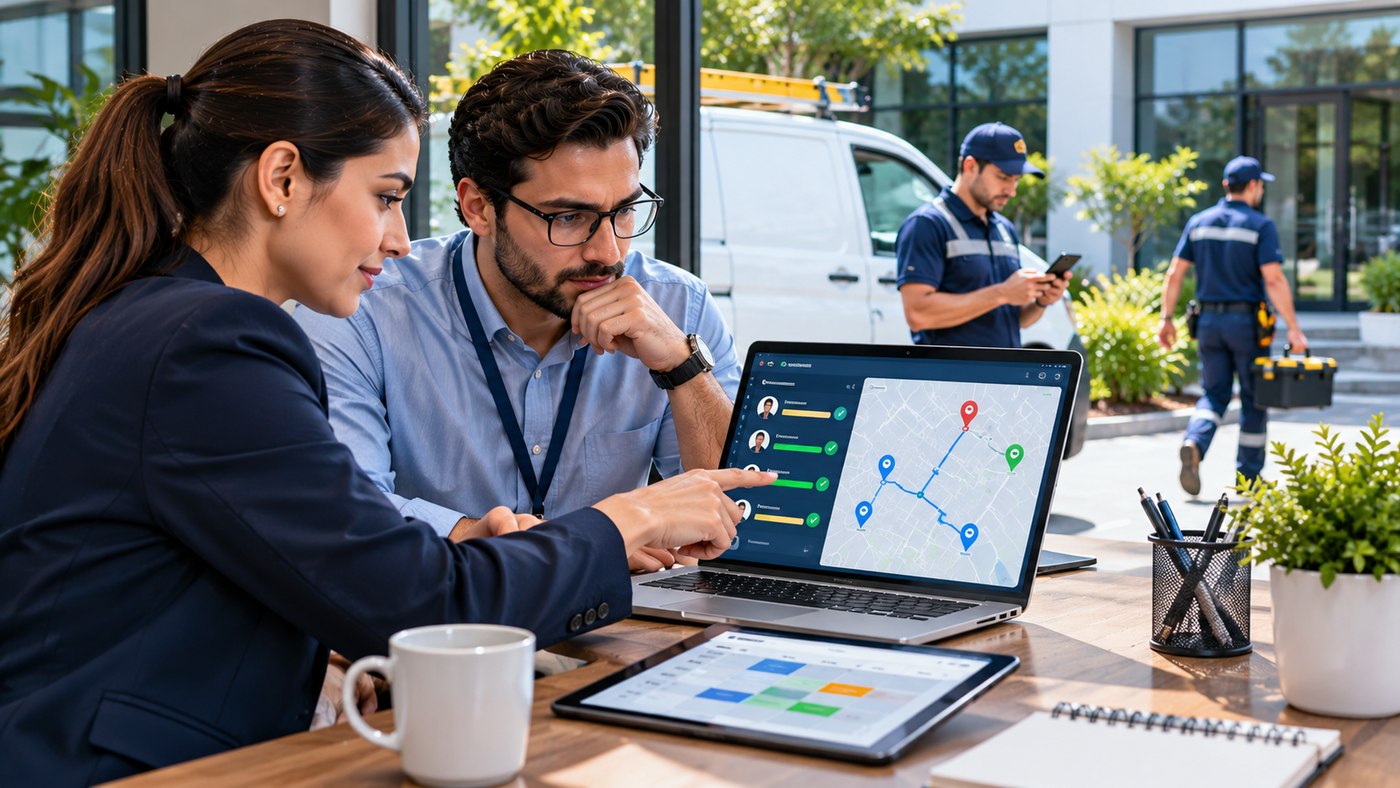
Managing employees who work outside a traditional office can be challenging for businesses of every size. Sales representatives visit customers, technicians complete service requests, delivery teams travel between locations, and field executives handle multiple responsibilities throughout the day. Without a centralized management system, coordinating these activities can become complicated, time-consuming, and expensive.
Field staff tracking helps organizations manage mobile employees through GPS location services, digital attendance, task scheduling, route planning, and performance reporting. When implemented transparently and responsibly, these tools can improve operational visibility, support employee safety, reduce administrative work, and create a more organized working environment.
However, tracking employees is not simply about knowing their location. Effective field workforce management involves assigning appropriate tasks, maintaining reliable communication, protecting personal information, and ensuring that workers have the resources to complete their responsibilities.
This comprehensive guide explores how field staff tracking works, its major benefits, important software features, industry applications, and practical strategies for implementing a reliable mobile workforce management system.
What Is Field Staff Tracking?
Field staff tracking is the process of monitoring and coordinating authorized work-related activities performed by employees outside a central office.
Businesses use specialized software and mobile applications to manage employee schedules, attendance, assigned locations, customer visits, and task completion.
Modern platforms may provide live location information, digital forms, route planning, and automated operational reports through a centralized dashboard.
For example, a company employing 40 field technicians might need to schedule daily service appointments across several geographic areas.
Instead of communicating exclusively through telephone calls and spreadsheets, managers can use a field management application to assign appointments, review progress, and adjust schedules when unexpected requests arise.
The objective should be to improve coordination and service delivery rather than introduce unnecessary surveillance.
How Does Field Employee Tracking Software Work?
Most field workforce management platforms connect a mobile employee application with an administrative dashboard.
The employee uses the mobile application to access assignments, record attendance, update tasks, and submit relevant reports.
Managers use the dashboard to review operational information and coordinate work.
GPS data may provide authorized location information during working hours, while task updates help establish whether scheduled activities have been completed.
Some applications can record information when internet connectivity is unavailable and synchronize it when the device reconnects.
Available capabilities depend on the software provider, configuration, device settings, and applicable privacy requirements.
Why Businesses Need Field Staff Tracking Software
Organizations managing mobile employees often face operational challenges that are less common in fixed-office environments.
Supervisors may struggle to understand which jobs are complete, where employees need assistance, or whether schedules remain achievable.
Traditional processes frequently involve telephone updates, paper attendance sheets, and manual reporting.
These methods can work for smaller teams, but they may become increasingly difficult to manage as operations expand.
A centralized tracking system can help businesses maintain accurate information, coordinate employees more effectively, and identify operational problems earlier.
Common Challenges in Field Operations
Companies with distributed teams frequently encounter scheduling conflicts, delayed customer visits, inaccurate attendance records, unnecessary travel, and incomplete task documentation.
Communication problems can also occur when employees work across different locations or experience unstable mobile connectivity.
When relevant information is spread across several applications, managers may spend unnecessary time collecting updates.
Digital workforce management can reduce these administrative difficulties by making approved operational information available in one place.
7 Important Benefits of Field Staff Tracking
An effective tracking platform can support several aspects of workforce management.
The following seven benefits explain how businesses can use these systems to improve operations while respecting employee privacy.
1. Improve Real-Time Visibility Into Field Operations
One of the main advantages of field staff tracking software is improved visibility into ongoing work.
Managers often need to understand which employees are available, which appointments are in progress, and whether urgent tasks require reassignment.
GPS-Based Location Visibility
Authorized GPS tracking can show the approximate location of employees using supported mobile devices.
This information can assist with dispatching work and coordinating teams across multiple locations.
For example, an urgent service request may require the nearest appropriately qualified technician.
A manager can review availability and relevant location information before assigning the task.
However, GPS coordinates can be inaccurate because of poor signals, indoor environments, device limitations, or connectivity problems.
Location information should therefore be interpreted carefully.
Monitor Work Progress
Location alone does not establish whether an employee has completed a task.
A useful platform also displays assignment status, expected completion times, and relevant employee updates.
Managers can identify delayed work without repeatedly interrupting employees through telephone calls.
Respond to Unexpected Situations
Field operations rarely follow exactly the same schedule every day.
Traffic delays, customer cancellations, equipment problems, and urgent requests may require adjustments.
Current task and availability information helps managers make more informed decisions.
2. Simplify Employee Attendance and Working Hours
Traditional attendance systems are often designed for employees working at fixed locations.
Mobile workers may begin their day directly at customer premises or travel between multiple assignments.
Digital attendance tools can accommodate these arrangements more effectively.
Mobile Clock-In and Clock-Out
Employees can record the beginning and end of their working periods through an approved application.
Depending on the platform, attendance may include timestamps and authorized location verification.
This can reduce reliance on handwritten attendance sheets.
Geofencing for Assigned Locations
Geofencing creates a virtual boundary around a designated location.
A field management system may use this boundary to support attendance verification at authorized job sites.
For example, a technician might record arrival at a customer location through a geofenced check-in.
However, geofencing accuracy varies, and workers should have a way to correct legitimate errors.
Improve Timesheet Accuracy
Digital attendance records can help organizations review working hours, approved breaks, leave, and overtime.
These records may also support payroll preparation when configured correctly.
Businesses must still comply with applicable employment laws and maintain procedures for resolving disputed attendance information.
Reduce Administrative Work
Instead of collecting attendance details manually, HR teams may access structured reports.
This can help reduce repetitive calculations and recordkeeping tasks.
3. Improve Task Assignment and Workforce Scheduling
Assigning the right employee to the right job is essential for efficient field operations.
Businesses must consider employee skills, availability, customer requirements, location, and task urgency.
Centralized Task Management
A mobile workforce management system can provide a shared view of daily assignments.
Managers can create tasks, establish priorities, and communicate important instructions through the platform.
Employees can access relevant job details without searching through multiple messages.
Match Employees to Appropriate Work
For example, an electrical maintenance request should be assigned to a technician with the necessary qualifications.
Software may help identify available employees, but managers must still consider professional competence and safety requirements.
Handle Last-Minute Changes
An unexpected customer request can disrupt existing schedules.
Digital task management allows authorized managers to update assignments and notify relevant employees.
This flexibility can reduce confusion and improve coordination.
Track Task Completion
Employees may submit status updates, completion notes, photographs, forms, or customer acknowledgments when appropriate.
These records help businesses verify the work performed and identify unresolved issues.
4. Reduce Travel Time Through Route Planning
Travel is a major operating expense for many field-based businesses.
Employees may visit several customers or work locations each day.
Poor scheduling can lead to unnecessary driving, increased fuel use, and missed appointments.
Optimize Daily Routes
Route planning software can organize visits according to location, priority, working hours, and other relevant constraints.
For example, a sales representative responsible for ten customer visits may benefit from a schedule that reduces unnecessary travel between distant areas.
Improve Territory Management
Businesses can divide operations into defined geographic territories.
Territory-based planning helps distribute responsibilities and coordinate employees serving different regions.
However, territories should be reviewed regularly to account for changing customer demand and workload.
Respond to Traffic and Delays
Traffic conditions can affect planned arrival times.
Where supported, updated route information can help dispatchers adjust schedules.
Employees should not interact with distracting mobile applications while driving.
Evaluate Travel Expenses
Travel distance and approved mileage records can help businesses assess reimbursement claims and transportation costs.
The calculation should follow company policies and applicable employment requirements.
Better route planning can reduce avoidable travel, although actual savings depend on geography, traffic, scheduling rules, and operating conditions.
5. Improve Customer Service and Visit Management
Field employees frequently represent the company directly to customers.
Their punctuality, communication, and ability to complete assignments influence the overall customer experience.
Provide More Accurate Appointment Updates
When managers understand current task progress, they can communicate more realistic arrival estimates.
This is especially useful for repair services, installation companies, and other appointment-based businesses.
Maintain Visit Records
Field staff may use digital forms to document customer visits, products discussed, services delivered, or follow-up requirements.
Accurate records help other employees understand what happened during an appointment.
Support Proof of Service
Depending on the service, an appropriate completion record might include a timestamp, approved photograph, customer acknowledgment, or digital signature.
Businesses should collect only information necessary for their legitimate operational purposes.
Improve Follow-Up Communication
A customer may need additional service after an initial appointment.
Centralized records make it easier to understand previous interactions and arrange appropriate next steps.
Reliable service documentation can improve coordination between field teams and customer support departments.
6. Simplify Expense Reporting and Administrative Processes
Mobile employees may incur approved expenses for transportation, accommodation, supplies, or other work-related needs.
Manual reimbursement procedures can create delays and missing documentation.
Submit Digital Expense Claims
A field management application may allow employees to submit receipts and relevant expense information directly from their phones.
This can reduce paperwork and make supporting documents easier to organize.
Establish Approval Workflows
Businesses can create rules for expense categories, spending limits, and approval responsibilities.
Managers can review claims according to established company policies.
Improve Reporting Accuracy
Digital records can make it easier to reconcile expense requests with approved assignments.
However, automated calculations still require periodic review.
Integrate With Business Systems
Some platforms can connect with payroll, human resources, accounting, or customer relationship management software.
Integrations may reduce duplicate data entry and support more consistent reporting.
Businesses should verify compatibility before selecting a platform.
7. Make Better Decisions With Performance Analytics
Field workforce data can help managers understand how operations are functioning.
However, measurement should focus on useful business outcomes rather than monitoring employees unnecessarily.
Evaluate Task Completion
Task completion rates can reveal whether workloads are realistic and whether employees have sufficient resources.
Repeated delays may reflect scheduling problems, equipment shortages, or customer availability rather than individual performance.
Analyze Service Efficiency
Useful operational metrics may include the number of completed jobs, first-time resolution rates, customer satisfaction, and average travel time.
Each metric should be evaluated in the context of the work performed.
Identify Training Opportunities
Performance trends may indicate where additional training or support would be beneficial.
For example, repeated difficulties completing a particular type of installation could reveal a need for technical instruction.
Improve Resource Allocation
Historical data can help businesses estimate staffing requirements across locations and time periods.
Better forecasting can support more balanced workloads and realistic service commitments.
Avoid Misleading Performance Conclusions
An employee completing fewer tasks may be handling more difficult assignments.
Automated reports should not replace contextual evaluation, human judgment, or a fair opportunity to correct inaccurate data.
Essential Features to Look for in Field Staff Tracking Software
Not every workforce management application offers the same capabilities.
Businesses should choose features according to actual operational needs.
| Feature | Business Purpose |
|---|---|
| GPS location tracking | Support authorized dispatch and location visibility |
| Digital attendance | Record working hours and approved check-ins |
| Geofencing | Verify selected work-site arrivals |
| Task management | Assign, update, and document jobs |
| Route planning | Organize customer visits and reduce unnecessary travel |
| Offline access | Capture work information in low-connectivity areas |
| Expense management | Simplify claims and reimbursements |
| Performance dashboards | Review operational trends |
| Mobile forms | Capture structured field reports |
| Integration support | Connect with relevant business systems |
| Privacy controls | Restrict tracking and protect worker data |
The best platform is not necessarily the one offering the greatest number of features.
It is the platform that reliably supports the company’s requirements without introducing unnecessary complexity.
How TrackoField Supports Field Workforce Management
TrackoField, offered through TrackoBit, is an example of software designed for managing employees working outside traditional offices.
Its published capabilities cover employee location visibility, attendance management, task allocation, and operational reporting.
GPS and Attendance Management
TrackoField describes live location tracking, route history, and geo-verified attendance capabilities.
These tools can support workforce coordination when configured for appropriate work-related purposes.
Task and Territory Management
The platform includes features for allocating tasks, monitoring completion, organizing territories, and managing field visits.
Businesses may use these capabilities to coordinate teams operating across multiple locations.
Expense and Order Management
TrackoField also describes expense submission workflows and sales order management functions.
These features may be relevant to field sales representatives and other employees who handle customer orders or work-related expenses.
Offline Data Capture
Its published documentation describes an offline mode that records field activity when internet connectivity is unavailable and synchronizes supported information after reconnection.
This can be useful for teams operating in areas with inconsistent network coverage.
Reporting and Analytics
The platform offers dashboards and reports covering task progress, attendance, visits, and other operational activities.
Businesses evaluating TrackoField should verify current pricing, supported devices, data protection arrangements, integrations, and configuration options before making a decision.
Field Staff Tracking for Different Industries
Field employee management is relevant across several industries.
However, the most valuable features depend on how employees perform their work.
Field Sales Teams
Sales representatives may visit distributors, retail outlets, and prospective customers.
Task scheduling, territory management, customer visit records, and order tracking can support these operations.
Healthcare and Pharmaceutical Sales
Medical representatives may use authorized workforce management tools to organize appointments and document professional visits.
Organizations must consider relevant privacy, industry, and professional requirements.
Maintenance and Repair Services
Technicians often travel between customers to complete repairs and installations.
Dispatching, job status updates, and service documentation can help improve coordination.
Logistics and Delivery
Delivery operations may benefit from route management, task updates, and approved location information.
Driver safety and appropriate vehicle tracking policies are important considerations.
Construction and Site Services
Construction-related teams may work at several locations.
Digital attendance, task allocation, and incident reporting can help coordinate permitted activities across sites.
Research and Survey Teams
Field researchers can use mobile forms to collect authorized information and document completed assignments.
Offline capabilities may be particularly useful in areas with limited connectivity.
Employee Privacy and Legal Considerations
Field staff tracking can improve coordination, but location information is personal data in many jurisdictions.
Businesses must implement employee monitoring in a lawful, transparent, and proportionate manner.
Explain the Purpose of Tracking
Employees should understand what information is collected, why it is necessary, who can access it, and how long it will be retained.
Policies should distinguish legitimate business uses from unnecessary surveillance.
Limit Tracking to Appropriate Periods
Where possible, location tracking should operate only during defined working hours or authorized assignments.
Employers should avoid collecting information about employees’ private movements when there is no lawful, necessary business reason.
Use an Appropriate Legal Basis
Privacy requirements differ by jurisdiction.
Employers should establish a valid legal basis and comply with applicable rules rather than assuming that employee consent is always sufficient.
In employment relationships, consent may not be freely given because of the imbalance of power between employer and worker.
Protect Personal Information
Location histories and attendance records should be protected through suitable technical and organizational safeguards.
Access should be limited to people who genuinely need the information.
Data retention periods should reflect legitimate business requirements and applicable law.
Consider Biometric Attendance Carefully
Some applications offer facial recognition or other biometric attendance functions.
Biometric processing can involve additional legal requirements and privacy risks.
Organizations should assess whether less intrusive attendance methods can meet the same operational need.
Maintain Human Oversight
Tracking information can contain inaccuracies.
Managers should investigate discrepancies and allow employees to provide explanations before making significant employment decisions.
Responsible tracking should improve working conditions and business processes rather than undermine trust.
How to Implement Field Staff Tracking Successfully
Introducing a new system requires planning, clear communication, and employee training.
Step 1: Define Business Objectives
Identify the operational problems the software should solve.
Examples include delayed appointments, inconsistent attendance records, manual expense claims, or limited task visibility.
Avoid introducing tracking features without a defined purpose.
Step 2: Evaluate Existing Workflows
Review how employees currently receive assignments, report progress, and communicate with managers.
Identify unnecessary manual steps and opportunities for improvement.
Step 3: Choose Appropriate Software
Compare available platforms according to functionality, reliability, integrations, pricing, and security.
Request demonstrations that reflect real business workflows.
Step 4: Establish a Transparent Tracking Policy
Explain the monitoring purposes, working-hour boundaries, information access, retention practices, and employee rights.
Obtain appropriate legal and privacy guidance where necessary.
Step 5: Train Managers and Employees
Provide practical training on attendance, job updates, forms, and reporting.
Managers should also understand the limitations of GPS accuracy and performance metrics.
Step 6: Launch a Limited Pilot
Test the software with a representative group of employees before expanding it to the entire workforce.
Collect feedback about usability, battery consumption, connectivity, and operational value.
Step 7: Review Results and Improve
Compare the pilot’s results against the original objectives.
Adjust workflows and remove features that do not provide sufficient value.
A measured rollout can reduce operational disruption and improve employee confidence.
How to Measure Return on Investment
Businesses should assess whether a field staff tracking system creates measurable operational improvements.
Useful indicators include administrative time saved, travel costs, appointment completion, customer satisfaction, and reporting accuracy.
Example of Operational Savings
Consider a hypothetical business with 25 mobile employees.
If a new system saves each employee 15 minutes of administrative work per working day, the potential time savings over 20 working days would be:
25 employees × 0.25 hours × 20 days = 125 hours per month.
This represents a theoretical capacity improvement, not guaranteed financial savings.
Actual results depend on whether the time is genuinely saved and how it is used.
Compare Costs With Benefits
Include software subscriptions, implementation, devices, training, support, and ongoing administration.
Then evaluate documented improvements in operational efficiency and service quality.
Businesses should also consider employee feedback and privacy compliance rather than judging the system only by financial metrics.
Common Mistakes to Avoid
Field workforce software is most effective when businesses introduce it with realistic objectives.
Common mistakes include implementing unnecessary continuous location monitoring, relying exclusively on GPS data to judge productivity, and failing to explain tracking policies to employees.
Other problems arise when organizations choose software without testing mobile connectivity, underestimate training requirements, or ignore integration needs.
Businesses should also avoid treating every delay as an employee performance issue.
Traffic, customer cancellations, equipment shortages, and inaccurate location data can all affect reported outcomes.
A balanced approach combines reliable technology with clear communication and reasonable management practices.
Future Trends in Field Workforce Management
Mobile workforce technology continues to evolve as businesses adopt automation, artificial intelligence, and more sophisticated analytics.
AI-Assisted Scheduling
AI-supported scheduling tools may help recommend assignments based on availability, geographic location, skills, and workload.
Managers should validate recommendations before using them for consequential decisions.
Predictive Operational Insights
Historical data may help forecast demand and identify potential scheduling conflicts.
Reliable predictions depend on accurate records and appropriate model evaluation.
Improved Offline Functionality
Offline-first applications can support employees working in locations with unreliable internet service.
Reliable synchronization is important for preventing missing or duplicated records.
Integrated Business Workflows
Field management systems may increasingly connect with customer databases, payroll tools, inventory systems, and service platforms.
Integration can reduce repetitive data entry when configured correctly.
Privacy-Focused Tracking
Businesses are placing greater emphasis on limiting personal data collection and improving transparency.
Future systems may provide more granular controls over location sharing, retention, and access permissions.
Technology should support both operational efficiency and employee dignity.
Frequently Asked Questions
1. What is field staff tracking?
Field staff tracking is the use of software and authorized location or activity records to coordinate employees working outside an office. It may include GPS visibility, attendance management, task scheduling, and reporting.
2. How does field staff tracking software work?
Employees use mobile applications to access assignments, record approved attendance, and update task progress. Managers use a dashboard to coordinate schedules and review relevant operational information.
3. Can field staff tracking work without internet access?
Some platforms provide offline data capture and synchronize records when connectivity returns. Availability depends on the product, device permissions, and software configuration.
4. What are the main benefits of field staff tracking?
Potential benefits include improved scheduling, better task visibility, more accurate attendance records, reduced administrative work, and improved coordination with customers. Results depend on implementation and management practices.
5. Is GPS employee tracking legal?
Employee GPS tracking may be lawful when employers satisfy applicable requirements, including transparency, necessity, proportionality, data protection, and appropriate legal justification. Rules vary by jurisdiction.
6. Which industries benefit most from field employee tracking?
Field sales, maintenance services, logistics, construction, pharmaceutical sales, and survey operations may benefit from suitable field management systems. The appropriate features depend on the industry’s workflows and privacy obligations.
Conclusion
Field staff tracking provides businesses with a structured approach to managing employees who work across multiple locations. By combining digital attendance, task management, route planning, and operational analytics, organizations can improve coordination and reduce unnecessary administrative work. However, successful implementation requires transparent policies, secure data handling, employee training, and fair performance evaluation. When used responsibly, field workforce management technology can support both stronger business operations and a more productive employee experience.
