
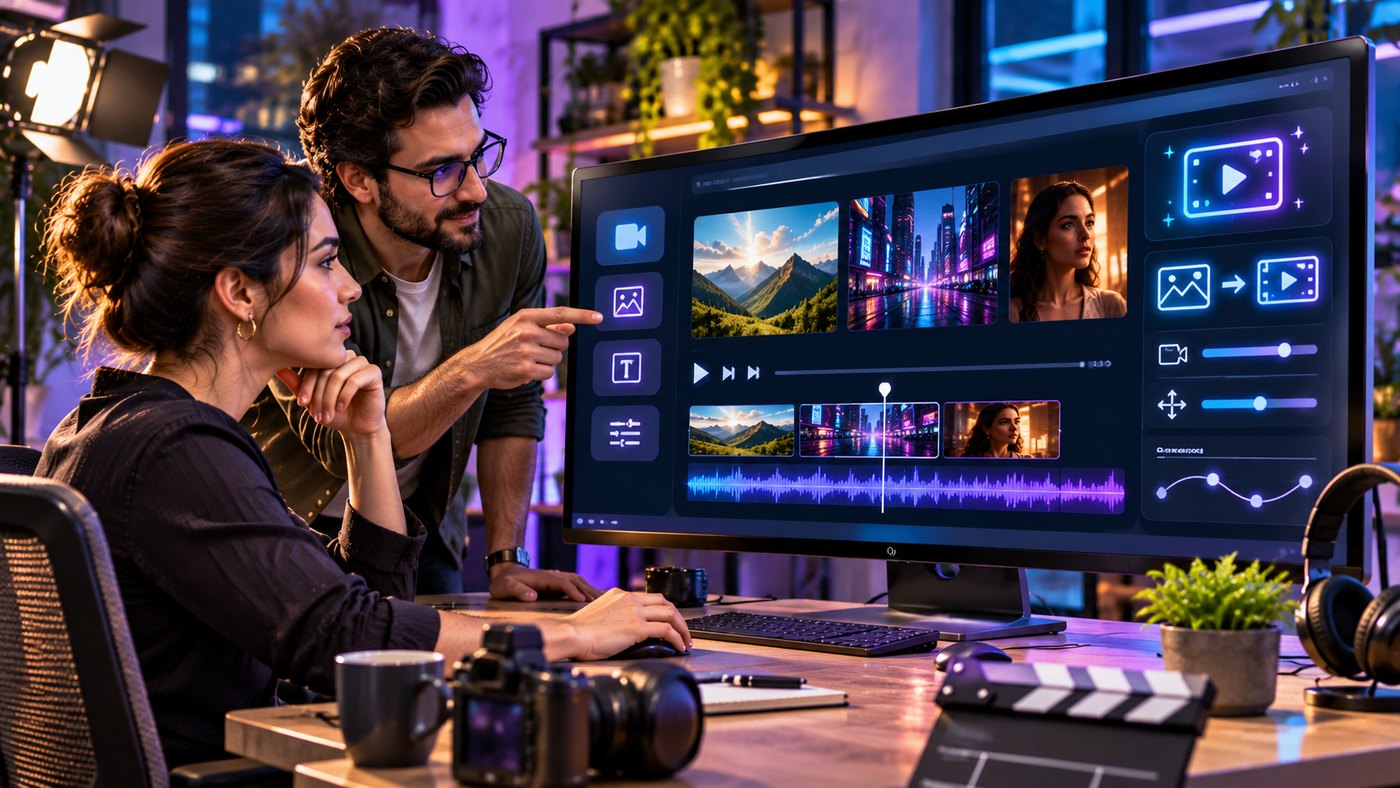
Artificial intelligence is transforming how businesses, filmmakers, marketers, and independent creators produce visual content. Video production once required expensive cameras, professional editing software, dedicated studios, and considerable technical experience. Today, AI-powered tools can generate short video clips from written descriptions, reference photographs, and other creative inputs.
Veo 4 is the name of an independent AI video creation platform that advertises multimodal generation, cinematic storytelling, synchronized audio, and creative editing capabilities. Its website describes a workflow in which users can combine text, images, existing video clips, and audio references to communicate their creative intentions.
This platform should not be confused with Google’s official Veo model family. The website’s own terms identify its service as independent of Google, while Google’s published model information identifies Veo 3.1 as part of its official video generation lineup.
For creators exploring AI-assisted video production, understanding the differences between marketing claims, actual product features, and practical production requirements is essential.
This comprehensive guide explores seven important strategies for creating AI videos, improving prompts, maintaining visual consistency, managing audio, evaluating platform features, and developing an efficient content production workflow.
What Is Veo 4?
Veo 4 is an AI video generation service advertised through aiveo4.ai. The platform promotes tools for transforming creative instructions and reference materials into video content.
Its published feature descriptions include text-based prompting, image references, video references, audio inputs, video extension, and multi-shot storytelling.
The service is positioned toward content creators, marketing professionals, video editors, and businesses interested in producing short-form visual material.
However, advertised capabilities should be distinguished from independently verified performance. The quality, availability, resolution, duration, and editing behavior of generated clips may depend on the selected generation model, subscription, and current platform configuration.
How AI Video Generation Works
AI video generation uses trained machine learning systems to produce sequences of visual frames based on supplied instructions or reference materials.
A creator may describe a subject, location, movement, camera angle, and lighting conditions.
The generation system then attempts to produce a moving scene that matches the instructions.
For example, a user might request a cinematic shot of a coastal city during sunset, with the camera moving slowly above the waterfront.
The resulting video may include buildings, reflections, atmospheric lighting, and simulated camera movement.
The quality depends on the underlying model, prompt clarity, and complexity of the requested action.
Why Multimodal AI Video Matters
Traditional text-to-video generation starts primarily from written instructions.
Multimodal generation can use additional forms of information, such as photographs, reference videos, or audio.
These inputs can help communicate details that are difficult to describe accurately in words.
For example, a reference image can establish a desired environment, while a text prompt explains how the scene should move.
The advantage is greater creative direction, although supplying more references does not guarantee that the model will interpret them correctly.
1. Build Better AI Videos With Clear Text Prompts
Prompt quality plays an important role in AI-assisted video production.
A vague prompt may produce attractive imagery without delivering the intended message.
A more structured prompt helps communicate the visual concept and desired sequence.
Begin With a Clear Subject
Start by identifying the main subject of the video.
The subject might be a person, product, landscape, building, vehicle, or fictional character.
Instead of requesting “a beautiful commercial,” describe the product, environment, and action.
For example:
“A premium ceramic coffee mug on a wooden table beside a sunlit café window.”
This provides a more specific starting point.
Describe the Action
Movement is what separates video generation from ordinary image creation.
Specify what the subject should do during the clip.
A product might rotate slowly, a person might walk across a room, or the camera might move toward a landscape.
Avoid describing several unrelated actions that cannot realistically fit into a short scene.
Include Camera Instructions
Camera direction can help establish a cinematic appearance.
Common descriptions include close-up, wide shot, tracking shot, overhead view, and slow camera movement.
For example, a prompt might request a slow forward camera movement toward a modern house during golden hour.
Control Lighting and Atmosphere
Lighting helps communicate mood.
Soft morning light may create a calm atmosphere, while dramatic side lighting may suit a cinematic product advertisement.
Describe lighting naturally rather than filling the prompt with excessive technical terminology.
Keep Prompts Realistic
AI models may struggle when a short prompt requires complex choreography, numerous characters, or rapidly changing locations.
Start with manageable actions and add complexity after reviewing the results.
A well-written Veo 4 prompt should establish a clear creative objective without making the scene unnecessarily complicated.
2. Use Images and Reference Assets for Greater Visual Direction
Reference images can provide an additional layer of control over AI-generated visuals.
Instead of describing every detail through text, a creator can supply an image representing the desired composition, character, or environment.
Image-to-Video Generation
Image-to-video generation attempts to transform a static photograph or illustration into a moving scene.
For example, a photograph of a mountain lake could become a clip showing moving clouds, gentle water reflections, and a slowly advancing camera.
The original image provides visual context, while the prompt describes the desired motion.
Maintain Consistent Visual Elements
Reference images can be helpful when producing multiple clips for the same campaign.
A business might want a product to maintain similar colors, proportions, and packaging details across separate scenes.
Using consistent reference materials may reduce visual variation.
However, creators should inspect every result because AI systems can change small details unexpectedly.
Understand Reference Video Inputs
The Veo 4 website advertises the ability to use video references for movement, camera direction, and creative effects.
These features may be useful for describing complex visual ideas.
For example, a creator might use footage they own to demonstrate a particular camera movement.
The system’s actual ability to reproduce the intended motion should be tested.
Avoid Unauthorized Source Material
Reference-based creation raises copyright and permission considerations.
Creators should use materials they own, have licensed appropriately, or are otherwise authorized to use.
Copying distinctive elements from another creator’s video may create legal issues, even when an AI system generates a new file.
Organize Reference Assets
A practical workflow involves keeping source images, audio files, and video references in organized folders.
Descriptive filenames can help teams identify approved materials and prevent confusion during production.
3. Create More Natural Audio and Dialogue
Audio is an important part of video storytelling.
A visually impressive clip can feel incomplete when it lacks appropriate sound.
Some modern AI video models support generating audio alongside the visual sequence.
Native Audio Generation
The Veo 4 platform advertises synchronized audio generation, including dialogue, environmental sounds, and background music.
These capabilities are presented as part of its multimodal workflow.
However, sound generation quality should be tested for each intended use.
Creating Realistic Dialogue
When generating a speaking character, a prompt can describe the character, setting, emotional tone, and spoken message.
Short dialogue is generally easier to accommodate within a brief video clip.
For example, a fictional presenter might welcome viewers to a product demonstration.
The creator should review pronunciation, timing, facial movement, and whether the generated speech accurately communicates the intended message.
Lip Synchronization
Lip synchronization attempts to coordinate visible mouth movements with spoken audio.
AI-generated dialogue can still contain timing errors, unnatural expressions, or mismatched sounds.
Review is particularly important when producing public-facing advertisements.
Environmental Audio
Background sounds can make a scene feel more believable.
A rainy city scene may include rainfall and traffic, while a beach scene may contain waves and wind.
Sound should reinforce the visual setting rather than distract from it.
Music and Licensing
Music introduces additional legal considerations.
Creators should confirm that generated or uploaded audio can be used for their intended commercial purpose.
An AI platform’s claim of commercial usage rights does not automatically establish ownership of third-party music included in uploaded references.
Check the Final Audio Mix
Listen to the clip using headphones and ordinary speakers.
Check whether dialogue is intelligible, sound effects are appropriate, and audio transitions are smooth.
Veo 4 may help creators explore audio-assisted production, but professional review remains important.
4. Develop Multi-Shot Stories With Consistent Characters
A single short video can communicate one visual idea.
More elaborate storytelling often requires several connected shots.
For example, a promotional video may begin with a wide view of a café, move to a close-up of a product, and finish with a customer using it.
Understand Multi-Shot Storytelling
Multi-shot generation involves creating or coordinating several scenes that follow a logical sequence.
The Veo 4 website advertises this capability and describes maintaining characters, clothing, and scene details across different shots.
Actual consistency should be evaluated using representative examples.
Plan a Simple Storyboard
Before generating clips, identify the beginning, middle, and end of the video.
A basic product advertisement might contain:
- An establishing shot introducing the environment.
- A close-up highlighting the product.
- A demonstration of its main function.
- A final scene communicating the product’s intended benefit.
A storyboard helps ensure that every clip contributes to the overall message.
Keep Character Descriptions Consistent
When a fictional character appears in several scenes, use consistent descriptions.
Important details may include clothing, hairstyle, approximate age, lighting, and surroundings.
Reference images can also help provide visual guidance.
Avoid Excessive Scene Changes
Too many transitions can make a short video difficult to understand.
A focused sequence is often more effective than attempting to include every possible visual idea.
Use Conventional Editing When Needed
AI generation does not remove the value of ordinary video editing.
Creators may still need to trim clips, adjust color, improve pacing, and add transitions through editing software.
Combining AI-generated footage with conventional production tools provides greater control over the final result.
5. Improve Motion, Camera Movement, and Cinematic Quality
Motion quality can determine whether an AI-generated video looks convincing.
Unnatural walking, distorted objects, and inconsistent camera movement can distract viewers from an otherwise attractive scene.
Use Appropriate Camera Language
Describe camera movements in straightforward terms.
For example, a slow tracking shot may suit a professional product demonstration.
A stationary close-up may work better when highlighting small details.
Complex camera movements should serve the story rather than exist only for visual excitement.
Consider Realistic Movement
Movement should reflect the subject and environment.
A person walking through an office should move naturally, while a product rotating on a display surface should maintain believable proportions.
AI systems may produce unusual physics, especially with interacting objects.
Check Object Consistency
Review whether objects retain their shape throughout the clip.
Common problems include changing product labels, shifting furniture, distorted hands, and inconsistent reflections.
These errors may be difficult to notice in a single frame but obvious during playback.
Match Motion to Video Length
Short clips work best when the action can be completed clearly within the available duration.
For example, a five-second video might show a camera moving slowly toward a product.
A complicated sequence involving several locations and characters may require multiple generated clips.
Consider Aspect Ratio
Horizontal 16:9 video is widely used for website content, presentations, and conventional video platforms.
Vertical 9:16 video is useful for mobile-first short-form platforms.
Square formats may suit certain social media layouts.
The Veo 4 website advertises multiple aspect ratios, but creators should confirm which settings are available for the selected generation option.
Evaluate Technical Quality
Before publishing, inspect resolution, compression, frame consistency, and motion smoothness.
A high advertised resolution does not guarantee that every visual detail will be accurate.
6. Use AI Video for Marketing, Education, and Creative Projects
AI-assisted video production can support different content needs.
However, each application requires an appropriate balance of quality, accuracy, and production cost.
Social Media Marketing
Businesses frequently produce short videos for product introductions, educational content, and promotional campaigns.
Veo 4 is marketed toward creators interested in producing these types of clips.
A short visual demonstration may help communicate a product concept more effectively than a static image.
However, businesses should accurately represent what their products actually do.
Product Demonstrations
AI video can be useful for concept visualization and pre-production planning.
For example, a brand may explore how a new packaging design might appear in a commercial setting.
The resulting clip should not be presented as genuine product footage when that would mislead customers.
Real Estate and Architecture
Architectural visualizations can help communicate proposed building concepts.
A still rendering might be animated into a camera movement through a fictional interior.
However, AI-generated property visuals should be clearly distinguished from verified photographs of existing buildings.
Education and Training
Teachers and training professionals may use AI-generated scenes to illustrate complex ideas.
Examples include simplified scientific processes, historical reconstructions, and workplace training scenarios.
Educational content requires fact-checking because realistic visuals can still portray inaccurate events or explanations.
Filmmaking and Storyboarding
Independent filmmakers can use AI video tools to explore scenes before committing to physical production.
Possible applications include camera planning, atmosphere studies, and fictional location concepts.
Creative Agencies
Marketing agencies may use AI generation to develop alternative creative concepts for client review.
A small team can explore several visual directions without producing a complete filmed advertisement for every early-stage idea.
Nevertheless, final client deliverables may require additional editing, legal review, and quality assurance.
7. Manage Pricing, Privacy, and Commercial Usage Rights
Choosing an AI video platform involves more than examining its creative features.
Businesses should understand how usage is billed, what rights apply to generated content, and how uploaded material is processed.
Understand Subscription Pricing
AI video services may use subscriptions, generation credits, usage allowances, or combinations of these arrangements.
The Veo 4 website includes a pricing section and advertises a discount for annual billing.
However, a complete, independently verifiable current price schedule was not available from the publicly retrieved page.
Users should review the actual checkout terms before purchasing.
Calculate Cost Per Usable Clip
The cost of generating a video is not necessarily the cost of obtaining a finished, publishable video.
A creator may need several attempts to produce a satisfactory result.
For example, suppose a project requires ten usable clips but thirty generations are needed to obtain them.
The actual production cost should include all thirty generations, along with editing time and other expenses.
Review Commercial Usage Rights
The platform’s published terms state that users retain rights in their submitted material and describe permitted commercial use of generated videos.
However, users should read the full terms and consider applicable intellectual property laws.
Commercial usage permission does not automatically resolve questions involving copyrighted references, trademarks, identifiable people, or licensed music.
Consider Privacy and Data Processing
AI video platforms may process uploaded images, audio, prompts, and generated content.
The Veo 4 privacy policy describes collecting account information, usage information, and submitted creative content.
It also describes processing involving external service providers, including AI infrastructure.
Organizations should review these practices before uploading confidential client material.
Avoid Sensitive Uploads
Do not upload confidential business documents, private recordings, or identifiable customer information unless the processing is authorized and appropriate safeguards are established.
Test Before Purchasing Large Plans
A limited practical evaluation can reveal whether the platform performs well enough for the intended workflow.
The best choice depends on real results, not merely advertised capabilities.
How to Create an AI Video With Veo 4
The platform presents a simple creation workflow involving reference materials, a written description, and generation settings.
Step 1: Define the Video Objective
Decide what the clip should communicate.
A marketing video may demonstrate a product, while an educational clip may explain a concept.
Step 2: Prepare the Prompt
Describe the subject, setting, motion, lighting, and camera direction.
Keep the instructions appropriate for the intended video length.
Step 3: Add Reference Materials
Where supported, upload authorized images, video clips, or audio files.
Use references only when they contribute meaningful creative information.
Step 4: Choose Generation Settings
Review the available model, duration, resolution, and aspect ratio settings.
The platform’s publicly visible interface displays generation controls, but availability may vary with account and model selection.
Step 5: Generate the Clip
Submit the prompt and review the resulting video.
Do not assume that the first output will be suitable for publication.
Step 6: Inspect the Result
Check movement, object consistency, visual quality, dialogue, sound effects, and technical artifacts.
Verify that the video accurately communicates the intended information.
Step 7: Refine and Export
Adjust the prompt or reference assets when necessary.
After generating an acceptable result, perform any additional editing and review the applicable download and usage terms.
Veo 4 vs. Google Veo: Understanding the Difference
The similar naming can create confusion.
The service promoted at aiveo4.ai is not presented in its terms as an official Google product.
Google DeepMind maintains a separate official Veo model family.
Google’s Official Veo Models
Google’s public documentation describes Veo 3.1 as a video generation model with capabilities involving text-to-video, image-to-video, audio generation, and creative controls.
Google also provides access to its supported video generation tools through designated products and developer platforms.
The Independent Veo 4 Website
The Veo 4 website describes its own multimodal video generation service.
It advertises functionality involving image, video, audio, and text references, as well as editing and video extension.
These descriptions come from the platform itself.
Why Product Identity Matters
A model name can influence assumptions about features, pricing, security, and ownership.
Users should verify the actual service operator, model availability, and contract terms rather than assuming that similarly named products are connected.
The distinction is particularly important for companies purchasing AI services or handling confidential creative assets.
Common AI Video Generation Mistakes to Avoid
Even experienced creators can encounter problems when using generative video tools.
Writing Overly Complicated Prompts
A prompt containing too many unrelated instructions may produce confusing results.
Focus each short clip on one clear purpose.
Ignoring Visual Continuity
Products, characters, clothing, and backgrounds may change between generated clips.
Check continuity before combining scenes.
Trusting Every Generated Detail
AI-generated videos can portray inaccurate movements, objects, or facts.
Review technical and educational content carefully.
Reusing Unauthorized References
Uploading copyrighted footage or music without suitable rights can create legal risks.
Use approved source materials.
Overlooking Sound Quality
Poorly synchronized dialogue or distracting audio can reduce the quality of an otherwise attractive video.
Neglecting Privacy
Uploaded creative materials may be processed and stored by service providers.
Review data handling practices before submitting sensitive information.
Relying Only on Promotional Claims
Product demonstrations and marketing examples may not reflect every real-world task.
Evaluate Veo 4 through representative testing before making important production commitments.
How to Evaluate AI Video Quality
A consistent evaluation process helps creators compare tools and improve results.
Prompt Accuracy
Does the output follow the requested subject, action, setting, and camera movement?
Visual Consistency
Do important objects remain recognizable throughout the clip?
Motion Quality
Are movements believable and appropriate for the intended scene?
Audio Synchronization
Does dialogue match facial movement, and do sound effects align with visible events?
Editing Flexibility
Can the output be refined or combined with other footage without unnecessary quality loss?
Production Efficiency
How many attempts are required to obtain a usable result?
These criteria help establish whether a tool delivers practical value for a particular project.
The Future of AI Video Creation
Generative video technology continues to develop through improvements in model architecture, creative controls, and multimodal processing.
More Precise Creative Direction
Future systems may provide greater control over characters, camera movement, lighting, and scene continuity.
Improved Audio and Visual Coordination
Better synchronization could make AI-generated dialogue and environmental sound more convincing.
More Flexible Editing
Creators increasingly need tools that can modify individual elements without rebuilding entire scenes.
Stronger Production Workflows
AI generation may become more closely integrated with storyboarding, editing, and content management systems.
Greater Attention to Responsible Use
Copyright, authenticity, consent, disclosure, and data privacy will remain important considerations as synthetic media becomes more realistic.
For creators considering Veo 4 or other AI video platforms, the most useful developments will be those that improve actual production reliability rather than merely increase the number of advertised features.
Frequently Asked Questions
1. What is Veo 4?
Veo 4 is the name of an independent AI video generation service promoted through aiveo4.ai. Its website advertises text, image, video, and audio inputs for creating cinematic clips. It is not affiliated with Google’s official Veo model family.
2. Can Veo 4 generate videos from images?
The platform advertises image-to-video and multimodal reference capabilities. Users can explore providing images and written instructions, but actual results and feature availability should be checked through practical testing.
3. Does Veo 4 support AI-generated audio?
Its website advertises native audio capabilities, including dialogue, sound effects, and music. Audio quality, synchronization, and availability depend on the generation features provided in the selected workflow.
4. Is Veo 4 the same as Google Veo?
No. The aiveo4.ai terms explicitly identify Veo 4 as an independent service with no affiliation with Google. Google’s official Veo documentation describes its own model lineup, including Veo 3.1.
5. Can Veo 4 videos be used commercially?
The platform’s published terms describe commercial usage rights for generated content. However, creators must also consider intellectual property rights, uploaded reference materials, privacy, and applicable legal requirements.
6. Is Veo 4 suitable for professional content creation?
The platform may be worth evaluating for creative concepts, marketing clips, and video experiments. Professional suitability depends on verified output quality, production costs, consistency, editing capabilities, and the requirements of the particular project.
Conclusion
Veo 4 represents an independent AI video creation service aimed at creators exploring multimodal content generation and cinematic storytelling. Its advertised tools include reference-based generation, audio, editing, and creative controls, although these capabilities should be evaluated through real-world testing. Effective AI video production still requires thoughtful prompts, suitable source materials, careful editing, and responsible handling of intellectual property. By combining creative experimentation with practical quality checks, businesses and individual creators can make better-informed decisions about using AI-generated video in their projects.
