
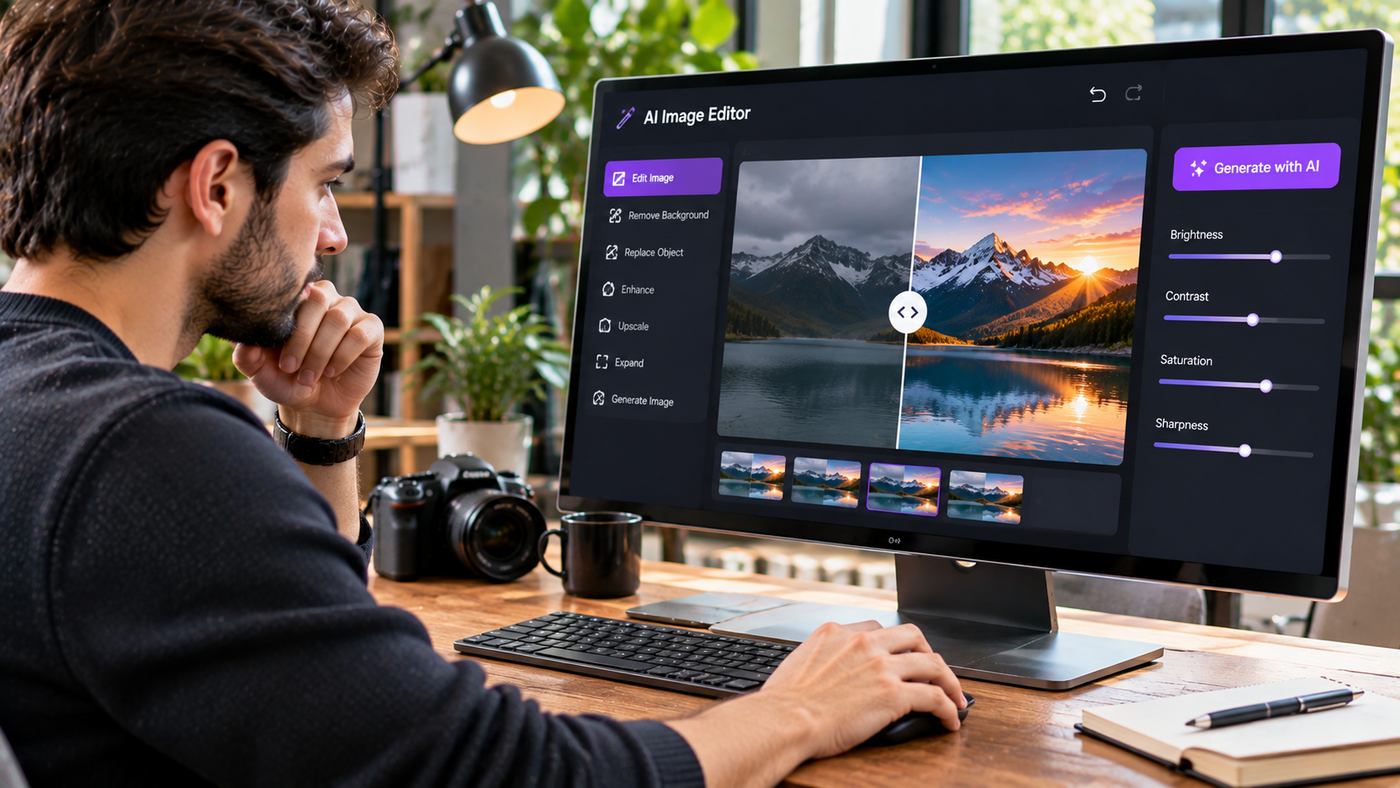
Visual content has become essential for digital marketing, e-commerce, social media, and modern website design. Businesses regularly need product photographs, promotional banners, blog illustrations, and advertising creatives that communicate their messages clearly. However, producing professional images through traditional methods can require expensive equipment, specialized editing skills, and considerable time.
Artificial intelligence is changing how these visual assets are created and improved. An AI Image Editor allows users to generate original pictures, modify existing photographs, replace backgrounds, and experiment with creative styles using written instructions.
Instead of manually adjusting every element through complicated editing software, users can describe what they want and allow an AI model to interpret their instructions.
Platforms such as Pixlio AI bring image generation and photo editing together within a browser-based environment. This approach can benefit independent creators, digital marketing agencies, online retailers, and businesses that need visual content regularly.
However, successful AI-assisted editing still requires thoughtful prompts, careful quality checks, and an understanding of the technology’s limitations.
This guide explores how AI image editing works, seven practical benefits, popular features, professional applications, and techniques for producing better visual content.
What Is an AI Image Editor?
An AI Image Editor is a software application that uses artificial intelligence to create, enhance, or modify digital images.
Traditional photo editing software typically requires users to select specific tools and manually control individual adjustments.
AI-assisted editing introduces a different workflow.
Users can upload a photograph and describe the desired change in ordinary language.
For example, someone editing a product photograph might request a brighter background, softer lighting, or a more professional studio appearance.
The system processes the instructions and generates an updated version.
How AI Photo Editing Works
AI image editing relies on machine learning models trained to understand relationships between visual information and written descriptions.
When a user submits an image and instructions, the model attempts to identify the important subjects and apply the requested transformation.
Depending on the tool, this may involve replacing objects, modifying backgrounds, changing visual styles, or generating new image details.
The process is not always perfectly predictable.
Even a carefully written instruction can produce unwanted changes, making human review an important part of professional editing.
The Difference Between Image Generation and Editing
Image generation begins with a description and creates a new visual.
Image editing starts with an existing image and modifies its appearance.
For example, text-to-image generation could create a fictional modern living room from a written prompt.
Image-to-image editing could take an actual photograph of a room and explore different furniture arrangements or interior styles.
Both approaches are useful, but they serve different creative objectives.
Seven Powerful Benefits of AI Image Editing
Artificial intelligence can improve several parts of the visual production process when applied appropriately.
1. Faster Photo Editing Workflows
Traditional image editing can involve numerous manual steps.
Removing backgrounds, changing lighting, preparing alternative compositions, and modifying decorative elements may require substantial attention.
An AI Image Editor can automate portions of these activities.
For example, an e-commerce business preparing product imagery may use AI to create alternative background concepts without constructing a completely new photographic setting.
This can reduce the effort required for initial experimentation.
However, generated results still need to be checked for accuracy and consistency.
2. Easier Background Replacement
Background replacement is one of the most practical applications of generative photo editing.
A simple product photograph can be transformed into a lifestyle composition.
For example, a perfume bottle photographed against a neutral studio backdrop could be placed within a carefully designed floral setting.
A furniture photograph might be presented in a contemporary interior.
These changes can make images more suitable for particular marketing contexts.
However, the product itself should remain accurate.
AI-generated backgrounds should not misrepresent product dimensions, materials, or functionality.
3. Creative Style Transformations
AI editing tools can transform photographs into different artistic styles.
A realistic portrait might become a stylized illustration.
A landscape photograph could be reimagined using watercolor-inspired textures.
A product image might receive a cinematic lighting treatment.
Creative transformations are particularly useful for editorial illustrations, promotional concepts, and digital artwork.
Users should select styles appropriate for their intended audience and brand identity.
4. Improved Content Production Efficiency
Digital publishers often require new images for articles, newsletters, social media posts, and marketing campaigns.
Producing every asset through a separate photoshoot may not be practical.
AI-assisted image creation allows teams to develop original visual concepts based on their content requirements.
For example, a technology blog could generate an illustration explaining cybersecurity.
A home improvement website might create a visual concept showing modern kitchen design.
These images should be relevant to the accompanying content and should not falsely represent actual events or completed projects.
5. Greater Flexibility for Small Businesses
Small businesses frequently operate with limited design resources.
A dedicated photography or graphic design team may not be available for every project.
AI Image Editor tools can help business owners prepare simple creative concepts and experiment with different visual presentations.
This accessibility can make visual communication easier.
Nevertheless, businesses should still seek professional design expertise when projects require precise branding, technical accuracy, or specialized production.
6. Multiple Visual Variations for Marketing
Advertising campaigns often benefit from testing different creative approaches.
An AI editing platform can help produce variations involving different backgrounds, compositions, and visual styles.
A retailer might compare a clean studio product image with a lifestyle presentation.
A software company could explore different illustrations for an educational campaign.
These variations can support structured marketing experiments.
However, changing the image does not guarantee better advertising results.
Performance should be evaluated using actual campaign data.
7. Easier Experimentation With Design Ideas
Creative work frequently involves testing ideas before committing to a final direction.
AI tools allow users to explore multiple concepts without manually building every version.
An interior designer might experiment with different color schemes.
An advertising team may compare photographic lighting styles.
A content creator could explore several visual treatments for the same subject.
The resulting images can support planning, communication, and creative decision-making.
Exploring Pixlio AI for Online Photo Editing
Creators interested in an AI Image Editor can explore Pixlio AI, a browser-based platform for generating and modifying digital images.
Pixlio combines text-to-image generation with image-to-image editing.
Its platform provides multiple AI models, creative style presets, adjustable aspect ratios, and output format options.
The website also describes a credit-based generation system that allows users to understand the estimated cost before starting a task.
Text-to-Image Generation
Pixlio allows users to generate images from written descriptions.
A prompt can establish the main subject, environment, lighting, and artistic direction.
For example, a marketer could request a photorealistic image of a modern office with warm daylight and professional interior styling.
The system then creates a visual interpretation of the instructions.
This functionality is useful for conceptual imagery, promotional illustrations, and supporting content.
Image-to-Image Editing
The platform also supports editing uploaded images.
Users can provide reference photographs and describe the changes they want.
Possible tasks include changing backgrounds, adjusting visual styles, adding elements, and transforming an existing composition.
Its published interface supports common image formats, including JPEG, PNG, and WebP.
The number and size of supported reference images depend on the selected tool and model.
Multiple AI Models
Pixlio offers a selection of image-generation models with different capabilities.
Its website references model families including Nano Banana, GPT Image, Grok Imagine, and Seedream.
Different models may perform differently depending on the task.
Some may be more suitable for photorealistic images, while others may be useful for artistic compositions or particular editing operations.
Model names, availability, and credit requirements can change.
Users should review the current interface when choosing an option.
Style Presets and Aspect Ratios
Pixlio includes creative presets intended to guide the visual appearance of generated images.
The interface describes options such as photorealistic imagery, pixel art, and stylized illustration.
Users can also select aspect ratios suitable for different publishing formats.
For example, a landscape image may work well for a blog header, while a portrait composition may suit mobile-oriented content.
JPEG and PNG Downloads
The platform offers JPEG and PNG output options.
JPEG is commonly suitable for photographic website images because it can provide smaller file sizes.
PNG is useful when lossless image storage is important.
The most appropriate format depends on the image, publishing environment, and required quality.
How to Edit Photos With Artificial Intelligence
A structured workflow can help users create more consistent results.
Step One: Identify the Editing Objective
Before uploading an image, decide what needs to change.
The objective might be removing a distracting background, modifying lighting, or creating a more suitable marketing composition.
Avoid beginning with vague instructions.
Clear goals make the results easier to evaluate.
Step Two: Choose a Suitable Source Image
A high-quality source photograph gives the AI model more useful information.
Choose an image with a clear subject and appropriate framing.
Avoid heavily compressed photographs when important visual details need to remain accurate.
For product editing, the original image should represent the item correctly.
Step Three: Select the Appropriate Editing Mode
Use image-to-image editing when modifying an existing photograph.
Choose text-to-image generation when creating an entirely new scene.
Confirm that the selected AI model supports the required operation.
Step Four: Write a Detailed Prompt
A strong prompt explains the intended change while identifying details that should remain unchanged.
For example:
“Replace the plain background with a bright, modern lifestyle setting. Use soft natural daylight, realistic shadows, and neutral colors. Preserve the original product’s shape, proportions, material, and packaging.”
This gives the system clearer creative direction than simply requesting a better photograph.
Step Five: Review Generation Settings
Check the selected model, aspect ratio, style, and output format.
Some platforms also support seed values that influence reproducibility.
Review the estimated credit cost before generating.
Step Six: Generate and Inspect
After creating the edited image, compare it with the original.
Check object proportions, text, lighting, and visual consistency.
Look for unwanted changes that could affect accuracy.
Step Seven: Export the Final Image
Once satisfied, choose the appropriate output format.
For website use, resize and compress the image according to the intended layout.
Add descriptive alternative text when the image conveys meaningful information.
Writing Better Prompts for AI Photo Editing
Prompt quality influences the direction of AI-generated edits.
A detailed prompt should communicate the intended changes without introducing unnecessary contradictions.
Describe the Subject Clearly
Identify the main object or person.
For example, specify whether the image contains a perfume bottle, furniture item, portrait, or architectural interior.
Explain the Desired Change
State exactly what should be modified.
A request to replace a background is different from a request to change the entire visual style.
Use specific descriptions rather than broad terms.
Preserve Important Details
When editing product images, explain which details must remain unchanged.
This may include dimensions, colors, packaging, labels, and recognizable features.
AI may still introduce changes, so final verification remains essential.
Specify Lighting
Lighting strongly influences the mood of an image.
Soft daylight produces a different effect from dramatic studio lighting.
Consider the intended publishing environment before choosing a style.
Choose Appropriate Composition
A centered product photograph may work well for an online store.
An editorial blog image might benefit from a wider composition with additional environmental context.
The composition should support the image’s purpose.
AI Image Editing for E-Commerce Businesses
Online retailers depend on high-quality product images.
Clear photographs help shoppers understand what they are purchasing.
AI can assist with creative presentation, but product accuracy should remain the priority.
Lifestyle Product Photography
Retailers can experiment with placing approved product photographs in different environments.
For example, a chair could be shown in a modern living room.
A skincare product might appear within a clean bathroom setting.
The final image should not create misleading impressions about the item’s actual appearance.
Seasonal Marketing Images
Businesses often need new visuals for holidays, promotions, and seasonal campaigns.
AI-assisted editing can help develop appropriate backgrounds and decorative themes.
This may reduce the need to create every variation through a separate photoshoot.
Advertising Creative Variations
Different imagery can support marketing tests.
A product might be shown against a plain background in one advertisement and a lifestyle setting in another.
Businesses can compare engagement and conversion results.
Marketplace Image Requirements
Online marketplaces often impose specific rules for product photographs.
Some require plain backgrounds or prohibit certain promotional graphics.
AI-generated images must still comply with the relevant platform’s rules.
Creating Blog Images With AI
Blog publishers need images that explain topics, attract attention, and support the reading experience.
An AI Image Editor can help generate customized visuals for different article categories.
Featured Images
Featured images typically introduce the article’s subject.
For a technology article, the visual might show a realistic computing environment.
For a renovation guide, it might illustrate a suitable home improvement scene.
The image should connect clearly with the article.
SEO-Friendly Image Filenames
Descriptive filenames help organize website assets.
For example, a relevant image might use a filename such as ai-photo-editing-workflow.jpg.
Use concise words separated by hyphens.
Avoid excessive keyword repetition.
Image Compression
Large image files can slow down webpages.
For a typical blog featured image, JPEG compression may provide an effective balance between visual quality and file size.
The appropriate dimensions depend on the website layout.
A 1400 × 788-pixel image is one possible landscape format for blog content.
Writing Image Alt Text
Alternative text should describe the meaningful visual content.
For example:
“Graphic designer editing a product photograph with AI background replacement software.”
Avoid stuffing unrelated keywords into alternative text.
The primary purpose is to provide an accessible description.
AI Image Editing Versus Traditional Photo Editing
AI tools and conventional editing applications offer different strengths.
Advantages of AI Editing
AI can simplify certain complex transformations.
Users may be able to remove backgrounds, generate new objects, or explore artistic styles through natural-language instructions.
This can accelerate creative experimentation.
Advantages of Manual Editing
Traditional tools provide precise control over layers, masks, selections, color adjustments, and individual pixels.
This precision remains important for professional retouching, packaging, technical illustrations, and detailed brand work.
Why Combining Both Can Be Effective
A practical workflow may begin with AI-generated concepts.
Designers can then refine the strongest image using conventional tools.
This approach combines the speed of AI experimentation with the precision of manual editing.
Neither method needs to replace the other completely.
Common Problems With AI-Edited Images
AI-generated imagery can contain errors even when the overall result looks convincing.
Unexpected Object Changes
The model may modify details that were supposed to remain unchanged.
This can be particularly problematic for product photography.
Always compare generated results with the original image.
Distorted Hands and Faces
Images involving people may contain unnatural anatomy or inconsistent facial features.
These issues should be corrected before professional use.
Inaccurate Text
AI systems may generate misspelled or distorted lettering.
For important promotional messages, adding text through a traditional design tool may provide better control.
Inconsistent Branding
Repeated generations can produce variations in colors, logos, and visual style.
Businesses should maintain consistent design guidelines.
Unrealistic Lighting
Generated objects may contain shadows or reflections that do not match the surrounding scene.
Inspect whether the final composition appears physically plausible.
How to Choose the Right AI Image Editing Platform
Different platforms are designed for different creative requirements.
Before selecting one, consider the following factors.
Model Quality
Test the platform using images representative of your actual projects.
A tool that produces impressive landscapes may not necessarily provide reliable product editing.
Editing Flexibility
Check whether users can refine existing results without restarting the entire process.
Iteration is important for professional production.
Input and Output Formats
Confirm that the platform supports the required image formats, dimensions, and download options.
Pricing Transparency
Credit-based services may charge different amounts depending on the model.
Review the estimated cost of typical tasks before subscribing.
Privacy and Commercial Rights
Check how uploaded images are stored and processed.
Review the terms governing commercial use, especially when working with client photographs or branded content.
Responsible Use of AI Image Editing
Artificial intelligence introduces opportunities alongside ethical and legal responsibilities.
Respect Copyright
Use photographs and illustrations that you own or have permission to edit.
Editing protected material does not automatically remove copyright obligations.
Protect Personal Privacy
Photographs of identifiable people should be handled appropriately.
Avoid using private or sensitive images without necessary permissions.
Prevent Misleading Advertising
Synthetic images should not falsely represent product features, customer experiences, or actual events.
Businesses remain responsible for accurate promotional communication.
Maintain Human Quality Control
AI can generate content rapidly, but speed should not replace verification.
Editors should review the final image for technical quality, factual accuracy, and brand suitability.
Frequently Asked Questions
What is an AI Image Editor?
An AI Image Editor is software that uses artificial intelligence to create or modify images. It can support tasks such as background replacement, style transformation, image generation, and photo enhancement.
Can Pixlio AI edit existing photos?
Yes. Pixlio provides image-to-image editing functionality that allows users to upload photographs and request changes through written instructions.
Does Pixlio AI offer free image editing?
Pixlio advertises complimentary starter credits for new users. The number of credits and available features should be checked on its current website.
Can AI-edited images be used commercially?
Commercial use depends on the platform’s terms, applicable model restrictions, and rights associated with the original material. Pixlio describes commercial usage rights for images generated with paid credits.
Conclusion
Artificial intelligence is changing how businesses, designers, and content creators approach visual production.
An AI Image Editor can simplify tasks such as background replacement, creative style transformation, image generation, and preparing marketing assets.
Platforms such as Pixlio AI demonstrate how these capabilities can be combined within a browser-based environment, making it easier to experiment with different models and editing workflows.
However, effective results still require clear instructions, suitable source images, careful inspection, and an understanding of copyright and privacy responsibilities.
Businesses should evaluate AI editing tools according to their actual production needs rather than relying exclusively on advertised features.
By combining AI-assisted creativity with professional judgment and appropriate quality control, creators can develop more efficient workflows while maintaining the visual standards expected in modern digital content.
