
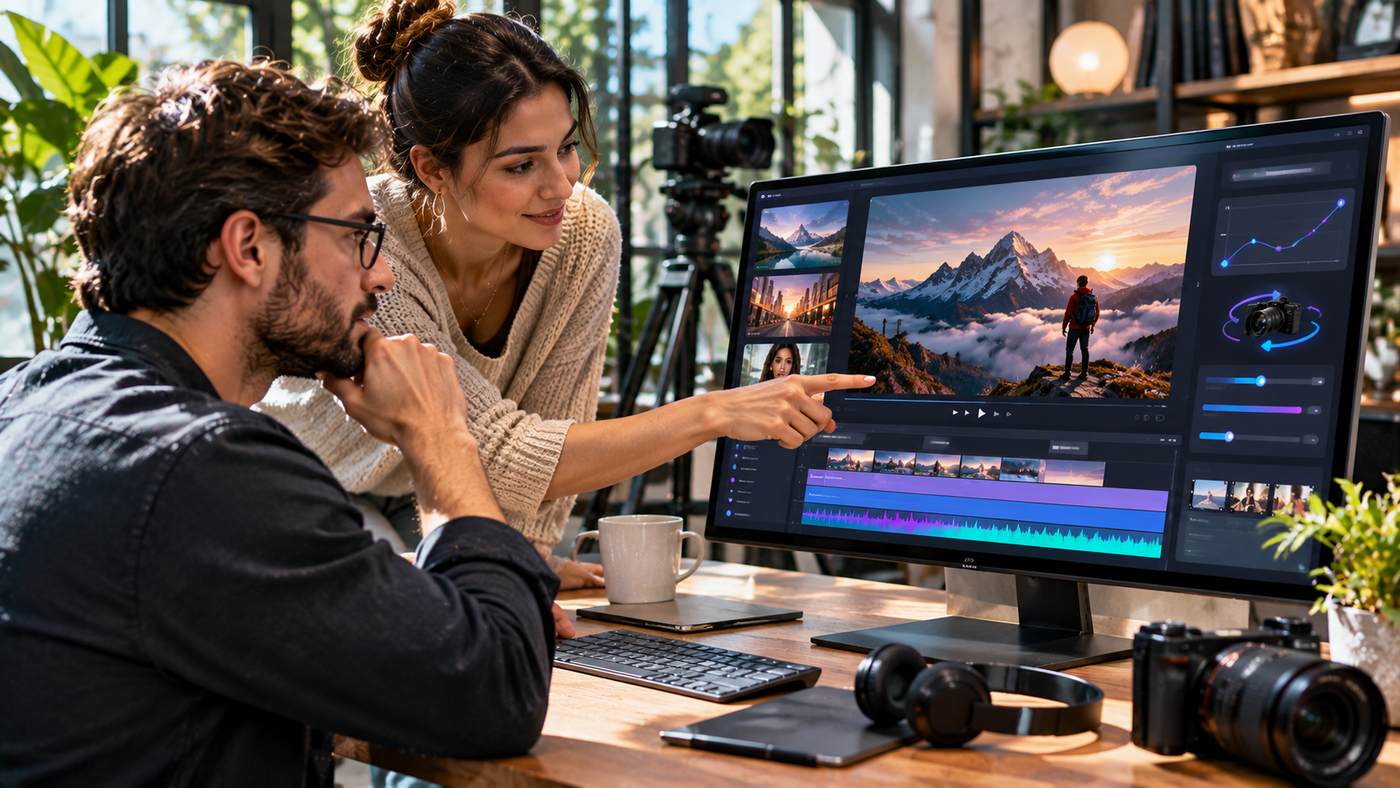
Video content has become an important part of digital marketing, online education, entertainment, and business communication. Companies use short videos to introduce products, explain services, and connect with potential customers. Meanwhile, independent creators rely on moving visuals to tell stories and develop engaging content for social media.
Traditional video production often requires cameras, lighting equipment, locations, editing software, and experienced professionals. Although these resources remain valuable, artificial intelligence has introduced additional ways to create video content.
The Seedance 3.0 AI Video Generator is a search term associated with an emerging generation of AI-powered video creation tools and multimodal workflows. Platforms such as SeedVideo promote creative capabilities involving text prompts, reference images, video inputs, and audio guidance.
However, there is an important distinction between a platform’s advertised future-generation capabilities and officially released AI models. As of November 22, 2026, an official ByteDance Seedance 3.0 release and its final technical specifications have not been independently confirmed.
SeedVideo currently presents working video-generation tools, including Seedance 2.0 and other supported models. Understanding the available features and the limitations of AI generation can help creators make informed choices.
This guide explores the technology, its creative applications, practical workflows, and techniques for producing more effective videos.
What Is the Seedance 3.0 AI Video Generator?
The Seedance 3.0 AI Video Generator refers to AI-powered video-generation capabilities associated with ByteDance’s Seedance model family and third-party creative platforms promoting the next generation of the technology.
Seedance models are designed to generate video content from different types of instructions and reference materials.
Depending on the available version, these inputs may include written descriptions, photographs, existing video clips, and audio references.
Rather than manually animating every frame, users describe the intended scene and allow a generative model to create moving footage.
Understanding Seedance and SeedVideo
Seedance is a family of generative video models developed by ByteDance.
SeedVideo is an independent third-party creative platform that provides access to multiple AI image and video tools.
The two should not be confused.
SeedVideo’s website prominently discusses Seedance 3.0 workflows while its live generator currently displays Seedance 2.0 as a selectable starting model.
The platform also lists other video-generation options, including Seedance 2.5, Kling, and Veo models.
Users should check which model is actually selected before purchasing credits or generating content.
Why Model Availability Matters
AI technology develops quickly, and product names sometimes appear on websites before an official model becomes publicly available.
This can create confusion about supported resolutions, generation duration, pricing, and features.
For professional projects, creators should distinguish verified capabilities from promotional descriptions.
Testing the specific model available in the interface provides a more reliable understanding of its performance.
How AI Video Generation Works
Generative video technology uses machine learning models to produce sequences of images that represent movement over time.
Users provide instructions describing the scene, and the system attempts to generate corresponding frames.
The process can involve several types of input.
Text-to-Video Generation
Text-to-video tools create video content from written prompts.
A user might describe a cinematic mountain landscape at sunrise, with clouds drifting through a valley and a camera slowly moving forward.
The AI model interprets the requested subjects, lighting, composition, and movement.
It then generates a video sequence intended to reflect the description.
Detailed prompts can provide useful creative direction, but they do not guarantee perfect results.
Image-to-Video Generation
Image-to-video tools use an existing photograph or illustration as the starting point.
For example, a business might upload a professional product photograph and request subtle camera movement.
The system attempts to animate the scene while maintaining its original appearance.
This approach is particularly useful when visual consistency with existing brand assets matters.
Reference-Based Video Generation
Reference-based generation uses additional images, videos, or other materials to guide the output.
A reference might demonstrate camera movement, character appearance, environmental style, or physical action.
This approach can communicate complex visual intentions more effectively than written descriptions alone.
The number and type of supported references depend on the model.
Seven Creative Applications for AI Video Generation
Businesses and independent creators can use AI-generated video in several practical ways.
1. Create Product Advertising Videos
E-commerce brands frequently need product videos for websites and advertising campaigns.
AI video tools can help explore concepts using existing product photography.
For example, a cosmetics company might animate a perfume bottle with soft lighting and a gentle camera movement.
The resulting clip could become part of a promotional concept.
However, the video should accurately represent the product’s shape, packaging, and features.
2. Produce Short-Form Social Content
Social media campaigns often require frequent creative updates.
AI-assisted generation can help marketers develop short visual sequences for different messages.
A clothing retailer might test lifestyle scenes, while a technology business could create abstract animations illustrating software concepts.
The goal should be useful communication rather than generating motion simply to attract attention.
3. Develop Film Pre-Visualization
Filmmakers use pre-visualization to explore scenes before production.
AI-generated clips can help communicate possible camera angles, environments, and visual moods.
A director might test several compositions before arranging a physical shoot.
These clips should be treated as creative references, not guaranteed reproductions of final production conditions.
4. Animate Existing Photography
Photographers and content publishers often have extensive libraries of still images.
Image-to-video generation can introduce movement to selected photographs.
Landscape photography may benefit from gentle environmental animation.
Architectural photography might use a slow virtual camera movement.
The strongest results often preserve the original image’s main subject and avoid unnecessary transformations.
5. Create Educational Visuals
Educational content sometimes requires illustrations of processes that are difficult to film.
AI-generated video may help develop conceptual animations for classroom presentations or online learning materials.
However, generated scientific, medical, and technical explanations must be reviewed for accuracy.
Convincing visual presentation should not be mistaken for factual reliability.
6. Experiment With Character Animation
Reference-guided video generation can help creators explore character movement.
A short performance may provide guidance for gestures, walking, or other physical actions.
The model attempts to reproduce the movement through the selected character.
Results may vary when movements are complicated or when character proportions differ significantly from the reference.
7. Improve Creative Campaign Planning
Marketing agencies often prepare several advertising concepts before choosing a final direction.
AI video generation can help create early drafts of different ideas.
Teams can compare visual approaches and identify which concepts deserve additional development.
This may reduce the effort required for early experimentation, although professional editing and quality control remain necessary.
Exploring SeedVideo’s Creative Platform
Businesses interested in the Seedance 3.0 AI Video Generator can explore the independent SeedVideo platform.
Its website presents a creative workspace supporting text-to-video, image-to-video, and reference-based generation.
The service also provides supporting image tools and selectable AI models.
Text-to-Video Tools
The live generator allows users to enter written prompts describing the desired scene.
Users can specify subjects, environmental details, camera movement, and visual style.
The interface also includes settings for supported generation duration and resolution.
These options depend on the selected model.
Image-to-Video Workflow
Users can begin with a reference image and provide instructions describing how the scene should move.
This can be particularly useful for animating product photography, artwork, and landscape imagery.
Reviewing the final video is essential because generated movement can introduce unexpected visual changes.
Supporting Image Tools
SeedVideo advertises image-generation and editing features that complement its video workflows.
These include tools for preparing reference images, changing backgrounds, modifying visual styles, and enhancing existing pictures.
Such capabilities may help creators prepare assets before generating videos.
Available Video Models
SeedVideo’s model catalogue lists multiple video-generation options.
Different models support different input methods, durations, resolutions, and output formats.
The platform’s documentation describes Seedance 2.0 as supporting text, image, audio, and video reference inputs.
Users should evaluate the capabilities of the model they can actually access rather than assuming every advertised feature applies to all versions.
How to Create an AI Video Step by Step
A structured process can improve creative results and reduce unnecessary generation attempts.
Step One: Define the Video’s Purpose
Start by identifying what the finished video should accomplish.
Is it intended to explain a product, support a social media post, demonstrate an idea, or establish a particular atmosphere?
A clear purpose guides creative decisions.
Step Two: Choose the Input Method
Use text-to-video when developing a scene from a description.
Choose image-to-video when the appearance of a supplied image is important.
Consider reference-based generation when the selected model supports additional visual guidance.
Step Three: Prepare a Detailed Prompt
A useful prompt describes the subject, environment, movement, camera perspective, and lighting.
For example:
“A cinematic wide shot of a modern electric vehicle travelling along a quiet coastal road at sunrise. The camera follows smoothly from behind, with realistic reflections, gentle ocean movement, and warm natural light.”
This provides more direction than simply requesting a video of a car.
Step Four: Select Generation Settings
Review the model, video duration, aspect ratio, resolution, and credit cost.
Some settings may be available only for particular models or subscription levels.
Confirm the estimated charge before generating.
Step Five: Generate the First Draft
Create the initial clip and review the result.
Check whether the subject appears correctly and whether the requested movement is convincing.
Treat the result as a draft rather than automatically publishing it.
Step Six: Refine the Video
If the first output contains errors, identify the specific problem.
Adjust the prompt, input image, or model settings when necessary.
Changing one major element at a time can help determine which adjustment improves the result.
Step Seven: Export and Edit
After selecting a satisfactory clip, export it in an available format.
A conventional video editor may still be useful for adding captions, licensed music, voiceovers, and additional footage.
Inspect the completed project before publication.
Writing Better Prompts for Cinematic Videos
Prompt quality plays an important role in AI-assisted production.
Although no prompt guarantees a perfect output, specific instructions provide clearer direction.
Describe the Main Subject
Begin with the person, object, or environment that should receive the viewer’s attention.
Avoid vague descriptions that leave important visual choices undefined.
Establish the Scene
Specify whether the action takes place inside an office, outdoors, in a studio, or in another environment.
Background details help communicate the desired atmosphere.
Explain Camera Movement
Camera movement can strongly influence the final result.
A slow push-in may create a thoughtful mood.
A tracking shot can follow a moving subject.
A wide establishing shot can introduce an environment.
Choose movement that supports the video’s purpose.
Define Lighting and Visual Style
Lighting affects the appearance and emotional tone of a scene.
Warm sunset lighting creates a different atmosphere from bright commercial studio lighting.
Describe the intended mood using clear photographic or cinematic language.
Avoid Overloading the Prompt
A single short clip may struggle to reproduce several unrelated actions.
Focus on one primary event and a manageable number of supporting details.
Complex sequences are often easier to develop as multiple clips.
Understanding Multimodal Reference Workflows
Multimodal generation allows creators to combine more than one type of input.
For example, text might describe the scene while a photograph establishes character appearance.
A video reference could provide movement, and an audio reference might guide timing where supported.
ByteDance’s published Seedance 2.0 information confirms support for text, image, audio, and video input modalities.
However, the final capabilities of Seedance 3.0 should not be assumed until official specifications become available.
Character References
Character references can help establish a recurring visual identity.
They are useful for storytelling and advertising concepts.
Even with references, creators should inspect facial features, clothing, and body proportions for unwanted changes.
Motion References
Motion references provide examples of actions.
These may help guide dancing, gestures, or camera movement.
The generated result may interpret rather than reproduce the movement exactly.
Audio References
Where supported, audio can influence timing or other aspects of the generated video.
Creators should confirm audio features for the particular model selected.
They should also use music and recordings they are authorised to include.
Understanding AI Video Pricing
AI video platforms commonly use subscription plans or generation credits.
The cost of a clip may depend on the model, resolution, duration, and reference materials.
SeedVideo provides subscription options and one-time credit packs.
Its published examples show different credit requirements for selected Seedance 2.0 settings.
However, these figures should not be interpreted as confirmed Seedance 3.0 prices.
Why Generation Costs Vary
Higher-resolution videos may require more computational resources.
Longer clips and complex reference workflows can also affect pricing.
Some platforms offer faster processing options for additional credits.
Businesses should calculate their expected production volume before choosing a plan.
Consider the Cost of Revisions
A project may require several attempts before producing a suitable clip.
Budgeting for only one generation can underestimate the actual production cost.
For professional work, reserve resources for testing and revisions.
Common Problems With AI Video Generation
Generative models can create impressive footage, but visual inconsistencies remain possible.
Unnatural Movement
Characters may move in physically implausible ways.
Fast turns and complicated gestures can increase the difficulty.
Simpler reference footage and restrained motion may improve results.
Changing Character Appearance
Faces, clothing, and proportions can shift between frames.
This can undermine consistency across a series of clips.
Use appropriate references and inspect the completed video carefully.
Product Distortion
Commercial product videos require special attention.
An AI model might change packaging, logos, or object dimensions.
These alterations should be corrected before the footage is used in advertising.
Inconsistent Backgrounds
Objects may appear, disappear, or change shape during a generated sequence.
Simplifying the scene can sometimes reduce these issues.
Unreliable Text Rendering
Generated text may become distorted or unreadable.
For advertisements requiring accurate prices, legal statements, or product names, adding text during conventional editing is often more dependable.
Responsible Use of AI-Generated Videos
Professional creators should consider copyright, privacy, consent, and transparency.
Use Authorised Reference Materials
Images, videos, and audio recordings may be protected by copyright.
Users should ensure they have appropriate rights before uploading or adapting protected material.
Respect Personal Identity
Animating a real person’s likeness can create privacy and consent concerns.
Do not fabricate endorsements or present invented actions as authentic recordings.
Avoid Misleading Claims
AI-generated footage can look realistic.
Businesses should not use synthetic demonstrations to exaggerate product performance or misrepresent actual events.
Maintain Editorial Oversight
Every finished video should be reviewed for accuracy, visual quality, and suitability.
Automation can assist creative production, but it does not replace professional responsibility.
Who Can Benefit From AI Video Tools?
Several groups may find AI-assisted generation useful.
Digital Marketing Agencies
Agencies can use generated clips to explore campaign concepts and develop creative variations.
E-Commerce Businesses
Online retailers can experiment with product presentations and lifestyle animations using approved images.
Independent Creators
Creators can develop short visual stories without filming every scene themselves.
Educators
Educational professionals may use AI videos as conceptual illustrations when the content has been checked for accuracy.
Filmmakers
Production teams can explore camera angles, environments, and storyboards before committing to physical shoots.
The suitability of any platform depends on creative requirements, costs, and output quality.
Frequently Asked Questions
What is the Seedance 3.0 AI Video Generator?
It is a term used for next-generation Seedance video-generation workflows, including those promoted by third-party platforms. An official ByteDance Seedance 3.0 release was not independently verified as of November 22, 2026.
Can SeedVideo create videos from images?
Yes. SeedVideo offers image-to-video generation through supported models. Available features depend on the model selected.
Does SeedVideo support text-to-video generation?
Yes. Its generator supports creating video clips from written descriptions, with model-dependent settings for duration and resolution.
Is Seedance 3.0 available for free?
A verified official Seedance 3.0 free tier has not been established. SeedVideo advertises trial credits and paid options for its available creative tools. Users should check actual model availability and current terms.
Conclusion
AI-powered video generation is creating new opportunities for businesses, filmmakers, marketers, and independent content creators.
The Seedance 3.0 AI Video Generator has attracted interest because of the prospect of more advanced multimodal workflows, reference-guided animation, and cinematic content creation.
However, promotional descriptions should be distinguished from independently verified model capabilities.
Platforms such as SeedVideo currently provide tools for generating videos from text, images, and other supported references using available AI models.
The most effective approach is to begin with clear creative goals, prepare suitable inputs, write focused prompts, and review every generated clip carefully.
By combining AI-assisted generation with responsible editing, accurate information, and professional creative judgment, businesses and individuals can produce more engaging visual content while making informed decisions about emerging technologies.
