
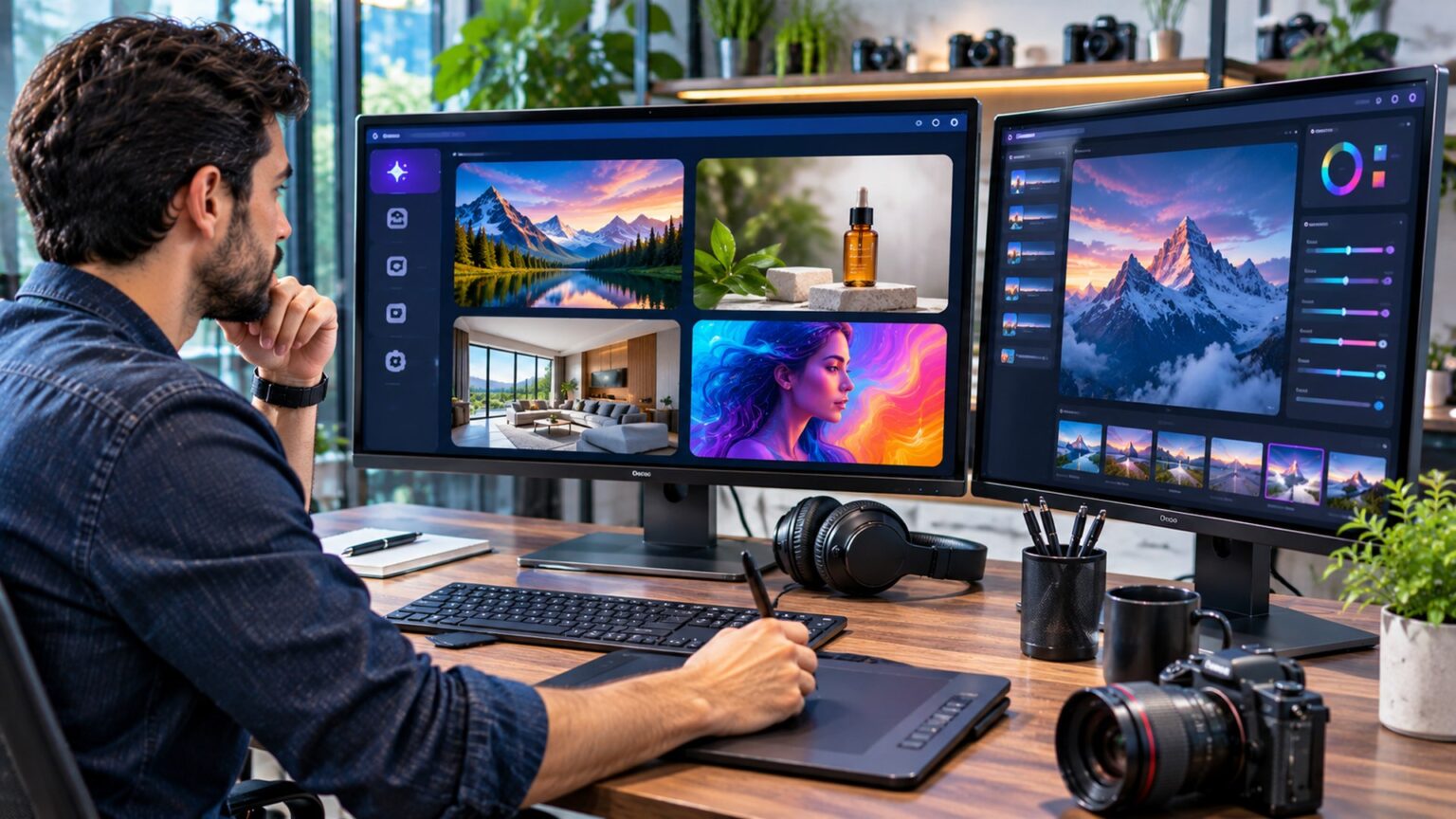
Creating high quality visual content once required advanced design skills, professional equipment, or considerable production time. Today, artificial intelligence offers another way to turn creative ideas into photographs, illustrations, digital artwork, and marketing visuals. An AI Image Creator allows users to describe what they want through written instructions and generate images that reflect those descriptions. Businesses, content creators, designers, and everyday users can explore visual concepts without starting every project from a blank canvas.
However, producing an attractive image is not the same as creating a visual that meets professional requirements. The quality of the result depends on prompt clarity, image composition, the selected generation tool, and the user’s ability to recognize and correct errors.
Understanding how AI image generation works can help users create more relevant visuals, make informed software decisions, and prepare images for websites, marketing campaigns, presentations, and creative projects.
What Is an AI Image Creator?
An AI Image Creator is a digital tool that uses generative artificial intelligence to produce visual content based on instructions, reference images, or a combination of both.
Users typically enter a written description, known as a prompt, explaining the desired subject, environment, style, and composition.
The system interprets these instructions and generates an image using patterns learned during model training.
Depending on the tool, users may create realistic photographs, artistic illustrations, conceptual designs, product scenes, and other types of visual content.
Some platforms also provide image editing, background replacement, object removal, and related capabilities.
How Does AI Image Generation Work?
Image generation systems use machine learning models trained to recognize relationships between visual patterns and descriptive information.
Modern systems may use diffusion based techniques or other generative architectures to produce images.
The technical process varies by model, but the general objective is to generate visual content that corresponds to the supplied instructions.
For example, a user might request an image of a modern home office with natural lighting and minimalist furniture.
The model attempts to generate a scene containing those elements.
The resulting image is not guaranteed to match every detail perfectly. Users may need to refine their instructions or edit the output.
Text to Image Generation Explained
Text to image generation starts with a written prompt rather than an existing photograph.
A user describes the desired visual, and the system produces an image based on that description.
For example, a prompt might describe a professional product photograph of a ceramic coffee cup on a wooden table near a window.
Additional details can specify the lighting, camera perspective, background, and visual style.
The clearer the important requirements, the easier it becomes to evaluate whether the generated result meets the intended purpose.
Why AI Image Creation Is Becoming Useful for Businesses
Visual content supports marketing, education, communication, and digital experiences.
Organizations often need different images for websites, presentations, product concepts, and promotional campaigns.
AI generation can provide another option for creating certain visual assets.
Faster Concept Development
Traditional visual production can involve planning, photography, illustration, editing, and approval stages.
AI tools can help teams explore initial concepts without arranging a complete production process for every idea.
For example, a marketing team may generate several visual directions before selecting one for further development.
This does not eliminate the value of professional designers. It can provide additional material for creative discussion and refinement.
Greater Creative Flexibility
Users can experiment with different environments, colors, subjects, and compositions.
A single concept might be explored as a realistic photograph, watercolor illustration, or three dimensional digital scene.
This flexibility can support brainstorming and early design exploration.
Support for Small Businesses
Small businesses may not have dedicated photography or illustration teams.
AI tools can help prepare conceptual images for blog posts, presentations, and certain promotional materials.
However, businesses should still evaluate output quality, usage permissions, and whether the images accurately represent their services.
Easier Visual Experimentation
AI generation makes it possible to compare different visual approaches before investing in a final design.
Users can test compositions, lighting conditions, and background styles.
A structured review process helps identify which versions best communicate the intended message.
Common Uses of AI Image Creator Tools
Different industries use generated visuals for different purposes.
The most suitable application depends on the required accuracy, quality, and intended audience.
Website and Blog Featured Images
Website publishers frequently need images that support article topics.
A suitable visual can communicate the subject and improve the presentation of a page.
An AI Image Creator can produce topic specific illustrations or editorial style images.
For example, an article about business automation might use a realistic office scene showing employees reviewing digital workflows.
The image should complement the content without suggesting results or events that did not occur.
Social Media Content
Social media creators may need visual assets with different dimensions and styles.
AI image generation can help explore campaign concepts, backgrounds, and themed illustrations.
However, images should fit the intended platform’s technical requirements.
A square design may require a different composition from a vertical story or wide website banner.
Product Concept Visualization
Businesses can use generated visuals to explore ideas for packaging, product environments, or early design directions.
For example, a packaging company might experiment with several presentation concepts before preparing a physical prototype.
Generated visuals should not replace accurate product photography when customers need to see the actual item being sold.
Presentations and Educational Materials
Presentations often benefit from visual explanations of abstract topics.
AI generated illustrations can support discussions about technology, business processes, environmental themes, and other subjects.
The visuals should be checked for technical accuracy before being used in educational or professional contexts.
Creative Artwork and Storyboarding
Artists and media professionals may use AI generation to explore characters, environments, color palettes, and scene concepts.
Storyboarding is one practical application because it allows teams to consider visual arrangements before production.
Consistency between multiple generated scenes may require careful prompting and editing.
How to Write Better AI Image Prompts
Prompt writing is one of the most important skills for using an AI Image Creator effectively.
A useful prompt should communicate the essential elements of the desired image without introducing contradictory instructions.
Start With a Clear Main Subject
The subject is the central focus of the image.
It might be a person, product, building, landscape, animal, or abstract concept.
Instead of requesting a business image, describe a marketing professional reviewing analytics on a laptop.
Specific subject information helps establish what the image should show.
Describe the Environment
The environment provides context.
A professional working in a modern conference room communicates a different message from the same person sitting in a coffee shop.
Useful details may include furniture, architecture, background objects, weather, or the time of day.
Include details that support the purpose of the image.
Avoid filling the prompt with unrelated objects that distract from the main subject.
Choose the Visual Style
AI image generators may support several visual styles.
Common options include realistic photography, digital illustration, watercolor painting, pencil drawing, and stylized three dimensional artwork.
Choose a style that matches the intended audience.
For example, a professional technology article may benefit from realistic editorial photography, while a children’s educational resource may require a friendly illustration.
Specify Lighting and Color
Lighting affects the mood and appearance of an image.
Soft daylight can create a natural atmosphere.
Studio lighting may be appropriate for product photography.
Warm evening light can produce a different visual impression from cool office lighting.
Color instructions can also help establish consistency across a series of images.
Explain the Camera Perspective
Photography oriented prompts can include camera angle, framing, and depth of field.
For example, a close up product photograph emphasizes detail.
A wide angle office scene provides more environmental context.
A slightly elevated perspective may make an organized worktable easier to see.
Composition should support the purpose of the final image.
Define the Image Dimensions
Image dimensions matter when preparing content for specific publishing platforms.
A landscape website image may use a 16:9 aspect ratio.
Square images can be appropriate for certain social posts.
Vertical images may be better suited to mobile oriented content.
Where supported, specify the intended dimensions and aspect ratio before generating the image.
Include Relevant Restrictions
Users can explain which elements should not appear.
For example, a professional editorial prompt might exclude readable text, company logos, watermarks, and unrealistic objects.
Restrictions should be specific enough to guide the result without overwhelming the main instructions.
Practical AI Image Prompt Examples
Different creative tasks benefit from different types of prompts.
The following examples demonstrate how to communicate visual requirements clearly.
Professional Website Featured Image
Create a realistic editorial photograph of a business professional working on a laptop in a modern office. Include large windows, natural daylight, contemporary furniture, and a clean neutral color palette. Use a wide horizontal composition with realistic details and a softly blurred background. No readable text, logos, or watermarks.
This approach is suitable for illustrating a general business technology topic without inventing specific performance claims.
Product Photography Concept
Create a premium studio photograph of a plain reusable water bottle standing on a light stone surface. Use soft side lighting, realistic reflections, balanced shadows, and a minimalist background. Keep the product centered with sufficient negative space around it. No labels, logos, or decorative text.
This example emphasizes product presentation and composition.
Creative Digital Illustration
Create a detailed digital illustration of a quiet coastal village at sunset. Show small houses along a waterfront, warm reflections on the water, distant hills, and a peaceful atmosphere. Use rich natural colors, balanced composition, and an artistic illustrated style.
The instructions establish a recognizable subject, environment, and mood.
Educational Technology Visual
Create a clean conceptual illustration showing a modern computer workstation with interconnected data processing components. Use clear shapes, restrained blue and green colors, and an uncluttered composition suitable for a professional presentation. Avoid readable text, misleading scientific diagrams, and brand identifiers.
This example prioritizes clarity over unnecessary decorative complexity.
AI Image Generation vs AI Image Editing
Image generation and image editing are related but distinct activities.
Understanding the difference helps users choose the correct workflow.
Creating Images From Text
Text to image generation produces a new visual based primarily on written instructions.
It is useful when no suitable original photograph or illustration exists.
The user can describe the scene and generate several variations.
Editing Existing Images
Image editing begins with a supplied image.
Depending on the software, users may change backgrounds, remove objects, adjust styles, or modify selected areas.
This can be useful when an existing image is close to the desired result but needs refinement.
Using Reference Images
Some image creation tools allow reference images to guide composition, appearance, or style.
Reference material can help communicate visual requirements more precisely than text alone.
However, users should have the appropriate rights or permissions to upload and modify reference content.
Maintaining Visual Consistency
Producing several images with the same character, object, or visual identity can be challenging.
Careful descriptions and reference images may improve consistency.
Even so, generated details can change between versions.
Professional projects may require additional editing to maintain a consistent appearance.
How to Create Realistic AI Generated Images
Photorealistic image generation requires attention to details that viewers expect in real photographs.
Use Believable Environments
Realistic environments contain objects arranged in plausible ways.
For example, a professional medical office should have suitable furniture, equipment, and lighting.
Introducing unrelated machinery or impossible architectural details can make the scene less credible.
Maintain Natural Human Proportions
Generated images may contain mistakes involving hands, facial details, body positioning, or interactions with objects.
Users should inspect these areas carefully.
A technically attractive image can still appear unrealistic when basic anatomy or perspective is incorrect.
Avoid Unrealistic Lighting
Lighting should be consistent with the environment.
A scene illuminated by daylight should contain shadows and reflections that match the light direction.
Conflicting lighting conditions may make the image appear artificial.
Keep Technical Details Accurate
Images involving medical equipment, industrial machinery, vehicles, or scientific processes require additional scrutiny.
AI models may create equipment that looks convincing but does not function realistically.
Use accurate reference material when technical detail matters.
Do not present conceptual imagery as documentary evidence.
Choosing the Right AI Image Creator
There is no single image generation platform that is ideal for every creative task.
Users should compare tools based on their specific requirements.
Image Quality and Style Control
Examine whether the platform can produce the visual styles you need.
Some tools may be suitable for realistic photography, while others may offer controls for illustration or graphic design.
Test representative prompts rather than relying only on promotional examples.
Editing Capabilities
A useful platform may provide options for revising selected areas, extending a background, or changing individual objects.
Editing tools can reduce the need to regenerate an entire image after a small mistake.
Supported Image Formats
Check which formats the platform can export.
Common output requirements may include PNG, JPEG, or WebP.
The appropriate format depends on the intended publication method.
Also verify whether the platform supports the required image dimensions.
Prompt and Reference Controls
Consider whether the tool supports detailed prompts, aspect ratio selection, reference images, and repeatable style settings.
These features can improve workflow flexibility.
However, the availability and reliability of specific controls vary by provider.
Commercial Usage Terms
Before using generated images in advertising, client projects, or commercial products, review the platform’s current terms.
Some services distinguish between personal and commercial plans.
Permission to use an output does not automatically mean every generated element is free from third party rights or other legal concerns.
Privacy and Data Handling
A platform may process prompts, uploaded references, and generated content using remote infrastructure.
Users should review applicable privacy terms and available controls.
Sensitive client information or confidential materials should not be uploaded without appropriate authorization.
Free vs Paid AI Image Creation Tools
Both free and paid tools may support useful creative work.
Their differences commonly involve usage allowances, image quality options, processing priority, or advanced features.
Free Image Generation Options
Free access can be useful for learning prompt writing and experimenting with visual concepts.
However, free plans may restrict the number of generations or available tools.
Some services also impose limitations on commercial use or export capabilities.
Paid Subscription Plans
Paid plans may offer additional generation allowances, editing functions, or higher resolution output options.
The actual benefits depend on the provider.
Users should compare the features they need rather than assuming the most expensive subscription is the most suitable.
Credit Based Pricing
Some systems use credits that are consumed when images are generated or edited.
Different operations may require different amounts of credits.
Understand how credits are calculated and whether unused allowances expire.
Evaluating Cost Per Usable Image
The lowest price per generation is not always the most economical option.
A project may require several attempts before the image meets its requirements.
Consider how many usable images the tool produces, the time required for revisions, and any additional editing expenses.
How to Prepare AI Images for Website Publishing
Generating an image is only the beginning of the publishing process.
Website owners should also consider file dimensions, format, size, and accessibility.
Select the Correct Aspect Ratio
A featured image should match the design requirements of the website.
For example, a 1920 × 1080 image provides a wide 16:9 composition.
However, an image generated at another ratio may require cropping.
Cropping should preserve the main subject and avoid removing important details.
Choose JPG or WebP When Appropriate
JPEG is commonly useful for photographic content.
WebP can also provide efficient compression for supported publishing environments.
PNG may be more appropriate when transparency or lossless graphic detail matters.
The best format depends on the visual content and website requirements.
Compress Images Carefully
Large image files can increase page transfer size.
Compression reduces the amount of information needed to store the image.
For a website with a maximum upload limit of 400 KB, users may need to adjust JPEG quality settings or optimize the image before uploading.
A target below the site’s maximum can provide additional margin.
However, compression cannot guarantee that every detailed image will remain visually identical at a small file size.
Inspect the final output for visible artifacts.
Write Useful Alt Text
Alt text provides a textual description of relevant image content for accessibility.
It can also help search engines understand the image’s subject.
A suitable description should explain what the image shows rather than repeat the same keyword unnecessarily.
For example, an image of a designer reviewing several visual concepts could use the description: Digital designer comparing generated images on a computer screen.
Use Descriptive Filenames
Clear filenames can make image libraries easier to manage.
A descriptive name such as ai-image-creator-workspace.jpg is more useful than a random string of characters.
Avoid adding unrelated keywords to filenames.
AI Generated Images for SEO and Content Marketing
Visual content can complement written information and improve the presentation of website pages.
However, image generation does not automatically improve search rankings.
Match Visuals to Search Intent
A useful image should reflect what readers expect from the page.
For example, an article explaining digital marketing analytics may benefit from a relevant professional workstation scene.
A completely unrelated artistic image may provide little contextual value.
Support Content Readability
Images can help separate longer sections and illustrate concepts that are difficult to describe through text alone.
They should support the content rather than distract from it.
Consider Accessibility
Important information should not exist only inside an image.
When an illustration conveys essential facts, provide appropriate explanations in the surrounding text.
Decorative imagery should not be overloaded with unnecessary descriptions.
Avoid Misleading Representations
Generated visuals should not falsely suggest real customer testimonials, documented business results, or actual events.
For instance, a fictional medical scene should not be presented as a photograph of a real patient’s treatment.
Responsible presentation supports credibility.
Copyright and Commercial Use of AI Images
Commercial use and copyright ownership are related but different considerations.
A platform may permit commercial use under its terms without guaranteeing that every output qualifies for copyright protection.
Understand Platform Licensing
Review the terms governing generated content.
Pay attention to restrictions involving commercial activity, uploaded references, prohibited content, and redistribution.
Usage permissions can differ across products and subscription plans.
Consider Human Creative Contribution
Copyright treatment of AI generated material varies by jurisdiction and the nature of the human contribution.
In the United States, human authorship remains an important factor when determining whether expressive material qualifies for copyright protection.
Human created editing, arrangement, or other creative elements may require separate consideration.
Generating an image through a prompt alone does not automatically establish exclusive copyright ownership.
Avoid Third Party Rights Problems
Generated content may sometimes resemble protected designs, recognizable individuals, or existing creative works.
Businesses should review images before commercial publication.
Avoid assuming that every generated visual is free from intellectual property, publicity, or privacy concerns.
Maintain Appropriate Project Records
Professional teams may benefit from retaining prompts, editing history, usage terms, and approval records.
These records can support internal documentation and help clarify how a visual asset was created.
Responsible and Ethical AI Image Creation
Image generation offers creative possibilities, but it also creates responsibilities.
Respect Personal Privacy
Avoid creating or distributing misleading images of real individuals in sensitive situations.
Use appropriate permissions when working with personal photographs or identifiable likenesses.
Prevent Deceptive Visual Claims
Generated images should not be used to fabricate evidence of events, product performance, or professional achievements.
If an image is conceptual, its surrounding presentation should not imply that it documents an actual occurrence.
Review Potential Bias
Generative systems can reproduce stereotypes or limited representations.
Users should examine whether outputs are appropriate for the audience and context.
Protect Confidential Information
Do not enter private business documents, customer records, or restricted photographs into unapproved image generation services.
Sensitive materials should be handled through suitable authorized workflows.
Common AI Image Creation Mistakes
Several problems can reduce the usefulness of otherwise impressive generated visuals.
Writing Vague Prompts
A prompt containing only a broad topic may produce unpredictable results.
Adding the main subject, environment, and composition can improve clarity.
Including Conflicting Instructions
A prompt requesting both a minimal design and an extremely crowded scene may create ambiguity.
Prioritize the most important visual characteristics.
Ignoring Image Composition
Even detailed prompts can produce poorly framed images.
Review subject placement, background clutter, and the amount of empty space.
Trusting Generated Text Without Review
AI systems can still produce incorrect spelling, distorted lettering, or inconsistent typography.
For professional designs requiring exact text, it may be better to add the final wording using a dedicated design application.
Overlooking Small Visual Errors
Hands, reflections, shadows, and repeated objects can contain mistakes.
Inspect the complete image at a useful viewing size before publication.
Assuming Every Image Is Ready for Commercial Use
Check the relevant licensing conditions and image content.
An attractive result may still require editing, approval, or further rights assessment.
A Practical AI Image Creation Workflow
A structured workflow can make image creation more consistent.
Step 1: Define the Purpose
Identify whether the image will support a blog post, advertisement, presentation, or creative project.
Determine what the audience should understand from the visual.
Step 2: Choose the Style
Select a visual approach that matches the subject.
Realistic photography, illustration, and conceptual artwork communicate different expectations.
Step 3: Write the Initial Prompt
Describe the subject, setting, lighting, composition, and required dimensions.
Include essential restrictions.
Step 4: Generate and Review
Inspect the resulting image for relevance, quality, and obvious errors.
Do not evaluate only whether the image looks attractive.
Check whether it meets the actual project requirements.
Step 5: Refine the Visual
Adjust the prompt or use editing features to correct problems.
Focus on specific improvements rather than rewriting every instruction without a clear reason.
Step 6: Prepare the Export
Choose the appropriate format, dimensions, and compression settings.
Check the resulting file on the intended device or website.
Step 7: Complete the Final Review
Confirm visual accuracy, accessibility, commercial permissions, and consistency with the surrounding content.
For professional work, use an appropriate approval process before publication.
The Future of AI Image Creation
Image generation technology continues to develop, with growing attention to editing control, visual consistency, and integration with creative workflows.
More Detailed Editing Control
Users increasingly expect tools that can modify selected parts of an image without changing unrelated elements.
Greater editing control may make AI generation more practical for projects requiring multiple revisions.
Better Consistency Across Images
Creative teams often need several images featuring the same visual identity.
Improved reference handling and consistency controls can help, although careful review remains necessary.
Integration With Design Workflows
AI generation can work alongside traditional illustration, photography, layout, and editing tools.
This combination gives professionals more options for exploring ideas and preparing finished assets.
Continued Importance of Human Judgment
Technology can assist with visual production, but users still need to evaluate accuracy, relevance, rights, and communication quality.
The most valuable workflow combines creative direction with responsible review.
Conclusion
An AI Image Creator provides a flexible way to develop visual concepts, generate artwork, and prepare images for digital projects. Effective results depend on clear prompts, suitable tools, thoughtful editing, and careful quality checks. Businesses and creators should also consider image licensing, privacy, accessibility, and technical publishing requirements before using generated content. By combining AI capabilities with human creative judgment, users can develop visuals that serve practical communication and design goals.
Frequently Asked Questions
What is an AI Image Creator?
An AI Image Creator is a digital tool that uses generative artificial intelligence to produce images from written descriptions, reference pictures, or other supported creative inputs.
Can an AI Image Creator produce realistic photographs?
Yes. Many image generation systems can create photorealistic visuals, although users should inspect anatomy, lighting, reflections, and technical details for errors.
Is an AI Image Creator free to use?
Some platforms provide free access or limited trial allowances, while others require paid subscriptions or usage credits. Features and licensing terms vary.
How can I write better AI image prompts?
Describe the main subject, environment, style, lighting, composition, and required dimensions. Use specific instructions and refine the result after reviewing it.
Can I use AI generated images for commercial projects?
Commercial use may be permitted under the selected platform’s terms, but users should also consider copyright, privacy, and third party rights before publication.
Which image format is best for AI generated website images?
JPG and WebP are often suitable for photographic website images. PNG may be preferable for graphics requiring transparency or lossless detail.
Can an AI Image Creator edit existing pictures?
Some tools support image editing, background replacement, object removal, and other modifications. Available capabilities depend on the platform.
How do I reduce an AI image below 400 KB?
Export the image in a suitable compressed format, adjust the quality setting, and inspect the result. Detailed images may require more compression or smaller dimensions to meet the limit.
