
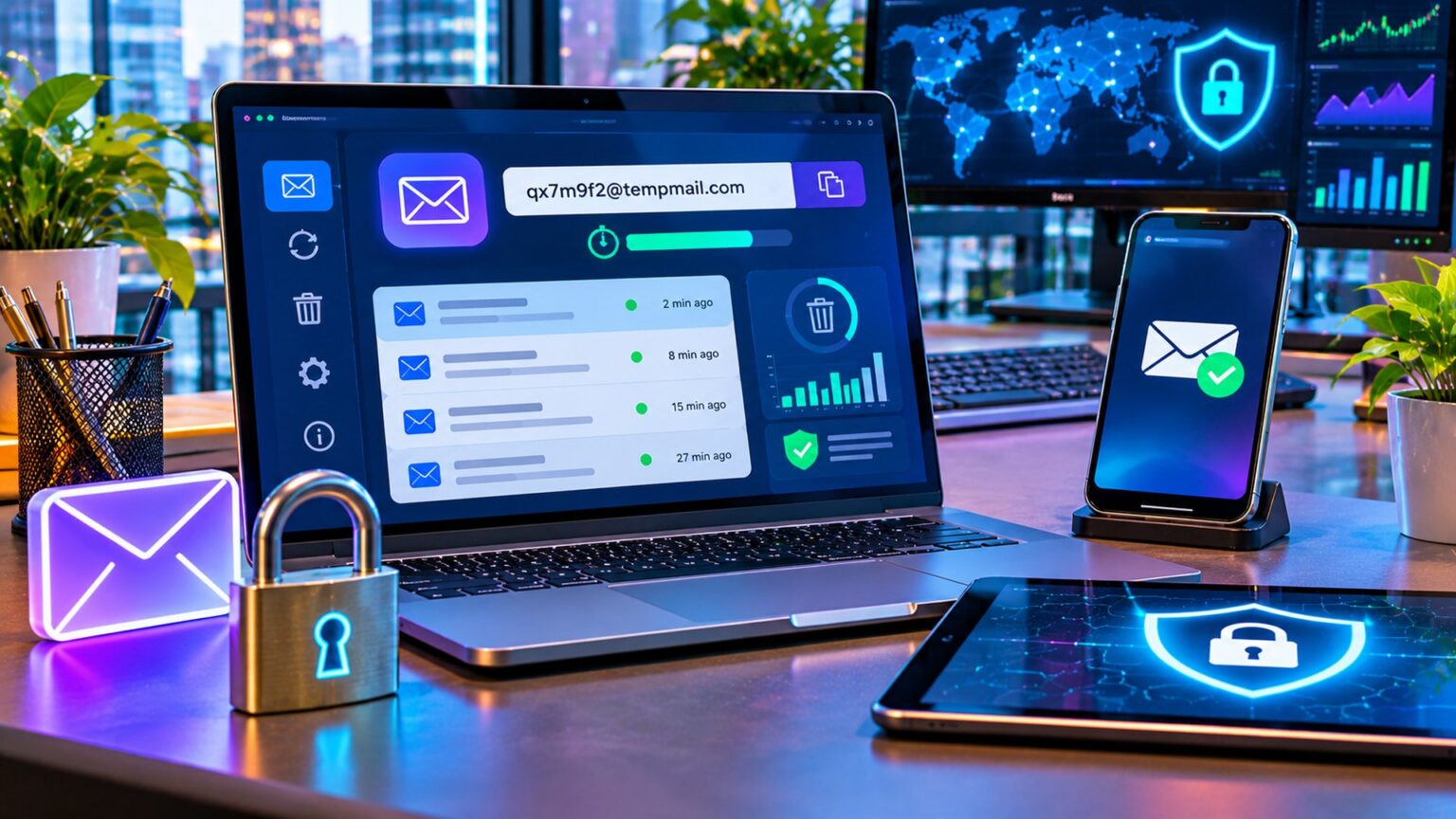
Email addresses have become essential for accessing digital services, subscribing to newsletters, communicating with businesses, and registering for online platforms. However, sharing a primary email address with unfamiliar websites can increase exposure to unwanted promotional messages, unsolicited communication, and potential data breaches. Tempmails provide an alternative by allowing users to receive messages through disposable email addresses without unnecessarily revealing their primary contact information.
Temporary email services are particularly useful for short term communication, authorized software testing, and accessing online resources that do not require permanent account relationships.
Unlike conventional email accounts, disposable inboxes are generally designed for limited use. Their functionality, storage policies, and privacy protections vary according to the selected provider.
This comprehensive guide explores how temporary email technology works, its practical advantages, important limitations, and twenty-six essential tips for managing digital communication more responsibly.
What Are Tempmails?
Tempmails are temporary email addresses designed to receive messages for a limited period or a specific purpose. They are also commonly known as disposable email addresses, throwaway emails, burner emails, and temporary inboxes.
Many temporary email platforms allow users to generate an address without completing a conventional email account registration process.
Incoming messages appear within a browser based inbox or compatible application, where users can review available communications until the address or session expires.
Several independent services operate under names similar to TempMails, so their features and privacy policies should be evaluated individually.
Common Features of Temporary Email Services
Typical features may include:
- Instant email address generation
- Browser based inbox access
- Incoming message notifications
- Automatic inbox expiration
- Temporary message storage
- Randomized email addresses
- Multiple email domain options
- Mobile friendly interfaces
Feature availability depends on the selected platform and its service conditions.
1. Understand How Temporary Email Technology Works
Temporary email providers operate mail receiving infrastructure that accepts incoming communications addressed to supported domains.
When a user generates an address, the platform associates incoming messages with the corresponding temporary inbox.
Messages become accessible through the provider’s interface for a specified period or according to other retention conditions.
Unlike conventional email accounts, these addresses may expire automatically or become inaccessible when a session ends.
Users should understand these limitations before relying on temporary communication services.
2. Protect Your Primary Email Address
One of the primary reasons people explore tempmails is to reduce unnecessary exposure of their personal email addresses.
Sharing a permanent address across numerous unfamiliar websites can increase the amount of unwanted communication received over time.
A disposable address can provide separation between short term online activities and important personal correspondence.
However, protecting an email address does not automatically conceal a person’s identity. Websites may still collect information through browser cookies, account details, IP addresses, and other technologies.
3. Reduce Unwanted Promotional Emails
Marketing newsletters, promotional announcements, and commercial notifications can quickly accumulate within a personal inbox.
Temporary email services may help reduce unwanted messages when used for appropriate short term activities.
Maintain Better Inbox Organization
Separating occasional website interactions from personal correspondence can make important messages easier to locate.
For ongoing newsletters that provide genuine value, a dedicated subscription address or managed email alias may be more practical than an expiring inbox.
Always respect the registration requirements of the website you are using.
4. Choose a Reliable Temporary Email Provider
Not every disposable email platform provides the same level of functionality, transparency, or information protection.
Evaluate the provider’s reputation, privacy documentation, inbox accessibility, and service limitations.
Examine Provider Transparency
A reputable service should explain how it manages incoming messages, how long information remains available, and whether inboxes can be accessed by other individuals.
Avoid providers making absolute security or anonymity promises without supporting technical information.
A professional appearance alone does not establish that an email service is trustworthy.
5. Understand Temporary Inbox Expiration
Temporary email addresses may remain available for minutes, hours, or longer periods, depending on provider policies.
Some services automatically delete messages after a defined interval, while others associate inbox availability with an active browser session.
Check Expiration Conditions
Before using an address, determine how long messages remain accessible and whether the available period can change.
Do not use an expiring inbox for accounts that may require future password resets, security notifications, or important correspondence.
Permanent account relationships require dependable long term email access.
6. Distinguish Public Inboxes From Private Inboxes
Some temporary email platforms provide public or shared inboxes. Other services implement session identifiers, access tokens, or account based controls.
These differences significantly influence communication privacy.
Avoid Confidential Information in Shared Inboxes
A public inbox may allow other individuals to read messages addressed to the same temporary email address.
Never assume that a randomly generated address is accessible exclusively to you.
Review Inbox Access Controls
Check whether authentication is required and whether addresses can be reused by other individuals.
For sensitive communication, choose a trusted permanent email account with appropriate security protections.
7. Use Temporary Emails for Authorized Website Testing
Software developers and quality assurance professionals can benefit from disposable email environments when testing application functionality.
Temporary addresses may help evaluate registration forms, notification delivery, and other communication workflows within authorized systems.
Test Application Email Delivery
Development teams can verify whether test messages are delivered and whether their formatting appears correctly.
However, dedicated email testing environments are generally preferable when projects involve confidential information or unreleased software.
Use synthetic test records rather than real customer information whenever possible.
8. Understand Email Verification Limitations
Many websites require email verification to confirm that users control the addresses supplied during registration.
Disposable addresses may receive these messages when permitted by the relevant website.
However, some platforms restrict temporary email domains to support account security, fraud prevention, and reliable customer communication.
Users should respect these restrictions.
If a service requires a permanent email address, use an appropriate authorized alternative rather than attempting to circumvent its registration requirements.
9. Avoid Using Disposable Emails for Financial Accounts
Financial institutions, payment services, investment platforms, and banking applications require reliable communication channels.
Temporary inboxes are unsuitable for accounts that depend on security notifications, transaction confirmations, identity verification, and long term access.
Losing access to a disposable address could create significant account recovery difficulties.
Prioritize Financial Account Security
Use a trusted permanent email account protected by a strong password and appropriate multifactor authentication.
Monitor important account communications regularly and keep recovery information updated.
10. Protect Important Account Recovery Information
Email addresses frequently serve as account recovery mechanisms.
When users forget passwords or encounter security problems, websites may send recovery instructions to the registered address.
An expired temporary inbox may prevent users from receiving these communications.
Consider Future Account Access
Before registering for an online service, determine whether you may need to access the account again.
For valuable subscriptions, purchased products, professional services, and long term memberships, permanent email addresses or durable aliases are generally more suitable.
11. Avoid Sharing Sensitive Personal Information
Tempmails should not be treated as secure communication channels for confidential documents.
Temporary inbox providers may store or process incoming information differently from conventional email services.
Avoid receiving sensitive materials such as:
- Identity documents
- Medical records
- Financial statements
- Confidential business contracts
- Personal photographs
- Account recovery credentials
The temporary nature of an inbox does not guarantee that information cannot be accessed, copied, logged, or retained elsewhere.
Use communication services appropriate to the sensitivity of the information involved.
12. Understand the Difference Between Privacy and Anonymity
Privacy involves controlling the exposure and use of personal information. Anonymity involves preventing activities from being associated with an identifiable individual.
Temporary email addresses may help protect a primary email address, but they cannot independently guarantee complete online anonymity.
Recognize Additional Tracking Technologies
Websites and service providers may collect browser information, device characteristics, network addresses, and activity records.
Avoid assuming that replacing an email address eliminates every form of digital tracking.
Effective privacy protection requires several complementary practices.
13. Review Temporary Email Privacy Policies
Privacy policies provide important information about how service providers collect, process, store, and share user information.
Before selecting a disposable email platform, review its available documentation.
Identify Important Policy Details
Look for explanations concerning message retention, server logging, third party services, cookies, advertising, and information deletion.
Some providers offer limited information about these practices.
Avoid Unsupported Privacy Assumptions
A platform describing itself as anonymous or secure does not necessarily provide independently verified privacy protections.
Evaluate its documented practices rather than relying exclusively on promotional descriptions.
14. Recognize Phishing and Malicious Emails
Temporary inboxes can receive harmful messages just like conventional email accounts.
Fraudulent communications may contain misleading hyperlinks, malicious attachments, or requests for sensitive information.
Examine Unexpected Messages Carefully
Verify sender information and consider whether the message corresponds to an activity you initiated.
Avoid opening unexpected attachments or providing personal information through suspicious websites.
Disposable email technology does not automatically prevent phishing, malware, or other cybersecurity threats.
15. Compare Free and Premium Temporary Email Services
Many temporary email providers offer free access supported by advertising or limited service functionality.
Premium plans may introduce additional capabilities such as longer retention periods, increased address management options, or account based access.
Evaluate Actual Service Requirements
A basic temporary inbox may be sufficient for occasional legitimate activities.
Users requiring dependable communication over extended periods may benefit from permanent email aliases instead.
Compare privacy practices, access controls, service conditions, and subscription expenses before purchasing additional functionality.
16. Understand Email Aliases as a Long Term Alternative
Email aliases provide alternative addresses that can forward incoming messages to an existing email account.
Unlike short lived disposable inboxes, managed aliases may remain available until the user chooses to disable them.
Benefits of Email Masking
Email masking can help users protect their primary addresses while maintaining access to important communications.
Firefox Relay is one example of a service that generates alternative addresses and forwards eligible incoming messages to a user’s actual inbox.
This approach may be better suited to continuing subscriptions and legitimate online accounts.
17. Compare Temporary Emails With Conventional Email Accounts
Traditional email accounts provide persistent communication environments with features such as message archives, authentication, contacts, and account recovery.
Disposable inboxes prioritize temporary accessibility and limited communication requirements.
Select the Appropriate Communication Method
Use temporary addresses for suitable short term activities that do not involve sensitive information.
Choose conventional email accounts for business communication, financial services, educational institutions, and important personal relationships.
The appropriate choice depends on communication sensitivity, expected duration, and account recovery requirements.
18. Use Separate Email Addresses for Different Activities
Organizing communication across appropriate email addresses can help reduce unnecessary exposure and improve information management.
Individuals may maintain separate addresses for professional communication, personal correspondence, and optional subscriptions.
Businesses can establish dedicated contact addresses for customer support, sales, administration, and technical operations.
This approach provides more dependable communication management than relying entirely on temporary inboxes.
Email aliases may offer additional flexibility without requiring users to maintain numerous independent accounts.
19. Improve Mobile Email Privacy
Smartphones are frequently used for website registrations, application downloads, shopping, and digital communication.
Temporary email services may be accessible through mobile browsers or dedicated applications.
Review Mobile Application Permissions
Before installing a temporary email application, examine its requested permissions and developer information.
A basic inbox application should not require unnecessary access to personal contacts, photographs, or device location.
Download applications through trustworthy distribution channels and keep device security protections enabled.
20. Evaluate Temporary Email Browser Extensions
Some email privacy platforms provide browser extensions that help users generate or manage alternative email addresses.
These extensions can make legitimate online registration activities more convenient.
However, browser extensions may request access to web pages and other browser information.
Choose Trusted Extensions
Review the developer’s reputation, requested permissions, privacy practices, and software maintenance history.
Remove extensions that are no longer necessary or that request disproportionate access to personal information.
Convenience should not come at the expense of browser security.
21. Understand Why Websites Restrict Disposable Email Addresses
Many organizations restrict temporary email registrations because they require reliable account communication and protection against fraudulent activity.
Disposable addresses can create challenges involving account recovery, customer verification, unwanted automated registrations, and service abuse.
Respect Website Registration Policies
If a website rejects a temporary email address, review its registration requirements.
A permanent secondary email account may provide a suitable alternative when permitted.
Businesses establish different communication policies according to their security requirements and operational responsibilities.
22. Use Temporary Email Services Responsibly
Disposable email technology has legitimate applications involving privacy protection, temporary correspondence, and authorized development activities.
However, responsible use requires respecting platform rules and the rights of other individuals.
Avoid using temporary addresses to impersonate others, create fraudulent accounts, distribute unwanted messages, or bypass service restrictions.
Maintain Ethical Online Practices
Choose communication tools that support genuine personal or professional requirements.
Responsible usage helps maintain trust between service providers, customers, and digital communities.
23. Understand Temporary Email Storage Limitations
Many disposable email services provide limited message storage and basic inbox functionality.
Messages may become unavailable after expiration, technical interruptions, or changes to provider policies.
Preserve Necessary Information Appropriately
If a legitimate message contains information needed for future reference, use an appropriate permanent communication method.
Do not rely on a temporary inbox as a document archive or permanent record management system.
Businesses should use approved information storage platforms that satisfy their operational and legal responsibilities.
24. Protect Your Permanent Email Account
Using tempmails may reduce unnecessary exposure of a primary address, but it does not replace conventional email security measures.
A comprehensive email protection strategy should include:
- Strong and unique passwords
- Multifactor authentication
- Updated recovery information
- Regular account activity reviews
- Appropriate spam filtering
- Secure device configurations
- Phishing awareness
These measures can help reduce risks associated with unauthorized account access and suspicious communications.
Review Connected Applications
Remove unnecessary third party access to your permanent email account and investigate unfamiliar login activity promptly.
25. Compare Available Temporary Email Resources
Several independent platforms provide disposable email addresses or related privacy services.
TempMails
Multiple websites use the TempMails name to describe temporary inbox services. Their email domains, retention periods, and access controls may differ.
Review the specific provider’s documentation before use.
Temp Mail
Temp Mail provides disposable addresses intended for short term email reception.
Its functionality and service limitations should be evaluated according to current provider information.
Firefox Relay
Firefox Relay focuses on email masking and message forwarding rather than conventional public temporary inboxes.
It can be an alternative for users who need ongoing communication without publicly disclosing their primary email address.
26. Establish a Sustainable Digital Privacy Strategy
Effective digital privacy requires more than generating temporary email addresses.
Users should consider how websites collect information, how applications manage permissions, and how important accounts are protected.
Minimize Unnecessary Information Sharing
Provide personal information only when it is relevant to a legitimate service requirement.
Review privacy settings and avoid unnecessary account registrations.
Maintain Reliable Communication Channels
Use permanent and appropriately secured email accounts for important relationships.
Reserve temporary communication tools for situations where short term access is genuinely suitable.
Major Benefits of Using Tempmails
Temporary email services can provide practical advantages when used appropriately.
Potential benefits include:
- Reduced exposure of personal email addresses
- Fewer unwanted messages in primary inboxes
- Convenient short term email access
- Support for authorized software testing
- Separation of temporary online activities
- Reduced dependence on permanent secondary accounts
These advantages vary according to provider functionality and individual usage practices.
Temporary email services should complement broader privacy and cybersecurity strategies rather than replace trusted communication infrastructure.
Limitations of Temporary Email Services
Despite their convenience, disposable email platforms introduce several important limitations.
Users may encounter expired inboxes, delayed messages, inaccessible recovery communications, shared inbox exposure, restricted website compatibility, and uncertain retention practices.
Some providers may also experience temporary service interruptions.
Before selecting a disposable address, consider whether losing access to that address could create future difficulties.
For ongoing communication, permanent email accounts and managed aliases generally provide more dependable options.
Are Tempmails Safe to Use?
Temporary email services can be useful for suitable non-sensitive activities, but their safety depends on provider practices and inbox access arrangements.
A public temporary inbox should not be considered confidential. Even a restricted inbox may involve information processing and storage by the service provider.
Users should review privacy policies, avoid suspicious links, and never depend on disposable inboxes for essential accounts.
No temporary email platform should be assumed to guarantee complete anonymity or protection against every cybersecurity threat.
Frequently Asked Questions
What are tempmails?
Tempmails are disposable email addresses designed to receive messages for temporary or specific communication purposes without unnecessarily exposing a primary email address.
Are temporary email addresses free?
Many providers offer free temporary inboxes, while others provide premium features involving longer access periods, address management, or additional controls.
How long does a temporary email address last?
Its lifespan depends on the provider. Some addresses expire within minutes, while others remain accessible for hours or longer periods.
Can tempmails reduce spam?
Yes. Using disposable addresses for appropriate short term activities can reduce unnecessary exposure of your primary inbox to promotional messages.
Can I recover an expired temporary email address?
Recovery depends on provider policies and technical arrangements. Many expired temporary inboxes cannot be reliably restored.
What is the difference between tempmails and email aliases?
Temporary emails generally provide short lived inboxes, while managed email aliases can forward messages to a permanent account until they are disabled.
Conclusion
Tempmails provide a convenient approach to temporary communication, personal inbox protection, and selected online privacy requirements. Their effectiveness depends on choosing trustworthy providers, understanding access limitations, and avoiding sensitive communication. By combining responsible temporary email usage with permanent account security and managed email aliases, individuals can establish a more organized and dependable digital communication environment.
