
AI video has reached an interesting stage. It is no longer only about creating impressive demos or experimental clips. More creators and business teams are now asking a practical question: can AI video help us test ideas faster?
For many teams, the answer is becoming yes.
Not every video needs to begin as a full production. Sometimes a marketer only needs to test a product concept. A social media manager needs a quick visual hook. A founder wants to see whether a landing page idea works better as motion. A creator has a short story beat and wants to know whether it feels strong enough to develop.
This is where lightweight AI video tools are becoming useful. They are designed for speed, short clips and practical creative testing rather than long-form video production.
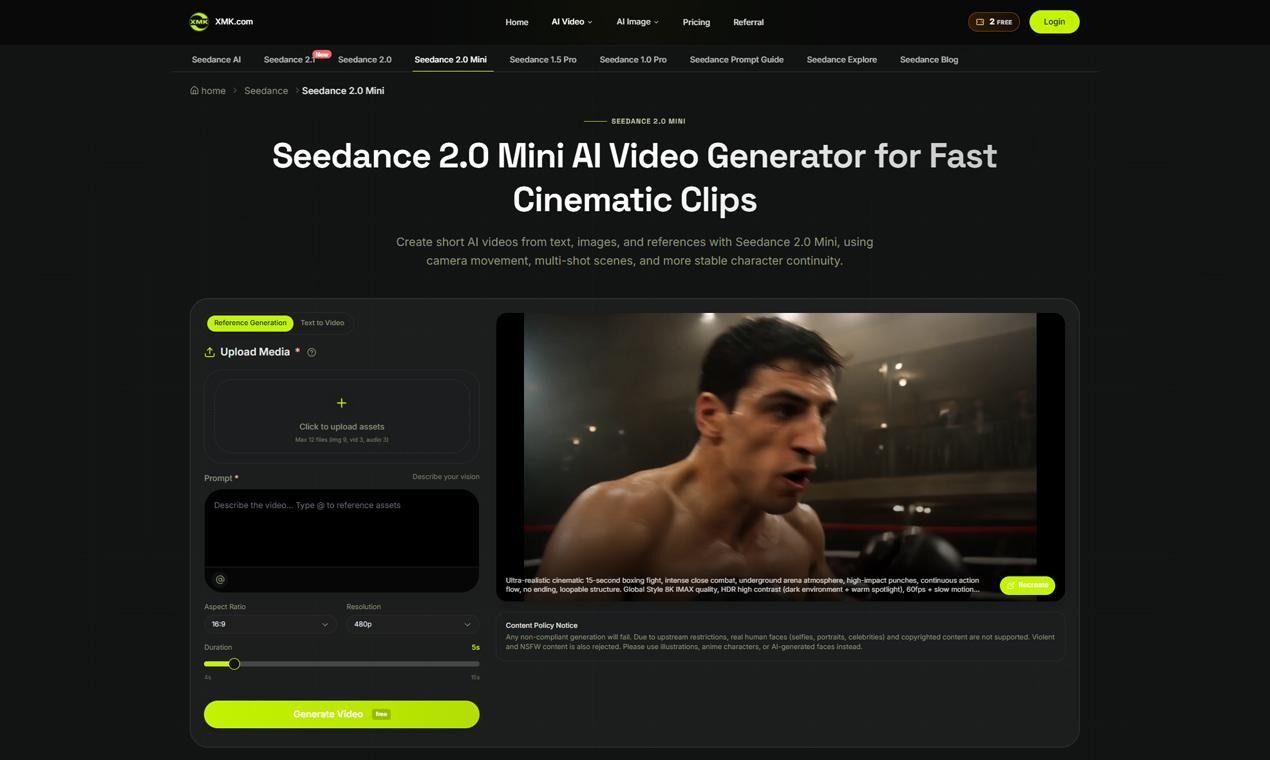
One example is Seedance 2.0 Mini, an AI video generator built for short cinematic clips from prompts, images and references. It focuses on fast text-to-video and image-to-video creation, with support for reference media, camera movement, multi-shot scenes and more stable character continuity.
Why Short AI Video Matters
Short video has become a default format for digital communication. Businesses use it for product teasers, social ads and campaign testing. Creators use it for story ideas, visual hooks and mood clips. Small teams use it to explain products without building a full video from scratch.
The challenge is that even short video can take time.
A 10-second clip may still require a concept, visual direction, camera movement, editing and review. If a team needs to test several ideas, the workload grows quickly.
AI video helps most when it lowers the cost of the first draft. A team can take a product image, write a scene prompt, choose a format and generate a short clip to review. The result may not be the final asset, but it can help the team decide whether the idea is worth developing.
That first draft is valuable because it turns a static idea into something visible.
A Lighter Workflow for Fast Concepts
Seedance 2.0 Mini is positioned as a lighter version of the Seedance video generation experience. The page describes it as a practical tool for short clips, product ideas and concept drafts.
That matters because many content teams do not need a complex workflow for every task. They may only need a fast way to test a scene before deciding whether to invest more time.
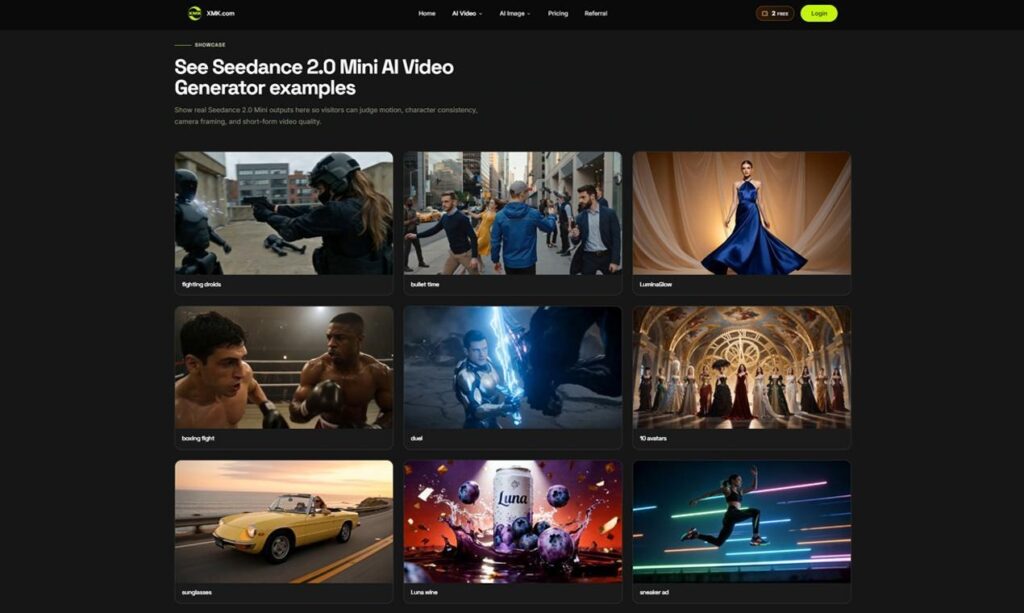
For example, a marketer may want to test a sneaker ad concept. A creator may want a short cinematic scene with a consistent character. A product team may want a visual draft for a launch post. A small business may want a quick social clip based on a product photo.
In those cases, an AI video generator can act like a fast concept board. It helps users see whether the idea has movement, structure and visual appeal before they move to final editing.
Why References Improve the Result
Prompt-only generation can be useful, but it often leaves too much to the model.
If the prompt is vague, the output may look interesting but miss the product, character or style the creator had in mind. Reference media helps reduce that gap.
Seedance 2.0 Mini supports images, video and audio references. A product photo can guide the subject. A visual reference can shape style. A video reference can help with motion. Audio can influence rhythm and atmosphere.
This makes the workflow more practical for business and marketing use. A brand does not usually want a random clip. It wants a clip that connects to an existing product, campaign or visual direction.
Reference-based creation gives the tool more context. It also makes the output easier to review because the team can compare the result against the original asset.
Multi-Shot Scenes Make Short Clips Feel Directed
Short clips still need structure.
A useful product teaser may need an opening shot, a motion reveal and a clear ending. A story clip may need a subject, an action and a transition. A social video may need a hook in the first second and a clean visual beat before it ends.
Seedance 2.0 Mini includes multi-shot video generation, which helps when a clip needs more than one still-like moment. This makes it easier to create short scenes with a beginning, movement and ending.
That is useful for marketers, storytellers and social creators. A short clip does not need to be long to feel intentional. It needs to feel directed.
Camera Movement Is Part of the Creative Input
One reason AI video clips can feel generic is weak camera direction.
If the model only knows the subject, it may not understand how the scene should move. A product reveal may need a slow push-in. A fashion clip may need a tracking shot. A story scene may need a camera pan or a dramatic zoom.
Seedance 2.0 Mini supports camera control prompts for pans, zooms, tracking shots and directed product reveals. This gives creators a simple way to describe how the video should feel in motion.
For business content, that can make a big difference. A product clip with intentional camera movement feels more useful than a static-looking generated scene.
Where Seedance 2.0 Mini Fits Best
Seedance 2.0 Mini is best suited for short-form tasks where speed and visual direction matter.
It can help marketers test ad concepts before a campaign is finalized. It can help ecommerce teams create product idea clips from reference images. It can help creators test short story scenes with repeatable characters. It can help social media teams build quick vertical hooks for posts.
These are not always final-production use cases. They are early workflow use cases.
That is the key point. Seedance 2.0 Mini is most useful when the goal is to create a draft quickly, review it and decide what to do next.
A Practical Workflow
Teams can get better results by using a simple process:
- Start with one short video goal.
- Choose the platform and aspect ratio.
- Upload approved images or reference media.
- Write a concrete prompt with subject, action, camera movement and mood.
- Generate a short draft.
- Review the output for subject accuracy, motion and consistency.
- Adjust the prompt if the result feels off.
This keeps the tool focused on real work rather than random experimentation.
Responsible Use Still Matters
AI video tools should be used carefully, especially when content is public-facing.
Seedance 2.0 Mini includes a content policy notice that real human faces, selfies, portraits, celebrities, copyrighted content, violent content and NSFW content are not supported. The page recommends using illustrations, anime characters or AI-generated faces instead.
That guidance matters. Businesses and creators should use approved assets, avoid misleading content and review outputs before publishing.
Fast creation should not replace good judgment.
The Bigger Shift in Generative AI
Seedance 2.0 Mini reflects a broader shift in generative AI. Tools are becoming more focused, more workflow-friendly and more useful for specific tasks.
Instead of trying to solve every video problem, a lightweight tool can help with a clear job: turning short ideas, product references and visual concepts into quick video drafts.
That is why text to video AI is becoming more relevant for marketers, creators and small teams. It helps them move from an idea to a testable clip without learning a full editing workflow first.
The best AI video tools will not only create more content. They will help teams make faster creative decisions.
