
You are at a coffee shop: You get your coffee, log on to the network and look at your email. Meanwhile, someone nearby could be trying to intercept data sent over the same unsecured network. One of the hidden dangers of using public wi-fi.
Every single day, millions of people log into hotel, café, and airport networks, and they are not always aware of the risks. If networks are not secured and/or protected, hackers can gain access to information or attack devices connected to the network.
Users of public wi-fi are not always aware of the dangers they are placing themselves in. Personal information, including passwords, banking information and personal documents, may be revealed. Fortunately, you don’t have to completely eliminate your use of public Wi-Fi to decrease these risks.
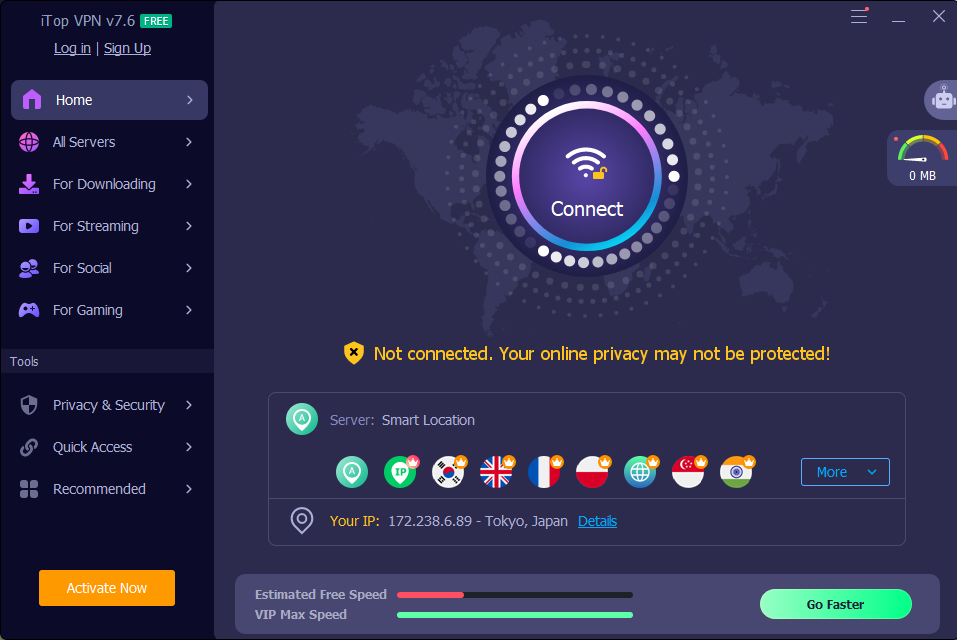
With tools such as iTop VPN, you can browse the internet more privately and securely when using public networks. In this article, we’ll discuss the genuine threats of public Wi-Fi and how iTop VPN can shield your connection as well as sensitive details.
What Makes Public Wi-Fi So Dangerous
Public networks are open by design. Anyone nearby can join them with little effort. This convenience is exactly what makes them risky.
Most public hotspots use weak or no encryption. That means your data travels in plain sight. A skilled attacker on the same network can intercept it easily.
Hotels, restaurants, and coworking spaces rarely monitor every device on their network. This creates the perfect environment for silent attacks.
Common Public Wi-Fi Risks You Should Know
Understanding these risks helps you stay alert. Here are the most frequent threats found on open networks.
- Man-in-the-middle attacks intercept data moving between your device and the network.
- Fake hotspots trick you into joining a hacker-controlled network that looks legitimate.
- Unencrypted traffic lets anyone with basic tools read your information.
- Malware distribution spreads quickly across shared open connections.
- Session hijacking steals login cookies and lets attackers take over your accounts.
How iTop VPN Protects You on Public Wi-Fi
This is where iTop steps in with practical, reliable protection. It wraps your connection in security layers built for real-world threats.
Military-Grade Encryption
iTop VPN encrypts your Internet traffic as soon as you connect. Your information remains encrypted on unsecured networks. Hackers monitoring the same hotspot see only scrambled information.
Kill Switch for Extra Safety
If your VPN connection drops, then your data could be exposed unexpectedly. iTop VPN now lets the Kill Switch instantly stop a specific app’s internet traffic. This prevents leaks during sudden disconnects.
Thousands of Secure Servers Worldwide
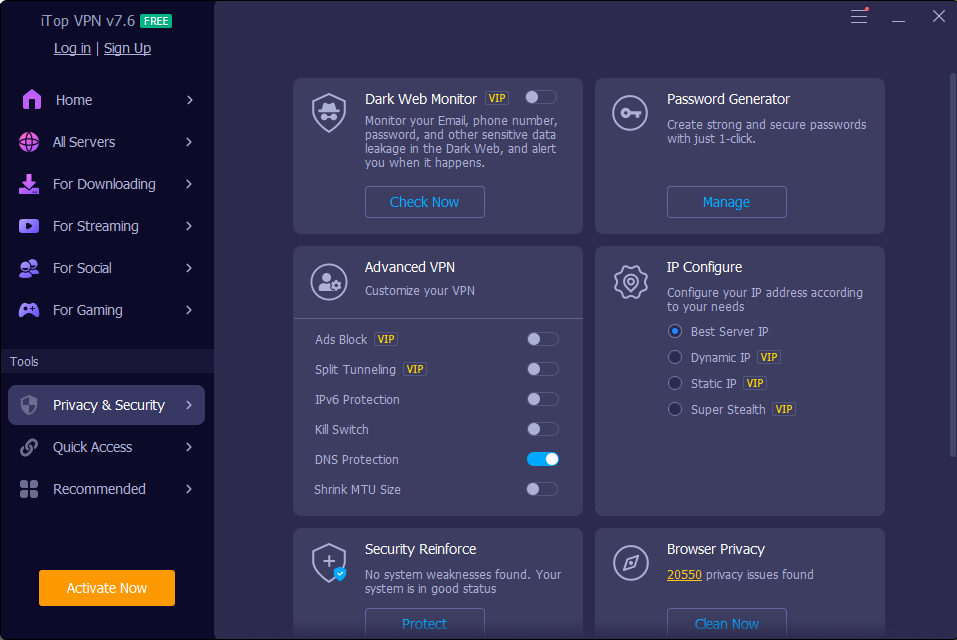
iTop VPN offers over 3200 servers across 100 plus locations. This means faster speeds and more choices for secure browsing. The optimized connection feature also automatically picks the best server for you.
iTop VPN also supports Windows ARM64 devices. Users on Surface or similar laptops now get full protection too. One account supports up to 8 devices at once for complete household coverage.
How iTop VPN Strengthens Your Online Privacy
iTop provides more than just VPN encryption. Its privacy and security features give users extra protection for their personal data, devices, and online browsing.
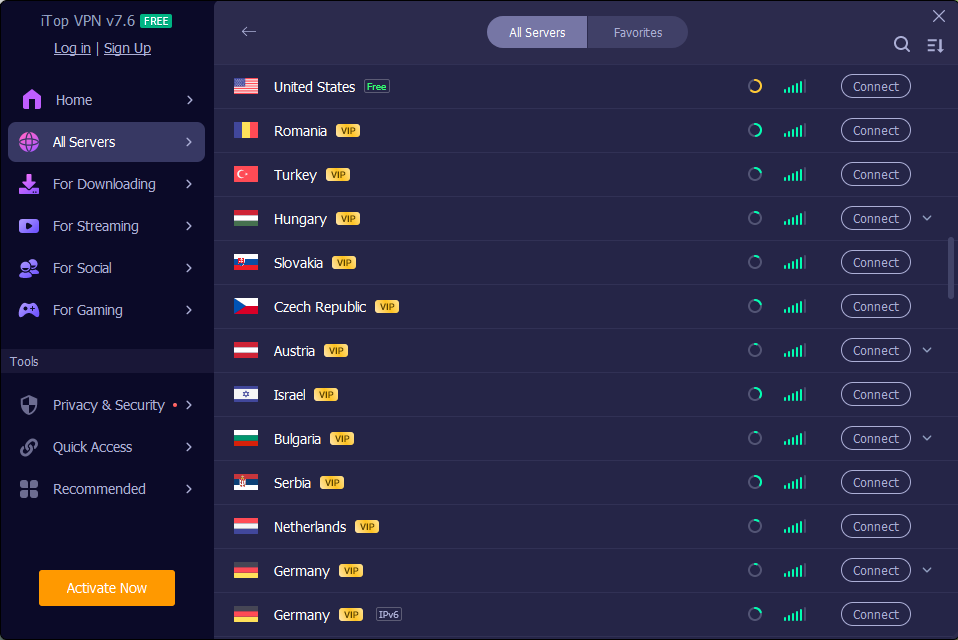
Dark Web Monitor: Scans to see whether your data has been breached and notifies you if it finds sensitive information.
Password Generator: Generates strong, secure passwords with one click, protecting your online accounts from weak passwords.
Security Reinforce: Scans to identify security vulnerabilities and fixes issues that may make your device susceptible to attack.
Browser Privacy: Scans for privacy issues and cleans up problems where websites or trackers may track your online activity.
IP Configuration: Allows you to set your IP address with options like Best Server IP, Dynamic IP, or Static IP.
Advanced VPN: Offers more advanced settings such as ad blocking and split tunneling.
Connect Assistant: Quickly find and connect to a suitable server based on your browsing needs.
Pros and Cons of Using iTop VPN
No tool is perfect for everyone. Here is a balanced look at what iTop VPN offers.
Pros
- Strong encryption keeps data safe on any public network.
- A free version is available at no upfront cost.
- Large server network improves speed and reliability.
- Kill Switch adds an extra safety layer during drops.
- Supports up to 8 devices on one account.
Cons
- Some advanced features require a premium subscription.
- The free plan may have limited server access.
- Very large server list can feel overwhelming for new users.
How to Connect to iTop VPN in 4 Simple Steps
Getting protected takes only a few minutes. Follow these steps before your next coffee shop visit.
- Download and install iTop VPN from its official website to your Windows device.
- Create a free account or log in if you already have one.
- Select a server either through Connect Assistant or by selecting one of the servers that you know you need.
- Turn on Kill Switch in settings so your data stays safe even if the connection drops.
Once connected, your traffic is encrypted end-to-end. You can then browse, stream or work without having to worry about public wifi dangers.
Final Thoughts
Public Wi-Fi networks are great to use but aren’t always secure. Hackers rely on users bypassing the basic protection. A few smart habits change that completely.
iTop VPN gives you strong encryption, a reliable Kill Switch, and thousands of servers worldwide. It adds an extra layer of protection to help keep your data secure on public Wi-Fi.
Do not wait for a data breach to take action. Visit the iTop VPN for Windows page today and download it for free. Protect your passwords, your privacy, and your peace of mind on every network you join.
