
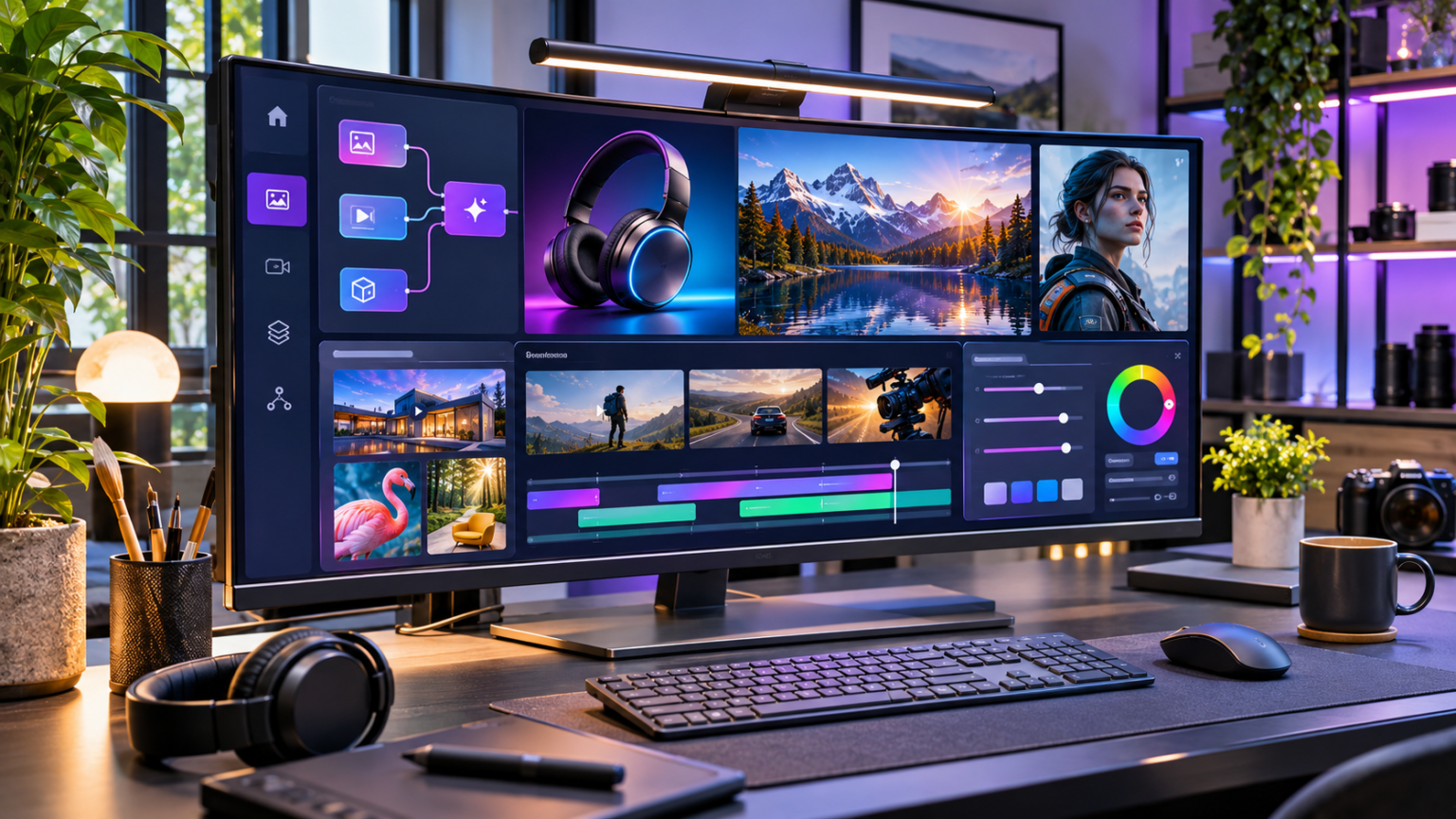
Creating professional digital content often involves more than generating a single attractive image or short video. Creators need to develop ideas, plan visual scenes, maintain a consistent appearance, revise outputs, and prepare finished assets for different audiences. Framia AI brings several of these creative activities into an AI assisted workspace, helping individuals and teams explore image generation, video production, and structured visual workflows. Understanding how to use its capabilities effectively can make the creative process more organised while keeping important decisions under human control.
AI creative platforms have changed how people approach visual production. Tasks that once required separate applications for concept development, image generation, animation, and editing can now be explored through more connected workflows.
However, successful content still depends on thoughtful planning. A powerful generation tool cannot automatically identify the right message, understand every audience preference, or guarantee consistent results.
The most useful approach combines AI generated possibilities with human judgement, clear objectives, and careful quality checks.
What Is Framia AI and How Does It Work?
Framia AI is a multimodal creative platform designed to support different stages of visual content production within a connected environment.
Rather than treating every generated image or video as an isolated task, its creative workspace supports the development of assets through prompts, generation tools, visual workflows, and editing steps.
This approach can be particularly useful when projects require multiple related outputs.
For example, a creator developing a short promotional video might need a concept image, character references, individual scenes, background visuals, and a final edited sequence.
Organising these activities within a structured workflow helps make the relationship between different assets easier to understand.
Understanding AI Assisted Creative Production
AI assisted production begins when a user describes an idea or provides relevant visual inputs.
A generative model interprets those instructions and produces content based on the available information and its underlying capabilities.
The process may involve text instructions, reference images, selected generation models, and various output settings.
Creators then review the results, identify areas needing improvement, and refine the content.
This is an iterative process rather than a guaranteed single step solution.
The Role of a Visual Creative Canvas
A visual canvas helps users organise different elements of a project.
Instead of repeatedly starting from an empty prompt field, creators can connect related steps and develop a more structured production process.
For example, a workflow may begin with a concept description, continue through image generation, and then move toward video creation or editing.
Keeping these stages connected can make revisions easier to manage.
It can also help users understand which inputs contributed to a particular output.
Why Human Creative Direction Still Matters
Generative models can produce many variations, but they do not replace the need for good judgement.
A creator must decide whether the final content matches the intended message, audience, and visual style.
Human review is especially important when images contain products, people, technical details, or information that viewers might interpret as factual.
The platform supplies creative tools. The user remains responsible for deciding how those tools should be applied.
Key Features That Support Modern Content Creation
An important consideration when evaluating a creative platform is whether its available tools support the type of work being produced.
Framia AI focuses on bringing several creative capabilities into one workspace, including image and video generation and workflow organisation.
Its value depends on how effectively these features fit the user’s existing process.
AI Image Generation for Digital Projects
Image generation helps creators develop original visual concepts from written descriptions and other supported inputs.
Possible applications include website illustrations, social media graphics, campaign concepts, product scene mockups, and creative storytelling.
For example, an online retailer preparing a seasonal campaign might explore several background concepts before selecting one suitable for further development.
This allows early visual experimentation without building every concept through a traditional photo production process.
However, generated product visuals should be reviewed carefully.
AI may introduce inaccurate shapes, proportions, materials, or packaging details. These errors matter when consumers expect the image to represent a real item.
AI Video Generation and Scene Development
Video creation involves more variables than static image generation.
A successful scene requires attention to movement, camera position, pacing, composition, and continuity.
AI video generation can support concept exploration, short visual sequences, promotional ideas, and storytelling experiments.
Creators can describe the action they want to see and refine outputs based on the resulting motion and appearance.
For example, a short video concept might show a camera moving slowly around a fictional product display while the lighting changes naturally.
A precise description gives the model a clearer creative direction than a vague request for an impressive commercial.
Access to Different Generative Models
Multimodal creative work may involve different model capabilities.
Some models are suited to producing still images, while others focus on generating moving scenes, interpreting instructions, or supporting audio tasks.
A workspace offering multiple models can help creators experiment with different approaches without necessarily rebuilding their entire project each time.
Nevertheless, output capabilities and available model selections can change.
Users should check current workspace options before relying on a particular model for an important project.
Structured Workflow Creation
Workflow organisation is particularly relevant when producing content that requires several related stages.
A structured process might include concept development, reference generation, scene creation, and final review.
By separating these tasks, creators gain more visibility into where adjustments are needed.
If an image fails to match the desired composition, for example, they can focus on improving that stage rather than reconsidering the entire campaign.
This approach supports repeatable creative habits and makes complex projects easier to manage.
Who Can Benefit From Using Framia AI?
Different creators have different content production requirements.
Some need occasional website graphics, while others regularly prepare advertisements, educational videos, or visual concepts for clients.
An AI creative workspace can support these activities when users clearly define their objectives and maintain appropriate quality standards.
Content Creators and Social Media Managers
Social media creators frequently need fresh visual material for posts, short videos, and campaign experiments.
An organised creative workflow can help them develop multiple ideas around one theme without treating every asset as a completely separate project.
For example, a creator preparing an educational series about sustainable living might develop a consistent visual direction for environmental illustrations, short explanatory sequences, and supporting social media graphics.
The key is to maintain recognisable colours, subjects, and communication styles across the series.
Digital Marketing Teams
Marketing campaigns often require visual material for several audience segments and publishing channels.
A digital marketing team might start with a product concept and explore different visual settings, lighting styles, or compositions.
The resulting ideas can inform campaign development before final production decisions are made.
Framia AI can fit into this process as a creative experimentation environment, but marketers should still evaluate whether generated content accurately represents the advertised product or service.
Small Businesses and Entrepreneurs
Small businesses may not have dedicated teams for photography, motion graphics, and visual design.
AI assisted creation can help business owners explore design ideas and prepare preliminary creative assets without requiring advanced production knowledge.
A café owner, for instance, might develop concepts for a seasonal promotional campaign.
These concepts could guide the selection of photography styles, colour palettes, and video storyboards.
Any final advertisement should still reflect the actual business, products, and customer experience.
Designers and Creative Professionals
Professional designers can also use generative tools during early ideation.
Instead of replacing traditional design expertise, AI can provide visual alternatives that a designer evaluates and develops further.
A creative professional might experiment with composition, lighting, textures, or scene arrangements before moving a selected idea into a detailed design process.
This allows more attention to be directed toward creative decisions rather than manually constructing every initial variation.
How to Use Framia AI for a Creative Project
The most effective way to begin is with a small, clearly defined project.
Attempting to produce a complete campaign without understanding the workspace may lead to unnecessary revisions.
A structured approach makes the process easier to learn.
Step 1: Define the Final Creative Objective
Before opening the creative workspace, decide what you want to produce.
Consider the intended audience, publication channel, main message, and preferred visual style.
For example, the objective might be to create a short promotional video introducing a fictional productivity application.
This is more specific than simply requesting a technology video.
A clear objective provides direction for every later decision.
Step 2: Prepare a Detailed Creative Brief
A creative brief describes the expected outcome.
It may include the subject, environment, audience, mood, composition, and any restrictions.
For a productivity application concept, the brief could describe a professional working at a minimalist desk, natural morning light, calm camera movement, and a modern but realistic office environment.
A useful brief should also explain what must be avoided.
For example, it might prohibit misleading interface features, distorted hands, or unnecessary background objects.
Step 3: Select an Appropriate Workflow
Different creative tasks require different levels of control.
A simple image concept may need only a prompt and generation step.
A promotional video involving several scenes may benefit from a more detailed workflow containing reference images, individual video segments, and editing stages.
Framia AI offers a canvas based approach that can support this type of structured production.
Choose a workflow that reflects the project’s complexity rather than adding unnecessary steps.
Step 4: Generate an Initial Visual Concept
The first output should be treated as a draft.
Review the composition before generating numerous variations.
Ask whether the main subject is clearly visible, whether the lighting supports the intended mood, and whether the image contains distracting elements.
If the result is close to the desired concept, make targeted changes.
Changing too many instructions simultaneously can make it difficult to determine which adjustment improved the result.
Step 5: Refine the Visual Direction
Once a suitable concept emerges, develop the remaining visual details.
This might involve modifying the camera angle, improving the background, adjusting the colour palette, or selecting a different generation approach.
For videos, review movement and continuity as well as appearance.
A visually attractive opening frame does not guarantee that the entire video will remain consistent.
Step 6: Review and Prepare the Final Asset
Before publishing, inspect the completed content at its intended display size.
Look for distorted objects, unnatural motion, unwanted visual elements, and confusing compositions.
For marketing material, confirm that the content accurately represents the message being communicated.
Check export options, file requirements, and applicable usage permissions before distributing the asset.
The final review should be completed by a person who understands the intended audience and purpose.
Writing Better Prompts for AI Image and Video Generation
Prompt quality plays an important role in the creative process.
A useful prompt communicates the intended visual result without overwhelming the model with contradictory instructions.
Longer prompts are not automatically better.
The goal is to provide relevant detail in a logical order.
Describe the Main Subject Clearly
Begin by identifying what the viewer should see.
A weak prompt might request a beautiful modern office.
A more useful description would specify a quiet contemporary office with a wooden desk, laptop, floor to ceiling windows, and soft natural daylight.
The second description gives the model clearer information about the environment and composition.
It also makes the output easier to evaluate against the original idea.
Specify Composition and Camera Perspective
Composition determines how elements appear within the frame.
For still images, creators may specify a close up view, medium shot, overhead composition, or wide establishing scene.
For video content, instructions might describe a slow camera movement, a stationary viewpoint, or a controlled transition between subjects.
Camera instructions should match the purpose of the asset.
A detailed product image may benefit from a stable close view, while a cinematic environment may require a wider perspective.
Use Lighting and Colour to Establish Mood
Lighting affects how viewers interpret a visual.
Bright natural light may communicate openness and clarity, while controlled studio lighting can highlight materials and shapes.
Colour choices can also influence consistency across a campaign.
Creators should describe lighting in practical terms, including direction, intensity, and atmosphere.
A prompt that specifies soft window light from the left is more actionable than one requesting perfect lighting.
Include Practical Restrictions
Negative instructions can help clarify unwanted results.
Common restrictions include avoiding readable text, incorrect product proportions, cluttered backgrounds, and unnecessary logos.
However, restrictive prompts cannot guarantee that every error will disappear.
Users should still inspect the generated content carefully.
Example of a Structured Creative Prompt
Consider a business preparing a conceptual advertisement for a reusable water bottle.
A useful prompt would describe a stainless steel bottle on a natural stone surface, soft morning light, realistic water droplets, neutral background colours, and a close commercial photography composition.
The prompt could also specify that the bottle should remain the central subject and that no brand names or text should appear.
This provides a specific visual objective without introducing unsupported product claims.
Maintaining Visual Consistency Across Multiple Assets
Consistency becomes increasingly important when a project contains several related images or videos.
A campaign may involve the same character, product, colour palette, or environment across multiple scenes.
Small differences can weaken the overall presentation.
Establish Reference Materials
Before creating a series, identify the visual characteristics that should remain consistent.
These might include clothing, facial appearance, product dimensions, background style, lighting, and dominant colours.
Save approved references where the platform’s features and usage rights permit.
These references can guide later generation steps.
For example, an educational animation featuring a recurring fictional instructor should maintain the character’s recognisable appearance throughout the programme.
Build a Consistent Visual Language
A visual language includes the design choices that make content feel connected.
These choices may involve framing, contrast, colours, textures, and movement.
A technology brand might prefer cool neutral colours and uncluttered compositions.
A lifestyle publication might choose warmer lighting and natural environments.
Selecting these characteristics before production reduces unnecessary changes between assets.
Check Continuity Between Video Scenes
Video consistency requires more than repeating the same character description.
Objects should remain in plausible locations, clothing should not change unexpectedly, and actions should follow a coherent sequence.
Motion should also feel appropriate to the scene.
Review each generated segment before combining it with others.
If a scene contains a significant inconsistency, regenerating that portion may be more effective than attempting to hide the problem during editing.
Practical Content Ideas for Framia AI
Creative platforms become more useful when users connect available features to specific communication goals.
Rather than producing images simply because generation is possible, identify a real content requirement.
Develop Product Presentation Concepts
Businesses can explore visual settings for products before organising a final campaign.
For example, a furniture company might test how a chair looks within several interior design styles.
These conceptual images can help teams discuss colour, composition, and intended audience.
However, generated images should not be presented as exact product photographs unless the product’s appearance has been verified.
Create Short Educational Videos
Educators and content creators may use generated visuals to explain simple concepts.
An instructional video about home energy efficiency could combine realistic room illustrations, clear scene transitions, and a carefully prepared narration.
The creative workflow should begin with an accurate script.
Visuals should support the explanation rather than introduce technical details that could mislead viewers.
Experiment With Advertising Concepts
Marketing teams often explore several creative directions before selecting one.
For example, a campaign might test a minimalist product composition against a more lifestyle oriented scene.
Both versions could communicate the same central message through different visual approaches.
Framia AI can support early experimentation, while the final selection should consider audience relevance, brand identity, and actual campaign objectives.
Plan Visual Storytelling Projects
Storytelling requires a consistent relationship between characters, settings, and events.
Creators can begin with a story outline and divide it into manageable scenes.
Each scene should communicate a specific action or emotional development.
Reference images and structured workflows may help maintain continuity, although complex character movement and interactions can still require substantial revision.
Common Challenges When Working With Generative AI
AI assisted creation introduces useful possibilities, but it also has limitations.
Understanding those limitations helps users establish realistic expectations.
Unexpected Visual Details
Generated images may contain misplaced objects, incorrect shadows, unusual anatomy, or inaccurate materials.
These errors can occur even when the written instructions appear clear.
Review the image closely rather than judging it only from a small preview.
If a specific object is incorrect, focus revisions on that issue.
Inconsistent Motion in Generated Videos
AI generated motion can sometimes appear unnatural.
Objects may change shape, camera movement may become unstable, or the relationship between consecutive frames may lose consistency.
Simplifying the action can help.
For example, a slow camera movement around one stationary subject may be easier to control than a scene involving multiple people performing complex actions.
Difficulties With Complex Instructions
A prompt containing many unrelated requirements can produce unpredictable results.
Break complicated projects into smaller stages.
Generate important elements separately when appropriate, then combine them through a structured workflow.
This approach makes it easier to identify problems and refine individual components.
Time and Resource Management
AI generation can involve processing time, usage credits, and repeated attempts.
The cost of a creative project may therefore depend on more than the number of final assets.
Users should consider how many revisions are likely to be required and whether the platform’s available plans support their production needs.
A carefully planned workflow can help limit unnecessary attempts, although it cannot eliminate all experimentation.
How to Evaluate Framia AI Before Choosing a Plan
Choosing an AI creative platform should begin with practical requirements rather than marketing language.
A suitable service needs to support the type of content being created and the level of control the user expects.
Review the Available Creation Tools
Determine whether image generation, video generation, editing tools, and workflow controls meet your needs.
Consider whether your work involves simple standalone graphics or projects containing several connected creative stages.
The more complex the project, the more important workflow organisation may become.
Check Output and Export Requirements
Different publishing channels require different dimensions, formats, and quality settings.
Before selecting a platform, confirm whether the available output options match your intended use.
For example, a website featured image generally requires different dimensions from a vertical social media video.
If the project involves commercial publication, review the applicable content usage and licensing terms.
Understand Pricing and Usage Limits
Generation platforms may use subscriptions, credits, or other usage based arrangements.
Features, model access, output resolution, and generation limits can vary.
Review the current terms before purchasing.
Consider not only the advertised price but also how many generation attempts and revisions a typical project might require.
Evaluate the Learning Curve
A simple generation interface may be sufficient for occasional creative tasks.
More advanced workflows may offer additional control but require greater familiarity with the platform.
Beginners should start with manageable projects and explore complex features gradually.
The most useful platform is one that fits the creator’s actual working style.
Responsible Use of AI Generated Visual Content
Responsible content creation is essential when generated visuals may influence consumer decisions or represent real people.
The ability to generate realistic media does not automatically establish that the media is suitable for every purpose.
Respect Copyright and Usage Rights
Before uploading reference materials, confirm that you have the necessary rights to use them.
This is especially important when working with photographs, illustrations, branded assets, or commercially protected material.
Users should also review the platform’s terms concerning generated outputs and commercial use.
Where rights are uncertain, obtain permission or choose appropriately licensed alternatives.
Avoid Misleading Visual Representations
Generated images should not be used to falsely represent real events, completed projects, or product capabilities.
For example, an AI generated image of a renovated property should not be presented as evidence that a contractor completed the work.
Likewise, a fictional product demonstration should not imply that unverified features actually exist.
Clear communication protects both audiences and content publishers.
Protect Personal Information
Avoid uploading sensitive personal information unless doing so is necessary, authorised, and consistent with the platform’s privacy practices.
This includes confidential business documents, private photographs, and identifiable information about other people.
Understand how uploaded materials may be processed before sharing them.
Keep Human Review in the Production Process
Human review helps identify factual errors, visual inconsistencies, accessibility issues, and inappropriate content.
A useful approval process should examine technical quality and communication accuracy separately.
A visually polished image may still be unsuitable if it gives viewers the wrong impression.
Building a More Efficient Creative Workflow
Better results do not necessarily come from generating more content.
They often come from making clearer decisions at each stage.
An efficient workflow separates planning, experimentation, revision, and publication.
Organise Projects Around Deliverables
Begin by identifying the required finished assets.
A campaign might need a website banner, a landscape promotional video, and several social media visuals.
Define the dimensions and purpose of each asset before generating content.
This helps prevent creating attractive material that cannot be used in the intended format.
Save Useful Prompt Patterns
When a prompt consistently produces results close to the intended style, preserve its structure for future projects.
A reusable prompt pattern might contain sections for subject, background, lighting, composition, and restrictions.
Adapt those elements to new topics rather than repeating identical prompts across unrelated campaigns.
This creates consistency without making every output look the same.
Use a Clear Revision Process
Review generated content against the original brief.
Identify the most important problem and address it first.
For example, if a product’s shape is inaccurate, correct that issue before spending time adjusting minor background details.
A clear order of priorities helps avoid unnecessary revisions.
Measure Results After Publication
Once content is published, assess whether it fulfils its intended purpose.
For website graphics, consider relevance, readability, loading performance, and whether the visual supports the article.
For marketing videos, examine appropriate engagement and conversion measures while recognising that outcomes depend on many factors.
Performance feedback can guide future creative decisions.
The goal is not simply to produce more assets but to create content that serves a meaningful purpose.
Final Thoughts
Framia AI offers an approach to creative production that brings image generation, video development, and workflow organisation into a connected environment. Its practical value depends on how thoughtfully users prepare prompts, manage visual consistency, and review their results. By combining structured planning with human creative direction, individuals and businesses can explore new content ideas while maintaining accuracy, responsible publishing practices, and a recognisable visual identity.
6. Frequently Asked Questions
What is Framia AI used for?
Framia AI is a creative platform used for AI assisted image generation, video creation, and visual workflow development. It can support projects such as promotional visuals, digital content, and storytelling concepts.
Can beginners use Framia AI without design experience?
Yes, beginners can explore prompt based creative tools without advanced design experience. Starting with simple projects helps users understand generation settings, visual quality, and revision techniques.
Does Framia AI support both image and video creation?
Yes, the creative workspace supports image and video generation. Available models, editing features, and output options may vary depending on the current platform configuration.
Is Framia AI suitable for marketing content?
It can be useful for developing campaign concepts, product visuals, and short promotional content. Marketing teams should review final assets for factual accuracy, brand consistency, and appropriate usage rights.
How can I improve results when using Framia AI?
Write specific prompts, describe the subject and composition clearly, establish consistent visual references, and review generated outputs. Make targeted revisions rather than changing every instruction simultaneously.
Can Framia AI help maintain consistent characters across videos?
Reference materials and structured workflows can help guide consistent character appearances. However, users should inspect individual scenes because AI generated characters and details may still change unexpectedly.
Is Framia AI free to use?
Framia has advertised a free starting option, but available features, generation credits, and subscription conditions can change. Review the current plan details before beginning a large project.
What should I check before publishing AI generated content?
Verify visual quality, factual accuracy, copyright permissions, commercial usage terms, and any necessary disclosures. Make sure the final content does not misrepresent products, people, or real events.
