
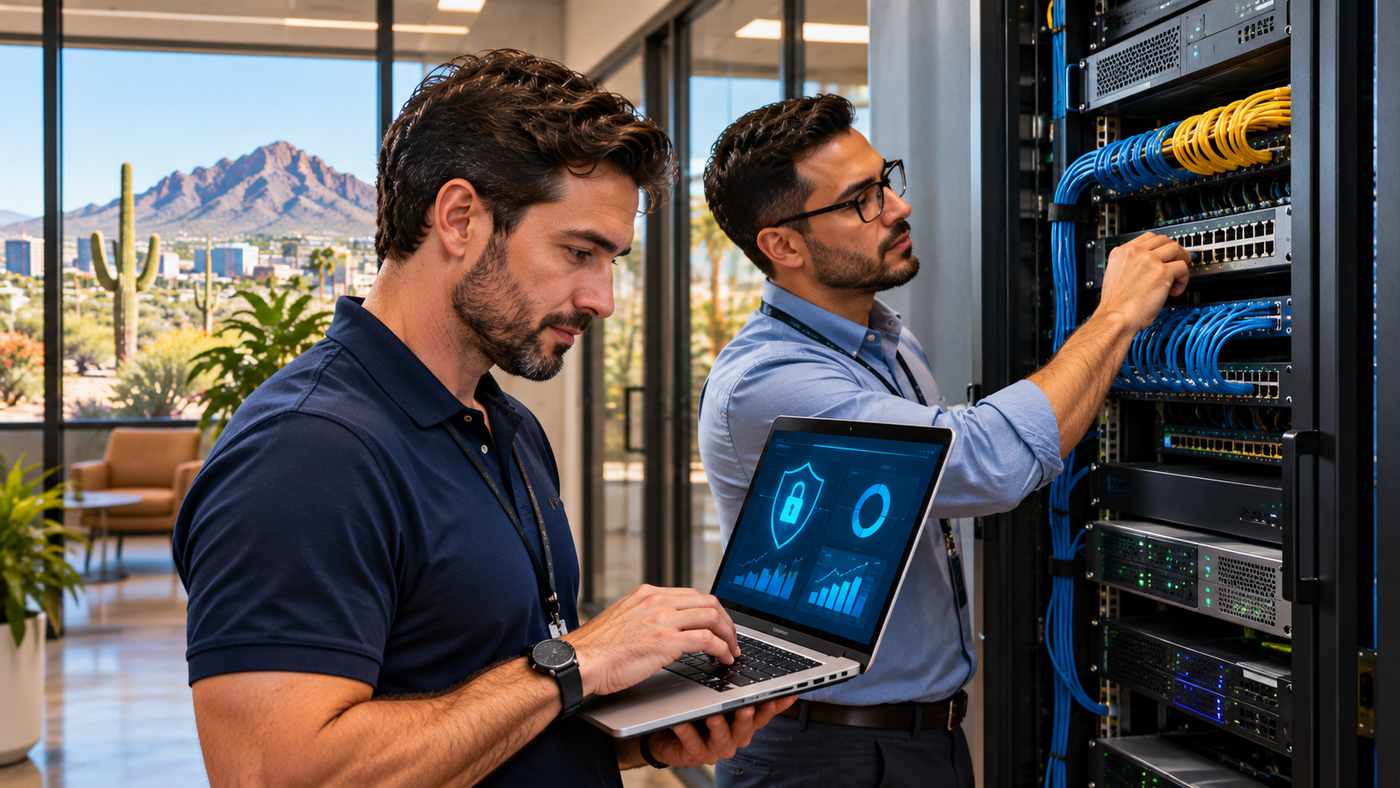
Technology plays an essential role in nearly every modern business. From customer communication and inventory management to cloud applications, financial systems, and cybersecurity, organizations depend on reliable technology to maintain daily operations. For companies operating in Arizona, choosing professional IT Support Phoenix services can help reduce technical disruptions, strengthen data protection, and build a more dependable technology environment.
Phoenix has a diverse business community that includes manufacturers, distributors, insurance agencies, professional service providers, retailers, and growing technology companies. Although these organizations operate in different industries, they share many of the same technical challenges.
Unexpected server failures, slow networks, outdated software, phishing attacks, and data loss can interrupt productivity and create significant operational costs.
Small and medium-sized businesses may face additional difficulties because they do not always have sufficient internal resources to manage complex IT infrastructure.
Managed IT support provides an alternative approach by combining technical assistance, proactive monitoring, cybersecurity, cloud services, and ongoing maintenance.
Rather than contacting a technician only after something stops working, businesses can establish a structured support arrangement that identifies and addresses many issues before they become serious disruptions.
This guide explores the benefits of professional IT support, essential managed technology services, cybersecurity considerations, and seven practical ways Phoenix businesses can build more reliable IT operations.
What Is IT Support for Phoenix Businesses?
IT support refers to professional technical services that help organizations maintain, troubleshoot, secure, and improve their technology systems.
These services can cover computers, servers, networks, business applications, cloud platforms, communication tools, and connected devices.
The exact scope depends on the company’s requirements and its agreement with the service provider.
Understanding Business IT Support
Business IT support differs from basic residential computer repair.
A company may operate dozens or hundreds of connected devices that depend on shared infrastructure.
Employees may need access to customer databases, accounting applications, manufacturing software, inventory platforms, and internal communication systems.
When one important component fails, several business processes can be affected.
Professional support helps organizations understand these dependencies and develop appropriate maintenance procedures.
Remote IT Support
Remote support allows technicians to investigate and resolve certain technical problems without physically visiting the workplace.
Examples include software configuration, account access issues, application troubleshooting, and selected security updates.
Remote assistance can be useful when employees work from several locations.
However, remote support requires secure access methods and appropriate authorization.
Onsite IT Support
Some technical problems require direct access to physical equipment.
These situations may involve server hardware, network cabling, wireless infrastructure, or malfunctioning devices.
Onsite assistance allows technicians to inspect and repair equipment at the business location.
A suitable support arrangement should explain when onsite service is available and how it is scheduled.
Managed IT Services vs. Traditional Break-Fix Support
Businesses commonly encounter two approaches to technology support.
The first is reactive break-fix assistance.
The second is an ongoing managed IT service arrangement.
Traditional Break-Fix IT Support
Under a break-fix model, a company requests technical assistance when something stops working.
The provider investigates the issue and charges according to the agreed service arrangement.
This approach may suit organizations with limited technology requirements or infrequent support needs.
However, it can create uncertainty when recurring problems interrupt operations.
Managed IT Services
Managed IT services involve ongoing responsibility for agreed technology functions.
Depending on the contract, services may include continuous monitoring, software updates, endpoint management, cybersecurity controls, help desk assistance, and strategic technology planning.
The goal is to maintain a more reliable operating environment.
Why Proactive Management Matters
A proactive service provider can identify certain warning signs before they become major incidents.
For example, monitoring may reveal low storage capacity, repeated hardware errors, or an unsuccessful backup process.
Addressing these issues early may prevent avoidable disruption.
However, no managed service arrangement can guarantee that every technical failure or security incident will be prevented.
7 Powerful Benefits of Professional IT Support Phoenix Services
Businesses invest in managed technology services for different reasons.
Some need stronger cybersecurity, while others want better network reliability, more predictable expenses, or support for business expansion.
The following seven benefits explain how professional IT management can contribute to daily operations.
1. Improve Business Productivity and Reduce Disruptions
Technology problems can interrupt employees across multiple departments.
A slow computer may delay a single task, while a server outage can affect an entire organization.
Professional IT support helps businesses maintain equipment and resolve technical problems more efficiently.
Preventive System Maintenance
Preventive maintenance may involve reviewing software updates, monitoring hardware conditions, checking storage capacity, and identifying recurring errors.
The objective is to reduce avoidable technical problems.
For example, a business may discover that an important server is approaching its storage limit.
Correcting the issue before capacity is exhausted can prevent certain application interruptions.
Faster Technical Assistance
A structured help desk allows employees to report technical problems through an established process.
Support teams can categorize requests, assess urgency, and assign them to suitable technicians.
A clearly defined process can reduce confusion about whom employees should contact.
Supporting Everyday Workflows
When technology performs reliably, employees can focus on their main responsibilities.
Manufacturing staff can access production systems, insurance professionals can use agency management software, and office employees can collaborate through approved applications.
Productivity improvements should be evaluated through actual operational performance rather than assumed from the presence of IT software alone.
2. Strengthen Cybersecurity Against Modern Threats
Cybersecurity is a major responsibility for organizations of every size.
Businesses may face phishing emails, malicious software, ransomware, unauthorized account access, and other threats.
Small companies should not assume that they are too insignificant to attract cybercriminal attention.
Multifactor Authentication
Multifactor authentication adds an additional verification requirement when users access protected accounts.
For example, an employee may need both a password and an approved authentication method.
The National Institute of Standards and Technology recommends multifactor authentication as an important small business security measure.
Where possible, phishing-resistant authentication methods provide stronger protection against certain credential theft attacks.
Endpoint Protection
Endpoints include laptops, desktop computers, mobile devices, and other connected equipment.
A business may use endpoint security software to identify suspicious activity and support threat detection.
However, the presence of security software does not eliminate the need for regular updates and proper access controls.
Patch Management
Software vulnerabilities can create opportunities for attackers.
Patch management involves identifying, testing, and installing relevant updates.
The Cybersecurity and Infrastructure Security Agency recommends prioritizing known exploited vulnerabilities and maintaining an organized software update process.
Businesses should also consider how updates affect critical applications before deploying them broadly.
Employee Security Awareness
Cybersecurity is not solely a technical responsibility.
Employees should understand how to recognize suspicious messages, protect account credentials, and report potential incidents.
Training can reduce certain human-related risks when it is practical and reinforced regularly.
Continuous Security Improvement
Cybersecurity requires ongoing attention.
Organizations should review new threats, changing technology requirements, and the effectiveness of existing controls.
A professional managed IT provider may help coordinate these activities.
3. Protect Important Data With Backup and Disaster Recovery
Business data is an essential operational asset.
Customer records, financial files, inventory information, employee documents, and application databases may be difficult or impossible to recreate after a serious incident.
A structured backup and recovery strategy can reduce the consequences of data loss.
Understand the Difference Between Backup and Recovery
A backup is a separate copy of information that can be used when original data becomes unavailable.
Disaster recovery involves the broader process of restoring systems and business operations after a significant disruption.
Simply creating backups does not guarantee that an organization can recover quickly.
Restoration procedures must be designed and tested.
Protect Against Ransomware
Ransomware can encrypt or otherwise disrupt access to important data.
Some attacks may also involve information theft.
Businesses should maintain appropriately protected backups and avoid relying exclusively on storage connected to the main production network.
CISA recommends backup arrangements that reduce the risk of attackers damaging both operational systems and recovery copies.
Establish Recovery Objectives
Two important planning concepts are Recovery Time Objective and Recovery Point Objective.
Recovery Time Objective, or RTO, describes the target period for restoring a service following a disruption.
Recovery Point Objective, or RPO, describes the maximum acceptable amount of data loss measured in time.
The appropriate objectives depend on the importance of the business system.
Test Backup Restoration
Backup testing helps organizations determine whether recovery information is complete and usable.
A system may report successful backups even when certain files or configurations are missing.
Periodic restoration exercises help identify these problems before an actual emergency.
4. Improve Network Reliability and Performance
Business networks connect computers, servers, printers, wireless devices, cloud services, and other equipment.
Network problems can affect several employees simultaneously.
Professional IT support can help maintain reliable connectivity and appropriate network security.
Network Monitoring
Network monitoring systems may identify connectivity failures, unusual traffic, hardware problems, or performance issues.
Alerts allow technicians to investigate relevant changes.
Monitoring can support faster detection, although its effectiveness depends on configuration and coverage.
Wireless Network Management
Reliable Wi-Fi is important in offices, warehouses, and other business environments.
A wireless design should consider building layout, interference, access point placement, and connected device requirements.
For example, a distribution warehouse may require coverage across large areas with shelving and moving equipment.
A design suitable for a small office may not work effectively in the same environment.
Network Segmentation
Network segmentation separates systems into defined areas according to security and operational requirements.
For example, a business may separate guest Wi-Fi from internal corporate systems.
A manufacturing company may also require additional separation between office technology and operational equipment.
The appropriate design depends on business workflows and technical risks.
Capacity Planning
As a business expands, the number of users, devices, and applications may increase.
IT planning should account for expected network demand.
This helps avoid purchasing unnecessary equipment or discovering too late that existing infrastructure cannot support growth.
5. Support Cloud Technology and Hybrid Work
Cloud services allow organizations to access certain applications, storage, and computing resources through network-connected platforms.
They can support business flexibility when correctly configured and managed.
Cloud-Based Collaboration
Businesses may use cloud email, shared documents, communication platforms, and customer management systems.
These tools can help employees collaborate across different locations.
However, convenient remote access must be combined with appropriate account security and permission management.
Cloud Migration
Cloud migration involves transferring applications, information, or infrastructure to a different environment.
A successful migration requires understanding existing systems and dependencies.
Some applications can be moved with limited modification, while others require redesign or additional integration work.
Hybrid IT Infrastructure
Hybrid environments combine cloud services with local infrastructure.
For example, a manufacturer might retain certain operational systems onsite while using cloud applications for collaboration and reporting.
The right arrangement depends on performance, security, regulatory, and cost considerations.
Secure Remote Access
Employees working remotely need appropriate access to authorized resources.
Secure identity controls, device protection, and well-configured access methods can reduce the risk of unauthorized entry.
Remote access should not be implemented through unnecessarily exposed administrative services.
6. Create More Predictable IT Costs
Technology expenditure can vary when organizations depend entirely on emergency repairs and unplanned equipment replacements.
Managed services may help businesses create a more structured budget.
Understanding Monthly Service Agreements
Many managed IT providers use recurring service agreements.
These may cover specified monitoring, maintenance, support, and security activities.
However, not every expense is necessarily included.
Hardware purchases, software licensing, major projects, and certain onsite services may involve additional charges.
Compare Total Technology Costs
An organization should consider more than the monthly support fee.
Relevant expenses may include employee time, hardware replacement, software subscriptions, cybersecurity tools, backup services, and downtime-related costs.
The correct comparison depends on the company’s existing infrastructure.
Prevent Avoidable Emergency Spending
Proactive maintenance can help identify certain equipment problems before failure.
This may allow businesses to schedule replacements instead of relying on emergency purchases.
However, some failures are unpredictable.
Budget planning should include appropriate contingency arrangements.
Plan Future Investments
Strategic IT support can help businesses anticipate equipment upgrades and software transitions.
A technology roadmap can identify expected expenses and priorities over the coming years.
This improves financial planning and helps prevent repeated short-term decisions.
7. Access Specialist Technology Expertise Without Building a Large Internal Team
Many small and medium-sized organizations cannot justify employing separate specialists for every technology discipline.
A business may need help with networks, cloud infrastructure, cybersecurity, desktop support, and data recovery.
Managed IT services can provide access to different technical capabilities through a coordinated arrangement.
Help Desk Professionals
Help desk technicians assist employees with everyday technical problems.
These may include login errors, application issues, connectivity problems, and device configuration.
Network and Infrastructure Specialists
Infrastructure professionals support servers, networking equipment, storage, and related systems.
They may also assist with upgrades and reliability planning.
Cybersecurity Specialists
Security professionals evaluate vulnerabilities, access controls, monitoring processes, and incident response arrangements.
The scope of support depends on the provider’s actual capabilities.
Strategic IT Consulting
Some managed service providers offer virtual Chief Information Officer services, commonly called vCIO services.
These involve helping business leaders align technology decisions with operational goals.
Relevant activities may include budgeting, project planning, risk assessment, and evaluating new systems.
A strategic approach can be especially useful when businesses are expanding or replacing aging technology.
IT Support for Phoenix Manufacturing and Distribution Companies
Manufacturing and distribution businesses often depend on technology systems that support physical operations.
These may include inventory platforms, production planning applications, warehouse systems, and customer order processing.
Technical disruptions can affect more than office productivity.
Manufacturing Technology Requirements
Production-related systems may require reliable network connections and access to specialized applications.
Unexpected outages can interrupt scheduling, reporting, and coordination.
IT support should account for the operational importance of these systems.
Inventory and Warehouse Management
Distribution companies may use barcode scanners, warehouse management software, shipping systems, and other connected devices.
A network outage could delay product movement or order processing.
Businesses should evaluate wireless reliability, equipment maintenance, and recovery procedures.
Operational Technology Security
Some manufacturers operate industrial control systems or connected production equipment.
These systems may have different maintenance and security requirements from ordinary office computers.
Changes should be planned with appropriate operational and engineering oversight.
Industry-Specific IT Experience
A managed provider familiar with manufacturing environments may better understand the consequences of operational interruptions.
WTC identifies manufacturing and distribution as important industries within its Phoenix service offering.
Its website also describes specialized support for companies operating in the fastener industry.
These services can be relevant to organizations looking for technology assistance that reflects their operational requirements.
IT Support for Phoenix Insurance Agencies
Insurance agencies frequently rely on specialized software to manage client records, policies, communication, and business workflows.
Their technology requirements can include system availability, information security, and integration with third-party platforms.
Agency Management Software
Insurance organizations may use agency management systems to organize customer and policy information.
WTC specifically identifies experience supporting Vertafore AMS and Applied Systems EPIC platforms.
This may be relevant for agencies evaluating an IT provider familiar with these environments.
Protecting Sensitive Customer Information
Insurance businesses may handle personal and financial information requiring appropriate protection.
Access controls, secure communication, encryption, and user training can help reduce risk.
Applicable legal requirements depend on the organization’s activities and regulatory status.
Supporting Agency Productivity
An effective support provider can assist with software troubleshooting, network reliability, employee access, and routine maintenance.
These services help staff spend less time managing technology problems.
How WTC Provides IT Support for Phoenix Businesses
Businesses researching IT Support Phoenix can explore the managed technology services provided by WTC.
WTC – Managed IT Services describes supporting organizations in Arizona and California through remote assistance, onsite technical support, and proactive infrastructure management.
Founded in 2012, the company focuses on business technology services rather than residential computer repairs.
Managed IT Services
WTC advertises comprehensive managed IT support that includes system monitoring, troubleshooting, maintenance, and technical assistance.
Its services are designed to help organizations maintain more reliable technology operations.
24/7 Help Desk and Monitoring
The company’s managed services page describes around-the-clock monitoring and help desk availability.
WTC also advertises a two-hour response service level agreement for critical issues.
A response-time commitment should not be interpreted as a guarantee that every problem will be fully resolved within two hours.
Prospective clients should review the applicable SLA definitions, coverage conditions, and exclusions.
Cybersecurity Services
WTC describes multi-layered cybersecurity services involving monitoring, phishing protection, proactive updates, and related security controls.
Businesses should confirm which protections are included in the proposed agreement.
Cloud Hosting and Migration
The company offers cloud solutions intended to support application hosting, data storage, flexibility, and infrastructure management.
Services include selected cloud server configuration, migration, and support capabilities.
Backup and Disaster Recovery
WTC advertises backup and disaster recovery services for business systems.
Its dedicated service information describes local and offsite backup arrangements.
Businesses should verify backup frequency, retention, recovery testing, and contractual recovery commitments.
Virtual CIO Services
WTC provides strategic IT consulting services intended to help businesses make informed technology decisions.
This can include planning future upgrades, reviewing expenses, and connecting technology projects with business objectives.
Remote and Onsite Assistance
WTC states that it has technicians based in California and Arizona and provides both remote and onsite services.
Its published headquarters address is in Paso Robles, California.
Phoenix businesses should confirm onsite coverage, dispatch arrangements, and service availability for their specific location.
Free Risk Assessment
WTC’s Phoenix page advertises a complimentary network security risk assessment.
Prospective customers should confirm the assessment scope and whether it involves any subsequent obligations.
How to Choose the Best IT Support Provider in Phoenix
Selecting a managed IT provider requires careful evaluation.
The right partner should understand the business’s technology, industry requirements, and operating priorities.
Identify Your Current IT Challenges
Start by documenting recurring technical issues.
These may involve network reliability, server maintenance, cybersecurity, employee support, or outdated systems.
An accurate inventory helps providers recommend relevant services.
Evaluate Industry Experience
Different industries have different technology requirements.
A manufacturing business may depend on connected warehouse equipment, while an insurance agency may prioritize specialist software support.
Ask providers about their experience with similar operational environments.
Review Service Level Agreements
A service level agreement should explain relevant service commitments.
These may include response targets, support availability, escalation processes, and exclusions.
Understand the difference between acknowledging a request and fully resolving an issue.
Assess Cybersecurity Capabilities
Ask how the provider manages authentication, software updates, endpoint protection, backups, and security incidents.
The services should reflect the organization’s actual risk profile.
Understand Reporting and Communication
Businesses should know how technical problems are documented and how ongoing maintenance is reported.
Regular reviews can help identify recurring issues and improvement opportunities.
Request Transparent Pricing
Obtain a detailed explanation of recurring charges and additional expenses.
Clarify hardware, licensing, cloud consumption, project work, and emergency support arrangements.
How Much Does Managed IT Support Cost in Phoenix?
Managed IT support prices vary according to the services required.
A company with a few basic computers may have different needs from a manufacturer operating multiple servers and warehouse applications.
Factors Affecting Pricing
Relevant factors include:
- Number of employees.
- Number of supported devices.
- Server and network complexity.
- Required cybersecurity controls.
- Cloud infrastructure.
- Backup requirements.
- Support coverage.
- Onsite service requirements.
- Specialized business software.
Per-User and Per-Device Pricing
Some providers charge according to the number of supported users.
Others use device-based or customized pricing structures.
The correct arrangement depends on how the business operates.
Additional Technology Costs
Monthly managed service fees may not include every software licence, hardware replacement, or major infrastructure project.
Businesses should request a complete proposal.
Evaluate Value Rather Than Price Alone
A low-cost service plan may provide limited protection or coverage.
Businesses should evaluate service quality, technical expertise, response arrangements, and the practical value of included services.
Cybersecurity Best Practices for Small Businesses in Phoenix
Even organizations with professional IT support retain important cybersecurity responsibilities.
Management should establish suitable policies and encourage consistent security practices.
Maintain Strong Authentication
Require appropriate authentication for employee accounts.
Use multifactor authentication wherever practical, especially for email, administrative access, and critical business systems.
Keep Software Updated
Maintain an organized process for deploying security updates.
Prioritize vulnerabilities that present meaningful risk.
Protect Administrative Accounts
Limit administrative privileges to employees and service providers who require them.
Avoid using privileged accounts for routine activities.
Maintain Reliable Backups
Back up important systems and test restoration procedures.
Ensure recovery copies have suitable protection from ransomware and other threats.
Train Employees
Provide practical education on suspicious emails, malicious attachments, unusual payment requests, and account security.
Employees should understand how to report concerns promptly.
Establish an Incident Response Plan
Businesses should define responsibilities before an incident occurs.
The plan may address technical containment, investigation, recovery, legal obligations, and customer communication.
The FTC and NIST both recommend maintaining practical cybersecurity and recovery procedures.
Common Mistakes Businesses Make With IT Management
Several decisions can create unnecessary technical risk.
Waiting Until Equipment Fails
Reactive maintenance may result in avoidable downtime.
A structured replacement and monitoring plan can help identify some problems earlier.
Ignoring Backup Testing
A backup system should be evaluated through actual restoration exercises.
Using Weak Account Security
Poor password practices and unnecessary administrative privileges can increase exposure.
Overlooking Employee Training
Technical tools cannot prevent every phishing or social engineering incident.
Failing to Document IT Systems
Accurate documentation supports troubleshooting and recovery.
Businesses should maintain appropriate records of equipment, system ownership, and essential configurations.
Assuming Managed IT Eliminates Every Risk
No provider can prevent every outage or attack.
Organizations still need governance, contingency planning, and internal accountability.
How to Prepare for an IT Support Consultation
A consultation is most useful when the business can clearly explain its technology environment.
Prepare an Equipment Inventory
Identify computers, servers, network equipment, and important applications.
The inventory does not need to be perfect, but it should provide a starting point.
Describe Recurring Problems
Explain which technical issues interrupt operations.
Examples may include unreliable wireless access, frequent application errors, or delayed support requests.
Identify Important Business Systems
Determine which applications are essential for customer service, production, inventory, and financial operations.
This helps establish priorities.
Discuss Security Requirements
Explain what types of information the organization handles and any known regulatory or contractual obligations.
The provider can then discuss appropriate controls.
Confirm Budget and Support Expectations
Be clear about the required coverage and available budget.
Ask how services are priced and what responsibilities remain with the business.
IT Support Trends Phoenix Businesses Should Watch in 2026
Business technology continues to develop.
Several trends are relevant to organizations considering managed IT services.
AI-Assisted IT Monitoring
Some providers use AI-assisted systems to categorize support requests and identify unusual technical patterns.
These tools can help organize information, but results still require appropriate verification.
Cloud and Hybrid Infrastructure
Businesses continue evaluating which applications should operate in cloud environments and which should remain onsite.
The best design depends on operational requirements.
Stronger Identity Security
Phishing-resistant authentication and least-privilege access are becoming increasingly important security considerations.
More Comprehensive Backup Planning
Organizations are placing greater attention on protected backups and tested recovery procedures.
Strategic IT Partnerships
Businesses increasingly seek technology support that includes planning and operational advice rather than isolated technical repairs.
The objective is to align technology investments with measurable business needs.
Frequently Asked Questions
1. What services are included in IT Support Phoenix?
IT support services may include help desk assistance, network management, cybersecurity, cloud solutions, endpoint protection, backups, disaster recovery, and strategic IT consulting.
2. How much does managed IT support cost in Phoenix?
Pricing depends on the number of users, supported devices, infrastructure complexity, cybersecurity needs, and support coverage. Businesses should request a detailed quotation.
3. What is the difference between managed IT services and break-fix support?
Managed IT services involve ongoing maintenance, monitoring, and support under an agreement. Break-fix support typically addresses problems after they occur.
4. How do I choose a reliable IT support company in Phoenix?
Evaluate technical expertise, industry experience, cybersecurity capabilities, response-time commitments, onsite availability, reporting, pricing transparency, and customer support arrangements.
Conclusion
Reliable IT support helps Phoenix businesses maintain productive operations, protect important information, and prepare for changing technology requirements. Managed services can provide proactive monitoring, cybersecurity, cloud support, and structured disaster recovery planning.
However, choosing the right provider requires careful evaluation of technical capabilities, service agreements, and business needs. By combining professional IT expertise with clear internal policies and realistic technology planning, organizations can build more secure, reliable, and adaptable operations.
