
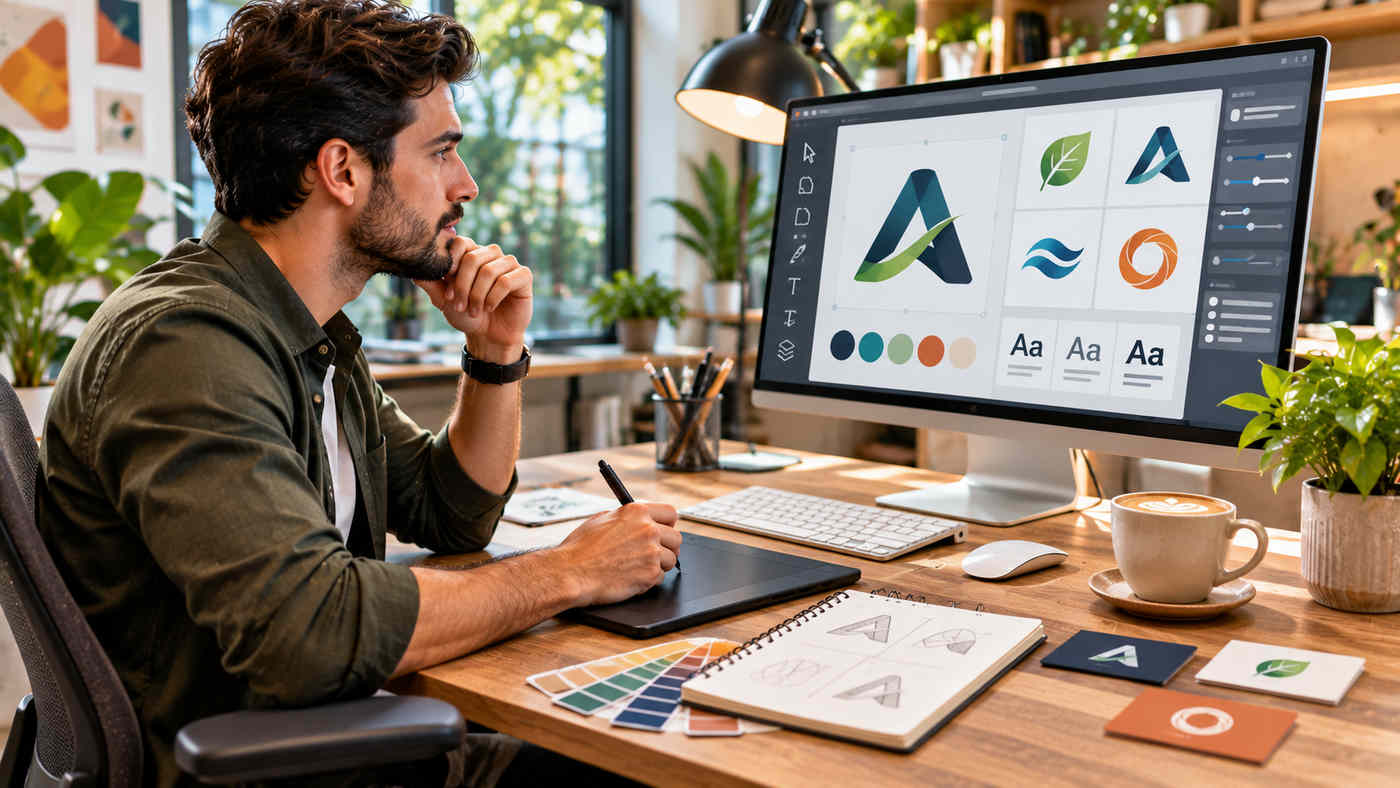
A logo is one of the most recognisable elements of a business identity. It appears on websites, social media profiles, product packaging, business cards, advertisements, and other marketing materials. A carefully designed logo can help customers recognise a business and distinguish it from competitors.
However, creating a professional logo traditionally requires design experience, suitable software, or access to a graphic designer. For startups, freelancers, and small businesses, this can make the branding process challenging.
An AI Logo Generator provides an accessible way to explore visual ideas, experiment with typography, and create customised business logos without starting from a blank canvas.
Modern logo generators combine artificial intelligence, professionally designed templates, colour customisation, and downloadable graphic formats. Users can enter a business name, explore relevant designs, adjust their preferred concepts, and prepare files for digital or printed materials.
One example is BrandCrowd, an online logo design and branding platform that offers AI-assisted logo creation alongside a large collection of designer-made templates.
However, generating a visually attractive logo is only the beginning. Businesses must also consider originality, readability, commercial licensing, trademark availability, and consistency across different marketing channels.
This guide explains how AI logo generators work, explores BrandCrowd’s features and pricing, and provides nine practical strategies for building a professional visual identity in 2026.
What Is an AI Logo Generator?
An AI logo generator is a digital tool that helps users create logo concepts using artificial intelligence and automated design techniques.
Depending on the platform, users may provide a business name, industry, keywords, preferred colours, and design style.
The software then creates or recommends visual concepts based on the supplied information.
Some platforms generate original-looking artwork through image-generation models.
Others use AI-assisted matching and customisation alongside professionally designed logo templates.
These approaches can produce different results.
For example, a small coffee business might enter its name and request a minimalist, warm, welcoming identity.
The generator could suggest different combinations of typography, coffee-related symbols, abstract graphics, and earthy colours.
The business owner can then refine a preferred design.
How Does AI Logo Generation Work?
AI-powered logo creation typically involves several stages.
First, users provide information about the business.
Next, the system interprets the input and presents suitable design concepts.
The user selects a preferred option and adjusts elements such as fonts, colours, layouts, icons, and spacing.
Finally, the completed design can be downloaded in supported formats.
The exact process varies between platforms.
Importantly, an AI-assisted logo is not automatically original, exclusive, or eligible for trademark registration.
Those questions require separate consideration.
Why Does Professional Logo Design Matter?
A logo serves as a visual identifier for a business.
It can help customers associate a particular symbol, name, or combination of design elements with a company.
However, a logo does not create trust by itself.
Customer experiences, product quality, communication, and business reputation also contribute to how a brand is perceived.
Brand Recognition
Consistent use of a logo can make a business easier to recognise.
For example, displaying the same identity on packaging, social profiles, and a website helps establish visual continuity.
Professional Presentation
A clear logo can help make marketing materials appear organised and intentional.
Inconsistent graphics or difficult-to-read typography may create confusion.
Differentiation
A business should aim for a visual identity that suits its market without copying competitors.
A distinctive combination of typography, imagery, and colours can support differentiation.
However, visual distinctiveness must be evaluated alongside potential trademark conflicts.
Long-Term Brand Consistency
A practical logo should work across multiple sizes and applications.
A design that looks attractive on a large computer monitor may become difficult to recognise as a small mobile icon.
Testing different formats helps prevent these problems.
Exploring BrandCrowd’s AI Logo Generator
Businesses looking for an AI logo generator can explore BrandCrowd, an online design platform offering AI-assisted logo creation.
According to its official website, BrandCrowd’s AI Logo Generator draws on more than 145,000 premium logo designs developed by designers.
The system uses business names and related keywords to recommend suitable concepts.
Users can browse the suggestions, create a shortlist, customise a selected logo, preview it in different settings, and download the appropriate files.
AI-Assisted Logo Suggestions
The process starts by entering a business name.
BrandCrowd then presents logo concepts based on the supplied information.
Users can refine the search with additional terms related to their industry or preferred style.
For example, a technology startup could experiment with keywords such as innovation, cloud, data, or minimalist.
Different keywords may lead to different logo suggestions.
Customisable Logo Templates
BrandCrowd provides editing tools for changing colours, fonts, layouts, icons, and other visual elements.
Its interface also supports additional shapes, gradients, curved text, and spacing adjustments.
This allows users to create variations without needing extensive graphic design experience.
Logo Preview Options
The platform describes mockup previews that show how a selected logo may appear on merchandise, signage, and other branded materials.
These previews are useful for evaluating the design beyond the editing canvas.
However, mockups are illustrations of possible applications, not guarantees of print quality.
Downloadable Logo Files
BrandCrowd advertises downloadable files in PNG, JPG, SVG, EPS, and PDF formats.
Available files depend on the selected design and applicable plan.
These formats support different purposes, from websites to printed materials.
9 Bold Strategies for Creating a Unique and Professional Logo
An effective logo should reflect the business while remaining practical across different applications.
The following strategies can help users make better design decisions.
1. Understand Your Brand Before Generating a Logo
Start by defining what your business offers and whom it serves.
A logo should support the company’s identity rather than simply follow the most popular visual trend.
Consider your business values, target audience, products, and preferred personality.
For example, a professional accounting firm may want to communicate clarity and reliability.
A children’s educational brand may prefer a more playful visual style.
Neither approach is universally better.
The right design depends on the intended audience.
Define Your Brand Personality
Choose a few words that describe how the business should be presented.
Possible characteristics include modern, traditional, approachable, energetic, elegant, or technical.
These descriptions can guide your selection of typography and symbols.
Research Your Competitors
Review the visual identities used by businesses in the same industry.
Identify common patterns and potential opportunities for differentiation.
Avoid copying a competitor’s distinctive logo, name, or symbol.
The objective is to understand the competitive environment, not reproduce existing designs.
2. Choose the Right Logo Type
Different logo styles serve different purposes.
An AI logo generator may offer several visual directions.
Understanding basic logo categories makes comparison easier.
Wordmark Logos
A wordmark focuses primarily on the business name.
It uses typography as the main visual element.
This can be suitable for businesses with short, memorable names.
Lettermark Logos
A lettermark uses initials or abbreviated letters.
It can be useful for organisations with longer names.
However, an unfamiliar abbreviation may require supporting brand communication.
Symbol-Based Logos
Symbol-based logos use a graphic mark to represent the business.
The symbol may be literal or abstract.
A new company should consider whether customers will recognise the mark without accompanying text.
Combination Logos
Combination logos include both text and a symbol.
They provide flexibility because the graphic and text may be used together or separately under appropriate brand guidelines.
For many small businesses, a combination mark is a practical starting point.
3. Use Specific Keywords to Generate Better Concepts
The information entered into a logo generator influences the suggestions it produces.
Generic instructions may result in common imagery.
Specific keywords can provide a clearer creative direction.
Example for a Fitness Business
Instead of entering only “gym logo”, try a more descriptive concept:
“Modern strength-training studio, bold typography, geometric symbol, black and electric blue.”
This provides information about the business category, desired style, and colour preference.
Example for a Technology Company
“Cloud analytics business, minimalist geometric icon, navy and teal, professional B2B branding.”
This prompt suggests a more restrained visual direction.
BrandCrowd’s core generator primarily uses a business name and keyword refinement rather than requiring every user to write a detailed natural-language prompt.
Use the controls available in the selected interface.
Explore Several Variations
Do not select the first result simply because it looks attractive.
Compare different layouts and icon styles.
A shortlist of three to five options can make evaluation easier.
4. Select Colours That Support Your Identity
Colour is an important element of visual branding.
Different combinations can influence how a design feels, but colour preferences are shaped by context, culture, and personal experience.
There is no universal rule that a particular industry must use one specific colour.
Choose a Practical Palette
A simple logo may use one primary colour, one supporting colour, and a neutral.
For example:
| Brand Style | Example Palette |
|---|---|
| Professional technology | Navy, teal, white |
| Natural wellness | Forest green, cream, warm brown |
| Luxury accessories | Charcoal, champagne gold, ivory |
| Creative agency | Violet, coral, dark blue |
| Sustainable products | Olive, sage, natural beige |
These are illustrative combinations, not fixed requirements.
Test Different Backgrounds
A logo should remain recognisable on both light and dark backgrounds where possible.
Create suitable colour variations for different uses.
Consider Accessibility
When a logo contains important text, readability matters.
Very low-contrast colour combinations can make the business name difficult to identify.
Test the logo at realistic display sizes and against the backgrounds where it will appear.
5. Choose Readable and Distinctive Typography
Typography can strongly influence the appearance of a logo.
A bold sans-serif typeface may create a contemporary feel.
A serif typeface can communicate a more traditional visual style.
A decorative font may be appropriate for selected creative businesses.
However, readability should remain a priority.
Avoid Overly Complex Fonts
Highly decorative lettering can become difficult to read on mobile screens or printed labels.
Test the business name at small sizes.
If customers cannot identify the words, the typography may need adjustment.
Maintain Consistent Letter Spacing
Excessively tight or wide spacing can affect readability.
Use the available editing tools to create balanced letterforms.
Check Typeface Licensing
A font’s availability inside a logo maker does not necessarily mean the font can be downloaded and used independently for every purpose.
Review the applicable font and logo licensing conditions.
If the business needs the same typeface for other materials, confirm that separate usage rights are available.
6. Keep the Logo Simple and Scalable
Simple designs can be easier to recognise across different formats.
A complicated illustration may look impressive at full size but become unclear when reduced.
Test the Logo as a Small Icon
View the design at sizes similar to a social media profile picture or website favicon.
Check whether the main symbol remains identifiable.
Create a Monochrome Version
A useful logo should ideally remain understandable when reproduced in a single colour.
This can be important for stamps, simple printing, embroidery, and selected packaging applications.
Avoid Unnecessary Effects
Strong shadows, intricate gradients, and very fine details may create problems in certain print environments.
These effects can be appropriate when they support the design, but they should not overwhelm the main identity.
7. Review Originality and Trademark Availability
One of the most important steps is checking whether a proposed logo could conflict with an existing brand.
AI-generated and template-based designs may resemble marks already used by other businesses.
A platform’s commercial licence does not automatically establish trademark availability.
Search for Similar Business Names
Begin by checking whether another business uses the same or a confusingly similar name for related products or services.
Also search for similar visual symbols.
Check Trademark Databases
For US businesses, the United States Patent and Trademark Office provides a federal trademark search system.
The USPTO recommends researching potentially conflicting marks before applying for registration.
A complete clearance search may involve federal and state records, common-law uses, and other sources.
Understand Commercial Licensing
BrandCrowd offers different licensing arrangements.
A standard licence is generally non-exclusive, meaning other customers may be able to license designs based on the same underlying template.
Exclusive and buyout options have additional conditions.
For an important long-term business identity, review the exact licence and consider professional trademark advice.
8. Download the Correct File Formats
Different graphic formats have different uses.
Choosing suitable files makes it easier to apply the logo consistently.
PNG for Digital Branding
PNG supports transparent backgrounds.
It is useful for website headers, social media graphics, and digital presentations.
JPG for Standard Images
JPG is widely supported by websites and design applications.
However, it does not preserve transparency.
It is often more suitable for a complete image than a logo that needs to sit over different backgrounds.
SVG for Scalable Graphics
SVG is a vector format that can scale without the pixelation associated with enlarging low-resolution images.
It is useful for many web and branding applications.
EPS and PDF for Print Workflows
EPS and suitable PDF files can support professional printing and design production.
Always confirm the printer’s preferred format and specifications.
9. Build a Consistent Brand Identity Beyond the Logo
A logo is only one part of a company’s branding.
A cohesive identity also uses consistent colours, typography, imagery, and messaging.
BrandCrowd offers additional design tools that can help businesses apply their logo across different materials.
These include business cards, social media graphics, letterheads, email signatures, and other templates.
Create a Simple Brand Guide
Document the approved logo variations, colours, fonts, and spacing rules.
This helps employees and external designers use the brand consistently.
Apply the Logo Across Different Channels
Use appropriate versions for websites, social media profiles, printed materials, and packaging.
Check the design at the actual size it will be displayed.
Maintain a Consistent Customer Experience
Visual consistency can support brand recognition, but customer trust also depends on accurate communication and dependable service.
A professional logo should reflect the business rather than create expectations the company cannot meet.
How to Create a Logo With BrandCrowd Step by Step
BrandCrowd describes a straightforward logo creation process.
Step 1: Open the AI Logo Generator
Visit BrandCrowd’s AI Logo Generator page.
Enter your business name into the available search field.
Step 2: Browse the Suggested Designs
Review the logo concepts generated for your business.
Look for layouts that match your preferred visual direction.
Do not assume every displayed design is available for free download.
Step 3: Refine Your Search
Add relevant industry or style keywords to explore alternative suggestions.
For example, a beauty business might search for elegant, floral, minimal, or premium designs.
Step 4: Shortlist Your Favourite Logos
BrandCrowd offers a favourite or shortlist option.
Save promising designs before choosing a final direction.
Step 5: Customise the Selected Logo
Adjust colours, fonts, text, symbols, and spacing.
Explore different arrangements until the design feels balanced.
Step 6: Preview Real-World Applications
Use available mockups to evaluate how the logo appears on signage, apparel, or other materials.
A strong logo should remain recognisable across different contexts.
Step 7: Review Licensing and Download
Confirm whether the selected design is free or requires payment.
Review the applicable licence and select the appropriate download options.
Save copies of the files and purchase or licence documentation.
Is BrandCrowd’s AI Logo Generator Free?
BrandCrowd allows users to explore and customise logo ideas without immediately paying.
It also offers a selection of eligible free logo designs.
However, free browsing and free downloads are different things.
Premium templates and additional branding services may require a subscription.
BrandCrowd Pricing in 2026
BrandCrowd’s October 2026 published pricing comparison lists these illustrative plan prices in US dollars.
| Plan | Advertised Annual-Billing Rate | Advertised Monthly-Billing Rate |
|---|---|---|
| Free | $0 | $0 |
| Starter | $3/month | $9/month |
| Value | $4/month | $14/month |
| Premium | $5/month | $19/month |
The annual-billing rates are monthly equivalents of annual subscription commitments, not necessarily month-to-month payments.
Pricing and entitlements may vary by promotion, location, selected design, and checkout conditions.
What Is Included in the Free Option?
BrandCrowd advertises eligible free logo designs that can be edited and downloaded.
Its free-logo page describes high-resolution and vector format availability.
However, not every premium template is free.
The applicable licence should be reviewed for the selected design.
What Do Paid Plans Provide?
The company’s published comparison describes paid features including expanded template access, vector downloads, logo editing, and additional branding tools.
Higher plans may include website-building and digital branding services.
Check the current checkout page for exact entitlements.
Understanding BrandCrowd Logo Licensing
Logo licensing is an important topic for anyone creating a long-term business identity.
BrandCrowd distinguishes between several licence types.
Standard Licence
A standard licence permits use of the design according to its terms, but it is generally non-exclusive.
Other users may license designs based on the same underlying template.
This can be acceptable for certain business purposes, but it may not provide the distinctiveness required for every brand.
Buyout Licence
BrandCrowd’s service terms describe a buyout arrangement that removes the underlying template from future marketplace licensing for the applicable licence period.
However, previous customers may retain their rights to designs already licensed from that template.
A buyout therefore does not automatically mean nobody else has ever used a similar design.
Exclusive Licence
An exclusive licence provides additional rights over the selected work under the applicable contract.
The template can be removed from new licensing during the licence period.
However, the terms distinguish subscription-duration licences from certain one-time arrangements.
Read the exact agreement rather than assuming every exclusivity arrangement lasts forever.
What Happens After Cancelling a Subscription?
BrandCrowd’s help information says customers can continue using logos they have created after cancellation.
Its formal licence terms also distinguish different licence durations and the effect of expiration on exclusive or buyout arrangements.
For an important commercial logo, confirm the rights attached to the actual order and retain the relevant documentation.
A licence is not equivalent to automatic trademark ownership.
AI Logo Generator vs. Hiring a Graphic Designer
Both options can be useful depending on the project.
| Feature | AI Logo Generator | Professional Graphic Designer |
|---|---|---|
| Initial ideas | Automated suggestions | Research-led creative concepts |
| Typical setup | Online self-service | Consultation and creative brief |
| Customisation | Available within tool controls | Depends on project scope |
| Cost | Free and subscription options | Custom project quotation |
| Research process | Primarily user-directed | May include brand and market research |
| Licensing | Platform-specific | Depends on the contract |
| Originality | Must be evaluated | Must also be verified |
| Long-term support | Depends on platform | Depends on agreement |
A logo generator may suit a small business exploring its first visual identity.
A professional designer may be valuable when a company needs extensive research, original illustration, complex brand guidelines, or custom creative development.
Neither approach automatically guarantees trademark protection.
AI Logo Design Ideas for Different Industries
Different industries have different communication requirements.
Technology Companies
Technology businesses may prefer simple geometric symbols, clean typography, and restrained colour palettes.
However, avoid copying familiar marks from established technology brands.
Restaurants and Cafés
Food businesses may use typography, ingredients, utensils, or abstract hospitality-inspired imagery.
The design should work on menus, takeaway packaging, signage, and social media profiles.
Real Estate Businesses
Real estate companies often explore architectural symbols and professional typography.
However, generic house and roof icons can be difficult to distinguish.
A more thoughtful combination of shapes and lettering may create a stronger identity.
Fashion and Beauty Brands
Fashion businesses may favour elegant typography, monograms, or minimalist symbols.
The logo should work across labels, packaging, ecommerce pages, and promotional materials.
Healthcare Businesses
Healthcare organisations should favour clear, professional communication.
Avoid using medical symbols in misleading ways or suggesting qualifications the business does not possess.
Online Stores
An ecommerce logo should remain recognisable on websites, product packaging, invoices, and mobile screens.
Test whether the design works as a small square icon as well as a full wordmark.
Common AI Logo Design Mistakes to Avoid
One common mistake is choosing a complicated logo with too many colours and details.
Another is selecting a design that resembles a competitor.
Businesses may also assume that the first generated concept is automatically unique.
Poor typography can make a brand name difficult to read.
Downloading only a small JPG file may create problems when the logo is needed for large-format printing.
A further mistake is overlooking the licensing terms.
Finally, avoid changing your logo repeatedly without a clear business reason.
Consistency helps customers become familiar with a visual identity over time.
How to Evaluate the Quality of an AI-Generated Logo
A useful logo evaluation checklist should consider several factors.
Readability: Can customers easily identify the business name?
Scalability: Does the symbol remain clear at small sizes?
Versatility: Can the design work on light and dark backgrounds?
Originality: Does it appear distinguishable from relevant competitors?
Relevance: Does the style match the brand’s intended identity?
Practicality: Are suitable vector and transparent files available?
Licensing: Does the business have appropriate usage rights?
Trademark considerations: Have potentially conflicting marks been investigated?
The strongest design is not necessarily the most elaborate.
A simple, carefully considered identity may be more practical than an impressive-looking but difficult-to-use illustration.
Frequently Asked Questions
1. What is an AI logo generator?
An AI logo generator helps users create or customise business logo concepts through artificial intelligence, design templates, and editing tools. It can simplify the early stages of visual branding.
2. Is BrandCrowd’s AI logo generator free?
BrandCrowd allows free browsing and customisation and offers eligible free logo downloads. Premium designs and additional branding tools may require payment.
3. Can I use a BrandCrowd logo for commercial purposes?
BrandCrowd offers commercial-use licences, but the exact rights depend on the selected design and licence type. Standard licences are generally non-exclusive, and trademark availability is not guaranteed.
4. Which file format is best for a business logo?
SVG is useful for scalable digital graphics, while suitable EPS and PDF files support professional print workflows. Transparent PNG files are convenient for websites and social media.
Conclusion
An AI Logo Generator offers an accessible way for entrepreneurs, freelancers, and businesses to explore logo ideas and develop a visual identity.
Platforms such as BrandCrowd combine AI-assisted suggestions, customisable templates, downloadable files, and additional branding tools.
However, the best results come from understanding the brand, refining the design, checking licensing conditions, and researching trademark availability.
By combining creative technology with thoughtful design decisions, businesses can develop a professional logo that supports recognisable, consistent branding in 2026.
