
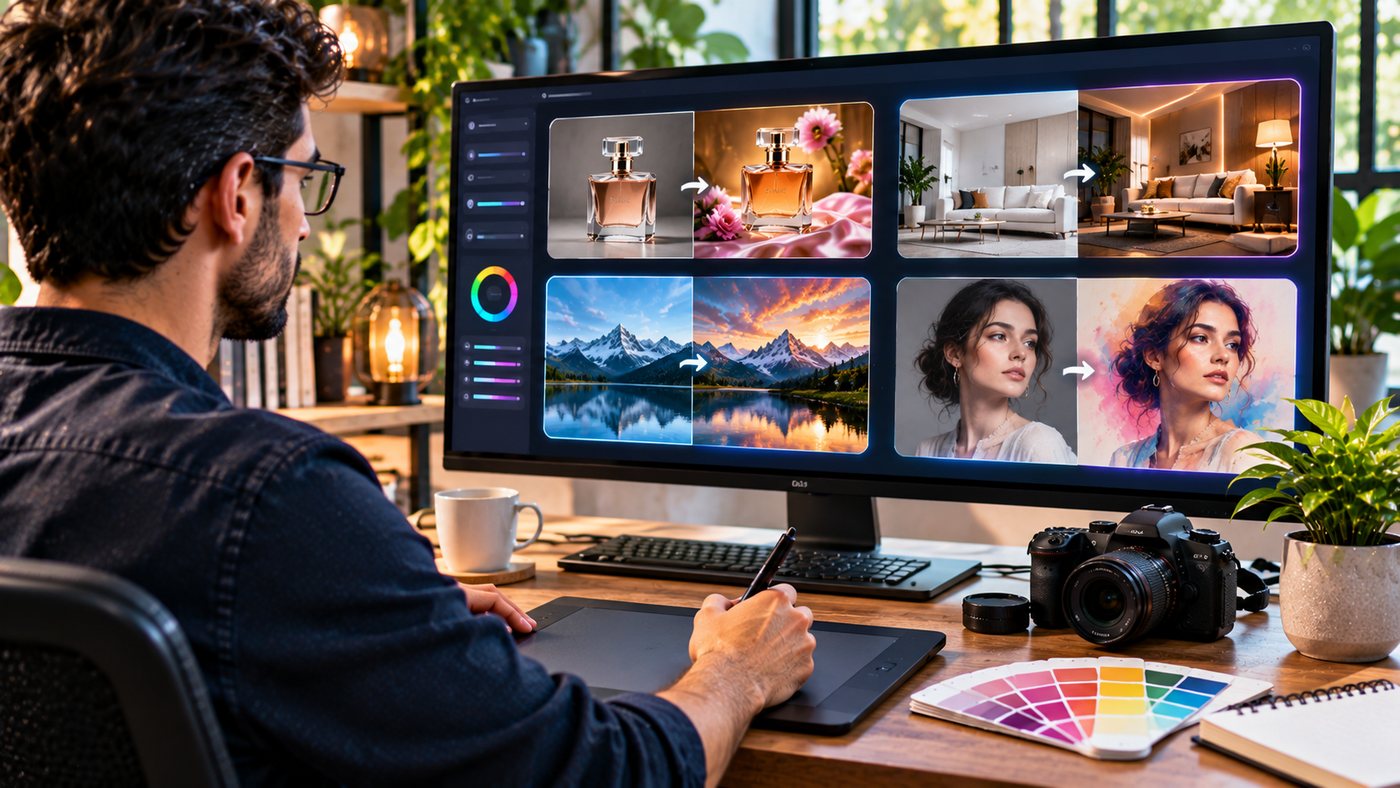
Artificial intelligence has changed how people create, edit, and enhance digital images. Whether you are a graphic designer preparing marketing materials, an online store owner developing product visuals, or a content creator experimenting with artistic styles, AI-powered tools offer new possibilities for visual production.
Image AI technology makes it possible to generate new images from written instructions and transform existing photographs using prompts, reference images, and automated editing capabilities.
Instead of manually adjusting every detail, users can describe the changes they want. An AI image system can then attempt to modify the background, lighting, composition, or artistic style while preserving selected elements of the original image.
These capabilities can simplify certain creative tasks, but professional results still require clear instructions, appropriate source material, and quality control.
AI-generated images may contain inaccuracies involving text, anatomy, product details, reflections, or object proportions. Businesses must also consider copyright, privacy, and commercial usage conditions before publishing generated visuals.
This comprehensive guide explores seven practical applications of image AI, explains how image-to-image generation works, compares creative workflows, and provides useful tips for producing high-quality results.
What Is Image AI?
Image AI refers to artificial intelligence technology designed to generate, edit, analyze, enhance, or transform digital images.
Different systems use machine learning models trained to recognize relationships between visual elements, descriptive language, and image characteristics.
For example, an AI image editor may transform a basic product photograph into a polished advertising concept.
Another application might convert a landscape photograph into a watercolor illustration or generate a completely new scene from a text prompt.
How Does Image AI Work?
AI image generation commonly begins with a prompt, reference image, or combination of both.
The model processes this information and creates an output based on the requested visual characteristics.
A typical workflow involves:
- Choosing an image or entering a prompt.
- Defining the desired transformation.
- Selecting available image settings.
- Generating the result.
- Reviewing and refining the output.
- Exporting the finished file.
The exact process depends on the platform.
Text-to-Image vs. Image-to-Image AI
Two common approaches are text-to-image and image-to-image generation.
Text-to-image creates a new image primarily from written instructions.
Image-to-image uses an existing image as the starting point and generates a modified result.
For example, a user might upload a photograph of a modern living room and request a Scandinavian interior style while preserving the room’s layout.
Image-to-image workflows can be especially useful when a project requires continuity with existing visual material.
1. Transform Existing Photos With Image-to-Image AI
One of the most practical applications of image AI is transforming photographs without manually rebuilding the entire composition.
Change Backgrounds
A product photographed against a plain background can be placed into a more visually interesting environment.
For example, a skincare brand might transform a product image into a bathroom setting with marble surfaces and soft daylight.
The editing prompt should specify which product characteristics must remain unchanged.
Modify Lighting
Lighting strongly influences how an image feels.
An AI editor can attempt to change a daytime photograph into a golden-hour scene or add soft studio lighting to a product concept.
However, generated lighting may introduce unrealistic shadows or reflections.
Review the output carefully.
Explore Different Seasons
Landscape and architectural photographs can be transformed to illustrate different seasonal environments.
A summer garden might be reimagined with autumn foliage or winter snow.
Such images are useful for creative visualization but should not be presented as genuine photographs of actual conditions.
Change Artistic Styles
Image-to-image tools can convert photographs into illustrations, paintings, or other visual treatments.
A portrait might become a watercolor artwork, while a landscape could be transformed into a cinematic fantasy environment.
These transformations can support social content, design exploration, and personal creative projects.
Preserve Important Details
When editing an existing photograph, state what must not change.
For example:
“Transform the background into a premium studio environment. Keep the product’s shape, packaging, color, label placement, and camera angle unchanged.”
Specific instructions reduce ambiguity, although perfect preservation is never guaranteed.
2. Improve E-Commerce Product Photography
Product images are essential to online shopping.
Customers rely on photographs to understand appearance, materials, dimensions, and practical product details.
AI image generation can help businesses explore professional presentation concepts.
Create Lifestyle Product Images
A furniture company may want to show how a chair looks inside a contemporary living room.
A clothing retailer might explore different background settings for a marketing campaign.
Image AI can assist with generating these concepts without requiring a separate photographic location for every variation.
Develop Advertising Visuals
Marketing teams can create product compositions designed for website banners, promotional campaigns, and social media advertisements.
A detailed prompt can specify lighting, surrounding objects, color palette, and composition.
Reduce Repetitive Creative Work
Businesses frequently require several visual variations for the same product.
AI-assisted editing can help create alternatives for seasonal campaigns or different audiences.
However, all final images should be checked against actual product specifications.
Avoid Misleading Customers
Synthetic images should not change the apparent features of products being sold.
For example, an AI-generated photograph should not show a smartphone with extra cameras or a bag with compartments that do not exist.
The goal is better presentation, not inaccurate representation.
Maintain Consistent Branding
Use similar lighting, background styles, and color treatment throughout a product collection.
Reference images can help establish a consistent creative direction.
3. Create Social Media and Digital Marketing Graphics
Digital marketing requires visual content across multiple channels.
Businesses may need images for advertisements, announcements, product launches, blog posts, and email campaigns.
Generate Campaign Concepts
A marketing team can experiment with several compositions before selecting a final direction.
For example, a travel brand might explore coastal landscapes, hotel interiors, and outdoor adventure scenes.
Adapt Images to Different Formats
Different platforms require different image dimensions.
| Application | Common aspect ratio |
|---|---|
| Square social media post | 1:1 |
| Vertical story or reel cover | 9:16 |
| Blog featured image | 16:9 |
| Portrait marketing image | 4:5 |
| Editorial landscape image | 3:2 |
Choose dimensions according to the actual publishing requirements.
Maintain Visual Consistency
Brand colors, photography style, and composition should remain recognizable.
AI tools may help generate related assets, but consistency still requires careful direction and review.
Add Typography Separately When Necessary
AI models may generate incorrect or distorted text.
For advertising campaigns, consider generating the visual background first and adding the final headlines in design software.
This provides more reliable control over wording, fonts, and spacing.
Optimize Images for Publishing
Large files can affect website performance.
Resize images appropriately and compress them without introducing excessive artifacts.
Use descriptive filenames and relevant alternative text.
4. Explore Creative Styles and Artistic Transformations
AI image editing can help artists and designers experiment with visual directions.
Watercolor Illustrations
Photographs can be transformed into soft watercolor-style artwork.
This may be suitable for invitations, decorative prints, and artistic content.
Cinematic Photography
A standard photograph can be reimagined using dramatic lighting, color grading, and atmospheric effects.
Such transformations are useful for creative concepts and entertainment projects.
Three-Dimensional Visual Styles
AI tools can generate images resembling 3D renders.
These may help visualize product ideas, fictional characters, or decorative objects.
However, a generated rendering is not equivalent to an editable 3D model.
Interior Design Concepts
Interior designers may use Image AI to explore furniture arrangements, lighting styles, wall colors, and decorative ideas.
A client can compare different visual approaches before making design decisions.
Fantasy and Concept Art
Game developers, illustrators, and creative writers can use AI generation for preliminary environmental concepts.
Examples include fictional castles, futuristic cities, magical forests, and imaginary landscapes.
Human creative direction remains important for developing original, cohesive visual worlds.
5. Explore Image AI Tools Through ImageToImage.tech
Online image-generation platforms can make AI-assisted design accessible without requiring users to install complex software.
What Is ImageToImage.tech?
Users exploring Image AI tools can examine ImageToImage.tech, a web-based platform focused on AI image generation and image transformation.
Its website offers a prompt-based interface and supports reference images.
The platform’s editor advertises the ability to use up to six reference images and offers several aspect-ratio options.
These include square, landscape, and portrait formats.
Available Image Formats
The site lists JPG and PNG as available output formats in its primary generation interface.
The best format depends on the final project.
JPG is commonly appropriate for photographic imagery.
PNG can be useful when lossless image quality or supported transparency is needed.
How the Platform Works
The website presents a straightforward workflow.
Step 1: Prepare a prompt
Describe the image you want to create or the changes you want to make.
Step 2: Add reference images
Upload reference material when supported and necessary for the project.
Step 3: Choose settings
Select an available aspect ratio and output format.
Step 4: Generate the image
Submit the request and review the result.
Step 5: Refine and export
If the image requires changes, revise the instructions and generate another variation.
Actual controls and usage allowances can change.
ImageToImage.tech Pricing
The website advertises limited free usage and paid subscription plans.
At the time of review, its annual-billing promotional pricing included:
| Plan | Advertised monthly equivalent | Monthly credits |
|---|---|---|
| Basic | $9.90 | 1,000 |
| Plus | $23.90 | 4,000 |
| Pro | $39.90 | 8,000 |
These are website-advertised promotional prices, not guaranteed future rates.
Monthly billing, taxes, and available promotions may affect the total cost.
Important Subscription Conditions
The platform states that unused monthly credits do not roll over to the next month.
It also indicates that digital purchases are generally nonrefundable.
Paid subscription plans advertise commercial usage rights, while the free service is described as intended for personal, noncommercial use.
Users should review the current terms before subscribing or publishing commercial assets.
Choose Tools According to Your Needs
A casual user generating occasional illustrations may not need the same subscription as a professional marketing team.
Consider the number of images required, generation credits, supported models, reference-image capabilities, and commercial permissions.
6. Write Better Prompts for Professional AI Images
Prompt engineering can improve the usefulness of AI-generated visual content.
A good prompt explains the desired outcome clearly.
Describe the Main Subject
Begin by identifying the subject.
Examples include a product, person, room, building, vehicle, or landscape.
Avoid vague descriptions when specific details matter.
Explain the Visual Style
Specify whether the image should look like commercial photography, watercolor, digital illustration, or cinematic artwork.
Add Composition Details
Composition instructions help position subjects.
Useful examples include:
- Close-up product shot
- Wide-angle architectural view
- Overhead flat-lay image
- Eye-level portrait
- Centered composition
- Negative space for promotional copy
Specify Lighting
Lighting creates atmosphere.
Soft daylight, controlled studio lighting, warm sunset illumination, and dramatic side lighting produce different results.
Add Restrictions
Tell the AI which details should remain unchanged.
You can also request that the image contain no logos, watermarks, or text overlays.
Professional Example Prompt
“Create a premium commercial product photograph of a minimalist ceramic coffee mug on a wooden table beside a large window. Use warm morning sunlight, realistic shadows, detailed ceramic texture, neutral interior colors, shallow depth of field, and a clean 16:9 composition. No logos, readable text, or watermarks.”
A detailed prompt gives the model a clearer creative direction.
7. Build a Reliable AI Image Editing Workflow
A structured workflow helps prevent unnecessary revisions.
Step 1: Identify the Purpose
Decide whether the image will be used for a blog post, product listing, advertisement, presentation, or artistic project.
Step 2: Gather Suitable References
Use clear source photographs that represent the important subject accurately.
Confirm that you have permission to use the images.
Step 3: Select the Editing Approach
Determine whether you need a completely new image or a transformation of existing content.
Step 4: Create the Initial Image
Use a detailed prompt that communicates the subject, composition, and intended style.
Step 5: Review Important Details
Inspect the result for inaccurate object proportions, anatomy, shadows, text, and product characteristics.
Step 6: Refine Specific Problems
Avoid rewriting the entire creative concept when only one detail needs correction.
For example:
“Keep the existing composition and lighting. Remove the extra object from the desk without changing the main product.”
Step 7: Prepare the Final File
Export the image using the appropriate dimensions and format.
Step 8: Complete Quality Control
Verify image accuracy, usage rights, brand consistency, and accessibility before publication.
Image AI vs. Traditional Photo Editing
AI-based editing and conventional editing applications offer complementary capabilities.
| Feature | Image AI | Traditional editing |
|---|---|---|
| Background transformation | Prompt-based | Manual selection and editing |
| Artistic variations | Rapid conceptual generation | Detailed creative control |
| Product accuracy | Requires verification | Direct manual adjustments |
| Precise typography | Can contain errors | Strong control |
| Layer editing | Depends on platform | Usually extensive |
| Consistency | Reference dependent | Detailed asset control |
| Creative brainstorming | Particularly useful | Often more manual |
AI tools can accelerate the early stages of design.
Traditional software remains valuable for precision, editable layers, and production requirements.
Benefits of Image AI for Small Businesses
Small businesses frequently need visual assets but may have limited creative resources.
Image AI can help with preliminary campaign development, product concepts, social media graphics, and website illustrations.
For example, a restaurant may generate conceptual images for a seasonal marketing campaign.
A furniture business could explore different interior settings for product inspiration.
A consultant may create a topic-specific illustration for a blog article.
However, AI generation should not replace genuine photographs when customers need to see the actual product, location, or service.
Businesses should also distinguish between concept images and documentary photographs.
Common Image AI Limitations
Inconsistent Fine Details
AI-generated images may contain errors involving hands, jewelry, object proportions, or complex patterns.
Inaccurate Text
Typography may contain spelling mistakes or incorrect characters.
Product Alterations
Image-to-image editing can unintentionally change product characteristics.
Reference Inconsistency
Using several reference images does not guarantee exact preservation of every subject.
Privacy Concerns
Uploading private photographs to third-party services may involve data retention and processing.
Copyright Questions
Generated assets and source materials can raise intellectual property concerns.
Review the relevant licensing terms and applicable laws.
How to Choose the Best Image AI Generator
The best tool depends on your goals.
For casual experimentation, a simple web-based interface may be sufficient.
Professional designers may prefer tools offering detailed editing controls, reference-image support, and flexible exporting.
Businesses should also evaluate commercial rights, privacy practices, pricing, and account management.
Important Features to Compare
Consider prompt control, output quality, supported formats, reference-image limits, speed, editing consistency, subscription costs, and support.
Do not rely solely on promotional examples.
Test representative use cases when possible.
Evaluate Commercial Terms
A platform may permit personal experimentation but restrict commercial use under free plans.
Always check whether your intended advertising, website, or client project is permitted.
SEO Image Optimization for Websites
AI-generated featured images should be prepared for actual publication.
Use Descriptive Filenames
A filename should describe the image’s subject.
For example:
image-ai-photo-editing-guide.jpg
Add Relevant Alternative Text
Alternative text should communicate meaningful visual information for users who cannot see the image.
Avoid keyword stuffing.
Compress Images
Choose suitable compression to reduce file size while retaining acceptable quality.
Use Proper Dimensions
For a website article, a 16:9 landscape image may be useful.
Other placements may require square or vertical formats.
Include Relevant Content
The image should support the article rather than serve as unrelated decoration.
Google emphasizes helpful, people-first information and meaningful content quality.
Images should contribute to the reader’s understanding rather than simply be generated in large quantities.
Responsible Use of Image AI
Image AI creates opportunities for innovation, but responsible use matters.
Avoid generating misleading evidence or presenting synthetic events as real.
Respect personal privacy and obtain appropriate permissions when using identifiable photographs.
Do not misrepresent real products through generated visual details.
Review the commercial terms of any external platform.
For sensitive industries, including healthcare, financial services, and legal services, ensure that generated illustrations do not imply false claims.
When appropriate, disclose that imagery was generated or substantially altered with AI.
The Future of AI Image Generation
AI image technology continues developing through improvements in editing precision, consistency, reference handling, and integration with design tools.
Businesses may increasingly use AI within existing creative workflows rather than treating it as a separate application.
More advanced image-editing systems may help maintain product appearance across multiple campaigns and support faster creation of visual variations.
Nevertheless, future technology will still require careful human review.
Professional visual communication depends on accuracy, original creative decisions, brand consistency, and appropriate usage rights.
The most effective Image AI workflows will combine automation with skilled editorial and design judgment.
Frequently Asked Questions
1. What is Image AI used for?
Image AI is used to generate, edit, enhance, and transform images. Common applications include product photography concepts, social media graphics, background changes, illustrations, and creative design.
2. Can Image AI edit existing photos?
Yes. Image-to-image AI tools can use existing photographs as reference material and generate modified images based on written instructions. Accuracy varies by platform and task.
3. Is ImageToImage.tech free to use?
The platform advertises a limited free plan and paid credit-based subscriptions. Its website states that free usage is for personal, noncommercial purposes, while paid plans include advertised commercial-use rights.
4. Can businesses use Image AI for marketing?
Yes, subject to the platform’s terms and applicable rights. Businesses can use image AI for marketing concepts and visual assets, but should verify accuracy, permissions, and commercial licensing before publishing.
Conclusion
Image AI provides useful opportunities for transforming photographs, creating marketing graphics, exploring artistic styles, and developing professional visual concepts.
By using detailed prompts, suitable references, and careful editing, creators can achieve more consistent results.
The strongest workflows combine AI-powered image generation with human creativity, factual accuracy, responsible content practices, and final quality checks.
