
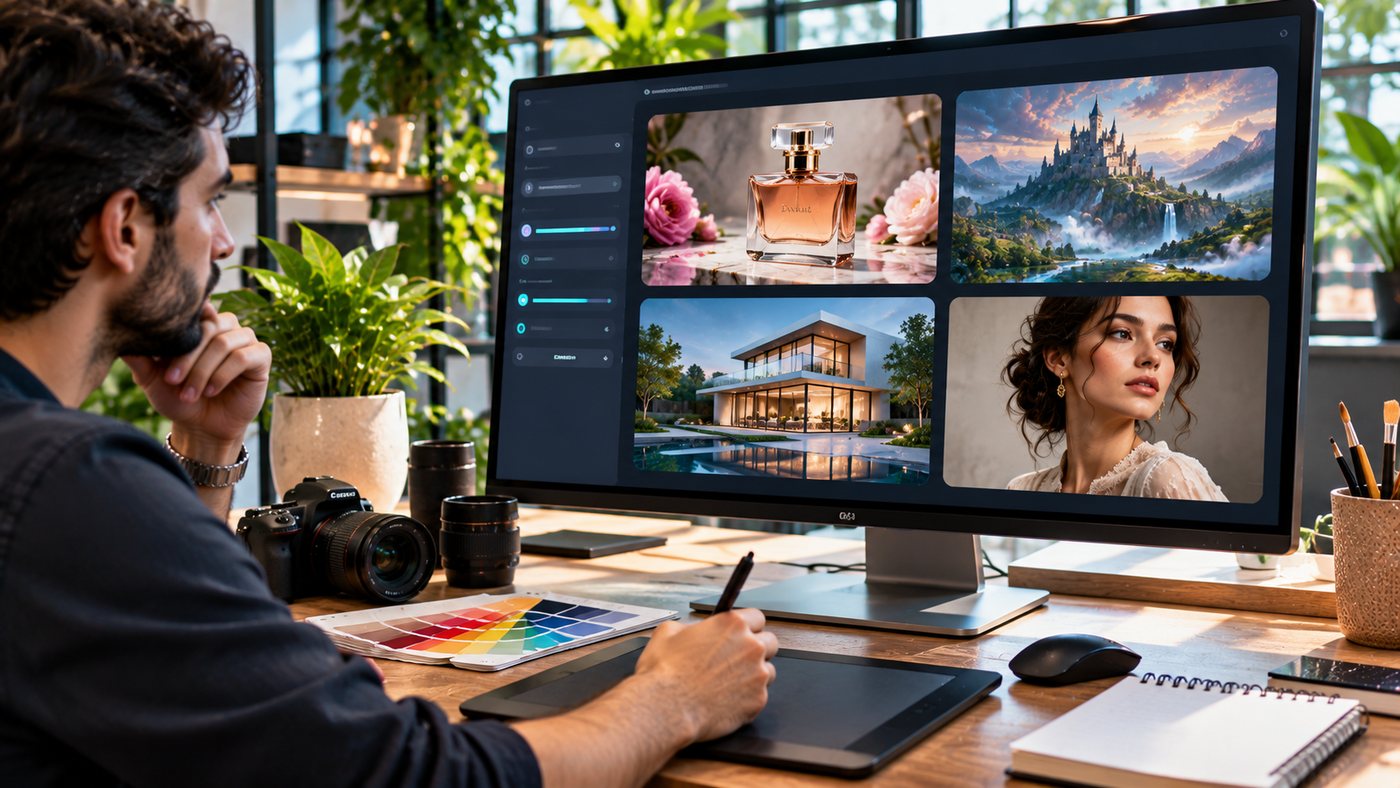
Artificial intelligence has transformed how digital creators produce photographs, illustrations, marketing graphics, and product visuals. Projects that once required extensive manual design work can now begin with a detailed written prompt, a reference photograph, or a combination of existing images.
Flux 2 is part of this development. Created by Black Forest Labs, the FLUX.2 family supports AI image generation and editing, with capabilities including photorealistic rendering, multi-reference control, improved typography, and flexible creative workflows.
These features make the technology relevant to graphic designers, e-commerce businesses, advertising professionals, artists, and developers.
However, generating attractive visuals is not the same as creating production-ready assets. Successful results depend on clear prompts, appropriate model selection, source-image quality, careful editing, and human review.
Different FLUX.2 variants are also designed for different priorities. Some emphasize image quality, others focus on generation speed, text rendering, or local deployment.
This comprehensive guide explores seven practical ways to use Flux 2, explains its major capabilities, compares available models, and outlines responsible methods for generating professional digital content.
What Is Flux 2?
Flux 2, officially styled FLUX.2, is a family of artificial intelligence image-generation and editing models developed by Black Forest Labs.
The technology can create new images from written instructions and modify existing images using text and reference inputs.
The FLUX.2 family was introduced in November 2025, followed by additional model variants.
Its design focuses on supporting real creative production workflows rather than only generating experimental artwork.
How Does Flux 2 Work?
FLUX.2 uses machine learning systems trained to generate images based on textual and visual information.
A user describes a desired scene, object, artistic style, or editing operation.
The model interprets the instructions and generates an output that attempts to match the requested content.
For example, a user could submit:
“Create a professional studio photograph of a luxury black wristwatch resting on polished marble, with soft side lighting, accurate metal reflections, and a neutral background.”
The model uses this description to generate a new image.
The result can then be evaluated and refined through additional instructions or reference material.
What Makes Flux 2 Different?
Black Forest Labs highlights several improvements compared with earlier FLUX models:
- Higher-resolution image generation
- Multi-reference image support
- Improved visual detail and photorealism
- More consistent character and product appearance
- Better interpretation of complex prompts
- More capable typography rendering
- Flexible output dimensions
- Unified generation and editing workflows
These capabilities vary by model variant and service provider.
Users should verify which functions are supported by the specific platform they choose.
1. Generate Photorealistic AI Images From Text Prompts
One of the primary applications of Flux 2 is text-to-image generation.
This process converts written descriptions into synthetic visual content.
Create Professional Product Photography Concepts
Businesses can use AI-generated imagery to explore product presentation ideas.
For example, a skincare brand might request a premium editorial scene featuring a glass cosmetic bottle surrounded by botanical elements.
The prompt could specify realistic reflections, surface materials, shadows, lighting, and camera perspective.
The generated result may help a creative team explore campaign directions.
However, the final image should accurately represent products offered to customers.
Generate Interior and Architectural Visuals
Interior designers can use Flux 2 to visualize proposed room styles, furniture layouts, and decorative concepts.
An architect might generate an early design concept showing a contemporary house with glass walls and landscaping.
These images can help communicate a visual direction.
They should not be treated as verified architectural plans or engineering specifications.
Produce Lifestyle Images
Marketing teams may generate images illustrating people using products in realistic environments.
For example, a travel company could explore a tropical resort advertisement with detailed scenery and natural lighting.
The intended audience and campaign purpose should guide the visual style.
Improve Photorealism Through Prompt Detail
Useful prompt elements include:
- Subject and appearance
- Camera angle
- Lighting direction
- Environmental context
- Surface materials
- Color palette
- Depth of field
- Background details
- Final aspect ratio
A detailed prompt can improve the likelihood of generating an image close to the intended result.
2. Edit Existing Images With AI Instructions
Flux 2 also supports image-editing workflows.
Instead of creating a completely new scene, users can supply an existing image and request specific modifications.
Change Image Backgrounds
A product photographer might upload a photograph of a handbag and request a neutral studio background.
A useful instruction would explain which elements should remain unchanged.
For example:
“Replace the background with a light beige photography studio. Preserve the original handbag’s shape, stitching, color, hardware, and orientation.”
Adjust Lighting and Atmosphere
An image originally created in daylight could be transformed into a warm evening scene.
The editing prompt should explain whether to preserve the composition, subject, and camera perspective.
Modify Selected Objects
AI image editing can assist with certain object replacement or removal tasks.
For example, a furniture concept image might be modified to show a different chair.
However, editing may unintentionally alter surrounding details.
Careful comparison with the source is essential.
Explore Alternative Styles
A realistic image may be transformed into an illustration or another visual style for creative projects.
Style changes can be useful for concept development, marketing experiments, and personal artwork.
Check Editing Accuracy
AI editing does not guarantee perfect preservation of every detail.
Review facial features, product logos, text, materials, and object relationships after each significant modification.
3. Use Multi-Reference Editing for Visual Consistency
Multi-reference editing is one of the important capabilities of the FLUX.2 model family.
Instead of relying on a single source image, certain variants can use multiple references to guide generation.
What Is Multi-Reference Image Generation?
Multi-reference generation uses several input images to communicate desired visual characteristics.
For example, a designer might provide one image showing a product, another establishing the background style, and a third illustrating the lighting.
The AI model attempts to combine relevant characteristics into a new composition.
Maintain Character Consistency
Creative teams producing multiple campaign images may need recurring characters to appear similar across different scenes.
Reference images can help maintain details such as hairstyle, clothing, and overall appearance.
However, accurate identity preservation is not guaranteed.
Generated outputs should be reviewed carefully.
Maintain Product Consistency
E-commerce businesses may want to present the same product in different settings.
A reference-based workflow can help establish a consistent product appearance.
Nevertheless, product dimensions, packaging, printed text, and materials must be checked against the real item.
Support Brand Identity
Reference images can also help define preferred colors, photographic treatments, and visual composition.
This can be useful when creating several assets for one campaign.
Understand Reference Limits
Black Forest Labs advertises support for up to ten reference images in selected FLUX.2 workflows.
Actual input limits vary by model and platform.
For example, the official FLUX.2 [pro] API has different reference limits from some playground configurations.
Always check the requirements of the version being used.
4. Improve AI Text Rendering and Graphic Design
AI-generated typography has historically been challenging.
Text can become distorted, misspelled, or incorrectly positioned.
FLUX.2 includes models designed to improve text rendering and detailed visual control.
Create Poster Concepts
A designer can describe a promotional poster with specific layout requirements.
The model may generate visual directions for headings, illustrations, background treatments, and decorative elements.
However, important text still requires proofreading.
Explore Packaging Designs
Brands can generate early concepts for product boxes, labels, and promotional packaging.
These can be useful for brainstorming.
However, AI-generated packaging should not be used directly for regulated products without verifying every claim and required declaration.
Produce Social Media Graphics
Marketing teams can experiment with layouts for announcements, advertisements, and educational visuals.
AI-generated graphic elements may help accelerate design exploration.
Use Flux 2 Flex for Detailed Typography
Black Forest Labs describes FLUX.2 [flex] as a model designed for greater control over text rendering and detailed image features.
It offers adjustable generation parameters that can influence speed, quality, and prompt adherence.
This makes it relevant to workflows requiring more control over typography and small visual elements.
Finalize Critical Text Manually
For important brand materials, a practical approach is to create the main visual with AI and add final text using professional design software.
This supports exact font selection, accessibility, spacing, and spelling.
5. Explore Flux 2 Through Online AI Image Platforms
Not every creator wants to install models locally or work directly with an API.
Web-based platforms can provide a more accessible interface.
Exploring Flux2Pro.org
Users researching Flux 2 can explore Flux2Pro.org, a third-party image-generation website offering access to several AI creative tools.
The platform advertises text-to-image generation, image-to-image editing, model switching, and adjustable output settings.
Its website lists models and tools under names such as Flux 2, Nano Banana, GPT Image, and Seedream.
The service also advertises image exports in JPG, PNG, and WebP formats.
These are platform-published capabilities and should be confirmed through actual use.
How the Website Describes Its Workflow
Flux2Pro.org outlines a four-step generation process.
Step 1: Enter a prompt
Describe the image you want or provide suitable reference material.
Step 2: Select a model
Choose an available model that suits the project.
Step 3: Configure settings
Adjust supported options such as aspect ratio and output dimensions.
Step 4: Generate and export
Review the result and download it in an available format.
This workflow illustrates how third-party interfaces can simplify image generation.
Is Flux2Pro.org an Official Black Forest Labs Website?
Flux2Pro.org is a separate website and should not be confused with Black Forest Labs’ official domains.
The official developer and product information is available through Black Forest Labs at bfl.ai.
A third-party service may provide access to external models, but buyers should verify its operating terms independently.
Understand Platform Pricing
Flux2Pro.org advertises credit-based subscription options.
Its public pricing includes Basic, Standard, and Pro tiers with different monthly credit allowances.
For example, the published annual-billing-equivalent prices include approximately $8.33, $16.67, and $41.67 per month.
These prices reflect the website’s advertised information, not an independently verified transaction or guarantee of future pricing.
Credits, commercial-use conditions, renewal rules, and refunds should be reviewed before purchasing.
Protect Uploaded Images
Reference photographs may contain personal or confidential information.
Before uploading client assets or identifiable photographs, examine the provider’s privacy policy, retention terms, and permissions.
6. Choose the Right Flux 2 Model Variant
The FLUX.2 family includes several variants optimized for different creative and technical requirements.
The best choice depends on the desired balance between quality, speed, cost, and control.
FLUX.2 Max
The Max variant focuses on high-quality generation and editing.
Black Forest Labs describes it as the most capable FLUX.2 model for demanding professional output.
It also supports a grounding-search capability that can incorporate external context into supported workflows.
However, retrieved context and generated details still require verification.
FLUX.2 Pro
The Pro model is intended to balance output quality, generation speed, and cost.
It is relevant to production workflows involving marketing, digital content, and professional image creation.
FLUX.2 Flex
Flex emphasizes detailed control, particularly for typography and image features requiring precision.
It offers adjustable parameters for specific production requirements.
FLUX.2 Dev
The Dev variant provides open-weight access for development and experimentation.
Its license contains restrictions that must be reviewed before commercial use.
Open weights do not automatically mean unrestricted commercial rights.
FLUX.2 Klein
Klein is designed for faster generation and efficient workflows.
It includes variants suitable for local deployment on certain hardware.
Licensing differs between model sizes.
For example, the 4B version is available under Apache 2.0, while other variants may have noncommercial restrictions.
Flux 2 Model Comparison
| Model | Primary strength | Suitable use |
|---|---|---|
| FLUX.2 Max | High-quality generation and editing | Demanding creative projects |
| FLUX.2 Pro | Quality, speed and production efficiency | Marketing and commercial workflows |
| FLUX.2 Flex | Typography and adjustable control | Design and detailed graphics |
| FLUX.2 Dev | Open-weight experimentation | Research and development |
| FLUX.2 Klein | Fast generation | Rapid prototypes and interactive tools |
Users should select a model based on verified specifications rather than assuming the most expensive version is always necessary.
7. Build a Reliable AI Image Production Workflow
Professional image generation benefits from a structured workflow.
Generating an image is only one part of preparing a deliverable.
Step 1: Define the Intended Use
Decide whether the image is for a blog article, advertisement, product page, presentation, or concept design.
This determines the composition and dimensions required.
Step 2: Select the Appropriate Model
Choose a variant suited to the creative requirements.
A quick concept may not require the same model as a detailed commercial image.
Step 3: Prepare a Detailed Prompt
Include the subject, visual style, background, lighting, composition, and important constraints.
Avoid conflicting instructions.
Step 4: Add Reference Images When Necessary
Use reference images when consistency is important.
Confirm that you have appropriate rights and permissions to use them.
Step 5: Review the Output
Examine the generated image for errors.
Pay attention to faces, hands, object proportions, shadows, text, and recognizable product details.
Step 6: Refine the Image
Use targeted editing prompts to correct problems.
Avoid making unnecessary changes that could introduce new inconsistencies.
Step 7: Prepare the Final File
Export the image in a suitable format.
For example, JPG may be appropriate for many photographic blog images, while PNG may be preferable when lossless graphics or transparency is required.
Resize and compress images according to the publishing platform’s requirements.
Step 8: Complete Quality Assurance
Check factual accuracy, branding, licensing, accessibility, and any required disclosures.
A human should approve important commercial assets before publication.
Practical Flux 2 Prompt Examples
Good prompts are specific enough to communicate a clear visual goal without introducing unnecessary contradictions.
Product Photography Prompt
“Create an ultra-realistic commercial photograph of a luxury stainless-steel wristwatch resting on dark marble. Include realistic metallic reflections, a soft directional studio light, accurate watch proportions, subtle shadows, and a premium product photography composition. No promotional text or watermarks.”
Interior Design Prompt
“Generate a contemporary living room with warm wooden flooring, an ivory sofa, a natural stone coffee table, indoor plants, and large windows overlooking a landscaped garden. Use soft morning daylight, realistic architectural proportions, and professional interior photography styling.”
Marketing Image Prompt
“Create a professional editorial image of a small business owner reviewing online store performance on a laptop in a bright workspace. Include realistic digital equipment, natural expressions, warm daylight, and negative space suitable for a website headline.”
Fantasy Illustration Prompt
“Create a cinematic fantasy landscape featuring an ancient stone castle above a misty valley, dramatic clouds, waterfalls, and detailed mountainous terrain. Use atmospheric lighting, strong depth, and a wide composition.”
These prompts can be adapted for different projects.
Flux 2 vs. Traditional Graphic Design Software
AI image generators and conventional creative tools serve different purposes.
| Capability | Flux 2 AI generation | Traditional design software |
|---|---|---|
| Initial concepts | Prompt-based creation | Manual construction |
| Photorealistic scenes | Synthetic image generation | Photography and editing |
| Exact typography | Improving but requires review | Detailed manual control |
| Product accuracy | Depends on references and verification | More direct editing control |
| Layer-based editing | Platform-dependent | Often extensive |
| Reusable brand systems | Requires workflow planning | Strong template and asset management |
| Production precision | Requires quality checks | Greater manual control |
AI tools are useful for accelerating ideation and certain visual production tasks.
Traditional design applications remain valuable for typography, precise adjustments, editable files, and final production.
Flux 2 for E-Commerce and Product Marketing
Online retailers regularly need images for product launches, advertisements, and social media.
AI generation can help them explore visual concepts without arranging every photographic setup from scratch.
A retailer might develop seasonal backgrounds for product campaigns or prepare preliminary lifestyle concepts.
Reference-based editing can support greater visual consistency.
However, product descriptions and images must accurately represent the merchandise being sold.
Synthetic images should not introduce nonexistent features, packaging details, or product capabilities.
Flux 2 for Content Creators and Bloggers
Bloggers can use AI-generated visuals to illustrate educational topics and create distinctive featured images.
A useful featured image should reflect the article’s subject.
For example, an article about architectural visualization should feature a relevant design environment rather than an unrelated generic office scene.
SEO Image Optimization
Image optimization involves several practical considerations:
- Use descriptive filenames.
- Include meaningful alternative text.
- Select appropriate dimensions.
- Compress files without excessive quality loss.
- Use the image in relevant page context.
- Avoid misleading visual claims.
An AI-generated image does not automatically improve search rankings.
Its value depends on relevance, accessibility, quality, and the usefulness of the surrounding content.
What Are the Limitations of Flux 2?
Despite advances in image generation, important limitations remain.
Inaccurate Fine Details
Generated images may contain mistakes involving fingers, product elements, reflections, or small objects.
Text Rendering Errors
Improved typography does not guarantee perfect spelling or layout.
Inconsistent Products
Reference-based editing may still alter packaging, colors, or proportions.
Copyright and Ownership Questions
Commercial-use rights depend on applicable laws, model licenses, platform agreements, and the nature of the input material.
Privacy Concerns
Uploading sensitive images to an external service may expose information under its data-handling policies.
Misleading Synthetic Content
AI-generated photographs can appear realistic without depicting actual events or products.
Creators should avoid presenting fictional scenes as documentary evidence.
Common Flux 2 Prompting Mistakes
Writing Vague Instructions
A short prompt may leave too many decisions unspecified.
Ignoring Composition
A good subject description may still produce an unsuitable layout.
Using Conflicting Styles
Asking for several incompatible artistic styles can make the result inconsistent.
Expecting Perfect Text
Important wording requires verification.
Using Poor Reference Images
Low-quality or contradictory references can make editing more difficult.
Publishing Without Review
AI-generated visuals should be checked before use in advertisements, websites, or professional documents.
Flux 2 AI Image Generation Checklist
| Requirement | What to verify |
|---|---|
| Model variant | Correct balance of quality and speed |
| Prompt | Clear subject and style |
| Reference images | Relevant and permitted |
| Composition | Matches intended placement |
| Dimensions | Appropriate aspect ratio |
| Product accuracy | No misleading details |
| Text | Correct spelling |
| Privacy | Safe handling of uploads |
| Licensing | Appropriate usage rights |
| Export | Suitable file format |
| Optimization | Acceptable file size |
| Final approval | Human quality review |
The Future of Flux 2 and AI Image Generation
AI image technology continues to evolve rapidly.
Black Forest Labs has expanded beyond its original FLUX.1 family into FLUX.2 models offering stronger editing capabilities, multi-reference inputs, and more refined visual control.
The company has also introduced newer model families, reinforcing the importance of checking which version is actually being used.
Future image workflows are likely to emphasize better consistency, more controllable edits, and closer integration with creative software.
However, powerful technology does not remove the need for human direction.
Originality, brand accuracy, privacy, and responsible publication remain essential.
Businesses can gain the most value by combining advanced models with careful creative planning and professional review.
Frequently Asked Questions
1. What is Flux 2 AI?
Flux 2, officially FLUX.2, is an image-generation and editing model family developed by Black Forest Labs. It supports text-to-image creation, reference-based editing, and different professional creative workflows.
2. Can Flux 2 create realistic images?
Yes. FLUX.2 is designed to generate photorealistic visuals, including product scenes, landscapes, portraits, and interiors. However, details still require verification.
3. Is Flux 2 free to use?
Some FLUX.2 variants offer open-weight access under specific licenses. Online services may provide free usage or paid credits. Commercial permissions, costs, and restrictions depend on the model and platform.
4. Is Flux2Pro.org the official Flux 2 website?
Flux2Pro.org is a separate third-party service advertising access to AI image models. Black Forest Labs publishes its official FLUX.2 model information and API documentation through bfl.ai.
Conclusion
Flux 2 offers powerful AI image-generation and editing capabilities for designers, marketers, businesses, and digital content creators.
Its multi-reference features, photorealistic output, and varied model options can support creative workflows ranging from product visualization to professional marketing.
By choosing an appropriate model, writing detailed prompts, checking generated details, and reviewing usage rights, creators can produce more reliable visual assets for their projects.
