
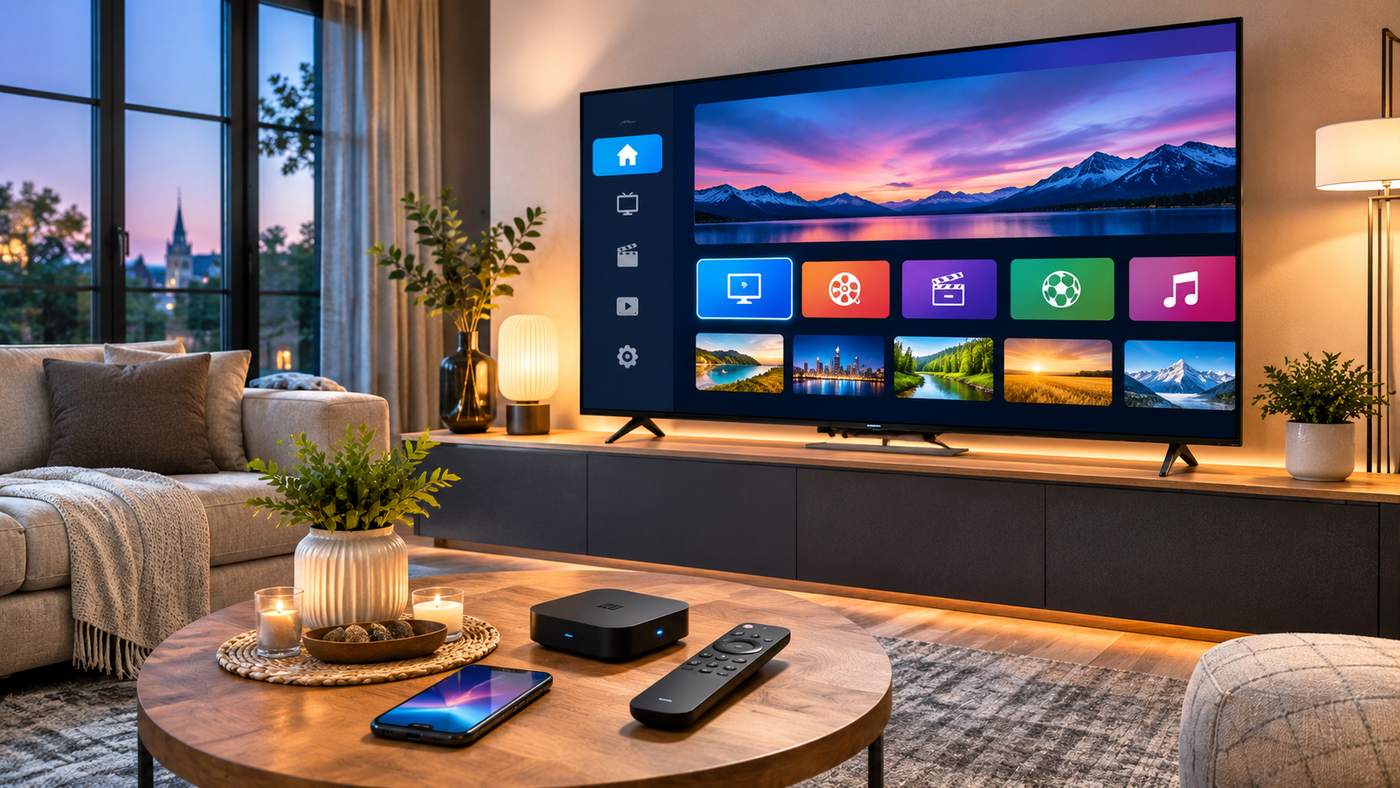
Internet television has changed how people access live channels, films, sports, and entertainment on connected devices. Instead of relying entirely on traditional cable or satellite connections, viewers can use internet-based services through compatible applications and streaming hardware. Atlas Pro ONTV is a name commonly encountered in online searches for IPTV applications, subscriptions, and television streaming packages, particularly among French-speaking audiences.
However, selecting an IPTV service requires more than comparing the number of advertised channels. Consumers should understand who operates the service, whether its content is licensed for their location, which devices are genuinely compatible, and how their payment and personal information will be protected.
Several websites advertise services under the Atlas Pro name, including subscription packages, application downloads, and technical support. These websites do not necessarily represent the same company or an independently verified official provider. Features, prices, and claimed compatibility can differ between sellers.
This guide explains the technology, advertised features, subscription considerations, installation safety, and common technical questions to help readers make informed decisions.
What Is Atlas Pro ONTV?
Atlas Pro ONTV is a name used for IPTV-related streaming software and subscription offerings that advertise access to internet-delivered television and on-demand entertainment.
IPTV stands for Internet Protocol Television. It refers to the delivery of television content through internet networks rather than solely through conventional satellite, antenna, or cable broadcasting methods.
IPTV technology itself is widely used for legitimate television services. Whether an individual subscription is lawful depends on the provider’s authorization to distribute the particular content.
How IPTV Streaming Works
An IPTV service supplies compatible video streams to a television application or other media player.
Depending on the service, users may access live television, programme schedules, or video-on-demand libraries.
The viewing experience depends on several components:
- A supported television, phone, computer, or streaming device
- A reliable internet connection
- A compatible application
- Valid access from an authorized content provider
- Suitable content rights in the viewer’s location
A functioning application does not independently establish that the content supplier holds the necessary broadcasting rights.
Commonly Advertised Features
Websites marketing Atlas Pro ONTV frequently promote live television, films, series, sports programming, electronic programme guides, and HD or 4K playback.
Some sellers also advertise catch-up television, multiple connections, and access across different device categories.
These are seller claims rather than independently verified guarantees of service performance or content licensing.
Why Verification Is Important
Two websites using similar branding may offer different applications, prices, customer support arrangements, or subscription terms.
A consumer should not assume that a website is authoritative simply because its domain name contains the words Atlas Pro or ONTV.
Atlas Pro ONTV Features at a Glance
The following table distinguishes commonly advertised functionality from the information a customer should confirm.
| Feature | What sellers may advertise | What to verify |
|---|---|---|
| Live television | International channel packages | Content rights and regional availability |
| Video on demand | Films and television series | Actual catalogue and licensing |
| HD and 4K | High-resolution playback | Source quality, device support, internet requirements |
| EPG | Electronic programme guide | Accuracy and availability |
| Replay | Catch-up or time-shift functions | Supported channels and limitations |
| Multiple screens | Different connection packages | Simultaneous-stream restrictions |
| Device support | Smart TVs, phones, computers | Exact app and operating-system compatibility |
| Technical support | Activation and troubleshooting help | Genuine contact details and response terms |
This distinction helps readers compare real product characteristics rather than accepting promotional language without further investigation.
14 Essential Tips Before Choosing Atlas Pro ONTV
The following recommendations focus on subscription transparency, security, functionality, and lawful access to entertainment.
1. Identify the Actual Subscription Provider
The first step is establishing who is selling the service.
Searching for Atlas Pro ONTV produces multiple websites using similar names, product imagery, and claims of official status.
That does not establish which company, if any, is the original developer or authorized distributor.
Before purchasing, look for a verifiable legal business name, contact details, contractual terms, and a clear description of the product being sold.
A legitimate business should be able to explain its role, whether it develops software, resells access, or distributes licensed television content.
Questions Worth Asking
Who will process the payment? Who provides customer support? Which company is responsible for the subscription? What rights does the seller have to offer the advertised channels?
These are more important questions than whether a website displays a professional-looking logo.
2. Check Whether Television Content Is Licensed
IPTV is a method of delivering video, not a legal classification of every stream.
An authorized service needs appropriate rights to distribute the content it offers.
This applies particularly to subscription sports channels, recently released films, and premium television networks.
Before buying Atlas Pro ONTV access, request clear information about content authorization and the regions covered.
Be cautious when a seller advertises a vast collection of unrelated premium broadcasters at an unusually low annual price without explaining its licensing arrangements.
A paid subscription is not automatically a legal subscription.
3. Understand the Difference Between the App and the Subscription
Some streaming systems involve two separate products.
The application provides the interface used to browse and play content.
The content provider supplies authorized streams and account access.
An Atlas Pro ONTV advertisement may refer to a particular app edition, an IPTV package, or a combination.
Check whether the quoted payment covers software activation, content access, or both.
Also verify whether the seller requires a separate paid third-party player.
A subscription that works in one application may not be supported by every alternative player.
4. Confirm Device Compatibility Before Installation
Different streaming devices use different operating systems and application stores.
A service advertised for Android does not necessarily provide the same application on iPhone, Samsung Smart TV, LG Smart TV, or Windows.
When researching Atlas Pro ONTV compatibility, verify the exact device model and software version.
Common Device Categories
Android TV and Google TV devices may support applications designed for those operating systems.
Samsung and LG televisions use their own smart television platforms.
iPhones and iPads require compatible iOS or iPadOS applications.
Windows and macOS computers may use desktop software or supported web-based interfaces.
Fire TV devices have their own app compatibility requirements.
Always verify the actual application publisher and supported installation method instead of assuming that a generic compatibility icon guarantees functionality.
5. Compare Subscription Lengths and Screen Limits
Some websites advertising Atlas Pro ONTV present individual, two-screen, and family-oriented subscription packages.
They may also advertise different subscription periods.
These offers can change between websites.
A multi-device claim should not be confused with permission to stream simultaneously on multiple screens.
For example, an account may support installation on more than one device but permit only one active connection at a time.
Ask for the precise connection limit and whether additional connections carry separate costs.
6. Review Prices and Renewal Terms Carefully
Subscription pricing can differ between sellers and change over time.
A low headline price may exclude software activation, additional devices, payment charges, or other services.
Before purchasing Atlas Pro ONTV, request a complete price breakdown.
Check the subscription start date, expiry date, payment currency, automatic-renewal conditions, and refund policy.
If an annual payment is required, consider the risk of committing to a service with limited business transparency.
Do not interpret an advertised discount as evidence that the provider is legitimate.
7. Evaluate Your Internet Connection
Video streaming quality depends partly on the stability and available capacity of the connection.
HD, Full HD, and 4K video require different amounts of bandwidth depending on the compression method and source.
A high advertised connection speed does not guarantee uninterrupted playback.
Network congestion, weak Wi-Fi signals, server problems, and background downloads can all affect performance.
For Atlas Pro ONTV playback claims, ask about actual bandwidth recommendations and supported video formats.
Where practical, a stable wired Ethernet connection can help reduce problems caused by weak wireless reception.
8. Verify the Electronic Programme Guide
An electronic programme guide, or EPG, displays information about current and upcoming broadcasts.
Some IPTV advertisements include EPG support among their selling points.
However, guide quality depends on the underlying data source and compatibility with the player.
Before paying for Atlas Pro ONTV, confirm whether programme listings are available for the channels you actually want.
An attractive guide interface is not useful when schedules are missing or inaccurate.
9. Understand Replay and Catch-Up Limitations
Replay and catch-up services allow viewers to watch certain programmes after their original broadcast.
Not every channel or provider offers this functionality.
Availability can depend on technical support, subscription conditions, and distribution rights.
When a seller promotes Atlas Pro ONTV replay functions, ask which channels support them and how long content remains accessible.
Avoid assuming that every live broadcast can be replayed indefinitely.
10. Use Secure Payment Methods
Subscription websites may request personal information and payment details.
Before entering those details, examine the business identity, payment processor, refund policy, and customer support arrangements.
Prefer recognized payment methods offering appropriate consumer protections.
Be cautious about requests for irreversible transfers or payments to unrelated individuals.
An encrypted HTTPS connection is useful, but it does not prove that a seller is trustworthy or authorized to distribute content.
11. Be Careful With Unverified Application Downloads
Some Atlas Pro ONTV websites advertise Android installation files through direct downloads or third-party downloader codes.
An APK obtained outside a trusted application store may expose the device to additional security risks.
Unknown applications can request extensive permissions or contain harmful components.
Check the publisher, software source, update process, and permissions before installation.
Avoid Disabling Security Protections Unnecessarily
Do not disable malware protection or other device safeguards simply because a subscription seller instructs you to do so.
A service requiring an unidentified application from an unfamiliar source deserves additional scrutiny.
Use verified application stores or properly authenticated developer distribution channels whenever possible.
12. Test Support and Customer Communication
A website may advertise continuous technical support, but an availability claim does not establish actual service quality.
Ask a specific question before purchasing.
For example, request confirmation that the service supports your exact television model or that a particular feature is included in the proposed package.
Assess whether the response is clear, relevant, and consistent with the written terms.
For Atlas Pro ONTV buyers, reliable support information can be particularly important because software and subscription responsibilities may be divided between different providers.
13. Evaluate Trial Offers and Refund Conditions
Some subscription sellers advertise trial access.
If a trial is offered, read the conditions before supplying payment information.
Determine whether it renews automatically, whether cancellation is required, and what functions are included.
A trial may help evaluate technical compatibility, but successful playback does not independently prove that the supplier has the required content rights.
Avoid submitting sensitive information to an unverified provider solely to test its claims.
14. Prefer Long-Term Transparency Over Marketing Promises
Reliable streaming services should provide understandable terms, clear customer support, lawful content, and realistic technical expectations.
A provider that promises unlimited premium entertainment, flawless 4K playback, and guaranteed access to every major sports event may be making claims that require careful verification.
The strongest purchasing decision is not necessarily the subscription advertising the largest catalogue.
It is the one that can explain what customers receive, what rights support the service, and how problems or cancellations will be handled.
How to Set Up Atlas Pro ONTV Safely
Setup instructions vary by device, application edition, and the content provider involved.
There is no single installation method that can be assumed safe or suitable for every website using the Atlas Pro name.
Step 1: Identify Your Device
Record the television, streaming box, phone, or computer model.
Check its operating system and available application store.
This helps determine which media players are actually compatible.
Step 2: Verify the Software Source
Before installing Atlas Pro ONTV or a compatible player, establish who publishes the software.
Look for a trustworthy distribution channel, clearly stated permissions, and a documented update process.
Avoid unknown executable files and modified applications advertised as unlocking premium services.
Step 3: Confirm Lawful Content Access
Use only content supplied through a provider authorized to distribute it in your region.
Ask whether the service supports the selected player and what access method it officially provides.
Do not purchase a separate player activation until compatibility and content rights are established.
Step 4: Configure the Supported Application
Follow the verified publisher’s instructions for adding authorized account access.
Depending on the application, this might involve signing in through the provider’s supported authentication method.
Protect passwords and account credentials from unnecessary disclosure.
Step 5: Test Playback and Navigation
Check whether the application opens correctly, whether authorized streams are accessible, and whether the player responds normally to the remote or other controls.
Test picture quality, audio synchronization, menu navigation, and subtitles where available.
Step 6: Review Privacy and Security Settings
Check application permissions and connected account access.
Avoid unnecessary access to contacts, storage, location, or unrelated personal information.
Keep software updated using trusted channels.
What If the App Opens but Has No Channels?
An empty application does not necessarily indicate a technical failure.
Some IPTV players provide no content by default.
Check whether a valid, authorized source is connected and whether the software is compatible with that service.
Do not purchase another subscription merely because an unfamiliar seller claims that an empty screen requires immediate reactivation.
Is Atlas Pro ONTV Legal?
The legal status of a particular Atlas Pro ONTV subscription cannot be established from its name, application interface, or promotional website alone.
IPTV technology is not inherently unlawful.
However, distributing or accessing copyrighted television, films, or sports without the necessary authorization can violate applicable laws.
The distinction depends on the actual provider, content rights, and jurisdiction.
How IPTV Legality Works
Legitimate broadcasters and streaming services obtain permission to distribute protected programming.
Rights may cover particular countries, platforms, subscription models, or periods.
A reseller cannot create those rights simply by supplying a streaming login.
Consumers should verify the relationship between the seller and the content owners.
What French Viewers Should Know
France’s audiovisual regulator, Arcom, explains that IPTV is a neutral technology.
Its lawful use depends on the authorization of rights holders.
Arcom also warns that illegal IPTV services may expose consumers to malware, misleading advertisements, poor service quality, and payment-related risks.
Because Atlas Pro ONTV appears frequently in French-language subscription searches, these distinctions are particularly relevant to readers in France and other French-speaking markets.
Warning Signs That Require More Investigation
Unclear company ownership, implausibly broad premium catalogues, unfamiliar payment arrangements, imitation websites, and missing legal information are reasons to investigate.
No single warning sign conclusively establishes whether a particular company is breaking the law.
However, several together may indicate that the service is unsuitable.
Atlas Pro ONTV Subscription Pricing: What Should You Compare?
Different websites advertise Atlas Pro ONTV packages using different prices, billing periods, and screen allowances.
Those figures should not be treated as a single official price list.
A reliable comparison considers the full purchase conditions.
Subscription Price
Confirm the amount and currency directly through a verified seller.
Check whether the displayed rate includes applicable taxes and payment charges.
Number of Connections
Determine how many simultaneous streams the subscription permits.
A family package may cost more than an individual package, but the exact terms depend on the seller.
Software Costs
Some compatible IPTV player applications have their own payment arrangements.
A content subscription does not always include third-party player activation.
Refund and Renewal Conditions
Review cancellation deadlines, automatic billing, refund eligibility, and support obligations.
Keep copies of the terms accepted at checkout.
Regional Content Availability
A catalogue shown on a website may not be licensed or available in every country.
Confirm access rights rather than assuming that an international marketing claim means worldwide authorization.
Common Atlas Pro ONTV Problems and Troubleshooting
Users searching for Atlas Pro ONTV support may encounter login errors, buffering, missing channel listings, or application crashes.
A systematic approach can help distinguish device problems from provider issues.
Application Will Not Open
Check operating-system compatibility and whether the application is supported on the device.
Use the verified publisher’s update process.
If the installation came from an untrusted source, consider removing it and checking the device’s security status.
Subscription Login Fails
Confirm that the account details are accurate and the subscription remains active.
Contact the seller through previously verified support channels.
Do not provide passwords or account credentials to unrelated websites advertising emergency activation services.
Video Buffers Frequently
Check whether other legitimate streaming applications work normally.
Restart the router where appropriate, reduce competing network traffic, and consider a stable wired connection.
Buffering can also result from the content provider’s servers, which an internet speed upgrade alone will not fix.
Audio and Video Are Out of Sync
Audio synchronization problems can originate in the playback application, video source, or device.
Check supported playback settings and available software updates.
If the issue occurs only with one source, contact the authorized content provider.
Electronic Programme Guide Is Missing
EPG information depends on data supplied by the relevant provider.
A missing guide may result from incomplete programme data, account configuration, or unsupported application functionality.
Review the documented settings rather than downloading unknown replacement files.
4K Content Does Not Play Correctly
4K playback requires compatible source material, appropriate device decoding, sufficient network capacity, and supported display equipment.
A television having a 4K screen does not mean that every stream will be delivered in 4K.
Also check whether the selected subscription actually includes the advertised quality level.
Atlas Pro ONTV vs Other Legal Streaming Options
Before paying for Atlas Pro ONTV, compare the proposed product against established streaming services available in your country.
A licensed provider may offer a smaller catalogue but clearer support, application compatibility, billing policies, and content rights.
Broadcasters’ Official Applications
Television broadcasters may provide dedicated applications for their own channels or licensed on-demand catalogues.
These apps often include supported account management and programme information.
Licensed Live TV Platforms
Some streaming platforms combine live channels with subscription plans and supported playback devices.
Their channel lists may be limited by geography and licensing.
Individual Film and Series Services
On-demand platforms focus on licensed libraries rather than a large collection of live channels.
Their suitability depends on the content the household actually watches.
Choosing by Real Viewing Habits
Instead of paying for thousands of advertised channels, identify the specific programmes, sports, and entertainment categories you want.
Then compare services authorized to supply that content.
This approach can reduce unnecessary spending and make future subscriptions easier to manage.
How to Protect Your Privacy With IPTV Streaming Services
Privacy matters when a streaming service connects personal accounts, payment systems, and household devices.
Before using Atlas Pro ONTV software or any related subscription, evaluate the data requested and the organization collecting it.
Keep Payment and Login Details Separate
Use appropriate account security practices and avoid reusing sensitive passwords.
Do not publish subscription details in public support forums.
Review Permissions Carefully
A streaming application should request access reasonably connected to its functionality.
Investigate permissions that appear unrelated to media playback.
Avoid Unverified Support Messages
Scammers may impersonate streaming providers through messaging platforms.
Do not follow suspicious links requesting immediate payment, reactivation, or account verification.
Maintain Device Security
Install operating-system and application updates through trusted sources.
Review unused connected applications periodically and remove unnecessary account permissions.
Who Should Consider Atlas Pro ONTV?
Readers interested in Atlas Pro ONTV should first establish exactly which product and seller they are evaluating.
A compatible television application may interest users looking for an internet-delivered media interface.
However, suitability depends on authenticated software, lawful content, device support, payment transparency, and customer service.
People seeking straightforward access to particular television channels may find an established licensed broadcaster or streaming platform easier to evaluate.
A large advertised channel count should not be considered a substitute for verified rights and dependable service.
Frequently Asked Questions
1. What is Atlas Pro ONTV?
Atlas Pro ONTV is a name used for IPTV-related applications and streaming subscription offers. Several websites use similar branding, so the exact seller, software, and content rights should be verified.
2. Is Atlas Pro ONTV available on Smart TVs?
Various sellers advertise compatibility with Smart TVs and other devices. Actual support depends on the device model, operating system, compatible application, and subscription provider.
3. Is Atlas Pro ONTV free or paid?
Websites using the name commonly advertise paid subscriptions. Software activation and content access may have different charges, so review the terms of the particular offer.
4. Is Atlas Pro ONTV legal to use?
IPTV technology is lawful in itself, but a subscription must have appropriate content distribution rights. The legal status of an individual seller cannot be confirmed by branding or payment alone.
5. Why does Atlas Pro ONTV keep buffering?
Buffering may be caused by unstable internet, Wi-Fi interference, device limitations, or problems with the streaming source. Check ordinary network performance and contact the authorized provider when necessary.
6. How can I find a trustworthy Atlas Pro ONTV provider?
Check the actual company identity, content licensing, secure payment methods, software source, customer support, privacy information, and written subscription conditions before purchasing.
Conclusion
Atlas Pro ONTV is widely promoted through IPTV application and subscription websites, but similar branding does not establish one verified provider or guarantee lawful content access. Before subscribing, evaluate the seller’s identity, licensing claims, device compatibility, payment policies, and application security. Reliable streaming depends on more than picture quality or channel numbers; transparent business practices and authorized content matter just as much. By comparing verified information and avoiding unrealistic marketing promises, viewers can make safer entertainment choices.
