
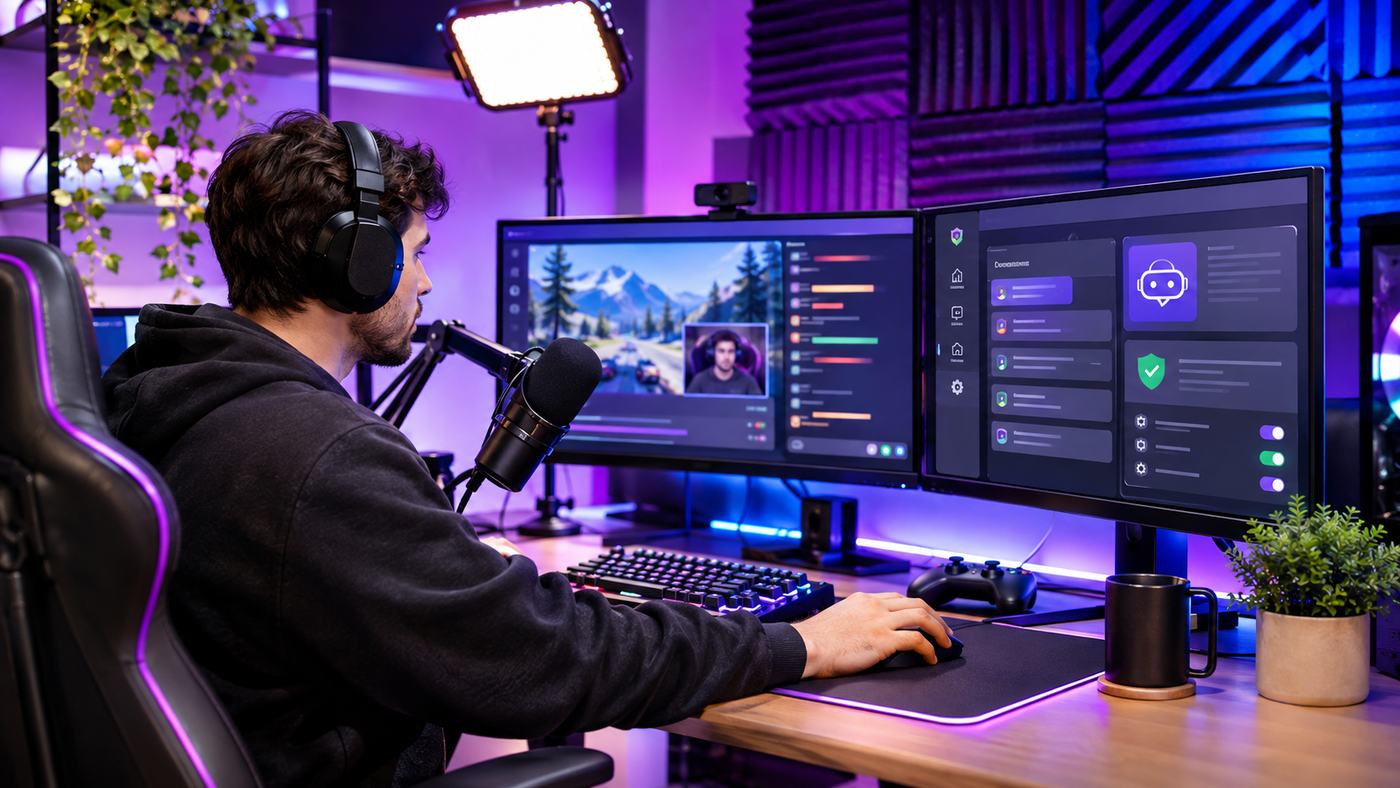
Running a successful Twitch channel requires attention to far more than the content appearing on screen. Streamers must answer repeated questions, manage spam, communicate important information, and maintain a welcoming environment while interacting with their audience. People searching for buy twitch chat bot solutions usually want software that can automate these tasks and make their live broadcasts easier to manage.
A legitimate Twitch chatbot can respond to custom commands, filter unwanted messages, publish scheduled announcements, and support human moderators. Some tools also allow interactive features, event-based actions, and connections with streaming software.
However, not every service advertised as a Twitch chatbot provides the same functionality. Some platforms offer reliable moderation automation, while others promote artificial conversations, fake viewers, or misleading engagement services.
Understanding the difference is essential before spending money.
This guide explains how Twitch chatbots work, which features are worth paying for, how established platforms compare, and what streamers should check before connecting third-party software to their accounts.
What Does It Mean to Buy a Twitch Chat Bot?
The phrase buy twitch chat bot generally refers to purchasing or subscribing to software that automates permitted activities in a Twitch channel’s live chat.
A chatbot is a software application that can recognize particular messages or events and perform predefined actions.
For example, when a genuine viewer types a command requesting the stream schedule, the chatbot can display a prepared response.
A bot may also moderate repetitive messages, restrict unwanted links, or share community guidelines at appropriate intervals.
How Twitch Chatbots Work
Twitch provides official developer interfaces that allow authorized software to interact with chat.
These include EventSub for receiving relevant events and supported Twitch API methods for sending messages and performing permitted actions.
Applications generally require appropriate authorization before acting on behalf of a broadcaster or bot account.
Chatbots also operate within platform rules and technical rate limits.
Moderation Bots Versus Fake Engagement Bots
A legitimate moderation bot provides useful functionality for a real community.
It does not need to invent viewers or impersonate participants.
Fake engagement services, by contrast, may attempt to inflate audience statistics or generate conversations that falsely suggest genuine activity.
Twitch prohibits artificial engagement designed to manipulate channel statistics and community interactions.
Why This Distinction Matters
Before choosing a buy twitch chat bot offer, determine whether the product helps manage actual viewers or attempts to create a false impression of popularity.
Authentic moderation software can be useful.
Artificial engagement services can threaten channel credibility and create account-enforcement risks.
19 Expert Tips Before You Buy Twitch Chat Bot Software
The following recommendations help streamers evaluate functionality, pricing, reliability, security, and overall value.
1. Define Your Channel’s Biggest Chat Problems
Start with a list of issues that affect your streams.
These might include repeated questions, spam links, inappropriate language, or difficulty publishing channel information while gaming.
Different problems require different automation features.
A small channel may benefit from basic commands and a few filters.
A larger community may need detailed moderation controls and multiple administrator permissions.
Before comparing buy twitch chat bot products, identify what the software needs to accomplish.
2. Decide Whether You Need a Free or Paid Tool
Not every streamer needs premium software.
Established chatbot platforms provide a range of useful features, and some can be used without paying for an expensive custom solution.
Premium products may offer additional integrations, specialized automation, or more advanced management options.
However, the value depends on which features are actually included.
Choose based on specific requirements rather than assuming that paid software automatically provides better moderation.
3. Prioritize Effective Spam Protection
Spam filtering is one of the most valuable chatbot capabilities.
Useful filters may address repeated messages, unwanted links, excessive capital letters, and inappropriate language.
The settings should be adjustable because legitimate communities have different communication styles.
An overly aggressive filter can remove harmless jokes or prevent viewers from sharing acceptable information.
When evaluating buy twitch chat bot software, look for flexible moderation controls and understandable logs.
4. Choose Software With Custom Commands
Custom commands allow viewers to access useful information without repeatedly interrupting the broadcaster.
For example, a command can provide streaming times, social profiles, or community rules.
Common command ideas include:
| Command | Purpose |
|---|---|
!schedule | Share upcoming streaming times |
!discord | Display the official community invitation |
!rules | Explain channel guidelines |
!socials | Share approved social media profiles |
!setup | Provide streaming equipment details |
!faq | Answer frequently asked questions |
A useful chatbot should let creators edit these messages and control who can activate them.
5. Look for Command Cooldowns
A popular command can become disruptive if dozens of viewers trigger it repeatedly.
Command cooldowns help prevent the same response from appearing too often.
Some tools offer both individual-user and global cooldown controls.
These settings are useful for active communities because they preserve readability without removing the command entirely.
Before purchasing buy twitch chat bot software, check whether response frequency can be controlled.
6. Review Automated Announcement Features
Scheduled messages can remind viewers about channel events, community guidelines, or upcoming broadcasts.
However, automated messages should not dominate the conversation.
A good announcement system allows streamers to adjust intervals and, ideally, consider whether chat is active.
The objective is to make useful information available.
It is not to create artificial activity during quiet periods.
7. Check Twitch Authentication and Permissions
Account security should be a major consideration when selecting chatbot software.
Legitimate integrations typically use Twitch-supported authorization mechanisms.
These allow applications to request specific permissions without requiring streamers to disclose their account passwords directly to an unknown service.
Review every permission requested during setup.
A basic command bot should not receive unrelated privileges without an understandable reason.
Why Permission Control Is Important
Some moderation actions require elevated authorization.
Only grant the access necessary for the features you intend to use.
When changing providers, review connected applications and remove permissions that are no longer needed.
8. Compare Cloud and Local Chatbots
Cloud-hosted chatbots operate through remote infrastructure.
This can make them convenient because the streamer does not need to keep separate chatbot software running on a personal computer.
Local chatbots operate from the creator’s own system.
They may provide greater flexibility for custom integrations but can require more setup and maintenance.
When researching buy twitch chat bot options, consider whether convenience or technical customization matters more.
9. Check Compatibility With Streaming Software
Some chatbot workflows connect with OBS Studio, event notifications, overlays, or other broadcasting applications.
These integrations may allow viewers to activate visual effects or trigger permitted on-stream actions.
However, not every chatbot supports every third-party application.
Verify the exact integration rather than assuming all tools work together.
Creators using several applications should consider how the combined system will be maintained.
10. Evaluate Human Moderator Support
Automated moderation can reduce repetitive work, but it cannot reliably understand every conversation.
Jokes, sarcasm, unusual usernames, and culturally specific expressions may be interpreted incorrectly.
Human moderators remain important for evaluating context and resolving disagreements.
A good chatbot should support the moderation team through permissions, logs, and consistent rules.
The best buy twitch chat bot choice improves the work of human moderators rather than attempting to eliminate them.
11. Look for Useful Activity Logs
Moderation logs can help explain why a message was removed or a command was triggered.
They may also reveal patterns of repeated spam or misconfigured rules.
When comparing software, ask whether the dashboard makes these activities understandable.
Good records make it easier to correct mistakes and provide consistent moderation.
12. Avoid Unnecessary Feature Complexity
A chatbot with hundreds of options may appear impressive.
However, advanced features are not valuable if the broadcaster never uses them.
Complex settings can also create unexpected responses or conflicts with existing tools.
Start with the essential features.
Expand only after the basic moderation workflow performs reliably.
13. Review Subscription Pricing Carefully
Some software providers offer paid tiers, while others provide core features through free access.
Custom-developed bots may involve development fees, hosting expenses, and maintenance charges.
When comparing buy twitch chat bot prices, examine the complete cost rather than only the advertised monthly amount.
Check renewal conditions, cancellation instructions, and whether optional features require separate payments.
14. Test the Software Before Committing
Where a free tier or demonstration is available, test it first.
Create a command, configure basic spam protection, and check how the bot responds during a controlled broadcast.
Observe whether the dashboard is easy to use and whether messages appear correctly.
Testing can reveal limitations that are not obvious from marketing descriptions.
15. Confirm Technical Support Availability
Chatbots can experience configuration issues after account changes, application updates, or permission adjustments.
A useful provider should offer documentation and an understandable support process.
Review the current help resources before subscribing.
For a custom chatbot, ask who will fix problems and whether ongoing support is included in the development agreement.
16. Understand Twitch’s Chat Rate Limits
Twitch imposes technical limits on how frequently automated accounts can send messages.
The applicable limits depend on factors including account privileges and bot status.
Applications should follow the documented limits and manage message frequency appropriately.
Avoid buy twitch chat bot products that promise unlimited mass messaging or deliberately attempt to bypass platform restrictions.
Such features are not necessary for responsible community management.
17. Protect Viewer Privacy
Chatbot systems may process usernames, chat messages, interaction records, and account information.
Review the provider’s privacy practices and data retention policies.
Avoid collecting sensitive viewer information unless there is a legitimate need.
If a chatbot uses external services, understand what information may be transmitted.
Privacy protection should be part of the purchase decision, not an afterthought.
18. Avoid Fake Viewer and Engagement Packages
A service selling artificial viewers is fundamentally different from a moderation chatbot.
Some sellers advertise automatic conversations intended to imitate real community members.
Twitch identifies chat-activity bots as one possible element of viewbotting schemes.
These services can undermine trust and violate platform rules.
A responsible buy twitch chat bot strategy focuses on authentic interaction, not fabricated activity.
19. Choose Tools That Can Grow With Your Channel
Your channel’s needs may change over time.
A beginner may only need commands and spam filters.
A growing community may require additional moderator permissions, interactive features, and more advanced event handling.
Choose software that can adapt without forcing unnecessary spending.
The best solution is one that remains understandable, reliable, and useful as your streaming activities evolve.
Popular Twitch Chatbot Platforms to Compare
Several established platforms provide functionality for legitimate Twitch chat management.
Their features, subscriptions, and support arrangements can change, so review current product documentation before selecting a service.
Nightbot
Nightbot is a cloud-hosted chatbot used for moderation, custom commands, scheduled announcements, and other streaming activities.
Its official documentation describes spam filters, command permissions, cooldowns, and management tools.
Because the platform is cloud-hosted, streamers do not need to operate a separate local chatbot server for ordinary use.
Nightbot is worth reviewing for broadcasters who want a straightforward command and moderation system.
StreamElements Chatbot
StreamElements provides chatbot features through its streaming platform.
Its documentation includes custom commands, timers, spam filtering, counters, and interactive modules.
The dashboard approach may suit creators who want chat automation alongside other streaming management features.
Before choosing StreamElements, determine which modules are useful and how they interact with the channel’s existing moderation settings.
Streamer.bot
Streamer.bot takes a different approach.
Its documentation describes a locally operated automation system that connects with streaming services and other applications.
Users can configure triggers, actions, variables, and more advanced workflows.
This flexibility may appeal to experienced creators interested in customized interactions.
However, a more advanced system can require additional time to configure and maintain.
Which Platform Is Best?
There is no universal winner.
Nightbot may suit streamers prioritizing straightforward cloud-based moderation.
StreamElements may appeal to creators using its broader streaming tools.
Streamer.bot may be useful for people who want local automation and more detailed customization.
When making a buy twitch chat bot decision, evaluate the specific workflow rather than simply comparing brand popularity.
Free vs Paid Twitch Chatbot Features
Before purchasing premium software, compare what is already available.
| Feature | Free or basic tools | Premium or custom tools |
|---|---|---|
| Custom commands | Often available | Usually available |
| Spam moderation | Commonly available | May offer additional customization |
| Scheduled messages | Often available | May support more advanced workflows |
| Interactive integrations | Varies | May offer additional options |
| Moderator access | Provider-dependent | May provide expanded permissions |
| Custom automation | Sometimes available | May be a major feature |
| Support | Varies | Depends on plan or contract |
| Ongoing maintenance | Usually provider-managed for cloud tools | Varies for custom systems |
This comparison describes general product categories rather than guaranteeing features on every current plan.
Read the chosen provider’s actual documentation before paying.
How Much Does It Cost to Buy a Twitch Chat Bot?
The cost of chatbot software depends on whether you select an existing platform, a paid subscription, or custom development.
Some established tools can meet basic moderation needs without an upfront purchase.
Other systems offer optional paid functionality.
Free Chatbot Solutions
Free tools can provide practical features such as spam filtering, commands, and timers.
These are often sufficient for small or developing channels.
They also give creators an opportunity to understand how automation affects the viewing experience.
Premium Chatbot Plans
Paid plans may include advanced settings, specialized integrations, or additional management capabilities.
The benefits depend on the particular provider and subscription.
Before paying, identify the specific feature that justifies the extra cost.
Custom Chatbot Development
Custom development may be appropriate when an existing platform cannot support a specialized requirement.
Examples could include a unique viewer interaction system or integration with custom streaming software.
The cost may involve initial programming, testing, hosting, authentication, and ongoing updates.
Calculate the Total Cost of Ownership
Do not focus exclusively on development or subscription fees.
Consider setup time, maintenance, troubleshooting, future changes, and the reliability of the service.
A simple tool that works consistently can provide better value than complicated software requiring constant attention.
How to Set Up a Twitch Chat Bot Safely
A good setup process begins with selecting a trusted provider and understanding the permissions required.
Step 1: Identify Your Requirements
Write down the commands, filters, announcements, and integrations you need.
Start with a small configuration.
Step 2: Visit the Verified Provider Website
Use the official developer website or another trusted distribution channel.
Avoid unknown downloads and websites promising unrestricted engagement automation.
Step 3: Authorize Twitch Access
Follow the supported Twitch authorization process.
Review the permissions shown before granting access.
Do not enter your Twitch password into unfamiliar third-party forms.
Step 4: Configure Moderation Filters
Start with common spam concerns such as repetitive messages and unwanted links.
Set restrictions carefully to avoid blocking normal viewer activity.
Step 5: Add Useful Commands
Create responses for frequently requested information.
For example, a !schedule command can provide upcoming broadcast times.
Include appropriate cooldowns to prevent repeated messages.
Step 6: Configure Timed Announcements
Choose sensible intervals.
Ensure automated announcements complement rather than interrupt genuine conversations.
Step 7: Test During a Controlled Broadcast
Check how the chatbot responds to commands and moderation events.
Review whether human moderators can understand and manage the system.
Step 8: Monitor Performance and Update Settings
Examine logs, viewer feedback, and recurring moderation problems.
Remove unnecessary features and adjust rules when they produce false positives.
Twitch Rules Every Chatbot Buyer Should Know
Twitch supports legitimate moderation bots, but this does not mean all automated activity is acceptable.
Twitch’s developer documentation provides supported methods for reading chat events, sending messages, and authorizing chatbot functionality.
The platform also enforces restrictions on spam and artificial engagement.
Authorized Chatbot Activity
Legitimate automation can include responding to commands, applying chat rules, and posting relevant announcements.
Applications must use suitable account authorization and follow applicable platform requirements.
Artificial Engagement Violations
Twitch prohibits activities intended to inflate viewer or follower statistics artificially.
It also warns that chat-activity bots may accompany viewbotting schemes to imitate real interactions.
Avoid services that sell fabricated conversations or promise artificial popularity.
Protect Your Account Permissions
Connected applications should receive only necessary permissions.
Review the list of authorized applications periodically.
Remove tools that are no longer used.
Human Moderation Still Matters
Twitch recommends using human moderators alongside automated tools.
People are better suited to interpreting context, resolving disputes, and responding to unusual circumstances.
Automation should support community standards rather than make every moderation decision without review.
Can a Twitch Chat Bot Help a Channel Grow?
A chatbot can improve the experience of participating in a live stream.
However, it does not guarantee increased viewership, followers, or revenue.
Audience development depends on consistent content, real interaction, discoverability, and community relationships.
Better Information Access
Commands allow viewers to find useful details without repeatedly asking the broadcaster.
More Consistent Moderation
Spam filters and automated rules can reduce disruptions.
This may help create an environment where genuine participants feel comfortable.
Less Repetitive Work for Streamers
Automation reduces the need to manually repeat schedule information or basic channel rules.
That gives the broadcaster more time to engage with viewers.
Authentic Community Interaction
Real growth depends on people who return because they enjoy the content and community.
A buy twitch chat bot purchase should support that experience, not attempt to manufacture it.
Common Mistakes When Buying Twitch Chatbot Software
Some streamers spend money before testing the free options already available.
Others select software with features they do not understand or need.
These mistakes can create unnecessary expense.
Running Too Many Bots Together
Several chatbots may respond to the same command or apply conflicting filters.
This can create duplicate messages and inconsistent moderation.
Coordinate the settings of each tool.
Excessive Automated Announcements
Repeated promotional messages can make chat feel crowded.
Use announcements sparingly and provide information that viewers genuinely need.
Giving Unnecessary Permissions
Broad account access creates avoidable security exposure.
Review permissions carefully and remove unused integrations.
Confusing Automation With Growth
A chatbot helps manage interactions.
It cannot replace content quality, real viewer interest, or consistent streaming.
Ignoring Long-Term Maintenance
Even well-designed software requires configuration reviews.
Commands become outdated, integrations change, and moderation needs evolve.
Choose a tool you are prepared to maintain.
How to Choose the Best Twitch Chat Bot for Your Channel
The most effective decision begins with understanding the channel’s current needs.
A new streamer may prioritize simple commands and a few moderation filters.
A growing community may need better logs, moderator roles, and event-driven features.
An advanced creator may benefit from a custom system connected to several applications.
Before making a final buy twitch chat bot purchase, compare the required functionality, available free features, authorization permissions, technical support, and total cost.
A dependable tool should make conversations easier to manage without turning genuine community participation into automated noise.
Frequently Asked Questions
1. Is it safe to buy twitch chat bot software?
Yes, when choosing reputable tools for legitimate moderation and automation. Review account permissions, privacy practices, subscription terms, and Twitch rules before purchasing.
2. What is the best Twitch chatbot for beginners?
Nightbot and StreamElements are established options worth comparing. The best choice depends on whether you need basic commands, spam filters, or additional streaming integrations.
3. Can I use a Twitch chat bot for free?
Yes. Some established chatbot platforms provide useful commands and moderation features without requiring an expensive custom solution. Current features vary by provider.
4. Are Twitch moderation bots allowed?
Twitch supports properly authorized moderation bots. However, spam, viewbotting, artificial engagement, and deceptive automation can violate platform rules.
5. Can a Twitch chat bot increase my viewers?
A chatbot can improve community management but cannot guarantee authentic viewership growth. Avoid services that artificially inflate audience statistics.
6. Should I buy a custom Twitch chatbot?
Custom development can make sense when existing tools cannot support a specialized workflow. Evaluate development costs, maintenance, account security, and technical requirements first.
Conclusion
Choosing to buy twitch chat bot software should be a practical decision focused on moderation, useful commands, and reliable automation. Established tools can help reduce repetitive tasks and support genuine community interactions, while premium or custom solutions may serve more advanced needs. Before purchasing, verify the provider, compare features, understand Twitch’s rules, and protect your account permissions. The right chatbot makes streaming easier without sacrificing authenticity or viewer trust.
