
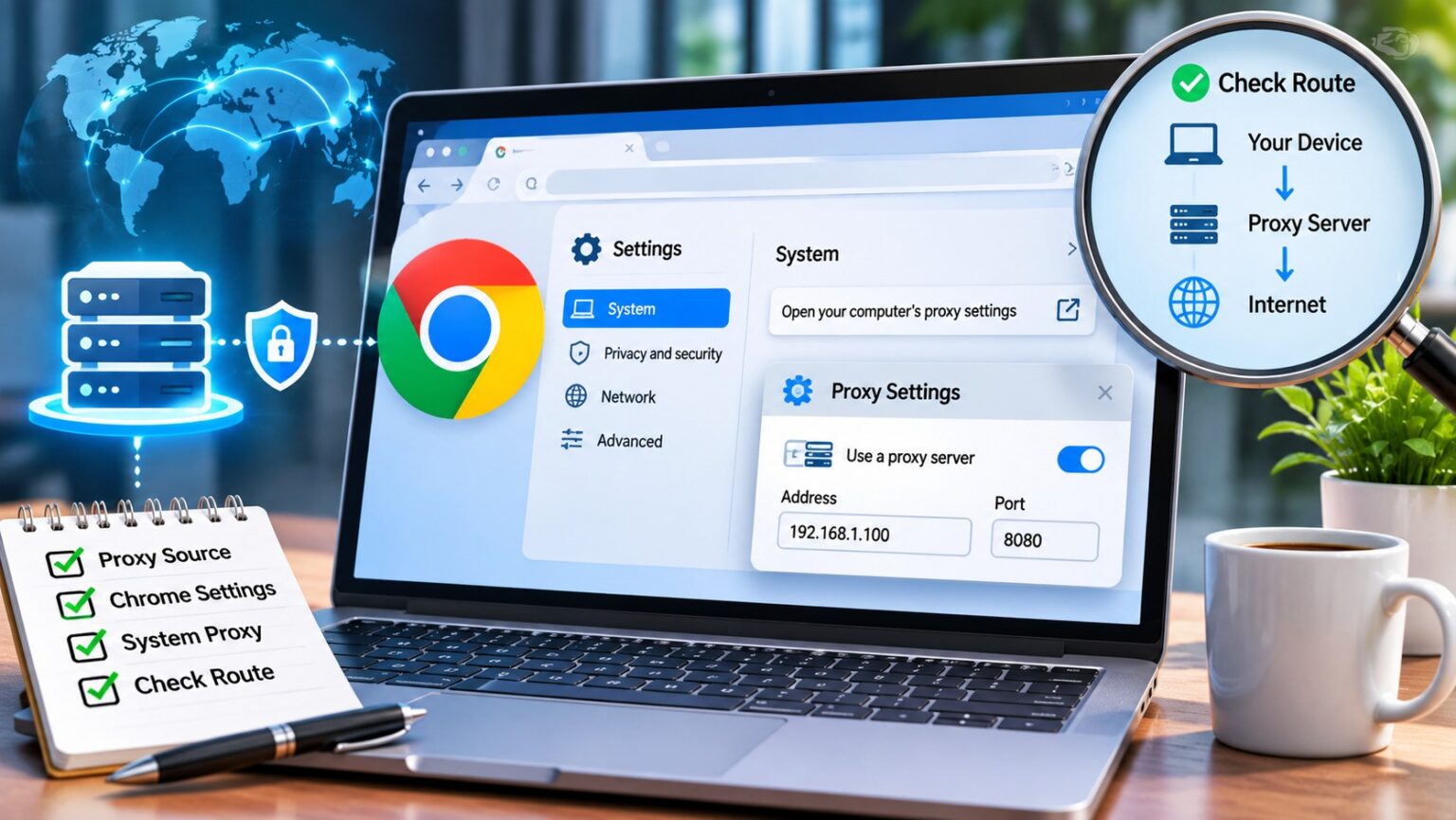
Open the proxy entry in Chrome’s settings and you land somewhere unexpected: an operating-system panel, not a Chrome page. That small detour explains most proxy confusion. Chrome usually borrows its route from somewhere else, and several other places can quietly override it. Whether the endpoint is a corporate gateway or a rotating residential proxy, the same rules decide which requests use it. This guide maps those places, shows how flags and PAC files change the picture, and ends with a way to prove which route a request really took.
What Chrome proxy settings actually control
Chromium’s design notes say the browser’s network stack uses the system network settings, so that users and administrators can control every application from one place. Proxy configuration is part of that shared set, alongside TLS and certificate settings. In practice, the “Open your computer’s proxy settings” link is a shortcut, not a separate store.
That design has a consequence people miss. Editing the system proxy affects other applications too, and every Chrome profile that follows the system setting. Treat the system panel as shared infrastructure: default to recording its current values before touching anything, unless you are on a disposable test machine.
Four places a proxy can come from
The proxy design notes in the Chromium source tree list the possible origins of the configuration a browser profile ends up using. Knowing which one is active saves more time than any amount of re-entering an address.
| Source | Scope | Where it stops |
| Managed policy (chrome://policy) | Whole browser, set by an administrator | Users cannot change it locally |
| Command-line flags | That launched browser process | Gone when Chrome starts without the flags |
| Extension using the proxy API | One profile | Other profiles keep their own route |
| System proxy settings | Per network, shared with other apps | Can differ between Wi-Fi, Ethernet and VPN |
When a setting reverts or the control looks locked, check policy first, then the launch shortcut for a PAC file or bypass list passed as a flag, then extensions. Only after those three come back empty should the operating system panel be blamed.
Windows, macOS and ChromeOS: where the system setting lives
On Windows, the path is Settings, Network & Internet, Proxy, with separate controls for automatic detection, a setup script and a manual server. One walkthrough on the EZXLabs blog was captured on Windows 11 build 26200 and notes that Windows separates multiple entries with semicolons in the exception list. macOS keeps proxies inside each network service under System Settings, Network, Details, and expects commas between bypass entries instead.
ChromeOS follows the same idea with its own twist: proxy options belong to the individual network in the device’s network settings, so a configuration made for office Wi-Fi does not follow you to a phone hotspot. Pick the right network before editing. Picture a docked Mac that switched from Wi-Fi to Ethernet: the classic case of a correct setting on the wrong service.
Chromium also notes that the Windows option to skip the proxy for local intranet addresses corresponds to “Exclude simple hostnames” on macOS. Leave that checkbox as you found it unless the network owner says otherwise.
Command-line flags and PAC files
Flags give a single Chrome process its own route without touching the system. Chromium documents –proxy-server for a fixed endpoint, –proxy-bypass-list for exceptions, –proxy-pac-url for a script, –proxy-auto-detect for discovery and –no-proxy-server to force direct connections. Auto-detect is ignored when a proxy server is also given, and the bypass list only has an effect alongside –proxy-server.
For a gateway such as the EZXLabs residential endpoint, the documented HTTP connection is host proxy.ezxlabs.com on port 39080 with the account’s username and password. For an isolated test profile, the launch line would look like this:
chrome –user-data-dir=C:\chrome-proxy-test –proxy-server=”http://proxy.ezxlabs.com:39080″
Credentials do not belong in that flag. According to Chromium, Chrome ignores usernames and passwords embedded in manual proxy settings and asks through its normal sign-in prompt instead. Separately, Chromium documents that Chrome supports no authentication methods for a SOCKSv5 proxy, so an authenticated gateway should be entered with its HTTP scheme even if the provider also offers SOCKS5.
PAC files work differently: a JavaScript function decides per destination, returning a proxy for one hostname and DIRECT for another. Prefer a PAC file whenever the network has internal hosts, and keep a manual server for single-purpose test profiles.
Extensions and policies that take over
Proxy manager extensions use Chrome’s proxy API and apply to the profile that installed them. When one is in control, Chrome’s settings page says so and points to the extension. Disabling it returns the profile to whatever sits underneath, which is usually the system configuration.
Managed devices are another story. Administrators can set a fixed server, a PAC script or the system configuration through policy, and those values win over anything a user tries. Look for ProxySettings in chrome://policy before opening a ticket, and quote the value you see. Never fight a policy with an extension on a work machine; ask the administrator for an approved test profile instead.
Common confusion: localhost, Incognito and status codes
Requests to localhost never test your gateway. Chromium applies implicit bypass rules to localhost names and link-local addresses, extended from PAC scripts in M71 to manual settings in M72. Unless the special <-loopback> rule is added for a deliberate test setup, those requests go direct.
An Incognito window is not a different route either. It may run in a separate network context, yet it normally inherits the same proxy source as the parent profile.
Status codes separate two different logins. Response code 407 means the proxy itself challenged the request, while a 401 comes from the website. Typing a site password into a proxy prompt can send it to the wrong service, so read which one is asking before you answer.
A working IP check proves less than you think
Here is the counter-intuitive part. An address-check page only shows the route used for that page. With a PAC file, the very next hostname may go direct. Chromium also describes proxy fallback as stateful: after a connection failure, Chrome can mark a proxy as bad and try the next option, so a later request may succeed over a different path. The “Clear bad proxies” button in chrome://net-internals/#proxy resets that memory.
Rotating residential gateways add another wrinkle. In rotating mode, the EZXLabs backconnect gateway assigns a new IP to each request, so two tabs showing different addresses is expected behaviour, not a fault. Each sticky session keeps one exit for a fixed 10-minute TTL that users cannot change. Default to rotating mode for independent page loads, and switch to sticky only when a login must survive several requests.
Verify the route for a real request
When a script or exception list is involved, the most honest test is a Two-Destination Route Check. Choose one approved destination that should use the gateway and one that should bypass it, make a fresh request to each from the real profile, and compare the gateway log with the origin log at the same timestamps. The source walkthrough recorded its observations on November 3, 2026 in a loopback-only lab, which is a useful reminder to state exactly what was and was not tested.
When logs are not available, capture a NetLog from chrome://net-export while reproducing the problem and open it in the NetLog viewer. Its proxy tab shows the original and effective settings for that profile. Step-by-step screenshots for each platform sit in this guide to Chrome proxy settings, including how to restore the previous configuration afterwards.
Limits, compliance and a final checklist
Routing is the only thing a browser proxy changes. EZXLabs describes its residential proxy service as traffic routing, not a crawler, scraper or extraction API, and its SLA promises no minimum uptime or success rate. When a plan’s traffic is used up, the gateway answers with HTTP 429 and EZP_QUOTA_DENIED; that signals an exhausted quota, not a pause to wait out. Use any gateway only for sites and accounts you are authorized to access, and respect each site’s terms and rate limits.
- Record the current policy, flags, extension and system values before changing anything.
- Confirm the active network service or connection, including VPNs.
- Use the HTTP scheme for authenticated gateways and let Chrome prompt for credentials.
- Keep the bypass list narrow and use the platform’s own delimiter.
- Test two destinations with fresh requests, never localhost.
- Restore the original mode once the test is finished.
