
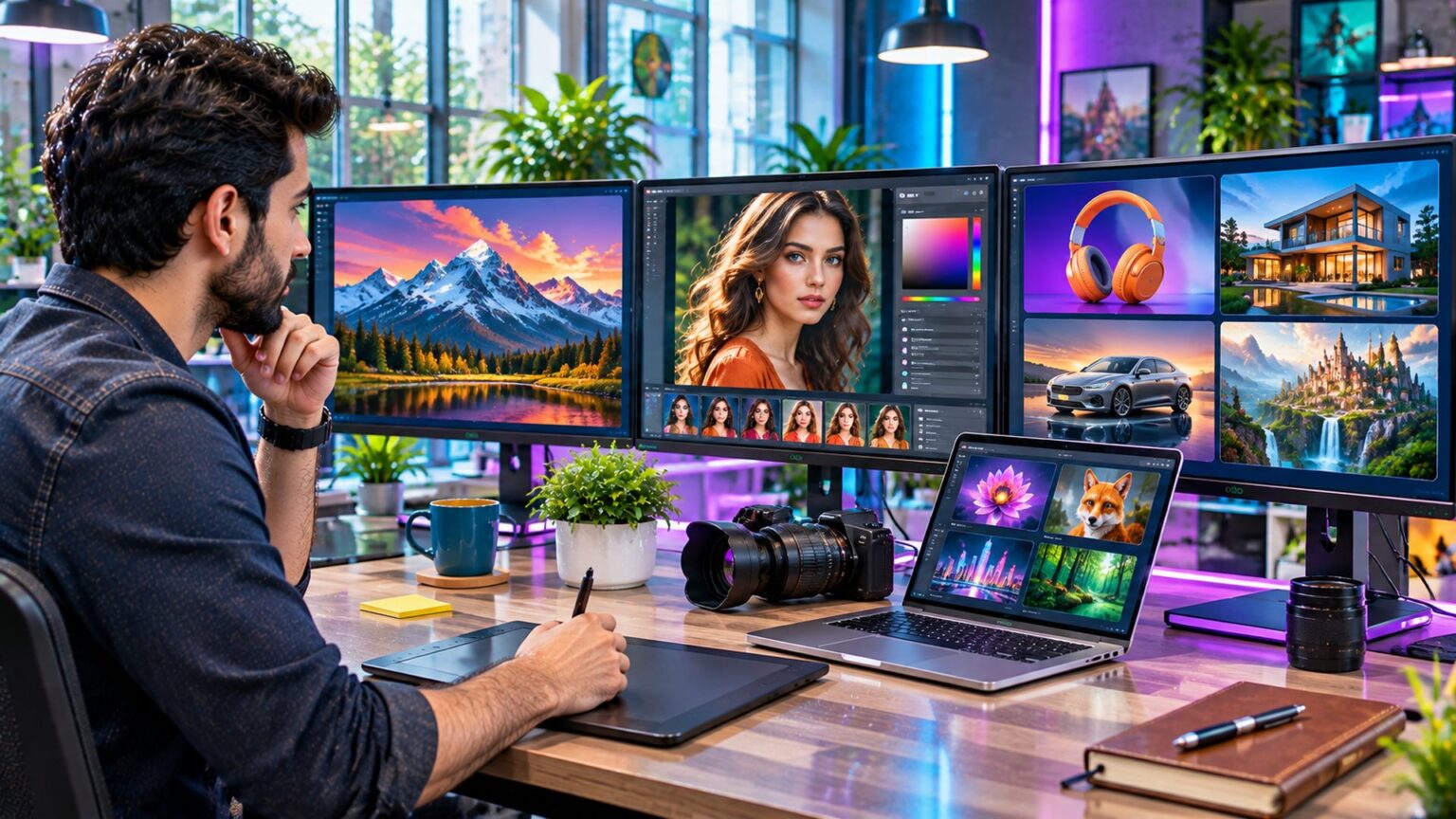
Artificial intelligence is changing how individuals, businesses, and creative professionals produce digital images. An AI Photo Generator allows users to transform written descriptions into visual content, explore artistic concepts, and develop realistic illustrations without relying entirely on traditional photography or graphic design. These tools offer opportunities for creating personalized images, marketing materials, website graphics, and professional visual presentations.
Modern image generation technology combines machine learning, natural language processing, and advanced visual models to interpret creative instructions. Users can describe a subject, environment, lighting arrangement, and artistic style to generate images that reflect their intended concepts.
However, producing useful visual content requires more than entering a simple instruction. Understanding prompt design, image quality, copyright considerations, and responsible publishing practices can help users make better creative decisions.
What Is an AI Photo Generator?
An AI Photo Generator is a software application that uses artificial intelligence to create digital images from written descriptions, reference images, or other supported creative inputs.
Unlike conventional photo editing applications, which primarily modify existing photographs, generative image tools can produce entirely new visual compositions. Some platforms also allow users to edit existing images, replace backgrounds, modify objects, or expand image boundaries.
These capabilities make artificial intelligence useful across several creative activities, including:
- Digital marketing and advertising
- Website and blog image creation
- Product presentation
- Social media content production
- Concept art and illustration
- Educational materials
- Interior design visualization
- Creative photography experiments
Generated images are synthetic visual content rather than necessarily authentic photographs. This distinction becomes particularly important when images are used in journalism, advertising, or situations requiring factual accuracy.
How Does an AI Photo Generator Work?
Artificial intelligence image generation relies on models trained to recognize relationships between visual information and descriptive language.
Different systems use different technical architectures, but their general purpose is to generate visual content that corresponds with user instructions.
Understanding Text Prompts
The process begins when a user provides a written description of the desired image.
The model interprets information about subjects, environments, colors, composition, and artistic preferences. More descriptive instructions can help communicate the intended appearance of the generated content.
For example, a request for a modern office may produce a broad range of results. Adding details about furniture, natural lighting, camera perspective, and interior design provides more specific creative direction.
Generative Image Processing
Many image generation systems use diffusion based techniques, while others use different generative architectures.
Diffusion models commonly produce images through a process that gradually transforms noise into structured visual information. The generation process is guided by the user’s instructions and patterns learned during model training.
These systems do not necessarily understand physical reality in the same way humans do, which explains why generated images may contain inconsistencies.
Image Refinement and Editing
Some platforms allow users to modify generated images through additional instructions.
Users may adjust lighting, change backgrounds, remove unwanted objects, or request alternative compositions. Depending on the software, editing may affect specific image regions or regenerate larger portions of the composition.
Image Export and Resolution
Once an image meets the user’s requirements, it can be exported in supported formats. Common options may include JPG, PNG, and WebP.
Available resolutions, compression settings, and download capabilities depend on the selected platform.
10 Brilliant Tips for Creating Better AI Generated Images
Creating professional visual content requires thoughtful instructions, experimentation, and careful review. The following techniques can help users develop more effective image generation workflows.
1. Write Clear and Descriptive Prompts
A detailed prompt communicates the intended subject and visual characteristics of an image.
Instead of requesting a beautiful landscape, describe the specific environment, weather conditions, time of day, vegetation, and desired perspective.
An example would be a peaceful mountain lake surrounded by pine forests, reflected sunlight, morning mist, and natural photographic colors.
Clear instructions help an AI Photo Generator interpret creative requirements more effectively.
Avoid adding unrelated details that could conflict with the main subject or make the composition unnecessarily complicated.
2. Define the Visual Style
Artificial intelligence platforms can generate images in various visual styles, depending on their capabilities.
Common creative styles include photorealistic photography, watercolor illustration, cinematic imagery, digital painting, architectural visualization, and minimalist design.
Selecting a suitable style helps maintain consistency across creative projects.
For example, a business website may benefit from realistic commercial photography, while a children’s educational publication may require friendly illustrated visuals.
Describe the visual characteristics you want rather than copying another creator’s distinctive work without appropriate consideration of their rights.
3. Specify Lighting and Atmosphere
Lighting strongly influences how images communicate mood, depth, and visual interest.
Natural daylight can create a clean professional appearance, while warm evening lighting may produce a more relaxed atmosphere. Studio lighting can help emphasize product details and textures.
Include relevant lighting instructions in the prompt, such as soft window light, balanced shadows, realistic reflections, or diffused studio illumination.
Consistent lighting is especially useful when creating multiple images for the same marketing campaign.
4. Select an Appropriate Image Composition
Composition determines how subjects and supporting elements are arranged within an image.
Specify whether the image should contain a close portrait, wide environmental scene, centered product, overhead perspective, or asymmetrical arrangement.
Businesses creating advertising graphics may also need empty space for headlines and promotional messages added during later editing.
An AI Photo Generator can help explore alternative layouts before a designer selects the most appropriate composition.
5. Choose the Correct Aspect Ratio
Different publishing channels require different image dimensions.
A website featured image commonly uses a horizontal layout, while certain social media posts may benefit from square or vertical compositions.
Consider the following examples:
- Website featured image: 16:9
- Square social media graphic: 1:1
- Portrait social media content: 4:5
- Vertical mobile content: 9:16
- Traditional photographic composition: 3:2
These are common creative formats rather than universal platform requirements. Check the actual publishing specifications before exporting the final image.
6. Use Authorized Reference Images
Reference images can help communicate desired colors, layouts, subjects, and visual characteristics.
Some image generation tools allow users to upload photographs or design examples as creative inputs.
Only use images you own, have permission to modify, or are otherwise authorized to use. Avoid uploading confidential photographs, private customer records, or copyrighted material without considering applicable rights.
Review how the platform processes and retains uploaded content before using sensitive reference images.
7. Refine Images Through Iterative Prompts
The first generated image may not satisfy every creative requirement.
Users can refine their instructions by identifying specific areas that need improvement. This could include changing the lighting, simplifying the background, adjusting colors, or modifying the arrangement of visual elements.
Making focused changes can be more manageable than repeatedly replacing the entire prompt.
Keep records of successful instructions when developing a consistent visual identity for a business or publication.
8. Inspect Image Details Carefully
Artificial intelligence can produce convincing images that contain subtle errors.
Generated photographs may include inaccurate reflections, distorted objects, inconsistent shadows, unnatural proportions, or incorrect architectural details.
Review images at their intended publication size and inspect important areas more closely.
Product images require particular care because inaccurate colors, dimensions, or packaging details could misrepresent an actual item.
Human quality control remains necessary even when generation tools produce visually impressive results.
9. Optimize Images Before Publishing
Large image files can increase page loading times and consume unnecessary storage.
Resize images to dimensions suitable for their intended use and apply appropriate compression without introducing noticeable quality problems.
JPG is commonly suitable for photographic content, while PNG may be preferable when transparency or lossless image representation is required. WebP can provide efficient compression for supported publishing environments.
Add descriptive alternative text to website images where appropriate. Alt text should explain relevant visual content instead of repeating unrelated keywords.
10. Maintain Responsible Creative Practices
Responsible image generation protects individual rights, audience trust, and business credibility.
Avoid using artificial intelligence to create fraudulent endorsements, deceptive advertisements, fabricated documentary evidence, or unauthorized intimate imagery.
When the context requires transparency, identify generated visuals as synthetic or AI assisted.
Following responsible creative practices helps ensure that an AI Photo Generator supports legitimate communication rather than misleading audiences.
Essential Features of a Modern AI Photo Generator
Different platforms provide different combinations of image generation and editing capabilities. Users should evaluate these features according to their creative requirements.
Text to Image Generation
Text to image functionality allows users to create visual content directly from written descriptions.
This capability is particularly useful for developing original concepts, illustrative graphics, and preliminary design ideas.
Image to Image Generation
Image to image tools use existing visual material alongside creative instructions.
They can support transformations involving artistic styles, environments, colors, and composition. The extent to which original image details are preserved varies between models.
Background Replacement
Background editing allows users to place a subject within a different environment.
Businesses may use this feature to develop conceptual product presentations or alternative promotional layouts while retaining appropriate control over the accuracy of the original subject.
Generative Image Expansion
Image expansion extends the boundaries of an existing composition by generating additional surrounding content.
This can help adapt horizontal images to wider layouts or create additional space for design elements.
Image Quality Enhancement
Some platforms offer upscaling, noise reduction, and other image enhancement functions.
Upscaling may improve the appearance of an image at larger dimensions, but it cannot guarantee recovery of authentic details that were absent from the original file.
Practical Applications Across Different Industries
Generative image technology can support a variety of industries when implemented according to appropriate creative and professional standards.
Digital Marketing and Advertising
Marketing teams can use an AI Photo Generator to explore campaign concepts, develop advertising backgrounds, and create supporting illustrations.
Generated images can also help teams visualize alternative color schemes and promotional themes before investing in final production.
Advertising materials must accurately represent products, services, and customer experiences.
Ecommerce and Product Presentation
Online retailers can explore different product environments and promotional compositions using artificial intelligence.
For example, a furniture business could develop conceptual room layouts to support discussions about interior styling.
Images representing actual products should preserve important characteristics, including dimensions, appearance, materials, and available features.
Blogging and Website Publishing
Website owners often require visual content for articles, category pages, landing pages, and educational guides.
Artificial intelligence can help develop illustrations tailored to specific topics instead of relying exclusively on generic stock photographs.
Publishers should avoid presenting fictional scenes as photographs of real events.
Architecture and Interior Design
Architects and interior designers can use generated imagery to explore aesthetic concepts, materials, furniture arrangements, and lighting environments.
These images can support early creative discussions but should not replace engineering drawings, structural assessments, or accurate architectural documentation.
Education and Training
Educators can develop conceptual illustrations and fictional scenarios for presentations and learning materials.
Images should be reviewed for factual accuracy, particularly when illustrating scientific concepts, historical environments, or technical processes.
AI Generated Images Versus Traditional Photography
Artificial intelligence and traditional photography serve different creative purposes.
Understanding their distinctions helps businesses determine which approach is suitable for particular projects.
Traditional Photography
Photography captures visual information from actual subjects and environments.
It is particularly important when documenting real products, people, locations, events, or physical conditions.
Although photographs can also be edited, their original capture provides a connection to a real scene.
Artificial Intelligence Image Generation
Generated images create synthetic visual representations based on user instructions and learned patterns.
This approach can support concept development, fictional illustrations, and creative experimentation without requiring every depicted object or environment to exist physically.
However, generated content cannot independently establish that a real event occurred.
Combining Both Creative Approaches
Professional designers may combine authorized photography with AI assisted editing, background generation, and conventional graphic design.
This hybrid approach can support creative flexibility while preserving authentic product details and other important visual information.
How to Choose the Right AI Photo Generator
Selecting an appropriate platform requires more than comparing promotional image examples.
Users should consider functionality, transparency, creative control, and the total cost of producing usable content.
Evaluate Image Quality and Consistency
Test the platform using representative creative requirements.
Compare how effectively it handles subjects, lighting, composition, and important image details.
For projects requiring several related images, evaluate whether the software can maintain a reasonably consistent visual style.
Review Editing Capabilities
Determine whether the platform supports the required adjustments after image generation.
Useful features may include reference image uploads, localized editing, background modification, image expansion, and resolution controls.
Understand Pricing and Usage Limits
Some image generators offer free access with restrictions on generation credits, download quality, or processing frequency.
Paid subscriptions may provide additional capacity or editing capabilities, depending on the provider.
Review current pricing and usage conditions before selecting a platform for regular business operations.
Check Commercial Usage Terms
A platform’s ability to generate an image does not automatically establish unrestricted commercial rights.
Review applicable licensing terms, restrictions on uploaded materials, and requirements relating to generated content.
Businesses should also consider whether their intended images could infringe third party rights.
Copyright, Privacy, and Ethical Considerations
Generative artificial intelligence introduces important questions about intellectual property, personal information, and creative accountability.
Users should understand these considerations before incorporating generated images into commercial projects.
Understanding Copyright Ownership
Copyright treatment of AI generated content depends on the jurisdiction and the nature of human creative involvement.
The United States Copyright Office has explained that copyright protection requires sufficient human authorship. Merely supplying prompts generally does not establish copyright protection over material generated entirely by artificial intelligence.
Human created elements, sufficiently creative modifications, and qualifying arrangements may receive protection depending on the circumstances.
Businesses should obtain qualified legal advice when ownership or exclusive licensing is particularly important.
Protecting Personal Information
Images containing identifiable individuals may involve privacy and publicity rights.
Review platform privacy policies before uploading photographs of employees, customers, or other individuals.
Obtain appropriate permission when creating or modifying personal likenesses, and avoid processing sensitive material unnecessarily.
Maintaining Transparency
Some image generation services support content provenance information that can help communicate how an image was created or modified.
Content Credentials, for example, can provide information about the origin and editing history of supported digital assets.
These mechanisms can support transparency, but their availability varies and metadata alone cannot guarantee that an image is accurate or trustworthy.
The Future of AI Powered Visual Content Creation
Generative image technology continues to develop as researchers improve model capabilities and creative editing workflows.
Future developments may provide better control over visual composition, more consistent characters, improved typography, and enhanced integration with professional design applications.
Nevertheless, creative expertise will remain valuable. Designers, photographers, and marketing professionals contribute contextual understanding, aesthetic judgment, brand knowledge, and accountability that automated systems cannot reliably replace.
Businesses should view an AI Photo Generator as a creative resource rather than a substitute for every visual production responsibility.
The most effective workflows combine appropriate automation with thoughtful human review, responsible publishing standards, and clear creative objectives.
Frequently Asked Questions
What is an AI Photo Generator?
An AI Photo Generator is a digital tool that creates or modifies images using artificial intelligence, written descriptions, and supported visual inputs.
Can I use an AI Photo Generator for free?
Yes. Some platforms offer free image generation, although daily credits, resolution, editing features, and commercial usage conditions may be restricted.
Can artificial intelligence generate realistic photographs?
Yes. Modern generative models can create photorealistic images, but their outputs may contain inaccurate details and should be reviewed before publication.
Are AI generated images suitable for commercial use?
Commercial use may be permitted depending on platform licensing, applicable laws, third party rights, and the nature of the generated content.
Can an AI Photo Generator replace professional photographers?
It can support selected creative tasks, but professional photography remains important for documenting actual subjects, products, environments, and events.
What makes a good AI image generation prompt?
A good prompt clearly describes the subject, environment, visual style, lighting, composition, and other characteristics relevant to the intended image.
Conclusion
An AI Photo Generator provides a flexible approach to digital image creation, visual storytelling, and creative experimentation. By developing descriptive prompts, reviewing image quality, and respecting intellectual property and privacy requirements, users can produce more useful visual content. Combining artificial intelligence with human creativity and responsible publishing practices supports professional and trustworthy results.
