
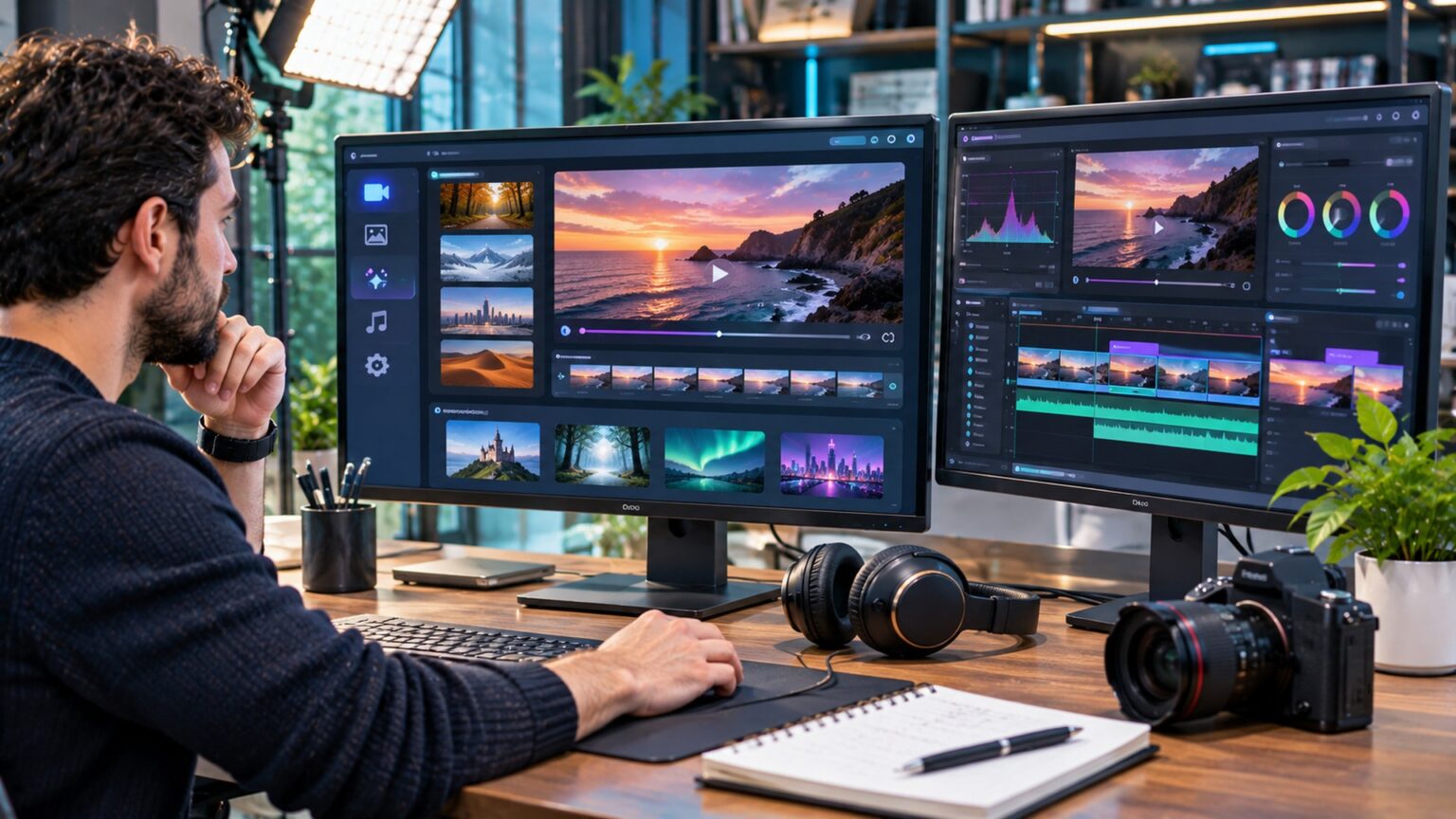
Video content has become an important way for businesses, educators, marketers, and independent creators to communicate ideas. However, traditional video production can require cameras, editing software, suitable locations, and considerable preparation. An AI Video Generator offers another approach by helping users create short video sequences from written instructions, images, or other visual inputs. These tools can make certain creative tasks more accessible while giving users new ways to experiment with visual storytelling.
Artificial intelligence is changing how videos are planned, produced, and edited. A creator can describe a scene, choose a visual style, and generate moving images without filming every element. Businesses can explore advertising concepts, educators can illustrate ideas, and content creators can develop visual sequences for digital platforms.
Despite these advantages, AI generated videos still require thoughtful planning and human review. Visual inconsistencies, unexpected movements, licensing restrictions, and technical limitations can affect the finished result.
This guide explains how AI video generation works, how to write effective prompts, which features deserve attention, and how to develop a practical workflow for producing useful video content.
What Is an AI Video Generator?
An AI Video Generator is a software application that uses artificial intelligence models to create or modify video content based on user instructions.
Depending on the platform, users may provide text descriptions, reference images, existing footage, or a combination of inputs.
The software processes these instructions and generates a sequence of moving images intended to represent the requested scene.
Some platforms also provide editing, audio generation, or other creative features.
The available capabilities vary between products.
How AI Video Generation Works
Modern generative video systems learn patterns of visual appearance and movement from training data.
During generation, the model uses information from the user’s prompt and other inputs to produce a sequence of frames.
Advanced systems attempt to maintain consistency between frames so that objects, camera movement, and scene details appear connected.
However, the generated sequence is a prediction rather than a recording of real events.
This distinction explains why unexpected movements, distorted objects, or inconsistent details may appear.
How AI Video Differs From Traditional Production
Traditional video production usually involves recording physical scenes or creating animations through established digital workflows.
AI video generation can produce visual material without requiring the creator to capture every scene directly.
This may be useful for conceptual visuals, creative experiments, and certain production tasks.
However, conventional filming remains important when authenticity, factual documentation, precise performances, or real product demonstrations are required.
The most suitable production method depends on the purpose of the video.
Understanding the Main Types of AI Video Generation
Different video generation methods use different starting materials.
Understanding these approaches helps creators select the right tools for their projects.
Text to Video Generation
Text to video systems generate moving visuals from written descriptions.
A prompt may describe the setting, subject, action, lighting, camera movement, and overall style.
For example, a creator might request a cinematic view of a quiet mountain lake at sunrise with a camera moving slowly across the water.
The model attempts to produce a sequence matching those instructions.
Clear prompts generally provide better direction than vague descriptions, although results remain dependent on model capabilities.
Image to Video Generation
Image to video tools use an existing picture as a reference for generating motion.
A creator might upload a product photograph and request a gentle camera movement around the object.
This approach can provide greater visual direction because the starting image establishes part of the scene.
However, the generated video may still change the object’s proportions, details, or appearance.
Video to Video Transformation
Some tools can modify existing footage using AI.
Possible tasks include changing visual styles, adjusting backgrounds, or transforming elements within a scene.
The original video provides information about movement and composition.
Results depend on the system and the extent of the requested changes.
Creators should review transformed footage carefully to identify unintended alterations.
Why AI Video Generation Appeals to Content Creators
AI assisted video creation can make certain visual production tasks more accessible.
Its value is strongest when creators understand what the technology can and cannot reliably deliver.
Exploring Ideas Without Full Production
A creator may want to test several visual concepts before arranging a professional shoot.
AI generated clips can help explore composition, atmosphere, camera direction, and storytelling possibilities.
This can support early creative decisions without requiring every concept to be physically filmed.
Supporting Smaller Creative Teams
Independent creators often manage writing, design, editing, and publishing themselves.
AI video tools can assist with selected parts of the workflow.
However, users still need time to develop prompts, review outputs, and assemble a coherent final product.
Creating Visual Variety
AI tools can generate different visual settings and artistic approaches.
For example, an educational video might include animated illustrations, abstract demonstrations, and environmental scenes.
These options can expand creative experimentation.
The final content should still remain appropriate for the intended audience.
How to Create Videos With AI Step by Step
A structured workflow can improve consistency and reduce unnecessary experimentation.
Rather than generating random clips and hoping they fit together, begin with a clear creative objective.
Step 1: Define the Purpose of Your Video
Every project should begin with a specific goal.
Are you explaining a product, introducing a service, creating entertainment, or illustrating an educational concept?
The answer influences the video’s length, visual style, pacing, and content.
For example, a short social media advertisement may require a strong opening scene and concise message.
An educational video may need slower pacing and clearer visual explanations.
Defining the purpose first makes later decisions easier.
Step 2: Identify Your Target Audience
Think about who will watch the video and what they need to understand.
A professional audience may prefer straightforward visuals and restrained presentation.
A creative entertainment audience may appreciate more imaginative imagery.
Avoid assuming that every audience responds positively to the same style.
The content should reflect the viewers’ expectations and the message being communicated.
Step 3: Create a Simple Script or Storyboard
A storyboard organizes the sequence of scenes.
It does not need to be complicated.
For a short promotional video, the structure might include an opening visual, a demonstration of a problem, a proposed solution, and a closing message.
Each scene should have a clear purpose.
A storyboard also helps determine which sequences require AI generation and which could use existing footage or graphics.
Step 4: Write a Detailed Video Prompt
Prompt quality influences how clearly the model understands the intended scene.
A useful prompt describes the main subject, action, environment, lighting, framing, and movement.
For example:
“A realistic cinematic shot of a small coastal café at sunrise. A barista prepares coffee behind a wooden counter while warm morning light enters through large windows. The camera slowly moves forward, creating a calm and welcoming atmosphere.”
This description provides more direction than simply requesting a café video.
However, longer prompts are not automatically better.
Instructions should be specific without introducing unnecessary conflicts.
Step 5: Choose the Appropriate Visual Settings
Some AI video platforms allow users to select aspect ratio, output resolution, duration, or visual style.
Choose settings based on where the video will appear.
A wide horizontal format may suit a website presentation or conventional video platform.
A vertical format may be more suitable for smartphone viewing.
Where available, frame rate and resolution settings should match the intended editing and publishing workflow.
Step 6: Generate and Evaluate the First Result
The first generated clip should be treated as a draft.
Review the motion, composition, subject appearance, and visual continuity.
Check whether the result matches the original objective.
If something is incorrect, identify the specific problem before revising the prompt.
For example, an overly rapid camera movement may require a clearer instruction for slow, steady motion.
Step 7: Refine the Prompt and Regenerate
Prompt refinement is often more effective when changes are focused.
If a generated scene has attractive lighting but incorrect movement, preserve the lighting description and adjust the motion instructions.
Changing everything at once makes it difficult to understand what improved the result.
Keep track of useful prompts and settings for future projects.
Step 8: Edit and Prepare the Finished Video
Generated clips rarely need to be published exactly as produced.
A complete video may require trimming, scene transitions, audio, titles, color adjustments, and other editing.
Use an appropriate editor to assemble the final sequence.
Review the finished video in the intended viewing format before publishing.
Writing Better Prompts for AI Video Creation
Effective prompts communicate visual direction rather than simply naming a subject.
Several elements can improve the clarity of instructions.
Describe the Main Subject
Identify the central object, person, or environment.
A prompt about a vehicle should describe its general appearance and position.
A prompt involving people should explain their visible actions and interactions.
Avoid requesting too many unrelated subjects in a single short sequence.
Explain the Action
Movement is central to video.
Describe what should happen during the scene.
Examples include a person walking through a doorway, leaves moving gently in the wind, or a camera following a moving object.
Specific action instructions help establish the intended sequence.
Choose a Camera Perspective
Camera direction influences the viewer’s experience.
A close shot emphasizes details.
A wide shot establishes the environment.
A slow tracking movement can create a sense of progression.
Use understandable camera language when the model supports it.
Establish Lighting and Atmosphere
Lighting can significantly influence visual appearance.
Soft morning light creates a different atmosphere from dramatic nighttime illumination.
Describe the intended lighting conditions and overall mood.
Avoid combining incompatible instructions, such as requesting complete darkness and bright natural sunlight throughout the same scene.
Keep Instructions Consistent
A prompt should not request mutually exclusive actions.
If the camera must remain stationary, avoid simultaneously asking it to circle the subject.
Clear instructions reduce ambiguity, although they do not eliminate generation errors.
Choosing the Right AI Video Generator
Not every platform offers the same tools or production capabilities.
Some focus on realistic moving scenes, while others emphasize animated presentations, talking avatars, or editing assistance.
Evaluate the options according to your project rather than selecting software based only on promotional examples.
Video Quality and Motion
Examine how the platform handles natural movement, object consistency, lighting, and camera motion.
An attractive single frame does not necessarily indicate convincing movement throughout the clip.
Test representative scenes where possible.
Prompt Control
Some systems provide options for camera movement, reference images, visual consistency, or scene adjustment.
These controls can be useful for projects requiring a particular appearance.
However, additional settings may increase complexity.
Choose a platform that provides the level of control you actually need.
Output Resolution and Format
Review the supported video dimensions and export formats.
The available settings may depend on the subscription or model.
Confirm whether generated clips can be incorporated into your existing editing software.
Pricing and Usage Limits
Some platforms use subscriptions, generation credits, or usage based pricing.
Costs may depend on duration, resolution, model selection, or other factors.
Check the current terms before beginning a large project.
Commercial Usage Rights
Before using generated videos in advertising or commercial projects, review the platform’s applicable license and terms.
Do not assume every subscription provides identical rights.
Commercial permission from a software provider also does not automatically resolve third-party copyright, trademark, privacy, or publicity concerns.
Practical Applications of AI Generated Videos
AI video tools can support a variety of creative and professional activities.
The suitability of each application depends on the required accuracy and quality.
Social Media Content
Creators may generate short visual sequences for social media posts.
These clips can complement educational explanations, creative stories, or promotional messages.
The strongest results usually have a clear purpose and an understandable structure.
Visual effects alone do not guarantee audience engagement.
Marketing and Advertising
Marketing teams may use AI generated clips to explore visual concepts or produce certain campaign assets.
For example, a business could create an abstract background sequence for a promotional presentation.
However, advertisements must accurately represent products and services.
Generated visuals should not create misleading impressions about real product capabilities.
Educational Videos
Educators can use generated imagery to illustrate abstract concepts or create visual examples.
A science lesson might include a conceptual animation that helps explain a process.
When factual accuracy is important, the visuals require review.
AI generated scenes should not be assumed to be scientifically or historically accurate simply because they appear realistic.
Product Presentations
Businesses may use AI assisted video production to create visual concepts around products.
Reference images can help establish appearance.
However, generated footage may alter product features, proportions, or materials.
Commercial demonstrations should be checked against the actual product.
Storytelling and Entertainment
Writers and filmmakers can experiment with environments, visual moods, and scene concepts.
AI generation can be particularly useful for early creative exploration.
Story structure, character development, pacing, and editing still require creative judgment.
Understanding the Limitations of AI Video Generation
Despite rapid technical progress, generated video can contain errors.
Recognizing these limitations helps creators plan more realistic workflows.
Visual Inconsistency
Objects may change appearance between frames.
Clothing, backgrounds, and small details can become inconsistent.
These issues may be especially noticeable in longer sequences.
Unnatural Movement
People, animals, and moving objects may display unusual motion.
Complex interactions can be difficult for some models to reproduce convincingly.
Review movement carefully rather than judging only the overall visual style.
Difficulty Maintaining Characters
Using the same character across several clips can be challenging.
Reference images and available consistency controls may help, but they do not guarantee identical results.
Projects requiring strict visual continuity may need additional editing or a different production method.
Limited Control Over Exact Outcomes
A detailed prompt does not always produce the requested result.
Generative models can interpret instructions differently from the creator’s intention.
This makes experimentation and review part of the normal workflow.
Improving Visual Consistency Across Multiple Scenes
A longer video often requires several clips that look as though they belong together.
Consistency helps maintain the viewer’s attention and supports coherent storytelling.
Use a Visual Style Guide
Before generating scenes, define the preferred lighting, color palette, framing, and atmosphere.
Use these characteristics throughout the project.
A consistent style guide can reduce unnecessary variation.
Reuse Suitable Reference Images
When a tool supports image references, use carefully selected visuals to establish subjects and environments.
Check that you have appropriate rights to use those images.
Reference based generation may improve visual direction, although individual details can still change.
Keep Prompts Organized
Save successful prompts and relevant generation settings.
This makes it easier to recreate an established visual approach.
A simple project document can record scene descriptions and revision notes.
Review Transitions During Editing
Two clips may look attractive individually but feel disconnected when placed together.
Check movement direction, color, lighting, and pacing at transition points.
Editing can help create a more coherent viewing experience.
Adding Audio, Voiceovers, and Music
Visuals are only one part of video production.
Audio can help communicate information and shape the viewer’s experience.
Voiceover Narration
A narrated video should use a script that matches the visual sequence.
Some tools offer synthetic narration, while others require audio to be recorded or generated separately.
Speech should be understandable and appropriate for the audience.
If the narration contains factual information, verify it before publishing.
Background Music
Music can support the mood of a scene.
Select audio that suits the message without overwhelming dialogue.
Make sure the recording and composition can be used under the applicable license.
Sound Effects
Sound effects can help communicate actions and environmental details.
Use them selectively.
Too many effects can distract from the main message.
Audio Synchronization
Check whether narration, music, and sound effects align with the intended visuals.
Generated motion and sound may not automatically synchronize correctly.
Final editing is often necessary.
Responsible and Ethical AI Video Creation
Responsible use is important because realistic generated videos can be mistaken for genuine recordings.
Creators should consider how their content may affect the people viewing it and anyone represented in it.
Avoid Misleading Representations
Do not present fictional footage as authentic evidence of real events.
If a video is a dramatization or conceptual illustration, provide appropriate context when viewers could otherwise be misled.
Respect Identity and Consent
Generating realistic depictions of identifiable people can raise privacy and consent concerns.
Obtain appropriate permission when using a person’s likeness or voice where required.
Avoid creating misleading impersonations.
Understand Copyright and Licensing
AI generated content may involve legal questions depending on the jurisdiction, platform, and materials used.
Review the rights associated with reference images, music, videos, and other inputs.
Keep records of relevant permissions for commercial projects.
Protect Confidential Information
Avoid uploading private documents, sensitive customer information, or confidential business materials without appropriate authorization.
Review how the platform handles uploaded content.
Review Content Before Publication
AI generated material can contain inaccuracies or unintended details.
Human review remains important, particularly for advertisements, educational content, and other information that audiences may rely on.
Common Mistakes to Avoid When Creating AI Videos
Some production problems result from the way projects are planned rather than the capabilities of the model alone.
Using Overly Vague Prompts
A prompt such as “make an amazing video” provides little direction.
Describe the subject, action, setting, camera movement, and intended appearance.
Combining Too Many Actions
A short clip may struggle to present several unrelated events clearly.
Use separate scenes when the story involves multiple actions or locations.
Ignoring Output Limitations
A platform may restrict duration, resolution, or editing features.
Check these limitations before planning a complicated production.
Publishing Without Editing
Generated footage may include awkward opening frames, inconsistent motion, or unnecessary pauses.
Review and edit the sequence before release.
Overlooking Commercial Rights
Do not assume that every generated output can be used commercially without restrictions.
Review the applicable terms and the rights associated with input materials.
How to Make AI Videos More Engaging
An engaging video communicates something meaningful.
Visual novelty may attract initial attention, but the content still needs a clear direction.
Start With a Strong Opening
The opening should establish the subject or create relevant curiosity.
Avoid beginning with unrelated visual effects.
Maintain a Logical Sequence
Organize scenes so that viewers understand how the ideas connect.
A short video generally benefits from a focused message.
Match the Pacing to the Content
Fast pacing can suit energetic promotional material.
Educational explanations may require more time for viewers to process information.
Choose pacing according to the subject.
Keep Visuals Relevant
Every generated scene should support the message.
Remove clips that look impressive but do not contribute to the video’s purpose.
End With a Clear Outcome
A useful ending may summarize the message, complete the story, or explain the intended next step.
The conclusion should feel connected to the rest of the video.
Measuring the Effectiveness of AI Generated Videos
Creating an attractive video is not the same as achieving its intended objective.
Measurement should reflect the purpose of the content.
Audience Retention
Retention information can show whether viewers continue watching.
A significant drop in viewing may indicate problems with pacing, relevance, or clarity.
However, audience behavior can be influenced by many factors.
Engagement
Comments, shares, and other interactions can provide useful feedback.
Engagement should be interpreted in context rather than treated as proof of content quality.
Website and Campaign Performance
Businesses may evaluate whether videos support inquiries, registrations, or other meaningful actions.
Compare outcomes with relevant campaign objectives.
Do not assume that AI generated content will automatically outperform conventional production.
Production Efficiency
Creators may also evaluate the time and resources required to complete a project.
Include prompt development, regeneration, editing, and quality review when considering efficiency.
A short generation process does not necessarily mean the entire production process is short.
AI Video Generation and the Future of Content Creation
AI assisted video production is expanding the range of tools available to creators.
Future improvements may provide more reliable motion, stronger scene consistency, and more precise control.
However, the usefulness of these developments will depend on the actual capabilities of available systems.
Traditional filmmaking, animation, photography, and editing remain valuable.
AI video creation is best understood as another production method rather than a complete replacement for human creativity.
Writers still need to develop meaningful ideas.
Designers still need to make visual decisions.
Editors still need to establish pacing and continuity.
Businesses still need to ensure that their content is accurate and appropriate for its audience.
The strongest approach combines thoughtful creative direction with careful use of technology.
Choosing a Sustainable AI Video Workflow
A sustainable workflow should be manageable, repeatable, and appropriate for the project’s requirements.
Begin with a clear objective and a simple storyboard.
Select a generator that supports the intended visual style and output format.
Write focused prompts and evaluate the results before creating additional scenes.
Maintain records of successful settings, reference materials, and relevant licenses.
Use an editor to assemble the footage and review the final sequence for consistency, accuracy, and technical quality.
For businesses producing videos regularly, establish a basic approval process.
This may include checking brand consistency, factual statements, commercial rights, and publication requirements.
An organized process can help creators reduce avoidable mistakes while maintaining control over the final result.
Conclusion
An AI Video Generator can provide a flexible way to develop visual content from prompts, images, and creative ideas. Effective results depend on clear planning, precise instructions, suitable software, and careful editing rather than generation alone. Creators should also consider visual accuracy, licensing, privacy, and responsible presentation before publishing their work. By combining human creativity with a structured production process, individuals and businesses can use AI video tools to explore new storytelling possibilities and produce content suited to their goals.
Frequently Asked Questions
What is an AI Video Generator?
An AI Video Generator is software that uses artificial intelligence to create or modify video clips from text prompts, reference images, or existing footage. Available features depend on the platform.
Can an AI Video Generator create videos from text?
Yes. Text to video tools can generate moving scenes from written descriptions of subjects, actions, environments, and camera movements. Results vary with the model and prompt.
Do I need video editing experience to use AI video generation?
Advanced editing experience is not always necessary for creating basic clips. However, editing skills can help improve pacing, audio, visual consistency, and the final presentation.
Can AI generated videos be used commercially?
Some platforms permit commercial use under their applicable terms. Users should verify licensing conditions and ensure that referenced materials, music, and identifiable people are used appropriately.
What makes a good AI video prompt?
A good prompt clearly describes the main subject, action, environment, lighting, camera perspective, and intended style. Consistent instructions help provide useful creative direction.
Why do AI generated videos sometimes look unrealistic?
Generative models may struggle with complex motion, consistent object details, physical interactions, and continuity across frames. Prompt refinement and editing can improve some results.
Can AI video tools generate voiceovers and music?
Some platforms include synthetic voice or audio capabilities, while others focus primarily on visuals. Check the available features and relevant usage rights before selecting a tool.
Is an AI Video Generator suitable for business marketing?
It can be useful for creating conceptual visuals, promotional assets, and certain marketing clips. Businesses should review output quality, product accuracy, commercial rights, and audience expectations before publishing.
