
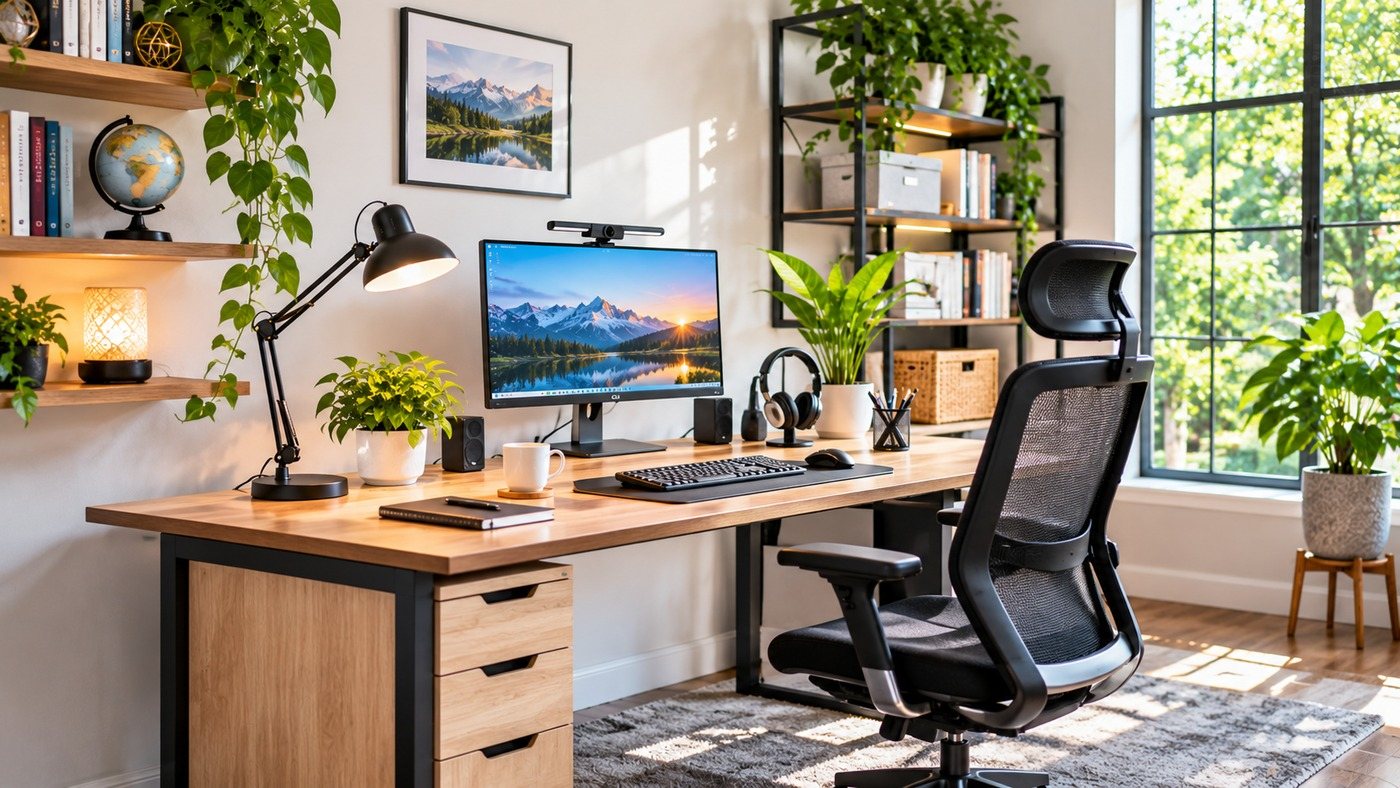
A productive home office requires far more than placing a spare table and a chair in an empty room corner. Where you position your desk, how you manage natural daylight, and how you organize surrounding tools directly affect your daily focus, physical posture, and mental energy. Working from home introduces unique domestic distractions that can derail attention if your space lacks organization. By applying proven spatial layout principles, ergonomic standards, and smart storage strategies, you can design an inspiring workspace that fosters focus and helps you do your best work every day.
The Spatial Mechanics of Desk Placement
Where you place your desk establishes the operational flow of the entire room, dictating how you interact with light, entryways, and everyday tools.
The Power of the Command Position
Originating in traditional spatial layout principles, the command position places your desk so you face into the room with a solid wall directly behind your back and a clear line of sight to the entry door. Sitting with your back exposed to an open door creates subtle, unconscious anxiety, as you cannot see people entering the space. Positioning your desk facing the entrance gives you a clear sense of control over your environment, promoting calm, sustained concentration.
Navigating Natural Window Light
Placing a desk directly facing an unshaded south-facing window can cause severe visual fatigue due to intense solar glare on computer monitors. Conversely, placing a desk with its back directly to a window casts harsh reflections across screens. The best arrangement positions your desk perpendicular to windows. This orientation lets you enjoy natural daytime light and distant views to rest your eyes without screen glare or eye fatigue.
Managing the Visual and Physical Landscape
A clean, uncluttered workstation supports clear, focused thinking. Controlling paper clutter, peripheral cables, and physical equipment clears the way for productive work.
Keeping Desktop Surfaces Clear
Your desktop should be reserved exclusively for items you use constantly throughout the day: your computer input devices, an active notepad, and a single hydration beverage. Auxiliary equipment like scanners, label printers, external hard drives, and bulk stationery should live in closed drawers or nearby utility cabinets. When work surfaces stay clear, your mind can focus on the single task at hand instead of being pulled away by surrounding clutter.
Hiding Convertible Elements in Dual-Purpose Offices
Many homeowners must carve a dedicated workspace out of a multi-purpose room, such as a guest room or family library. In these flexible layouts, selecting an integrated wall bed and desk keeps the workspace uncluttered by allowing the bed to fold away behind handsome cabinetry during the week, leaving ample room to position your desk and roll your chair freely. When guests arrive, the furniture converts easily without requiring you to clear away desk tools or pack up your workspace, making transitions smooth and stress-free.
Comprehensive Cable Management Protocols
A messy tangle of power cords, monitor cables, and charging adapters beneath a desk ruins an otherwise polished office aesthetic. Mount a horizontal cable management raceway or heavy-duty wire basket beneath the rear edge of your desk. Plug all computer gear into a surge protector mounted directly inside the tray, running a single clean power cord down to the wall outlet through a neat fabric sleeve.
Ergonomic Health and Postural Support
Physical discomfort drains creative energy and disrupts deep concentration. Investing in proper ergonomics preserves vitality through long working sessions.
Calibrating Monitor Height and Focal Distance
Position your primary monitor directly in front of you so your eyes align naturally with the top third of the display screen. Looking down at low displays strains cervical neck muscles, leading to tension headaches and upper back discomfort. Keep your screen roughly arm’s length away, between twenty and twenty-eight inches from your face, adjusting display scale so you can read text easily without leaning forward.
Proper Typing Heights and Arm Positions
When typing on your keyboard, your shoulders should rest relaxed, with upper arms hanging comfortably at your sides and elbows bent at an open ninety to one-hundred-degree angle. Your wrists should hover straight over the keys rather than bending upward against hard desk edges. If your desk sits too high, lower your chair and add an ergonomic footrest to support your feet, or install an adjustable, under-desk keyboard tray that glides smoothly into place.
Environmental Controls for Mental Focus
Fine-tuning temperature, air quality, and sound levels keeps focus high during long, demanding workdays.
Managing Temperature and Air Flow
Stagnant air and warm room temperatures induce afternoon fatigue and sluggish focus. Keep your workspace between sixty-eight and seventy-two degrees Fahrenheit to maintain mental alertness. Open a window occasionally to refresh oxygen levels, or use a quiet oscillating tower fan to keep fresh air circulating gently across the room.
Acoustic Privacy and Distraction Control
Household sounds, including laundry appliances, television noise, and family conversations, can quickly interrupt deep focus. If your office lacks a solid-core door, hang acoustic damping curtains or install fabric-wrapped acoustic panels along shared interior walls. Using a dedicated white noise machine or listening to ambient soundscapes through comfortable noise-canceling headphones masks unexpected household sounds, keeping you focused on deep, productive work.
