
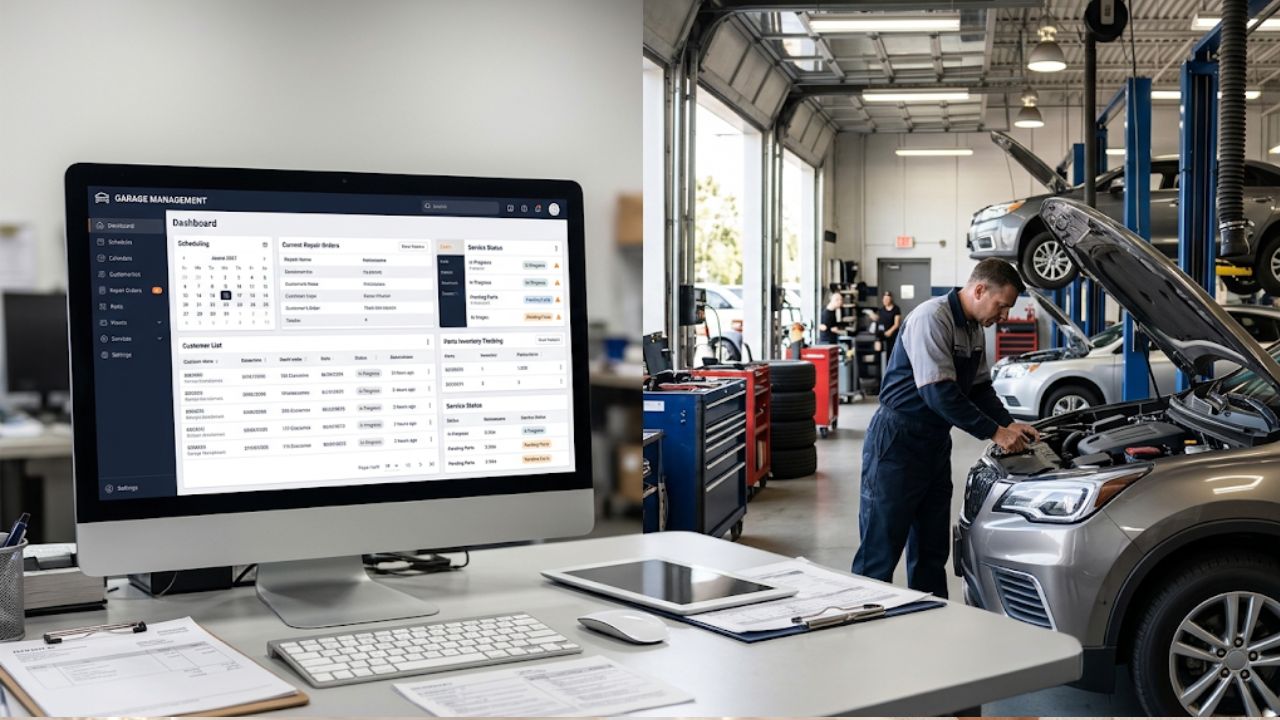
Running an auto repair shop involves more than diagnosing vehicles and completing repairs. Shop owners also need to manage appointments, prepare estimates, track repair orders, monitor inventory, process invoices, and keep customers informed. When these activities depend on paper records, spreadsheets, or separate applications, important information can become difficult to manage. Missed appointments, delayed approvals, inaccurate stock records, and billing mistakes can affect daily productivity and customer satisfaction. The right garage management software helps bring these operations together, allowing repair shops to manage their daily work through a more organized system.
Modern garage management platforms connect customer records, vehicle information, scheduling, digital inspections, repair orders, and invoicing. Instead of switching between different tools, service advisors and technicians can access the information they need from one platform. Some systems also provide automated customer notifications, inventory tracking, reporting, and online booking features. These capabilities help shop owners monitor ongoing jobs, communicate with customers, and maintain better control over daily operations. Choosing the right solution depends on the shop’s size, workflow, budget, and the features required to support its business.
What Is Garage Management Software?
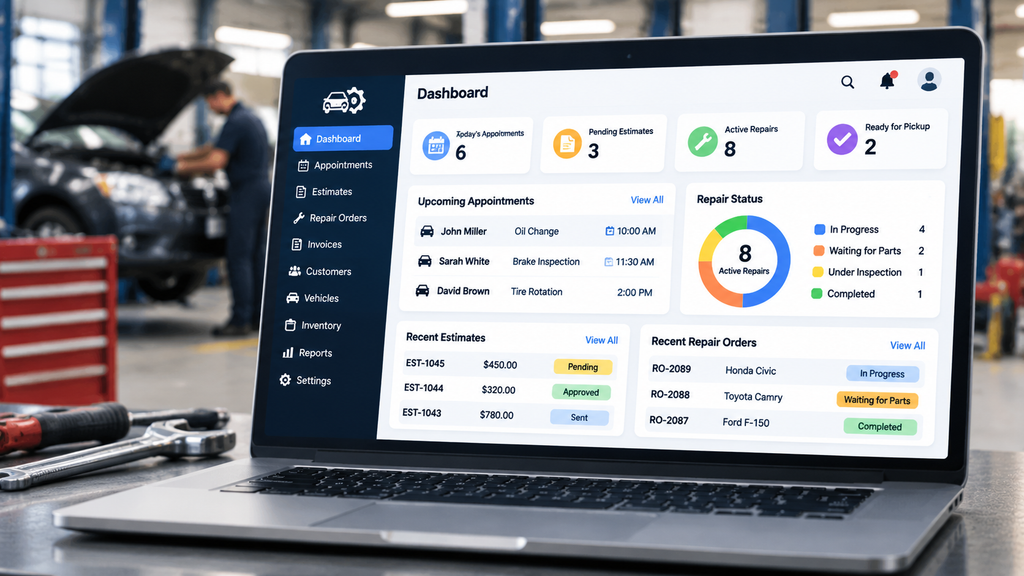
Garage management software is a digital platform designed to help automotive repair businesses organize their daily operations. It provides tools for managing appointments, customer and vehicle records, estimates, repair orders, inventory, invoices, and payments. Instead of maintaining separate records for each activity, shop employees can use one system to access relevant information and follow repair jobs from customer check-in to final payment.
Key Point: Garage management software connects important shop operations in one place, helping owners, service advisors, and technicians work with organized and accessible information.
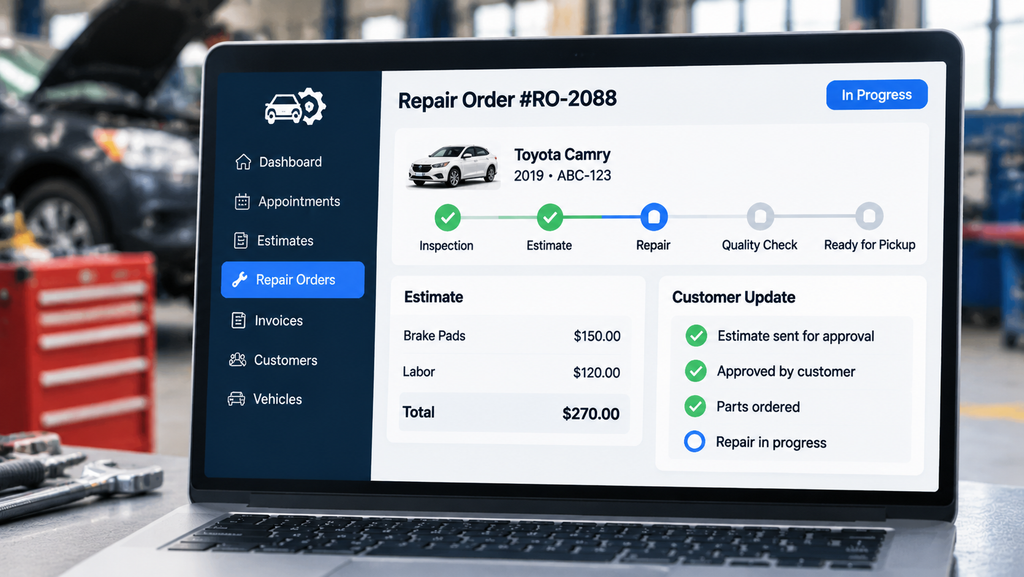
For example, when a customer brings a vehicle in for a brake inspection, staff can create a customer record, add vehicle details, document inspection findings, prepare an estimate, and convert approved work into a repair order. Once the repair is completed, the shop can prepare an invoice and record the payment. Connecting these steps helps reduce repeated data entry and keeps the repair process easier to follow.
Why Do Auto Repair Shops Need Garage Management Software?
Managing a busy repair shop becomes challenging when different employees use separate methods to record customer details, repair progress, and payments. A service advisor might update a paper repair order while a technician records parts usage in another document. If these records are not updated consistently, staff may work with incomplete information or spend additional time confirming job details.
Garage management software helps reduce this fragmentation by keeping important operational information connected. For example, when a customer approves an estimate, staff can move the approved work into a repair order and monitor its progress. Customer communication tools can also help employees share inspection findings, approval requests, and repair updates without relying entirely on individual phone calls.
How does centralized management improve shop operations?
A centralized platform gives employees a shared view of appointments, repair jobs, customer information, and service records. Managers can review ongoing work, identify delayed jobs, check inventory information, and monitor business performance. This visibility helps shops coordinate tasks more effectively and make decisions using current operational information.
What Features Should the Best Garage Management Software Include?
The best garage management software should support the main activities involved in running an auto repair shop. Although available features vary between providers and subscription plans, several capabilities are particularly useful for everyday operations.
Appointment Scheduling and Calendar Management
Scheduling tools help staff organize customer bookings, assign service times, and monitor upcoming appointments. Online booking and automated reminders can make it easier for customers to schedule visits and remember their service dates. A well-organized calendar also helps shops avoid scheduling conflicts and manage daily workloads.
Digital Vehicle Inspections
Digital vehicle inspection tools allow technicians to document vehicle conditions using photos, videos, checklists, and notes. Service advisors can share inspection reports with customers so they can understand recommended repairs before approving the work. This creates a clearer inspection record and supports more transparent communication.
Estimates and Repair Order Management
Estimating features help staff calculate parts, labor, taxes, and other service charges before repairs begin. Once customers approve the proposed work, estimates can be converted into repair orders. Repair order tracking then helps employees monitor job progress, assigned tasks, and completed services.
Inventory and Parts Management
Inventory management tools help shops maintain records of available parts, monitor stock levels, and identify items that need replenishment. Some platforms also support parts catalogs and supplier integrations. These capabilities can help reduce manual stock tracking and prevent repair delays caused by unavailable components.
Invoicing and Payment Processing
Invoicing features allow shops to prepare bills based on completed services, labor charges, and parts used. Integrated payment tools can help businesses record customer payments and maintain organized billing information. Some platforms also connect invoices with accounting systems.
Customer Communication and Notifications
Customer communication tools help repair shops send appointment confirmations, estimate approvals, repair progress updates, and service reminders through available channels such as SMS or email. These features help customers stay informed and reduce the need for repeated manual follow-ups.
How to Choose the Best Garage Management Software for Your Business
The right garage management software helps auto repair shops organize daily tasks, reduce manual work, and improve customer service. Before choosing a platform, shop owners should compare its features, pricing, and usability to make sure it meets their business needs.
Key Factors to Consider:
- Shop Requirements: Choose software according to your shop size, daily workload, number of technicians, and operational needs.
- Essential Features: Look for appointment scheduling, repair orders, estimates, digital inspections, inventory tracking, and invoicing.
- Ease of Use: Select a simple platform that employees can learn quickly and use during busy working hours.
- Mobile and Cloud Access: Check whether you can access and update repair information from different devices.
- Pricing: Compare subscription plans, setup costs, user limits, and additional feature charges.
- Integrations: Make sure the software supports connections with tools such as accounting platforms, payment processors, and parts suppliers.
- Customer Support: Review available training, onboarding assistance, and support options.
- Security: Check for secure data storage, user permissions, and regular backups.
- Demo or Trial: Test common tasks before making a final decision to see whether the software fits your workflow.
Choosing software based on these factors can help your garage manage daily operations more efficiently and support future business growth.
5 Best Garage Management Software for Auto Shops in 2026
Choosing garage management software requires comparing features, usability, integrations, and pricing. Different platforms support different shop requirements, so the best option for one business may not be the right choice for another. Here are five options worth considering in 2026.
1. Torque360
Torque360 is an all-in-one auto repair shop management platform designed to help automotive businesses organize appointments, digital inspections, estimates, repair orders, invoicing, and other daily activities. It connects important repair workflows so staff can manage customer and vehicle information without maintaining separate records for every operation.
Key Features
- Appointment Scheduling: Manage customer bookings through a drag-and-drop scheduling system and keep daily appointments organized.
- Digital Vehicle Inspections: Document vehicle conditions with digital checklists, photos, and videos.
- Repair Estimates: Prepare estimates using customer and vehicle information, parts, labor, and available pricing data.
- Digital Approvals: Share estimates with customers through SMS or email and collect their approval electronically.
- Repair Order Management: Convert approved estimates into repair orders and organize repair activities.
- Inventory Management: Monitor parts and stock information while connecting parts with repair orders.
- Invoicing and POS: Prepare invoices, manage payments, and keep billing information organized.
- Job Board: Assign tasks and monitor technician progress through a centralized job board.
- Reporting: Review business reports to understand shop performance and financial activity.
Best For
Independent auto repair shops and automotive businesses looking to manage appointments, estimates, inspections, repair orders, and invoicing through one connected platform.
Pros
- Combines several important repair shop operations in one system.
- Supports digital inspections and customer estimate approvals.
- Connects estimates with repair orders and invoicing.
- Offers appointment scheduling and job progress tracking.
- Includes inventory management and business reporting capabilities.
Consideration
Shop owners should compare the available plans to confirm which features, integrations, and payment options are included at their preferred subscription level.
2. AutoLeap
AutoLeap provides an integrated management platform for auto repair and tire shops. Its features focus on organizing shop operations, improving customer communication, and helping employees manage estimates, inspections, scheduling, and payments. The platform also provides tools for monitoring shop performance and managing customer information.
Key Features
- Digital Vehicle Inspections: Capture inspection photos, videos, and notes to explain vehicle conditions and recommended services.
- Digital Estimates: Prepare estimates and share them with customers for review and approval.
- Appointment Scheduling: Organize service bookings and manage the shop calendar.
- Work Board: Monitor repair jobs and technician assignments through a centralized view.
- Inventory Management: Track parts availability and receive low-stock alerts.
- Invoicing and Payments: Generate invoices and manage customer payments.
- Customer Communication: Send service updates, reminders, and follow-up messages.
- Reporting and Analytics: Review business performance and operational information.
Best For
Independent repair shops and growing automotive businesses that want integrated scheduling, estimating, digital inspections, and customer management tools.
Pros
- Provides a broad set of repair shop management features.
- Supports digital inspections with visual documentation.
- Connects estimates, invoicing, and payment workflows.
- Includes customer communication and reporting tools.
Consideration
Businesses should review the available subscription options, setup requirements, and feature availability before making a decision.
3. Tekmetric
Tekmetric is an auto repair shop management platform that brings repair orders, digital inspections, inventory, estimating, and reporting together. It is designed to help service advisors and technicians coordinate their work while giving shop owners better visibility into operational and financial performance.
Key Features
- Digital Vehicle Inspections: Create inspection reports with photos and share findings with customers.
- Smart Jobs: Add repair operations to estimates and repair orders while reducing repetitive data entry.
- Estimate Management: Prepare estimates using vehicle-specific repair information and available labor data.
- Repair Order Tracking: Manage approved work and monitor repair progress.
- Parts and Inventory Management: Organize parts information, supplier ordering, and stock levels.
- Customer Communication: Send text and email updates and collect digital approvals through available features.
- Reporting: Review revenue, productivity, and other shop performance metrics.
- Technician Management: Monitor technician tasks and job-related activity.
Best For
Independent repair shops that need detailed reporting, digital inspections, repair order management, and better visibility into technician and shop performance.
Pros
- Connects estimates and repair orders.
- Offers digital inspection and customer approval features.
- Provides inventory and parts management tools.
- Includes reporting for business performance and productivity.
- Supports shop workflow management.
Consideration
Some communication and advanced management capabilities depend on the selected plan or add-on. Shops should compare subscription tiers before choosing.
4. Shopmonkey
Shopmonkey provides shop management tools for automotive repair businesses that want to organize workflows, estimates, invoices, customer communication, and parts ordering. Its platform supports daily repair activities and provides reporting tools to help shop owners monitor operations.
Key Features
- Workflow Management: Track repair jobs and manage shop activities through customizable workflows.
- Digital Inspections: Share inspection findings, photos, and videos with customers.
- Estimates and Invoices: Prepare digital estimates and invoices and share them with customers.
- Appointment Scheduling: Organize appointments through a shop calendar and send automated reminders.
- Two-Way Messaging: Communicate with customers through text and email.
- Parts Lookup and Ordering: Find and order parts through supported integrations.
- Inventory Management: Manage stock information through available plan features.
- Reporting: Review sales, profitability, technician, and other operational reports.
- Payment Processing: Accept and manage customer payments through integrated payment features.
Best For
Independent repair shops that want digital customer communication, inspections, estimating, invoicing, and workflow management in one platform.
Pros
- Provides two-way customer messaging.
- Supports digital estimates and invoices.
- Includes appointment reminders and calendar tools.
- Offers parts lookup and ordering capabilities.
- Provides reporting and workflow management features.
Consideration
Some advanced features, including inventory management and additional workflow capabilities, depend on the subscription plan. Shop owners should also review user-license limits and optional add-on costs.
5. GaragePlug
GaragePlug is a cloud-based management platform designed for automotive garages and workshops. It provides tools for managing digital inspections, job cards, invoices, customer records, technician activities, and service communication. The platform also supports reporting and multi-outlet management for businesses that operate across different locations.
Key Features
- Digital Inspections and Job Cards: Create digital inspection records and manage repair job information.
- Appointment Scheduling: Organize daily, weekly, and monthly service appointments.
- Technician Management: Assign jobs, track technician time, and review work activity.
- Customer Communication: Share estimates, invoices, service updates, and payment reminders through supported messaging channels.
- Inventory Management: Monitor available parts and stock information.
- Customer Records: Maintain customer details and vehicle service histories.
- Invoicing: Prepare invoices and manage service billing.
- Reporting and Analytics: Review sales, expenses, inventory, and workshop performance.
- Multi-Outlet Management: Monitor operations and reports across multiple locations.
Best For
Automotive garages and workshops looking for cloud-based job management, customer communication, inventory tracking, and multi-location visibility.
Pros
- Combines job cards, inspections, and invoicing.
- Supports customer communication through multiple channels.
- Provides technician tracking and workflow tools.
- Includes customer records and service history.
- Offers reporting and multi-outlet management features.
Consideration
Businesses should confirm that its available modules, integrations, and regional billing requirements match their existing operations.
How to Choose the Best Garage Management Software for Your Auto Shop
Selecting the right platform involves more than comparing feature lists. Shop owners should understand their daily operational challenges and determine which tools can help address them. The following factors can help narrow down the available options.
Identify Your Shop’s Requirements
Start by reviewing how your shop currently handles appointments, repair orders, estimates, inventory, and customer communication. A small independent garage may need basic scheduling and invoicing, while a larger repair business may require technician management, detailed reporting, and multi-location access. Choosing software that matches your actual workflow can prevent unnecessary costs and complexity.
Compare Essential Features
Look for software that supports the complete repair process, from customer check-in and inspection to estimate approval, repair completion, and payment. Consider whether the platform includes digital inspections, repair order tracking, inventory management, and customer notifications. Make sure the features you need are included in the plan you intend to purchase.
Review Pricing and Subscription Plans
Compare monthly or annual subscription costs, user limits, setup fees, and additional charges for integrations or advanced features. A lower starting price does not always mean lower overall costs if important tools require separate subscriptions. Review the complete pricing structure before making a commitment.
Check Ease of Use
The software should be easy for service advisors, technicians, and managers to understand. A complicated system can slow down daily operations and make employee adoption more difficult. Request a demonstration and ask your team to test common tasks such as creating an estimate, updating a repair order, and preparing an invoice.
Evaluate Integrations
Check whether the platform connects with the tools your shop already uses, such as accounting systems, parts suppliers, payment processors, and vehicle information services. Compatible integrations can reduce repeated data entry and help keep information consistent across business operations.
Review Customer Support and Training
Reliable onboarding and customer support can make the transition to a new system easier. Check whether the provider offers setup assistance, training resources, migration support, and accessible customer service. These services can be particularly important when moving customer records and repair histories from an older system.
Test the Software Before Purchasing
Whenever possible, request a live demo or trial. Use realistic shop scenarios to evaluate appointment scheduling, customer communication, inspection documentation, estimate preparation, and payment processing. Testing the platform with your team’s actual workflow can reveal limitations that may not be obvious from a feature list.
Summary
Garage management software helps auto repair shops organize appointments, customer records, inspections, repair orders, inventory, estimates, and invoices through a centralized platform. By connecting these activities, businesses can reduce manual work, improve communication, and maintain better visibility into daily operations.
Torque360, AutoLeap, Tekmetric, Shopmonkey, and GaragePlug each offer tools for managing different aspects of automotive repair operations. Some focus on connecting estimates, inspections, and repair orders, while others provide broader customer communication, reporting, inventory, or multi-location capabilities. The right choice depends on the features your shop needs, the size of your team, your budget, and the way your business handles repairs.
Before selecting a platform, compare its available features, subscription plans, integrations, and support options. A system that fits your existing workflow can help your team manage repair jobs more consistently, keep customers informed, and support the long-term growth of your auto repair business.
