
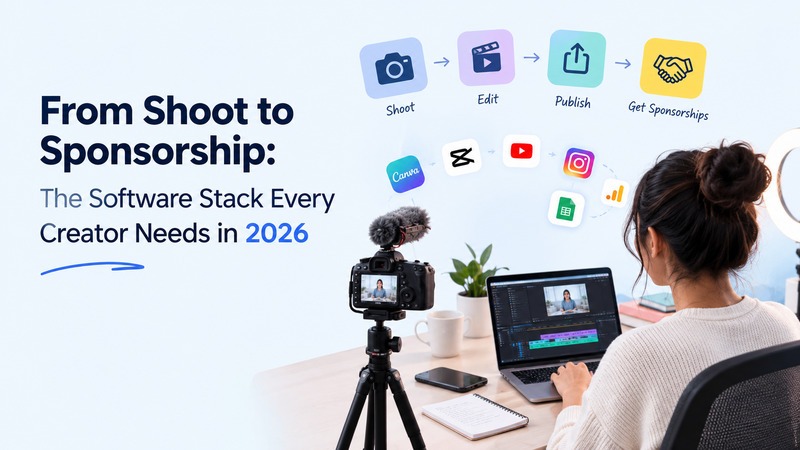
Once the shoot is done, a creator’s work continues. Raw footage still has to be made into a finished video, graphics have to be ready to support the footage, sponsors may want the footage cut differently, and campaign files have to be kept in order from start to finish while they are being delivered and paid.
This is why your software stack needs to be based on the workflow, rather than the top popular apps. Each tool should address a particular need, such as editing video, repurposing content, producing graphics, handling approvals, or monitoring sponsorships.
The six platforms below cover the key stages from initial cut to final brand delivery, and they don’t need an agency-sized budget or a dozen overlapping subscriptions.
1. DaVinci Resolve: Build the Master Version
The first step after a shoot is to make it a video that people will want to watch all the way to the end. DaVinci Resolve is a full post-production suite for creators of YouTube videos, product reviews, tutorials, documentaries, branded content, or well-crafted social campaigns.
The software offers a suite of video editing, colour correction, visual effects, motion graphics, audio production, media management and export capabilities. Even the free version is powerful enough for many stand-alone creators, and the Studio version provides advanced features.
A. One Project, Fewer Handoffs
One great benefit is one process. Built-in tools allow you to edit, clean up dialogue, tweak the color, insert graphics, and export in various formats, all without having to transfer files back and forth between the applications.
This becomes relevant when you want a longer video as a main campaign video as well as shorter versions for various platforms. To create a few projects from the same master timeline, instead of making projects from scratch, you can copy the master timeline and edit it for use in each format.
B. Match the Tool to Your Content
Resolve is quite deep, and when you’re first starting out, the interface might feel overwhelming. Simple talking-head Shorts creators might not require most of its advanced features.
Begin by prioritizing features that are pertinent to your workflow. Get to know the editing, audio, color, and export tools first, and then add the more advanced features as you need.
This is also a good method for assessing video editing apps. Feature lists can look impressive, but the more useful question is whether the software fits the type of content you produce.
C. Best Fit for
DaVinci Resolve is well designed for long videos, product reviews, interviews, movie content, and sponsored videos in which a single shoot has to deliver multiple finished video products.
2. Descript: Turn One Recording into Multiple Assets
If one video is published from a recording, then there is a great deal of useful material that is not utilized. Several brief clips, quotes, explanations of products and answers can be included in a 20-minute interview, podcast or tutorial that can be used elsewhere.
When such content is presented in written form, Descript can help you locate and reuse it with greater ease. It will transcribe your voiceover recording and give you the option to edit your video via the transcript. It also allows you to write captions, edit out filler words, enhance audio quality, share with colleagues, and trim extended clips.
A. Find the Useful Moments Faster
Searchability is the greatest benefit. You can search the transcript and go to a particular statement rather than going through a longer timeline.
If a podcast has a sponsored segment, you can easily find the product discussion and generate a shorter version of the podcast, without having to listen section by section.
B. Make Repurposing Part of the Workflow
One recording can be used to support multiple pieces of content. Any good podcast response may be converted to a Short. The product description could turn into a social clip. An informative comment can be a text post or a graphic. But this is easier in Descript, as the spoken part is already in text format.
C. Best Fit for
Descript is especially useful for podcasts, interviews, webinars, educational videos, and talking-head videos. It’s most useful when you’re publishing regularly and looking for more content from every recording.
3. Adobe Express: Handle the Small Visual Jobs
Artists waste time on basic visual tasks. A background must be removed from a product shot, a thumbnail must be quickly adjusted or a campaign graphic must be resized for a different platform.
Adobe Express provides enough room for all these smaller tasks. It has features like background removal, object removal, resizing, and making lightweight graphics, which can be useful in conjunction with a full video editor.
A. Keep Quick Tasks Moving:
Not all visual adjustments require a design project! When you have to create an asset in a rush without any interruptions to your main production workflow, such as editing, you can use Express.
It could be an image that needs polishing up, a basic promotional graphic or varying versions of the same image for social media, etc.
B. Use It Alongside Your Main Tools
Express is best used as a tool; it is not meant to be a stand-alone application for creating presentations. Your primary editor will process the completed video, and Express will take care of smaller image and graphic jobs.
For creators looking at free alternatives to Photoshop, this is an important distinction. You don’t always require an advanced image editor for the tasks you need to accomplish. A “lightweight” tool may suffice if you need background removal, resizing, cleanup, and basic graphics.
C. Best Fit for
Adobe Express is ideal for those who need to create thumbnails, social graphics, product images, promotional materials, and instant variations of campaigns regularly.
4. Canva: Turn Your Work Into a Sales Asset
While great content can draw attention, so can a quick way to let brands know who you are, what you create, and what you can deliver. That first impression is usually made by your media kit, proposal, rate card and case studies.
Canva can be helpful in creating these documents without having to create them from scratch. Make design-ready presentations, media kits, proposals, social graphics and reusable templates in a single workspace.
A. Build Once, Update Often
The true value lies in repetition. Develop a comprehensive media-kit format, case study, and proposal template, once. New figures, examples and campaign information will be needed for future pitches, not a new design.
This will save time and ensure business documents are consistent.
B. Give Brands the Right Information
The purpose of a good media kit is to supply answers to a few simple questions in a flash. Who will read your paper? What type of content do you produce? What sites do you utilize? What are the outcomes of past campaigns? In what formats do you have to provide?
Don’t clutter the document with information that doesn’t belong to the brand, and make sure the strongest ones are always in sight.
C. Best Fit for
Canva is a great option for one-person brands that are responsible for managing their own media kit, sponsorship deck, proposals, case studies, rate cards and campaign presentations.
5. Frame.io: Keep Sponsor Feedback Under Control
When a brand becomes part of the production process, feedback can easily become a file-management issue. It’s hard to see what should change and which file is the final version because of different versions, scattered comments, and email attachments.
Creative review is put in a structured home by Frame.io. It enables clients and collaborators to view media, provide feedback, and leave comments linked to specific media assets.
A. Keep Every Revision Clear
Version control is useful when a sponsored video is subject to multiple edits. Having a central review process helps one to find the newest version and ensures that the commenters have been answered.
That is much safer than relying on filenames such as final_video_v4_revised_final.mp4.
B. Know When You Need It
Frame.io is best used when there are multiple people in an approval process. If you are just working on a single client project, you may not need dedicated review software.
When an agency or marketing team and/or several brand stakeholders begin analyzing the same campaign, one feedback system can greatly reduce the confusion.
C. Best Fit for
Frame.io is a great solution for sponsored videos, agency projects, product campaigns, and more when you have multiple viewers and revisions.
6. Notion: Run the Business Behind the Content
You can create content with the publishing tools. They don’t necessarily assist you in recalling what you agreed with a sponsor, when a deliverable is due, or if an invoice has been paid.
You can use Notion as the tool you use to manage your creator business. A simple workspace can centralize your content calendar, sponsorships, campaign information and production dates.
A. Keep the System Simple
The dashboard doesn’t have to be in any kind of complicated layout. Begin by creating a content pipeline, a sponsorship tracker, an asset database, and a campaign template.
Log the brand, deliverables, fee, deadlines, rights to use, approvals, publication date, payment and campaign results for each partnership.
The objective is to ensure that critical information is accessible and not distributed over various emails, notes, and spreadsheets.
B. Turn Opportunities Into Trackable Projects
A sponsorship opportunity might come through a direct email, a creator marketplace, or sites like Tomoson. Once the opportunity arrives, there is still work to manage.
Track the brief from discussion to production, approval, publication, reporting and payment with Notion. This should make every collaboration easier to handle and allow you to have a record of what worked in the past for future collaborations.
C. Best Fit for
For creators who operate periodic sponsorships, affiliate programs, product launches, recurring clients, and a burgeoning publishing schedule, Notion is especially beneficial.
The Real 2026 Creator Stack Is About Handoffs
It’s not about being able to open six different apps simultaneously. It’s all about making your workflow easier to handle at every step.
Basic video production can be done with DaVinci Resolve. With Descript, you can easily edit a lengthy conversation into clips and more, which can be reused later. Adobe Express handles fast visual work, whereas Canva can assist you in making media kits, proposals, and other resources for brands. You can have client feedback in a single place with Frame.io, and you can get your content schedule and sponsorship work all tied together with Notion.
This allows the workflow to be more manageable from the first edit to the final campaign.
In 2026, consider more than just the features when selecting software. There’s no reason why an app has to include dozens of AI tools if you’re not using them. The deciding factor is whether it will make a job go faster or make the subsequent part easier.
1. So, select tools that solve real problems
Begin with the problems you have on a regular basis.
Perhaps the editing process is too lengthy. Perhaps you have difficulties in identifying good clips in old recordings. Or maybe the feedback you send as a sponsor is lost in e-mails, or you’re forever looking for campaign information in various folders.
These issues need to be addressed.
You don’t have to purchase a new tool for each and every job. It’s easier to learn, maintain, and pay for a smaller stack with more explicit roles. Expanding workloads can be met with software additions as they are needed.
2. Get more from every shoot
An effective creator workflow should create value from every shoot that goes beyond the initial post.
A single recording can be used to create the main video, some short clips, some great quotes and concepts for future videos. A sponsored campaign can then be used as a case study to demonstrate to another brand what you can achieve.
This builds up a library of content, results and work samples that can be used to help inform future opportunities.
This is where a well-defined software stack can help. It enables you to go from shooting and editing to publishing, running campaigns and discovering the next big deal without having to start over from the beginning each time.
