
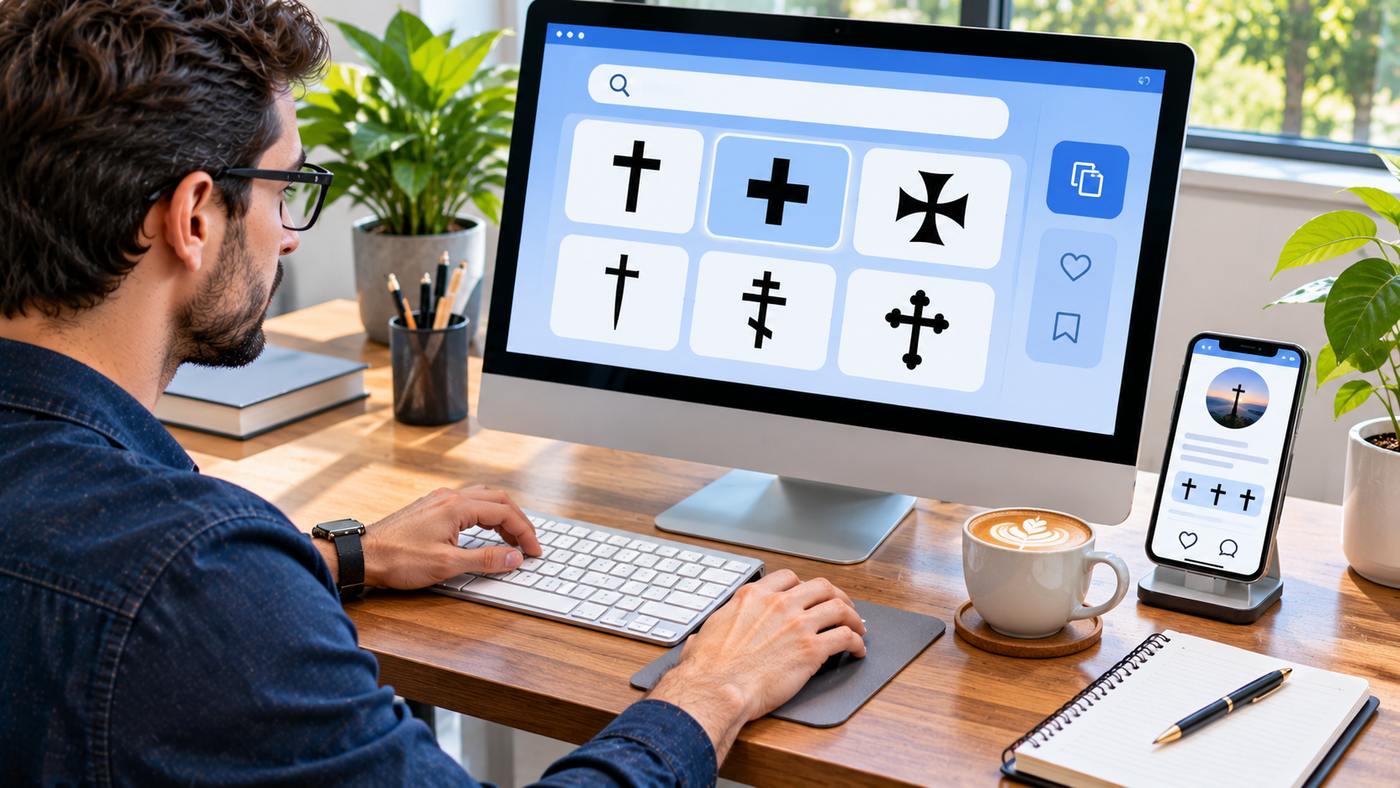
The cross copy and paste method makes it easy to add meaningful symbols to social media profiles, messages, documents, websites, and creative projects without installing special software. Cross symbols appear in many visual styles, including traditional religious crosses, decorative designs, and typographic marks used in publishing. Although these characters may look similar, they do not always carry the same meaning. Some represent specific religious traditions, while others serve as editorial references or general design elements. Understanding their differences helps you select a symbol that suits your message and displays correctly on different devices. This guide introduces nine popular Unicode cross symbols, explains their names and common uses, and shows you how to copy them on computers and smartphones.
What Are Cross Symbols?
Cross symbols are characters or visual designs featuring intersecting lines, usually with a vertical and horizontal arrangement.
Many have historical or religious significance, particularly within Christian traditions. Others are primarily used in typography, mathematics, interface design, and decorative text.
In digital communication, most commonly used text-based crosses are Unicode characters.
Unicode assigns each character a unique code point, allowing software and operating systems to identify it consistently.
For example, the Latin cross character ✝ has the code point U+271D, while the Maltese cross ✠ uses U+2720. These names are documented in the official Unicode character charts. Unicode 18.0.0
The actual appearance may vary depending on the font, application, browser, or operating system.
That distinction matters when using symbols in professional materials or designs requiring a consistent visual style.
Why Use Copy-and-Paste Cross Characters?
Typing ordinary letters is straightforward, but many special symbols are not available directly on a standard keyboard.
A cross copy and paste tool gives users quick access to characters they might otherwise need to find through a character map or special keyboard menu.
These symbols can be useful for decorating usernames, formatting short messages, expressing religious identity, creating memorial tributes, and adding typographic references.
For example, someone might include a Latin cross in a profile description or use a dagger symbol when formatting a document containing explanatory notes.
However, symbols should be chosen with care.
A decorative cross, religious emblem, and editorial footnote marker may serve very different purposes even when their shapes are visually related.
9 Popular Cross Symbols and Their Meanings
1. Latin Cross — ✝
✝
Copy ✝
U+271D
The Latin cross is one of the most recognizable religious symbols in the world. Its vertical line extends below the horizontal arm, making it visually distinct from a cross with four equal arms.
It is closely associated with Christianity and frequently appears in religious artwork, church materials, memorial content, and personal expressions of faith.
For cross copy and paste purposes, the Latin cross is a familiar choice for short messages, religious quotations, and profile descriptions.
For example, a social media biography might display the symbol beside a brief statement of faith.
When using it in a professional design, consider whether the religious significance is relevant and appropriate.
Avoid using sacred symbols merely to create an unrelated visual effect when doing so could misrepresent their meaning.
2. Shadowed White Latin Cross — ✞
✞
Copy ✞
U+271E
The shadowed white Latin cross is a decorative variation of the traditional Latin cross.
Unicode identifies this character as the Shadowed White Latin Cross.
Its shape may have additional visual depth or shading, depending on the typeface used.
This design can be suitable for digital artwork, religious event announcements, decorative headings, or profile text where a slightly more distinctive appearance is desired.
A cross copy and paste collection allows users to compare this variation with simpler styles without installing decorative fonts.
However, not every platform will render its shading in exactly the same way.
Before publishing a design, check the symbol on the intended devices and applications.
3. Outlined Latin Cross — ✟
✟
Copy ✟
U+271F
The outlined Latin cross offers another visual variation with a lighter or outlined appearance.
It maintains the recognizable proportions of a Latin cross while providing a different typographic style.
This character may be used in invitations, decorative captions, personal biographies, and faith-related digital designs.
People searching for cross copy and paste symbols often compare outlined and solid characters to find the appearance that best matches their chosen text.
If you are preparing a graphic, test the symbol at the actual display size.
Thin outlines may become less visible on small screens or when placed against backgrounds with insufficient contrast.
An accessible design should prioritize clarity over decoration.
4. Maltese Cross — ✠
✠
Copy ✠
U+2720
The Maltese cross is recognizable through its symmetrical structure and distinctive arms.
The design has historical associations with the Knights Hospitaller and the island of Malta.
However, historical Maltese cross designs have taken different forms, and the Unicode glyph does not necessarily reproduce every traditional version precisely. Unicode 18.0.0
In digital design, this symbol may appear in historical discussions, decorative typography, or content about heraldry.
A cross copy and paste tool makes it possible to insert the character directly into ordinary text.
For official emblems, branding, or historical reproductions, a properly licensed vector illustration may be more suitable than a font character.
This is especially important when exact proportions or historical authenticity matter.
5. Orthodox Cross — ☦
☦
Copy ☦
U+2626
The Orthodox cross is associated with traditions of Eastern Christianity.
Its familiar form includes multiple horizontal bars, sometimes with a slanted lower bar.
It is commonly encountered in religious iconography and discussions of Orthodox Christian heritage.
The Unicode character provides a convenient representation for digital text, although visual details may vary by font.
For cross copy and paste users, this symbol is useful when the specific tradition is relevant to the message.
It should not automatically be substituted for a Latin cross in religious or historical writing because the two forms may communicate different cultural associations.
When preparing educational content, explain the symbol rather than assuming every reader already recognizes it.
6. Cross of Jerusalem — ☩
☩
Copy ☩
U+2629
The Cross of Jerusalem is another recognized Unicode symbol with historical Christian associations.
Traditional Jerusalem cross designs often include a larger central cross accompanied by smaller crosses, although the appearance of the Unicode character depends on the available font.
This symbol may be appropriate for discussions of religious art, historical emblems, cultural heritage, and decorative text.
A cross copy and paste collection allows users to locate the character without searching through a complete Unicode reference chart.
Because historical designs vary, the text character should not be treated as an exact replacement for every Jerusalem cross illustration.
For detailed educational or heraldic projects, use an appropriate illustration when visual accuracy is essential.
7. Heavy Greek Cross — ✚
✚
Copy ✚
U+271A
The heavy Greek cross has four arms of approximately equal length.
Unlike the elongated Latin cross, its balanced shape gives it a compact and symmetrical appearance.
Unicode identifies this character as the Heavy Greek Cross. Unicode 18.0.0
It can appear in decorative typography, graphic layouts, and interfaces where a bold cross-shaped mark is appropriate.
When using cross copy and paste symbols in a design, distinguish this character from the mathematical plus sign +.
Although they may resemble one another, their encoded identities and intended uses differ.
For mathematical expressions, always use the appropriate mathematical character. For interface actions, use a recognized icon with an accessible label rather than relying on decorative symbolism alone.
8. Dagger Symbol — †
†
Copy †
U+2020
The dagger symbol is a typographic character that resembles a narrow cross.
It is commonly used in publishing as a footnote marker, particularly when an asterisk has already been used.
For example, an academic or informational document may place a dagger after a term to direct readers to an explanatory note.
The character may also appear in historical or memorial contexts, depending on the publication’s conventions.
A cross copy and paste tool provides an easy way to obtain the dagger when a keyboard does not offer a direct key.
Remember that the dagger is not interchangeable with every religious cross symbol.
In professional documents, use it consistently and ensure that readers can locate the corresponding note.
9. Double Dagger Symbol — ‡
‡
Copy ‡
U+2021
The double dagger is a typographic character with two horizontal strokes crossing a vertical line.
Its most familiar use is in printed documents, articles, books, and scholarly material.
Editors may use it as a secondary footnote marker after other symbols have already been assigned.
For cross copy and paste purposes, the double dagger is especially useful when formatting text that requires conventional editorial references.
For example, a document might use an asterisk for the first note, a dagger for the second, and a double dagger for the third.
The correct order depends on the publication’s style guide.
Unlike decorative cross characters, the double dagger should usually serve a clear typographic function rather than act as a general religious symbol.
How to Copy and Paste Cross Symbols on Any Device
The easiest method is to open a symbol collection, select the character you want, and paste it into your chosen application.
For example, the cross copy and paste page on Symbol Copy and Paste provides a collection of cross-shaped characters, including Latin crosses, Orthodox crosses, decorative variations, and typographic marks. copyandpastesymbols.me
On Windows Computers
Select the required symbol and press Ctrl + C to copy it. Open the destination application and press Ctrl + V to paste.
You can also use Windows Character Map or supported special-character interfaces to find Unicode symbols.
On Mac Computers
Highlight the symbol and press Command + C, then paste it using Command + V.
macOS also provides a character viewer for finding special symbols. The keyboard shortcut Control + Command + Space opens the character interface in many macOS configurations.
On Android Phones
Open a cross copy and paste website, then tap the character or long-press the text to select and copy it.
Switch to the destination app, press and hold the text field, and choose Paste.
On iPhone and iPad
Choose a symbol from a compatible website, copy it using the available selection menu, and paste it into a message, note, or profile.
The exact controls may vary between apps and iOS versions.
Where Can You Use Cross Symbols?
Cross symbols can be inserted into many text fields that support Unicode characters.
Social media biographies and captions are common examples. Some users also include them in display names, personal notes, religious event announcements, and memorial messages.
A cross copy and paste tool can also be helpful when formatting newsletters, digital invitations, and educational documents.
For websites, symbols may be inserted directly into headings or body text when appropriate.
However, decorative symbols should not replace meaningful text that helps readers and assistive technologies understand the content.
If a symbol communicates important information, provide an accompanying description.
Why Do Some Symbols Display Incorrectly?
Unicode assigns a consistent identity to a character, but its appearance depends on the font and rendering software.
A symbol may appear different on Android, iOS, Windows, or macOS. Occasionally, unsupported characters display as empty squares or replacement marks.
For cross copy and paste users, testing the character in the final application is the easiest way to detect these problems.
Choose fonts that support the required Unicode symbols.
When exact presentation is essential for branding or printed artwork, a properly designed graphic may be more reliable than a text character.
Best Practices for Using Special Symbols
Use symbols where they contribute meaning or improve presentation.
Avoid placing too many decorative characters in a single username or paragraph, as this can make the text difficult to read.
Respect the historical and religious associations of different cross designs.
Do not assume a dagger, Greek cross, and Orthodox cross carry identical meanings.
When formatting academic documents, follow the applicable publication style guide.
Finally, check that copied characters remain readable after posting.
A reliable cross copy and paste workflow combines convenience with thoughtful presentation and accessibility.
Frequently Asked Questions
1. How can I copy and paste a cross symbol?
Choose a cross character such as ✝, copy it using your device’s copy command, and paste it into the desired text field. You can also use the copy buttons provided in this guide.
2. What is the Unicode for the Latin cross?
The Latin cross ✝ uses Unicode code point U+271D. The decorative outlined Latin cross ✟ uses U+271F.
3. Can I use cross symbols in Instagram and Facebook bios?
Yes. Many Unicode cross characters can be pasted into social media profiles, captions, and messages. Their exact appearance may vary by platform and font.
4. Are all cross symbols religious?
No. Some have specific religious associations, while characters such as the dagger and double dagger are commonly used as editorial footnote markers.
5. Why does a copied cross look different on another phone?
Different devices and applications use different fonts and rendering systems. These can affect the shape, weight, and appearance of Unicode characters.
6. Can cross symbols be used on WordPress websites?
Yes. WordPress generally supports Unicode characters in content. Check the selected theme’s font support and ensure that decorative symbols do not make text unnecessarily difficult to understand.
Conclusion
Using cross copy and paste characters is a convenient way to add religious, decorative, and typographic symbols to digital content. The nine characters covered in this guide offer different visual styles and meanings for messages, social profiles, documents, and websites. Choosing the appropriate symbol and testing its appearance helps maintain clarity and respect for its intended significance. With Unicode-based tools, special characters can be added quickly without installing additional software.
