
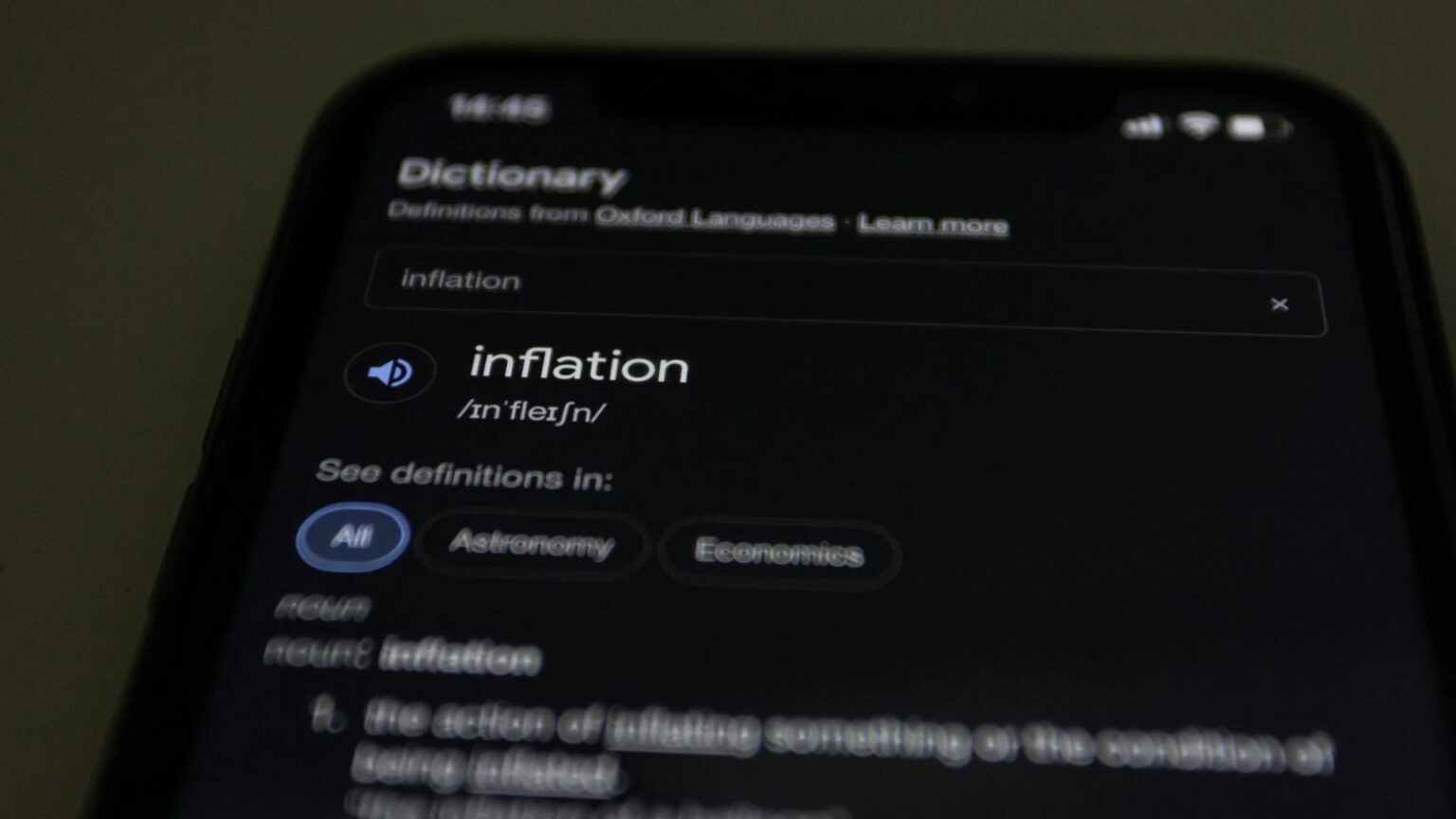
Developing a strong vocabulary is essential for effective communication, academic success, professional development, and personal confidence. A modern dictionary app provides convenient access to word definitions, pronunciation guides, synonyms, grammatical information, and interactive learning resources that can help individuals improve their language skills wherever they are.
Unlike traditional printed dictionaries, digital applications allow users to search for unfamiliar words within seconds. Many also provide audio pronunciations, personalized vocabulary collections, offline access, and educational exercises.
Whether you are a student preparing for examinations, a professional improving business communication, or a language learner developing English fluency, choosing the right digital dictionary can support your learning objectives.
This comprehensive guide explores fifteen practical ways to improve vocabulary using dictionary technology, along with essential features, learning strategies, and recommendations for selecting a suitable application.
What Is a Dictionary App?
A dictionary app is a digital reference application that provides information about words, including their meanings, pronunciation, spelling, grammatical characteristics, and appropriate usage.
These applications are available for smartphones, tablets, computers, and other compatible digital devices.
Depending on the selected platform, users may also access translations, synonyms, antonyms, example sentences, and vocabulary exercises.
Digital dictionaries combine traditional language reference materials with interactive technologies designed to make information more accessible.
Essential Features of Modern Dictionary Applications
Many digital dictionaries provide features such as:
- Instant word definitions
- Audio pronunciation
- Phonetic transcriptions
- Synonyms and antonyms
- Example sentences
- Grammar explanations
- Search history
- Personalized vocabulary collections
- Offline dictionary access
- Interactive learning exercises
Feature availability varies between applications, language editions, and subscription plans.
Digital Dictionaries Versus Printed Dictionaries
Printed dictionaries remain valuable educational resources, particularly in environments where digital devices are unavailable or unsuitable.
However, digital dictionaries provide additional convenience through searchable content, audio recordings, and interactive functionality.
They may also receive vocabulary updates without requiring users to purchase another printed edition.
The most suitable reference format depends on individual learning preferences, accessibility requirements, and available resources.
1. Discover New Words Every Day
Regular exposure to unfamiliar vocabulary can support gradual language development.
A dictionary app makes discovering new words convenient by providing searchable definitions and, in some cases, daily vocabulary recommendations.
Use Word of the Day Features
Many applications introduce a selected word each day alongside its definition, pronunciation, and usage information.
Rather than simply reading the definition, try incorporating the word into an original sentence.
For example, after learning the word adaptable, consider how it could describe a person who responds effectively to changing circumstances.
Establish Realistic Vocabulary Goals
Learning a manageable number of useful words is generally more practical than attempting to memorize extensive vocabulary lists immediately.
Begin with three to five relevant words each day and gradually adjust your learning routine according to your progress.
The objective is to understand and remember vocabulary rather than accumulate unfamiliar definitions.
2. Improve Pronunciation With Audio Learning
Correct pronunciation helps individuals communicate more clearly and understand spoken language.
Many dictionary applications provide audio recordings that demonstrate how words are pronounced.
Listen to Authentic Pronunciation Examples
Audio recordings allow learners to hear individual sounds, syllable patterns, and word stress.
Some dictionaries provide both British and American English pronunciations, helping users recognize regional differences.
Listen carefully before attempting to repeat unfamiliar words.
Practice Speaking Aloud
Repeating vocabulary aloud can help learners become more familiar with its pronunciation.
Compare your pronunciation with the provided recording and identify sounds that require additional practice.
Understand Phonetic Transcriptions
Many reputable dictionaries use symbols from the International Phonetic Alphabet to represent pronunciation.
Learning common phonetic symbols can help individuals understand unfamiliar sounds and distinguish between similarly spelled words.
Phonetic information is particularly useful when English spelling does not clearly indicate pronunciation.
3. Expand Vocabulary Through Synonyms and Antonyms
Understanding relationships between words can help learners develop more flexible communication skills.
A dictionary app with thesaurus functionality allows users to explore words with similar or contrasting meanings.
Discover Appropriate Synonyms
Synonyms are words with similar meanings, although they are not always interchangeable.
For example, happy, delighted, and content describe positive emotional experiences but may communicate different levels or types of satisfaction.
Review example sentences before selecting a synonym for a particular context.
Learn Through Opposite Meanings
Antonyms help learners understand vocabulary by examining contrasting ideas.
Examples include:
- Generous and selfish
- Flexible and rigid
- Temporary and permanent
- Accurate and inaccurate
- Optimistic and pessimistic
Connecting related vocabulary can provide additional context and support more meaningful learning.
4. Strengthen Spelling and Writing Accuracy
Spelling mistakes can affect the clarity and professionalism of written communication.
Digital dictionaries provide convenient tools for checking uncertain spellings and understanding word structures.
Verify Unfamiliar Spellings
English contains words whose pronunciation does not closely match their written forms.
When uncertain about a spelling, consult a reliable dictionary rather than depending exclusively on automatic correction.
This practice helps learners recognize correct word patterns over time.
Understand Regional Spelling Differences
British and American English sometimes use different spellings for words with equivalent meanings.
Common examples include colour and color, centre and center, and travelling and traveling.
These variations are acceptable within their respective language conventions.
Maintain Consistency in Written Content
Choose a spelling convention appropriate for your intended audience and apply it consistently throughout your writing.
Students, professional writers, and business communicators can use digital dictionaries to verify regional language preferences.
5. Learn Vocabulary Through Real Example Sentences
Understanding a definition does not necessarily mean that a learner knows how to use a word correctly.
Example sentences demonstrate how vocabulary functions within meaningful communication.
Examine Words in Context
A dictionary may provide several definitions for the same word.
For instance, the word charge can refer to a financial cost, an accusation, a responsibility, or the process of supplying electrical energy.
Reading example sentences helps learners identify which meaning applies to a particular situation.
Create Original Sentences
After reviewing examples, write a sentence using the unfamiliar word.
Try connecting vocabulary with personal experiences, academic subjects, or professional responsibilities.
This approach encourages active learning rather than passive memorization.
Understand Common Word Combinations
Collocations are combinations of words that frequently appear together.
Examples include make a decision, strong coffee, and heavy rain.
Learning these combinations can help individuals develop more natural spoken and written English.
6. Build Personalized Vocabulary Collections
A dictionary app with bookmarking or vocabulary management features can help learners organize unfamiliar words according to their needs.
Personalized collections make it easier to review important vocabulary without repeatedly searching for the same information.
Create Topic Based Vocabulary Lists
Organize new words into categories such as:
- Business communication
- Academic writing
- Travel and tourism
- Technology
- Everyday conversation
- Healthcare terminology
- Professional development
Topic based learning helps connect vocabulary with practical situations.
Record More Than Definitions
A useful vocabulary collection may include the word, its meaning, pronunciation, grammatical category, and an original example sentence.
Learners can also record common word combinations or relevant translations.
Review Difficult Words More Frequently
Identify vocabulary that remains difficult to remember and prioritize it during review sessions.
Words that have become familiar can be reviewed less frequently, allowing more attention to challenging material.
7. Use Offline Dictionary Features for Flexible Learning
Internet connectivity is not always available during travel, classroom activities, or work in remote locations.
An offline dictionary app can provide access to downloaded language resources without requiring a continuous internet connection.
Download Appropriate Language Resources
Some applications allow users to download dictionaries for particular languages or specialized subjects.
Check whether definitions, pronunciation recordings, and example sentences are included in the offline package.
Certain interactive features may still require internet access.
Support Learning While Traveling
Offline dictionaries can be useful when visiting unfamiliar countries or studying in environments with limited connectivity.
Users can check word meanings, verify spelling, and review saved vocabulary without depending entirely on mobile data.
Consider Device Storage Requirements
Downloaded dictionaries and pronunciation recordings occupy storage space.
Before installing additional language packages, verify their size and determine whether they provide information relevant to your learning objectives.
8. Improve Grammar Through Dictionary Entries
Vocabulary and grammar are closely connected. Understanding how a word functions within a sentence is important for clear communication.
Digital dictionaries frequently identify grammatical categories and provide information about word usage.
Understand Different Parts of Speech
Dictionary entries commonly identify whether a word functions as a noun, verb, adjective, adverb, or another grammatical category.
Some words can perform several grammatical functions depending on their context.
For example, work can function as both a noun and a verb.
Learn Word Forms
Understanding related word forms helps learners develop more flexible sentence structures.
Consider the relationship between create, creation, creative, and creatively.
Each form serves a different grammatical purpose while sharing a related meaning.
Examine Common Grammar Patterns
Some words require particular prepositions or grammatical structures.
For instance, interested is commonly followed by in when describing interest in a subject or activity.
Reliable learner dictionaries can help users identify these patterns and avoid common grammatical mistakes.
9. Support Academic Success and Examination Preparation
Students regularly encounter unfamiliar vocabulary while reading textbooks, completing assignments, and preparing for examinations.
A dictionary app can serve as a practical academic reference tool.
Understand Academic Terminology
Academic vocabulary frequently includes words such as evaluate, demonstrate, interpret, justify, and analyze.
Understanding these terms helps students follow assignment instructions and communicate their knowledge more accurately.
Prepare for Language Examinations
Individuals preparing for examinations such as IELTS or TOEFL may use dictionaries to develop vocabulary and improve pronunciation.
However, effective preparation also requires practice in reading, listening, writing, and speaking according to examination requirements.
Improve Reading Comprehension
Students can investigate unfamiliar vocabulary encountered in articles, textbooks, and research materials.
Try understanding the general meaning of a passage before looking up individual words.
This helps develop independent reading skills while maintaining comprehension.
Dictionary applications should only be used during formal examinations when explicitly permitted.
10. Develop Professional and Business Communication Skills
Clear communication is important across industries and professional environments.
A strong working vocabulary can help employees prepare documents, participate in meetings, and communicate effectively with colleagues and customers.
Learn Relevant Business Vocabulary
Professionals may encounter terminology involving budgeting, project management, marketing, negotiation, and strategic planning.
A digital dictionary provides convenient access to definitions and usage information.
Improve Workplace Writing
Check unfamiliar vocabulary before using it in professional emails, reports, presentations, and proposals.
Select words that communicate information clearly rather than using complicated terminology simply to create an impressive appearance.
Understand Formal and Informal Language
Some expressions are appropriate for casual conversations but unsuitable for certain professional environments.
Dictionary usage labels can help learners recognize formal, informal, technical, and potentially offensive language.
Understanding these distinctions supports more appropriate workplace communication.
11. Strengthen Foreign Language Learning
Multilingual dictionary applications can help individuals explore unfamiliar languages and improve communication across different linguistic environments.
Use Bilingual Dictionaries Effectively
Bilingual dictionaries provide translations between two languages.
They can be particularly useful for beginners who are developing foundational vocabulary.
However, a translated word may have several possible meanings depending on its context.
Progress Toward Monolingual Dictionaries
As language proficiency improves, learners may benefit from using dictionaries that explain words within the language being studied.
This approach encourages direct understanding without requiring a translation for every unfamiliar term.
Avoid Depending Entirely on Translation
Direct translations do not always capture cultural meaning, idiomatic expressions, or appropriate grammatical usage.
Combine translation tools with authentic examples, listening practice, reading activities, and conversation.
12. Use Vocabulary Games and Interactive Exercises
Some digital dictionary platforms offer educational games, flashcards, quizzes, and other interactive activities.
These features can make vocabulary practice more engaging.
Practice Active Recall
Active recall involves attempting to remember information before reviewing the answer.
For example, display a saved word and try explaining its meaning without reading the definition.
Alternatively, review a definition and attempt to remember the corresponding vocabulary.
Review Words at Increasing Intervals
Spaced practice involves revisiting learned information over multiple study sessions.
Instead of reviewing vocabulary repeatedly within a single session, return to it after an appropriate interval.
Adjust review frequency according to how confidently you remember each word.
Use Educational Games With Clear Objectives
Word puzzles and quizzes can provide useful opportunities to practice spelling and vocabulary recognition.
Choose activities that reinforce relevant learning objectives rather than focusing exclusively on scores or entertainment.
13. Explore Specialized Dictionaries for Different Subjects
General dictionaries explain vocabulary used across everyday communication.
Specialized dictionaries focus on terminology associated with particular professional, academic, or technical fields.
Medical and Scientific Dictionaries
Medical and scientific reference applications can help learners understand specialized terminology encountered during education or professional research.
However, dictionary definitions should not replace qualified medical advice or professional interpretation.
Legal and Financial Dictionaries
Legal and financial terminology often has specific meanings depending on the jurisdiction or professional context.
Specialized reference materials can provide additional explanations that ordinary dictionaries may not include.
Technology and Engineering Dictionaries
Technical dictionaries can help users understand terminology associated with software development, information technology, telecommunications, and engineering.
Verify important technical definitions against relevant professional standards or authoritative documentation when necessary.
14. Use AI Powered Dictionary Features Responsibly
Artificial intelligence is expanding the functionality of digital learning applications.
Some dictionary platforms provide conversational explanations, automatically generated examples, and personalized vocabulary recommendations.
Request Contextual Word Explanations
AI assisted tools may help learners explore how a word is used within a particular sentence or situation.
They can also provide alternative explanations when a conventional definition is difficult to understand.
Generate Additional Practice Material
Interactive learning tools may create vocabulary exercises, sample conversations, and writing prompts based on selected words.
These activities can supplement established dictionary resources.
Verify AI Generated Information
Artificial intelligence systems can produce inaccurate definitions, unnatural examples, or misleading grammatical explanations.
Check unfamiliar information against reputable dictionaries and qualified educational resources.
Avoid entering confidential documents or sensitive personal information into applications without understanding their privacy practices.
15. Create a Consistent Daily Vocabulary Learning Routine
Long term language improvement requires regular engagement and meaningful practice.
A dictionary app can support a learning routine when combined with achievable objectives and appropriate review methods.
Establish a Practical Study Schedule
A simple daily vocabulary routine could involve:
- Five minutes reviewing previously learned words
- Five minutes discovering new vocabulary
- Five minutes listening to pronunciation recordings
- Five minutes writing original example sentences
This illustrative schedule can be adjusted according to individual learning requirements and available time.
Apply New Vocabulary in Everyday Situations
Use recently learned words during conversations, writing activities, academic assignments, and professional communication when appropriate.
Practical application helps learners understand how vocabulary functions beyond a dictionary definition.
Monitor Your Learning Progress
Periodically review vocabulary collections and identify words you can confidently understand and use.
Focus on meaningful improvements in communication rather than simply counting the number of saved words.
How to Choose the Best Dictionary App
Selecting an appropriate digital dictionary requires evaluating its content quality, functionality, accessibility, and intended audience.
A suitable application should provide reliable reference information while supporting individual learning preferences.
Evaluate Definition Quality
Look for clearly written explanations supported by relevant examples and grammatical information.
Applications based on established editorial dictionaries can provide a more dependable reference than platforms with unclear information sources.
Check Pronunciation and Accessibility Features
Useful features may include audio recordings, phonetic symbols, adjustable text sizes, accessible navigation, and regional pronunciation options.
These capabilities can support users with different learning and accessibility requirements.
Compare Free and Premium Features
Free dictionary applications may provide sufficient functionality for everyday vocabulary searches.
Premium versions may offer additional offline resources, advanced learning tools, or reduced advertising.
Review subscription conditions and available features before making a purchase.
Popular Digital Dictionary Resources
Several established dictionary publishers provide digital reference resources for different learning requirements.
Oxford Learner’s Dictionaries
Oxford Learner’s Dictionaries provides English language reference materials designed to support learners through definitions, examples, and usage information.
Cambridge Dictionary
Cambridge Dictionary provides learner focused definitions, grammatical information, and British and American English pronunciation resources.
Merriam-Webster
Merriam-Webster provides English definitions, spelling information, pronunciation guidance, and vocabulary learning content, with a particular focus on American English.
The suitability of each resource depends on the learner’s proficiency, preferred language conventions, and educational objectives.
Common Dictionary Learning Mistakes to Avoid
Digital dictionaries are valuable resources, but ineffective learning habits can limit their usefulness.
Common mistakes include memorizing definitions without understanding context, selecting inappropriate synonyms, ignoring pronunciation, and collecting vocabulary without reviewing it.
Learners should also avoid relying exclusively on automated translations or unverified AI explanations.
Combining reliable reference materials with reading, listening, writing, and conversation provides a more comprehensive approach to language development.
Frequently Asked Questions
What is a dictionary app used for?
It provides word definitions, pronunciation, spelling guidance, grammatical information, synonyms, and other resources that support language learning.
Can a dictionary app improve English vocabulary?
Yes, regular use combined with contextual learning, active recall, and practical vocabulary application can support English language development.
Can I use a dictionary app without an internet connection?
Many applications offer downloadable offline dictionaries, although certain audio recordings, updates, and interactive features may require internet access.
What is the difference between a dictionary and a thesaurus?
A dictionary explains word meanings and usage, while a thesaurus primarily provides related words, including synonyms and sometimes antonyms.
Are free dictionary apps reliable?
Many reputable free dictionaries provide accurate information. Reliability depends on editorial quality, information sources, and the application’s maintenance practices.
Which features should the best dictionary app include?
Useful features include accurate definitions, audio pronunciation, example sentences, grammatical information, vocabulary collections, accessible navigation, and offline functionality.
Conclusion
A dictionary app offers a convenient and flexible approach to improving vocabulary, pronunciation, spelling, and everyday communication. Combining reliable definitions with contextual examples, interactive exercises, and consistent review can support meaningful language development. By selecting a trustworthy application and establishing practical learning habits, individuals can build stronger communication skills and greater confidence over time.
