
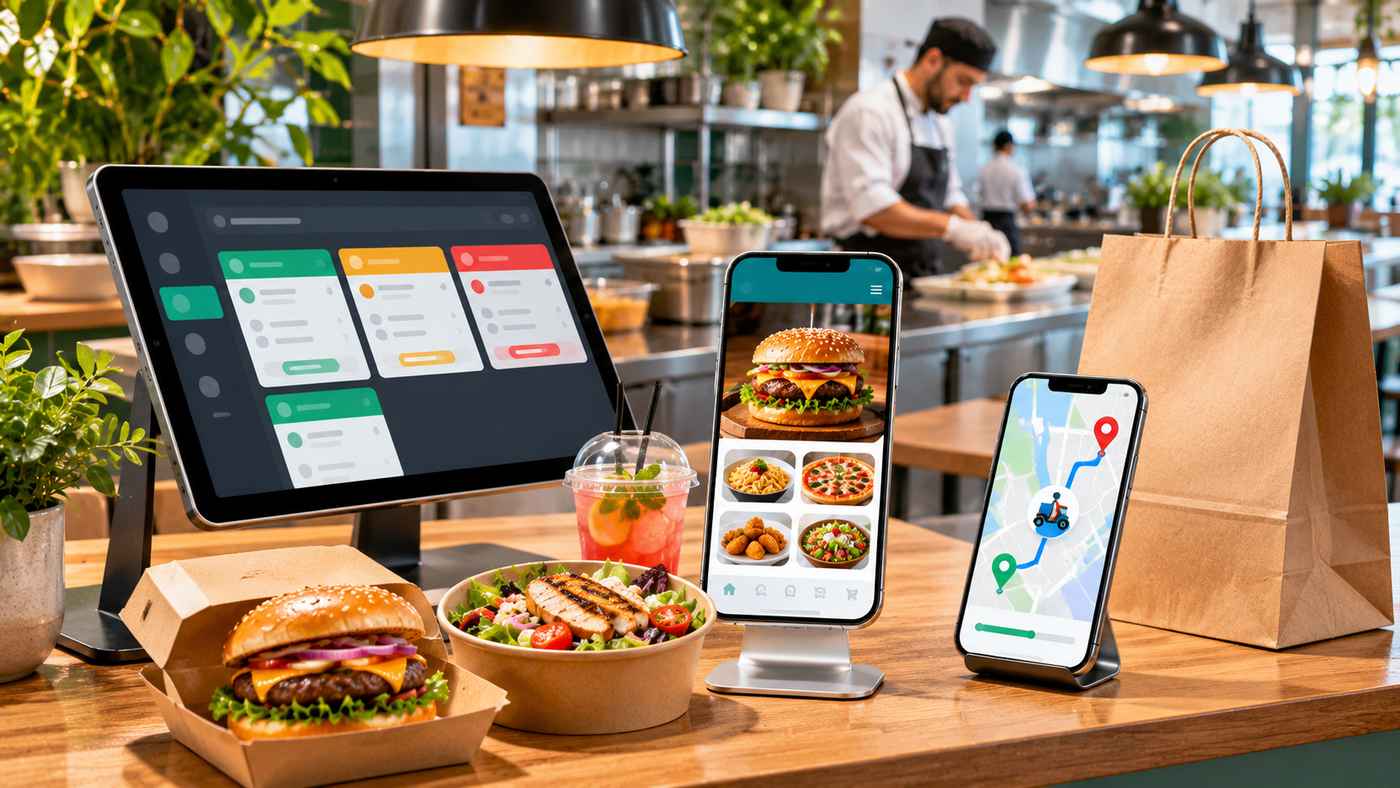
The food industry is increasingly connected to digital technology. Customers want convenient ordering, accurate delivery updates, secure payments, and easy access to their favorite restaurants. Meanwhile, food businesses need dependable systems to manage orders, inventory, delivery operations, and customer relationships.
Modern food app development helps connect these needs through mobile applications and integrated software platforms.
Whether you operate a restaurant, cloud kitchen, grocery business, or food delivery startup, a well-designed application can simplify operations and improve the customer experience.
However, building a successful food application requires more than attractive screens. Businesses must carefully plan functionality, payment processing, operational integrations, security, and ongoing maintenance.
This guide explains the different types of food applications, essential features, development processes, technology considerations, and seven practical steps for launching a reliable platform.
What Is Food App Development?
Food app development is the process of designing, building, testing, and maintaining software applications for businesses operating in the food industry.
These applications may support online ordering, restaurant discovery, delivery tracking, customer loyalty, meal subscriptions, or grocery purchases.
Some food applications serve customers directly, while others help restaurants and delivery providers manage their operations.
For example, a restaurant ordering app allows customers to browse menus and place orders. The associated restaurant dashboard receives those orders and sends them to the kitchen.
When delivery is involved, another application may help drivers manage assignments and update order status.
How Does a Food Delivery App Work?
A typical food delivery system connects customers, restaurants, delivery personnel, and administrators.
The process generally follows these steps:
- A customer browses a menu and selects food items.
- The application calculates the order total and applicable charges.
- The customer submits the order and completes payment or selects another supported payment method.
- The restaurant receives and confirms the request.
- Kitchen staff prepare the food.
- A delivery provider receives the delivery assignment.
- The customer receives status updates until the order is completed.
Reliable systems also handle exceptions such as unavailable items, failed payments, order cancellations, and delivery delays.
Different Types of Food Apps Businesses Can Build
Not every food business needs the same application.
Choosing the appropriate operating model is one of the first important decisions.
Restaurant Ordering Apps
A restaurant ordering application allows customers to purchase food directly from an individual restaurant or restaurant group.
These apps commonly include digital menus, order customization, pickup options, online payments, and loyalty rewards.
Direct ordering can help restaurants maintain closer relationships with customers.
Multi-Restaurant Delivery Platforms
Marketplace applications connect customers with multiple restaurants through one platform.
They generally require restaurant onboarding, commission management, delivery coordination, and centralized administration.
These systems are more complex because they must manage several independent business participants.
Grocery Delivery Applications
Grocery applications support shopping for food products, household essentials, and other items.
Important features may include inventory availability, substitutions, delivery scheduling, and product search.
Accurate stock information becomes especially important when products are frequently unavailable.
Cloud Kitchen Apps
Cloud kitchens prepare food primarily for delivery or pickup.
Their software may manage several virtual restaurant brands operating from a shared kitchen.
Centralized order management helps coordinate menus, preparation times, and available kitchen capacity.
Meal Subscription Applications
Meal subscription platforms manage recurring purchases, delivery schedules, menu preferences, and subscription changes.
These apps require clear billing information and straightforward controls for modifying or canceling subscriptions.
Essential Features of a Successful Food Delivery Application
A complete food delivery platform often contains several connected interfaces.
Customer Application
The customer app should make ordering simple and intuitive.
Important features include restaurant discovery, searchable menus, item customization, secure checkout, order history, delivery tracking, and customer support.
Customers should see accurate prices, available items, delivery charges, and estimated fulfillment information before confirming a purchase.
Restaurant Management Dashboard
Restaurants need tools for accepting orders, changing menus, updating item availability, and monitoring kitchen activity.
Point-of-sale integration can reduce duplicate work by connecting incoming app orders with existing restaurant systems.
Inventory synchronization is particularly valuable when popular ingredients or menu items become unavailable.
Delivery Driver Application
A driver app helps delivery providers manage assignments and communicate order status.
Common capabilities include route navigation, delivery instructions, earnings information, and availability settings.
Location tracking should use appropriate permissions and should not collect more information than operationally necessary.
Administration Panel
Administrators need an overview of platform activity.
A central dashboard may support restaurant approvals, transaction reporting, customer support, delivery monitoring, and promotional campaigns.
Role-based permissions help prevent employees from accessing information unrelated to their responsibilities.
Vendor Portal
A multi-vendor platform may provide restaurants with a separate portal for menu updates, inventory management, order fulfillment, and financial reporting.
Keeping this interface simple is important because restaurant employees often work in time-sensitive environments.
7 Smart Steps for Successful Food App Development
A structured development approach can reduce unnecessary expenses and improve the chances of launching a useful product.
Step 1: Define Your Business Model
Start by identifying what your application should accomplish.
Will it support one restaurant, a group of restaurants, or an independent delivery marketplace?
Determine whether your primary revenue comes from direct food sales, commissions, subscriptions, delivery charges, or another model.
Document the customers you intend to serve and the operational problems you want to solve.
A clearly defined business model helps determine which features are necessary.
Step 2: Research Your Target Audience
Understand how potential customers currently order food.
Research popular cuisines, ordering preferences, delivery expectations, payment methods, and common frustrations.
For a local restaurant, customer interviews and order records may reveal opportunities to improve the experience.
For a marketplace, research restaurant participation and delivery logistics as well as customer demand.
Avoid assuming that every market needs another general-purpose delivery application.
Step 3: Prioritize Your Minimum Viable Product
A minimum viable product, or MVP, contains the essential features needed to test the business concept.
For a restaurant ordering app, these might include account creation, menu browsing, cart management, checkout, order confirmation, and a basic restaurant dashboard.
Advanced recommendations, loyalty programs, and elaborate promotional systems can be considered later.
The MVP must still provide secure payments, accurate order processing, and a dependable user experience.
An incomplete or unreliable checkout is not a useful shortcut.
Step 4: Design a Simple User Experience
Customers should be able to understand the ordering process without complicated instructions.
Use readable menus, clear product photographs, straightforward customization options, and transparent checkout information.
Make essential functions accessible to people using different devices and assistive technologies.
The design should also account for unavailable products, invalid delivery addresses, failed payments, and interrupted connections.
Test prototypes with representative users before committing to full development.
Step 5: Build Reliable Integrations
A food application often depends on several external services.
These may include payment processors, restaurant POS platforms, mapping services, messaging providers, and inventory management software.
Well-designed APIs help these systems exchange information.
For example, when a restaurant marks an item unavailable, the customer application should update its availability promptly.
Without reliable synchronization, customers may order products the kitchen cannot prepare.
Step 6: Test Performance, Payments, and Security
Testing should cover successful transactions and unexpected failures.
Verify that the app handles duplicate orders, payment interruptions, incorrect addresses, refunds, and simultaneous customer requests.
Test across supported devices and operating systems.
Review authentication, access controls, data protection, and payment provider requirements.
Performance testing should also simulate busy periods when many customers place orders at once.
Step 7: Launch, Measure, and Improve
Begin with a controlled release.
Monitor ordering completion, failed payments, restaurant acceptance times, delivery performance, and customer feedback.
Address problems before expanding into additional locations.
After launch, prioritize improvements based on actual operating data rather than adding features simply because competitors offer them.
Continuous maintenance is essential for security, reliability, and compatibility with changing mobile platforms.
Folio3 FoodTech and Custom Food App Development
Businesses exploring professional food app development services can examine the solutions described by Folio3 FoodTech.
According to its official service page, Folio3 FoodTech develops applications for restaurant ordering, food delivery, grocery operations, meal subscriptions, and related food businesses.
Its approach emphasizes connecting customer, restaurant, delivery, vendor, and administration systems.
POS and Inventory Integration
The company describes integrations with existing point-of-sale and enterprise resource planning systems.
These connections are intended to help businesses maintain consistent order, menu, and inventory information.
Reliable integration is particularly important for restaurant groups managing multiple locations.
AI-Powered Operational Features
Folio3 FoodTech also advertises AI-enabled capabilities such as demand forecasting, predictive delivery dispatch, route optimization, and personalized recommendations.
These features may support operational planning when sufficient accurate information is available.
However, outcomes depend on implementation quality, available historical data, and business conditions.
AI should assist operational decisions rather than replace essential accuracy checks or human oversight.
Development and Support
The company’s stated development process includes discovery, interface design, development, testing, launch, and maintenance.
Businesses considering a development provider should request a proposal specifying deliverables, technical architecture, integrations, security responsibilities, timelines, and post-launch support.
Vendor marketing claims should be evaluated against relevant project evidence and contractual commitments.
Technologies Used in Modern Food Applications
A reliable food app needs an appropriate technical foundation.
Mobile Development Frameworks
Native iOS and Android development can provide platform-specific functionality.
Cross-platform frameworks such as Flutter and React Native may allow teams to share substantial parts of their codebase.
The right choice depends on performance needs, integrations, team expertise, and maintenance plans.
Backend and Cloud Infrastructure
The backend manages accounts, orders, menus, delivery assignments, and business rules.
Cloud infrastructure can support changing demand, but it requires appropriate configuration, security monitoring, and cost controls.
Database consistency is especially important for payment and order processing.
Artificial Intelligence
AI can support demand forecasting, personalized recommendations, customer service, and delivery planning.
However, useful AI depends on reliable operational information.
A recommendation system should not promote unavailable products, and a customer support assistant should not invent ingredient or allergen details.
How Much Does Food App Development Cost?
Food application development costs vary significantly.
A basic restaurant ordering app requires a different investment from a multi-city marketplace with restaurant management, driver tracking, payments, and advanced operational analytics.
Major Cost Factors
Important considerations include development complexity, supported platforms, interface design, third-party integrations, security requirements, cloud hosting, and ongoing maintenance.
A project requiring several independent applications typically involves more development and testing work than a single ordering interface.
Custom integrations with existing restaurant systems can also affect project scope.
MVP vs. Full-Scale Development
An MVP focuses on essential functions and a limited operating environment.
An enterprise platform may require more sophisticated user permissions, multi-location controls, analytics, and infrastructure resilience.
Businesses should request milestone-based estimates that clearly distinguish initial development from recurring expenses.
The lowest quoted price does not necessarily represent the lowest long-term cost.
Security, Accessibility, and Food Safety Considerations
Food apps process personal information, delivery addresses, and sometimes sensitive payment information.
Developers should collect only the information needed for legitimate business purposes.
The Federal Trade Commission recommends minimizing unnecessary data collection and protecting information that a business retains.
For card payments, businesses must evaluate applicable PCI DSS responsibilities and their payment provider arrangements.
US App Store Payment Rules
Apple’s App Review Guidelines distinguish physical goods purchased outside an application from digital goods consumed within the app.
For physical food purchases, payment methods such as Apple Pay and traditional card processing are permitted under the relevant rules.
The exact requirements should be reviewed before implementing checkout.
Food Safety and Allergen Information
An ordering application must communicate menu information accurately.
Ingredient and allergen details should come from verified restaurant records, not from AI-generated assumptions.
The FDA released its 2026 Food Code in September 2026. It serves as a model for retail and foodservice regulation, while specific obligations depend on state and local adoption.
Mobile Accessibility
W3C accessibility guidance provides a useful framework for developing more accessible interfaces.
Readable text, suitable contrast, clear labels, practical touch targets, and understandable error messages can make ordering easier for a wider range of customers.
Common Food App Development Mistakes
One common mistake is launching with attractive menus but unreliable restaurant integration.
Another is adding advanced features before confirming that customers can place and receive orders successfully.
Businesses may also underestimate delivery coordination, payment disputes, cancellation workflows, and customer service needs.
Avoid treating artificial intelligence as a substitute for dependable data.
Finally, remember that software maintenance continues after the application is published.
Frequently Asked Questions
1. What is food app development?
Food app development involves creating mobile and web applications for restaurant ordering, grocery shopping, meal subscriptions, delivery tracking, and related food business operations.
2. How long does it take to develop a food delivery app?
The timeline depends on features, integrations, team capacity, testing, and approval requirements. A focused MVP usually requires less work than a large multi-vendor delivery platform.
3. What features should a food ordering app include?
Essential features generally include menus, ordering, secure checkout, order management, status updates, and customer support. Delivery platforms may also need driver and restaurant dashboards.
4. Can AI improve food delivery applications?
AI can support forecasting, recommendations, and delivery planning when reliable data is available. Its results should be tested and monitored rather than assumed to be accurate.
Conclusion
Food app development can help restaurants, delivery startups, grocery businesses, and cloud kitchens create more convenient ordering experiences and improve operational coordination.
Successful applications combine straightforward customer interfaces with reliable inventory, payment, and delivery systems.
Businesses should begin with clear goals, prioritize essential features, protect customer information, and test real-world ordering conditions before expanding.
With thoughtful planning and ongoing improvements, a food application can become a valuable part of a modern food business.
