
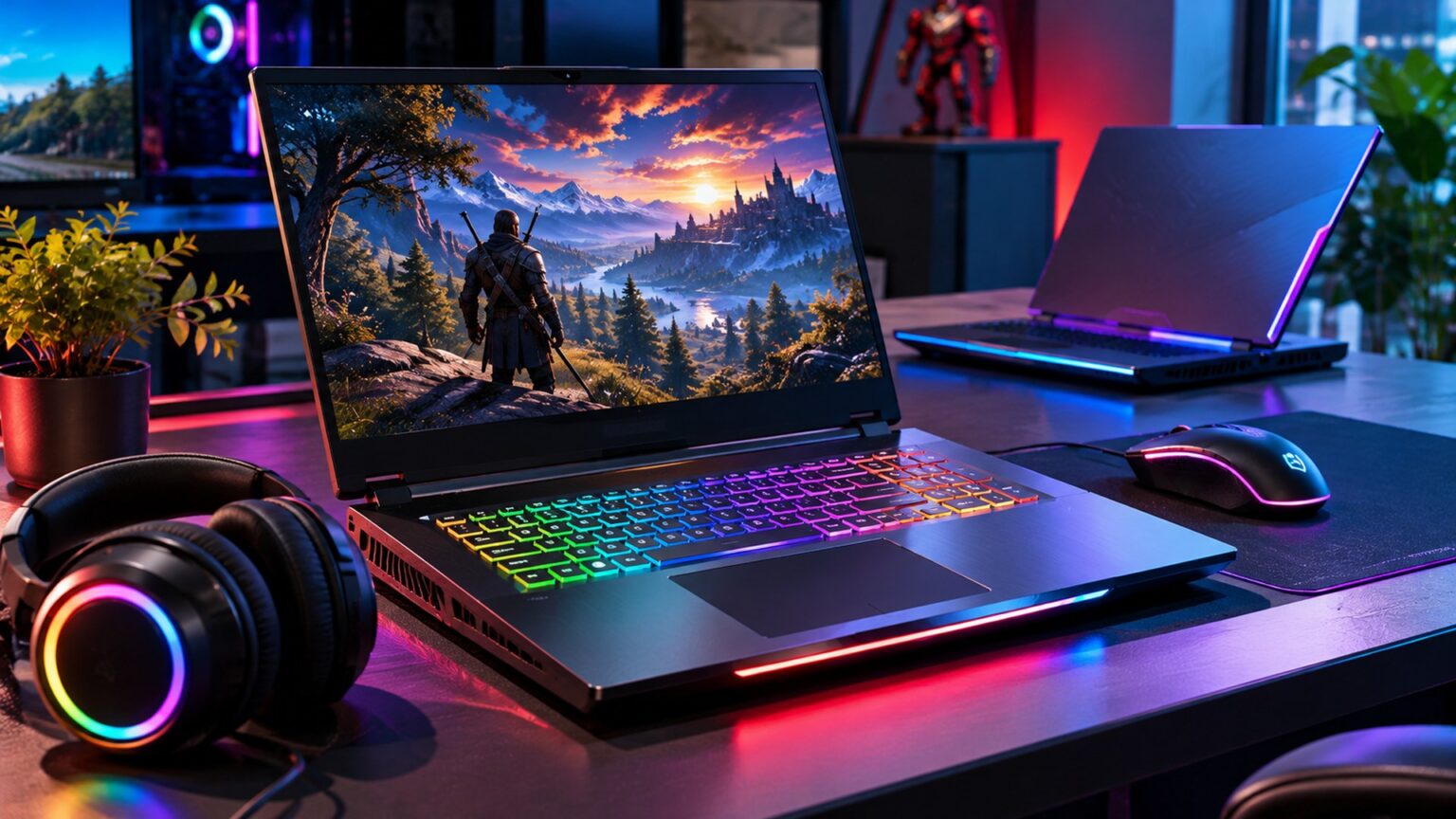
Finding the best gaming laptops requires more than choosing a computer with attractive lighting, a powerful processor, or an impressive graphics card. Modern portable gaming systems combine advanced hardware, responsive displays, efficient cooling, and intelligent performance management to support everything from competitive multiplayer games to visually demanding adventures. However, understanding how these components work together is essential for making a worthwhile investment.
Whether you are a casual player, a competitive gamer, a student, or a professional content creator, the right laptop should match your performance expectations, lifestyle, and budget. Understanding the available technologies can help you avoid unnecessary expenses while building a reliable gaming setup.
This comprehensive guide explains the most important features, hardware specifications, performance considerations, and practical buying strategies for choosing a portable gaming computer.
What Are Gaming Laptops?
Gaming laptops are portable computers designed to handle graphically intensive video games and demanding applications. Unlike conventional laptops intended primarily for browsing, office work, and entertainment, these devices typically feature dedicated graphics processors, advanced thermal management, and performance oriented hardware.
Their primary purpose is to deliver responsive gameplay while maintaining the convenience of a portable computer.
Many gaming systems also support professional activities such as video editing, software development, animation, graphic design, and three dimensional rendering.
Key Features of a Gaming Laptop
Common features include:
- Dedicated graphics processing units
- High performance multicore processors
- High refresh rate displays
- Advanced cooling systems
- Fast solid state storage
- High capacity system memory
- Customizable performance settings
- Responsive gaming keyboards
The availability and quality of these features vary considerably between models. Buyers should evaluate complete hardware configurations rather than relying exclusively on marketing descriptions.
1. Choose a Powerful Graphics Processing Unit
The graphics processing unit, commonly called a GPU, is one of the most important components of a gaming computer. It processes visual information, renders game environments, and influences how smoothly demanding games operate.
Modern gaming laptops commonly feature dedicated graphics solutions from NVIDIA or AMD. Different GPU configurations serve different gaming requirements, from casual entertainment to demanding visual experiences.
Understanding Dedicated Graphics Cards
Dedicated graphics processors generally feature their own video memory and are specifically designed to handle complex graphical workloads.
They can support detailed textures, realistic shadows, advanced lighting effects, and higher rendering resolutions.
A suitable graphics processor depends on several factors:
- Preferred games
- Display resolution
- Desired graphics settings
- Target frame rate
- Available budget
- Power consumption
Players who primarily enjoy competitive games may not require the same graphics capabilities as those who prefer visually demanding single player experiences.
Why GPU Power Limits Matter
Laptop graphics performance depends on more than the GPU model name. Manufacturers configure graphics processors with different power limits according to cooling capabilities, chassis design, and overall efficiency.
Consequently, two laptops featuring the same graphics processor may deliver noticeably different gaming results.
Buyers should examine independent performance benchmarks for the exact laptop configuration they intend to purchase.
Understanding Video Memory
Video memory, also known as VRAM, stores graphical information required during gameplay.
Higher resolutions, detailed textures, and advanced graphical effects can increase video memory requirements. Insufficient VRAM may result in stuttering, reduced texture quality, or inconsistent performance in certain games.
Selecting an appropriate amount of video memory helps create a more balanced gaming experience.
2. Select the Right Processor for Your Gaming Needs
The central processing unit, or CPU, manages game logic, background applications, system operations, and many computational tasks.
A capable processor complements the graphics card and helps maintain responsive performance during intensive activities.
Gaming laptops frequently use processors from Intel and AMD, with different product families designed for varying performance and power requirements.
How Processor Performance Influences Gameplay
Certain games depend heavily on processor performance. Simulation games, large multiplayer environments, strategy titles, and competitive shooters can place significant demands on the CPU.
A suitable processor helps manage:
- Artificial intelligence calculations
- Game physics
- Character movements
- Background processes
- Multiplayer interactions
- Real time system operations
Processor performance also matters when streaming gameplay, recording videos, or running communication applications simultaneously.
Finding the Right Balance Between CPU and GPU
An expensive processor does not automatically guarantee excellent gaming performance if the graphics processor cannot meet the demands of a particular game.
Similarly, a powerful graphics card may operate below its potential when paired with an inadequate CPU.
Balanced hardware selection helps reduce performance limitations and ensures that each component contributes effectively to the overall experience.
Consider Performance Beyond Core Counts
Processor core counts provide useful information, but they do not tell the complete story.
Architecture, clock speeds, power limits, cooling efficiency, and software optimization also influence performance.
Comparing relevant gaming benchmarks is more informative than purchasing a processor based solely on its advertised specifications.
3. Invest in a High Quality Gaming Display
The display directly influences how players experience their games. Even an exceptionally powerful computer may feel disappointing when paired with a poor quality screen.
Modern gaming laptops offer a variety of display technologies, resolutions, refresh rates, and panel sizes.
Understanding these characteristics helps buyers select a screen that matches their gaming preferences.
Choosing an Appropriate Screen Resolution
Full HD displays remain a practical choice for gamers seeking a balance between visual quality and performance.
Higher resolution displays can provide sharper images and more detailed environments but generally require additional graphics processing power.
Common display resolutions include:
- Full HD at 1920 × 1080
- QHD at 2560 × 1440
- WQXGA at 2560 × 1600
- UHD at 3840 × 2160
Competitive players often prioritize frame rates, while players who enjoy cinematic experiences may prefer greater visual detail.
Understanding Display Refresh Rates
Refresh rate describes how frequently a display updates its image each second. It is measured in hertz.
A higher refresh rate can improve perceived motion smoothness when the graphics processor produces sufficient frames.
Gaming displays commonly offer refresh rates such as 120Hz, 144Hz, 165Hz, 240Hz, and higher.
However, purchasing the fastest available display may not provide meaningful benefits if the hardware cannot produce suitable frame rates in preferred games.
Consider Panel Technology and Colour Accuracy
IPS displays are popular because they generally offer useful viewing angles and consistent colour reproduction.
OLED displays can deliver excellent contrast and fast pixel response times, although buyers should consider factors such as brightness, price, and potential image retention.
For gamers who also perform creative work, colour accuracy and display coverage can be particularly important.
Adaptive Synchronization Technology
Adaptive synchronization allows compatible displays to adjust their refresh rates in response to graphics output.
This technology can reduce visible screen tearing and improve motion consistency within supported operating ranges.
Compatibility between the graphics processor, display, and synchronization technology should be verified before purchasing.
4. Prioritize Efficient Cooling and Thermal Management
Powerful computer hardware generates heat during demanding activities. Without effective cooling, internal components may reduce their operating speeds to remain within safe temperature limits.
This process, commonly known as thermal throttling, can affect sustained gaming performance.
Reliable gaming laptops are designed to manage heat through carefully engineered cooling solutions.
Common Laptop Cooling Technologies
Manufacturers use different approaches to manage internal temperatures.
These may include:
- Multiple cooling fans
- Copper heat pipes
- Vapor chambers
- Strategically positioned ventilation
- High quality thermal interface materials
- Adjustable fan profiles
The effectiveness of a cooling system depends on its complete design rather than the number of advertised cooling components.
Why Sustained Performance Matters
A laptop may perform exceptionally well during a short benchmark but experience reduced performance during extended gaming sessions.
Effective cooling allows hardware to maintain more consistent operating conditions under prolonged workloads.
Independent reviews that measure temperatures, fan noise, and extended gaming performance provide valuable insights into thermal reliability.
Practical Ways to Improve Laptop Cooling
Users can support effective thermal management through simple maintenance practices.
Place the laptop on a hard, stable surface and avoid blocking ventilation openings. Keep surrounding areas clean and remove accumulated dust according to manufacturer recommendations.
A suitable laptop stand may improve airflow on models with bottom ventilation.
Managing Fan Noise
High performance modes frequently increase fan speeds and operating noise.
Some laptops provide balanced or quiet profiles that reduce noise by limiting performance.
Choosing an appropriate profile for each activity allows users to manage comfort, temperature, and processing capabilities more effectively.
5. Choose Sufficient RAM and Fast Storage
System memory and storage influence loading times, multitasking capabilities, and overall responsiveness.
Although the graphics card and processor receive considerable attention, inadequate memory or storage can create avoidable limitations.
How Much RAM Do You Need?
For many contemporary games, 16GB of RAM represents a practical starting point. However, memory requirements depend on the game, operating system, and background applications.
Different users may benefit from different configurations:
- 8GB for lightweight games and basic computing
- 16GB for general modern gaming
- 32GB for demanding games and extensive multitasking
- 64GB for specialized professional workloads
Gamers should review recommended system requirements for their preferred titles before selecting a memory configuration.
The Importance of Solid State Drives
Solid state drives provide faster data access than traditional mechanical hard drives.
An SSD can reduce operating system startup times, accelerate game loading, and improve general file management.
Many gaming laptops feature NVMe SSDs, which use modern storage interfaces designed for high data transfer speeds.
Selecting Suitable Storage Capacity
Modern games can require considerable installation space, particularly when additional content and updates are included.
A 512GB SSD may be sufficient for users who maintain a limited game library. A 1TB drive provides more flexibility for installing several large games and storing personal files.
Users with extensive game collections or professional media projects may benefit from larger capacities.
Check Future Upgrade Options
Some portable gaming systems support additional SSD installations or replaceable memory modules.
Others use soldered memory or offer limited internal expansion.
Confirming upgrade options before purchasing can help prevent unnecessary replacement expenses as storage and memory requirements increase.
6. Evaluate Portability, Battery Life, and Build Quality
One of the greatest advantages of gaming laptops is their ability to combine computing performance with mobility.
However, portability involves more than simply choosing the lightest available device.
Screen size, battery capacity, charging equipment, construction materials, and cooling design all influence everyday usability.
Finding the Right Laptop Size
Smaller gaming systems are generally easier to transport, making them suitable for students and frequent travelers.
Larger models may provide more expansive displays, additional connectivity, and greater room for cooling components.
Consider where you intend to use your computer and how frequently you will carry it.
Remember to include the power adapter when evaluating the total weight of your portable setup.
Understanding Gaming Laptop Battery Life
Gaming performance typically requires substantial electrical power.
Running demanding games on battery power can significantly reduce operating time. Many laptops also limit hardware performance when disconnected from their chargers.
Battery life during web browsing, document editing, or video playback may be considerably different from battery life during gaming.
Users seeking maximum gaming performance should generally use the appropriate manufacturer supplied or approved power adapter.
Examine Construction and Everyday Durability
Build quality affects comfort, portability, and long term usability.
Evaluate practical characteristics such as:
- Keyboard stability
- Display hinge construction
- Chassis rigidity
- Touchpad responsiveness
- Port accessibility
- Ventilation placement
- Overall weight distribution
Premium construction materials can be beneficial, but effective engineering and reliable assembly are equally important.
Consider Warranty and Customer Support
Warranty coverage and repair accessibility can influence ownership costs.
Check whether the manufacturer provides dependable support, replacement parts, and authorized repair options in your region.
Review warranty exclusions and return policies before completing your purchase.
7. Compare Gaming Performance, Features, and Overall Value
The best laptop is not necessarily the most expensive model. Value depends on how effectively a system fulfills your personal requirements.
Comparing gaming laptops requires evaluating real performance, practical features, and potential ownership expenses.
Use Independent Gaming Benchmarks
Benchmarks provide measurable information about how a particular configuration performs.
When comparing results, ensure that tests use similar resolutions, graphics settings, performance profiles, and game versions.
Average frame rates are useful, but minimum frame rates, frame time consistency, operating temperatures, and fan noise also influence gameplay quality.
Avoid making purchasing decisions based exclusively on manufacturer promotional figures.
Choose Features That Match Your Gaming Style
Competitive gamers may prioritize responsive displays, stable frame rates, and comfortable keyboard layouts.
Players who enjoy open world adventures may prefer stronger graphics performance, immersive displays, and detailed visual environments.
Casual gamers may achieve satisfactory results with more affordable hardware and fewer premium features.
Consider the Total Cost of Ownership
The initial purchase price represents only part of the overall expense.
Additional costs may include gaming accessories, external storage, memory upgrades, extended warranty coverage, and replacement chargers.
Establishing a realistic budget helps buyers choose meaningful features without paying for unnecessary extras.
Different Types of Gaming Laptops
Gaming computers are available across several performance categories. Understanding these categories makes it easier to identify suitable hardware without overspending.
Budget Gaming Laptops
Affordable gaming systems typically prioritize essential performance features while limiting premium materials, advanced displays, or additional storage.
They can be suitable for casual gaming, older titles, and competitive games played at reasonable graphics settings.
Midrange Gaming Laptops
Midrange systems generally aim to balance gaming performance, display quality, memory capacity, and cooling efficiency.
They appeal to users who want to enjoy demanding games without investing in the highest performance hardware available.
High Performance Gaming Laptops
Premium systems typically incorporate more powerful graphics processors, advanced cooling solutions, and higher quality displays.
They may suit demanding gamers, professional creators, and users who need substantial computing capabilities in a transportable format.
Thin and Lightweight Gaming Laptops
Compact models prioritize mobility while maintaining dedicated graphics capabilities.
Their smaller chassis may require different performance and cooling compromises compared with larger alternatives.
Buyers should evaluate sustained performance and battery efficiency rather than assuming that similarly named components produce identical results.
Gaming Laptops Versus Gaming Desktops
Gaming desktops and laptops serve different needs.
Desktop computers generally provide greater opportunities for component replacement, cooling expansion, and long term customization.
Portable gaming computers combine the display, keyboard, battery, and processing hardware within a single device.
A desktop may be more suitable for users who primarily game at home, while a laptop offers greater flexibility for individuals who frequently move between locations.
The right decision depends on available space, mobility requirements, upgrade preferences, and budget.
How to Improve Gaming Laptop Performance
Proper configuration and maintenance can help users achieve a more consistent experience without immediately purchasing new hardware.
Update Graphics Drivers and Software
Install graphics drivers and system updates from trusted official sources.
Driver updates may resolve compatibility problems, correct software errors, and improve performance in supported applications.
Optimize Game Settings
Adjust demanding graphics options according to the capabilities of your hardware.
Reducing shadow quality, reflections, rendering resolution, or unnecessary visual effects may improve performance while preserving an enjoyable appearance.
Manage Background Applications
Unnecessary applications can consume processing power and system memory.
Close programs that are not required during gaming, while keeping essential security and operating system services active.
Use Appropriate Performance Settings
Select the manufacturer’s recommended gaming profile when demanding workloads require additional performance.
Balanced or quieter modes may be more appropriate for browsing, studying, and everyday computing.
Common Mistakes to Avoid When Buying Gaming Laptops
Purchasing a gaming computer without sufficient research can lead to unnecessary expenses and disappointing results.
Common mistakes include:
- Selecting hardware based exclusively on brand reputation
- Ignoring graphics processor power limits
- Overlooking cooling performance
- Purchasing insufficient storage
- Neglecting independent product reviews
- Assuming all premium displays offer identical quality
- Ignoring upgrade possibilities
- Expecting desktop level battery performance during demanding games
A carefully researched purchasing decision considers both immediate requirements and potential future needs.
Frequently Asked Questions
What specifications should good gaming laptops have?
A balanced gaming laptop should feature a suitable dedicated GPU, capable processor, responsive display, efficient cooling, adequate RAM, and fast SSD storage.
Is 16GB RAM enough for gaming?
Yes, 16GB is sufficient for many games, although demanding titles, extensive multitasking, and professional workloads may benefit from 32GB or more.
Can gaming laptops be used for everyday work?
Yes, these computers can support office tasks, programming, video editing, online education, web browsing, and other productivity activities.
How long do gaming laptops typically last?
A well maintained gaming laptop may remain useful for several years, depending on hardware quality, usage habits, repairability, and changing software requirements.
Is a 144Hz display good for gaming?
Yes, a 144Hz display can provide smooth motion and responsive gameplay when supported by sufficient graphics performance.
Are gaming laptops worth buying instead of desktops?
They are worthwhile for users who prioritize portability and convenient access to gaming, while desktops may offer greater customization and performance value.
Conclusion
Choosing the right gaming laptops requires careful consideration of graphics capabilities, processing power, display quality, cooling efficiency, and overall value. A balanced hardware configuration can deliver enjoyable gameplay while supporting everyday productivity. By researching independent benchmarks, evaluating personal requirements, and prioritizing meaningful features, buyers can make informed decisions and invest in a dependable portable gaming system.
