
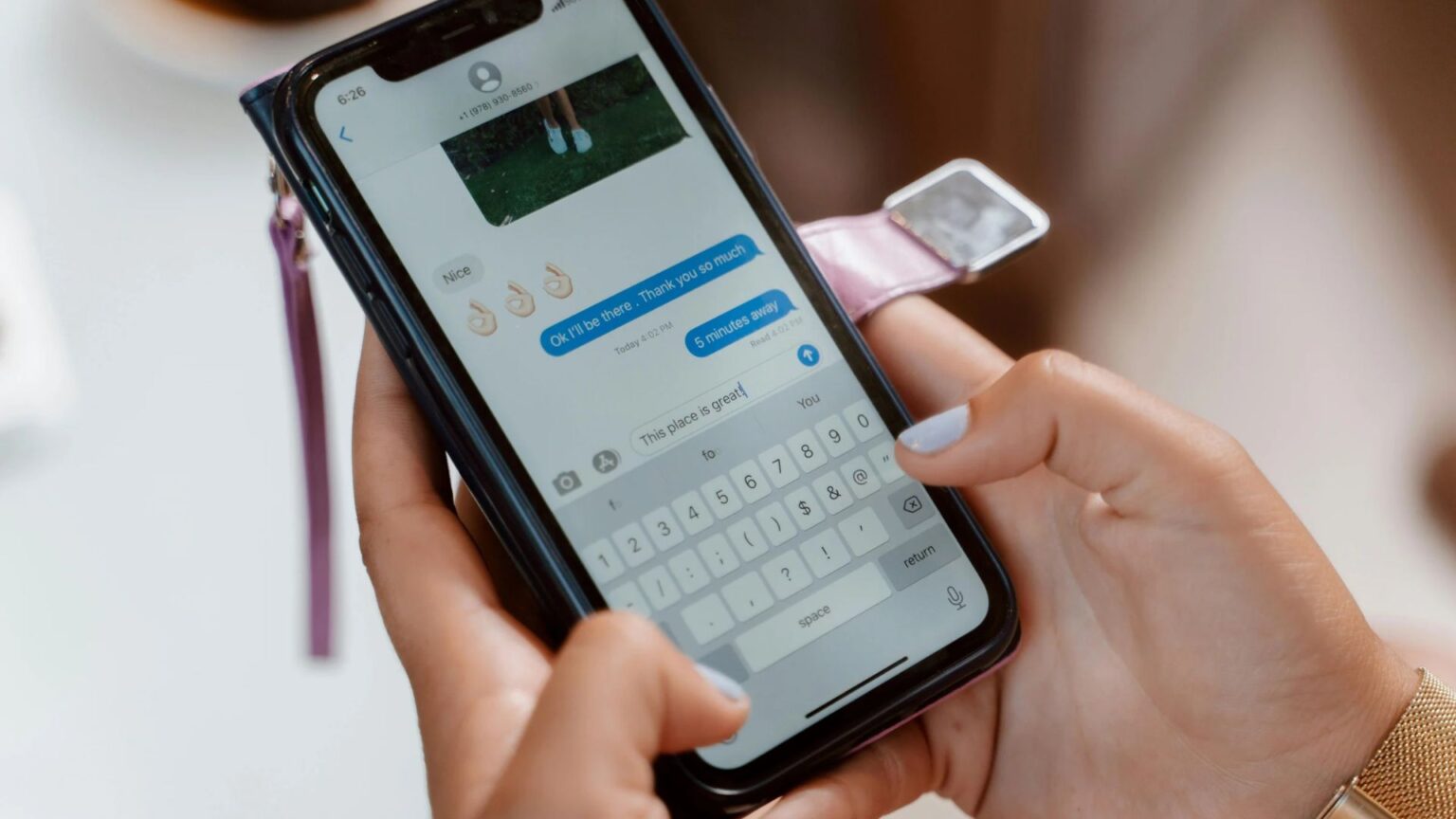
Instant messaging applications have transformed how individuals communicate, exchange information, and maintain personal relationships. GB WhatsApp has attracted attention as an unofficial modification of WhatsApp that advertises additional customization options, expanded messaging capabilities, and alternative privacy settings beyond those traditionally associated with the original application.
Many smartphone users explore modified messaging applications because they want greater flexibility when managing conversations, personalizing interfaces, and sharing multimedia content. However, these additional capabilities can introduce important concerns regarding application security, personal information, and account reliability.
Unlike official WhatsApp, modified applications are developed and distributed by independent parties without authorization from WhatsApp.
Understanding their advertised features, limitations, security implications, and available alternatives is essential before making decisions about installing or using unofficial messaging software.
What Is GB WhatsApp?
GB WhatsApp is an unofficial modified version of the WhatsApp messaging application, primarily associated with Android smartphones.
Third party developers modify application functionality to offer additional interface customization, messaging controls, notification preferences, and other features.
Different versions circulate under similar names, meaning their functionality, development practices, and security characteristics may vary significantly.
The application is not an official product developed, authorized, or supported by WhatsApp or Meta.
Why Do Users Explore Modified Messaging Applications?
Users may become interested in unofficial messaging applications for several reasons:
- Additional interface customization
- Alternative conversation visibility settings
- Expanded notification controls
- Customized chat backgrounds
- Additional multimedia sharing options
- Alternative account management features
- Greater flexibility in application appearance
Although these advertised capabilities may appear attractive, users should evaluate whether the potential benefits justify the associated security and account management risks.
How Does It Differ From Official WhatsApp?
Official WhatsApp receives updates through authorized distribution channels and provides documented security features and customer support resources.
Modified applications operate outside this official development and distribution environment.
Their additional functionality does not guarantee equivalent privacy protection, security maintenance, or long term compatibility.
1. Understand the Application’s Unofficial Status
One of the most important facts about GB WhatsApp is that it operates independently of the official WhatsApp development process.
Modified applications are generally created by third party developers who alter existing software functionality.
No Official Authorization
WhatsApp identifies unauthorized modified clients as unsupported applications that violate its terms of service.
Consequently, users cannot expect these applications to receive the same official assistance or security assurances as authorized software.
Different Versions and Developers
Several websites and independent developers distribute modified applications using similar names.
There is no single verified release channel that establishes the authenticity or safety of every available version.
This makes it difficult for ordinary users to determine whether a particular installation file is trustworthy.
Evaluate Software Authenticity
Applications should ideally be obtained through reputable distribution channels with identifiable developers, transparent privacy policies, and established security review processes.
An application displaying familiar branding does not necessarily originate from the organization it appears to represent.
2. Explore Advertised Interface Customization Features
Customization is among the primary reasons users express interest in modified messaging applications.
GB WhatsApp versions frequently advertise options for changing visual elements within the messaging interface.
Customized Themes and Colours
Some versions claim to support alternative themes, conversation colours, navigation styles, and background designs.
These options may allow users to create messaging interfaces that reflect individual visual preferences.
However, feature availability differs between releases.
Personalized Chat Backgrounds
Modified applications may provide additional background settings for conversations and application screens.
Users should recognize that official WhatsApp also supports various chat personalization features.
Comparing available official options may help individuals achieve their preferred appearance without installing unauthorized software.
Consider Accessibility and Readability
Visual customization should not reduce the readability of conversations or interfere with important interface controls.
Appropriate colour contrast, readable text, and consistent navigation remain important for an accessible messaging experience.
3. Examine Advertised Messaging Privacy Controls
Privacy controls are another commonly promoted characteristic of modified WhatsApp applications.
Some versions claim to offer additional options for managing online visibility, typing indicators, and message reading notifications.
Online Status Visibility
Official WhatsApp already provides privacy settings that allow users to manage who can see their online status and last seen information.
These controls can help individuals manage their availability without relying on unauthorized modifications.
Read Receipt Management
Read receipts allow participants to determine whether certain messages have been viewed.
Modified applications may advertise alternative ways of controlling these notifications.
However, changing visible messaging indicators does not necessarily improve the confidentiality of information stored or processed by the application.
Message Privacy Versus Application Privacy
A messaging application can provide attractive visibility controls while maintaining questionable internal information handling practices.
Users should distinguish between controlling what other contacts see and protecting information against unauthorized software access.
4. Understand Anti Delete Message Claims
Certain GB WhatsApp versions advertise features intended to retain messages or status updates after another participant attempts to delete them.
These capabilities are often promoted as additional messaging flexibility.
Respect Communication Preferences
When someone deletes a message, they may be attempting to correct an error or withdraw information that was shared unintentionally.
Retaining deleted content can conflict with another participant’s privacy expectations.
Users should consider the ethical implications of features that interfere with other individuals’ intended communication choices.
Understand Data Retention Risks
Modified applications that retain additional conversation information may increase the amount of sensitive material stored on a device.
This can create further exposure if the device is lost, compromised, or accessed by another person.
A responsible messaging experience should balance convenience with appropriate information protection.
5. Compare Multimedia and File Sharing Capabilities
Messaging applications are commonly used to exchange photographs, videos, audio recordings, and documents.
Modified WhatsApp clients frequently advertise increased flexibility regarding file sizes, media quality, and sharing preferences.
Media Quality Considerations
Some unofficial applications claim to reduce compression or provide additional image and video sharing controls.
However, the actual quality of transferred files depends on application functionality, network conditions, and destination compatibility.
Official WhatsApp also provides high definition media sharing options for supported content.
File Sharing Limitations
Advertised file size limits may differ between modified application versions.
Users should not assume that larger files will always transfer successfully or remain compatible with the official messaging service.
For extensive file transfers, reputable cloud storage and authorized document sharing platforms may provide more suitable functionality.
Protect Sensitive Documents
Confidential financial records, identity documents, medical information, and private photographs should only be shared through appropriately secured and trusted communication channels.
Unofficial applications introduce additional uncertainty about how such information is handled.
6. Understand Multiple Account Management Options
Some users explore GB WhatsApp because they want to maintain separate communication environments for personal and professional activities.
Modified applications frequently advertise features involving additional account management.
Official Multiple Account Support
WhatsApp supports multiple accounts on compatible devices and application versions.
Users may also install the official WhatsApp Business application alongside ordinary WhatsApp when using separate eligible telephone numbers.
These options can provide practical separation between personal and professional communication.
Professional Communication Requirements
Businesses require reliable communication channels that protect customer information and provide consistent account access.
Using unauthorized messaging software can introduce operational risks if the associated account becomes restricted or unavailable.
Organizations should prioritize approved communication tools and appropriate information management policies.
7. Recognize the Risks of Downloading Unofficial APK Files
GB WhatsApp is commonly distributed through Android application package files obtained from unofficial websites.
An Android application package, generally called an APK, contains the files required to install an Android application.
Although APK distribution is not inherently malicious, software from unfamiliar sources requires careful evaluation.
Unverified Installation Sources
Unknown websites may distribute modified, outdated, or misleading application packages.
Users may find it difficult to confirm who created a file or whether its contents have been altered.
An application package advertised as legitimate may contain components that are unrelated to its stated purpose.
Malware and Spyware Exposure
Cybersecurity researchers have documented malicious versions of unofficial WhatsApp modifications containing spyware and other harmful software.
Such findings do not establish that every modified messaging application contains malware.
Nevertheless, they demonstrate that unofficial distribution channels can expose users to significant security risks.
Keep Android Security Protections Enabled
Google Play Protect checks applications for potentially harmful behaviour and can warn users about identified threats.
Users should not disable security protections simply because an unofficial application requests additional installation privileges.
Security warnings should be investigated rather than ignored.
8. Evaluate End to End Encryption Claims Carefully
End to end encryption is an important feature of official WhatsApp personal messages and calls.
It is designed to prevent intermediaries from reading protected communication contents during transmission.
However, encryption does not automatically protect information against every threat.
Encryption and Device Security
Messages must be available in readable form on participating devices so users can view them.
An unauthorized or compromised application may potentially access information after it has been decrypted on a device.
Therefore, claims that a modified application uses the same messaging infrastructure do not establish that it offers equivalent security.
Unverified Application Behaviour
Users generally cannot independently confirm how every unofficial application processes messages, handles contact information, or manages locally stored data.
Without trustworthy development practices and independent security assessments, privacy claims remain difficult to verify.
Understand the Importance of Software Integrity
Secure communication requires more than an encrypted transmission protocol.
It also depends on trustworthy applications, secure devices, appropriate authentication, and responsible information handling.
Using authorized software reduces uncertainty about these essential components.
9. Consider Temporary and Permanent Account Restrictions
Account reliability is a major concern for individuals considering GB WhatsApp.
WhatsApp explicitly identifies the use of unofficial applications as a potential reason for account restrictions.
Temporary Account Bans
Users may receive an account warning or temporary restriction when WhatsApp identifies unsupported application usage.
The duration and circumstances of restrictions depend on the platform’s enforcement decisions.
A temporary restriction may prevent users from accessing conversations or communicating normally.
Permanent Account Restrictions
Continuing to use unsupported applications or engaging in other prohibited activities can result in more serious account consequences.
Individuals who rely on WhatsApp for business, family communication, or important professional relationships should consider the potential impact of losing account access.
Be Cautious About Anti Ban Claims
Some modified application providers advertise protections against account restrictions.
These claims cannot guarantee that WhatsApp will permit continued access.
Only WhatsApp controls enforcement decisions relating to its official messaging service.
Users experiencing restrictions should follow official account review and recovery procedures.
10. Understand Chat Backup and Restoration Limitations
Conversation backups help individuals preserve important messages and multimedia content.
However, transferring information between unofficial and official applications may introduce compatibility challenges.
Differences in Backup Formats
Modified applications may organize conversation records and media files differently from the official application.
As a result, existing backups may not transfer successfully when users return to authorized software.
Compatibility depends on the application version, operating system, account configuration, and available backup information.
Potential Conversation Loss
Users should not assume that every conversation can be recovered after uninstalling an unofficial messaging application.
Important messages, photographs, videos, and documents may require separate preservation through legitimate methods.
Official WhatsApp guidance should be consulted before attempting a transition.
Protect Backup Information
Messaging backups can contain private conversations and other sensitive information.
Official WhatsApp supports optional end to end encrypted backups.
Users who enable this functionality should securely maintain the required recovery credentials.
Losing necessary backup authentication information can prevent restoration.
11. Examine Application Permissions and Personal Data Access
Messaging applications often require access to certain smartphone capabilities.
However, permission requests should correspond to legitimate application functions.
Common Messaging Application Permissions
Depending on enabled features, messaging applications may request access to:
- Contacts
- Microphone
- Camera
- Photographs and videos
- Notifications
- Location information
These permissions can support communication, multimedia sharing, and other expected features.
Users should carefully review permissions that appear unrelated to the application’s intended purpose.
Risks Associated With Excessive Permissions
Granting unnecessary access can expose additional information to software operating on a device.
A harmful application with extensive permissions may have greater opportunities to collect personal information or interfere with smartphone functionality.
Review Permission Settings Regularly
Android provides privacy and permission management settings that allow users to examine application access.
Remove unnecessary permissions and investigate unfamiliar applications.
However, restricting individual permissions does not necessarily make an untrusted application safe.
12. Identify Warning Signs of Unsafe Messaging Applications
Recognizing suspicious software behaviour can help users respond appropriately to potential security problems.
Although individual symptoms do not prove that a device contains malware, unexpected changes may justify further investigation.
Unexpected Smartphone Behaviour
Potential warning signs include unfamiliar applications, persistent advertisements, unusual battery consumption, unexpected network activity, and unexplained changes to device settings.
These symptoms can also have ordinary technical explanations.
A proper security assessment is necessary before concluding that malicious software is present.
Unusual Account Activity
Unexpected messages, unfamiliar linked devices, and unexplained account changes may indicate unauthorized access.
Users should review their account security settings and follow official recovery guidance if suspicious activity is discovered.
Avoid Sharing Verification Codes
Never provide messaging verification codes, account passwords, or authentication information to unknown individuals or unofficial support services.
Fraudulent support representatives may attempt to obtain credentials by claiming that they can resolve account restrictions or restore lost messages.
13. Switch to the Official WhatsApp Application Safely
Users who currently rely on GB WhatsApp should consider transitioning to the official messaging application.
A carefully planned transition can help reduce security concerns and restore access to supported features.
Preserve Important Information
Identify essential conversations, photographs, videos, and documents that may need to be retained.
Use legitimate preservation methods and follow relevant official guidance.
Be aware that unofficial backups may not be compatible with the authorized application.
Obtain WhatsApp Through Official Channels
Download the official application through a reputable application store or WhatsApp’s official website.
Avoid websites that advertise modified versions as official releases.
After removing the unsupported client, follow the official registration process using your authorized telephone number.
Review Account and Device Security
After transitioning, inspect linked devices, enable available account security controls, and review privacy preferences.
If there are indications that the unofficial application may have exposed sensitive information, perform a device security assessment.
Consider changing affected credentials from a trusted device when appropriate.
Use Official Support for Account Problems
If an account remains restricted, follow the available WhatsApp review and support procedures.
Avoid third party services promising guaranteed account restoration or permanent protection against future restrictions.
14. Explore Safer Alternatives for Advanced Messaging
Users interested in GB WhatsApp may discover that authorized applications already provide many useful communication and privacy capabilities.
Selecting the right alternative depends on individual messaging requirements.
Official WhatsApp
The official application provides personal messaging, voice calls, video calls, group conversations, multimedia sharing, and configurable privacy settings.
Additional capabilities are introduced through official software updates.
For most individuals who communicate through the WhatsApp network, the authorized application provides the most dependable choice.
WhatsApp Business
WhatsApp Business provides tools intended for professional customer communication.
Available capabilities include business profiles, labels, product catalogues, and supported automated greeting or away messages.
It offers an authorized alternative for organizations that require additional communication management functionality.
Signal Messenger
Signal provides secure messaging and calling with end to end encryption.
It is an alternative for users who prioritize private personal communication and documented security practices.
Signal operates independently, so contacts must use compatible Signal accounts to communicate.
Telegram
Telegram offers cloud based messaging, group communication, channels, and multimedia sharing.
Unlike WhatsApp and Signal personal messaging, ordinary Telegram cloud chats are not end to end encrypted.
Telegram provides end to end encryption through its separate Secret Chats feature.
Users should understand these differences when choosing an application for sensitive communication.
GB WhatsApp Advantages and Disadvantages
Unofficial messaging applications can attract users through advertised functionality that appears to offer greater control over their communication experience.
However, these potential advantages must be considered alongside significant limitations.
Potential Advantages
Commonly advertised benefits include:
- Additional visual customization
- Flexible conversation appearance
- Expanded messaging preferences
- Alternative notification settings
- Additional media sharing controls
These features vary between versions and are not independently verified across every available release.
Significant Disadvantages
Potential disadvantages include:
- Temporary or permanent account restrictions
- Unverified software development practices
- Possible exposure to malware or spyware
- Uncertain conversation privacy
- Backup compatibility problems
- Lack of official customer support
- Inconsistent security updates
For individuals and businesses that depend on reliable communication, these disadvantages may outweigh the additional advertised features.
Is GB WhatsApp Safe to Use in 2026?
There is no dependable basis for guaranteeing that every application distributed under this name is safe.
Different developers and distribution websites may provide different software packages, making consistent security verification difficult.
WhatsApp continues to advise users against unauthorized messaging clients, while documented incidents involving malicious modifications demonstrate the importance of obtaining software through trustworthy sources.
The official application remains the recommended option for individuals who want supported messaging, established security mechanisms, and reliable account management.
Frequently Asked Questions
What is GB WhatsApp?
It is an unofficial modification of WhatsApp that advertises additional customization, messaging controls, and multimedia sharing features.
Is GB WhatsApp an official WhatsApp application?
No. It is developed and distributed by third parties without authorization or official support from WhatsApp or Meta.
Can using GB WhatsApp result in an account ban?
Yes. WhatsApp may temporarily or permanently restrict accounts associated with unauthorized applications or other prohibited activities.
Does GB WhatsApp provide end to end encryption?
Equivalent security cannot be independently guaranteed across unofficial versions. Users should rely on the documented protections provided by official messaging applications.
Can I transfer GB WhatsApp conversations to official WhatsApp?
Transfer compatibility varies, and complete restoration is not guaranteed. Review official guidance and preserve important information before switching applications.
What is the safest alternative to GB WhatsApp?
Official WhatsApp is the recommended alternative for personal messaging, while WhatsApp Business provides authorized tools for professional communication.
Conclusion
GB WhatsApp attracts attention through advertised customization options and additional messaging capabilities, but its unofficial status introduces substantial privacy, security, and account reliability concerns. Understanding these limitations helps users make informed decisions about mobile communication. Choosing authorized messaging applications and maintaining responsible cybersecurity practices provides a more dependable foundation for protecting personal information.
