
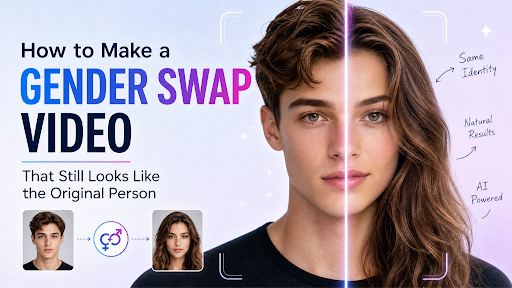
A portrait transformation is easiest to understand when viewers can recognize the person throughout the change. If the pose, crop, expression, and setting all shift at once, the result can feel like a cut between strangers. A successful reveal gives the audience stable visual clues while changing the intended presentation.
Start with a suitable portrait
Use a photo of yourself, a consenting participant, or a character you have the right to depict. Choose a clear view of the face with balanced light and minimal obstruction. A simple background helps the transformation remain the center of attention. If the person is tiny in the frame, facial continuity becomes harder to judge.
For an AI gender swap video generator, a single portrait supplies the source for the transformed version and the animated reveal. The better the original image communicates face, pose, and clothing, the easier it is to evaluate the result.
Keep the comparison aligned
Think of the video as a before-and-after comparison. The pose and camera angle should remain steady enough that the viewer understands what has changed. Clothing and hairstyle can adapt to the new presentation, but a completely different setting or camera position weakens the comparison.
The first frame also needs enough time to establish the original. A transformation that starts immediately may look impressive but leave no clear baseline. Likewise, the final version should remain visible long enough to register without requiring the viewer to pause.
Judge identity separately from style
Look first at features that make the person recognizable: face shape, expression, gaze direction, and posture. Then consider the styling choices. A dramatic hairstyle or outfit might be entertaining, yet it should not erase the connection to the source portrait if recognition is the point of the clip.
Use the same review method with other photo to video effects: ask what stays constant, what changes, and whether the motion explains that change. This makes it easier to choose an effect that suits the picture instead of forcing a picture into a trend.
Prepare for the publishing context
Preview the clip in the crop and size where it will appear. A face that reads clearly on a laptop may be too small in a mobile feed. Check the beginning and final hold at normal speed, and review any included sound before sharing.
A brief caption can frame the work as a playful visual experiment or a character concept. Avoid wording that presents an AI-generated appearance as a fact about someone’s identity. With a permitted portrait, a steady composition, and a readable reveal, the transformation can be creative while still clearly connected to the original person.
Use the transformation for a clear creative purpose
A gender presentation transformation can serve a playful social post, a character design study, or a visual comparison. Those uses call for different choices. A playful post may emphasize a quick reveal; a character study may need more time to inspect styling; a comparison may work best with a neutral background and steady framing.
Decide on the purpose before selecting the photo. If the goal is to explore a fictional character, choose an image whose costume and setting already support that world. If the goal is a personal experiment, use a portrait that reflects how the person normally appears so the comparison remains meaningful.
Respect the source person’s control
A visible likeness belongs to a real person even when the output is stylized or altered. Obtain permission before using someone else’s photo and agree on where the result may be shared. Permission to take or post an ordinary portrait does not automatically mean the person wants a generated transformation published.
This is especially important for colleagues, customers, students, and people in old family photographs. When permission is uncertain, use your own image or an original fictional character. The creative idea should never depend on surprising someone with a public transformation they did not approve.
Improve the image before changing settings
A clear source image gives the transformation a stronger foundation. Check that the face is not blurred, the eyes are visible, and harsh shadows do not hide key features. Avoid extreme wide-angle distortion and heavy beauty filters if recognizable identity matters. A crop that includes the shoulders can provide useful clothing and posture cues without making the face too small.
Try a second source photo if the first output does not feel connected to the person. Small differences in lighting or expression can change how well the result holds the original identity. Keep the goal constant while comparing images.
Review the reveal in three stages
Pause at the opening, the midpoint, and the final frame. The opening should establish the original portrait. At the midpoint, the viewer should be able to understand the direction of the change. At the end, the transformed version should still share recognizable features with the source.
Then play the whole clip at normal speed. A sequence can look plausible in still frames but feel too fast or uneven in motion. Check the transition boundary, hairline, hands, clothing edges, and background. If an artifact pulls attention from the face, try a cleaner image or a different crop.
Write a caption that frames the result accurately
Describe the clip as an AI visual experiment, character concept, or playful transformation. Do not suggest that the generated version reveals a hidden truth about a person’s identity. The model is creating an alternative appearance from an image; it is not making a personal judgment.
If the content is for a brand, consider whether the transformation suits the audience and the person depicted. A respectful premise and a readable visual comparison will usually carry the post further than an exaggerated promise. The strongest version invites viewers to notice the craft of the reveal while keeping the person behind the image in control.
