
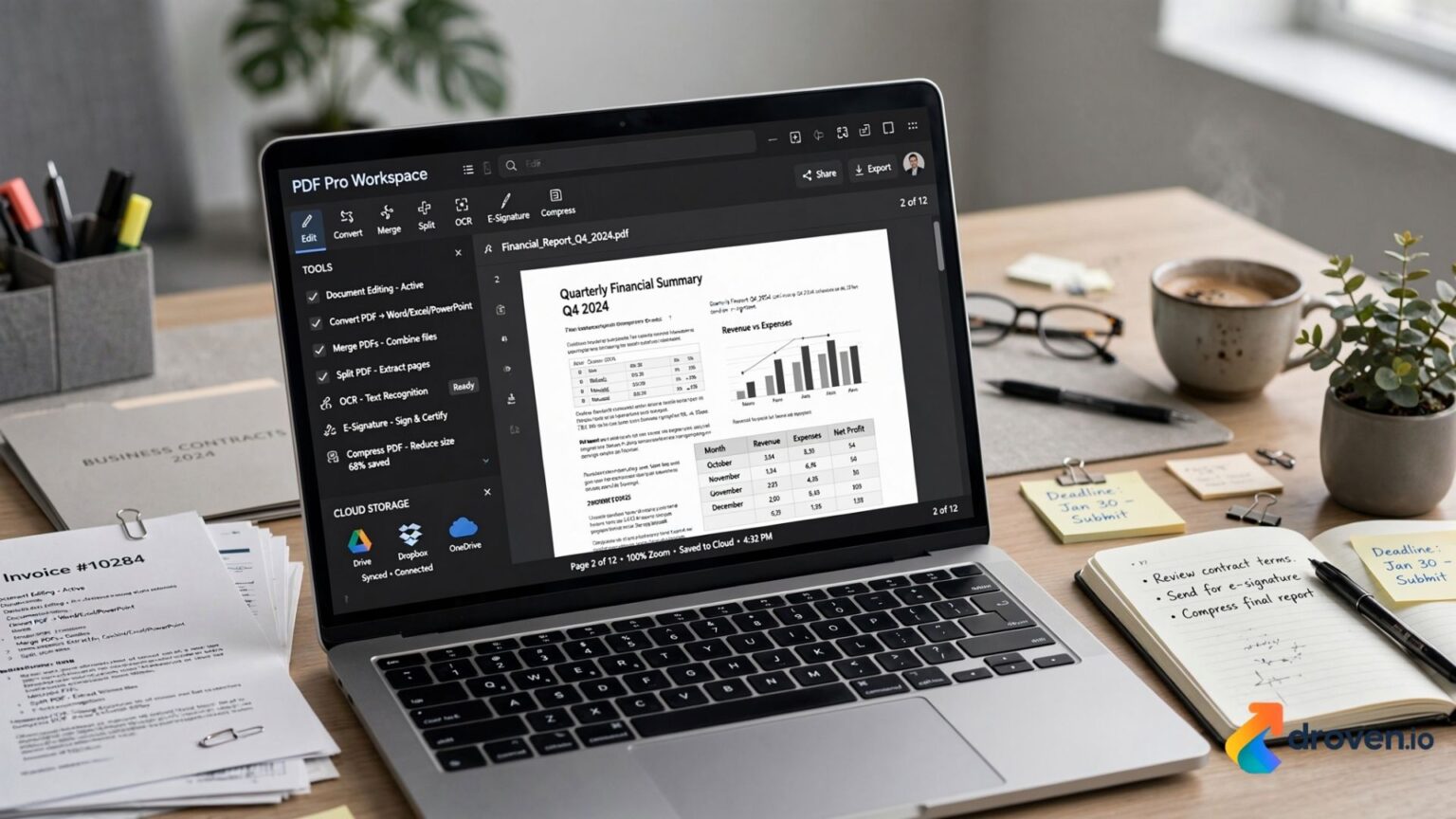
PDF files have become the standard format for sharing documents across businesses, educational institutions, and government organizations because they preserve formatting across different devices and operating systems. However, working with PDFs often requires more than simply viewing them. A PDF tool suite brings multiple document management features into one platform, allowing users to edit, convert, merge, split, compress, sign, and secure PDF files without switching between different applications.
Whether you’re a student, business professional, freelancer, or enterprise user, a comprehensive PDF tool suite can simplify document workflows while improving productivity.
What Is a PDF Tool Suite?
A PDF tool suite is a software application or online platform that combines multiple PDF management tools into a single solution.
Instead of using separate programs for editing, converting, and signing documents, users can perform all these tasks from one interface.
Common features include:
- PDF editing
- PDF conversion
- Merge PDFs
- Split PDFs
- Compress PDFs
- Electronic signatures
- OCR (Optical Character Recognition)
- Password protection
- Annotation tools
- Form filling
Available features depend on the software provider.
Why PDF Files Are So Popular
PDF documents are widely used because they maintain their layout regardless of the device or operating system used to open them.
Advantages include:
- Consistent formatting
- Wide compatibility
- Easy sharing
- Professional presentation
- Support for images, text, and graphics
- Printing reliability
These characteristics make PDFs suitable for contracts, reports, resumes, invoices, manuals, and academic documents.
Essential Features of a PDF Tool Suite
PDF Editing
Editing tools allow users to modify existing documents.
Common editing functions include:
- Editing text
- Replacing images
- Rearranging pages
- Adding headers and footers
- Updating formatting
The level of editing available varies between platforms.
PDF Conversion
Many users need to convert PDFs into editable formats or create PDFs from other file types.
Popular conversion options include:
- PDF to Word
- Word to PDF
- PDF to Excel
- Excel to PDF
- PDF to PowerPoint
- Image to PDF
- PDF to JPG
Accurate formatting after conversion depends on the complexity of the original document.
Merge PDF Files
Merging combines multiple documents into one PDF.
Common uses include:
- Project reports
- Legal documents
- Financial records
- Student assignments
This helps simplify document organization.
Split PDF Files
Splitting allows users to separate large documents into smaller files.
Examples include:
- Extracting individual chapters
- Separating invoices
- Sharing selected pages
- Creating smaller file sizes
PDF Compression
Large PDFs can be difficult to email or upload.
Compression tools reduce file size while attempting to preserve document quality.
Compressed files may be useful for:
- Email attachments
- Website uploads
- Cloud storage
- Faster sharing
Compression results vary depending on document content.
Electronic Signatures
Many PDF tool suites support electronic signatures.
Users can:
- Sign contracts
- Request signatures
- Verify signed documents
- Manage digital workflows
Legal requirements for electronic signatures vary by country and document type.
OCR Technology
Optical Character Recognition (OCR) converts scanned documents into searchable and editable text.
OCR is commonly used for:
- Printed contracts
- Scanned books
- Paper records
- Historical documents
Accuracy depends on image quality and document formatting.
Password Protection and Security
Sensitive documents often require additional security.
Common security features include:
- Password protection
- Permission controls
- Encryption
- Watermarks
- Digital certificates
Security options vary by software.
Annotation and Collaboration
Many PDF suites include collaboration tools.
Users can:
- Highlight text
- Add comments
- Insert sticky notes
- Draw shapes
- Review documents
- Share feedback
These features support teamwork and document review.
PDF Tool Suites for Businesses
Businesses use PDF software for:
- Contracts
- HR documents
- Financial reports
- Client proposals
- Compliance documentation
- Project management
Centralized document management improves operational efficiency.
PDF Tool Suites for Students
Students frequently use PDF tools to:
- Annotate lecture notes
- Convert assignments
- Merge research papers
- Compress project files
- Organize study materials
Digital document management simplifies academic workflows.
Cloud Integration
Many modern PDF platforms integrate with cloud services.
Examples include:
- Google Drive
- Dropbox
- OneDrive
- Box
Cloud storage allows users to access documents from multiple devices.
Choosing the Right PDF Tool Suite
Before selecting software, consider:
- Editing capabilities
- Conversion quality
- OCR support
- Security features
- Cloud integration
- Mobile compatibility
- Pricing
- Customer support
Comparing features helps identify the best solution for your needs.
Best Practices for Managing PDF Documents
To stay organized:
- Use clear file names.
- Store documents in logical folders.
- Back up important files.
- Protect confidential documents with passwords when appropriate.
- Keep software updated.
- Review sharing permissions before sending sensitive files.
Good document management improves productivity and security.
FAQs
1. What is a PDF tool suite and how can it help my business?
A PDF tool suite is an all-in-one software pack that lets you easily edit, convert, merge, compress, and sign electronic documents. Using these digital tools helps local businesses eliminate paper waste and secure their files with advanced encryption.
2. What is the best free online PDF tool suite available?
Popular platforms like iLovePDF, Smallpdf, and Adobe Acrobat Online are highly rated free suites for quick document editing. These secure web tools allow regional professionals to modify and compress files instantly from any web browser.
3. Can I use a PDF tool suite to sign documents electronically?
Yes, most premium PDF suites feature secure e-signature tools that comply with global and regional digital signature laws. This allows nearby companies to sign contracts and onboard clients without printing or scanning.
4. Is it safe to upload sensitive business documents to an online PDF tool?
Yes, reputable PDF tool suites protect your privacy by utilizing end-to-end SSL encryption and deleting uploaded files from their cloud servers automatically within hours. Always check the tool’s privacy policy to ensure full regional compliance.
5. Can a PDF tool suite convert scanned images into editable text?
Yes, advanced PDF suites use Optical Character Recognition (OCR) technology to instantly transform scanned papers and images into editable Word or PDF files. This saves local administrative teams hours of manual data entry and typing.
Conclusion
A PDF tool suite simplifies document management by bringing editing, conversion, compression, merging, security, and collaboration tools together in one solution. Whether you’re managing business contracts, academic assignments, legal paperwork, or personal documents, having access to a complete set of PDF features can improve efficiency while reducing the need for multiple applications. By choosing a tool suite that matches your workflow and security requirements, you can streamline document management and work more productively across a wide range of tasks.
