
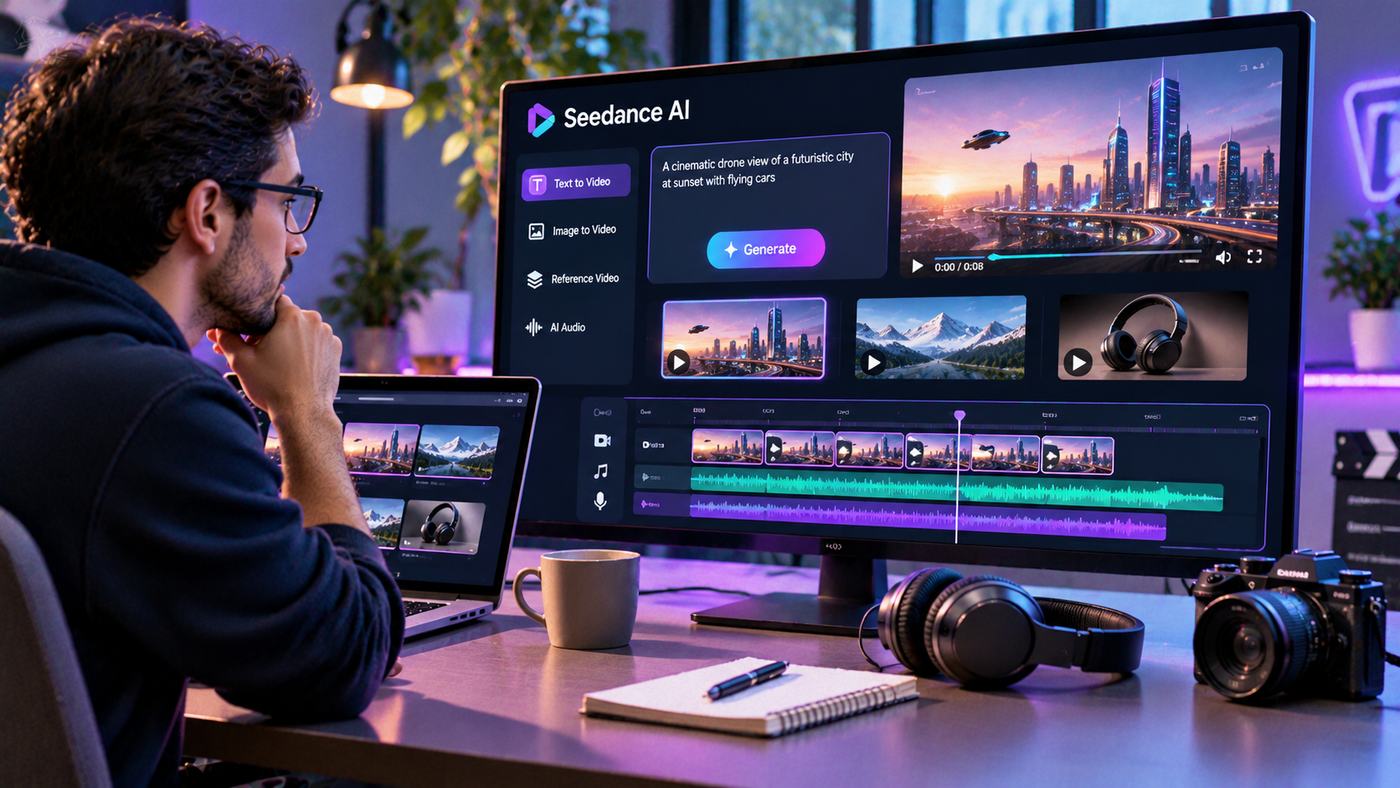
Video content has become an important part of digital marketing, online education, entertainment, and social media communication. Businesses and individual creators regularly produce product demonstrations, short advertisements, tutorials, and visual stories to communicate with their audiences.
However, traditional video production can require cameras, lighting equipment, editing software, professional talent, and substantial preparation. Creating a short promotional video may involve several stages, from planning and filming to editing and sound design.
Seedance AI offers a different approach by using artificial intelligence to generate video content from text instructions, images, and other supported reference materials.
The technology can help creators explore visual concepts, develop short cinematic sequences, animate photographs, and prepare video assets without filming every scene manually.
Recent developments in generative video technology have also introduced more advanced capabilities involving synchronized sound, character consistency, camera movement, and reference-based editing.
These features are particularly useful for marketers, designers, content creators, educators, and businesses seeking flexible approaches to visual production.
However, AI-generated videos still require careful review. Output quality can vary, complex instructions may not always be followed accurately, and commercial use involves important intellectual property considerations.
This guide explains how the technology works, seven practical benefits, its main features, pricing, creative applications, and important considerations for producing responsible AI-generated content.
What Is Seedance AI?
Seedance AI refers to a family of artificial intelligence video generation models developed by ByteDance’s Seed research team.
These models are designed to generate moving visual content from different forms of input, including written prompts and images.
The Seedance model family has evolved through several generations, introducing improvements in motion, audiovisual generation, reference handling, and video editing.
Seedance 2.0 introduced unified multimodal audio-video generation capabilities in February 2026.
Seedance 2.5 subsequently expanded the technology with longer generation durations, more flexible reference inputs, and improved editing controls.
Understanding the Difference Between the Model and the Platform
It is important to distinguish ByteDance’s underlying technology from independent services that provide access to it.
ByteDance Seed develops the Seedance models.
Third-party applications may offer interfaces through which customers can access available model capabilities.
For example, Seedance Studio, available through tryseedance.ai, describes itself as an independent application powered by the Seedance model family.
Using such a platform is not necessarily the same as accessing a service operated directly by ByteDance.
Businesses should verify a provider’s identity, billing terms, data practices, and supported model versions before subscribing.
What Can This Technology Create?
Depending on the model and platform, users may generate several types of content.
These include cinematic clips, animated photographs, product advertisements, short fictional scenes, social media content, and visual storytelling sequences.
Some workflows also support audio generation and reference-based editing.
However, individual features may differ according to the service, subscription, and available infrastructure.
How AI Video Generation Works
Generative video systems use machine learning models trained to recognize patterns in visual and audiovisual information.
When users provide a prompt, the system interprets the description and produces a sequence of images designed to represent the requested motion.
More advanced models can also generate sound and maintain relationships between different elements across a scene.
Text-to-Video Generation
Text-to-video systems create moving images from written descriptions.
For example, a user might request a cinematic shot of a sports car traveling along a coastal highway at sunset.
The prompt can describe the setting, lighting, camera movement, atmosphere, and desired actions.
The model then generates an interpretation of those instructions.
However, the result may not perfectly reproduce every requested detail.
Image-to-Video Generation
Image-to-video technology uses a still image as a visual reference.
The system attempts to introduce appropriate movement while maintaining important elements of the original image.
For example, a landscape photograph could become a short scene featuring moving clouds, flowing water, and subtle camera motion.
This approach is useful when creators want additional control over the initial composition.
Reference-Based Generation
Some systems accept several reference materials.
These may include images, video clips, or audio files.
References can help communicate visual style, character appearance, scene composition, or desired movement.
The model uses these materials to interpret the user’s instructions.
However, stronger reference support does not eliminate every inconsistency.
Seven Powerful Benefits of Seedance AI for Video Creators
Generative video technology can support multiple parts of the creative production process.
1. Turn Written Ideas Into Visual Content
One of the main advantages of Seedance AI is the ability to develop videos from written descriptions.
Creators can begin with an idea instead of requiring recorded footage.
For example, a small business might want to visualize a promotional concept involving a product displayed in a futuristic environment.
The marketing team can describe the scene through a prompt.
The system may then generate a short visual sequence based on those instructions.
Develop Creative Concepts
AI generation can help creative teams explore ideas before committing to a traditional production process.
Experiment With Different Styles
Creators can describe different lighting conditions, camera angles, environments, and visual moods.
Produce Storyboard References
Generated clips may help communicate an intended scene to designers or production teams.
Reduce Certain Production Tasks
For suitable projects, AI video generation can reduce the need to film every conceptual scene.
However, this does not mean professional video production becomes unnecessary.
2. Animate Existing Images
Image-to-video generation offers another creative possibility.
Businesses often have extensive libraries of product photographs, illustrations, and promotional graphics.
Some of these assets may be suitable for animation.
Seedance AI can help transform supported images into short moving sequences.
For example, a furniture retailer may want to animate a photograph of a modern living room.
The generated video could introduce gentle camera movement or environmental effects.
However, the output must be checked carefully to ensure the product’s appearance remains accurate.
Product Photography
Still product images may provide references for promotional videos.
Travel Content
Landscape photographs can serve as starting points for scenic visual sequences.
Educational Illustrations
Diagrams and visual concepts may be animated where the result remains accurate.
Creative Portfolios
Designers can experiment with motion-based presentations of their work.
Users must have the necessary rights to upload and transform the images they provide.
3. Create Video With Synchronized Audio
Many earlier AI video workflows generated silent footage.
Creators then needed separate tools to add dialogue, music, and sound effects.
Newer audiovisual models can generate visual and audio elements together.
Seedance AI includes capabilities associated with synchronized sound generation in supported versions.
This can simplify some creative workflows.
Ambient Sound
A scene set in a forest may include appropriate environmental sounds.
Sound Effects
An action sequence may contain generated effects corresponding to visible movement.
Character Dialogue
Supported prompts can describe spoken lines.
The model may attempt to synchronize mouth movement with the generated speech.
Music and Atmosphere
Audio can contribute to the emotional tone of a scene.
However, generated dialogue and sound should be reviewed for accuracy, quality, and potential rights issues.
4. Improve Cinematic Camera Control
Camera movement strongly influences how audiences experience a video.
A slow tracking shot can create a different atmosphere from a fast handheld sequence.
Professional filmmaking often involves detailed planning around camera position, movement, and framing.
Seedance AI allows users to describe certain cinematic techniques through prompts.
Tracking Shots
A prompt may request the camera to follow a moving subject.
Camera Push-Ins
A scene can be described with a gradual movement toward the subject.
Wide Establishing Shots
Creators can request a broad view introducing the setting.
Close-Up Details
A prompt may focus attention on a specific object or expression.
Scene Transitions
Advanced models can attempt to organize multiple connected shots.
The quality of camera control depends on the model and the complexity of the instructions.
5. Support Consistent Characters and Visual References
Maintaining character appearance across different scenes is a common challenge in AI-generated video.
A model might change clothing, facial characteristics, or proportions unexpectedly.
Reference-based generation can help reduce some of these inconsistencies.
Seedance AI supports reference-oriented workflows intended to improve continuity.
For example, a marketing team may create an original fictional character and use authorized reference images during video generation.
The objective is to preserve recognizable visual characteristics across scenes.
However, consistency should be tested rather than assumed.
Brand Mascots
Businesses may develop animated fictional characters for campaigns.
Narrative Videos
Creators can attempt to maintain continuity across short storytelling sequences.
Product Demonstrations
Reference materials may help preserve product design.
Educational Presentations
Consistent visual characters can support explanatory content.
Creators should avoid misleading impersonation or unauthorized use of real people’s likenesses.
6. Produce Content for Multiple Social Platforms
Different digital platforms favor different video formats.
A vertical video designed for a smartphone may not suit a traditional widescreen presentation.
Seedance AI can support different aspect ratios through compatible interfaces.
Seedance Studio currently advertises support for formats including 16:9, 9:16, 1:1, 4:3, 3:4, and 21:9.
Vertical Videos
A 9:16 format is commonly used for short-form mobile content.
Widescreen Content
A 16:9 composition is suitable for many conventional video presentations.
Square Video
A 1:1 format may be useful for selected social media placements.
Cinematic Formats
Wider compositions can support certain creative presentations.
However, the actual export resolution and supported duration depend on the selected platform and available plan.
7. Accelerate Creative Experimentation
Traditional video production can make extensive experimentation expensive.
Changing a filmed scene may involve additional recording and editing.
AI generation provides another way to test visual alternatives.
For example, a marketing team could explore different background settings or camera movements before selecting a preferred concept.
Seedance AI may help teams develop multiple approaches to the same campaign.
Test Visual Ideas
Creators can compare different scene descriptions.
Develop Promotional Concepts
Marketing teams can evaluate several creative directions.
Support Previsualization
Filmmakers may use generated footage to illustrate intended scenes.
Refine Creative Briefs
Generated examples can help stakeholders communicate feedback.
However, AI generation still consumes credits and production time.
Repeated unsuccessful outputs can increase costs.
Exploring Seedance Studio’s Video Generation Platform
Businesses and creators researching Seedance AI can explore Seedance Studio, a browser-based creative application that advertises access to ByteDance’s Seedance 2.5 model.
The platform provides a prompt-based video generation interface.
Its published features include text-to-video, image-to-video, audio generation, reference uploads, and different video formats.
The service describes itself as an independent application rather than a ByteDance-operated platform.
Text-to-Video Creation
Users can enter descriptions of scenes and intended actions.
The platform then generates video content according to the available model.
Image-Based Animation
The service allows users to upload supported visual references.
This can help guide composition or animate existing artwork.
Multimodal References
Seedance Studio advertises support for up to 50 reference assets in its latest model workflow.
These may include images, video clips, and audio files.
ByteDance’s official Seedance 2.5 announcement specifies support for up to 30 images, 10 video clips, and 10 audio clips within its reference capabilities.
AI Audio Generation
The platform advertises generated dialogue, environmental sound, and synchronized audiovisual output.
Video Duration
Seedance Studio advertises video generations of up to 30 seconds using its latest supported model.
Longer projects may require multiple generations or extensions.
Editing Controls
The platform describes features for reference-based editing and changing selected elements of generated scenes.
Actual availability should be verified within the current application.
Understanding Seedance 2.5
Seedance 2.5 represents a significant development within ByteDance’s video generation model family.
ByteDance officially introduced the model in 2026.
Its published technical materials describe improvements involving longer storytelling sequences, multimodal reference inputs, and editing precision.
Longer Single-Pass Generation
The model supports up to 30 seconds of video in a single generation.
This allows creators to develop more complete short scenes.
However, the duration does not guarantee that every generated sequence will maintain perfect narrative consistency.
Multimodal Reference Control
Users can provide different types of reference materials.
This can help communicate appearance, motion, style, and audiovisual structure.
Targeted Editing
ByteDance describes timestamp-level editing capabilities intended to provide greater control over selected portions of audiovisual content.
Audio-Video Generation
The model builds on technology that produces audiovisual content together.
This can reduce certain synchronization problems associated with separate generation processes.
Important Technical Limitations
Model capabilities do not guarantee identical functionality across all third-party applications.
The available interface, subscription plan, processing options, and implementation may influence what creators can access.
How to Create an AI Video Step by Step
A structured process can help creators obtain more useful results.
Step One: Define the Video’s Purpose
Begin by identifying what the video should communicate.
A product advertisement requires a different approach from an educational explanation or fictional scene.
Step Two: Write a Clear Prompt
Describe the subject, setting, lighting, movement, and intended atmosphere.
For example, a prompt might describe a ceramic coffee cup on a wooden table beside a window, with soft morning light and a slow cinematic camera movement.
Step Three: Add Reference Materials
Where supported, upload images or clips that you own or are authorized to use.
References can help define visual characteristics.
Step Four: Select the Aspect Ratio
Choose the format according to the intended distribution channel.
Step Five: Configure Available Settings
Select suitable duration, resolution, and model options.
Some choices may require additional credits.
Step Six: Generate the Video
Submit the prompt through the supported interface.
The system processes the request and returns a generated clip.
Step Seven: Review the Output
Check important details before publishing.
Look for unusual movement, incorrect objects, inconsistent faces, unexpected text, and audio problems.
Step Eight: Refine the Scene
If the output does not meet the intended requirements, revise the instructions or use supported editing controls.
Step Nine: Export the Video
Download the selected version according to the platform’s available options.
Step Ten: Complete Final Editing
Additional editing may be necessary for captions, transitions, branding, pacing, and audio quality.
The final product should be reviewed for accuracy and legal suitability.
Seedance AI Pricing and Subscription Options
Seedance Studio advertises several pricing options.
Its published plans currently include a free tier and paid subscriptions.
Free Plan
The website advertises a free option providing 160 credits per month.
It describes the plan as supporting approximately three short videos or twenty images, depending on usage.
Free exports are advertised at 480p with a watermark.
Creator Plan
The Creator plan is advertised at $14 per month.
It includes a larger credit allowance and commercial-use features according to the company’s published plan descriptions.
Studio Plan
The Studio plan is advertised at $49 per month.
It provides additional monthly credits for more extensive generation.
Agency Plan
The Agency plan is advertised at $99 per month.
It is positioned for creators and teams requiring higher generation volumes.
One-Time Credit Packs
The platform also offers credit packs for users who prefer not to maintain a recurring subscription.
Its published terms state that one-time purchased credits do not expire.
Important Pricing Considerations
Video generation consumes credits.
The actual number of videos available may depend on duration, settings, and other factors.
The service’s terms state that subscription credits reset each billing cycle and do not roll over.
Businesses should review cancellation, refund, and commercial-use terms before purchasing.
Prices and feature allowances may change.
Practical Uses for Businesses and Creators
AI-generated video can support several types of creative work.
Social Media Marketing
Businesses may use Seedance AI to explore short promotional concepts.
For example, a fashion brand could create visual sequences inspired by an original collection.
However, generated clothing details should be checked carefully against the actual products.
Product Advertising
AI-generated scenes may help present products within imaginative settings.
Businesses should avoid misleading customers about product appearance or functionality.
Educational Content
Teachers and training teams can develop visual examples for lessons.
AI-generated historical or scientific scenes should be reviewed for factual accuracy.
Independent Filmmaking
Filmmakers may use generative video for previsualization, creative experiments, or authorized fictional scenes.
Music Promotion
Musicians can create visual concepts for tracks they own or are licensed to use.
Generated audio and referenced music require appropriate rights.
Real Estate Marketing
Property professionals may explore conceptual visualizations.
However, AI-generated scenes must not be presented as accurate photographs of real properties when they depict features that do not exist.
Creative Agencies
Agencies may develop campaign concepts and present different visual directions to clients.
AI generation can support experimentation, but final deliverables still require professional review.
Copyright, Privacy, and Commercial Use
AI-generated media can create important legal and ethical questions.
These issues should be considered before publishing videos commercially.
Rights to Reference Materials
Creators should only upload images, music, video clips, and other materials they have the right to use.
An AI platform does not automatically grant permission to transform copyrighted material belonging to another party.
Commercial Usage Terms
Seedance Studio advertises commercial-use permissions through its paid plans.
However, its terms state that output rights are subject to applicable law and the rights of underlying model providers.
Users should read the relevant terms rather than assume that every generated clip is free from third-party claims.
Real People and Likenesses
Generating a video that resembles an identifiable person may raise privacy, publicity, or consent concerns.
Creators should avoid deceptive impersonation.
Misleading Content
AI videos should not be used to fabricate product demonstrations, impersonate public figures, or misrepresent real events.
Confidential Information
Businesses should avoid uploading sensitive client information without confirming the provider’s data practices and applicable contractual protections.
Human Review
Every published video should be checked for factual accuracy, unintended content, and compliance with relevant requirements.
Common Mistakes When Using AI Video Generators
Several mistakes can reduce production quality.
Writing Vague Prompts
A prompt that provides little detail may produce an unpredictable result.
Including Too Many Actions
Complex instructions involving numerous subjects and movements may be difficult for the model to follow consistently.
Ignoring Reference Quality
Poor-quality reference images can make the intended result more difficult to achieve.
Assuming Perfect Character Consistency
Even advanced models may produce variations between frames.
Publishing Without Review
Generated footage can contain visual artifacts or inaccurate details.
Overlooking Audio Problems
AI-generated dialogue may require editing or replacement.
Ignoring Copyright Restrictions
Using protected materials without appropriate authorization can create legal risk.
Assuming Every Platform Is Official
Third-party services may use the same underlying model family while operating independently.
Users should verify the actual provider before entering payment information.
How to Choose the Right AI Video Generation Platform
Different creators have different requirements.
A social media manager may prioritize vertical video and simple exports.
A filmmaker may need reference control and cinematic motion.
A business may require clear commercial rights and reliable account management.
Evaluate Video Quality
Review examples across relevant subjects and use cases.
Check Generation Limits
Understand supported duration, resolution, aspect ratios, and reference inputs.
Compare Pricing
Evaluate the cost of generating the volume of content you actually need.
Review Commercial Rights
Read the applicable terms before publishing generated videos for clients or advertising campaigns.
Examine Privacy Policies
Understand how uploaded materials and generated content are processed.
Test the User Interface
A trial can help reveal whether the workflow is suitable.
Review Editing Capabilities
Determine whether the application supports revisions or requires complete regeneration.
Confirm Customer Support
Businesses should understand how technical problems and billing concerns are handled.
The most suitable platform is the one that meets actual production needs at a manageable cost.
The Future of AI Video Production
Generative video technology continues to evolve.
Recent developments demonstrate improvements in temporal consistency, audio generation, and reference-based creative control.
These capabilities may support new workflows in filmmaking, education, advertising, and digital storytelling.
However, AI-generated content also creates challenges involving intellectual property, authenticity, transparency, and production quality.
Professional creators will still need skills involving visual storytelling, editing, sound design, and audience understanding.
AI tools are most useful when they support thoughtful creative decisions rather than replace them entirely.
As Seedance AI and similar technologies develop, creators should continue evaluating output quality, provider reliability, and the legal requirements of their projects.
Frequently Asked Questions
What is Seedance AI?
Seedance AI is a family of generative video models developed by ByteDance Seed. It supports capabilities such as text-to-video, image-to-video, reference-based generation, and audiovisual content creation.
Is Seedance AI free to use?
Seedance Studio advertises a free plan with limited monthly credits, 480p video exports, and watermarks. Paid plans provide larger allowances and additional usage options.
Can Seedance AI generate videos with sound?
Yes. Supported Seedance models can generate audiovisual content, including dialogue, ambient sound, and effects. Actual results depend on the model and platform implementation.
Can I use Seedance AI videos commercially?
Seedance Studio advertises commercial-use permissions for paid users, subject to its terms and applicable underlying rights. Creators must also ensure that uploaded references and final videos do not infringe third-party rights.
Conclusion
Artificial intelligence is creating new possibilities for digital video production.
Seedance AI provides technology that can turn written concepts and visual references into moving scenes, helping creators explore ideas without relying entirely on traditional filming methods.
Its newer model generations support longer videos, synchronized audio, cinematic movement, and more advanced reference-based editing.
Independent platforms such as Seedance Studio provide browser-based access to supported capabilities through free and paid options.
However, successful AI video production still requires clear prompts, suitable reference materials, careful editing, and responsible content review.
Businesses should also verify subscription terms, commercial permissions, and the identity of the platform provider before purchasing.
By combining creative planning with appropriate AI tools, marketers, educators, filmmakers, and independent creators can develop more flexible video production workflows while maintaining quality, accuracy, and audience trust.
