
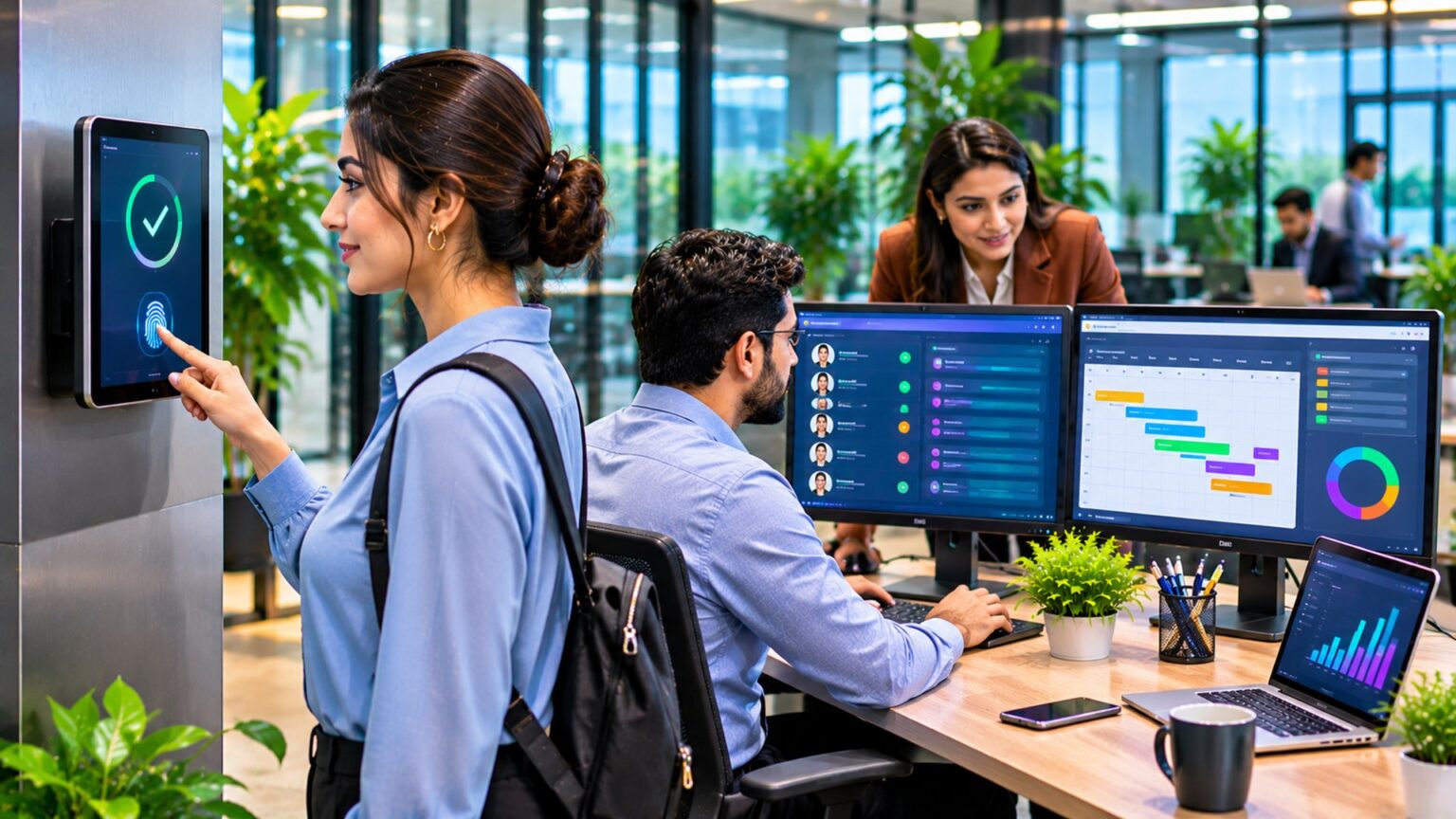
Managing employee working hours is an essential responsibility for businesses seeking greater operational efficiency, accurate payroll processing, and effective workforce administration. A modern time clock app provides organizations with a convenient digital solution for recording employee attendance, monitoring working hours, managing shifts, and organizing payroll information.
Traditional attendance management systems often rely on handwritten timesheets, spreadsheets, and physical punch cards. These methods can introduce administrative delays, calculation errors, and difficulties when managing employees across multiple locations.
Digital time tracking technology addresses these challenges by combining attendance monitoring, automated calculations, employee scheduling, and business software integration.
Whether you manage a small retail business, construction company, remote workforce, or established enterprise, selecting an appropriate employee time tracking platform can improve administrative processes.
This comprehensive guide explores thirty-one practical strategies for using digital time clock technology to improve attendance management, payroll accuracy, and workforce coordination.
What Is a Time Clock App?
A time clock app is a digital application that allows employees to record their working hours by clocking in and out through smartphones, tablets, computers, or dedicated workplace devices.
The application collects attendance information and organizes it into digital timesheets that authorized managers can review and approve.
Many modern platforms also support employee scheduling, overtime monitoring, break management, and payroll integration.
Essential Features of Employee Time Tracking Software
Common features include:
- Digital clock-in and clock-out
- Automated timesheet calculations
- Employee attendance monitoring
- Shift scheduling
- Overtime tracking
- Payroll integration
- GPS-enabled time tracking
- Leave management
- Project time tracking
- Attendance notifications
- Workforce reporting
Available functionality depends on the selected software provider, subscription plan, and organizational requirements.
How Does a Time Clock App Work?
Employees record their starting and finishing times through an approved application or workplace terminal.
The software calculates recorded working periods and stores attendance information within a centralized system. Managers can subsequently review timesheets, investigate discrepancies, and approve accurate records for payroll processing.
Some applications provide additional information about work locations, assigned projects, and scheduled responsibilities.
The system’s accuracy depends on correct employee usage, appropriate configuration, and effective administrative procedures.
1. Establish Clear Employee Timekeeping Policies
Successful implementation begins with clearly defined attendance and timekeeping procedures.
Employees should understand when they are expected to clock in, how to record breaks, and what to do when they forget to submit an attendance entry.
Document Attendance Responsibilities
Create straightforward instructions covering employee responsibilities, manager approvals, correction requests, and payroll submission deadlines.
Policies should ensure that all compensable working time is accurately recorded, including authorized work performed outside ordinary schedules.
2. Replace Manual Attendance Records
Paper-based attendance systems can become difficult to manage as employee numbers increase.
Handwritten records may contain incomplete information, calculation errors, or inconsistent formatting.
Introduce Digital Timesheets
Digital timesheets organize recorded hours within a consistent electronic format.
Authorized managers can review attendance information without manually collecting and calculating numerous paper records.
Maintain appropriate correction procedures so employees can report genuine recording mistakes before payroll processing.
3. Simplify Employee Clock-In and Clock-Out
An effective time clock app should provide a straightforward interface that employees can use without extensive technical knowledge.
Complicated attendance procedures may create unnecessary delays at the beginning and end of shifts.
Choose User-Friendly Tracking Methods
Depending on workplace requirements, employees may record attendance through smartphones, desktop browsers, or shared time clock terminals.
Provide suitable alternatives for employees who cannot use personal mobile devices.
4. Improve Payroll Calculation Accuracy
Payroll errors can create financial difficulties for employees and additional administrative work for businesses.
Digital time tracking software can help calculate recorded working hours using configured rules.
Verify Payroll Information
Review approved timesheets, hourly wage arrangements, overtime requirements, and applicable deductions before processing payroll.
Automated calculations should be checked against actual employment conditions.
Accurate timekeeping supports reliable compensation, but software cannot independently guarantee payroll compliance.
5. Integrate Time Tracking With Payroll Software
Connecting attendance systems with compatible payroll applications can reduce duplicate data entry.
Supported integrations allow approved employee hours to be transferred into payroll workflows.
Test Payroll Data Synchronization
Verify that employee identifiers, regular hours, overtime categories, and approved leave information transfer correctly.
Incorrect mapping between applications can create payment discrepancies.
Conduct representative payroll tests before relying on automated integrations for regular employee compensation.
6. Monitor Employee Attendance Efficiently
Centralized attendance information helps managers understand employee availability across departments and work locations.
A time clock app may provide dashboards displaying current attendance status, scheduled shifts, and completed working hours.
Identify Attendance Discrepancies
Review missing clock entries, unexpected absences, and differences between recorded hours and scheduled shifts.
Investigate unusual records before reaching conclusions about employee behaviour.
Attendance monitoring should support accurate administration rather than unnecessary workplace surveillance.
7. Manage Employee Shift Schedules
Organizations operating across multiple shifts require dependable scheduling procedures.
Digital workforce management platforms can help managers create schedules, assign employees, and communicate changes.
Coordinate Staffing Requirements
Consider expected workload, employee availability, professional qualifications, and applicable working-hour restrictions when preparing schedules.
Notify employees about relevant changes through approved communication channels.
Clear scheduling practices can reduce misunderstandings and support more predictable working arrangements.
8. Track Overtime Hours Accurately
Overtime management is particularly important for businesses employing hourly workers.
Inaccurate overtime records may result in incorrect compensation and regulatory concerns.
Configure Applicable Overtime Rules
Overtime requirements differ according to jurisdiction, employment classification, and applicable regulations.
For example, covered nonexempt employees in the United States generally qualify for federal overtime pay after working more than forty hours in a workweek.
Businesses should configure time tracking systems according to their actual legal obligations.
9. Establish Reliable Break Management
Employees may require meal breaks, rest periods, and other authorized interruptions during working hours.
Time tracking applications can help distinguish working periods from appropriately classified breaks.
Record Breaks Correctly
Ensure that paid and unpaid break categories reflect applicable employment requirements.
Avoid automatically deducting meal periods without allowing employees to report interrupted or missed breaks.
Protect Accurate Compensation
Employees must receive appropriate compensation for all time that legally qualifies as working time, including work performed during an otherwise unpaid break.
10. Support Mobile Employee Time Tracking
Businesses operating outside conventional office environments may require mobile attendance functionality.
Mobile time tracking allows employees to record hours at authorized work locations.
Improve Accessibility for Field Teams
Construction workers, delivery personnel, maintenance technicians, and mobile service professionals may benefit from smartphone-based attendance recording.
Evaluate device compatibility, internet connectivity, accessibility, and offline functionality.
Employees should understand how to report hours when their devices or network connections are unavailable.
11. Use GPS Time Tracking Responsibly
Some employee attendance platforms provide GPS functionality to associate time records with work locations.
This capability can support legitimate operational requirements for distributed teams.
Establish Transparent Location Policies
Inform employees about location data collection, its intended purpose, and applicable retention practices.
Limit tracking to necessary and authorized working activities.
Avoid unnecessary off-duty monitoring and ensure that location-based attendance decisions account for possible GPS inaccuracies.
12. Understand Geofencing Technology
Geofencing establishes a virtual geographic boundary around a selected workplace or operational area.
Compatible time tracking applications may use these boundaries to provide attendance reminders or identify location-related discrepancies.
Configure Appropriate Work Boundaries
Set boundaries according to genuine workplace requirements.
Physical buildings, mobile device settings, and environmental conditions can affect location accuracy.
Provide manual correction mechanisms when legitimate employee attendance cannot be recorded because of technical limitations.
13. Introduce Shared Workplace Time Clock Kiosks
A shared time clock kiosk allows employees to record attendance through a designated workplace device.
These systems can be useful for organizations where personal smartphone use is unsuitable or unnecessary.
Establish Convenient Kiosk Access
Position attendance terminals where employees can access them without unreasonable delays.
Depending on the platform, kiosks may support personal identification numbers or other approved authentication methods.
Maintain an alternative recording procedure if the terminal becomes unavailable.
14. Manage Remote Workforce Attendance
Remote working arrangements introduce different administrative requirements compared with conventional office environments.
A time clock app can help distributed employees maintain accurate records of working hours.
Focus on Appropriate Work Measurements
Record working time according to employment arrangements and legitimate business requirements.
Avoid assuming that continuous monitoring of screens or keyboard activity accurately reflects employee productivity.
Effective remote workforce management combines clear expectations, communication, trust, and suitable timekeeping tools.
15. Track Working Hours Across Multiple Locations
Businesses operating several offices, stores, warehouses, or construction sites may encounter difficulties maintaining consistent attendance records.
Centralized time tracking software can consolidate information from different locations.
Organize Location-Based Attendance Reports
Managers can review recorded hours according to departments, branches, or approved job sites.
Establish consistent reporting definitions while accommodating local employment requirements.
Accurate location records can also support staffing analysis and operational planning.
16. Improve Project Time Tracking
Organizations delivering professional services frequently need to understand how working hours are allocated across projects.
Digital time tracking platforms can associate employee hours with selected tasks, clients, or business activities.
Monitor Project Resource Consumption
Review the amount of time allocated to individual assignments.
This information can help managers estimate project requirements, allocate available employees, and investigate differences between planned and actual workloads.
Time records should reflect completed work rather than arbitrary productivity expectations.
17. Support Accurate Client Billing
Consultants, agencies, freelancers, and professional service providers may charge customers according to recorded working hours.
Reliable timekeeping helps businesses prepare more transparent invoices.
Distinguish Billable and Nonbillable Activities
Establish clear rules explaining which activities can be billed under the relevant customer agreement.
Review approved project hours before preparing invoices.
Accurate customer billing requires complete records and appropriate contractual interpretation, not simply automated timesheet calculations.
18. Automate Attendance Reminders
Employees may occasionally forget to record the beginning or end of a shift.
Automated notifications can help reduce missing attendance entries.
Configure Useful Notifications
Relevant reminders may include upcoming shifts, missing clock-out entries, incomplete timesheets, and pending approval requests.
Avoid excessive notifications that interrupt employee responsibilities.
Reminders should assist accurate recordkeeping without creating unnecessary pressure or requiring employees to perform unpaid administrative work.
19. Establish Timesheet Approval Workflows
Timesheet approval provides an opportunity to review recorded working hours before payroll processing.
Many digital attendance systems allow managers to approve, reject, or request corrections to submitted timesheets.
Assign Appropriate Approval Responsibilities
Designate authorized managers who understand employee schedules and actual working arrangements.
Preserve Original Records
Maintain an audit history of corrections, including the reason for each change.
Employees should have a practical way to review and dispute inaccurate attendance adjustments.
20. Improve Leave and Absence Management
Some employee attendance platforms provide tools for managing annual leave, sick leave, and other authorized absences.
Integrating these records with workforce schedules can help managers understand staffing availability.
Maintain Accurate Leave Categories
Configure leave balances and absence classifications according to applicable employment conditions.
Sensitive medical or personal information should remain restricted to authorized personnel.
Employees should receive clear information about available leave balances and request procedures.
21. Monitor Workforce Expenses
Employee working hours represent an important component of operating expenses for many organizations.
Accurate timekeeping can provide useful information about labour costs across departments and projects.
Evaluate Relevant Cost Categories
Compare regular wages, overtime expenses, staffing requirements, and project-related labour costs.
Consider the operational circumstances influencing these expenses.
Reducing labour costs should not involve withholding wages, discouraging accurate time reporting, or creating unsafe staffing conditions.
22. Calculate Labour Costs With Greater Accuracy
Digital timesheets can support financial planning by providing structured information about recorded working hours.
For example, an employee working thirty-eight regular hours at an hourly rate of $20 generates $760 in base wages before applicable taxes, benefits, or other employment costs.
Understand Total Employment Expenses
Actual workforce costs may also include overtime premiums, insurance, employer contributions, paid leave, and administrative expenses.
Businesses should distinguish base wages from complete employment costs when preparing budgets.
23. Protect Employee Information
Time tracking platforms may store personal information, employment records, attendance details, and location data.
Appropriate information security measures are necessary to protect these resources.
Implement Role-Based Access Controls
Employees should have access to their relevant records, while authorized managers receive permissions appropriate to their administrative responsibilities.
Review encryption, authentication, audit logging, and data retention capabilities before selecting a platform.
24. Maintain Employment Recordkeeping Requirements
Businesses must maintain accurate employment records according to applicable legal requirements.
In the United States, the Fair Labor Standards Act requires covered employers to maintain specified wage and working-hour information for relevant employees.
Establish Appropriate Retention Procedures
The required information and retention periods depend on applicable regulations.
A time clock app can support recordkeeping, but employers remain responsible for accuracy, completeness, and lawful compensation.
Review relevant local requirements before configuring attendance systems.
25. Reduce Timekeeping Errors and Disputes
Attendance disagreements may arise from forgotten clock entries, incorrect project assignments, technical problems, or administrative mistakes.
Transparent correction procedures can help resolve these issues.
Provide Employee Access to Timesheets
Allow employees to review recorded working hours and identify inaccuracies.
Investigate disputed records using available evidence and communicate necessary corrections clearly.
Timekeeping adjustments should not erase legitimate working time or prevent appropriate compensation.
26. Choose Cloud-Based Time Tracking Software
Cloud-based time tracking platforms store information within remotely managed infrastructure and provide access through compatible internet-connected devices.
These services may be suitable for businesses operating across several workplaces.
Evaluate Cloud Service Reliability
Review system availability, data ownership, information export options, backup arrangements, and technical support.
Determine whether the software can continue recording hours during connectivity problems and how those records synchronize afterward.
27. Compare Popular Time Clock Applications
Several established software providers offer digital employee attendance and time management capabilities.
Clockify
Clockify provides timer-based time tracking, digital timesheets, shared attendance kiosks, and reporting capabilities. It can support businesses that need to record working hours across employees and projects.
QuickBooks Time
QuickBooks Time provides employee time tracking, mobile attendance functionality, payroll-related integrations, and workforce scheduling capabilities.
Its compatibility with an existing payroll environment should be evaluated before implementation.
Available features vary according to subscription arrangements and regional availability.
28. Compare Free and Premium Time Tracking Plans
Free time tracking applications may provide sufficient functionality for small businesses with straightforward attendance requirements.
Premium subscriptions may include additional scheduling, approval, reporting, payroll integration, and administrative features.
Calculate Complete Software Expenses
Consider per-employee charges, monthly subscription costs, hardware requirements, implementation services, and technical support.
Select a plan based on operational requirements rather than the number of advertised features.
29. Implement Employee Time Tracking Gradually
Introducing new attendance software requires appropriate preparation and communication.
A controlled implementation can help organizations identify technical difficulties before expanding usage.
Conduct a Representative Pilot
Select a small group of employees to evaluate clock-in functionality, timesheet corrections, reporting, and payroll integration.
Collect Employee Feedback
Ask employees and managers about usability, accessibility, technical limitations, and administrative workload.
Address identified problems before implementing the system across the entire organization.
30. Measure Workforce Management Performance
Businesses should evaluate whether time tracking technology provides meaningful administrative improvements.
Useful performance indicators include:
- Payroll correction frequency
- Timesheet submission accuracy
- Attendance record completeness
- Administrative processing time
- Overtime expenses
- Employee scheduling discrepancies
- Project labour costs
Compare results against established baselines and account for changes in staffing and business activity.
Accurate reporting should remain a priority regardless of performance targets.
31. Establish a Continuous Timekeeping Improvement Strategy
Effective workforce administration requires regular evaluation as business requirements, employment arrangements, and technology change.
Review Time Tracking Procedures
Periodically examine payroll accuracy, employee feedback, attendance policies, software configurations, and data protection practices.
Update procedures when operational requirements or applicable regulations change.
A successful attendance system should remain accessible, transparent, accurate, and appropriate for both employees and employers.
Major Benefits of Using a Time Clock App
Digital employee attendance systems can provide several practical advantages when implemented appropriately:
- Reduced manual administrative work
- More accurate working-hour records
- Simplified payroll preparation
- Improved employee attendance visibility
- Better workforce scheduling
- More organized project time tracking
- Improved labour cost analysis
- Convenient access to attendance reports
- Greater transparency in timesheet management
The actual benefits depend on software quality, employee adoption, administrative procedures, and appropriate configuration.
Industries That Benefit From Employee Time Tracking Software
Digital attendance technology supports numerous industries with different workforce management requirements.
Retail and Hospitality
Retail stores, restaurants, and hotels can use time tracking applications to coordinate shifts, monitor attendance, and prepare payroll records.
Construction and Field Services
Construction businesses and mobile service providers may benefit from recording hours across authorized job sites and associating labour costs with individual projects.
Digital Marketing and IT Companies
Marketing agencies and software development teams can use project time tracking to understand resource allocation, manage client billing, and improve project planning.
Healthcare Organizations
Healthcare providers can use attendance systems to coordinate staffing arrangements and maintain accurate working-hour records while protecting sensitive employee information.
Manufacturing and Warehousing
Manufacturing businesses and distribution centres may benefit from shared attendance kiosks, shift management, and workforce availability reporting.
Time Clock App Versus Traditional Punch Clock
Traditional punch clocks provide a physical method for recording employee arrivals and departures.
Although these systems may remain suitable for straightforward workplace environments, digital platforms offer additional capabilities involving reporting, remote accessibility, and software integration.
A time clock app can also accommodate employees working across multiple locations.
However, digital systems introduce additional responsibilities involving cybersecurity, technical maintenance, employee training, and information protection.
The most suitable solution depends on workforce size, operating conditions, and administrative requirements.
Common Time Tracking Mistakes to Avoid
Businesses sometimes introduce attendance software without establishing clear timekeeping policies or providing adequate employee training.
Other common mistakes include incorrect overtime configurations, unreliable payroll integrations, excessive employee monitoring, and unauthorized timesheet modifications.
Organizations should also avoid treating scheduled working hours as a substitute for actual compensable work.
A dependable attendance strategy combines appropriate software, transparent procedures, employee participation, and professional oversight.
How Much Does a Time Clock App Cost?
Employee time tracking software expenses vary according to workforce size, subscription features, hardware requirements, integrations, and technical support.
Some providers offer free basic plans, while others charge monthly fees per employee or provide customized enterprise subscriptions.
Businesses should evaluate the complete cost of implementation and ongoing administration.
Request current pricing information and compare available features against actual workforce requirements before purchasing a subscription.
The Future of Digital Employee Time Tracking
Workforce management technology continues to evolve through cloud computing, artificial intelligence, mobile connectivity, and advanced business analytics.
Future applications may offer more sophisticated scheduling assistance, automated attendance discrepancy detection, and improved integration with payroll platforms.
However, technological developments should remain balanced with employee privacy, accurate compensation, accessibility, and appropriate human oversight.
Businesses that prioritize transparent workforce administration can establish more dependable and sustainable timekeeping practices.
Frequently Asked Questions
What is a time clock app?
A time clock app is digital software that allows employees to record working hours, manage attendance, and submit timesheets for administrative and payroll purposes.
How does a time clock app improve payroll accuracy?
It organizes recorded working hours, supports automated calculations, and transfers approved attendance information into compatible payroll workflows.
Are free time clock apps suitable for small businesses?
Yes. Free applications may provide sufficient attendance and time tracking functionality, although advanced reporting and payroll integrations may require paid subscriptions.
Can employees use a time clock app on smartphones?
Yes. Many applications support mobile clock-in and clock-out functionality through compatible Android and iOS devices.
Is GPS employee time tracking legal?
Its legality depends on applicable employment and privacy requirements. Employers should establish transparent policies and limit monitoring to legitimate, authorized activities.
What features should the best time clock app include?
Useful features include accurate attendance recording, digital timesheets, payroll integration, employee scheduling, overtime tracking, security controls, and accessible reporting.
Conclusion
A time clock app provides businesses with a practical approach to employee attendance, accurate payroll processing, and efficient workforce administration. Combining reliable time tracking technology with transparent employment policies and appropriate information protection can improve operational efficiency. By selecting suitable software and maintaining accurate working-hour records, organizations can establish more dependable and sustainable workforce management processes.
