
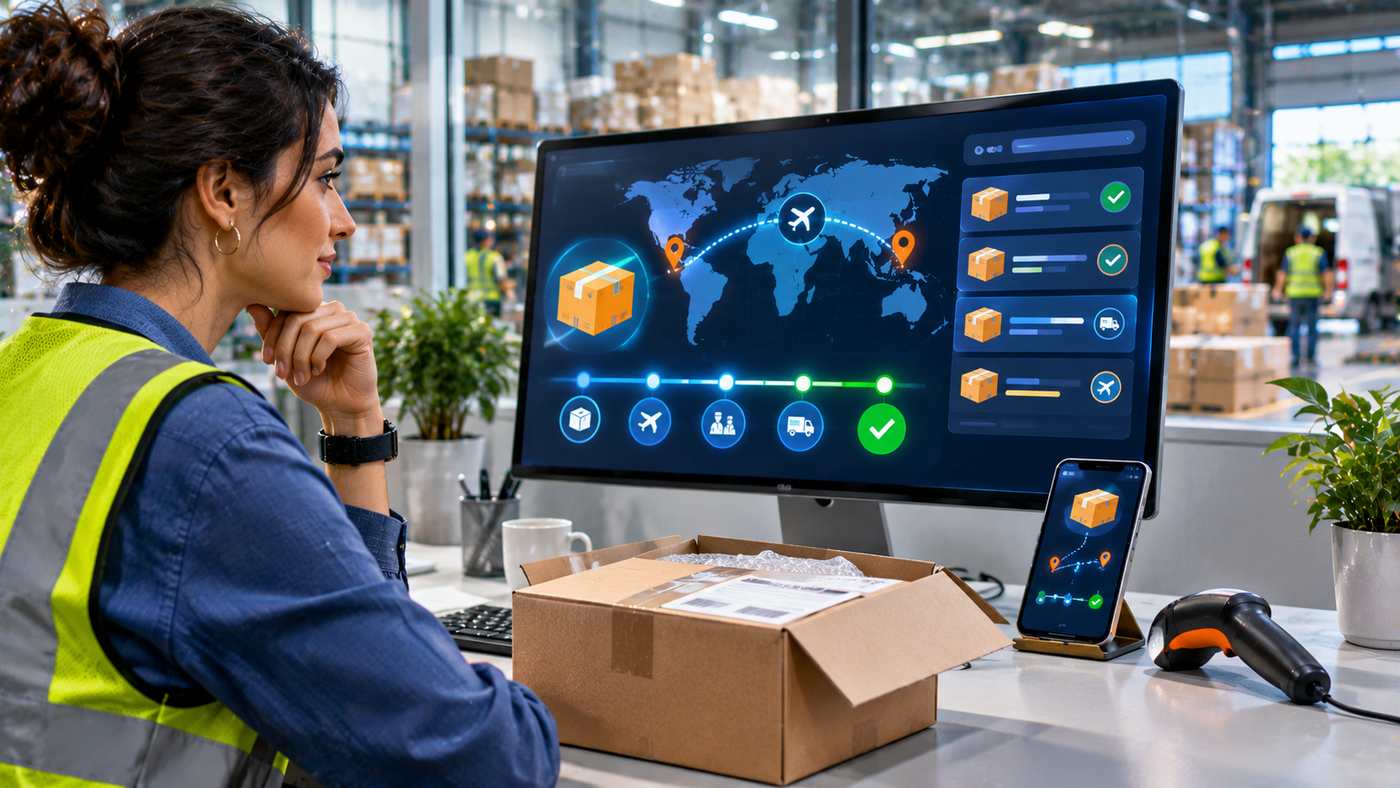
International e-commerce creates exciting opportunities for online businesses, allowing Shopify merchants to reach customers beyond their local markets. However, selling across borders introduces shipping challenges that can directly affect customer satisfaction. Parcels may pass through several logistics hubs, customs checkpoints, and local delivery networks before reaching their final destinations.
Clear and consistent tracking updates help customers understand where their orders are, what stage of delivery has been completed, and whether they need to take any action. Without reliable shipment information, even a correctly processed order can create uncertainty and unnecessary customer-service requests.
For Shopify merchants using international carriers such as PostNL, improving tracking visibility is an important part of the post-purchase experience. Automated shipping notifications, accurate fulfillment information, and accessible tracking pages can reduce confusion and help teams manage delivery expectations.
However, tracking automation does not guarantee that every parcel will move without interruption. Carrier scans, customs procedures, destination-country systems, and third-party integrations can all influence how quickly information becomes available.
This guide explains seven practical ways to improve international shipment tracking, the role of Shopify shipping integrations, common delivery-status problems, and strategies for creating a more transparent customer experience.
What Are Tracking Updates in E-commerce?
Tracking updates are notifications or status records that describe the movement and delivery progress of a shipment.
Once a merchant prepares an order for dispatch, a shipping carrier generally assigns a unique tracking identifier to the parcel or shipment.
Depending on the service, this identifier allows merchants and customers to review events recorded by the carrier.
Common shipment milestones include:
- Shipping label created
- Parcel accepted by the carrier
- Shipment in transit
- Arrival at a sorting facility
- Customs processing
- Transfer to a destination carrier
- Out for delivery
- Delivered
- Available for pickup
- Delivery exception
The exact wording varies between shipping companies.
How Shipment Tracking Works
Shipment tracking typically begins when a carrier or shipping platform creates a shipment record.
A tracking number may become available before the physical parcel has been collected.
As the shipment moves through the delivery network, the carrier records events through barcode scans, automated sorting systems, or partner-carrier data exchanges.
Tracking platforms can then display the latest available information.
Importantly, shipment tracking is generally event-based rather than continuous live location monitoring.
A parcel may be moving between facilities even when no new scan appears.
Why Tracking Matters for Shopify Stores
Customers want reassurance that their purchases are progressing toward delivery.
When tracking information is missing or difficult to find, shoppers may contact support to ask where an order is.
A clear tracking experience helps businesses communicate shipping progress without requiring customers to request updates manually.
1. Provide Tracking Information Immediately After Fulfillment
The first step in an effective post-purchase experience is making shipment information accessible.
Once an order is ready for shipping and the relevant tracking number is available, the merchant should ensure that the information is correctly associated with the Shopify order.
Add Accurate Tracking Numbers
Tracking numbers connect an order to the carrier’s shipment records.
If the wrong tracking number is assigned, customers may see unrelated information or be unable to locate their parcels.
Merchants should confirm that the tracking identifier matches the correct order and shipping service.
Understand Label Creation vs. Dispatch
Creating a shipping label does not necessarily mean that the carrier has received the parcel.
The tracking page may initially display a message indicating that shipping information has been received.
This is normal when a label has been generated before the first physical carrier scan.
Avoid telling customers that a package is actively moving unless the carrier has confirmed a corresponding event.
Automate Tracking Number Assignment
Manually copying tracking identifiers becomes increasingly time-consuming as order volume grows.
A suitable Shopify shipping integration can attach tracking numbers to orders during fulfillment.
Automation reduces repetitive data entry and may lower the risk of human error.
However, merchants should test the integration before relying on it for large numbers of shipments.
Give Customers Clear Instructions
The initial shipping message should explain how customers can access tracking information.
Ideally, it includes the carrier name, relevant tracking reference, and a working tracking link.
This provides a useful starting point for customers following their deliveries.
2. Automate Shopify Tracking Updates and Notifications
Automated shipment communication can help customers stay informed without repeatedly checking a website.
Instead of sending individual emails manually, merchants can configure supported applications to provide notifications when relevant tracking events occur.
Choose Meaningful Shipping Milestones
Customers generally benefit from knowing when an order has shipped, encountered an exception, gone out for delivery, or been delivered.
Not every intermediate logistics scan requires a customer-facing notification.
Too many repetitive messages can make important updates less noticeable.
Configure Automated Email Notifications
A Shopify tracking system may support messages triggered by carrier events.
For example, a customer could receive an email when a parcel is out for delivery.
The usefulness of these notifications depends on accurate carrier data and correctly configured workflows.
Use Clear Notification Language
A useful shipment email should explain what has happened and what it means.
For example:
Subject: Your order is on its way
Message: Your parcel has been handed to the delivery carrier. You can follow its progress using the tracking link provided.
This is more helpful than a message containing only an unexplained tracking code.
Check Integration Settings
Some shipment-tracking applications require merchants to enable customer notifications separately.
Shopify stores should confirm that the carrier connection, fulfillment synchronization, and email settings work as expected.
Test notifications with a sample order to identify configuration problems.
3. Improve International Tracking With PostNL
International shipping often involves more complex movement than domestic delivery.
A parcel may travel through several countries, customs systems, and delivery partners before reaching its destination.
PostNL is one of the carriers used for domestic and cross-border parcel services.
Understanding PostNL International Tracking
PostNL provides tracking information for supported shipping services.
Depending on the destination and service, events may include parcel acceptance, international transit, customs processing, and final delivery.
However, tracking visibility may vary when a parcel is transferred to another postal operator or delivery company.
Connecting PostNL With Shopify
Shopify merchants can use compatible shipping applications to simplify label generation and shipment management.
For example, PluginHive explains how PostNL merchants can use its PH Multi-Carrier Shipping Label app to create shipping labels, associate tracking identifiers with Shopify orders, and manage related fulfillment workflows.
Its guide on international tracking updates also covers tracking milestones, customer communication, and common challenges involving customs and partner-carrier handovers.
This is useful for businesses evaluating how to reduce manual shipping administration.
Tracking Number Synchronization
When a supported shipping integration creates a label and updates fulfillment records, the tracking number can be transferred to Shopify.
That allows the merchant to make shipment details available through the appropriate customer-facing channels.
The exact synchronization behavior depends on the application and configuration.
Carrier Updates vs. App Notifications
Tracking number synchronization and ongoing delivery notifications are separate functions.
An application that creates labels may not automatically provide every subsequent tracking email.
Some stores use a dedicated shipment-tracking application to retrieve carrier events and deliver additional notifications.
Merchants should verify which application handles each function.
4. Create a Better Customer Tracking Experience
Tracking is not only a logistics function. It is also part of the customer experience.
A shopper who can easily understand an order’s delivery status is less likely to become confused by routine shipping delays.
Offer an Accessible Tracking Page
A dedicated tracking page gives customers a convenient place to check parcel progress.
Some Shopify tracking applications allow merchants to add a branded tracking page directly to their storefront.
Customers may be able to enter order details and view the latest available carrier status.
Maintain Brand Consistency
A tracking page should use clear navigation and a visual design consistent with the store.
Consistent presentation can make the experience feel more professional.
However, appearance should not come at the expense of accuracy or usability.
Explain Tracking Status Clearly
Customers may not understand logistics terminology.
Consider providing brief explanations alongside important statuses.
| Tracking status | What it generally means |
|---|---|
| Label created | Shipping information has been registered |
| Accepted by carrier | The carrier has received the parcel |
| In transit | The shipment is moving through the delivery network |
| Customs processing | The parcel is undergoing border-related procedures |
| Out for delivery | The destination carrier plans a delivery attempt |
| Available for pickup | The parcel can be collected at a designated location |
| Delivered | The carrier reports completed delivery |
| Delivery exception | Additional attention or an unexpected delay may be involved |
These descriptions are general. Actual status meanings depend on the carrier.
Make Tracking Mobile-Friendly
Many shoppers use smartphones to review their orders.
Tracking pages and email notifications should display properly on mobile screens.
Avoid complicated navigation, small buttons, or links that require unnecessary steps.
Set Realistic Expectations
If international delivery usually takes longer than domestic shipping, explain this before checkout and reinforce it in post-purchase communication.
Provide estimated delivery windows only when supported by the relevant shipping service and available information.
Do not present an estimate as a guaranteed arrival date.
5. Handle Customs Delays and International Shipping Exceptions
Cross-border deliveries involve procedures that may be outside the direct control of the merchant.
Customs processing, documentation checks, local delivery arrangements, and public holidays can affect shipment progress.
Why International Tracking Can Pause
A parcel may show no new scan while traveling between countries.
Tracking events may also take time to appear after customs processing or transfer to a local delivery company.
A temporary information gap does not automatically mean the shipment is lost.
However, extended inactivity should be investigated according to the carrier’s guidance.
Explain Customs Processing
International shipments may require customs documentation and checks.
Depending on the destination and transaction, the recipient may need to pay applicable import charges or provide additional information.
Merchants should communicate these responsibilities clearly.
Manage Carrier Handover
A shipment initially handled by PostNL may later be delivered by a destination-country partner.
During the transition, the available tracking information can change.
Some carriers provide additional local tracking references.
When possible, share the most useful official tracking link with customers.
Respond to Delivery Exceptions
A delivery exception may result from an incorrect address, customs issue, unsuccessful delivery attempt, or other operational problem.
An appropriate support process should identify the cause, explain the next steps, and coordinate with the carrier when necessary.
Avoid Promising Unverified Delivery Dates
Do not assume that a parcel will arrive on a particular day simply because it has reached the destination country.
Final delivery depends on local processing, carrier operations, and any outstanding requirements.
6. Reduce Customer Support Requests With Proactive Communication
One of the most common shipping-related customer questions is:
“Where is my order?”
E-commerce support teams often describe these requests as WISMO inquiries.
They can become particularly frequent when customers cannot find tracking information or do not understand shipment delays.
Make Tracking Easy to Find
Include tracking details in relevant order communications and customer account pages when supported.
If customers need to search through several emails or contact support to obtain a tracking number, the experience becomes unnecessarily complicated.
Send Updates When Something Changes
Proactive messages can be valuable when a delivery exception occurs.
For instance, if a carrier indicates that a parcel is available for collection, a timely notification may help prevent missed pickup deadlines.
Provide Self-Service Options
A well-designed help center can answer common questions about shipping statuses, customs processing, delivery attempts, and estimated transit times.
Linking customers to clear support resources can reduce repeated explanations.
Escalate Complex Cases
Automation should not prevent customers from reaching a human representative.
Missing parcels, disputed deliveries, damaged products, and billing concerns may require individualized investigation.
Measure Support Performance
Useful indicators include:
- Number of WISMO inquiries
- Support contacts per 100 shipments
- Average resolution time
- Delivery exception frequency
- Notification delivery success
- Customer satisfaction after delivery
Monitoring these metrics can reveal whether changes to tracking communication are improving the customer experience.
7. Measure and Optimize Your Shopify Shipment Tracking Process
Tracking systems should be evaluated regularly.
An integration that works correctly for one shipping service may need adjustments when the store adds new carriers or destinations.
Monitor Tracking Coverage
Tracking coverage measures how many shipped orders have valid tracking information.
A low coverage rate may indicate missing carrier identifiers, incomplete fulfillment records, or integration issues.
Check Notification Accuracy
Review whether customers receive appropriate updates.
Look for duplicated messages, missing shipment links, outdated statuses, and incorrect carrier assignments.
Evaluate International Delivery Exceptions
Some destinations or shipping services may produce more delivery problems than others.
Compare exception rates and resolution times across carriers and routes.
Review Tracking Data Quality
A tracking dashboard is only as useful as its underlying carrier information.
If tracking events are delayed or incomplete, explain those limitations rather than displaying unsupported conclusions.
Use Performance Data to Improve Operations
Tracking information can help merchants identify recurring fulfillment problems.
For example, repeated delays between label creation and carrier acceptance may indicate that orders are not being handed over promptly.
Similarly, frequent address-related exceptions may suggest a need to improve checkout validation.
These findings can guide operational improvements beyond customer notifications.
Shopify Tracking Automation: Manual vs. Automated Workflows
Different stores have different shipment volumes and technical requirements.
A small merchant handling a few orders each week may find manual tracking manageable.
Growing stores often benefit from automation.
| Activity | Manual workflow | Automated workflow |
|---|---|---|
| Tracking number entry | Entered individually | Synchronized through integration |
| Shipment emails | Prepared manually | Triggered by configured events |
| Carrier status checks | Checked separately | Aggregated when supported |
| Customer tracking access | Shared individually | Available through linked tracking tools |
| Exception monitoring | Requires manual review | May support dashboard alerts |
| Scaling operations | More staff effort | Less repetitive administration |
Automation does not remove the need for quality checks.
Stores should continue monitoring shipment accuracy and resolving unusual cases.
How to Set Up an Effective International Tracking Workflow
A structured approach helps Shopify merchants reduce avoidable setup problems.
Step 1: Choose Appropriate Shipping Services
Identify the destinations served by your business and evaluate suitable carriers.
Compare coverage, service limitations, delivery expectations, and available tracking capabilities.
Step 2: Connect Shipping Software
Install and configure a compatible shipping application where appropriate.
Verify account credentials, service selections, and integration permissions.
Step 3: Test Label Creation
Create a test shipment using the approved workflow.
Confirm that the resulting tracking number is associated with the correct Shopify order.
Step 4: Configure Customer Notifications
Decide which milestones should trigger messages.
Verify the notification settings in Shopify and any third-party tracking application.
Avoid sending unnecessary duplicate notifications.
Step 5: Review the Tracking Experience
Check how customers access tracking information from emails, customer accounts, or a dedicated tracking page.
Test the experience on desktop and mobile devices.
Step 6: Establish Exception Procedures
Document how staff should respond to customs delays, missing carrier scans, delivery disputes, and inaccurate addresses.
Step 7: Monitor Results
Review notification success, customer inquiries, tracking coverage, and delivery exceptions.
Update the workflow when problems become apparent.
Common Tracking Problems and How to Address Them
Tracking Number Shows No Information
The shipping label may have been created before the parcel’s first carrier scan.
Verify that the number is correct and check the carrier’s official tracking service.
Tracking Has Not Updated for Several Days
International transport or customs processing may cause gaps in available information.
Compare the shipment’s progress with the carrier’s published guidance and escalate when appropriate.
Customer Did Not Receive a Notification
Check the order’s contact details, fulfillment status, email settings, and notification configuration.
Also examine whether the relevant carrier event was received.
Tracking Shows Delivered but the Customer Has No Parcel
Ask the customer to check the delivery location and any carrier-provided delivery details.
Follow the carrier’s investigation procedure and the store’s customer-service policy.
Avoid assuming that a delivered status conclusively resolves every dispute.
Shopify and Carrier Statuses Do Not Match
Different platforms may refresh information at different intervals or use different status categories.
Identify which integration supplies the tracking data and verify the latest official carrier event.
Best Practices for International Shipment Communication
A dependable tracking process should be clear, consistent, and transparent.
Use Accurate Status Information
Do not invent shipping milestones or imply that a package has moved when the carrier has not provided confirmation.
Keep Messages Concise
Customers should quickly understand what has changed and whether action is required.
Use Verified Tracking Links
Official carrier links or properly configured store tracking pages help customers locate their shipments.
Protect Customer Information
Tracking systems can process names, addresses, email accounts, and order details.
Choose integrations with appropriate security practices and avoid unnecessarily exposing personal information.
Review Shipping Policies
Explain delivery estimates, customs responsibilities, available shipping services, and procedures for missing parcels.
Provide Human Support
When tracking information is incomplete or a delivery problem remains unresolved, customers should have a clear way to request assistance.
The Future of Shipment Tracking in E-commerce
Shipment visibility is becoming an increasingly important part of online retail operations.
Shipping platforms are expanding support for centralized dashboards, automated notifications, connected carrier systems, and exception management.
More advanced analytics may help merchants identify recurring problems and improve communication before customers contact support.
However, accurate tracking will continue to depend on carrier data and the quality of the integrations connecting it to merchants.
Even sophisticated software cannot guarantee uninterrupted visibility across every international delivery route.
The strongest approach combines automation, reliable information, clear communication, and accessible human support.
Frequently Asked Questions
1. How do tracking updates work for Shopify orders?
Tracking updates are based on carrier shipment events. Shopify merchants can associate tracking numbers with fulfilled orders, while compatible tracking applications can display additional statuses and send automated notifications.
2. Can PostNL tracking updates be automated in Shopify?
Yes. Compatible applications can help connect PostNL shipment information with Shopify workflows. Features such as tracking-number synchronization and customer email notifications depend on the specific application and its configuration.
3. Why do international parcel tracking updates sometimes stop?
Tracking gaps may occur during cross-border transport, customs processing, or handover to a local delivery partner. An absence of recent scans does not always mean the parcel is lost.
4. How can tracking updates reduce customer support requests?
Clear tracking links, useful notifications, and explanations of delivery statuses can help customers find information independently, potentially reducing routine order-status inquiries.
Conclusion
Reliable tracking updates are essential for creating a transparent Shopify international shipping experience.
By connecting accurate fulfillment information, useful carrier milestones, automated notifications, and clear customer support procedures, merchants can reduce confusion and improve post-purchase communication.
The best tracking workflows combine dependable technology with realistic delivery expectations and ongoing operational review.
