
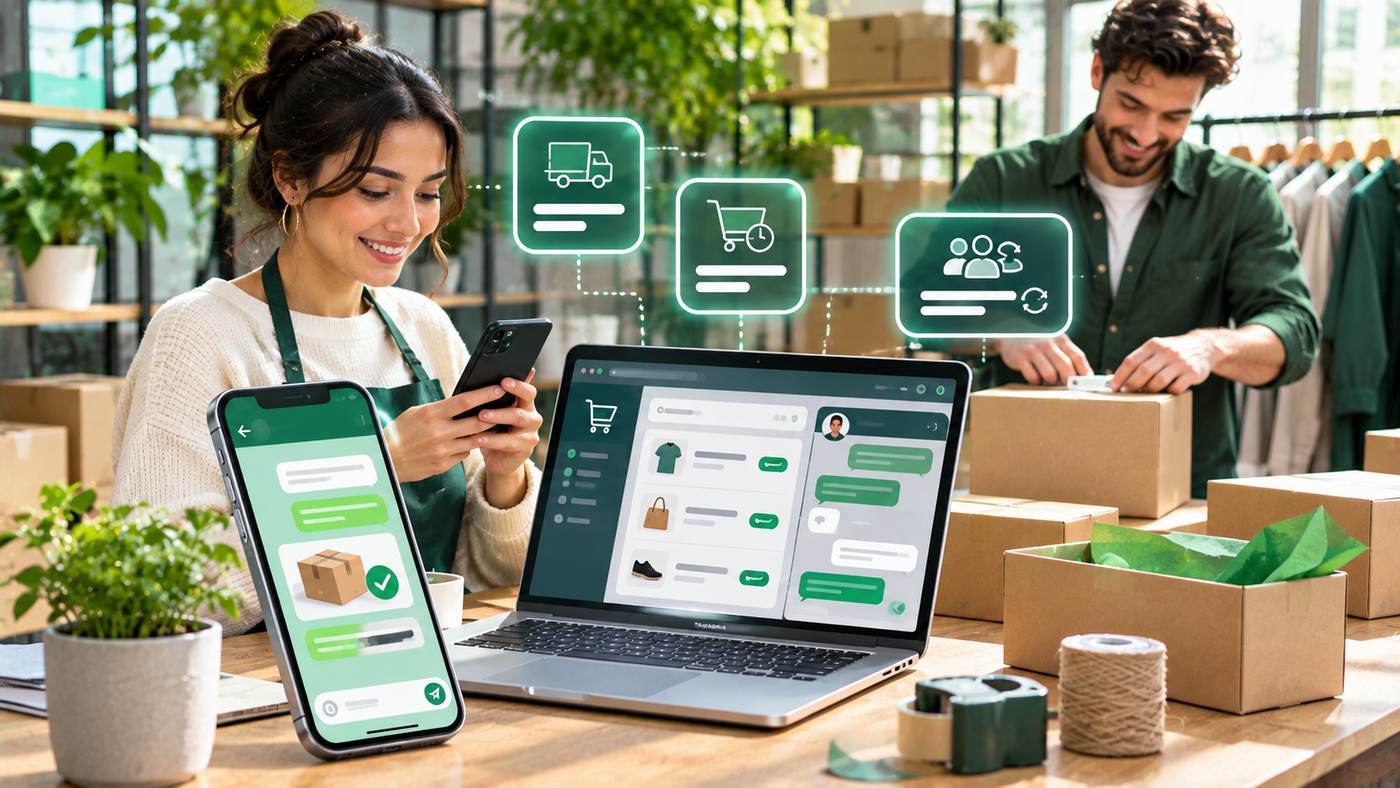
Running a successful Shopify store involves more than listing products and accepting payments. Online businesses must communicate with customers, answer questions, manage orders, provide delivery information, and encourage interested shoppers to complete their purchases.
As an ecommerce business grows, handling these activities manually becomes increasingly difficult. Store owners may receive questions about product availability, order status, shipping charges, return policies, and payment confirmation throughout the day.
Customers also expect convenient communication without repeatedly visiting a website or contacting customer support.
This is where Whatsapp API integration can become a valuable part of an ecommerce strategy.
By connecting a Shopify store with the WhatsApp Business Platform, merchants can automate selected customer communications, send relevant transactional notifications, and provide more consistent support through a familiar messaging channel.
The technology can also support abandoned checkout reminders, customer segmentation, and marketing campaigns when the appropriate permissions and messaging requirements are satisfied.
However, successful implementation involves more than activating an application. Businesses must understand Meta’s messaging policies, customer consent, message templates, integration settings, and the costs associated with automated communication.
This guide explains how WhatsApp Business API integration works, seven major benefits for Shopify merchants, important features, implementation steps, and practical ways to improve the customer experience.
What Is WhatsApp API Integration?
WhatsApp API integration connects business software with the WhatsApp Business Platform so that companies can manage approved messaging activities through connected systems.
For ecommerce businesses, this connection can allow customer information and relevant store events to trigger appropriate WhatsApp messages.
For example, when an order is confirmed in Shopify, the connected platform may send the customer a transactional notification using an approved message template.
Likewise, a merchant may configure a workflow to notify customers when their orders are shipped.
WhatsApp Business App Versus WhatsApp Business API
The WhatsApp Business app is designed primarily for smaller businesses managing conversations through a mobile or supported desktop interface.
It offers features such as business profiles, quick replies, and basic customer communication tools.
The WhatsApp Business Platform supports more extensive integrations and automation.
It can connect messaging with ecommerce software, customer relationship management platforms, support systems, and other applications.
This makes it suitable for businesses that need coordinated workflows or messaging at greater scale.
However, using the API requires appropriate setup and compliance with Meta’s policies.
How the Integration Works With Shopify
Shopify stores information about products, orders, customers, checkouts, and other ecommerce activities.
A compatible WhatsApp integration connects relevant store events to messaging workflows.
For example, the process may involve:
- A customer places an order through Shopify.
- Shopify records the transaction.
- The connected application identifies an eligible order event.
- An approved WhatsApp message is prepared using relevant order details.
- The message is sent according to applicable platform rules.
- Delivery and messaging results may be recorded in the provider’s dashboard.
The exact workflow depends on the application’s capabilities and configuration.
Why Shopify Stores Need Better Customer Communication
Customers frequently want reassurance after making an online purchase.
They may want to know whether an order was received, when it will ship, and how to obtain assistance.
Poor communication can create uncertainty, even when the merchant is fulfilling the order correctly.
Improving Order Transparency
Clear transactional notifications help customers understand the current status of their purchases.
These messages may include order confirmation, shipment information, and relevant delivery updates.
However, notifications should contain accurate information from the ecommerce platform.
Reducing Repetitive Support Questions
Many customer enquiries involve the same subjects.
Examples include delivery schedules, return conditions, product availability, and order tracking.
Automation can help answer suitable questions or direct customers to relevant information.
More complicated problems should remain accessible to human support representatives.
Supporting Mobile-First Communication
Many customers regularly use messaging applications on their smartphones.
Providing an appropriate WhatsApp communication option can make it easier for them to contact a store.
However, customers should retain meaningful control over which communications they receive.
Seven Smart Benefits of WhatsApp API Integration for Shopify
A properly configured integration can support several parts of an online store’s operations.
1. Automate Order Confirmation Messages
Customers appreciate receiving confirmation that a purchase has been recorded.
A transactional WhatsApp notification may provide an order reference, purchase summary, or other approved information.
This reduces the need for staff to send individual updates manually.
For example, a clothing store receiving dozens of orders each day can use an automated workflow to notify eligible customers when orders are confirmed.
The message should accurately reflect the transaction.
Automation does not replace the store’s responsibility to process the order correctly.
2. Send Shipping and Delivery Updates
Shipping information is one of the most common reasons customers contact ecommerce businesses.
WhatsApp notifications can help communicate important delivery developments.
A Shopify merchant may configure notifications for selected fulfillment events.
These might include dispatch confirmation and access to a valid tracking link.
However, the information must be supported by the merchant’s order and shipping systems.
A business should not send a shipping confirmation before the order has actually been dispatched.
3. Support Abandoned Checkout Recovery
Some shoppers begin checkout without completing their purchase.
This may happen because they are comparing products, reconsidering the price, experiencing payment difficulties, or simply becoming distracted.
An appropriately configured WhatsApp workflow can send eligible customers a reminder when a checkout remains incomplete.
For example, a shopper who provided the necessary contact information and appropriate marketing permission may receive a message about an unfinished purchase.
The reminder could provide a suitable link to resume checkout.
However, abandoned checkout messages are generally marketing communications and must follow the relevant consent, template, and platform requirements.
They should never be sent indiscriminately to every visitor.
4. Improve Customer Support Availability
An online store may receive questions outside its normal operating hours.
A connected WhatsApp chatbot can provide immediate responses to suitable routine enquiries.
For example, a customer might ask about shipping regions or the store’s return policy.
A properly configured chatbot can present information based on approved business content.
However, automated systems may misunderstand questions.
Businesses should provide a way to escalate complicated or sensitive issues to a human representative.
5. Create Relevant Marketing Campaigns
With appropriate customer permissions, Shopify merchants may use WhatsApp marketing campaigns to communicate relevant offers and announcements.
For example, a retailer may notify subscribed customers about a new collection or an upcoming promotion.
Audience segmentation can help make messages more relevant.
A customer interested in outdoor equipment may have different preferences from someone purchasing home accessories.
However, promotional messages must comply with Meta’s current policies, applicable laws, and customer communication preferences.
Marketing templates may require approval and can be subject to delivery limits.
6. Centralize Customer Conversations
A growing store may have several employees responding to customer enquiries.
Without a coordinated system, messages can be duplicated or overlooked.
Some WhatsApp integration platforms provide shared inbox functionality.
This allows authorized staff to review conversations and manage responses through a common workspace.
For example, a support representative may handle routine questions while a supervisor reviews an unresolved complaint.
Clear ownership and escalation procedures help prevent confusion.
7. Measure Communication Performance
Customer messaging should be evaluated according to meaningful outcomes.
A suitable platform may provide information about messages sent, delivered, and read, subject to reporting availability and user privacy settings.
Businesses can also review eligible campaign interactions and subsequent store activity.
However, message delivery does not guarantee customer satisfaction or additional sales.
The most useful measurement approach considers communication quality, customer service outcomes, and relevant ecommerce performance.
Exploring GetGabs for Shopify WhatsApp Automation
Businesses researching Whatsapp API integration can explore the Shopify integration offered by GetGabs.
GetGabs provides WhatsApp Business API software designed to support business messaging, automation, and customer communication.
Its Shopify integration page describes functionality involving automated order notifications, abandoned checkout recovery, customer support, and marketing workflows.
The platform also provides messaging tools, chatbot capabilities, and integration options for other business applications.
Shopify Order Notifications
GetGabs advertises automated order confirmation and shipping update workflows.
These features can help merchants communicate relevant transaction information without manually preparing every message.
The actual events available depend on the application and store configuration.
Abandoned Cart Automation
The platform also describes automated checkout recovery campaigns.
Businesses can configure relevant messages for eligible customers who leave purchases incomplete.
The objective is to provide a useful reminder rather than pressure customers into unnecessary purchases.
Merchants should ensure that marketing permissions are properly recorded before activating this type of campaign.
AI Chatbot and Customer Support
GetGabs offers chatbot capabilities intended to answer common questions and assist with customer conversations.
Its broader platform also includes shared team inbox functionality.
These tools may be useful for stores handling frequent product and order enquiries.
Messaging Templates
WhatsApp Business Platform messaging often relies on approved templates for business-initiated communications.
GetGabs provides tools for configuring messaging workflows associated with Shopify activity.
Businesses should verify the approval status and category of each template before use.
How to Connect WhatsApp Business API With Shopify
A structured setup process can help avoid integration problems.
Step One: Review Your Store Requirements
Begin by identifying the communications you want to automate.
For example, the initial goal may be order confirmations and delivery notifications.
Other stores may prioritize customer support or eligible abandoned checkout reminders.
Avoid activating every possible workflow immediately.
A smaller, carefully tested implementation is easier to manage.
Step Two: Install a Compatible Integration
Choose an application supporting the required Shopify and WhatsApp functions.
GetGabs provides a Shopify integration and related setup documentation.
Review the application’s requested permissions, subscription terms, and privacy disclosures before installation.
Step Three: Connect Your Meta Business Account
GetGabs documents an onboarding process that uses Meta Embedded Signup to connect the relevant WhatsApp Business Account.
The process may involve business information, phone number setup, and required verification steps.
Availability and account requirements can vary.
Use authorized business accounts and follow the provider’s current instructions.
Step Four: Configure the Messaging Number
The connected phone number must satisfy WhatsApp Business Platform requirements.
Check whether an existing business number is eligible and whether migration or additional setup is necessary.
Do not assume that every number can be connected without changes.
Step Five: Prepare Message Templates
Create relevant templates for the communications you intend to send.
Order notifications should accurately describe actual transactions.
Marketing messages should be clearly promotional and sent only where permitted.
Templates may require review and approval before they can be used.
Step Six: Map Shopify Events to Messages
Connect eligible Shopify events to the appropriate messaging workflows.
For example, an order creation event may trigger a confirmation message.
A fulfillment update may trigger an eligible shipping notification.
Ensure that each event accurately reflects the customer-facing message.
Step Seven: Test the Integration
Before enabling workflows for actual customers, test representative scenarios.
Confirm that the correct customer receives the correct information.
Check order references, tracking links, language, and timing.
Also test what happens when a message fails.
Step Eight: Monitor and Improve
After launch, review communication results and customer feedback.
Correct inaccurate templates, unnecessary notifications, or integration problems.
A reliable system requires occasional maintenance as Shopify, Meta, and third-party applications change.
WhatsApp Messaging Templates Explained
Understanding message categories is important when using the Business Platform.
Utility Messages
Utility templates generally support specific customer transactions or requests.
Examples may include eligible order updates and account-related notifications.
The content must match the applicable message category requirements.
Marketing Messages
Marketing templates are used for promotional communications.
Examples include new product announcements, special offers, and certain abandoned checkout reminders.
These messages are subject to additional requirements and delivery controls.
Authentication Messages
Authentication templates support eligible verification processes.
For example, a business may use an approved authentication workflow to send a one-time code.
Security-sensitive communications should follow the appropriate platform requirements.
Why Template Approval Matters
Businesses cannot assume that every proposed message will be accepted.
Meta reviews templates according to its policies.
Templates may also be restricted or paused based on quality concerns.
Merchants should monitor approval status and avoid misleading content.
Understanding Consent and Messaging Compliance
Customer permission is an essential part of responsible WhatsApp marketing.
Shopify’s official documentation explains how merchants can collect WhatsApp marketing consent and create campaigns for eligible subscribers.
Provide Clear Communication Choices
Customers should understand what types of messages a business intends to send.
Marketing permissions should not be hidden within unrelated checkout information.
Respect Opt-Out Requests
Customers should have a practical way to stop unwanted promotional messages.
Messaging preferences must be respected.
Avoid Excessive Messaging
Frequent promotional messages can frustrate customers and harm sender reputation.
A useful strategy focuses on relevant information at appropriate times.
Follow Regional Restrictions
WhatsApp messaging capabilities and restrictions vary by country.
For example, some WhatsApp marketing template delivery restrictions apply to US phone numbers.
Businesses serving international customers should review current Meta and provider policies for their intended markets.
Protect Customer Information
Customer phone numbers, order details, and conversation histories can contain personal information.
Merchants should evaluate access controls, retention practices, and applicable privacy laws.
Improving Abandoned Checkout Recovery
Abandoned checkout automation requires careful planning.
Understand Why Customers Leave
Not every abandoned checkout indicates a customer who wants a reminder.
Some shoppers are only browsing.
Others may be comparing prices or experiencing technical difficulties.
Understanding possible reasons helps create more useful messages.
Use Accurate Messaging
A reminder should explain the unfinished purchase clearly.
It should not invent stock shortages or false time limits.
Avoid Excessive Follow-Ups
Sending repeated reminders may create frustration.
A restrained approach can better respect customer preferences.
Measure Actual Recovery
Track whether eligible reminders contribute to completed purchases.
Consider message costs and discounts when evaluating profitability.
Review Customer Feedback
Customers may find certain messages helpful and others intrusive.
Use feedback to refine the workflow.
How WhatsApp Chatbots Help Shopify Stores
Chatbots can support ecommerce operations when they are trained or configured with accurate business information.
Answering Product Questions
A chatbot may respond to common enquiries about product categories or features.
However, it should not invent product availability or specifications.
Explaining Shipping Policies
Customers frequently ask about delivery locations and estimated times.
A chatbot can provide approved policy information.
Sharing Return Instructions
Automated responses can direct customers to the appropriate return process.
Complex disputes should be escalated to a qualified employee.
Collecting Support Details
A chatbot may ask for the information necessary to understand a request.
Sensitive information should be collected only when appropriate and through suitable channels.
Transferring Conversations
Human support should remain available for situations requiring judgment, exceptions, or additional investigation.
WhatsApp API Integration for Different Shopify Businesses
Different ecommerce categories can benefit from different communication workflows.
Fashion and Apparel
Clothing stores may use order notifications, delivery updates, and eligible promotional campaigns.
Support enquiries may involve sizing, availability, and returns.
Electronics
Electronics retailers may receive questions about specifications, warranty terms, and shipping.
Automated responses can direct customers to accurate documentation.
Beauty and Personal Care
Beauty stores may provide order updates and general product information.
Health-related claims should be accurate and appropriately supported.
Home and Furniture
Furniture retailers often manage larger deliveries and scheduling requirements.
Relevant transactional updates can help customers understand fulfillment progress.
Specialty Retail
Stores selling niche products may use WhatsApp to assist customers with detailed purchasing questions.
Personalized assistance can be valuable when products require explanation.
Understanding WhatsApp API Integration Costs
The total cost of WhatsApp automation depends on several factors.
Platform Subscription Fees
Third-party providers may charge monthly or annual fees for access to software and features.
Plans can vary according to team members, automation tools, and supported integrations.
Meta Messaging Charges
WhatsApp Business Platform pricing depends on message categories and other current billing conditions.
Businesses should review applicable Meta charges rather than relying on outdated pricing information.
Additional Software Costs
Advanced chatbot functions, CRM integrations, or other services may involve additional expenses.
Implementation Expenses
A straightforward integration may require relatively little setup work.
Complex workflows involving custom APIs and business systems can require additional technical support.
Maintenance and Monitoring
Ongoing costs may include workflow updates, troubleshooting, staff training, and performance analysis.
Businesses should evaluate the complete operating cost before selecting a provider.
Measuring Shopify WhatsApp Automation Performance
Useful reporting connects messaging activity with customer outcomes.
Message Delivery
Delivery information can help identify whether communications are reaching eligible recipients.
However, delivery does not prove the customer has read or acted on a message.
Response Time
Businesses can measure how quickly customer questions receive suitable responses.
Customer Satisfaction
Customer feedback can reveal whether automated communication is useful.
Recovered Checkouts
For eligible abandoned checkout campaigns, merchants may monitor completed purchases associated with reminders.
Attribution should be evaluated carefully.
Support Workload
Measure whether automation reduces repetitive questions or simply creates additional follow-up work.
Campaign Profitability
Consider messaging costs, discounts, and actual revenue outcomes.
A campaign generating interactions is not necessarily profitable.
Common WhatsApp Integration Mistakes
Several mistakes can reduce the value of automation.
Sending Messages Without Appropriate Permission
Unsolicited promotions can violate messaging requirements and damage customer trust.
Using Incorrect Message Templates
Templates should match their intended category and be approved where required.
Providing Inaccurate Order Updates
Automation should not send messages that contradict actual fulfillment status.
Ignoring Customer Replies
A business that sends automated notifications should also plan how customer responses will be handled.
Overcomplicating Initial Workflows
Implementing too many automations at once makes troubleshooting more difficult.
Failing to Test Integrations
Incorrect customer mapping can cause serious privacy and service problems.
Neglecting Data Security
Customer information should be protected through appropriate technical and organizational measures.
How to Choose the Right Shopify WhatsApp Integration Provider
Selecting a platform requires evaluating business needs and technical compatibility.
Check Shopify Compatibility
Confirm that the application supports the relevant Shopify features and store configuration.
Review Meta Account Requirements
Understand what business and phone number setup is necessary.
Evaluate Automation Features
Determine whether the platform supports the order, support, and marketing workflows you actually need.
Examine Reporting Capabilities
Useful analytics should provide clear information about messaging performance.
Understand Total Pricing
Compare subscription charges, applicable messaging costs, and any additional fees.
Review Security and Privacy
Read the provider’s documentation about data processing, access permissions, and retention.
Test Customer Support
A reliable provider should offer appropriate assistance when technical problems occur.
The Future of WhatsApp Automation in Ecommerce
Business messaging continues to evolve as companies connect communication systems with ecommerce platforms.
AI-assisted customer support, automated notifications, and integrated customer records can make certain workflows more efficient.
However, the value of automation depends on accuracy and customer trust.
Customers should receive useful information rather than unnecessary promotional interruptions.
Retailers must also adapt as Meta introduces changes to message categories, pricing, delivery controls, and business account requirements.
The strongest ecommerce communication systems will combine automation with appropriate human assistance.
Businesses should prioritize clear information, reliable integrations, secure data handling, and measurable customer benefits.
Frequently Asked Questions
What is WhatsApp API integration for Shopify?
WhatsApp API integration connects a Shopify store with the WhatsApp Business Platform to support eligible automated notifications, customer conversations, marketing workflows, and related business messaging functions.
Can Shopify send automatic WhatsApp order updates?
Yes. Compatible integrations can send eligible order confirmation and shipping notifications using approved messaging workflows and appropriate customer information.
Can WhatsApp help recover abandoned Shopify checkouts?
WhatsApp can support eligible abandoned checkout reminders. However, these are generally marketing communications and must follow applicable consent, message template, and platform policies.
Does GetGabs integrate with Shopify?
Yes. GetGabs provides a Shopify integration designed for WhatsApp messaging automation, including order notifications, abandoned checkout workflows, and customer support features.
Conclusion
Effective customer communication is an important part of running a successful Shopify business.
A well-configured Whatsapp API integration can help online retailers automate transactional messages, provide useful shipping updates, manage customer enquiries, and develop appropriate marketing workflows.
Platforms such as GetGabs offer integrations intended to connect Shopify activity with WhatsApp Business messaging.
However, successful automation requires more than selecting software.
Merchants must configure accurate workflows, obtain appropriate marketing permissions, use approved message templates, protect customer information, and monitor communication quality.
By combining reliable technology with customer-focused policies and ongoing performance reviews, Shopify businesses can develop more efficient communication processes while maintaining customer trust and supporting long-term ecommerce growth.
