
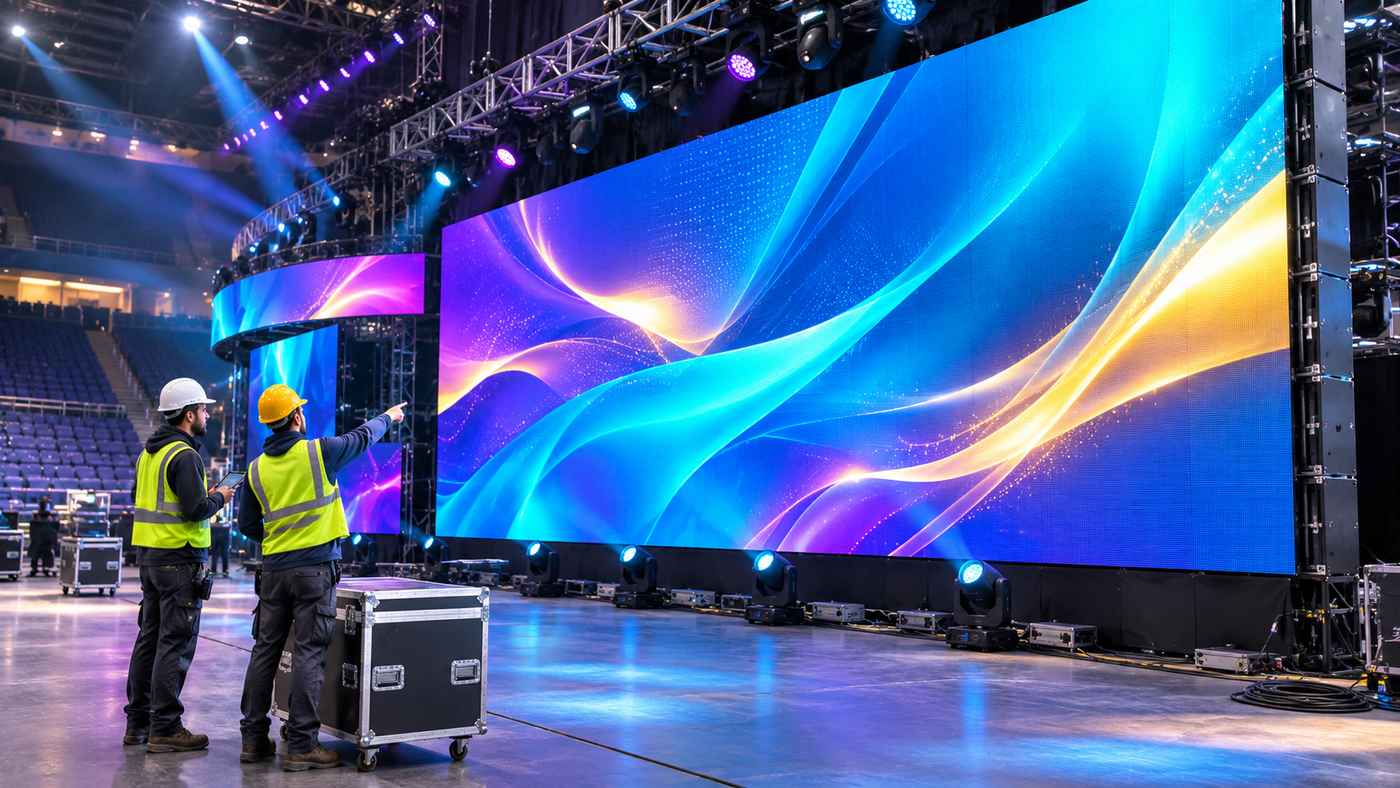
Modern live events depend on visual technology that can engage audiences, support creative stage designs, and operate reliably under demanding production conditions. Whether organisers are preparing a music festival, corporate conference, sports event, or award ceremony, LED video walls have become an important part of professional staging.
The YES TECH MU Series is a modular rental LED display system developed for indoor and outdoor event applications. Its interchangeable cabinet formats, multiple pixel pitch options, creative installation capabilities, and maintenance-oriented design make it relevant to companies managing professional LED screen rentals.
Unlike permanent digital signage installations, rental LED systems must frequently be transported, assembled, tested, dismantled, and reconfigured. This creates specific demands involving installation efficiency, durability, image quality, and operational flexibility.
Event production companies need displays that can accommodate different venue dimensions and audience requirements without requiring entirely separate equipment for every project.
This guide explores how the MU Series works, its important technical characteristics, practical applications, and the considerations involved in choosing LED screens for live event production.
What Is the YES TECH MU Series?
The YES TECH MU Series is a range of modular LED display cabinets designed for rental and staging environments.
Developed by Hunan Yestech Optoelectronic Co., Ltd., the product family supports professional LED video wall installations for concerts, exhibitions, sporting events, ceremonies, and other live productions.
The system uses modular cabinets that can be connected to create larger display surfaces.
According to the manufacturer, its design focuses on efficient installation, flexible configurations, and accessible maintenance.
Understanding the Modular Cabinet System
Instead of manufacturing every large display as a single structure, modular LED technology divides the screen into individual cabinets.
These cabinets connect mechanically and electronically to create a complete video wall.
This design allows production teams to change the display size and arrangement according to event requirements.
The MU Series offers cabinet formats including:
- 500 × 500 × 73 mm.
- 500 × 1000 × 73 mm.
Availability varies by pixel pitch and configuration.
The two formats can support different screen dimensions while helping rental companies manage modular installations.
Available Pixel Pitch Options
Pixel pitch describes the distance between neighbouring LED pixels, measured in millimetres.
A smaller pixel pitch generally provides greater pixel density, making it useful when audiences are positioned closer to the display.
The manufacturer’s current specifications include:
- P1.9 for selected indoor applications.
- P2.6 for indoor event displays.
- P2.9 for indoor and outdoor configurations.
- P3.9 for indoor and outdoor configurations.
Product variations may have different brightness levels, protection ratings, refresh rates, and cabinet options.
For this reason, buyers should evaluate the exact configuration rather than assuming every MU cabinet shares identical specifications.
7 Powerful Benefits of the YES TECH MU Series for Event Production
Rental LED display systems need to balance visual quality with practical operational requirements.
The following features explain why the MU platform can be relevant to event organisers, production companies, and professional AV rental businesses.
1. Faster Installation for Large LED Video Walls
Installation time is an important consideration in live event production.
Venues often operate within strict preparation schedules, and technical crews may need to install lighting, audio, rigging, staging, and video equipment within a limited period.
Modular LED screens designed for efficient assembly can help streamline part of this process.
Single-Person Cabinet Handling
YES TECH describes its MU Series as supporting a simplified three-step hanging process.
The manufacturer positions this as a design that facilitates single-person installation of individual cabinets.
However, this does not mean a complete suspended LED wall can be installed safely by one person.
Large installations still require appropriately qualified personnel, suitable lifting systems, structural assessment, and compliance with venue safety procedures.
The practical benefit is easier cabinet handling and connection during an otherwise professionally managed installation.
Reducing Repetitive Setup Work
Rental companies frequently work with standardised configurations.
Using compatible cabinet formats can help crews become familiar with installation procedures.
This familiarity may reduce unnecessary setup delays and simplify training.
Actual assembly time depends on screen dimensions, rigging arrangements, crew experience, and site conditions.
2. Flexible Cabinet Sizes for Different Stage Layouts
Event venues vary significantly.
A small corporate presentation may require a compact display, while a major concert may use a wide LED backdrop extending across the stage.
The MU Series provides multiple cabinet dimensions to support different layouts.
Combining Square and Rectangular Cabinets
The 500 × 500 mm cabinet offers a compact modular format.
The 500 × 1000 mm cabinet provides a taller rectangular option.
For compatible configurations, these formats can be combined vertically.
This gives designers additional options for creating display dimensions suited to their stage plans.
Building Screens Around Venue Requirements
Large event screens must fit within available structural space.
Important considerations include:
- Stage width and height.
- Audience viewing distance.
- Ceiling clearance.
- Rigging capacity.
- Access for technicians.
- Screen positioning.
- Lighting and camera locations.
Modular cabinets allow production teams to develop screen arrangements around these practical requirements.
However, the final design should always be checked against the manufacturer’s approved installation methods.
3. Multiple Pixel Pitch Options for Clear Visual Content
Visual clarity is a major consideration when selecting an LED screen.
A display that looks suitable from the back of a stadium may not provide the same experience for attendees sitting close to the stage.
Pixel pitch selection helps balance resolution, viewing distance, and cost.
Fine Pixel Pitch for Close Viewing
Indoor configurations such as P1.9 can be useful when audiences or cameras operate relatively close to the screen.
Higher pixel density enables more image detail within a given display area.
This may be valuable for presentation graphics, detailed backgrounds, and other visual content requiring clarity.
The manufacturer’s latest product information also identifies HOB technology for enhanced LED protection in selected P1.9 configurations.
Larger-Pitch Options for Event Staging
P2.9 and P3.9 configurations may be appropriate for applications involving greater audience distances or larger display surfaces.
The best option depends on the final screen dimensions and intended content.
For example, a wide outdoor stage backdrop may prioritise brightness, durability, and visibility across the venue.
A close-viewing indoor product demonstration may place greater emphasis on pixel density.
Understanding Resolution Requirements
Pixel pitch alone does not determine the complete image quality.
Engineers should also consider:
- Total screen resolution.
- Display brightness.
- Refresh rate.
- Viewing angle.
- Colour calibration.
- Video processing.
- Content resolution.
- Camera compatibility.
A well-matched system considers all these factors together.
4. Indoor and Outdoor Configuration Options
Live events take place in very different environments.
Indoor conference halls generally require different equipment characteristics from outdoor festival sites.
The MU Series includes configurations intended for both types of applications.
Indoor LED Display Requirements
Indoor venues usually have controlled lighting conditions.
Brightness requirements may be lower than those needed outdoors.
Indoor systems must still provide suitable visibility, colour consistency, and reliable operation.
The manufacturer’s indoor variants include configurations with IP50 front protection and IP30 rear protection.
These ratings should not be interpreted as making indoor equipment suitable for exposure to rain.
Outdoor LED Display Protection
Outdoor event equipment may encounter rain, dust, humidity, temperature changes, and other environmental challenges.
The manufacturer’s P2.9 and P3.9 indoor/outdoor configurations include IP65-rated options.
An IP65 rating indicates a defined level of protection against dust and water jets under standardised test conditions.
It does not establish that a complete event installation is waterproof under every possible circumstance.
Connectors, electrical distribution systems, cables, and supporting equipment also require suitable environmental protection.
Choosing the Correct Operating Environment
Before selecting a display, event professionals should confirm:
- Indoor or outdoor use.
- Expected ambient brightness.
- Rain and moisture exposure.
- Local temperature conditions.
- Electrical protection requirements.
- Venue operating restrictions.
The chosen system should match both the technical and environmental conditions of the project.
5. Creative Screen Configurations for Stage Designers
Contemporary stage designs increasingly use more than flat rectangular video walls.
Creative installations may include curved screens, angled surfaces, digital columns, and multi-sided display structures.
The MU Series supports several configurations designed to give production teams more flexibility.
Curved LED Screen Installation
YES TECH specifies support for curved splicing of approximately ±7.5 degrees between compatible cabinets.
This allows designers to create certain inward or outward curved display arrangements.
Curved screens can help produce immersive stage backgrounds or adapt visual content to the venue layout.
The achievable curvature depends on the approved cabinet configuration and connection hardware.
Corner and Multi-Surface Displays
The manufacturer also describes compatibility with its Rubik 45-degree edge-cutting cabinets.
These components can support more complex configurations, including certain 90-degree corner arrangements.
Such designs may be useful for corporate exhibitions, award presentations, and artistic stage structures.
Compatibility With Other Product Families
YES TECH identifies compatibility options involving its MG9, MG10, and Xtra product families.
These combinations may expand the possibilities for specific rental installations.
However, compatibility should be checked against the exact cabinets, hardware, electrical systems, and current manufacturer documentation.
Creative freedom should never override structural or electrical safety requirements.
6. Accessible Maintenance and Replaceable Components
Rental equipment experiences repeated handling.
Cabinets may be loaded into transport cases, moved between venues, installed in different environments, and operated for extended periods.
Maintenance accessibility therefore matters.
Front and Rear Maintenance
The MU Series features a modular design that allows front and rear maintenance.
This can give technicians additional options when accessing components during preparation or servicing.
Rear access may be convenient when sufficient space exists behind the screen.
Front maintenance can be valuable when access behind the display is restricted.
The practical method depends on the particular component and installation.
Replaceable Power Box Design
YES TECH advertises a power-box replacement process that can be completed in approximately five seconds under its intended conditions.
This is a manufacturer-stated design feature rather than a guaranteed repair time for every event.
Troubleshooting, isolation, safe access, and operational testing may require additional time.
Nevertheless, easily replaceable components can be valuable when rental operators manage large equipment inventories.
Preventive Maintenance
The best maintenance strategy includes regular inspections before equipment reaches an event site.
Rental teams should examine:
- Cabinet connections.
- Mechanical locks.
- LED modules.
- Power components.
- Signal cables.
- Protective surfaces.
- Transport damage.
- Firmware and processor compatibility.
Preventive inspections can help identify issues before they affect an event.
7. Potential for Better Rental Inventory Utilisation
Professional LED rental equipment represents a significant capital investment.
Rental businesses must consider not only purchase costs but also how frequently equipment can be deployed.
A modular platform that supports several applications may offer operational advantages.
Using One Platform Across Multiple Events
A rental company might provide LED screens for conferences, concerts, product launches, and award ceremonies.
Compatible cabinets can sometimes be reconfigured for different screen sizes rather than remaining dedicated to one installation.
This can support greater flexibility in inventory planning.
Simplifying Parts and Accessories Management
Standardised components may make it easier to organize compatible spares and accessories.
However, different pixel pitch variants and generations may still require different parts.
Operators should maintain accurate inventory records and confirm compatibility before exchanging components.
Evaluating Return on Investment
Return on investment depends on more than equipment flexibility.
Rental companies should also consider:
- Initial acquisition cost.
- Expected rental income.
- Transportation expenses.
- Installation labour.
- Maintenance and repair costs.
- Equipment insurance.
- Storage requirements.
- Service life.
- Resale value.
A flexible system can support better asset utilisation, but profitability depends on actual rental demand and operating costs.
Understanding YES TECH MU Series Technical Specifications
A technical evaluation should focus on the exact cabinet variant being purchased or rented.
The product family contains different performance configurations.
Cabinet Dimensions and Weight
The commonly listed cabinet formats are 500 × 500 mm and 500 × 1000 mm, both with an approximate depth of 73 mm.
YES TECH lists weights of approximately 7.6 kg for selected square cabinets and 12.6 kg for corresponding rectangular cabinets.
These weights are useful during preliminary logistics planning.
However, rigging calculations must account for the complete assembly, supporting hardware, cables, accessories, and applicable design factors.
Brightness Levels
Brightness is measured in nits, equivalent to candelas per square metre.
Indoor MU configurations have published brightness values that vary by model, commonly around 800 to 1,200 nits.
Outdoor-capable versions offer higher listed brightness ranges, with certain P3.9 configurations reaching approximately 5,000 to 5,500 nits.
These are variant-specific manufacturer figures.
The highest-brightness model is not automatically the best choice for every event.
Indoor environments may require reduced brightness for comfortable viewing and appropriate camera exposure.
Refresh Rate and Camera Performance
Refresh rate is important when LED screens appear in professional video recordings or live broadcasts.
Certain MU configurations specify refresh rates of 3,840 Hz or higher, while other listed variants have different base refresh specifications.
Camera performance depends on several factors beyond the advertised refresh rate.
These include scan configuration, video processing, shutter settings, frame rate, and brightness control.
Event production teams should test the proposed system with their actual cameras when broadcast performance is important.
Viewing Angles
The manufacturer lists wide horizontal viewing angles for MU configurations.
This can help audiences positioned away from the display centre see the content.
However, perceived brightness, colour, and contrast can still change at different viewing positions.
Actual viewing conditions should be evaluated during stage planning.
Where Can the MU Series Be Used?
Modular rental LED displays can support many event types.
The appropriate configuration depends on the audience, venue, screen content, and environmental requirements.
Music Concerts and Festivals
Concert productions often use large LED backdrops for visual effects, branding, live camera feeds, and artistic content.
Modular displays can be arranged to complement stage architecture.
Outdoor concerts require additional attention to brightness, environmental protection, structural design, and power distribution.
YES TECH lists an MU P3.9 deployment for the Moorea Festival 2026 in France, demonstrating the product’s use in a festival setting.
Corporate Conferences
Corporate events may use LED screens for presentations, announcements, speaker backgrounds, and visual branding.
Indoor configurations can be selected according to audience distance and content detail.
Clear text, appropriate colour reproduction, and reliable signal management are important considerations.
Sports Events
Sports productions may use LED screens for event branding, video content, announcements, and supporting displays.
The manufacturer lists MU P3.9 equipment in its Nanterre Basket Show 2026 project information.
The design of sports installations must account for the venue, sightlines, equipment protection, and operating requirements.
Awards and Celebrations
Award ceremonies frequently combine lighting, audio, scenic elements, and large video displays.
Curved and multi-surface LED installations may provide additional creative options.
Visual content should be developed for the final screen dimensions.
Exhibitions and Product Launches
Exhibitions often involve limited floor space and close audience viewing.
LED displays can support product demonstrations, brand presentations, and interactive-looking visual environments.
Display size and pixel pitch should be selected to match the intended audience distance.
How to Choose the Right MU Series LED Configuration
Selecting a rental LED display is a technical and operational decision.
A suitable system should match the requirements of the event rather than simply offering the highest specifications.
Determine Audience Viewing Distance
Start by evaluating how close viewers will be to the screen.
Smaller pixel pitches are generally more appropriate when fine detail must be visible at shorter distances.
Larger-pitch configurations may be practical when the screen is viewed from farther away.
Avoid using one universal viewing-distance formula for every application.
Content type and visual quality expectations also matter.
Calculate Screen Dimensions and Resolution
Determine the required width and height of the finished video wall.
Then calculate the number of compatible cabinets needed.
The screen’s physical dimensions and selected pixel pitch determine its native pixel resolution.
Video content and processing equipment should be configured accordingly.
Review Installation Conditions
Confirm whether the display will be suspended or ground-stacked.
The MU Series supports both general installation approaches, subject to the approved hardware and system requirements.
All installations should be planned and executed by competent professionals.
Plan Power and Signal Distribution
Large LED walls may require substantial electrical capacity.
Production teams should obtain model-specific power consumption information and assess the complete installation.
Power distribution, cable routes, signal redundancy, and appropriate protection should be considered during design.
Verify Maintenance Access
Technicians need a safe way to inspect and service equipment.
Front and rear maintenance features can support flexibility, but access requirements should still be assessed before installation.
The final design should not leave technicians without a safe maintenance route.
Installation and Event Safety Considerations
Large LED video walls are substantial technical structures.
Poor installation practices can create risks involving falling equipment, electrical failures, unstable supports, and unsafe access.
Structural and Rigging Safety
Suspended LED walls require appropriately designed and rated supporting systems.
The total suspended load must account for all connected equipment.
Qualified rigging personnel should assess load paths, supporting structures, and applicable local requirements.
Manufacturer installation instructions must be followed.
Electrical Safety
Power distribution should be designed for the complete display and associated equipment.
Cables must be protected against damage and routed safely.
Outdoor installations require equipment suitable for the conditions.
Only appropriately qualified personnel should perform work requiring electrical licensing or specialized competence.
Weather Management
Outdoor events should have procedures for responding to severe weather.
Wind loading, rain, lightning, and changes in site conditions can create risks.
An IP rating alone does not establish that an installation is safe in high winds or severe storms.
Venue-specific risk assessments and appropriate operating procedures are essential.
How to Maintain Rental LED Displays for Long-Term Performance
Regular maintenance can support reliable operation and help protect rental inventory.
Inspect Equipment After Every Event
Check cabinets for visible damage before returning them to storage.
Look for damaged connectors, loose components, protective surface damage, and problems affecting mechanical connections.
Transport Cabinets Properly
Use suitable transport cases and handling procedures.
Avoid placing excessive pressure on vulnerable LED surfaces.
Confirm that cabinets and accessories are securely packed.
Keep Equipment Clean and Dry
Follow the manufacturer’s recommended cleaning methods.
Avoid applying unsuitable liquids or excessive force to LED surfaces.
Equipment exposed to moisture should be inspected according to appropriate procedures before further use.
Maintain Accurate Equipment Records
Rental companies can benefit from recording cabinet identifiers, service history, repairs, and configuration details.
These records can help technicians track recurring problems and prepare appropriate spare parts.
Is the YES TECH MU Series Suitable for Your Rental Business?
The MU platform may be worth evaluating for companies that regularly deliver stage video walls and require modular configurations.
Its main attractions include compatible cabinet sizes, several pixel pitch choices, installation-oriented features, and flexible design possibilities.
However, it is important to compare the product against the actual needs of the rental operation.
Before placing an order, review the official YES TECH MU Series product information and request the latest configuration-specific datasheets.
Confirm the included accessories, controller compatibility, warranty coverage, spare parts support, and technical service arrangements.
Ask about demonstration opportunities and test the proposed configuration under representative operating conditions.
The best equipment investment is one that delivers suitable visual performance while remaining practical to transport, install, maintain, and rent.
Frequently Asked Questions
1. What is the YES TECH MU Series used for?
The YES TECH MU Series is a modular rental LED display system used for concerts, festivals, conferences, sports events, ceremonies, and other professional indoor or outdoor staging applications.
2. What pixel pitch options are available in the MU Series?
The manufacturer’s current product specifications include P1.9, P2.6, P2.9, and P3.9 configurations. Availability and technical characteristics vary by model.
3. Can MU Series LED panels be used outdoors?
Yes, selected P2.9 and P3.9 configurations are intended for indoor and outdoor use, including IP65-rated variants. The complete installation must also meet environmental and electrical safety requirements.
4. Does the MU Series support curved LED screens?
Yes. YES TECH specifies curved splicing of approximately ±7.5 degrees for compatible MU cabinet configurations. Other creative designs may be possible with approved compatible product components.
Conclusion
The YES TECH MU Series offers a modular approach to professional rental LED staging, with cabinet options designed for flexible installations, creative screen arrangements, and accessible maintenance. Its indoor and outdoor configurations make it relevant to a variety of live event environments.
For rental companies and event production teams, selecting the right configuration requires careful consideration of viewing distance, brightness, screen dimensions, structural safety, and operating costs. Evaluating these factors alongside verified product specifications can help create more reliable and visually engaging event productions.
