
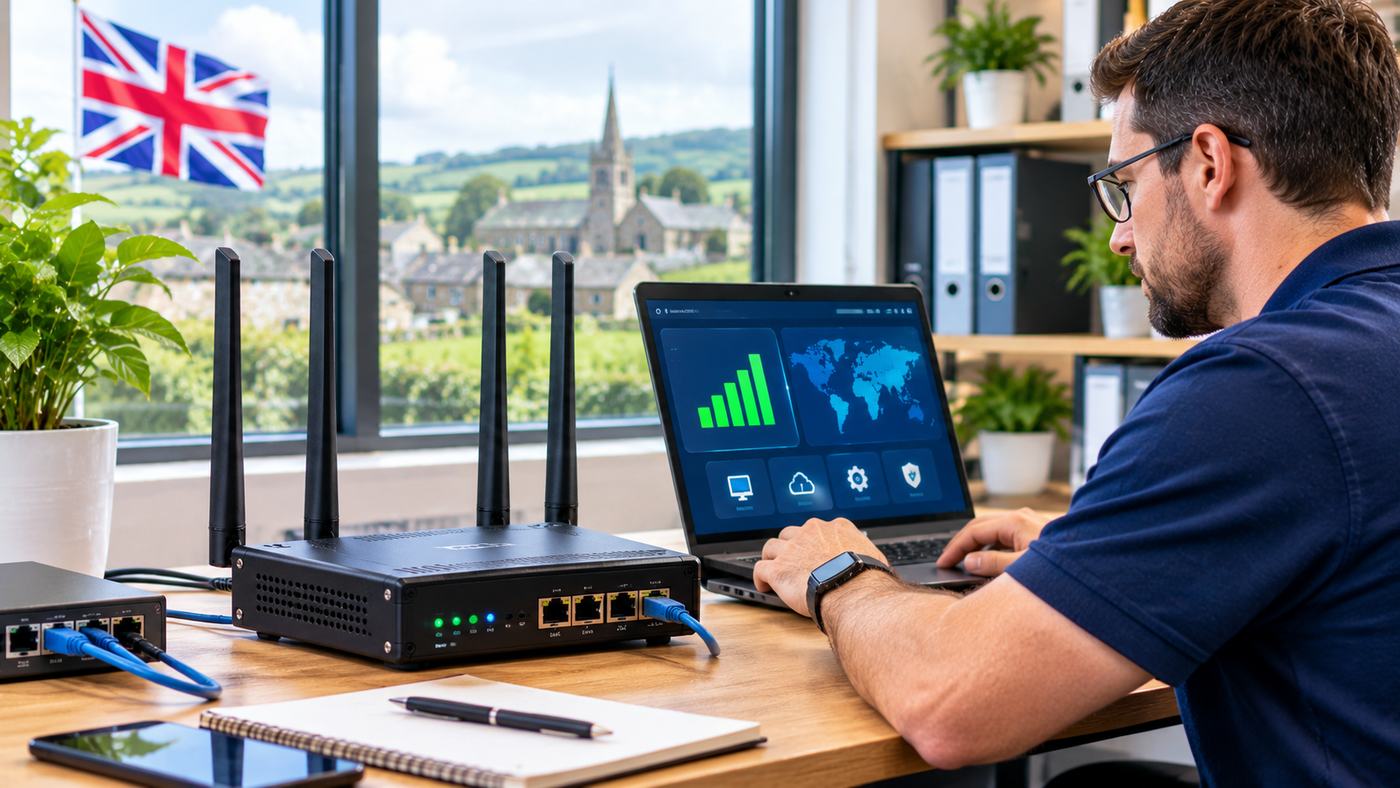
Access to reliable internet is essential for modern homes and businesses. From online meetings and cloud applications to security cameras and remote monitoring, many everyday activities depend on dependable connectivity. However, fixed-line broadband is not always available, practical, or reliable enough for every location.
A 4G router provides an alternative by using a mobile network to deliver internet access to connected devices. Instead of relying exclusively on a traditional telephone line or fibre connection, it connects through a compatible SIM card and distributes internet access over Wi-Fi or Ethernet.
This technology can be particularly useful in rural properties, temporary offices, construction sites, retail locations, and industrial environments. Businesses may also use mobile broadband as a secondary connection when their main internet service becomes unavailable.
Nevertheless, choosing the right router requires more than comparing advertised download speeds. Network coverage, LTE categories, antenna support, SIM compatibility, security features, and connection requirements can all influence performance.
This guide explains seven important considerations when selecting a 4G router in the UK, including device types, mobile broadband coverage, installation, business applications, and long-term operating costs.
What Is a 4G Router?
A 4G router is a networking device that connects to a fourth-generation mobile network and shares the resulting internet connection with other devices.
Most models use a SIM card associated with a compatible mobile data plan.
Once connected, the router can provide internet access through built-in Wi-Fi, wired Ethernet ports, or both.
How Does a 4G Router Work?
The process usually involves several stages.
First, a compatible SIM card is inserted into the router.
The device uses its cellular modem and antennas to connect to a supported mobile network.
The mobile operator provides the data connection, which the router then distributes to connected devices.
Depending on the model, computers, smartphones, televisions, cameras, and other equipment can access the internet through the router.
What Makes It Different From a Normal Wi-Fi Router?
A conventional home broadband router usually connects through a fixed broadband service, directly or via a separate modem.
A 4G router uses mobile cellular infrastructure as its primary or secondary internet connection.
This means it may provide connectivity without requiring a new fixed broadband installation.
However, actual performance depends on the mobile signal, available network capacity, and the chosen data plan.
1. Check 4G Network Coverage Before Buying
Network coverage is one of the most important factors affecting mobile broadband performance.
A technically advanced router cannot compensate for the complete absence of a compatible mobile network.
Before purchasing equipment, investigate coverage at the intended installation location.
Compare UK Mobile Networks
Major UK mobile networks include EE, O2, Vodafone, and Three.
Network availability differs between areas, especially in rural locations and buildings with difficult signal conditions.
A provider that performs well in one postcode may offer weaker service elsewhere.
Use Ofcom’s Coverage Checker
Ofcom provides tools for comparing predicted mobile coverage across UK networks.
These resources help consumers investigate whether a particular area is likely to receive usable mobile connectivity.
However, coverage predictions are not guarantees.
Building materials, local terrain, vegetation, and network congestion can influence actual performance.
Check Indoor and Outdoor Signal Strength
A property may receive an acceptable outdoor signal but weaker connectivity indoors.
Thick stone walls, metal structures, insulated glazing, and certain building designs can reduce cellular reception.
This is particularly relevant to rural homes, warehouses, and industrial facilities.
Test Before Committing
Where possible, test a compatible SIM card at the intended location.
Evaluate connectivity at different times of day rather than relying on one short speed test.
Network congestion may change performance significantly.
2. Understand Different Types of 4G Routers
Not every 4G router is designed for the same application.
Consumer devices generally prioritize convenience, while business and industrial models may focus on reliability, advanced network controls, and remote administration.
Home 4G Routers
Home routers are designed to share mobile broadband with personal devices.
They may include built-in Wi-Fi, Ethernet ports, and simple configuration interfaces.
These models can be suitable for households where fixed-line broadband is unavailable or inconvenient.
Portable MiFi Routers
Portable mobile Wi-Fi devices usually contain a rechargeable battery.
They are designed for temporary connectivity while travelling or working away from a fixed location.
Their portability is convenient, but device capacity and battery life may make them less suitable for continuous business operation.
Industrial 4G Routers
Industrial routers are designed for applications requiring specialized connectivity and management.
Depending on the model, these may include:
- Remote security cameras
- Industrial equipment monitoring
- Smart utility installations
- Unattended kiosks
- Transportation systems
- Agricultural monitoring
- Machine-to-machine communications
Industrial devices may offer rugged enclosures, multiple network interfaces, VPN functionality, and support for remote management.
Dual SIM Routers
Some routers support two SIM cards.
This can provide additional flexibility when using multiple mobile operators.
In a compatible configuration, the router may switch between SIM connections according to defined failover rules.
However, dual SIM support does not automatically mean that two cellular connections operate simultaneously.
The exact behavior depends on the hardware and software.
Business Failover Routers
Businesses may use a 4G connection as backup internet.
When the primary fixed broadband connection fails, a suitably configured router can switch traffic to the mobile network.
This may help maintain access to essential services.
However, some existing connections may reset during switching, and failover speed varies by equipment and configuration.
3. Compare 4G LTE Speeds and Router Specifications
Advertised router speeds are often based on the maximum capabilities of the device under favorable conditions.
Actual mobile broadband performance can be considerably lower.
Understand LTE Categories
LTE categories describe different cellular modem capabilities.
For example, Category 4 and Category 6 routers support different theoretical maximum speeds.
| LTE category | Theoretical maximum download |
|---|---|
| LTE Cat 4 | 150 Mbps |
| LTE Cat 6 | 300 Mbps |
| LTE Cat 12 | 600 Mbps |
These are theoretical device-category limits, not guaranteed internet speeds.
Actual performance depends on network support, spectrum availability, signal quality, congestion, and other factors.
What Is Carrier Aggregation?
Carrier aggregation allows compatible modems and mobile networks to combine multiple frequency carriers.
This can increase available bandwidth under suitable conditions.
However, both the router and the network must support the relevant configuration.
Consider Upload Performance
Download speed is important for browsing and streaming, but upload performance also matters.
Businesses running cloud backups, security cameras, or video meetings may need reliable upload capacity.
Test both directions when evaluating a connection.
Look Beyond Maximum Speed
For demanding applications, latency, connection stability, and network reliability may be as important as peak throughput.
A connection that occasionally reaches high speeds but frequently disconnects may be unsuitable for business operations.
4. Choose the Right SIM Card and Mobile Data Plan
A 4G router generally needs a compatible mobile data service.
The SIM card and service agreement can influence connectivity, pricing, remote access, and data availability.
Consumer Data SIMs
A consumer data SIM may be appropriate for straightforward home broadband use.
Check whether the mobile operator permits router usage and whether the plan includes sufficient data.
Business Data SIMs
Business-oriented SIM arrangements may provide features suited to commercial connectivity.
These can include centralized account management, pooled data, and specialized support arrangements.
Available features depend on the provider.
Fixed IP SIM Cards
Some business applications require predictable inbound connectivity.
A fixed IP SIM solution may support remote access to authorized equipment, depending on network routing and firewall arrangements.
However, a fixed IP address does not automatically make a system secure or publicly reachable.
Careful network configuration remains essential.
Compare Available Router and SIM Options
Businesses looking for a 4G router can explore the Router Store’s range of LTE devices for homes, offices, industrial applications, remote CCTV access, and broadband failover.
The retailer lists products from manufacturers including Teltonika, Proroute, and Robustel, together with compatible antenna and SIM connectivity solutions.
Its range also includes routers with features such as dual SIM support, VPN capabilities, and remote management.
This makes it useful for comparing specialist business connectivity requirements rather than evaluating only basic consumer Wi-Fi equipment.
Understand Fair Usage Policies
Some providers advertise unlimited mobile data.
However, plans may include traffic-management provisions, acceptable-use restrictions, or specific limitations.
Read the contract carefully, particularly when the connection will support continuous CCTV streaming or high-volume business traffic.
5. Improve Mobile Broadband With Suitable Antennas
A strong cellular connection depends partly on how effectively a router receives the mobile signal.
Some devices contain internal antennas, while others include connectors for external antennas.
Internal Antennas
Internal antennas provide a convenient, compact solution.
They may perform adequately in locations with strong cellular coverage.
However, placement inside a building can limit reception.
External 4G Antennas
External antennas can help when indoor signal conditions are poor.
They may be installed in a more favorable position, such as near a suitable exterior location.
Available designs include omnidirectional and directional antennas.
Omnidirectional Antennas
These antennas are designed to receive signals from multiple horizontal directions.
They may be useful when the serving cell direction is uncertain or conditions require a broader reception pattern.
Directional Antennas
Directional antennas focus reception toward a particular direction.
They can be useful where the position of a suitable mobile base station is known and the installation can be aligned correctly.
Understand MIMO Technology
Multiple-input, multiple-output technology uses multiple antennas and radio paths to improve cellular performance under suitable conditions.
A router may support configurations such as 2×2 or 4×4 MIMO.
The benefit depends on network support, signal conditions, and proper antenna installation.
Avoid Poor Cable Installation
Long or unsuitable antenna cables can introduce signal losses.
Outdoor equipment must also be installed with appropriate weather protection and electrical safety considerations.
For complex installations, professional antenna assessment is advisable.
6. Evaluate Security Features and Remote Management
Business connectivity requires more than a working internet connection.
Routers may provide access to sensitive systems, internal services, and remote equipment.
Security should therefore influence product selection.
Use Strong Administrative Authentication
Change default passwords and restrict administrator access.
Where supported, use strong authentication and additional verification controls.
Review Firewall Features
A router firewall can help manage inbound and outbound network traffic.
Appropriate rules reduce unnecessary exposure.
Administrators should avoid opening ports without a clear operational requirement.
Consider VPN Support
Virtual private networks can create protected connections between remote locations and authorized systems.
For example, a business may use a VPN to connect a remote site to its central network.
Security depends on the chosen protocol, configuration, and credential management.
Understand Remote Management Systems
Industrial routers may support centralized remote management.
These systems can help administrators monitor device status, apply firmware updates, and modify approved configurations.
For businesses managing multiple remote installations, centralized control may reduce site visits.
Protect IoT Equipment
Connected industrial sensors, cameras, and controllers can create additional security risks.
Network segmentation, updates, access controls, and monitoring are important when deploying unattended devices.
7. Match the Router to Your Business or Household Needs
The most suitable router depends on the actual application.
A family using mobile broadband for entertainment has different requirements from a business operating remote CCTV cameras.
Rural Home Broadband
A rural home may benefit from a fixed-location router with external antenna support.
Before purchasing, test which network provides the strongest usable signal.
Consider expected household data consumption and the number of connected devices.
Small Office Connectivity
A small office may require reliable Wi-Fi, multiple Ethernet ports, VPN support, and a suitable business data plan.
Connection stability is particularly important when employees use cloud applications and video conferencing.
Construction Sites
Temporary worksites may need internet access without a fixed-line installation.
A compatible 4G router can provide connectivity for site offices, selected monitoring equipment, and administrative tasks.
The equipment should be protected from dust, moisture, and unsuitable operating temperatures.
CCTV Remote Access
Security systems can produce substantial data usage, particularly when uploading continuous high-resolution video.
Appropriate mobile data plans, secure remote access, and stable signal conditions are essential.
A fixed IP or VPN arrangement may be useful depending on the camera system’s architecture.
Industrial IoT
Remote industrial applications may require routers designed for unattended operation.
Important features can include reliable power connections, remote management, secure networking, and appropriate environmental ratings.
4G Router vs. 5G Router: Which Should You Choose?
Both technologies can provide mobile broadband, but they differ in capability, network availability, and device cost.
| Factor | 4G router | 5G router |
|---|---|---|
| Mobile technology | LTE | 5G, commonly with 4G support |
| Coverage | Widely established | Depends on 5G availability |
| Maximum capability | Depends on LTE category | Potentially higher |
| Equipment cost | Often lower | Often higher |
| Suitable applications | Home, business backup, IoT | Higher-bandwidth applications |
| Actual performance | Depends on local conditions | Depends on local conditions |
When 4G Makes Sense
A 4G router may be a sensible choice where LTE coverage is reliable and the application does not require higher throughput.
It can be particularly practical for telemetry, smaller offices, and backup connections.
When 5G Makes Sense
A 5G router may be preferable where good 5G coverage is available and greater throughput or lower latency is important.
However, not every location will experience a meaningful improvement.
Compare actual performance and cost before upgrading.
How to Set Up a 4G Router
The exact procedure depends on the model, but a typical installation follows several stages.
Step 1: Check SIM Compatibility
Verify that the router supports the intended mobile network and that the data plan permits the proposed usage.
Step 2: Insert the SIM
Turn off the router if required by the manufacturer, then install the SIM according to the device instructions.
Step 3: Connect Power and Antennas
Use the recommended power supply and connect compatible antennas where necessary.
Step 4: Open the Configuration Interface
Connect to the router through Wi-Fi or Ethernet and open its administration interface.
Step 5: Configure Mobile Settings
Enter the appropriate APN or other settings if automatic configuration does not work.
Use information supplied by the mobile operator.
Step 6: Secure the Network
Change default credentials, configure Wi-Fi encryption, review firewall settings, and disable unnecessary management access.
Step 7: Test the Connection
Check download speed, upload speed, latency, and reliability.
Test from the actual installation location and adjust placement where necessary.
Common 4G Router Problems and Solutions
Router Has Signal but No Internet
Check SIM activation, available data, APN settings, and mobile operator restrictions.
Also confirm that the router supports the network’s relevant frequency bands.
Internet Speed Is Slow
Investigate cellular signal quality and network congestion.
Move the router to a better location or consider suitable external antennas.
Avoid assuming that additional Wi-Fi antennas will improve the cellular connection.
Connection Drops Frequently
Review signal measurements, firmware version, power supply stability, and system logs.
Persistent problems may require network-specific troubleshooting.
Devices Cannot Connect to Wi-Fi
Check wireless settings, password accuracy, device compatibility, and whether the router’s Wi-Fi function is enabled.
Remote Access Does Not Work
Mobile networks may use carrier-grade NAT, which can prevent ordinary inbound connections.
A fixed IP service, VPN, or suitable remote-access architecture may be necessary.
Do not expose administrative interfaces directly to the public internet without appropriate security controls.
How Much Does a 4G Router Cost in the UK?
The overall cost depends on hardware capabilities and the mobile service.
A basic consumer router may cost substantially less than an industrial device with advanced network management and multiple interfaces.
Additional expenses may include:
- Mobile data subscriptions
- External antennas
- Mounting hardware
- Specialist SIM services
- Professional installation
- Remote management subscriptions
- Ongoing maintenance
For commercial deployments, evaluate the total ownership cost rather than focusing only on hardware price.
Prices and availability vary by supplier and model.
4G Router Buying Checklist
Before purchasing, review the following criteria.
| Requirement | What to verify |
|---|---|
| Network coverage | Actual signal quality at the site |
| SIM compatibility | Operator and supported LTE bands |
| LTE category | Suitable throughput capability |
| Wi-Fi | Appropriate coverage and device capacity |
| Ethernet | Required number and speed of ports |
| Antennas | External connector and MIMO compatibility |
| Dual SIM | Supported failover behavior |
| VPN | Required secure access features |
| Remote management | Availability and ongoing costs |
| Power | Suitable voltage and backup options |
| Operating environment | Temperature and protection rating |
| Data plan | Allowance, limits, and router permission |
| Warranty | Supplier support and replacement policy |
Frequently Asked Questions
1. Can a 4G router replace home broadband?
Yes, a 4G router can serve as a primary internet connection where mobile coverage and capacity are sufficient. However, speed, latency, and reliability may vary more than with a suitable fixed broadband service.
2. Does a 4G router need a SIM card?
Most cellular 4G routers require a compatible SIM or supported eSIM profile with an active mobile data service.
3. Will an external antenna improve 4G router speed?
A suitable external antenna may improve signal quality and connection stability, especially in weak-signal locations. Improvements are not guaranteed and depend on installation and network conditions.
4. Can businesses use a 4G router as backup internet?
Yes. Supported routers can provide cellular failover when the primary connection becomes unavailable. Proper configuration, testing, and a suitable data plan are essential.
Conclusion
A 4G router can provide flexible internet connectivity for UK homes, offices, temporary sites, and remote industrial applications.
The best choice depends on reliable mobile coverage, compatible SIM services, appropriate router specifications, and practical security requirements.
By assessing the installation environment, comparing equipment carefully, and testing real-world performance, buyers can select a mobile broadband solution that supports their connectivity needs.
